Page 50 of 492
Vehicles Equipped With Remote Start
On models that are equipped with remote start, the heated
seats can be programmed to come on during a remote start.
This feature can be programmed through the Uconnect
system. Refer to “Uconnect Settings” in “Multimedia” for
further information.
WARNING!
•Persons who are unable to feel pain to the skin
because of advanced age, chronic illness, diabetes,
spinal cord injury, medication, alcohol use, exhaus-
tion or other physical condition must exercise care
when using the seat heater. It may cause burns even
at low temperatures, especially if used for long
periods of time.
• Do not place anything on the seat or seatback that
insulates against heat, such as a blanket or cushion.
This may cause the seat heater to overheat. Sitting in
a seat that has been overheated could cause serious
burns due to the increased surface temperature of the
seat.
Rear Heated Seats — If Equipped
On some models, the two rear outboard seats may be
equipped with heated seats. There are two heated seat
switches that allow the rear passengers to operate the seats
independently. The heated seat switches for each heater are
located on the rear of the center console.
You can choose from HI, LO, or OFF heat settings. Amber
indicator lights in each switch indicate the level of heat in
use. Two indicator lights will illuminate for HI, one for LO
and none for OFF.
Push the switch once to select HI-level heating. Push the
switch a second time to select LO-level heating. Push the
switch a third time to shut the heating elements off.
When the HI-level setting is selected, the heater will
provide a boosted heat level during the first four minutes
of operation. Then, the heat output will drop to the normal
HI-level. If the HI-level setting is selected, the system will
automatically switch to LO-level after approximately 60
minutes of continuous operation. At that time, the number
of indicator lights changes from two to one, indicating the
change. The LO-level setting will turn off automatically
after approximately 45 minutes.
48 GETTING TO KNOW YOUR VEHICLE
Page 71 of 492
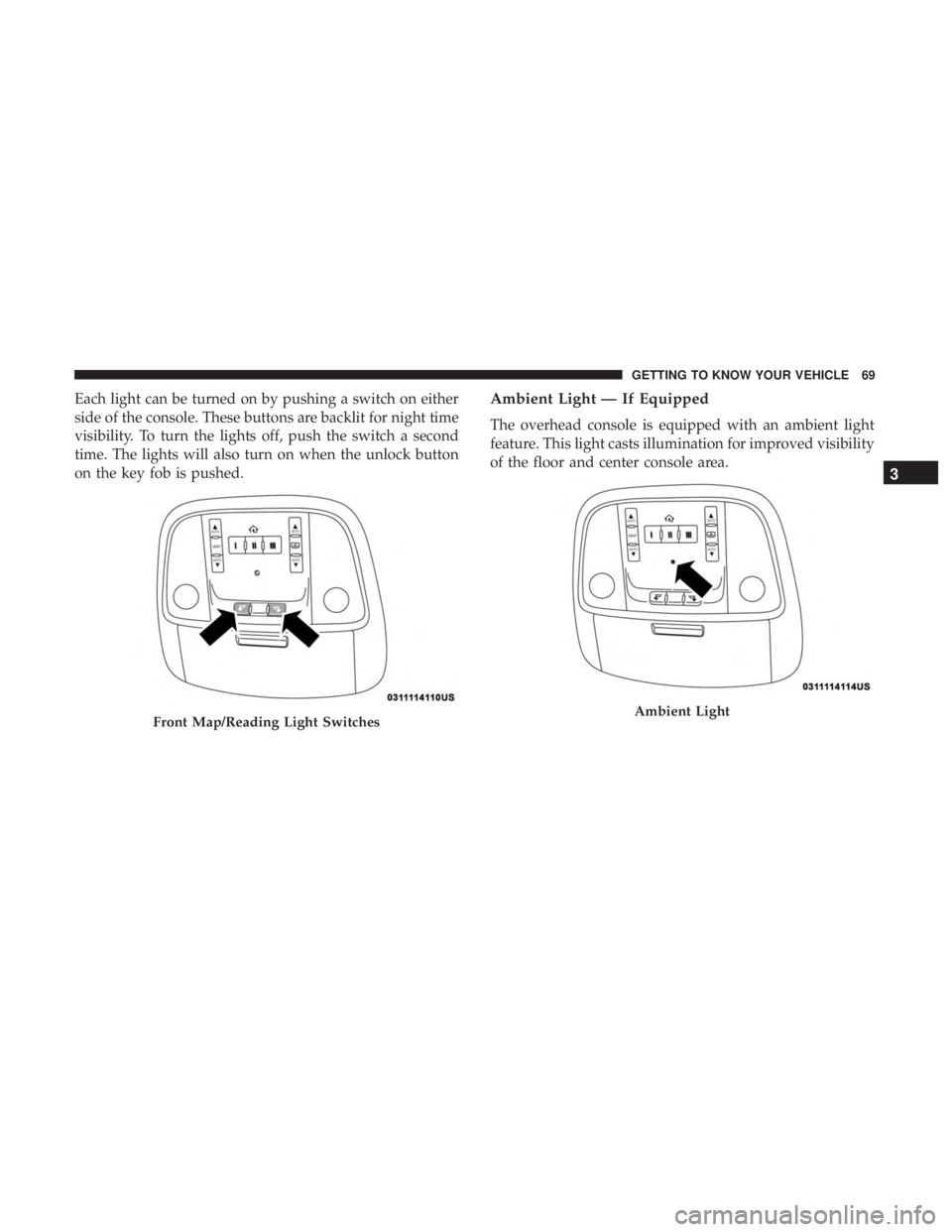
Each light can be turned on by pushing a switch on either
side of the console. These buttons are backlit for night time
visibility. To turn the lights off, push the switch a second
time. The lights will also turn on when the unlock button
on the key fob is pushed.Ambient Light — If Equipped
The overhead console is equipped with an ambient light
feature. This light casts illumination for improved visibility
of the floor and center console area.
Front Map/Reading Light SwitchesAmbient Light
3
GETTING TO KNOW YOUR VEHICLE 69
Page 98 of 492
Attachment
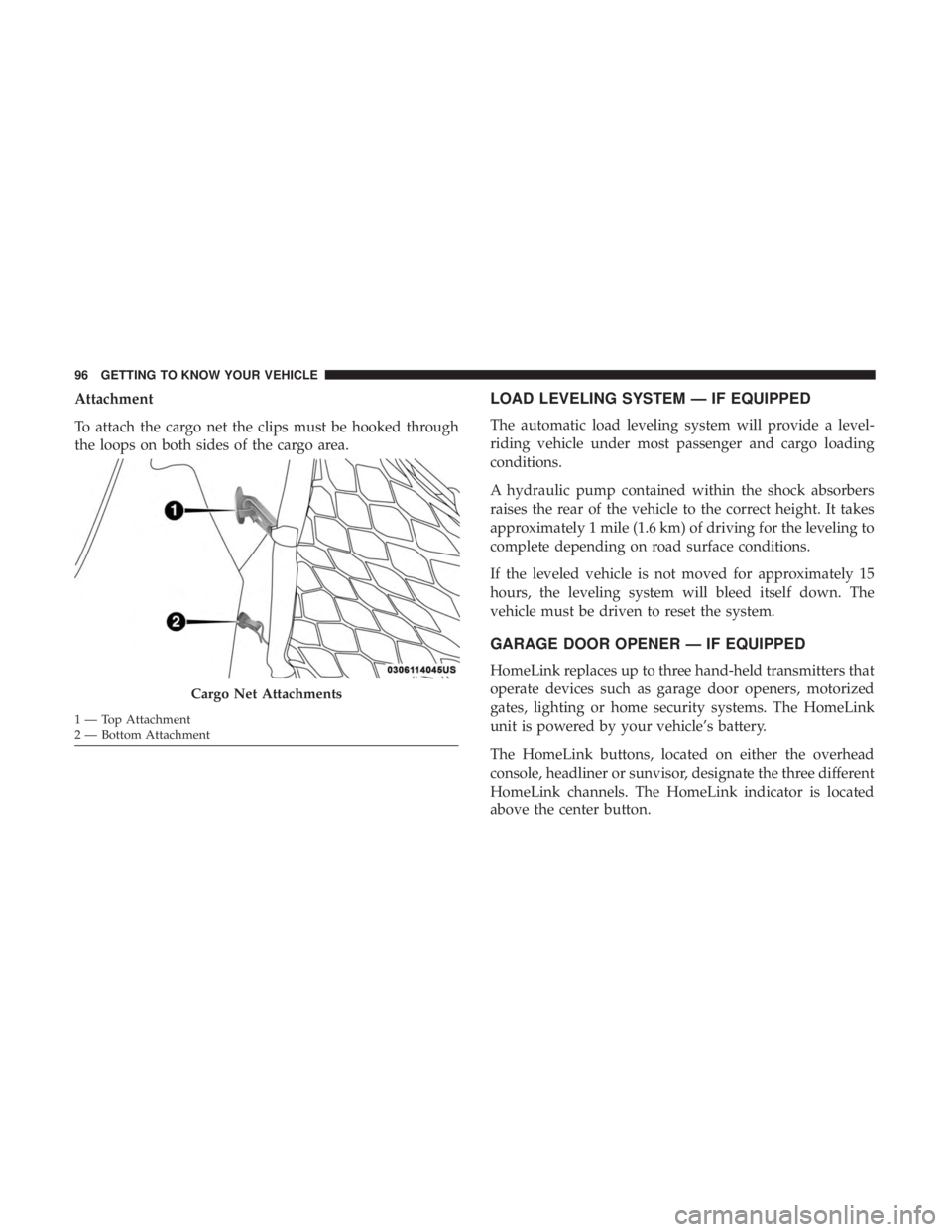
To attach the cargo net the clips must be hooked through
the loops on both sides of the cargo area.LOAD LEVELING SYSTEM — IF EQUIPPED
The automatic load leveling system will provide a level-
riding vehicle under most passenger and cargo loading
conditions.
A hydraulic pump contained within the shock absorbers
raises the rear of the vehicle to the correct height. It takes
approximately 1 mile (1.6 km) of driving for the leveling to
complete depending on road surface conditions.
If the leveled vehicle is not moved for approximately 15
hours, the leveling system will bleed itself down. The
vehicle must be driven to reset the system.
GARAGE DOOR OPENER — IF EQUIPPED
HomeLink replaces up to three hand-held transmitters that
operate devices such as garage door openers, motorized
gates, lighting or home security systems. The HomeLink
unit is powered by your vehicle’s battery.
The HomeLink buttons, located on either the overhead
console, headliner or sunvisor, designate the three different
HomeLink channels. The HomeLink indicator is located
above the center button.
Cargo Net Attachments
1 — Top Attachment
2 — Bottom Attachment 96 GETTING TO KNOW YOUR VEHICLE
Page 105 of 492
INTERNAL EQUIPMENT
Storage
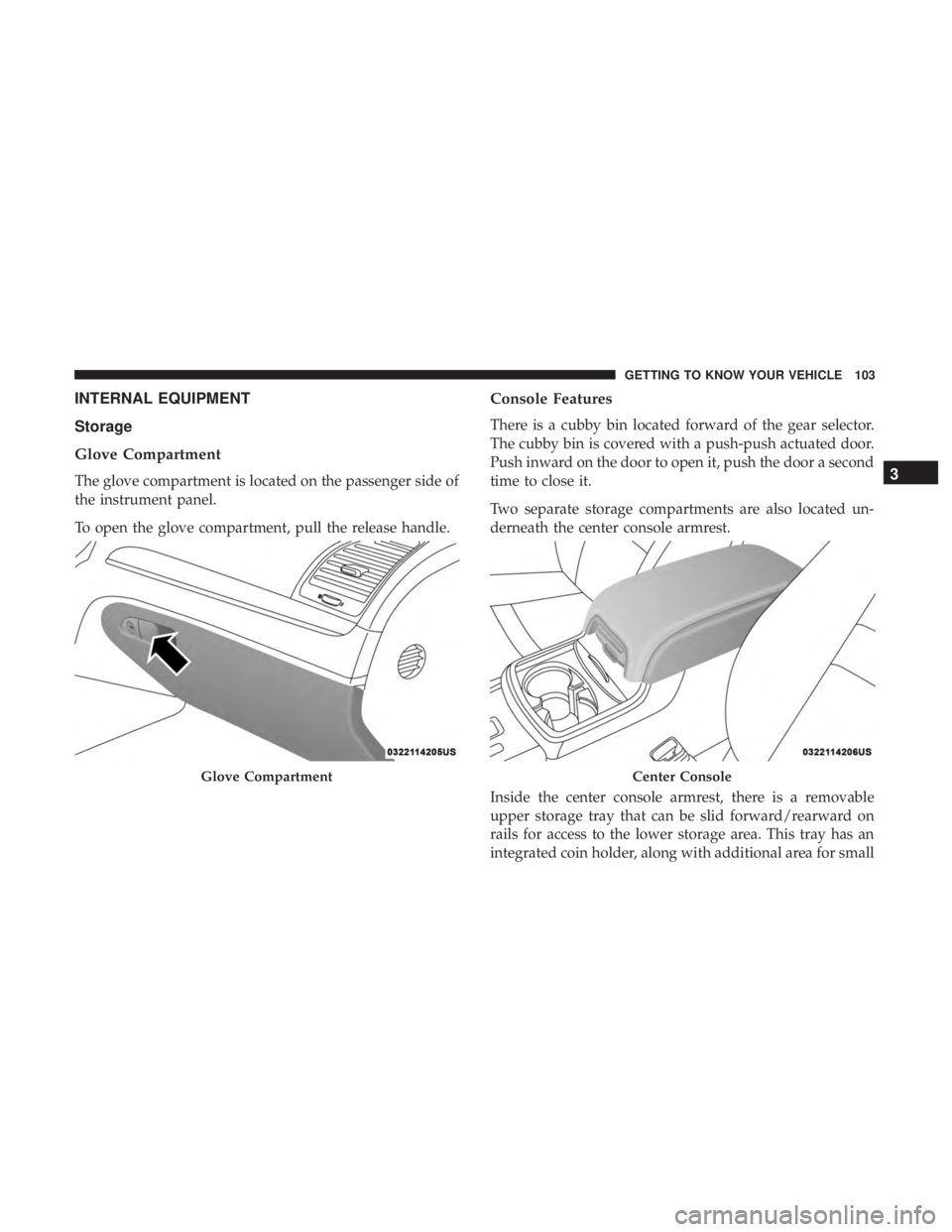
Glove Compartment
The glove compartment is located on the passenger side of
the instrument panel.
To open the glove compartment, pull the release handle.
Console Features
There is a cubby bin located forward of the gear selector.
The cubby bin is covered with a push-push actuated door.
Push inward on the door to open it, push the door a second
time to close it.
Two separate storage compartments are also located un-
derneath the center console armrest.
Inside the center console armrest, there is a removable
upper storage tray that can be slid forward/rearward on
rails for access to the lower storage area. This tray has an
integrated coin holder, along with additional area for small
Glove CompartmentCenter Console
3
GETTING TO KNOW YOUR VEHICLE 103
Page 107 of 492
Rear Seat Armrest Storage — If Equipped
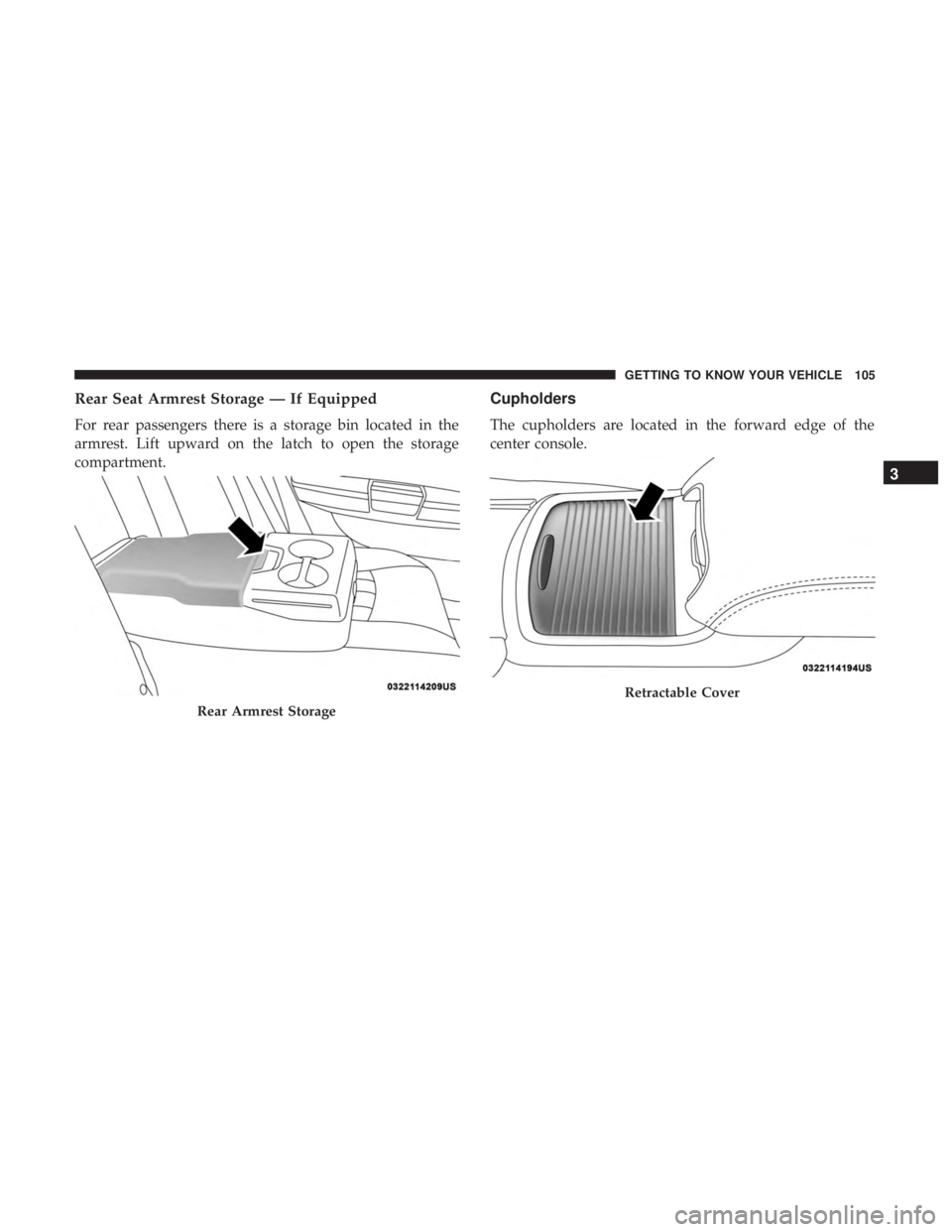
For rear passengers there is a storage bin located in the
armrest. Lift upward on the latch to open the storage
compartment.
Cupholders
The cupholders are located in the forward edge of the
center console.
Rear Armrest Storage
Retractable Cover
3
GETTING TO KNOW YOUR VEHICLE 105
Page 110 of 492
WARNING!(Continued)
age, chronic illness, diabetes, spinal cord injuries,
medication, alcohol use, exhaustion or other physical
condition must exercise particular care in order to
prevent serious burn injury. Keep the cupholder free of
debris or stray objects when operated in the “Hot”
position.
Power Sunshade — If Equipped
Your vehicle may be equipped with a power sunshade that
will reduce the amount of sunlight that will shine through
the rear windshield.
The power sunshade can be operated using the Uconnect
System.
Press the “Controls” button and then press the “Rear
Sunshade” button to raise the power sunscreen. Press the
“Sunshade” button a second time to lower the sunshade.
If the sunshade is in the raised position and the vehicle is
placed in REVERSE, the sunshade will automatically fully
lower. When the transmission is shifted out of REVERSE
the sunshade will automatically return to the fully raised
position after a brief delay. The power sunshade can also be operated by passengers in
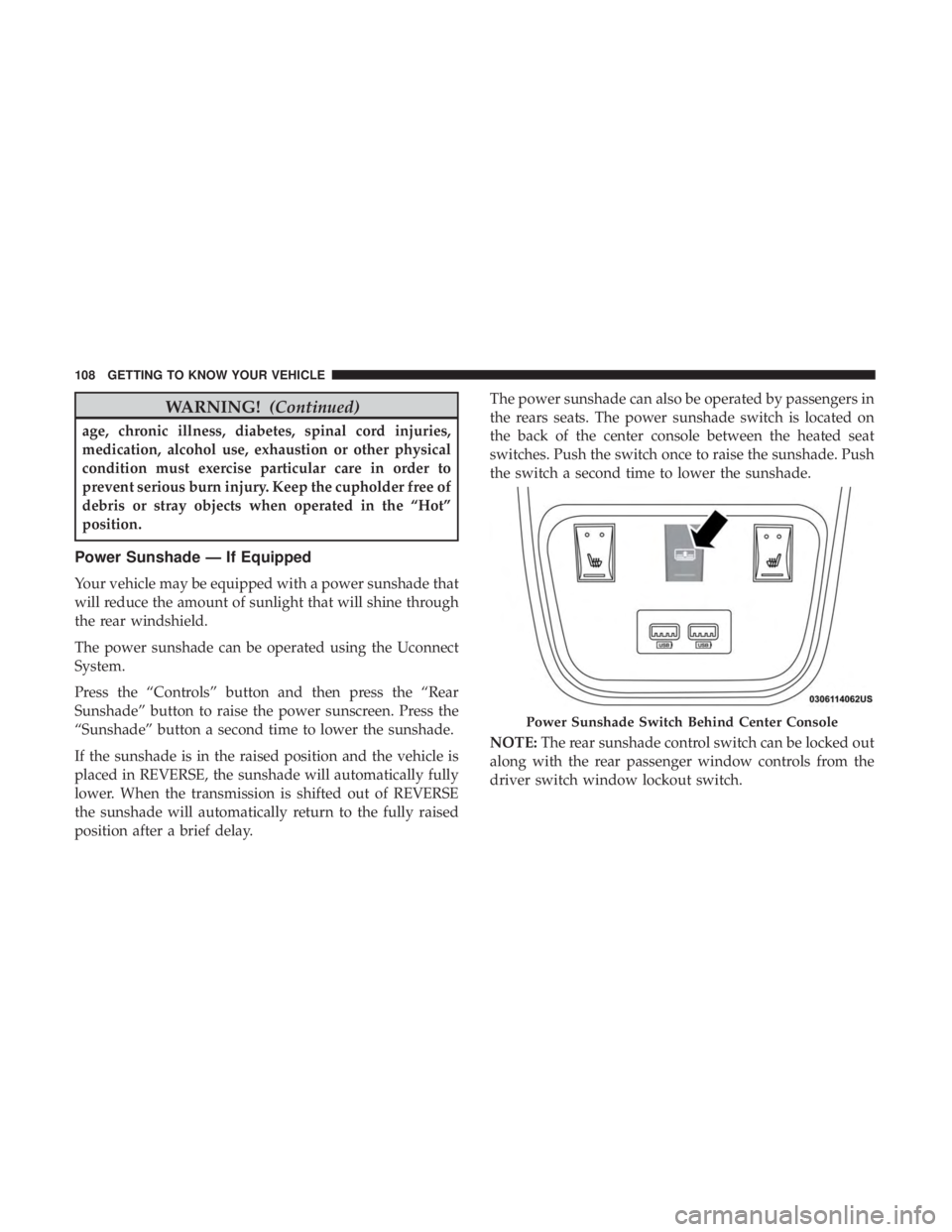
the rears seats. The power sunshade switch is located on
the back of the center console between the heated seat
switches. Push the switch once to raise the sunshade. Push
the switch a second time to lower the sunshade.
NOTE:
The rear sunshade control switch can be locked out
along with the rear passenger window controls from the
driver switch window lockout switch.
Power Sunshade Switch Behind Center Console
108 GETTING TO KNOW YOUR VEHICLE
Page 111 of 492

Electrical Power Outlets
Your vehicle is equipped with one 12 Volt (13 Amp) power
outlet on the instrument panel and one 12 Volt (13 Amp)
power outlet in the center console that can be used to
power cellular phones, small electronics and other low
powered electrical accessories. The power outlets are la-
beled with either a “key” or a “battery” symbol to indicate
how the outlet is powered. Power outlets labeled with a
“key” are powered when the ignition switch is in the ON or
ACC position, while the outlets labeled with a “battery”
are connected directly to the battery and powered at all
times.
NOTE:
•All accessories connected to the “battery” powered
outlets should be removed or turned off when the
vehicle is not in use to protect the battery against
discharge.
The front power outlet is located inside the storage area on
the center stack of the instrument panel.
WARNING!
Do not place ashes inside the cubby bin located on the
center console on vehicles not equipped with the ash
receiver tray. A fire leading to bodily injury could
result.
Front Power Outlet
3
GETTING TO KNOW YOUR VEHICLE 109
Page 112 of 492
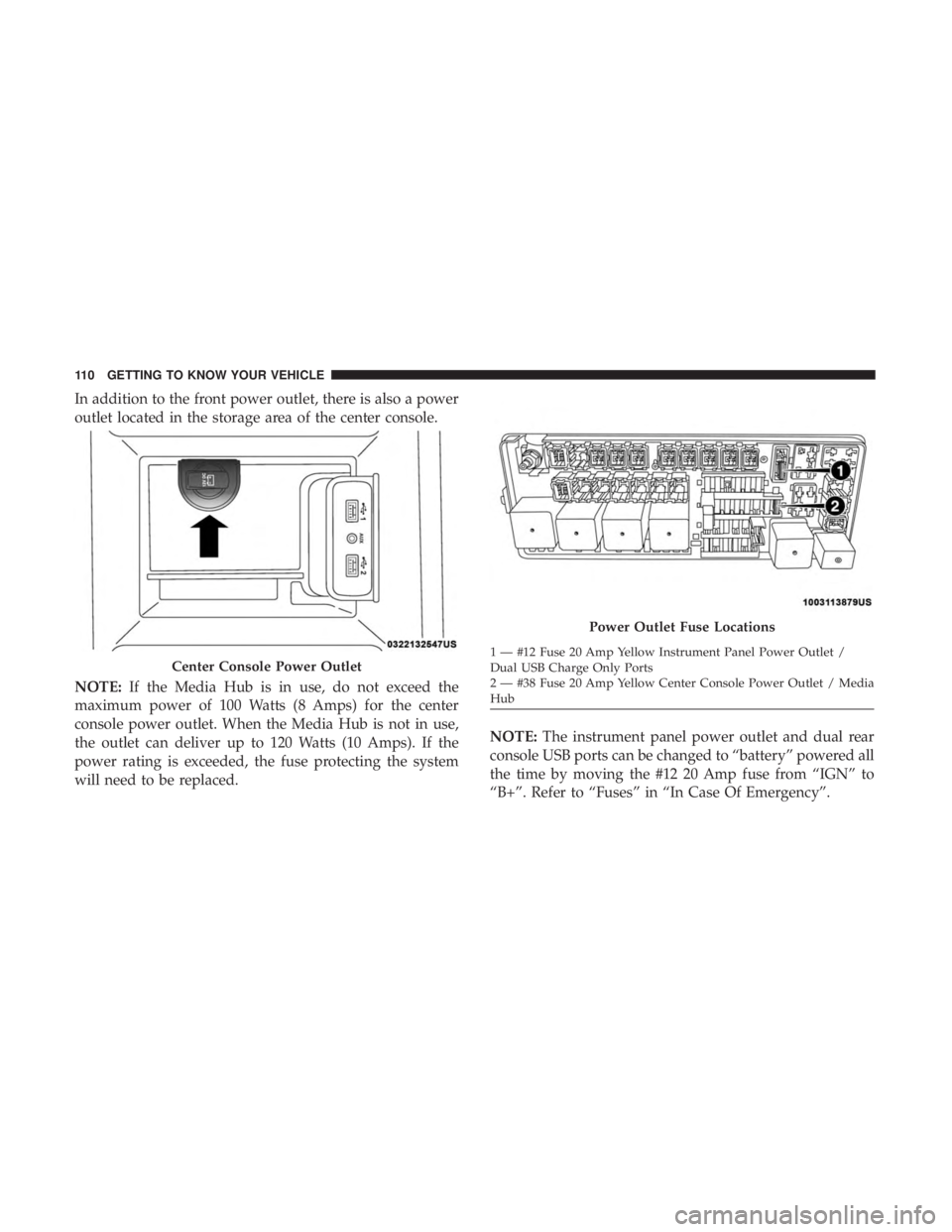
In addition to the front power outlet, there is also a power
outlet located in the storage area of the center console.
NOTE:If the Media Hub is in use, do not exceed the
maximum power of 100 Watts (8 Amps) for the center
console power outlet. When the Media Hub is not in use,
the outlet can deliver up to 120 Watts (10 Amps). If the
power rating is exceeded, the fuse protecting the system
will need to be replaced. NOTE:
The instrument panel power outlet and dual rear
console USB ports can be changed to “battery” powered all
the time by moving the #12 20 Amp fuse from “IGN” to
“B+”. Refer to “Fuses” in “In Case Of Emergency”.
Center Console Power Outlet
Power Outlet Fuse Locations
1 — #12 Fuse 20 Amp Yellow Instrument Panel Power Outlet /
Dual USB Charge Only Ports
2 — #38 Fuse 20 Amp Yellow Center Console Power Outlet / Media
Hub
110 GETTING TO KNOW YOUR VEHICLE