2018 CHRYSLER 300 light
[x] Cancel search: lightPage 454 of 492
Media
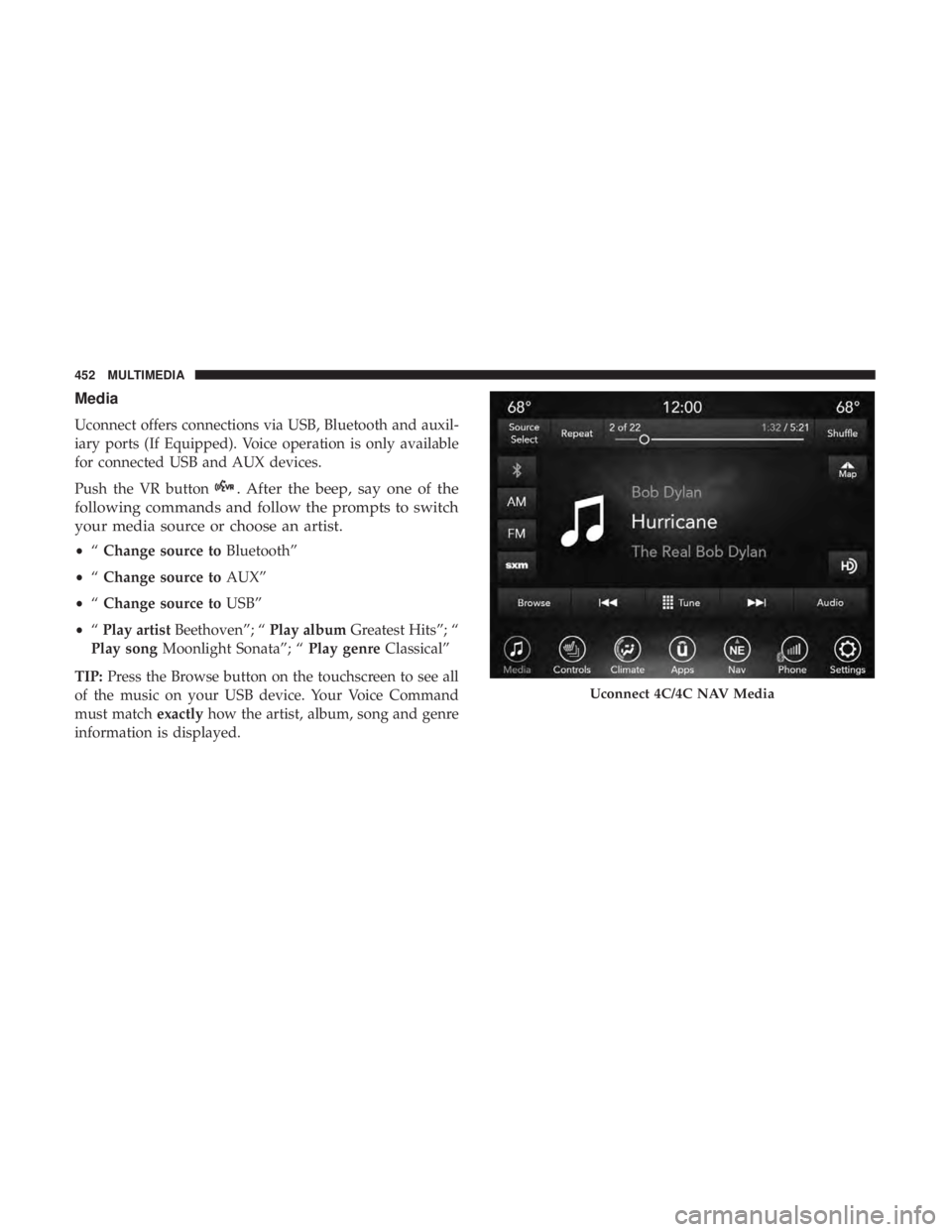
Uconnect offers connections via USB, Bluetooth and auxil-
iary ports (If Equipped). Voice operation is only available
for connected USB and AUX devices.
Push the VR button
. After the beep, say one of the
following commands and follow the prompts to switch
your media source or choose an artist.
• “Change source to Bluetooth”
• “Change source to AUX”
• “Change source to USB”
• “Play artist Beethoven”; “ Play albumGreatest Hits”; “
Play song Moonlight Sonata”; “ Play genreClassical”
TIP: Press the Browse button on the touchscreen to see all
of the music on your USB device. Your Voice Command
must match exactlyhow the artist, album, song and genre
information is displayed.
Uconnect 4C/4C NAV Media
452 MULTIMEDIA
Page 459 of 492
SiriusXM Guardian (4C/4C NAV)— If Equipped
CAUTION!
Some SiriusXM Guardian services, including SOS Call
and Roadside Assistance Call will NOT work without
an operable LTE (voice/data) or 3G or 4G (data) net-
work connection compatible with your device.
NOTE: Your vehicle may be transmitting data as autho-
rized by the subscriber.
An included trial and/or subscription is required to take
advantage of the SiriusXM Guardian services in the next
section of this guide. To register with SiriusXM Guardian,
press the Apps button on the Uconnect 4C/4C NAV
touchscreen to get started.
NOTE: SiriusXM Guardian is available only on equipped
vehicles purchased within the continental United States,
Alaska, Hawaii and Canada. Services can only be used
where coverage is available; see coverage map for details.
SOS Call
Theft Alarm Notification
Remote Door Lock/Unlock
Send & Go
Vehicle Finder
Stolen Vehicle Assistance
Remote Vehicle Start**
Remote Horn & Lights
Roadside Assistance Call
Vehicle Health Reports**
Vehicle Health Alert**
Performance Pages Plus**
**If vehicle is equipped.
Register (4C/4C NAV)
To unlock the full potential of SiriusXM Guardian in your
vehicle, you must activate your SiriusXM Guardian ser-
vices.
1. Press the Apps icon on the bottom of your in-vehicle touchscreen.
2. Select the Activate Services icon from your list of apps.10
MULTIMEDIA 457
Page 460 of 492
3. Select “Customer Care” to speak with a SiriusXMGuardian Customer Care agent who will activate ser-
vices in your vehicle, or select “Enter Email” to activate
on the web.
• U.S. residents visit: www.siriusxm.com/guardian.
• Canadian residents visit: www.siriusxm.ca/guardian.
Vehicle Health Report/Alert (4C/4C NAV)
Your vehicle will send you a monthly email report, which
summarizes the performance of your vehicle’s key systems
so you can stay on top of your vehicle’s maintenance needs
if you are registered for SiriusXM Guardian. Your vehicle
will also send you Vehicle Health Alerts when it detects
issues with its key systems that need your attention. For
further information, refer to your owner ’s manual.
Mobile App (4C/4C NAV)
You’re only a few steps away from using remote com-
mands and sending a destination from your phone to your
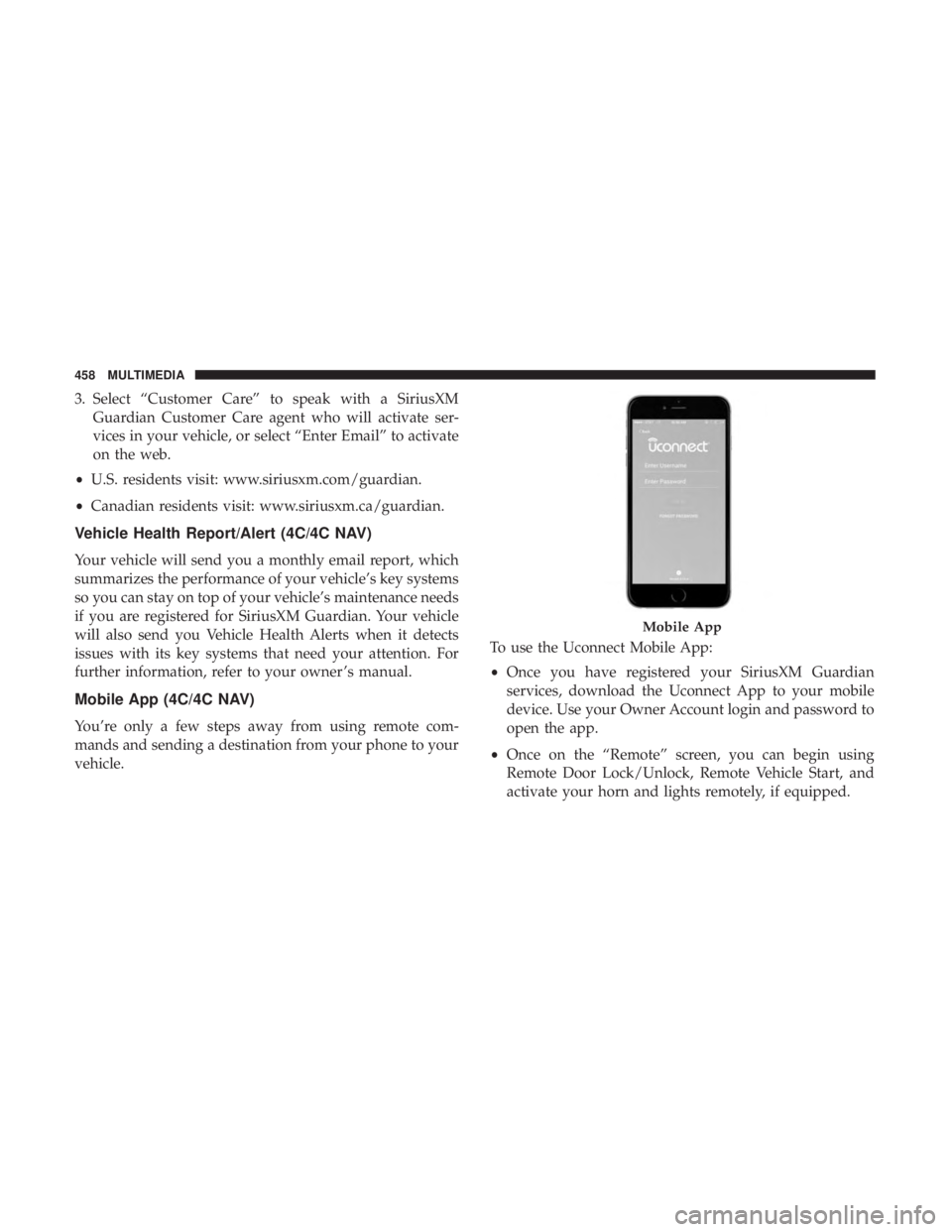
vehicle. To use the Uconnect Mobile App:
•
Once you have registered your SiriusXM Guardian
services, download the Uconnect App to your mobile
device. Use your Owner Account login and password to
open the app.
• Once on the “Remote” screen, you can begin using
Remote Door Lock/Unlock, Remote Vehicle Start, and
activate your horn and lights remotely, if equipped.
Mobile App
458 MULTIMEDIA
Page 464 of 492
NOTE:Requires compatible smartphone running
Android™ 5.0 Lollipop or higher and download app on
Google Play. Android, Android Auto, and Google Play are
trademarks of Google Inc.
Apple CarPlay — If Equipped
NOTE: Feature availability depends on your carrier and
mobile phone manufacturer. Some Apple CarPlay features
may or may not be available in every region and/or
language.
Apple CarPlay allows you to use your voice to interact
with Siri through your vehicle’s voice recognition system,
and use your smartphone’s data plan to project your
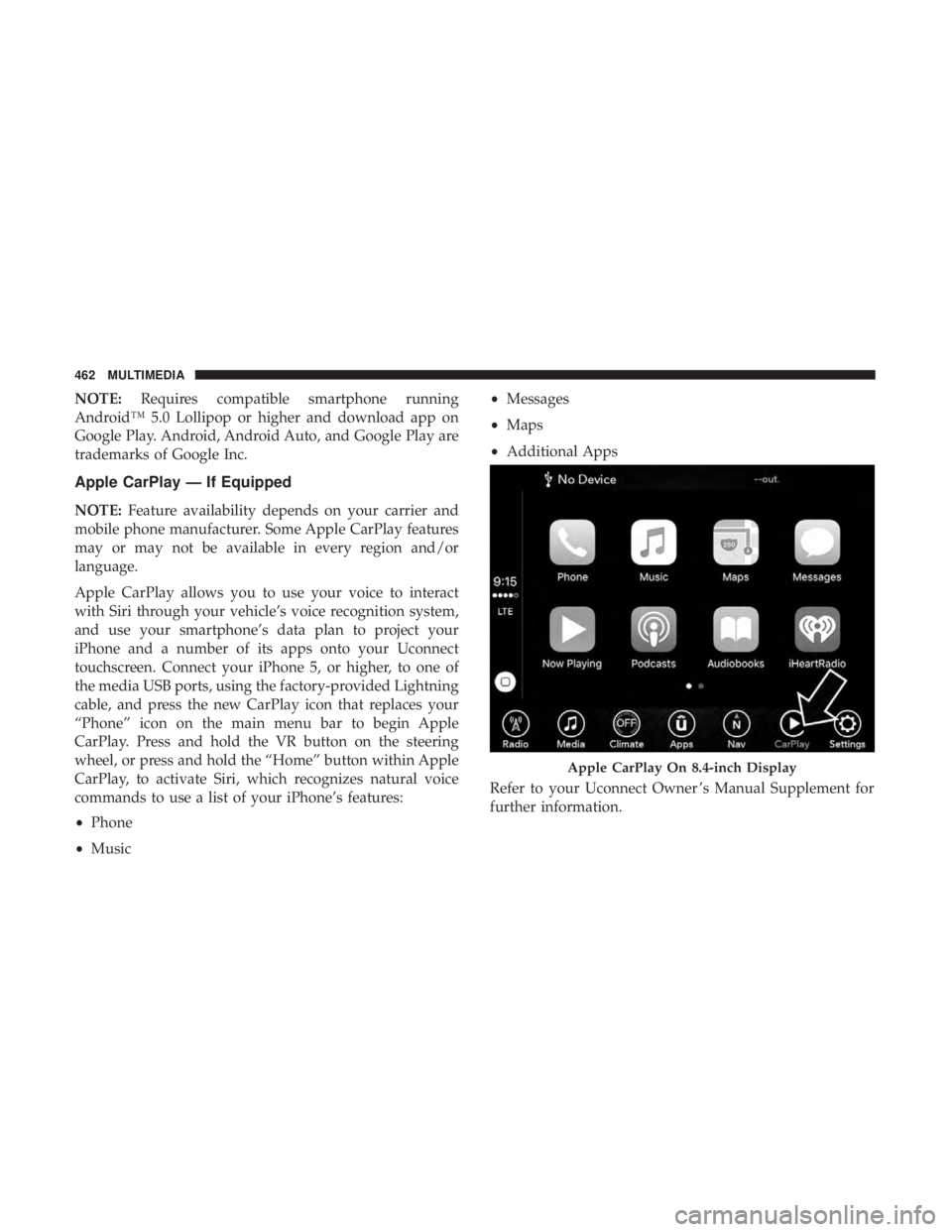
iPhone and a number of its apps onto your Uconnect
touchscreen. Connect your iPhone 5, or higher, to one of
the media USB ports, using the factory-provided Lightning
cable, and press the new CarPlay icon that replaces your
“Phone” icon on the main menu bar to begin Apple
CarPlay. Press and hold the VR button on the steering
wheel, or press and hold the “Home” button within Apple
CarPlay, to activate Siri, which recognizes natural voice
commands to use a list of your iPhone’s features:
• Phone
• Music •
Messages
• Maps
• Additional Apps
Refer to your Uconnect Owner ’s Manual Supplement for
further information.
Apple CarPlay On 8.4-inch Display
462 MULTIMEDIA
Page 466 of 492
CD/DVD DISC MAINTENANCE
To keep a CD/DVD in good condition, take the following
precautions:
1. Handle the disc by its edge; avoid touching the surface.
2. If the disc is stained, clean the surface with a soft cloth,wiping from center to edge.
3. Do not apply paper or tape to the disc; avoid scratching the disc.
4. Do not use solvents such as benzene, thinner, cleaners, or anti-static sprays.
5. Store the disc in its case after playing.
6. Do not expose the disc to direct sunlight.
7. Do not store the disc where temperatures may become too high.
NOTE: If you experience difficulty in playing a particular
disc, it may be damaged (e.g., scratched, reflective coating
removed, a hair, moisture or dew on the disc), oversized, or
have protection encoding. Try a known good disc before
considering disc player service.
464 MULTIMEDIA
Page 470 of 492
Customer Assistance For The Hearing Or Speech
Impaired (TDD/TTY)
To assist customers who have hearing difficulties, the
manufacturer has installed special TDD (Telecommunica-
tion Devices for the Deaf) equipment at its customer center.
Any hearing or speech impaired customer, who has access
to a TDD or a conventional teletypewriter (TTY) in the
United States, can communicate with the manufacturer by
dialing 1-800-380-CHRY.
Canadian residents with hearing difficulties that require
assistance can use the special needs relay service offered by
Bell Canada. For TTY teletypewriter users, dial 711 and for
Voice callers, dial 1-800-855-0511 to connect with a Bell
Relay Service operator.
Service Contract
You may have purchased a service contract for a vehicle to
help protect you from the high cost of unexpected repairs
after the manufacturer’s New Vehicle Limited Warranty
expires. The manufacturer stands behind only the manu-
facturer’s service contracts. If you purchased a manufac-
turer’s service contract, you will receive Plan Provisions
and an Owner Identification Card in the mail within three
weeks of the vehicle delivery date. If you have anyquestions about the service contract, call the manufactur-
er’s Service Contract National Customer Hotline at 1-800-
521-9922 (Canadian residents, call (800) 465-2001 English /
(800) 387-9983 French).
The manufacturer will not stand behind any service con-
tract that is not the manufacturer’s service contract. It is not
responsible for any service contract other than the manu-
facturer’s service contract. If you purchased a service
contract that is not a manufacturer’s service contract, and
you require service after the manufacturer’s New Vehicle
Limited Warranty expires, please refer to the contract
documents, and contact the person listed in those docu-
ments.
We appreciate that you have made a major investment
when you purchased the vehicle. An authorized dealer has
also made a major investment in facilities, tools, and
training to assure that you are absolutely delighted with
the ownership experience. You will be pleased with their
sincere efforts to resolve any warranty issues or related
concerns.
468 CUSTOMER ASSISTANCE
Page 474 of 492

About Your Brakes........................ .403
Adaptive Cruise Control (ACC) (Cruise Control) . . . .239
Adding Engine Coolant (Antifreeze) .............364
Adding Fuel ............................. .278
Adding Washing Fluid ...................... .348
Additives, Fuel ........................... .406
Adjust Forward ................................42
Rearward ...............................42
AirBag ................................ .180
Advance Front Air Bag ....................180
Air Bag Operation ....................... .182
Air Bag Warning Light .....................178
Driver Knee Air Bag ..................... .183
Enhanced Accident Response .............188, 338
Event Data Recorder (EDR) .................338
FrontAirBag .......................... .180
If Deployment Occurs .....................187
Knee Impact Bolsters ..................... .182
Maintaining Your Air Bag System .............190
Maintenance ........................... .190
Redundant Air Bag Warning Light ............179
Side Air Bags .......................... .183
Transporting Pets ....................... .208
Air Bag Light ...................... .125, 178, 210Air Cleaner, Engine (Engine Air Cleaner Filter)
......353
Air Conditioner Maintenance ..................354
Air Conditioner Refrigerant ...................354
Air Conditioner System ....................75, 354
Air Conditioning Filter ....................82, 355
Air Conditioning, Operating Tips ................81
Air Filter ............................... .353
Air Pressure Tires................................. .382
Alarm Arm The System ...................... .32, 33
Panic ..................................20
Rearm The System ........................33
Security Alarm....................... .32, 129
Alarm
System
Security Alarm ...........................32
All Wheel Drive Towing ............................... .337
All Wheel Drive (AWD) ..................... .370
Alterations/Modifications, Vehicle ................6
Android Auto ............................ .461
Antifreeze (Engine Coolant) ................363, 412
Disposal .............................. .366
Anti-Lock Brake System (ABS) .................140
Anti-Lock Warning Light .....................133
472 INDEX
Page 475 of 492
Apple CarPlay........................... .462
Arming System Security Alarm ...........................32
Assist, Hill Start .......................... .147
Audio Systems (Radio) ...................... .419
Auto Down Power Windows ...................84
Automatic Door Locks ........................39
Automatic Headlights ........................64
Automatic High Beams .......................63
Automatic Temperature Control (ATC) ............80
Automatic Transmission ..................... .226
Adding Fluid .....................370, 413, 415
Fluid And Filter Change ...................370
Fluid Change .......................... .370
Fluid Level Check ....................... .369
Fluid Type ...................... .369, 413, 415
Special Additives ........................ .369
Automatic Transmission Limp Home Mode .....39, 231
Autostick Operation ............................. .232
Auto Up Power Windows .....................84
AuxCord............................... .447AW D
Towing ............................... .337
Axle Fluid ........................... .413, 415
Axle Lubrication ....................... .413, 415
Back-Up ................................ .277
Battery .............................. .127, 349
Charging System Light ....................127
Keyless Key Fob Replacement ................21
Location .............................. .349
Belts, Seat ............................... .210
Beverage Holder Cooled (Cupholder) ............107
Beverage Holder Heated (Cupholder) ............107
Body Mechanism Lubrication ..................357
B-Pillar Location .......................... .377
Brake Assist System ........................ .141
Brake Control System ....................... .141
Brake Fluid ....................... .367, 413, 415
Brake
System ......................... .367, 403
Fluid Check ..................... .367, 413, 415
Master Cylinder ........................ .367
Parking .............................. .222
Warning Light ...................... .126, 403
Brake/Transmission Interlock ..................225
Break-In Recommendations, New Vehicle ..........221
12
INDEX 473