2018 CHEVROLET TRAVERSE garage door opener
[x] Cancel search: garage door openerPage 27 of 419

Chevrolet Traverse Owner Manual (GMNA-Localizing-U.S./Canada/Mexico-
10603118) - 2018 - CRC - 1/29/18
26 In Brief
Rear Vision
Camera (RVC)
The RVC displays a view of the
area behind the vehicle on the
infotainment display when the
vehicle is shifted into R (Reverse) to
aid with parking and low-speed
backing maneuvers.
SeeAssistance Systems for Parking
or Backing 0256.
Rear Cross Traffic Alert
(RCTA) System
If equipped, the RCTA system
shows a triangle with an arrow on
the infotainment display to warn of
traffic behind your vehicle that may
cross your vehicle's path while in
R (Reverse). In addition, beeps will
sound, or the driver seat will pulse.
See Assistance Systems for Parking
or Backing 0256.
Parking Assist
If equipped, Rear Parking
Assist (RPA) uses sensors on the
rear bumper to assist with parking
and avoiding objects while in
R (Reverse). It operates at speeds
less than 8 km/h (5 mph). RPA may
show a warning triangle on the
infotainment display and a graphic
on the instrument cluster to provide
the object distance. In addition,
multiple beeps or seat pulses may
occur if very close to an object.
The vehicle may also have the Front
Parking Assist system.
See Assistance Systems for Parking
or Backing 0256.
Power Outlets
The vehicle has two 12-volt
accessory power outlets, which can
be used to plug in electrical
equipment, such as a cell phone or
MP3 player.
The power outlets are located:
.
On the center stack below the
climate controls. .
In the rear cargo area.
To use the outlets, remove the
cover.
See Power Outlets 0129.
Universal Remote System
If equipped, the Universal Remote
System allows for garage door
openers, security systems, and
home automation devices to be
programmed to work with these
buttons in the vehicle.
See Universal Remote System
0 162.
Page 163 of 419
Chevrolet Traverse Owner Manual (GMNA-Localizing-U.S./Canada/Mexico-
10603118) - 2018 - CRC - 1/29/18
162 Instruments and Controls
Software Information
Touch to view or update the version
of the infotainment system software.
Wi-Fi
Select and the following may
display:
.Wi-Fi
. Manage Wi-Fi Networks
Wi-Fi
This feature allows Wi-Fi networks
to be turned of or on.
Select Off or On.
Manage Wi-Fi Networks
Select to manage Wi-Fi networks.
Wi-Fi must be on for this feature to
be accessed.
Universal Remote
System
See Radio Frequency Statement
0 390.
Universal Remote System
Programming
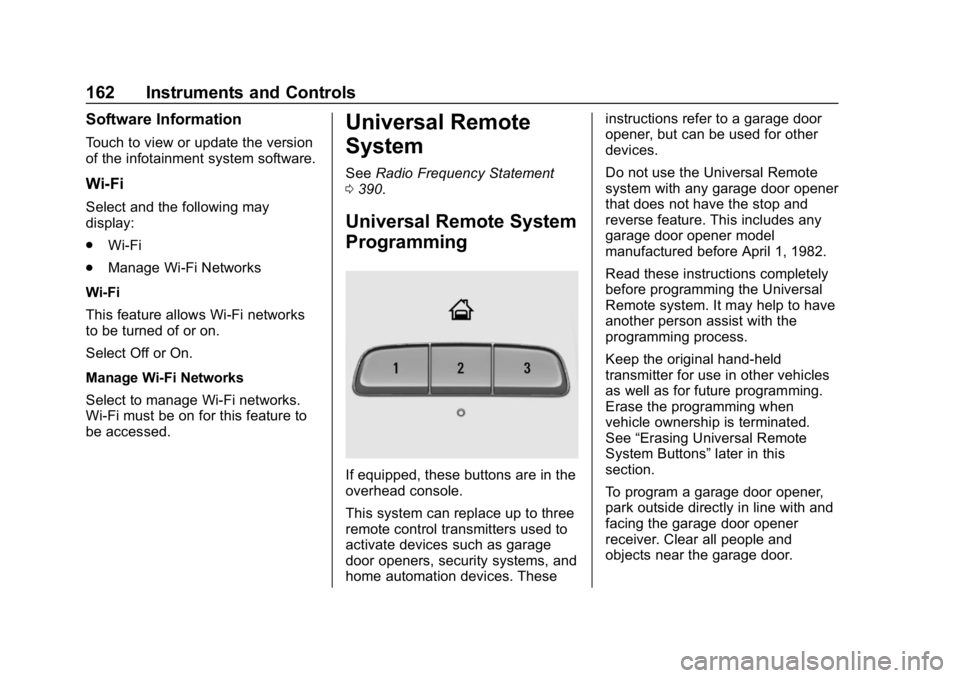
If equipped, these buttons are in the
overhead console.
This system can replace up to three
remote control transmitters used to
activate devices such as garage
door openers, security systems, and
home automation devices. These instructions refer to a garage door
opener, but can be used for other
devices.
Do not use the Universal Remote
system with any garage door opener
that does not have the stop and
reverse feature. This includes any
garage door opener model
manufactured before April 1, 1982.
Read these instructions completely
before programming the Universal
Remote system. It may help to have
another person assist with the
programming process.
Keep the original hand-held
transmitter for use in other vehicles
as well as for future programming.
Erase the programming when
vehicle ownership is terminated.
See
“Erasing Universal Remote
System Buttons” later in this
section.
To program a garage door opener,
park outside directly in line with and
facing the garage door opener
receiver. Clear all people and
objects near the garage door.
Page 164 of 419

Chevrolet Traverse Owner Manual (GMNA-Localizing-U.S./Canada/Mexico-
10603118) - 2018 - CRC - 1/29/18
Instruments and Controls 163
Make sure the hand-held transmitter
has a new battery for quicker and
more accurate transmission of the
radio-frequency signal.
Programming the Universal
Remote System
For questions or programming help,
see www.homelink.com/gm or call
1-800-355-3515. For calls placed
outside the U.S.A, Canada,
or Puerto Rico, international rates
will apply and may differ based on
landline or mobile phone.
Programming involves
time-sensitive actions, and may time
out causing the procedure to be
repeated.
To program up to three devices:1. Hold the end of the hand-held transmitter about 3 to 8 cm
(1 to 3 in) away from the
Universal Remote system
buttons with the indicator light
in view. The hand-held
transmitter was supplied by the
manufacturer of the garage
door opener receiver. 2. At the same time, press and
hold both the hand-held
transmitter button and one of
the three Universal Remote
system buttons to be used to
operate the garage door. Do
not release either button until
the indicator light changes from
a slow to a rapid flash. Then
release both buttons.
Some garage door openers
may require substitution of
Step 2 with the procedure
under “Radio Signals for Some
Gate Operators” later in this
section.
3. Press and hold the newly programmed Universal Remote
system button for five seconds
while watching the indicator
light and garage door
activation.
.If the indicator light stays on
continuously or the garage
door moves when the
button is pressed, then
programming is complete.
There is no need to
complete Steps 4–6. .
If the indicator light does
not come on or the garage
door does not move, a
second button press may
be required. For a second
time, press and hold the
newly programmed button
for five seconds. If the light
stays on or the garage door
moves, programming is
complete.
. If the indicator light blinks
rapidly for two seconds,
then changes to a solid light
and the garage door does
not move, continue with
programming Steps 4–6.
Page 165 of 419
Chevrolet Traverse Owner Manual (GMNA-Localizing-U.S./Canada/Mexico-
10603118) - 2018 - CRC - 1/29/18
164 Instruments and Controls
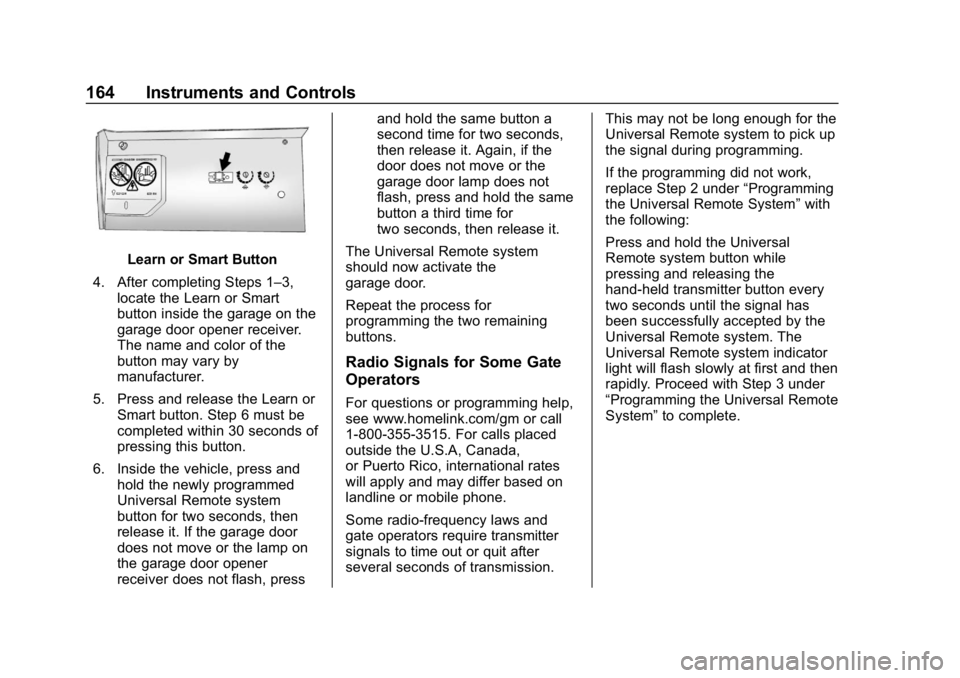
Learn or Smart Button
4. After completing Steps 1–3, locate the Learn or Smart
button inside the garage on the
garage door opener receiver.
The name and color of the
button may vary by
manufacturer.
5. Press and release the Learn or Smart button. Step 6 must be
completed within 30 seconds of
pressing this button.
6. Inside the vehicle, press and hold the newly programmed
Universal Remote system
button for two seconds, then
release it. If the garage door
does not move or the lamp on
the garage door opener
receiver does not flash, press and hold the same button a
second time for two seconds,
then release it. Again, if the
door does not move or the
garage door lamp does not
flash, press and hold the same
button a third time for
two seconds, then release it.
The Universal Remote system
should now activate the
garage door.
Repeat the process for
programming the two remaining
buttons.
Radio Signals for Some Gate
Operators
For questions or programming help,
see www.homelink.com/gm or call
1-800-355-3515. For calls placed
outside the U.S.A, Canada,
or Puerto Rico, international rates
will apply and may differ based on
landline or mobile phone.
Some radio-frequency laws and
gate operators require transmitter
signals to time out or quit after
several seconds of transmission. This may not be long enough for the
Universal Remote system to pick up
the signal during programming.
If the programming did not work,
replace Step 2 under
“Programming
the Universal Remote System” with
the following:
Press and hold the Universal
Remote system button while
pressing and releasing the
hand-held transmitter button every
two seconds until the signal has
been successfully accepted by the
Universal Remote system. The
Universal Remote system indicator
light will flash slowly at first and then
rapidly. Proceed with Step 3 under
“Programming the Universal Remote
System” to complete.
Page 319 of 419

Chevrolet Traverse Owner Manual (GMNA-Localizing-U.S./Canada/Mexico-
10603118) - 2018 - CRC - 1/29/18
318 Vehicle Care
FusesUsage
F55 –
F56 Universal garage door opener/
Overhead console
F57 Hands free closure release
Circuit
Breakers Usage
CB1 –
CB2 –
CB3 Rear auxiliary power outlet
Relays Usage
K1 –
K2 –Wheels and Tires
Tires
Every new GM vehicle has
high-quality tires made by a
leading tire manufacturer. See
the warranty manual for
information regarding the tire
warranty and where to get
service. For additional
information refer to the tire
manufacturer.
{Warning
.Poorly maintained and
improperly used tires are
dangerous.
.Overloading the tires can
cause overheating as a
result of too much
flexing. There could be a
blowout and a serious
crash. See Vehicle Load
Limits 0219.
(Continued)
Warning (Continued)
.Underinflated tires pose
the same danger as
overloaded tires. The
resulting crash could
cause serious injury.
Check all tires frequently
to maintain the
recommended pressure.
Tire pressure should be
checked when the tires
are cold.
.Overinflated tires are
more likely to be cut,
punctured, or broken by
a sudden impact —such
as when hitting a pothole.
Keep tires at the
recommended pressure.
.Worn or old tires can
cause a crash. If the
tread is badly worn,
replace them.
(Continued)
Page 411 of 419

Chevrolet Traverse Owner Manual (GMNA-Localizing-U.S./Canada/Mexico-
10603118) - 2018 - CRC - 1/29/18
410 Index
Front Fog LampLight . . . . . . . . . . . . . . . . . . . . . . . . . . 149
Front Pedestrian Braking (FPB) System . . . . . . . . . . . . . . . . . 263
Front Seats Adjustment . . . . . . . . . . . . . . . . . . . . . 64
Heated and Ventilated . . . . . . . . . . 70
Fuel . . . . . . . . . . . . . . . . . . . . . . . . . . . . 269 Additives . . . . . . . . . . . . . . . . . . . . . 270
Economy Driving . . . . . . . . . . . . . . . 29
Filling a Portable FuelContainer . . . . . . . . . . . . . . . . . . . 272
Filling the Tank . . . . . . . . . . . . . . . 271
Foreign Countries . . . . . . . . . . . . 270
Gauge . . . . . . . . . . . . . . . . . . . . . . . . 138
Low Fuel Warning Light . . . . . . . 148
Requirements, California . . . . . 270
Fuses Engine Compartment FuseBlock . . . . . . . . . . . . . . . . . . . . . . . . 310
Fuses and Circuit Breakers . . . 310
Instrument Panel Fuse
Block . . . . . . . . . . . . . . . . . . . . . . . . 314
Rear Compartment Fuse Block . . . . . . . . . . . . . . . . . . . . . . . . 316G
Garage Door Opener . . . . . . . . . . . 162
Programming . . . . . . . . . . . . . . . . . 162
Gas Strut(s) . . . . . . . . . . . . . . . . . . . . 306
Gauges Engine CoolantTemperature . . . . . . . . . . . . . . . . 138
Fuel . . . . . . . . . . . . . . . . . . . . . . . . . . 138
Odometer . . . . . . . . . . . . . . . . . . . . . 137
Speedometer . . . . . . . . . . . . . . . . . 137
Tachometer . . . . . . . . . . . . . . . . . . . 137
Trip Odometer . . . . . . . . . . . . . . . . 137
Warning Lights and Indicators . . . . . . . . . . . . . . . . . . . 133
General Information Service and Maintenance . . . . . 363
Towing . . . . . . . . . . . . . . . . . . . . . . . . 273
Vehicle Care . . . . . . . . . . . . . . . . . . 283
Glove Box . . . . . . . . . . . . . . . . . . . . . . 118
GM Mobility Reimbursement
Program . . . . . . . . . . . . . . . . . . . . . . . 384
H
Hands-Free Phone . . . . . . . . . . . . . 197
Hazard Warning Flashers . . . . . . . 170
Head Restraints . . . . . . . . . . . . . . . . . 62
HeadlampsAiming . . . . . . . . . . . . . . . . . . . . . . . . 307 Headlamps (cont'd)
Automatic . . . . . . . . . . . . . . . . . . . . . 169
Bulb Replacement . . . . . . . 307, 308
Daytime Running
Lamps (DRL) . . . . . . . . . . . . . . . . 168
Flash-to-Pass . . . . . . . . . . . . . . . . . 168
High Intensity Discharge (HID) Lighting . . . . . . . . . . . . . . . 307
High-Beam On Light . . . . . . . . . . 148
High/Low Beam Changer . . . . . 168
Lamps On Reminder . . . . . . . . . 149
Heated Rear Seats . . . . . . . . . . . . . . . . . . . . . 74
Steering Wheel . . . . . . . . . . . . . . . 125
Heated and Ventilated Front Seats . . . . . . . . . . . . . . . . . . . . . . . . . . 70
Heated Mirrors . . . . . . . . . . . . . . . . . . . 54
Heater Engine . . . . . . . . . . . . . . . . . . . . . . . . 227
Heating . . . . . . . . . . . . . . . . . . . . 200, 203
High Voltage Devices and Wiring . . . . . . . . . . . . . . . . . . . . . . . . . 309
High-Beam On Light . . . . . . . . . . . . 148
High-Speed Operation . . . . . . . . . . 327
Hill and Mountain Roads . . . . . . . . 217
Hill Start Assist (HSA) . . . . . . . . . . 239
Home Page . . . . . . . . . . . . . . . . . . . . . 178
Hood . . . . . . . . . . . . . . . . . . . . . . . . . . . 285