2018 CHEVROLET SONIC air condition
[x] Cancel search: air conditionPage 168 of 349

Chevrolet Sonic Owner Manual (GMNA-Localizing-U.S./Canada-11373973) -
2018 - crc - 10/9/17
Climate Controls 167
which helps to quickly cool the
vehicle. The recirculation indicator
will not be lit.
To allow outside air to enter in these
conditions, press the recirculation
button twice. The recirculation
indicator will not be lit.
MorL:If equipped, press to heat
the driver or passenger seat. See
Heated Front Seats 058.
Rear Window and Outside
Mirror Defogger
1:Press to turn the rear window
and outside mirror defogger on or
off. An indicator light comes on to
show that the feature is on.
The rear window defogger can be
turned off by pressing
1again or
by turning the ignition to off or to
ACC/ACCESSORY.
If equipped with heated outside
mirrors, they turn on with the rear
window defogger and help to clear
fog or frost from the surface of the
mirror. See Heated Mirrors 048.
Caution
Using a razor blade or sharp
object on the inside rear window
can damage the antenna or
defogger. Repairs would not be
covered by the vehicle warranty.
Do not stick anything to the rear
window.
Air Vents
Use the air vents located in the
center and on the side of the
instrument panel to direct the
airflow. Move the slats on the center
air vents to direct airflow.
Turn the knobs on the side air vents
counterclockwise or clockwise to
open or close off the airflow.
Operation Tips
.
Clear away any ice, snow,
or leaves from the air inlets at
the base of the windshield that
may block the flow of air into the
vehicle.
. Clear snow off the hood to
improve visibility and help
decrease moisture drawn into
the vehicle.
. Use of non-GM approved hood
deflectors may adversely affect
the performance of the system.
. Keep the path under the front
seats clear of objects to help
circulate the air inside the
vehicle more effectively.
Page 170 of 349
Chevrolet Sonic Owner Manual (GMNA-Localizing-U.S./Canada-11373973) -
2018 - crc - 10/9/17
Climate Controls 169
Service
All vehicles have a label underhood
that identifies the refrigerant used in
the vehicle. The refrigerant system
should only be serviced by trained
and certified technicians. The air
conditioning evaporator should
never be repaired or replaced by
one from a salvage vehicle.
It should only be replaced by a new
evaporator to ensure proper and
safe operation.
During service, all refrigerants
should be reclaimed with proper
equipment. Venting refrigerants
directly to the atmosphere is harmful
to the environment and may also
create unsafe conditions based on
inhalation, combustion, frostbite,
or other health-based concerns.
Page 177 of 349

Chevrolet Sonic Owner Manual (GMNA-Localizing-U.S./Canada-11373973) -
2018 - crc - 10/9/17
176 Driving and Operating
than when on dry pavement.
SeeAntilock Brake System
(ABS) 0196.
. Allow greater following distance
and watch for slippery spots. Icy
patches can occur on otherwise
clear roads in shaded areas.
The surface of a curve or an
overpass can remain icy when
the surrounding roads are clear.
Avoid sudden steering
maneuvers and braking while
on ice.
. Turn off cruise control.
Blizzard Conditions
Stop the vehicle in a safe place and
signal for help. Stay with the vehicle
unless there is help nearby.
If possible, use Roadside
Assistance. See Roadside
Assistance Program 0315. To get
help and keep everyone in the
vehicle safe:
. Turn on the hazard warning
flashers.
. Tie a red cloth to an outside
mirror.
{Warning
Snow can trap engine exhaust
under the vehicle. This may
cause exhaust gases to get
inside. Engine exhaust contains
carbon monoxide (CO), which
cannot be seen or smelled. It can
cause unconsciousness and even
death.
If the vehicle is stuck in snow:
. Clear snow from the base of
the vehicle, especially any
blocking the exhaust pipe.
. Open a window about 5 cm
(2 in) on the vehicle side
that is away from the wind,
to bring in fresh air.
. Fully open the air outlets on
or under the instrument
panel.
. Adjust the climate control
system to circulate the air
inside the vehicle and set
(Continued)
Warning (Continued)
the fan speed to the highest
setting. See“Climate
Control Systems.”
For more information about CO,
see Engine Exhaust 0190.
To save fuel, run the engine for
short periods to warm the vehicle
and then shut the engine off and
partially close the window. Moving
about to keep warm also helps.
If it takes time for help to arrive,
when running the engine, push the
accelerator pedal slightly so the
engine runs faster than the idle
speed. This keeps the battery
charged to restart the vehicle and to
signal for help with the headlamps.
Do this as little as possible, to
save fuel.
If the Vehicle Is Stuck
Slowly and cautiously spin the
wheels to free the vehicle when
stuck in sand, mud, ice, or snow.
Page 193 of 349

Chevrolet Sonic Owner Manual (GMNA-Localizing-U.S./Canada-11373973) -
2018 - crc - 10/9/17
192 Driving and Operating
another gear. SeeShifting out of
Park (Automatic Transmission)
0 189.
R : Use this gear to back up.
Caution
Shifting to R (Reverse) while the
vehicle is moving forward could
damage the transmission. The
repairs would not be covered by
the vehicle warranty. Shift to
R (Reverse) only after the vehicle
is stopped.
To rock the vehicle back and forth to
get out of snow, ice, or sand without
damaging the transmission, see If
the Vehicle Is Stuck 0176.
N : In this position, the engine does
not connect with the wheels. To
restart the engine when the vehicle
is already moving, use
N (Neutral) only.
{Warning
Shifting into a drive gear while the
engine is running at high speed is
dangerous. Unless your foot is
firmly on the brake pedal, the
vehicle could move very rapidly.
You could lose control and hit
people or objects. Do not shift
into a drive gear while the engine
is running at high speed.
Caution
Shifting out of P (Park) or
N (Neutral) with the engine
running at high speed may
damage the transmission. The
repairs would not be covered by
the vehicle warranty. Be sure the
engine is not running at high
speed when shifting the vehicle.
Caution
A transmission hot message may
display if the automatic
transmission fluid is too hot.
Driving under this condition can
damage the vehicle. Stop and idle
the engine to cool the automatic
transmission fluid. This message
clears when the transmission fluid
has cooled sufficiently.
D : This position is for normal
driving. If more power is needed for
passing, press the accelerator
pedal down.
M : This position allows you to
change gears similar to a manual
transmission. If equipped, see
“Manual Mode” following.
Page 196 of 349
Chevrolet Sonic Owner Manual (GMNA-Localizing-U.S./Canada-11373973) -
2018 - crc - 10/9/17
Driving and Operating 195
R (Reverse) :To back up, press
down the clutch pedal, lift up the
reverse lockout ring on the shift
lever, and shift into R (Reverse). Let
up on the clutch pedal slowly while
pressing the accelerator pedal.
Caution
Shifting to R (Reverse) while the
vehicle is moving forward could
damage the transmission. The
repairs would not be covered by
the vehicle warranty. Shift to
R (Reverse) only after the vehicle
is stopped.
Shift Speeds
{Warning
If you skip a gear when
downshifting, you could lose
control of the vehicle. You could
injure yourself or others. Do not
shift down more than one gear at
a time when downshifting.
Caution
A transmission hot message may
display if the manual transmission
fluid is too hot. Driving at high
speed under this condition can
damage the vehicle. Drive at a
slower speed, or stop and idle the
engine to cool the manual
transmission fluid. The message
clears when the vehicle has
slowed and the transmission fluid
has cooled sufficiently.
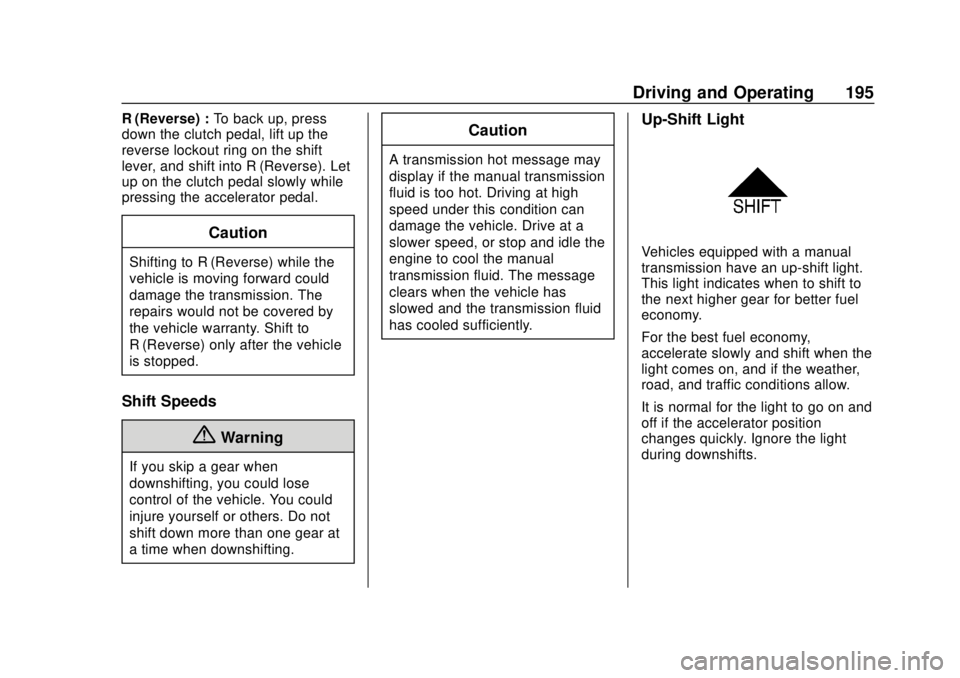
Up-Shift Light
Vehicles equipped with a manual
transmission have an up-shift light.
This light indicates when to shift to
the next higher gear for better fuel
economy.
For the best fuel economy,
accelerate slowly and shift when the
light comes on, and if the weather,
road, and traffic conditions allow.
It is normal for the light to go on and
off if the accelerator position
changes quickly. Ignore the light
during downshifts.
Page 206 of 349

Chevrolet Sonic Owner Manual (GMNA-Localizing-U.S./Canada-11373973) -
2018 - crc - 10/9/17
Driving and Operating 205
How the System Works
RPA comes on automatically when
the shift lever is moved into
R (Reverse). A single beep sounds
to indicate the system is working.
RPA operates only at speeds less
than 8 km/h (5 mph).
An obstacle is indicated by audible
beeps. The time between the beeps
becomes shorter as the vehicle gets
closer to the obstacle. When the
distance is less than 30 cm (12 in),
the beeping is a continuous tone.
Turning the System On and Off
The RPA system can be turned on
and off using the infotainment
system controls. SeeVehicle
Personalization 0129.
When the system is off, PARK
ASSIST OFF displays on the Driver
Information Center (DIC). The
message disappears after a short
period of time.
RPA defaults to the on setting each
time the vehicle is started.
When the System Does Not
Seem to Work Properly
The following messages may be
displayed on the DIC:
SERVICE PARKING ASSIST : If
this message occurs, check the
following conditions:
. The sensors are not clean. Keep
the vehicle's rear bumper free of
mud, dirt, snow, ice, and slush.
For cleaning instructions, see
Exterior Care 0283.
. The park assist sensors are
covered by frost or ice. Frost or
ice can form around and behind
the sensors and may not always
be seen; this can occur after
washing the vehicle in cold
weather. The message may not
clear until the frost or ice has
melted.
If the above conditions do not exist,
take the vehicle to your dealer to
repair the system. PARK ASSIST OFF :
If the RPA
system does not activate due to a
temporary condition, the message
displays on the DIC. This can occur
under the following conditions:
. The driver has disabled the
system.
. An object was hanging out of the
trunk during the last drive cycle.
Once the object is removed,
RPA will return to normal
operation.
. The bumper is damaged. Take
the vehicle to your dealer to
repair the system.
. Other conditions, such as
vibrations from a jackhammer or
the compression of air brakes on
a very large truck, are affecting
system performance.
Forward Collision Alert
(FCA) System
If equipped, the FCA system may
help to avoid or reduce the harm
caused by front-end crashes. When
approaching a vehicle ahead too
Page 207 of 349

Chevrolet Sonic Owner Manual (GMNA-Localizing-U.S./Canada-11373973) -
2018 - crc - 10/9/17
206 Driving and Operating
quickly, FCA provides a red flashing
alert on the windshield and rapidly
beeps.
FCA detects vehicles within a
distance of approximately 60 m
(197 ft) and operates at speeds
above 40 km/h (25 mph).
{Warning
FCA is a warning system and
does not apply the brakes. When
approaching a slower-moving or
stopped vehicle ahead too rapidly,
or when following a vehicle too
closely, FCA may not provide a
warning with enough time to help
avoid a crash. It also may not
provide any warning at all. FCA
does not warn of pedestrians,
animals, signs, guardrails,
bridges, construction barrels,
or other objects. Be ready to take
action and apply the brakes. See
Defensive Driving0171.
FCA can be disabled with the FCA
steering wheel control.
Detecting the Vehicle Ahead
FCA warnings will not occur unless
the FCA system detects a vehicle
ahead. When a vehicle is detected,
the vehicle ahead indicator will
display green. Vehicles may not be
detected on curves, highway exit
ramps, or hills, due to poor visibility;
or if a vehicle ahead is partially
blocked by pedestrians or other
objects. FCA will not detect another
vehicle ahead until it is completely
in the driving lane.
{Warning
FCA does not provide a warning
to help avoid a crash, unless it
detects a vehicle. FCA may not
detect a vehicle ahead if the FCA
sensor is blocked by dirt, snow, (Continued)
Warning (Continued)
or ice, or if the windshield is
damaged. It may also not detect a
vehicle on winding or hilly roads,
or in conditions that can limit
visibility such as fog, rain,
or snow, or if the headlamps or
windshield are not cleaned or in
proper condition. Keep the
windshield, headlamps, and FCA
sensors clean and in good repair.
Collision Alert
When your vehicle approaches
another detected vehicle too rapidly,
the red FCA display on top of the
instrument panel to the right of the
steering wheel will flash. Also,
several rapid high-pitched beeps will
sound from the front. When this
Page 209 of 349

Chevrolet Sonic Owner Manual (GMNA-Localizing-U.S./Canada-11373973) -
2018 - crc - 10/9/17
208 Driving and Operating
Warning (Continued)
If LDW only detects lane
markings on one side of the road,
it will only warn you when
departing the lane on the side
where it has detected a lane
marking. Always keep your
attention on the road and
maintain proper vehicle position
within the lane, or vehicle
damage, injury, or death could
occur. Always keep the
windshield, headlamps, and
camera sensors clean and in
good repair. Do not use LDW in
bad weather conditions.
How the System Works
The LDW camera sensor is on the
windshield ahead of the rearview
mirror.
To turn LDW on and off, press
@on
the center console. The control
indicator will light when LDW is on. When LDW is on,
@is green if
LDW is available to warn of a lane
departure. If the vehicle crosses a
detected lane marking without using
the turn signal in that direction,
@
changes to amber and flashes.
Additionally, there will be three
beeps on the right or left, depending
on the lane departure direction.
When the System Does Not
Seem To Work Properly
The system may not detect lanes as
well when there are:
. Close vehicles ahead.
. Sudden lighting changes, such
as when driving through tunnels.
. Banked roads.
If the LDW system is not functioning
properly when lane markings are
clearly visible, cleaning the
windshield may help. LDW alerts may occur due to tar
marks, shadows, cracks in the road,
temporary or construction lane
markings, or other road
imperfections. This is normal system
operation; the vehicle does not need
service. Turn LDW off if these
conditions continue.