2018 CHEVROLET CAMARO SS battery
[x] Cancel search: batteryPage 53 of 386

Chevrolet Camaro Owner Manual (GMNA-Localizing-U.S./Canada/Mexico-
11348325) - 2018 - crc - 4/11/17
52 Keys, Doors, and Windows
The sunshade can be opened
manually, but must be closed
manually.
The sunroof glass panel cannot be
opened or closed if the vehicle has
an electrical failure.
Dirt and debris may collect on the
sunroof seal or in the track. This
could cause an issue with sunroof
operation or noise. It could also plug
the water drainage system.
Periodically open the sunroof and
remove any obstacles or loose
debris. Wipe the sunroof seal and
roof sealing area using a clean
cloth, mild soap, and water. Do not
remove grease from the sunroof.If water is seen dripping into the
water drainage system, this is
normal.
Convertible Top
If equipped with a convertible top,
review the following before
operating:
{Warning
While opening or closing the
convertible top, people can be
injured by the moving parts of the
tonneau cover or convertible top.
Maintain visual contact with the
top while it is being operated.
Caution
Follow these guidelines when
operating the convertible top or
damage can occur:
. Remove all items from the
roof, trunk lid, or tonneau
cover before operating.
(Continued)
Caution (Continued)
.Remove all objects from the
trunk that may contact the
convertible top when it is
operated.
. Do not leave the vehicle
with the convertible
top open.
. Do not exceed 50 km/h
(31 mph) until the top has
completely closed or
opened.
. Do not open or close the top
while driving in high wind
conditions.
. Do not operate the
convertible top multiple
times in a short period of
time without starting the
engine to avoid draining the
vehicle battery.
(Continued)
Page 56 of 386

Chevrolet Camaro Owner Manual (GMNA-Localizing-U.S./Canada/Mexico-
11348325) - 2018 - crc - 4/11/17
Keys, Doors, and Windows 55
If the radio is on, the sound may be
muted for a brief time due to a new
audio system equalization being
loaded.
Troubleshooting
Check the following if the
convertible top switch
Mis not
operating:
. The ignition should be on or in
ACC/ACCESSORY, or Retained
Accessory Power (RAP) should
be active.
. The trunk lid should be closed
and the trunk partition in place.
A DIC message will display.
. If the ONLY MANUAL
OPERATION OF TOP
POSSIBLE message is
displayed on the DIC, see
“Manual Movement of Top” later
in this section.
. At cooler outside temperatures,
the convertible top may not
open. It is possible to close the
top down to temperatures of
about 0 °C (32 °F). A DIC
message will display if the top
will not open due to low temperature. If necessary, move
the vehicle to a heated indoor
area to operate the top.
. If the top has recently been
cycled repeatedly or left in an
intermediate state, it will be
temporarily disabled. A DIC
message displays. Normal
operation will be restored within
10 minutes after the system has
cooled.
. If the vehicle battery is low, the
power top operation may be
disabled. Try to start the vehicle.
A DIC message displays.
. If the battery has recently been
reconnected or if the vehicle has
been jump started, the top may
not operate until the power
windows have been indexed.
Complete the power window
indexing procedure. See Power
Windows 048.
Other features may be affected
while operating the convertible top: .
The trunk can only be opened
with the key until the convertible
top is completely opened or
closed.
. The windows cannot close while
the top is moving.
. When driving with the top not
fully secured, chimes can be
heard above 80 km/h (50 mph).
If the vehicle battery has been
disconnected and reconnected, the
fuses were pulled or replaced, or a
jump start was performed, the TOP
NOT SECURE message may
display. Press and hold
Mto
open/close the top until this
message is cleared.
Partial Top Cycling
If the convertible top operation is
stopped before completion, the top
will temporarily hold its position.
If the ignition is on or in ACC/
ACCESSORY, the top will be held
for up to five minutes, then pulse
down. If the vehicle is moving or off,
the amount of time will vary from a
few seconds to about a minute.
Page 83 of 386

Chevrolet Camaro Owner Manual (GMNA-Localizing-U.S./Canada/Mexico-
11348325) - 2018 - crc - 4/11/17
82 Seats and Restraints
seat covers, seat heaters, and seat
massagers can affect how well the
passenger sensing system
operates. We recommend that you
not use seat covers or other
aftermarket equipment except when
approved by GM for your specific
vehicle. SeeAdding Equipment to
the Airbag-Equipped Vehicle 082
for more information about
modifications that can affect how
the system operates.
The on indicator may be lit if an
object, such as a briefcase,
handbag, grocery bag, laptop,
or other electronic device, is put on
an unoccupied seat. If this is not
desired, remove the object from
the seat.
{Warning
Stowing articles under the
passenger seat or between the
passenger seat cushion and
seatback may interfere with the
proper operation of the passenger
sensing system.
Servicing the
Airbag-Equipped Vehicle
Airbags affect how the vehicle
should be serviced. There are parts
of the airbag system in several
places around the vehicle. Your
dealer and the service manual have
information about servicing the
vehicle and the airbag system. To
purchase a service manual, see
Service Publications Ordering
Information 0357.
{Warning
For up to 10 seconds after the
vehicle is turned off and the
battery is disconnected, an airbag
can still inflate during improper
service. You can be injured if you
are close to an airbag when it
inflates. Avoid yellow connectors.
They are probably part of the
airbag system. Be sure to follow
proper service procedures, and
make sure the person performing
work for you is qualified to do so.
Adding Equipment to the
Airbag-Equipped Vehicle
Adding accessories that change the
vehicle's frame, bumper system,
height, front end, or side sheet
metal may keep the airbag system
from working properly. The
operation of the airbag system can
also be affected by changing any
parts of the front seats, seat belts,
airbag sensing and diagnostic
module, steering wheel, instrument
panel, inner door seals including the
speakers, any of the airbag
modules, ceiling or pillar garnish
trim, overhead console, front
sensors, side impact sensors,
or airbag wiring.
Your dealer and the service manual
have information about the location
of the airbag sensors, sensing and
diagnostic module, and airbag
wiring.
In addition, the vehicle has a
passenger sensing system for the
front outboard passenger position,
which includes sensors that are part
of the passenger seat. The
passenger sensing system may not
Page 110 of 386

Chevrolet Camaro Owner Manual (GMNA-Localizing-U.S./Canada/Mexico-
11348325) - 2018 - crc - 4/11/17
Instruments and Controls 109
The accessory power outlet does
not work when the ignition is turned
off and the driver door is opened.
This helps to preserve the battery
life of the vehicle.
Certain power accessory plugs may
not be compatible with the
accessory power outlet and could
overload vehicle and adapter fuses.
If a problem is experienced, see
your dealer.
Caution
Adding any electrical equipment
to the vehicle may damage it or
keep other components from
working as they should. The
repairs would not be covered by
the vehicle warranty. Do not use
equipment exceeding
maximum amperage rating of
15 amperes. Check with your
dealer before adding electrical
equipment.When adding electrical equipment,
be sure to follow the proper
installation instructions included with
the equipment. See
Add-On
Electrical Equipment 0247.
Caution
Hanging heavy equipment from
the power outlet can cause
damage not covered by the
vehicle warranty. The power
outlets are designed for
accessory power plugs only, such
as cell phone charge cords.
Wireless Charging
If equipped, the vehicle has wireless
charging in the storage bin at the
back of the floor console. The
system operates at 145 kHZ and
wirelessly charges one PMA or Qi
compatible mobile device. The
power output of the system is
capable of charging at a rate up to
1 amp (5W), as requested by the
compatible mobile device. See
Radio Frequency Statement 0358 To check for phone or other device
compatibility:
.
In the U.S., see
my.chevrolet.com/learn.
. In Canada, see
gmtotalconnect.ca.
. Or, see your dealer for details.
{Warning
Wireless charging can affect the
operation of an implanted
pacemaker or other medical
devices. If you have one, it is
recommended to consult with
your doctor before using the
wireless charging system.
The vehicle must be on, in ACC/
ACCESSORY, or Retained
Accessory Power (RAP) must be
active. The wireless charging
feature may not correctly indicate
charging when the vehicle is in RAP.
See Retained Accessory Power
(RAP) 0215.
Page 121 of 386

Chevrolet Camaro Owner Manual (GMNA-Localizing-U.S./Canada/Mexico-
11348325) - 2018 - crc - 4/11/17
120 Instruments and Controls
English Uplevel Cluster
This gauge shows the engine
coolant temperature.
If the gauge pointer moves to the
high end, the engine is too hot.
This reading indicates the same
thing as the warning light. It means
that the engine coolant has
overheated. If the vehicle has been
operating under normal driving
conditions, pull off the road, stop the
vehicle, and turn off the engine as
soon as possible. See Engine
Overheating 0267 for more
information.
Voltmeter Gauge (Uplevel
Cluster Only)
Standard Theme
When the ignition is on, this gauge
indicates the battery voltage.
When the engine is running, this
gauge shows the condition of the
charging system. The gauge can
transition from a higher to lower or a
lower to higher reading. This is
normal. If the vehicle is operating
outside the normal operating range,
the charging system light comes on.
See Charging System Light 0123. Readings outside the normal
operating range can also occur
when a large number of electrical
accessories are operating in the
vehicle and the engine is left idling
for an extended period. This
condition is normal since the
charging system is not able to
provide full power at engine idle. As
engine speeds are increased, this
condition should correct itself as
higher engine speeds allow the
charging system to create maximum
power.
The vehicle can only be driven for a
short time with the readings outside
the normal operating range. If the
vehicle must be driven, turn off all
accessories, such as the radio and
air conditioner, and unplug all
chargers and accessories.
Readings outside the normal
operating range indicate a possible
problem in the electrical system.
Have the vehicle serviced as soon
as possible.
Page 124 of 386
Chevrolet Camaro Owner Manual (GMNA-Localizing-U.S./Canada/Mexico-
11348325) - 2018 - crc - 4/11/17
Instruments and Controls 123
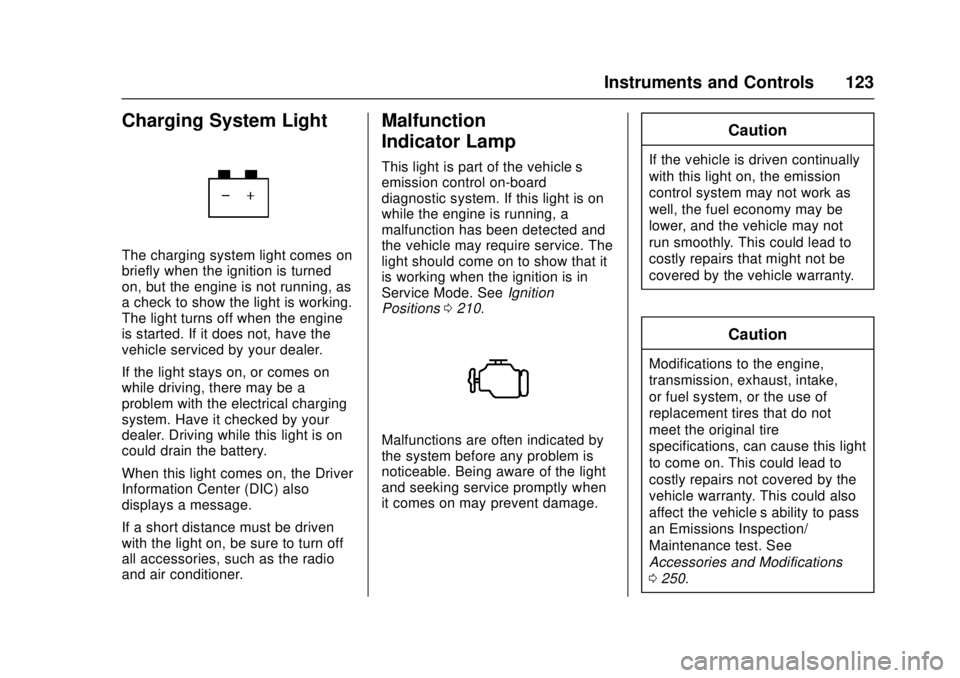
Charging System Light
The charging system light comes on
briefly when the ignition is turned
on, but the engine is not running, as
a check to show the light is working.
The light turns off when the engine
is started. If it does not, have the
vehicle serviced by your dealer.
If the light stays on, or comes on
while driving, there may be a
problem with the electrical charging
system. Have it checked by your
dealer. Driving while this light is on
could drain the battery.
When this light comes on, the Driver
Information Center (DIC) also
displays a message.
If a short distance must be driven
with the light on, be sure to turn off
all accessories, such as the radio
and air conditioner.
Malfunction
Indicator Lamp
This light is part of the vehicle’s
emission control on-board
diagnostic system. If this light is on
while the engine is running, a
malfunction has been detected and
the vehicle may require service. The
light should come on to show that it
is working when the ignition is in
Service Mode. SeeIgnition
Positions 0210.
Malfunctions are often indicated by
the system before any problem is
noticeable. Being aware of the light
and seeking service promptly when
it comes on may prevent damage.
Caution
If the vehicle is driven continually
with this light on, the emission
control system may not work as
well, the fuel economy may be
lower, and the vehicle may not
run smoothly. This could lead to
costly repairs that might not be
covered by the vehicle warranty.
Caution
Modifications to the engine,
transmission, exhaust, intake,
or fuel system, or the use of
replacement tires that do not
meet the original tire
specifications, can cause this light
to come on. This could lead to
costly repairs not covered by the
vehicle warranty. This could also
affect the vehicle’s ability to pass
an Emissions Inspection/
Maintenance test. See
Accessories and Modifications
0250.
Page 126 of 386

Chevrolet Camaro Owner Manual (GMNA-Localizing-U.S./Canada/Mexico-
11348325) - 2018 - crc - 4/11/17
Instruments and Controls 125
before the system is ready for
inspection. This can happen if
the 12-volt battery has recently
been replaced or run down, or if
the vehicle has been recently
serviced.
See your dealer if the vehicle will
not pass or cannot be made ready
for the test.
Brake System Warning
Light
The vehicle brake system consists
of two hydraulic circuits. If one
circuit is not working, the remaining
circuit can still work to stop the
vehicle. For normal braking
performance, both circuits need to
be working.
If the warning light comes on, there
is a brake problem. Have the brake
system inspected right away.
MetricEnglish This light should come on briefly
when the engine is started. If it does
not come on then, have it fixed so it
will be ready to warn you if there is
a problem.
If the light comes on and stays on,
there is a brake problem.
{Warning
The brake system might not be
working properly if the brake
system warning light is on.
Driving with the brake system
warning light on can lead to a
crash. If the light is still on after
the vehicle has been pulled off
the road and carefully stopped,
have the vehicle towed for
service.
Electric Parking Brake
Light
MetricEnglish
This light comes on when the
parking brake is applied. If the light
continues flashing after the parking
brake is released, or while driving,
there is a problem with the Electric
Parking Brake system. A message
may also display in the Driver
Information Center (DIC).
If the light does not come on,
or remains flashing, see your dealer.
Page 133 of 386

Chevrolet Camaro Owner Manual (GMNA-Localizing-U.S./Canada/Mexico-
11348325) - 2018 - crc - 4/11/17
132 Instruments and Controls
Battery Voltage :Displays the
current battery voltage. The battery
voltage can fluctuate while viewing
this information on the DIC. This is
normal.
Speed Limit (Uplevel Cluster) :
Displays sign information, which
comes from a roadway database in
the onboard navigation.
Oil Temperature (Base Cluster) :
Shows the current oil temperature in
either degrees Celsius (°C) or
degrees Fahrenheit (°F). This
display is available in the
Performance app on the uplevel
cluster.
Oil Pressure (Base Cluster) :
Shows the current oil pressure in
either kilopascal (kPa) or in pounds
per square inch (psi). This display is
available in the Performance app on
the uplevel cluster.
Performance Timer (Base
Cluster) : Press
pwhen
Performance Timer is displayed to
enter the menu. Press
pwhile Set
Start Speed is highlighted then use
worxto enter the start speed. Press SEL to save it. Press
pwhile
Set End Speed is highlighted then
use
worxto enter the end speed.
Press SEL to save it. After the start
and end speeds have been entered,
press
oto set the Sport display to
the set speeds and the performance
timer is ready to use. On the next
acceleration, the performance time
will record the time. To reset the
timer, highlight Reset on the
performance timer menu and press
SEL. This display is available in the
Performance app on the uplevel
cluster.
Lap Timer (Base Cluster) : Use to
start, stop, or reset the lap timer.
A stopwatch icon will be displayed
when the lap timer is active. Press
SEL while the Lap Timer page is
active to start the timer. If the lamp
timer is active, pressing SEL on any
page will stop the current lap timer
and start a new lap. Also, pressing
and holding SEL on any page will
stop the lap timer. This display is
available in the Performance app on
the uplevel cluster. G-Force (Base Cluster) :
Gives the
driver an indication of the vehicle
performance in cornering. The
G-force is displayed in the center of
the DIC as a numerical value. This
display is available in the
Performance app on the uplevel
cluster.
Transmission Fluid Temperature
(Base Cluster) : Shows the
temperature of the transmission fluid
in either degrees Celsius (°C) or
degrees Fahrenheit (°F). This
display is available in the
Performance app on the uplevel
cluster.
Blank : Shows no information.
Head-Up Display (HUD)
{Warning
If the HUD image is too bright or
too high in your field of view, it
may take you more time to see
things you need to see when it is
dark outside. Be sure to keep the
HUD image dim and placed low in
your field of view.