2018 CHEVROLET BOLT EV warning light
[x] Cancel search: warning lightPage 4 of 370

Chevrolet BOLT EV Owner Manual (GMNA-Localizing-U.S./Canada/Mexico-
11434431) - 2018 - crc - 2/14/18
Introduction 3
{Danger
Danger indicates a hazard with a
high level of risk which will result
in serious injury or death.
{Warning
Warning indicates a hazard that
could result in injury or death.
Caution
Caution indicates a hazard that
could result in property or vehicle
damage.
A circle with a slash through it is a
safety symbol which means“Do
Not,” “Do not do this,” or“Do not let
this happen.”
Symbols
The vehicle has components and
labels that use symbols instead of
text. Symbols are shown along with
the text describing the operation or
information relating to a specific
component, control, message,
gauge, or indicator.
M: Shown when the owner ’s
manual has additional instructions
or information.
*: Shown when the service
manual has additional instructions
or information.
0: Shown when there is more
information on another page —
“see page.” Vehicle Symbol Chart
Here are some additional symbols
that may be found on the vehicle
and what they mean. See the
features in this manual for
information.
9:
Airbag Readiness Light
#:Air Conditioning
!:Antilock Brake System (ABS)
$:Brake System Warning Light
":Charging System (12-Volt
Battery)
I: Cruise Control
`:Do Not Puncture
^:Do Not Service
[:Energy Usage and Charge
Mode Selection
O: Exterior Lamps
_: Flame/Fire Prohibited
g:First Responder
+:Fuses
3:Headlamp High/Low-Beam
Changer
Page 8 of 370

Chevrolet BOLT EV Owner Manual (GMNA-Localizing-U.S./Canada/Mexico-
11434431) - 2018 - crc - 2/14/18
In Brief 7
1.Air Vents 0190.
2. Turn and Lane-Change Signals
0154.
IntelliBeam System Button (If
Equipped). See Exterior Lamp
Controls 0150.
3. Instrument Cluster 0118.
Driver Information Center (DIC)
0 141.
4. Windshield Wiper/Washer
0111.
5. Charging Status Feedback
0240.
Automatic Headlamp System
0 153.
Indicator Light and Solar
Sensor (ILSS). See “Sensors”
under Automatic Climate
Control System 0186.
6. Infotainment System. See AM-FM Radio 0162.
Heated Front Seats 060 (If
Equipped).
7. Automatic Climate Control
System 0186. 8.
Storage Compartments 0105.
9. Shift Lever. See Electric Drive
Unit 0208.
10. Electric Parking Brake 0213.
11. Power Outlets 0114.
12. Hazard Warning Flashers
0153.
Traction Control/Electronic
Stability Control 0217.
Driver Selected Operating
Modes 0208.
13. Power Button 0204.
14. Steering Wheel Controls 0109
(If Equipped).
15. Horn 0110.
16. Steering Wheel Adjustment
0109 (Out of View).
17. Steering Wheel Controls 0109
(If Equipped).
18. Regen on Demand (Out of View). See Regenerative
Braking 0215.
19. Cruise Control 0219. Heated Steering Wheel
0110
(If Equipped).
Forward Collision Alert (FCA)
System 0225 (If Equipped).
Lane Keep Assist (LKA) 0233
(If Equipped).
20. Instrument Panel Fuse Block
0276.
21. Data Link Connector (DLC) (Out of View). See Service
Vehicle Soon Light 0126.
22. Exterior Lamp Controls 0150.
23. Instrument Panel Illumination
Control 0154.
Page 22 of 370

Chevrolet BOLT EV Owner Manual (GMNA-Localizing-U.S./Canada/Mexico-
11434431) - 2018 - crc - 2/14/18
In Brief 21
detected pedestrian too quickly,
FPB provides a red flashing alert on
the windshield and rapidly beeps.
FPB can provide a boost to braking
or automatically brake the vehicle.
SeeFront Pedestrian Braking (FPB)
System 0229.
Lane Keep Assist (LKA)
If equipped, LKA may help avoid
crashes due to unintentional lane
departures. It may assist by gently
turning the steering wheel if the
vehicle approaches a detected lane
marking without using a turn signal
in that direction. It may also provide
a Lane Departure Warning (LDW)
alert as the lane marking is crossed.
The system will not assist or alert if
it detects that you are actively
steering. Override LKA by turning
the steering wheel. LKA uses a
camera to detect lane markings
between 60 km/h (37 mph) and
150 km/h (93 mph).
See Lane Departure Warning (LDW)
0 233 andLane Keep Assist (LKA)
0 233.
Lane Change Alert (LCA)
If equipped, the LCA system is a
lane-changing aid that assists
drivers with avoiding lane change
crashes that occur with moving
vehicles in the side blind zone (or
spot) areas or with vehicles rapidly
approaching these areas from
behind. The LCA warning display
will light up in the corresponding
outside mirror and will flash if the
turn signal is on. The Side Blind
Zone Alert (SBZA) system is
included as part of the LCA system.
See Side Blind Zone Alert (SBZA)
0 231 andLane Change Alert (LCA)
0 231.
Rear Vision
Camera (RVC)
If equipped, RVC shows a view of
the area behind the vehicle on the
infotainment display when the
vehicle is shifted into R (Reverse) to
aid with parking and low-speed
backing maneuvers. See
Assistance Systems for Parking
or Backing 0222.
Rear Cross Traffic Alert
(RCTA) System
If equipped, the RCTA system uses
a triangle with an arrow on the
infotainment display to warn of
traffic behind your vehicle that may
cross your vehicle's path while in
R (Reverse). In addition, beeps will
sound.
See Assistance Systems for Parking
or Backing 0222.
Parking Assist
If equipped, Rear Parking Assist
(RPA) uses sensors on the rear
bumper to assist with parking and
avoiding objects while in
R (Reverse). It operates at speeds
less than 8 km/h (5 mph). RPA may
show a warning triangle on the
infotainment display and/or a
graphic on the instrument cluster to
provide the object distance. In
addition, multiple beeps may occur
if very close to an object.
Page 30 of 370
Chevrolet BOLT EV Owner Manual (GMNA-Localizing-U.S./Canada/Mexico-
11434431) - 2018 - crc - 2/14/18
In Brief 29
Warning (Continued)
can be damaged if you try to do
your own service work. Service
and repair of these high voltage
components should only be
performed by a trained service
technician with the proper
knowledge and tools. SeeDoing
Your Own Service Work 0256.
Performance and
Maintenance
Traction Control/
Electronic Stability
Control
The Traction Control System (TCS)
limits wheel spin. The system turns
on automatically every time the
vehicle is powered up.
The Electronic Stability Control
system called StabiliTrak assists
with directional control of the vehicle
in difficult driving conditions. The
system turns on automatically every
time the vehicle is on.
.
To turn off TCS, press and
release
g, on the center stack.
iilluminates and the
appropriate Driver Information
Center (DIC) message is
displayed.
. To turn off both TCS and
StabiliTrak, press and hold
g,
until
iandgcome on and stay on in the instrument cluster and
the appropriate DIC message is
displayed.
. Press and release
gto turn on
both systems.
See Traction Control/Electronic
Stability Control 0217.
Tire Pressure Monitor
This vehicle may have a Tire
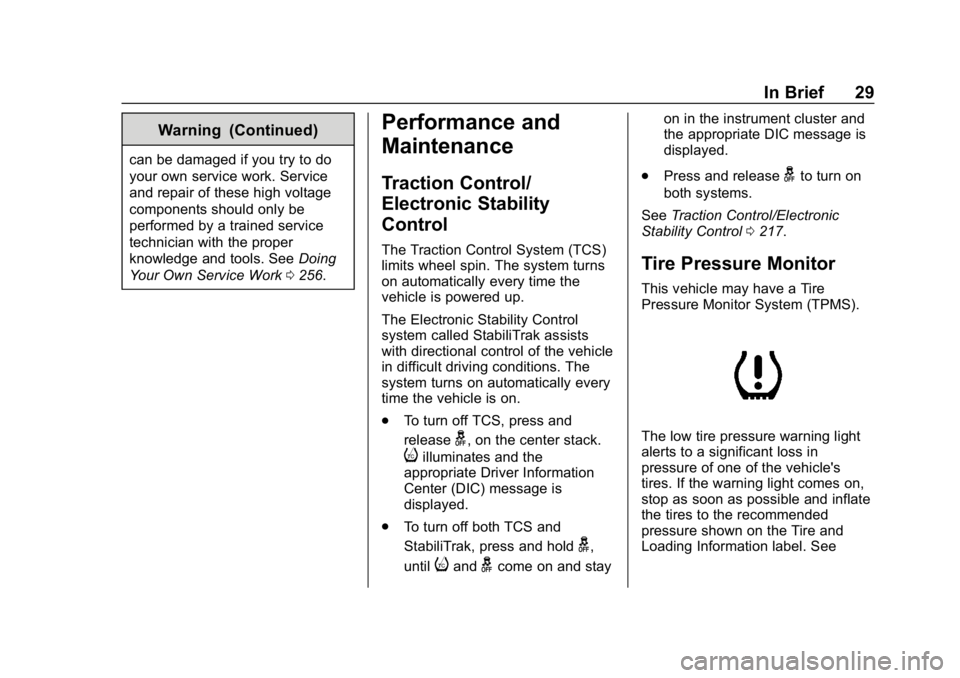
Pressure Monitor System (TPMS).
The low tire pressure warning light
alerts to a significant loss in
pressure of one of the vehicle's
tires. If the warning light comes on,
stop as soon as possible and inflate
the tires to the recommended
pressure shown on the Tire and
Loading Information label. See
Page 31 of 370
Chevrolet BOLT EV Owner Manual (GMNA-Localizing-U.S./Canada/Mexico-
11434431) - 2018 - crc - 2/14/18
30 In Brief
Vehicle Load Limits0200. The
warning light will remain on until the
tire pressure is corrected.
The low tire pressure warning light
may come on in cool weather when
the vehicle is first started, and then
turn off as the vehicle is driven. This
may be an early indicator that the
tire pressures are getting low and
the tires need to be inflated to the
proper pressure.
The TPMS does not replace normal
monthly tire maintenance. Maintain
the correct tire pressures.
See Tire Pressure Monitor System
0 285.
Driving for Better Energy
Efficiency
Use the following tips to help
maximize energy efficiency and
range.
In colder temperatures, while these
efficiency tips will help, the electric
vehicle driving range may be lower
due to higher energy usage. Acceleration/Braking/Coasting
Avoid unnecessary rapid
accelerations and decelerations.
Electric range is maximized at
89 km/h (55 mph) and below. Higher
speeds use more energy and can
significantly reduce electric range.
Use cruise control when
appropriate.
Plan ahead for decelerations and
coast whenever possible. For
example, do not rush to traffic
signals.
Do not shift to N (Neutral) to coast.
The vehicle recovers energy while
coasting and braking in D (Drive)
or L (Low).
Climate Setting
Using the heat and air conditioning
systems decreases the energy
available for electric driving.
Optimal energy efficiency is
achieved with the heat, air
conditioning, and fan turned off.
Operating with the climate control
system off is the most energy
efficient climate setting.
Use the heated seat feature instead
of climate settings. Heating the seat
uses less energy than heating the
vehicle interior.
Use remote start to heat or cool the
interior when the vehicle is plugged
in to maximize the electric range by
utilizing electricity from the electrical
outlet.
In hot weather, avoid parking in
direct sunlight or use sunshades
inside the vehicle.
Turn off the front and rear window
defog/defrost when they are no
longer needed.
Avoid driving with the windows open
at highway speeds.
Vehicle Charging/Maintenance
Charging
Keep the vehicle plugged in, even
when fully charged, to keep the
battery temperature ready for the
Page 41 of 370
Chevrolet BOLT EV Owner Manual (GMNA-Localizing-U.S./Canada/Mexico-
11434431) - 2018 - crc - 2/14/18
40 Keys, Doors, and Windows
The climate control system will use
the previous settings during a
remote start. The rear defog may
come on during remote start based
on cold ambient conditions. The
rear defog indicator light does not
come on during a remote start.
Laws in some local communities
may restrict the use of remote
starters. For example, some laws
require a person using remote start
to have the vehicle in view. Check
local regulations for any
requirements.
If the vehicle is low on energy, do
not use the remote start feature.
The vehicle may run out of energy.
The RKE transmitter range may be
less while the vehicle is running.
Other conditions can affect the
performance of the transmitter. See
Remote Keyless Entry (RKE)
System033.Remote Starting the Vehicle
To remote start the vehicle:
1. Press and release
Qon the
RKE transmitter.
2. Immediately press and hold
/
for at least four seconds or until
the turn signal lamps flash.
3. After entering the vehicle during a remote start, press
POWER
Owith the brake
pedal applied to start the
vehicle and operate as normal.
Remote start will automatically shut
off after 20 minutes unless a time
extension is done.
When the vehicle starts, the parking
lamps will turn on. Remote start run
time can be extended.
Extending Vehicle Run Time
The vehicle run time can also be
extended by another 20 minutes,
if after 30 seconds and during the
first 20 minutes Steps 1 and 2 are repeated while the vehicle is
running. This provides a total of
40 minutes.
The remote start can only be
extended once.
A maximum of two remote starts,
or a single start with an extension,
are allowed between ignition cycles
using POWER
O.
For additional remote starts, turn the
vehicle on with the transmitter in the
vehicle.
Canceling Remote Start
To cancel a remote start, do any of
the following:
. Press and hold
/until the
parking lamps turn off.
. Turn on the hazard warning
flashers.
. Press POWER
Owith the brake
pedal applied, then press
POWER
Oagain to turn the
vehicle off.
Page 42 of 370
Chevrolet BOLT EV Owner Manual (GMNA-Localizing-U.S./Canada/Mexico-
11434431) - 2018 - crc - 2/14/18
Keys, Doors, and Windows 41
Conditions in Which Remote
Start Will Not Work
The remote vehicle start feature will
not operate if:
.The RKE transmitter is in the
vehicle.
. The hood is not closed.
. The hazard warning flashers
are on.
. The service vehicle soon light
is on.
. The electric drive unit coolant
temperature is too high.
. Two remote vehicle starts, or a
single remote start with an
extension, have already
been used.
. The vehicle is not in P (Park).
Door Locks
{Warning
Unlocked doors can be
dangerous.
. Passengers, especially
children, can easily open
the doors and fall out of a
moving vehicle. The doors
can be unlocked and
opened while the vehicle is
moving. The chance of
being thrown out of the
vehicle in a crash is
increased if the doors are
not locked. So, all
passengers should wear
seat belts properly and the
doors should be locked
whenever the vehicle is
driven.
. Young children who get into
unlocked vehicles may be
unable to get out. A child
can be overcome by
extreme heat and can suffer
(Continued)
Warning (Continued)
permanent injuries or even
death from heat stroke.
Always lock the vehicle
whenever leaving it.
. Outsiders can easily enter
through an unlocked door
when you slow down or stop
the vehicle. Locking the
doors can help prevent this
from happening.
To lock or unlock the doors from
outside the vehicle:
. Use the key in the driver door to
lock and unlock the door without
the RKE (Remote Keyless Entry)
transmitter. The key cylinder is
covered with a cap. See “Driver
Door Key Lock Cylinder Access
(In Case of Dead Battery)” later
in this section.
. Press
QorKon the RKE
transmitter to lock and unlock
the doors.
Page 62 of 370
Chevrolet BOLT EV Owner Manual (GMNA-Localizing-U.S./Canada/Mexico-
11434431) - 2018 - crc - 2/14/18
Seats and Restraints 61
Warning (Continued)
heat, such as a blanket, cushion,
cover, or similar item. This may
cause the seat heater to
overheat. An overheated seat
heater may cause a burn or may
damage the seat.
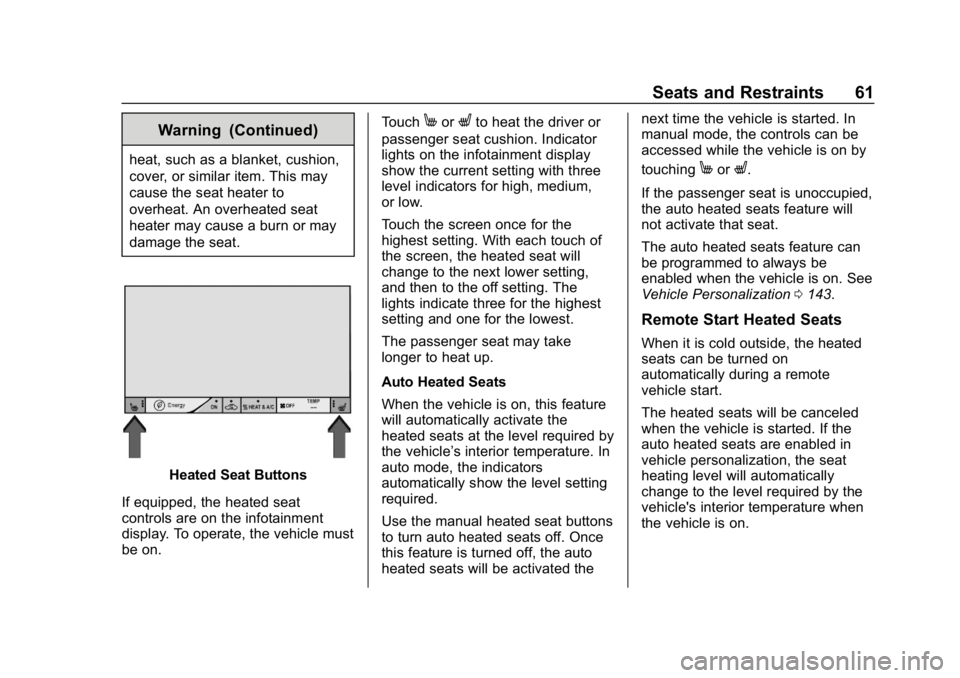
Heated Seat Buttons
If equipped, the heated seat
controls are on the infotainment
display. To operate, the vehicle must
be on. Touch
MorLto heat the driver or
passenger seat cushion. Indicator
lights on the infotainment display
show the current setting with three
level indicators for high, medium,
or low.
Touch the screen once for the
highest setting. With each touch of
the screen, the heated seat will
change to the next lower setting,
and then to the off setting. The
lights indicate three for the highest
setting and one for the lowest.
The passenger seat may take
longer to heat up.
Auto Heated Seats
When the vehicle is on, this feature
will automatically activate the
heated seats at the level required by
the vehicle’ s interior temperature. In
auto mode, the indicators
automatically show the level setting
required.
Use the manual heated seat buttons
to turn auto heated seats off. Once
this feature is turned off, the auto
heated seats will be activated the next time the vehicle is started. In
manual mode, the controls can be
accessed while the vehicle is on by
touching
MorL.
If the passenger seat is unoccupied,
the auto heated seats feature will
not activate that seat.
The auto heated seats feature can
be programmed to always be
enabled when the vehicle is on. See
Vehicle Personalization 0143.
Remote Start Heated Seats
When it is cold outside, the heated
seats can be turned on
automatically during a remote
vehicle start.
The heated seats will be canceled
when the vehicle is started. If the
auto heated seats are enabled in
vehicle personalization, the seat
heating level will automatically
change to the level required by the
vehicle's interior temperature when
the vehicle is on.