2018 Alfa Romeo Giulia warning light
[x] Cancel search: warning lightPage 152 of 260

The Speed Control function can remain
active at the same time as the Speed
Limiter System. If the set speed is higher
than the speed set with the Speed
Limiter, the set speed will be lowered to
that of the Speed Limiter.
This function remains available in RACE
mode.
Note:The system cannot be engaged in
FIRST or REVERSE gear. It is advisable to
engage it in THIRD gear or higher if using
the Autostick feature.
Warning!
Leaving the Speed Control system on when
not in use is dangerous. You could
accidentally set the system or cause it to go
faster than you want. You could lose control
and have an accident. Always leave the
system OFF when you are not using it.
Setting The Desired Speed
To set a desired speed, proceed as follows:
1. Turn the Speed Control on.
2.
When the vehicle has reached the
desired speed, push the SET switch up or
down and release to activate. When the
accelerator is released, the vehicle will
maintain the selected speed automatically.
If needed (when overtaking for instance),
you can accelerate beyond the set speed
by pressing the accelerator. When you
release the pedal, the vehicle will return
to the previously set speed.
When traveling downhill with the system
active, the vehicle speed may slightly
exceed the set one.
Note: Before pushing the SET switch, the
vehicle must be traveling at a constant
speed on a flat surface.
Increasing/Decreasing Speed
Increasing Speed
Once the Speed Control has been
activated, the speed can be increased by
pushing the SET switch upward.
By keeping the switch pushed, the set
speed will increase until the switch is
released. The new speed will then be set.
At every movement of the SET switch,
the set speed can be adjusted. Decreasing Speed
When the system is active, to reduce the
speed, push the SET switch downward.
By keeping the switch pushed, the set
speed will decrease until the switch is
released. The new speed will then be set.
At every movement of the SET switch,
the set speed can be adjusted.
Note:
Moving the SET switch allows to
adjust the speed according to the
selected unit of measurement set on the
Information and Entertainment System
(see dedicated supplement).
Accelerating When Overtaking
Press the accelerator as you would
normally. When the pedal is released,
the vehicle will return to the set speed.
Use Of The Feature On Hilly Routes
The system can automatically downshift
to keep the set speed when driving on
hilly routes.
On steep grades, the loss or gain in speed
may be considerable and is advisable to
deactivate the Speed Control.
Note: The system keeps the speed set
even uphill and downhill. A slight variation
in the speed on slight rises is completely
normal.
07146S0002EMSET Switch Location
150
STARTING AND OPERATING
Page 154 of 260

This system enhances driving comfort
while on the highway or out of town with
light traffic.
If the sensor does not detect a vehicle
ahead, the system will maintain a fixed
set speed.
If the sensor detects a vehicle ahead, the
system automatically intervenes by
braking (or accelerating) slightly in order
not to exceed the original set speed, so
that the vehicle keeps the preset
distance, seeking to adapt to the speed
of the vehicle ahead.
Note:
Adaptive Cruise Control
performance is not guaranteed under the
following circumstances, and it is
recommended to turn the system off
when:
Driving in fog, heavy rain, or snow.
Driving in heavy traffic or
construction zones.
Driving on icy, snowy, slippery roads,
roads with steep climbs and descents, or
roads with numerous turns and bends.
Entering a turn lane.
When circumstances do not allow
safe driving at a constant speed.
Warning!
Adaptive Cruise Control (ACC) is a
convenience system. It is not a substitute
for active driving involvement. It is always
the driver’s responsibility to be attentive
of road, traffic, and weather conditions,
vehicle speed, distance to the vehicle ahead;
and, most importantly, brake operation to
ensure safe operation of the vehicle under
all road conditions. Your complete attention
is always required while driving to maintain
safe control of your vehicle. Failure to follow
these warnings can result in a collision and
death or serious personal injury.
The ACC system:
Does not react to pedestrians, oncoming
vehicles, and stationary objects (e.g., a
stopped vehicle in a traffic jam or a disabled
vehicle).
Cannot take street, traffic, and weather
conditions into account, and may be limited
upon adverse sight distance conditions.
Does not always fully recognize complex
driving conditions, which can result in wrong
or missing distance warnings.
Will bring the vehicle to a complete stop
while following a target vehicle and hold the
vehicle for approximately 3 minutes in the
stop position. If the target vehicle does not
start moving within 3 minutes the parking
brake will be activated, and the ACC system
will be canceled.
You should switch off the ACC system:
When driving in fog, heavy rain, heavy
snow, sleet, heavy traffic, and complex
driving situations (i.e., in highway
construction zones).
When entering a turn lane or highway off
ramp; when driving on roads that are
winding, icy, snow-covered, slippery, or have
steep uphill or downhill slopes.
When circumstances do not allow safe
driving at a constant speed.
Activation/Deactivation
The system has four operating states:
Enabled (speed not set)
Activated (speed set)
Paused
Deactivated
Enabling/Activating
To enable the system, push and release
the
button located on the left side on
the steering wheel.
06016S0004EMWindshield Camera Location
152
STARTING AND OPERATING
Page 156 of 260

When the ESC (or ABS or other
stability control systems) are operating
or have just operated.
When the ESC system is off.
When the Forward Collision Warning
system is braking automatically.
In the event of system failure.
When the engine is OFF.
In case of obstruction of the radar
sensor (in this case the bumper area
where it is located must be cleaned).
If the system is set, the conditions
described above also cause a
cancellation or deactivation of the
system. These situations may vary
according to the conditions.
Note: The system will not be deactivated
when speeds higher than those set are
reached by pressing the accelerator
pedal above 110 mph (180 km/h). In
these situations, the system may not
work correctly and it is recommended to
deactivate it.
To Vary The Speed Setting
Increasing Speed
Once the system has been activated, you
can increase the speed by pushing the
SET switch upward. Each time the switch
is pushed, the speed increases by 1 mph. By pushing and holding the switch
upward, the set speed will increase in
increments of 5 mph until the switch is
released. Then, the new speed will be set.
Decreasing Speed
Once the system has been activated, you
can decrease the speed by pushing the
SET switch downward. Each time the
switch is pushed, the speed decreases
by 1 mph.
By pushing and holding the switch
downward, the set speed will decrease in
increments of 5 mph until the switch is
released. Then, the new speed will be set.
Note:
Moving the SET switch allows you to
adjust the speed according to the
selected unit of measurement ("US" or
"Metric") set on the Information and
Entertainment System (see dedicated
supplement).
When the unit of measurement is set
to Metric, pushing and holding the SET
switch will adjust the speed in 10 km/h
increments.
By keeping the accelerator pedal
depressed, the vehicle can continue to
accelerate beyond the set speed. In this
case, use the SET switch to set the
speed to the vehicle’s current speed.
When you push the SET button to
reduce the speed, the braking system
intervenes automatically if the engine
brake does not slow the vehicle down
sufficiently to reach the set speed. The
device holds the set speed uphill and
downhill; however a slight variation is
entirely normal, particularly on slight
inclines.
The transmission could shift to a
lower gear when driving downhill, or
when accelerating. This is normal and
necessary to maintain the set speed
The system will disable while driving
if the brakes overheat.
Accelerating When Overtaking
When driving with ACC activated and
following a vehicle, the system will
provide an additional acceleration up to
the ACC set speed to assist in passing the
vehicle. This additional acceleration is
triggered when the driver utilizes the left
turn signal and will only be active when
passing on the left hand side.
The system detects the direction of
traffic automatically when the vehicle
passes from left-hand traffic to
right-hand traffic. In this case, the
overtaking assist function is only active
when the reference vehicle is overtaken
on the right. The additional acceleration
is deactivated when the driver uses the
right direction indicator and returns to
the original lane.
154
STARTING AND OPERATING
Page 161 of 260

Engagement/Disengagement
To turn the system off, push the Park
Sensors System switch located to the
left of the headlight switch. The indicator
light within the switch will illuminate
when the system is turned off. Pushing
the switch a second time will turn the
system back on, and the indicator light
will turn off.
The indicator light within the Park
Sensors System switch will also be on in
case of system failure. If the switch is
pushed with a system failure, the
indicator light will flash for
approximately five seconds. The light will
then stay on constantly.
Note:When the ignition is cycled to ON,
the Park Sensors system keeps the last
state when the engine was stopped
(activated or deactivated) in its memory. System Activation/Deactivation
When the REVERSE gear is engaged and
the system is on, the front and rear
sensors are activated. If the vehicle
moves from REVERSE to a forward gear,
the rear sensors are deactivated, while
the front sensors remain active until the
speed of 9 mph (15 km/h) is exceeded.
Note:
In certain operating conditions, the
system could start detecting an obstacle
only after the vehicle has moved slightly
(a few inches).
Acoustic Signal
In the presence of an obstacle at the
front or the rear of the vehicle, an
acoustic signal with variable frequency
will sound:
The acoustic signal increases in
frequency as the distance between the
vehicle and the obstacle decreases.
The acoustic signal becomes
continuous when the distance between
the vehicle and the obstacle is less than
11 inches (30 cm), and stops if the
distance increases.
The acoustic signal is constant if the
distance between the vehicle and the
obstacle is unchanged.
Note: If the sensors detect several front
and rear obstacles, the closest obstacle
is considered. An intermittent signal will
sound if the obstacles are at the same
distance (front and rear). When the system emits an acoustic
signal, the volume of the Information and
Entertainment System, if activated, is
automatically lowered.
Indication On Display
The driver can select the type of warning
they would like to be displayed through
the Information and Entertainment
System. To access the function on the
main menu, select in the following order:
1. “Settings.”
2. “Driver Assistance.”
3. “ParkSense.”
4. “Mode.”
5. “Sound-Display.”
Visual Indications
The system indicates the presence of an
obstacle by displaying a single red arc in
the detected areas, in relation to the
distance of the object and the position of
the vehicle.
If the obstacle is detected in the front or
rear central area, a single red arc will be
displayed as the obstacle approaches,
first constant, then flashing, in addition
to an acoustic signal.
If the obstacle is detected in the front or
rear left and/or right area, a single red
flashing arc will be shown in the
corresponding area on the display and
the system will emit an acoustic signal,
either at frequent intervals or constantly.
07176S0052EMPark Sensors System On/Off Switch
159
Page 162 of 260

If several obstacles are detected
simultaneously in the front and rear area,
the display will show all of them,
regardless of the area in which they were
detected.
In general, the vehicle is closer to the
obstacle when a single or several flashing
arcs are shown on the display and the
acoustic signal becomes continuous.
It is not possible to exit from the display
screen while the vehicle is in REVERSE.
Fault Indication
Parking sensor faults, if any, will be
indicated by a message on the display on
the instrument cluster. Refer to "Warning
Lights And Messages" in "Getting To
Know Your Instrument Panel" for further
information.
Messages On The Display
In case of system failure, a dedicated
message appears on the instrument
cluster for about five seconds.
Cleaning The Front Or Rear Sensors:
If the display shows a message requiring
the sensors to be cleaned, make sure that
the outer surface and the underside of
the front and rear bumpers are free of
debris (e.g. snow, mud, ice, etc.). Once
these areas are clear, cycle the ignition to
STOP. Then, return it to ON mode. If the
message is still displayed, contact you
authorized dealer.
Audio System Not Available : If the
display shows a message that the audio
system is not available, it means that the
acoustic signal will be emitted by the
instrument panel, and not through the
vehicles speakers.
Note: Some conditions may influence
the performance of the Park Sensors
System:
Reduced sensor sensitivity could be
due to the presence of ice, snow, mud, or
thick paint on the surface of the sensor.
The sensors may detect a false
obstacle (echo interference) due to
mechanical interference, for example
when washing the vehicle or in extreme
weather.
The signals sent by the sensors can
be altered by the presence of ultrasonic
systems (e.g. pneumatic brake systems
of trucks or pneumatic drills) near the
vehicle.
System performance can be
influenced by the position of the
sensors. For example, due to a change in
the ride setting (caused by wear to the
shock absorbers or suspension), by
changing tires, overloading the vehicle or
operations that require the vehicle to be
lowered.
Be sure not to place bumper stickers
or other adhesives over the sensors as
this will affect system performance.
Warning!
Drivers must be careful when backing up
even when using the Parking Sensor system.
Always check carefully behind your vehicle,
and be sure to check for pedestrians,
animals, other vehicles, obstructions, or
blind spots before backing up. You are
responsible for the safety of your
surroundings and must continue to pay
attention while backing up. Failure to do so
can result in serious injury or death.
Caution!
The Parking Sensor system is only a
parking aid and it is unable to recognize
every obstacle, including small obstacles.
Parking curbs might be temporarily detected
or not detected at all. Obstacles located
above or below the sensors will not be
detected when they are in close proximity
The vehicle must be driven slowly when
using the Parking Sensor system in order to
be able to stop in time when an obstacle is
detected. It is recommended that the driver
looks over his/her shoulder when using the
Parking Sensor system.
160
STARTING AND OPERATING
Page 163 of 260

LANE DEPARTURE WARNING
(LDW) SYSTEM — IF EQUIPPED
Description
The Lane Departure Warning system uses
a forward looking camera located on the
windshield to detect lane markings and
measure vehicle position within the lane
boundaries.
When one or both lane limits are detected
and the vehicle passes over one without
an activated turn signal, the system emits
a visual as well as an audible signal.
If the vehicle continues to go beyond the
line of the lane without any intervention
from the driver, the surpassed line will
light up on the display (left or right) to
urge the driver to bring the vehicle back
into the limits of the lane.
Caution!
Do not tamper with nor operate on the
camera. Do not close the openings in the
aesthetic cover located under the interior
rear view mirror. In the event of a failure of
the camera, contact your authorized dealer.
The camera may have limited or absent
operation due to weather conditions such
as: heavy rain, hail, thick fog, heavy snow,
formation of ice layers on the windshield.
Camera operation may also be
compromised by the presence of dust,
condensation, dirt or ice on the windshield, by traffic conditions (e.g. vehicles that are
driving not aligned with yours, vehicle
driving in a transverse or opposite way on
the same lane, bend with a small radius of
curvature), by road surface conditions and
by driving conditions (e.g. off-road driving).
Make sure the windshield is always clean.
Use specific detergents and clean cloths to
avoid scratching the windshield. The camera
operation may also be limited or absent in
some driving, traffic and road surface
conditions.
If the windshield must be replaced due to
scratches, chipping or breakage, contact
exclusively your authorized dealer. Do not
replace the windshield on your own. It is
advisable to replace the windshield if it is
damaged in the area of the camera.
System Activation/Deactivation
The system is activated/deactivated by
pushing the button located on the end of
the multifunction lever. Note:
When the engine is started, the
system maintains the operating mode
that was selected when it was turned
OFF.
Activation Conditions
Once turned on, the system becomes
active only if the following conditions are
met:
The vehicle speed is above 37 mph
(60 km/h).
The lane limit lines are visible at least
on one side.
There are suitable visibility conditions.
The road is straight or with wide radius
bends.
A suitable distance is kept from the
vehicle in front.
The turn signal is not active.
07226S0001EMLane Departure Warning System Activation/Deactivation Button
161
Page 165 of 260
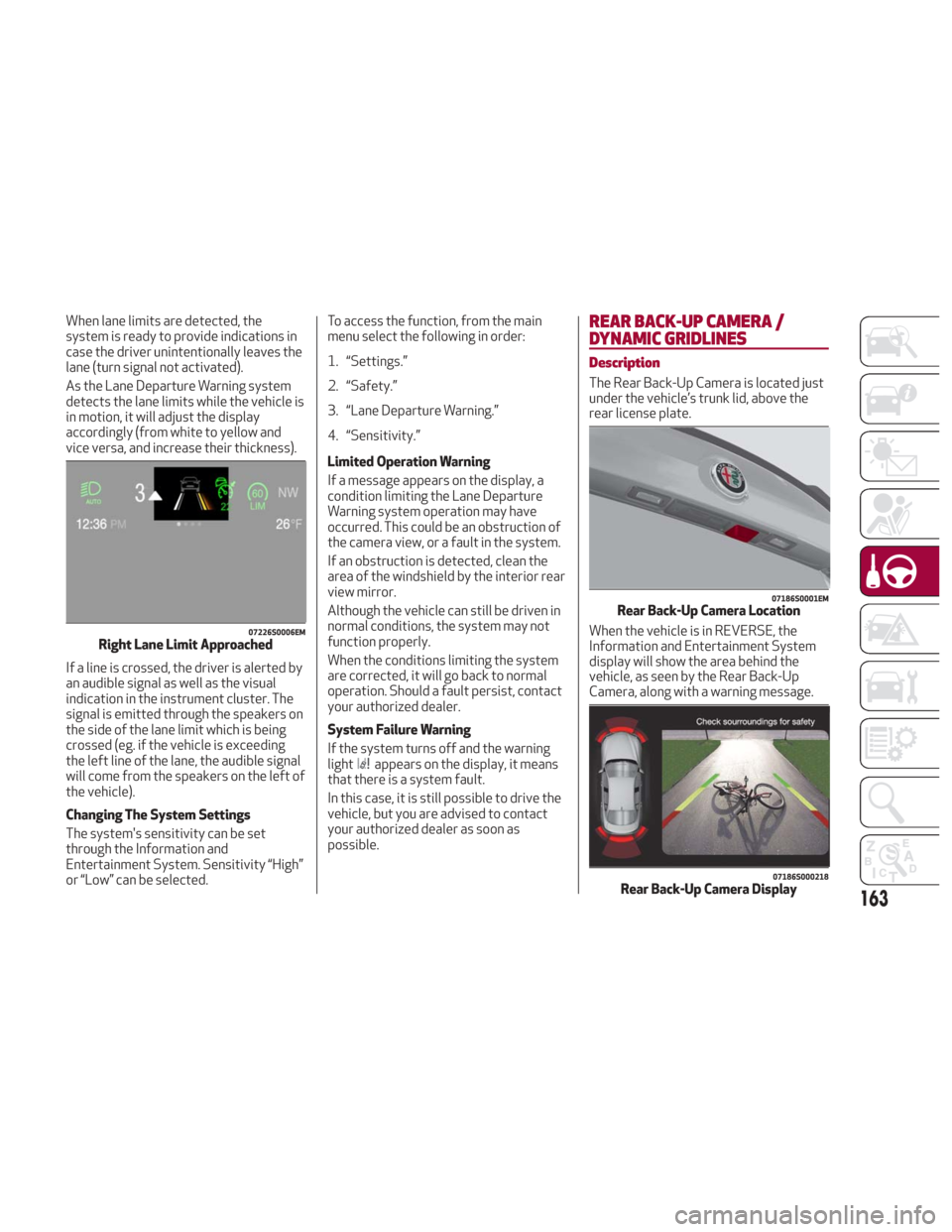
When lane limits are detected, the
system is ready to provide indications in
case the driver unintentionally leaves the
lane (turn signal not activated).
As the Lane Departure Warning system
detects the lane limits while the vehicle is
in motion, it will adjust the display
accordingly (from white to yellow and
vice versa, and increase their thickness).
If a line is crossed, the driver is alerted by
an audible signal as well as the visual
indication in the instrument cluster. The
signal is emitted through the speakers on
the side of the lane limit which is being
crossed (eg. if the vehicle is exceeding
the left line of the lane, the audible signal
will come from the speakers on the left of
the vehicle).
Changing The System Settings
The system's sensitivity can be set
through the Information and
Entertainment System. Sensitivity “High”
or “Low” can be selected.To access the function, from the main
menu select the following in order:
1. “Settings.”
2. “Safety.”
3. “Lane Departure Warning.”
4. “Sensitivity.”
Limited Operation Warning
If a message appears on the display, a
condition limiting the Lane Departure
Warning system operation may have
occurred. This could be an obstruction of
the camera view, or a fault in the system.
If an obstruction is detected, clean the
area of the windshield by the interior rear
view mirror.
Although the vehicle can still be driven in
normal conditions, the system may not
function properly.
When the conditions limiting the system
are corrected, it will go back to normal
operation. Should a fault persist, contact
your authorized dealer.
System Failure Warning
If the system turns off and the warning
light
appears on the display, it means
that there is a system fault.
In this case, it is still possible to drive the
vehicle, but you are advised to contact
your authorized dealer as soon as
possible.
REAR BACK-UP CAMERA /
DYNAMIC GRIDLINES
Description
The Rear Back-Up Camera is located just
under the vehicle’s trunk lid, above the
rear license plate.
When the vehicle is in REVERSE, the
Information and Entertainment System
display will show the area behind the
vehicle, as seen by the Rear Back-Up
Camera, along with a warning message.
07226S0006EMRight Lane Limit Approached
07186S0001EMRear Back-Up Camera Location
07186S000218Rear Back-Up Camera Display163
Page 166 of 260

Rear Back-Up Camera Features
To activate the Rear Back-Up Camera
features, select “Settings” from the
Main Menu of the Information and
Entertainment System.
Under “Driver Assistance” the following
features can be selected:
View
Camera Delay
Camera Guidelines
Selecting “View” will activate the camera
view on the display.
Selecting “Camera Delay” will allow the
camera view to remain on the display
shortly after the vehicle is no longer in
REVERSE, followed by the previously
active screen.
Selecting “Camera Guidelines” will
activate the display of the dynamic
guidelines that indicate the route of the
vehicle while in REVERSE.
Warning!
Drivers must be careful when backing up
even when using the Rear Back-Up Camera.
Always check carefully behind your vehicle,
and be sure to check for pedestrians,
animals, other vehicles, obstructions, or
blind spots before backing up. You are
responsible for the safety of your
surroundings and must continue to pay
attention while backing up. Failure to do so
can result in serious injury or death.
Caution!
To avoid vehicle damage, Rear Back-Up
Camera should only be used as a parking
aid. The Rear Back-Up Camera is unable to
view every obstacle or object in your drive
path.
To avoid vehicle damage, the vehicle
must be driven slowly when using the Rear
Back-Up Camera to be able to stop in time
when an obstacle is seen. It is recommended
that the driver look frequently over his/her
shoulder when using the Rear Back-Up
Camera.
Symbols And Messages On The Display
Indications On The Display
Through the Information and
Entertainment System settings, by
activating the "Camera Guidelines"
feature, guidelines can be seen on the
rear camera display. If activated, the
guidelines are positioned on the image to
highlight the width of the vehicle and the
expected reverse path based on the
steering wheel position.
A superimposed central line indicates the
center of the vehicle to assist in rear
parking maneuvers. The various colored
areas indicate the distance from the rear
of the vehicle. The table below shows the approximate
distances for each area:
Area
Distance from the
rear of the vehicle
Red 0–11.8
inches
(0–30 cm)
Yellow 11.8 inches to 3.3 feet
(30 cm–1 m)
Green 3.3 feet or more
(1mormore)
Messages On The Display
If the trunk lid is lifted, the camera will
not detect any obstacle behind the
vehicle. The display will show a dedicated
warning message.
Make sure the trunk lid is closed by
pushing next to the lock until it clicks.
Important Notes
Ice, snow or mud on the surface of the
camera may reduce its sensitivity. It is
important to keep the camera surface
clean, and free from debris.
When parking, be aware of obstacles
that may be above or under the camera
range.
164
STARTING AND OPERATING