Page 540 of 580

||
MAINTENANCE AND SERVICING
538
Via Function view
–From Function view, tap the Wiper Service
Position button. The indicator light in the
button will go out when the service position is deactivated.
Via Settings
1. Tap Settings in the center display's Top
view.
2.
My CarWipers
3. Tap the Wiper Service Position to deselect
the box.
The wipers will also leave the service position if:
• The wipers are activated.
• The windshield washers are activated.
• The rain sensor is activated.
CAUTION
If the wiper arms have been folded out from the windshield while in the service position,fold them back against the windshield beforereturning the wipers to the normal position tohelp avoid scratching the paint on the hood.
Related information
•Replacing wiper blades (p. 538)
• Using the windshield wipers (p. 160)
Replacing wiper blades
The wiper blades should be replaced regularly for best effect. The windshield wiper blades must be in the verti- cal (service) position for replacement, washingor to lift them away from the windshield whene.g., removing ice or snow.
Replacing the windshield wiper blades
Page 541 of 580
MAINTENANCE AND SERVICING
539
With the wipers in the service position, fold out the wiper arm from the windshield. Pressthe button on the wiper blade attachmentand pull the wiper blade straight out, parallelwith the wiper arm.
Slide in the new wiper blade until it clicks into place.
Check that the blade is securely in place.
4. Press the wipers back against the wind- shield.
The windshield wiper blades are different lengths
NOTE
The windshield wiper blades are different lengths. The blade on the driver
Page 545 of 580
MAINTENANCE AND SERVICING
}}
* Option/accessory.543
CAUTION
When using an automatic car wash in which the vehicle has to be able to roll freely, theauto-hold brake function must be deactivated.If this is not done, the brakes will automati-cally be applied when the vehicle is stationary. To deactivate this function:
1. Drive the vehicle into the car wash
2. Turn off the auto-hold function using the
control on the center console
3. Turn off the parking brake's automatic function in the center display's Top view (tap
Settings, tap My CarParking
Brake and Suspension and deselectAuto Activate Parking Brake)
4. Put the gear selector in N
5. Switch off the ignition by turning the start knob to STOP and holding it in this posi-
tion for at least 4 seconds
The vehicle will then be able to roll freely.
CAUTION
• Before driving into an automatic car wash, turn off the optional rain sensor toavoid damaging the windshield wipers.
• Make sure that side view mirrors, auxiliarylamps, etc, are secure, and that anyantenna(s) are retracted or removed. Oth-erwise there is risk of the machine dis-lodging them.
• Chromed wheels:
Clean chrome-plated
wheels using the same detergents usedfor the body of the vehicle. Aggressivewheel-cleaning agents can permanentlystain chrome-plated wheels.
WARNING
• When the vehicle is driven immediately after being washed, apply the brakes,including the parking brake, several timesin order to remove any moisture from thebrake linings.
• Engine cleaning agents should not beused when the engine is warm. This con-stitutes a fire risk.
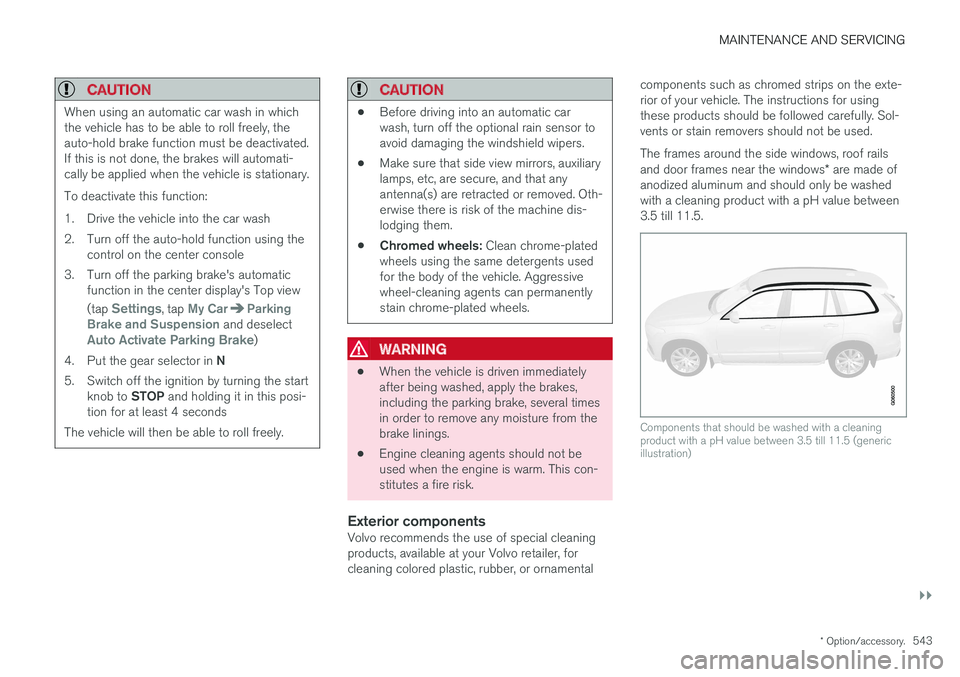
Exterior componentsVolvo recommends the use of special cleaningproducts, available at your Volvo retailer, forcleaning colored plastic, rubber, or ornamental components such as chromed strips on the exte-rior of your vehicle. The instructions for usingthese products should be followed carefully. Sol-vents or stain removers should not be used. The frames around the side windows, roof rails and door frames near the windows
* are made of
anodized aluminum and should only be washed with a cleaning product with a pH value between3.5 till 11.5.
Components that should be washed with a cleaning product with a pH value between 3.5 till 11.5 (genericillustration)
Page 546 of 580

||
MAINTENANCE AND SERVICING
* Option/accessory.
544
CAUTION
• Avoid waxing or polishing plastic or rub- ber components
• Polishing chromed strips can wear awayor damage the surface
• Polishes containing abrasive substancesshould not be used
Related information
• Paint damage (p. 547)
• Corrosion protection (p. 547)
• Polishing and waxing (p. 549)
• Windshield wipers in the service position (p. 537)
Cleaning the interior
Only use cleaning agents and car care products recommended by Volvo. Clean regularly and fol-low the instructions included with the car careproduct.
CAUTION
• Under no circumstances should gasoline, naphtha or similar cleaning agents beused on the plastic or the leather sincethese can cause damage.
• Take extra care when removing stainssuch as ink or lipstick since the coloringcan spread.
• Use solvents sparingly. Too much solventcan damage the seat padding.
• Start from the outside of the stain andwork toward the center.
• Sharp objects (e.g. pencils or pens in apocket) or Velcro fasteners on clothingmay damage the textile upholstery.
• Clothing that is not colorfast, such asnew jeans or suede garments, may stainthe upholstery.
Fabric upholstery and ceiling linerClean with soapy water or a detergent. For more difficult spots caused by oil, ice cream, shoe pol-ish, grease, etc., use a clothing/fabric stainremover. Consult your Volvo retailer.
Leather
* careVolvo's leather upholstery is manufactured with aprotectant to repel soiling. Over time, sunlight,grease and dirt can break down the protection.Staining, cracking, scuffing, and fading can result. Volvo offers an easy-to-use, non-greasy leather care kit formulated to clean and beautify yourvehicle's leather, and to renew the protectivequalities of its finish. The cleaner removes dirtand oil buildup. The light cream protectantrestores a barrier against soil and sunlight. Volvo also offers a special leather softener that should be applied after the cleaner and protec-tant. It leaves leather soft and smooth, andreduces friction between leather and other fin-ishes in the vehicle. Volvo recommends cleaning, protecting and con- ditioning your vehicle's leather two to four times ayear. Ask your Volvo retailer about Leather CareKit 951 0251 and Leather Softener 943 7429.
Cleaning leather upholstery
1. Pour leather cleaner on a damp sponge and
squeeze it until the cleaner foams.
2. Apply the foam to the stain by moving the sponge with circular movements.
3. Dampen the stain thoroughly with the sponge. Let the sponge absorb the stain, do not rub.
4. Dry the stain with soft paper towels or a towel, and allow the leather to dry completely.
Page 576 of 580

INDEX
574Trailer towing 384, 388
trailer hitch 387
Transmission gear shift indicator 415
general description 414, 416
Hill Start Assist 368
oil 564
shifting with steering wheel paddles 418
shiftlock override 415
Travel Link 433 Alerts 435
Fuel 436
Sports 437
weather 434
Tread wear indicator 477
Trip computer 99, 100, 102 reset 100
Trip odometers 99
Trips, long distance 372
Trip statistics 102
Turn signals 150 changing bulbs 528
U
Uniform Tire Quality Grading 479
Unlocking the tailgate 246
Unlocking the vehicle 241, 243
USB/AUX connection 446, 454
User profile 179
V
Vehicle Event Data 31
Vehicle information 14
Vehicle loading 216, 478
Vehicle maintenance 498performed by the owner 498
Vehicle status 501
Vehicle weights 557Voice control cell phones 124
giving commands 123
introduction 123
multimedia devices 125
radio 125
settings 128
Volvo and the environment 20
Volvo ID 32
Volvo maintenance 498
Volvo On Call Roadside Assistance 14
Volvo programs 14
W
Warning flashers, hazard 150
Warning lights 140
Warning system, collision 313
Warranties 498
Washer fluid 541Washers headlight 162
windshield 160
Water, driving through 374
Waxing 549Weights trailer 384
Wheels changing 481, 483
storing 473
Whiplash Protection System 63
Wi-Fi 462, 463Windows laminated glass 58
power 111
sun shade 111
Windshield rain sensor 161
washers 162
wipers/washers 160
Page 577 of 580
INDEX
575
Windshield washer fluid reservoir 541
Windshield wiper blades 538Windshield wipers
service position 537
Wiper blades replacing 537, 538
replacing tailgate wiper 538
WMA files 457 Workshop Wi-Fi connection 504
Page:
< prev 1-8 9-16 17-24

