2017 VOLKSWAGEN SCIROCCO break
[x] Cancel search: breakPage 12 of 400
The red zone at the end of the scale indicates maximum permissible engine rpm (revolutions per minute) for all gears after the break-in period. Before reaching the red zone, select the next
higher gear or selector lever position D, or ease your foot off the accelerator ⇒ .
(3) Displays
(4) Reset, set, and display button
(5) Fuel gauge
(6) Engine coolant temperature display ~
NOTICE
x To help prevent engine damage, always avoid high engine speeds, full throttle acceleration, and heavy engine loads when the engine is cold.
x To help prevent engine damage, the tachometer needle should only enter the red zone (warning zone) briefly.
Upshifting early into the next higher gear saves fuel and reduces engine noise.
Displays
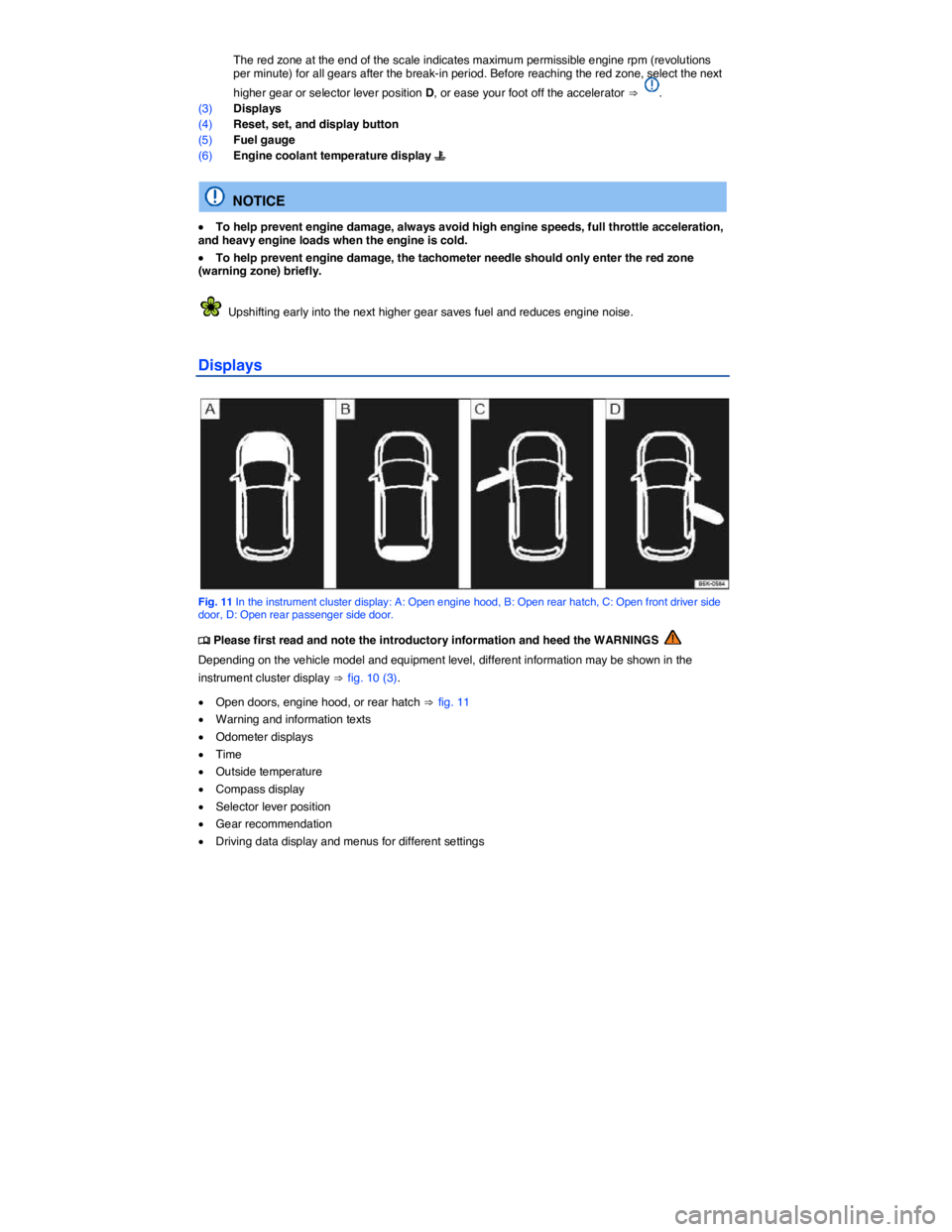
Fig. 11 In the instrument cluster display: A: Open engine hood, B: Open rear hatch, C: Open front driver side door, D: Open rear passenger side door.
Page 14 of 400

Type of notification Symbol color1 Explanation
Priority 2 warning message Yellow Symbol flashing or continuously lit – sometimes with acoustic warn-ings. Malfunctions or low operating fluid levels may cause vehicle dam-
age and vehicle breakdown ⇒ . Check malfunction as soon as possible. Contact an authorized Volkswagen dealer or an authorized Volkswagen Service Facility for assistance if necessary.
Information text – Information about various vehicle situations.
Odometer displays
The odometer indicates the total distance driven by the vehicle.
The trip odometer (trip) shows the distance driven since the last time the trip odometer was reset. The last digit indicates 1/10 mile (100 meters).
Press the E button in the instrument cluster briefly ⇒ Instrument overview to reset the trip odometer to 0.
Time
x To set the time, press and hold the E button in the instrument cluster ⇒ Instrument overview until the word Time appears in the display. The doors must be closed.
x Release the button. The time is shown in the display and the hour setting is highlighted.
x Press the E button repeatedly until the correct hour is displayed. Press and hold the button to scroll through quickly.
x Once you have set the hour, wait a few seconds until the minutes display is highlighted.
x Press the E button repeatedly until the correct minutes are displayed. Press and hold the button to scroll through quickly.
x Release the button to finish setting the clock.
On appropriately equipped vehicles, you can also set the time in the Infotainment system by pressing
the #!2 button followed by the
Page 31 of 400
WARNING
Vehicle health reports do not replace the information provided by the vehicle warning and indicator lights. Failure to heed warning lights and instrument cluster text messages can cause the vehicle to break down in traffic and result in a collision and serious personal injury.
x Never ignore warning lights or text WARNINGS.
x Always stop the vehicle as soon as it is safe to do so.
x Park the vehicle at a safe distance from moving traffic and where no part of the hot cata-lytic converter and exhaust system can come into contact with flammable materials under the vehicle, such as dry grass, brush, spilled fuel, etc.
x A broken down vehicle presents a high accident risk for itself and others. Switch on emergency flashers and set up a warning triangle to warn oncoming traffic.
x Before opening the engine hood, always switch off the engine and let the engine cool down.
x Always be very careful when working in the engine compartment, which is a potentially dangerous area in any motor vehicle and can cause serious personal injury.
NOTICE
Failure to heed warning lights or text WARNINGS can result in vehicle damage.
Volkswagen collects, processes, transmits, uses and shares information about you and your vehicle in accordance with the Volkswagen Car-Net Terms of Service and Privacy Policy. See the Volkswagen Car-Net Terms of Service and Privacy Policy at http://www.vw.com/carnet for more de-tails.
Volkswagen Car-Net services use a system based on a wireless communication network. If all technical and other conditions are met and Volkswagen Car-Net still does not work properly, please try using the service again later.
Applicable only in the United States
Features
Page 34 of 400

WARNING
Refer to your vehicle's warning and indicator lights for the most current diagnostic infor-mation. Always consult this manual for maintenance guidelines. Failure to heed warning lights and instrument cluster text messages can cause the vehicle to break down in traffic and result in a collision and serious personal injury.
x Never ignore warning lights or text WARNINGS.
x Always stop the vehicle as soon as it is safe to do so.
x Park the vehicle at a safe distance from moving traffic and where no part of the hot cata-lytic converter and exhaust system can come into contact with flammable materials under the vehicle, such as dry grass, brush, spilled fuel, etc.
x A broken down vehicle presents a high accident risk for itself and others. Switch on emergency flashers and set up a warning triangle to warn oncoming traffic.
The Volkswagen Car-Net website (http:// www.vw.com/carnet) contains the most up-to-date information and instructions about Volkswagen Car-Net services.
x Please regularly visit the website to learn about changes to services and new features.
x Volkswagen Car-Net features can be modified, discontinued, deactivated, reactivated or expanded without any further notice.
Applicable only in the United States
Application software (“apps”)
Page 90 of 400
x If the outside temperature or the temperature inside the passenger compartment is +77 °F (+25 °C) or more.
Function Action for seat heating ⇒ fig. 47
Switch on: Press the A or e button. Seat heating is switched on to maximum.
Adjust the heating level: Press the A or e button repeatedly until the desired heating level is set.
Switch off: Press the A or e button repeatedly until all indicator lights in the button are off.
Special seat heating features
On the driver and the passenger side, the seat heating will resume at the setting that was set when the ignition was last switched off. However, this feature only works if the key is not taken out of the ignition switch, or, for vehicles with Keyless Access, the driver door is not opened or the vehicle is not locked.
People suffering from a low level of perceived pain or a lowered awareness of pain as from medica-
tion, paralysis, or chronic illness (e.g. diabetes) should NEVER use the seat heating feature ⇒ !
The use of seat heating by persons with these conditions could result in burns to the back, buttocks, and legs that may take a long time to heal and may never heal completely. If you have any of these conditions, you should take regular breaks and get out of the vehicle, particularly on long trips. Consult your doctor for advice regarding your specific condition.
WARNING
Certain medical conditions, such as paralysis and diabetes, and certain medications can increase the risk of serious burns when the seat heating feature is switched on.
x Vehicle occupants who have a low level of perceived pain or a lowered awareness of pain can receive serious burns to the back, buttocks, and legs that take a long time to heal or may never heal completely.
x Never use the seat heating feature if you or your passengers are at risk of being burned because of a medical condition. Take regular breaks and get out of the vehicle, particularly on long trips. Consult your doctor for advice regarding your specific condition.
x Never let exposed skin remain in contact with the seat upholstery when the seat heating is being used.
WARNING
A wet seat can cause the seat heating to malfunction and increase the risk of serious burns.
x Always make sure the seats are dry before using the seat heating.
x Never sit on the seat with wet clothes.
x Never put damp or wet things including clothes on the seat.
x Never spill liquids on the seats.
Page 93 of 400

WARNING
Not wearing a safety belt or wearing an improperly positioned safety belt increases the risk of severe personal injury or death. Safety belts offer optimum protection only when they are used properly.
x Properly worn safety belts are the single most effective means of reducing the risk of serious injury and death in a collision or other accident. For this reason, always wear your safety belt properly and make sure all passengers wear their safety belts properly as well whenever the vehicle is moving.
x The driver must always make sure that every person in the vehicle is properly seated on a seat of his or her own, properly fastens the safety belts belonging to that seat before the vehicle starts to move, and keeps the belts properly fastened while riding in the vehicle. This applies even when just driving around town. Therefore, always wear your safety belts and make sure that everybody in your vehicle is properly restrained.
x Always secure children in the vehicle with a restraint system appropriate for their age,
weight and height ⇒ Child safety and child restraints.
x Always fasten safety belts correctly before driving off and make sure that all passengers are properly restrained.
x Never attach the safety belt to the buckle of another seat. Attaching the safety belt to the wrong buckle will reduce safety belt effectiveness and can cause serious personal injury.
x Never let any objects or liquids get into the safety belt latch and prevent it from working properly.
x Never remove a safety belt while the vehicle is moving. Doing so will increase your risk of being injured or killed.
x Never strap more than one person, including small children, into any single safety belt.
x Never let children or babies ride sitting on your lap, and never place a safety belt over a child sitting on your lap.
x Never wear belts over rigid or breakable objects in or on your clothing, such as eyeglass-es, pens, keys, etc., as these may cause injury.
x Several layers of heavy clothing (such as a coat worn over top of a sports jacket) may interfere with proper positioning of the safety belt and reduce the overall effectiveness of the system.
x Never use comfort clips or devices that create slack in the shoulder belt. However, special clips may be required for the correct use of some child restraint systems.
x Safety belts offer optimum protection only when the seat backrest is upright and belts are correctly positioned on the body.
Page 94 of 400
WARNING
Damage to safety belts reduces their overall effectiveness and increases the risk of serious personal injury and death whenever the vehicle is being used.
x Never let safety belts become damaged by being caught in the door or seat hardware.
x Torn or frayed safety belts can tear, and damaged safety belt hardware can break in an accident.
x Inspect belts regularly for damage. If webbing, bindings, buckles, or retractors are dam-aged, have the belts replaced immediately with the correct replacement belts approved by Volkswagen for your vehicle, model, and model year.
x Safety belts that were subject to stress in an accident and stretched must be replaced with a correct, new safety belt, preferably by an authorized Volkswagen dealer or authorized Volkswagen Service Facility.
x Replacement after a crash may be necessary even if a safety belt shows no visible dam-age. Anchorages that have been loaded must also be inspected.
x Damaged safety belts must be replaced; they cannot be repaired.
x Never try to repair a damaged safety belt yourself. Never remove or modify the safety belts in any way.
x Have safety belts, bindings, retractors and buckles replaced by an authorized Volkswagen dealer or authorized Volkswagen Service Facility.
x Always keep the belts clean. Dirty belts may not work correctly and can impair the func-tion of the inertia reel.
Warning light
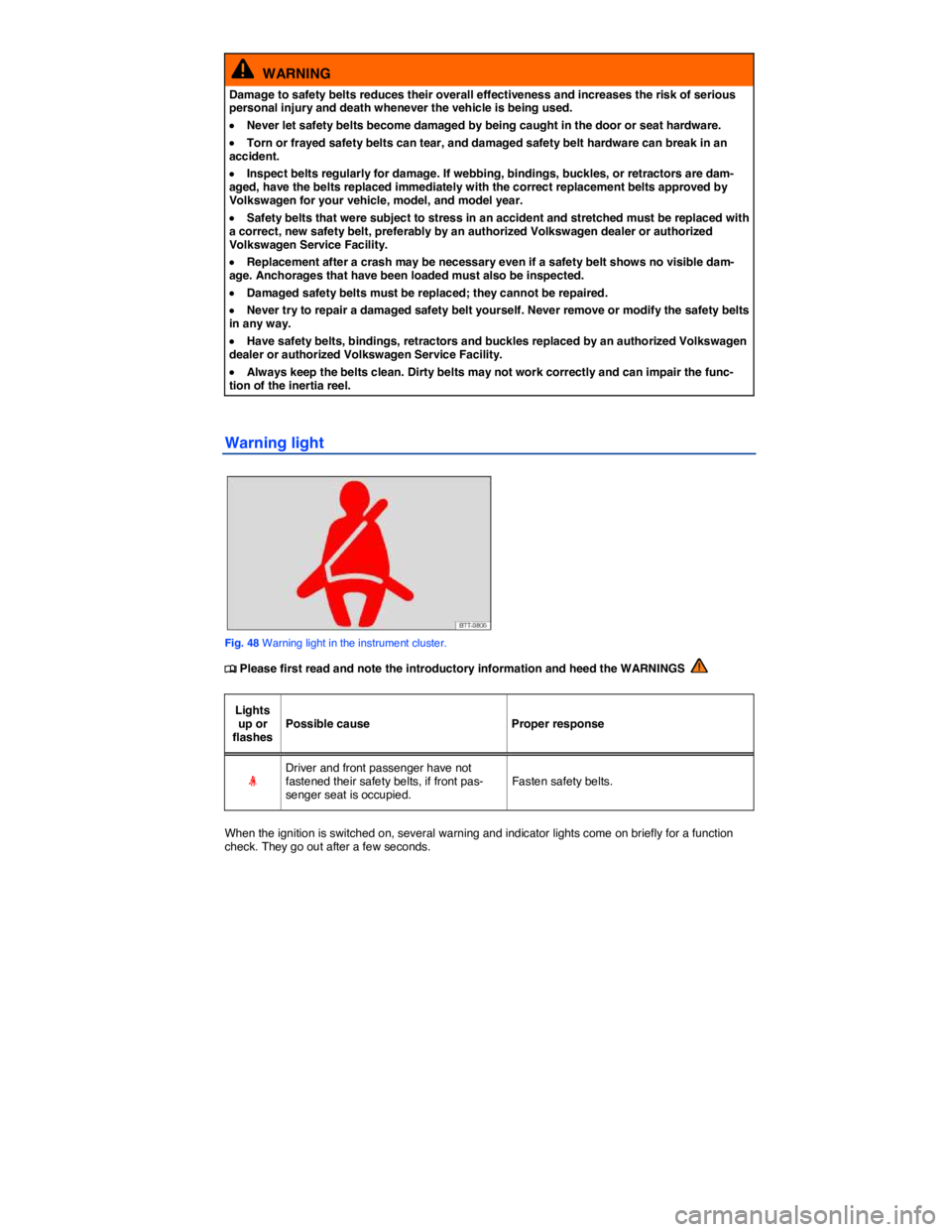
Fig. 48 Warning light in the instrument cluster.
Page 102 of 400

WARNING
Improperly positioned safety belts can cause serious personal injury in an accident or a sud-den braking maneuver.
x Always make sure that all vehicle occupants are correctly restrained and stay in a correct seating position whenever the vehicle is being used.
x Safety belts offer optimum protection only when the seat backrest is upright and belts are correctly positioned on the body.
x A loose-fitting safety belt can cause serious injuries by shifting its position on your body from the strong bones to more vulnerable soft tissue and cause serious injury.
x The shoulder belt portion of the safety belt must be positioned over the middle of the occupant's shoulder and never across the neck or throat.
x The safety belt must lie flat and snug on the occupant's upper body.
x Never wear the shoulder part of the safety belt under your arm or otherwise out of posi-tion.
x The lap portion of the safety belt must be positioned as low as possible across the pelvis and never over the abdomen. Make sure the belt lies flat and snug against the pelvis. Pull on the safety belt to tighten if necessary.
x Expectant mothers must always wear the lap portion of the safety belt as low as possible across the pelvis and below the rounding of the abdomen.
x Do not twist the belt when attaching it. If you cannot untwist a twisted safety belt, wear it anyway, but make sure the twisted part is not in contact with your body. Have the problem corrected right away by an authorized Volkswagen dealer or authorized Volkswagen Service Facility.
x Never hold the safety belt away from your body with your hand.
x Never wear belts over rigid or breakable objects, such as eyeglasses, pens or keys.
x Never modify the position of the belt using comfort clips, loops or similar devices.
If you have a physical impairment or condition that prevents you from sitting properly on the seat with the safety belt properly fastened, special modifications to your vehicle may be necessary. Contact your authorized Volkswagen dealer or authorized Volkswagen Service Facility or call the Volkswagen Customer CARE Center at 1-800-822-8987 for information about possible modifications to your vehi-cle.