Page 335 of 668

335
2-6. Driving information
2
When driving
VERSO_EE_OM64517E
Guidance
Your vehicle will handle differently when towing a trailer. In order to
avoid accident, death or serious injury, keep the following in mind
when towing:
■ Checking connections between trailer and lights
Stop the vehicle and check the operation of the connection
between the trailer and lights after driving for a brief period as well
as before setting off.
■ Practicing driving with a coupled trailer
● Get the feel for turning, stopping and reversing with the trailer
coupled by practicing in an area with no or light traffic.
● When reversing with a coupled trailer, hold the section of the
steering wheel nearest to you and rotate clockwise to turn the
trailer left or counterclockwise to turn right. Always rotate gradu-
ally to prevent steering error. Have someone guide you when
reversing to lessen the risk of accident.
■ Increasing vehicle-to-vehicle distance
At a speed of 10 km/h (6 mph), the distance to the vehicle running
ahead of you should be equivalent to or greater than the combined
length of your vehicle and trailer. Avoid sudden braking that may
cause skidding. Otherwise, the vehicle may spin out of control.
This is especially true when driving on wet or slippery road sur-
faces.
■ Sudden acceleration/steering input/cornering
Executing sharp turns when towing may result in the trailer collid-
ing with your vehicle. Decelerate well in advance when approach-
ing turns and take them slowly and carefully to avoid sudden
braking.
Page 339 of 668

3Interior features
339
VERSO_EE_OM64517E
3-1. Using the air conditioning
system and defogger
Manual air conditioning
system ............................ 340
Automatic air conditioning
system ............................ 346
Power heater .................... 353
Rear window and outside
rear view mirror
defoggers ....................... 355
3-2. Using the audio system
Audio system types .......... 357
Using the radio ................. 359
Using the CD player ......... 363
Playing back MP3 and
WMA discs...................... 368
Operating an iPod............. 374
Operating
a USB memory ............... 381
Optimal use of the audio
system ............................ 388
Using the AUX port ........... 390
Using the steering
wheel audio switches...... 391
3-3. Using the interior lights
Interior lights list................ 394
• Personal/interior
lights main switch ........... 395
• Personal/interior lights .... 396
3-4. Using the storage features
List of storage features ..... 398
• Glove box ....................... 400
• Console box.................... 401
• Overhead console .......... 403
• Cup holders .................... 403
• Bottle holders.................. 405
• Auxiliary boxes ............... 406
3-5. Other interior features
Sun visors ......................... 408
Vanity mirrors.................... 409
Power outlets .................... 410
Seat heaters ..................... 412
Armrests ........................... 414
Front seatback tables ....... 415
Rear side sunshades ........ 417
Assist grips ....................... 418
Floor mat........................... 419
Luggage compartment
features........................... 421
Page 394 of 668
394
VERSO_EE_OM64517E
3-3. Using the interior lights
Interior lights list
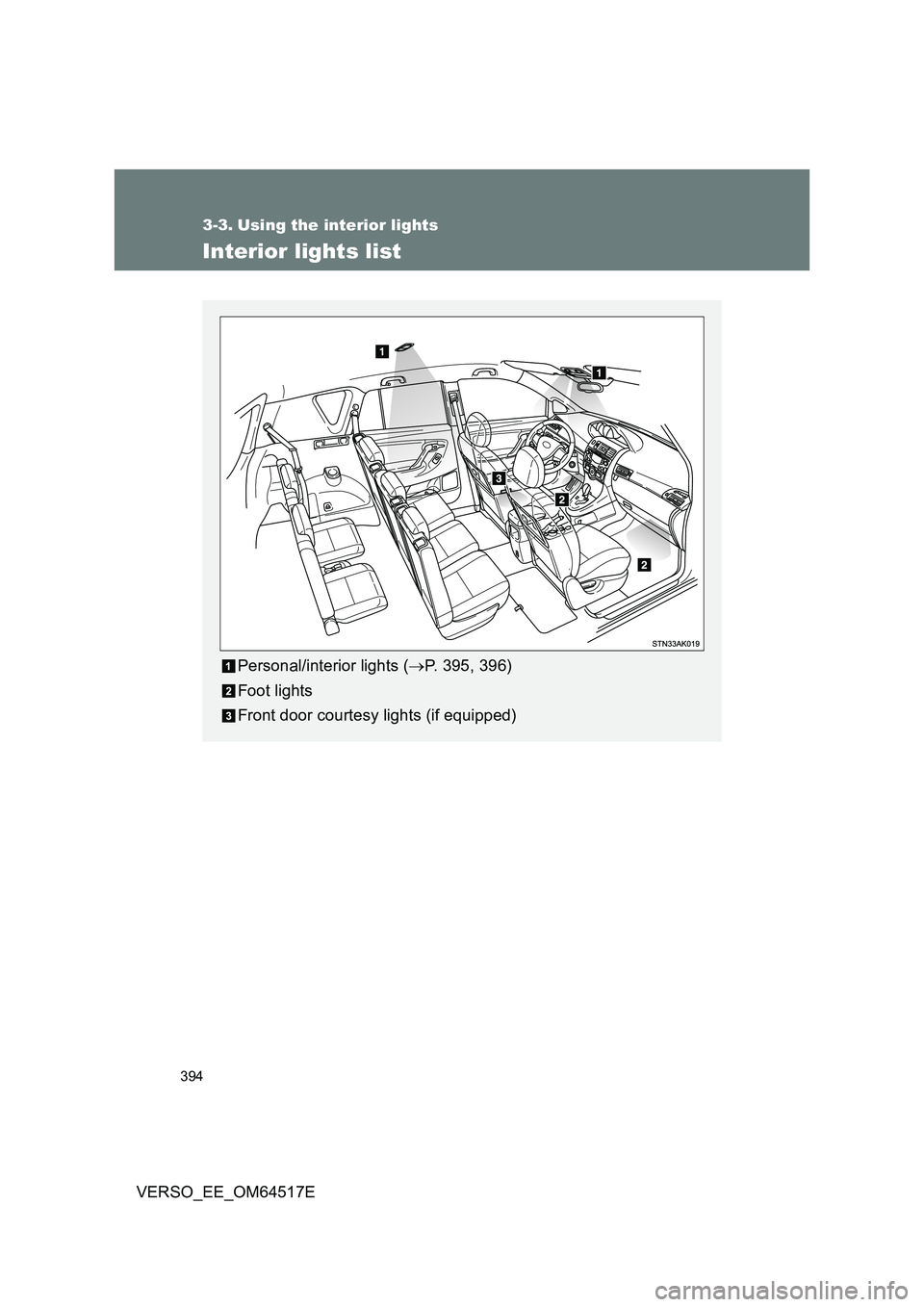
Personal/interior lights (P. 395, 396)
Foot lights
Front door courtesy lights (if equipped)
Page 395 of 668
395
3-3. Using the interior lights
3
Interior features
VERSO_EE_OM64517E
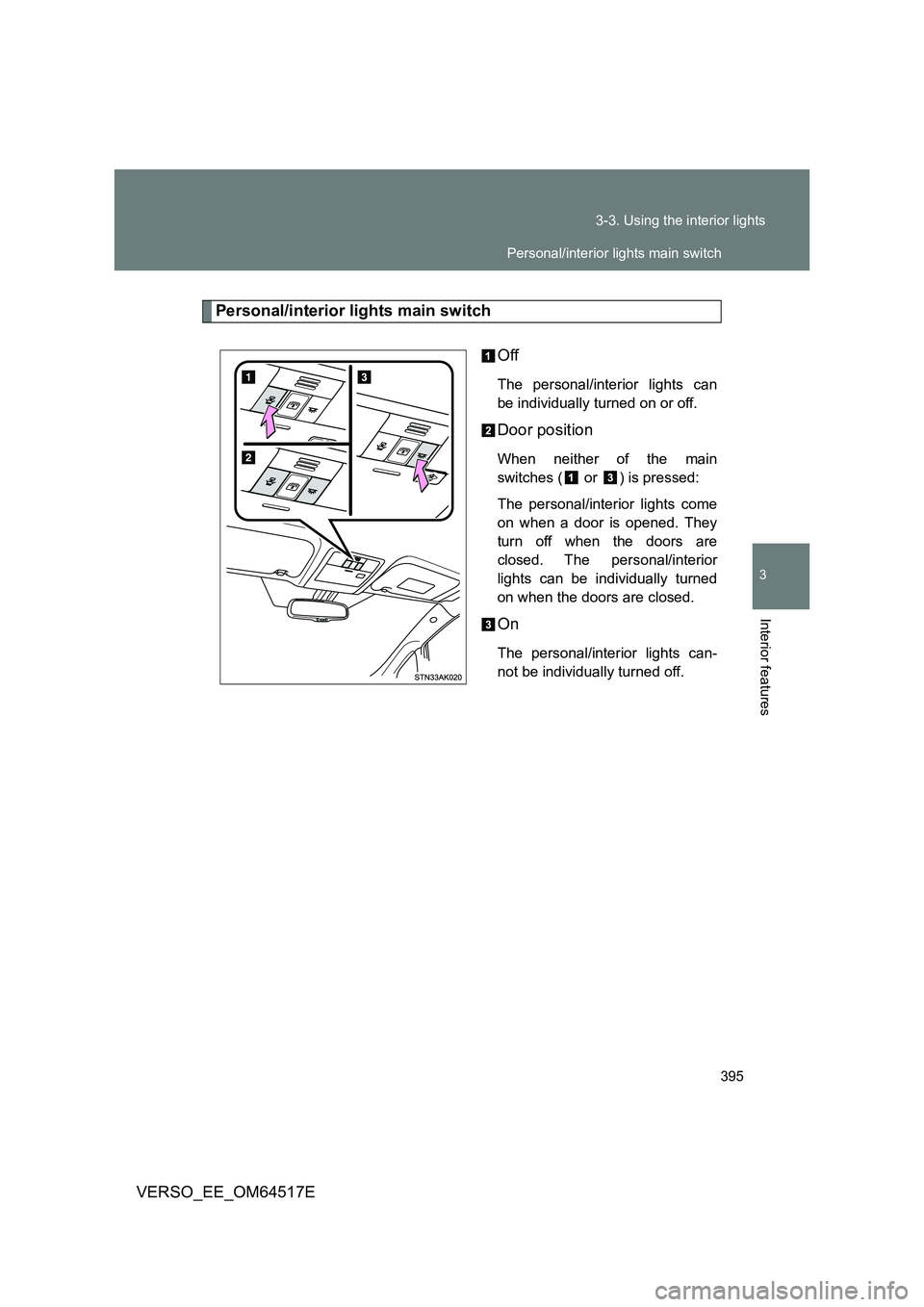
Personal/interior lights main switch
Off
The personal/interior lights can
be individually turned on or off.
Door position
When neither of the main
switches ( or ) is pressed:
The personal/interior lights come
on when a door is opened. They
turn off when the doors are
closed. The personal/interior
lights can be individually turned
on when the doors are closed.
On
The personal/interior lights can-
not be individually turned off.
Personal/interior lights main switch
Page 396 of 668
396
3-3. Using the interior lights
VERSO_EE_OM64517E
Personal/interior lights
Front
On/off
Rear
On/off
Personal/interior lights
Page 397 of 668

397
3-3. Using the interior lights
3
Interior features
VERSO_EE_OM64517E
■ Illuminated entry system
Vehicles without smart entry & start system
The lights automatically turn on/off according to the engine switch posi-
tion, whether the doors are locked/ unlocked, and whether the doors are
open/closed.
Vehicles with smart entry & start system
The lights automatically turn on/off according to “ENGINE START STOP”
switch mode, the presence of the electronic key, whether the doors are
locked/unlocked, and whether the doors are open/closed.
■ To prevent battery discharge
Vehicles without smart entry & start system
If the interior lights remain on when the engine switch is turned off, the
lights will go off automatically after 20 minutes.
Vehicles with smart entry & start system
If the interior lights remain on when the “ENGINE START STOP” switch
is turned off, the lights will go off automatically after 20 minutes.
■ Customization that can be configured at any authorized Toyota dealer
or repairer, or another duly qua lified and equipped professional
Settings (e.g. The time elapsed before lights turn off) can be changed.
(Customizable features P. 646)
Personal/interior lights
Page 400 of 668
400
3-4. Using the storage features
VERSO_EE_OM64517E
Glove box
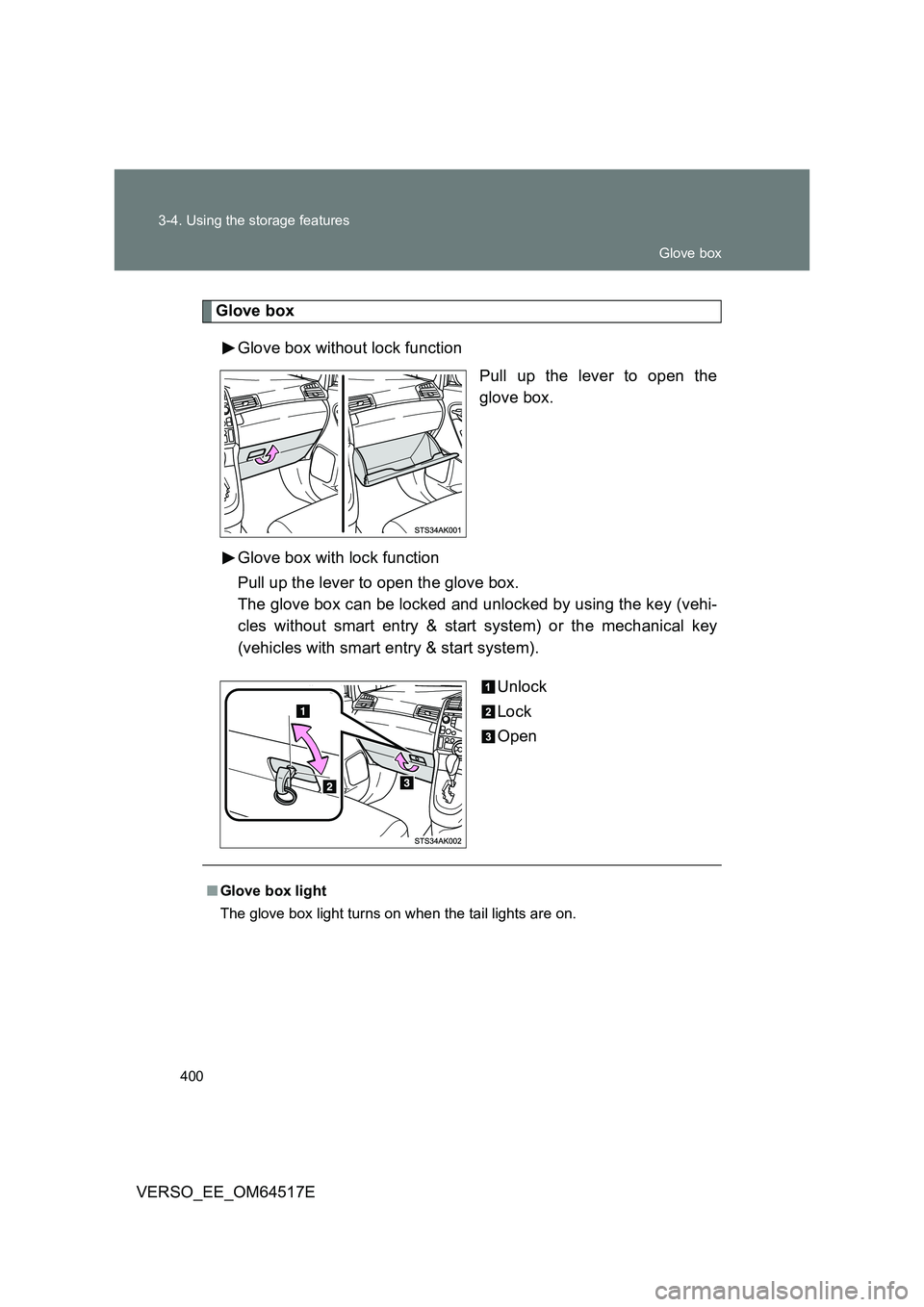
Glove box without lock function
Pull up the lever to open the
glove box.
Glove box with lock function
Pull up the lever to open the glove box.
The glove box can be locked and unlocked by using the key (vehi-
cles without smart entry & start system) or the mechanical key
(vehicles with smart entry & start system).
Unlock
Lock
Open
■ Glove box light
The glove box light turns on when the tail lights are on.
Glove box
Page 409 of 668
409
3-5. Other interior features
3
Interior features
VERSO_EE_OM64517E
Vanity mirrors
NOTICE
■To prevent battery discharge
Do not leave the vanity lights on for extended periods while the engine is off.
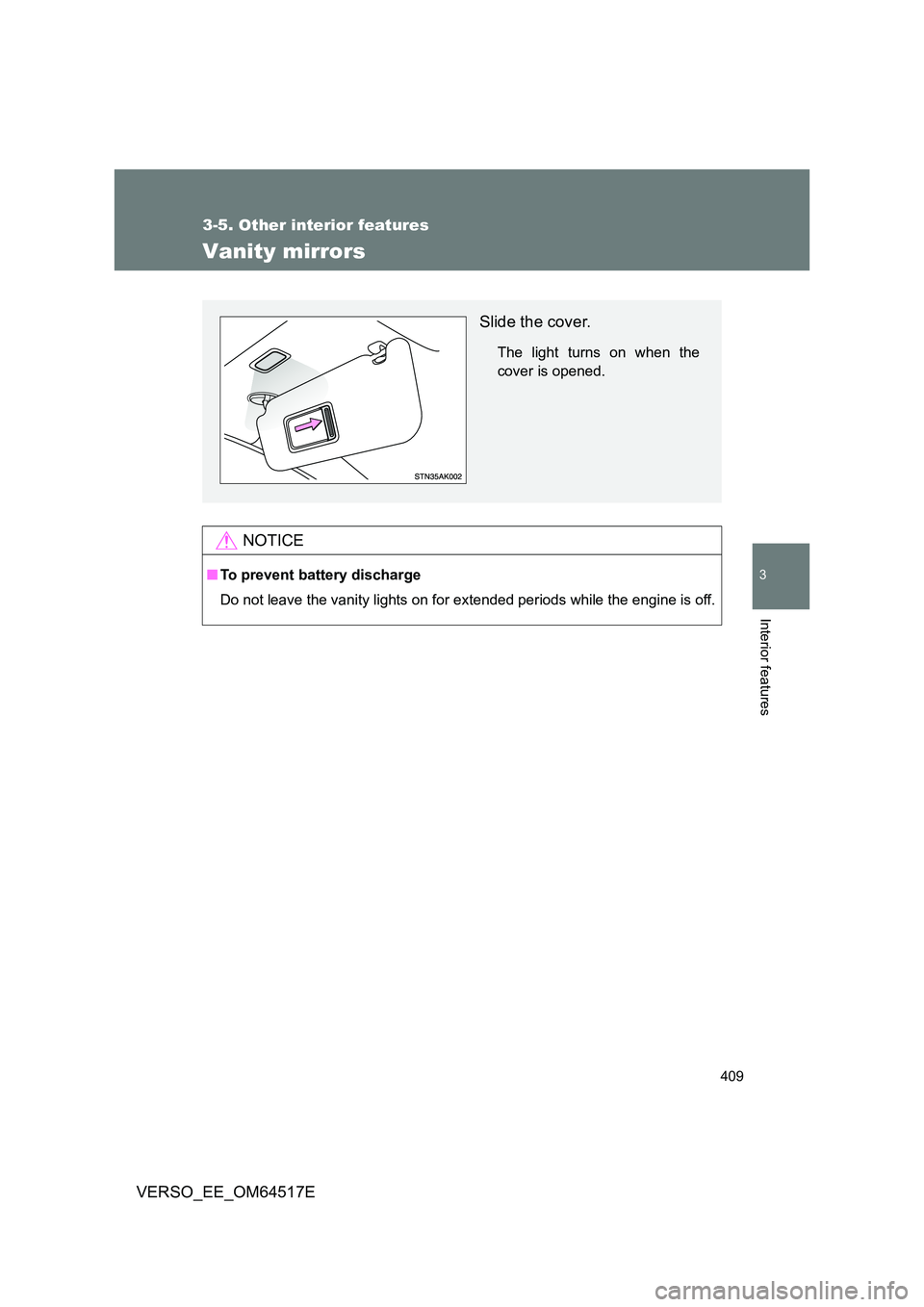
Slide the cover.
The light turns on when the
cover is opened.