Page 77 of 668

77
1-2. Opening, closing and locking the doors
1
Before driving
VERSO_EE_OM64517E
■ Setting and canceling the functions
Vehicles without Navigation/Multimedia system
To switch between setting and canceling, follow the procedure
below:
Vehicles without smart entry & start system: Close all the
doors and turn the engine switch to the “ON” position. (Per-
form within 10 seconds.)
Vehicles with smart entry & start system: Close all the doors
and turn the “ENGINE START STOP” switch to IGNITION ON
mode. (Perform within 10 seconds.)
Shift the shift lever to “P” or “N”,
press and hold the door lock
switch ( or ) for about 5
seconds then release.
The shift lever and switch posi-
tions corresponding to the
desired function to be set are
shown as follows.
Use the same procedure to can-
cel the function.
*: Vehicles with a Multidrive
FunctionShift lever
position
Door lock switch
position
Shift position linked door
locking function*“P” Shift position linked door
unlocking function*
Speed linked door locking
function “N” Driver’s door linked door
unlocking function
Page 78 of 668
78
1-2. Opening, closing and locking the doors
VERSO_EE_OM64517E
When the setting or canceling operation is complete, all doors are
locked and then unlocked.
Vehicles with Navigation/Multimedia system
P. 6 4 6
■Impact detection door lock release system
In the event that the vehicle is subject to a strong impact, all the doors are
unlocked. Depending on the force of the impact or the type of accident, how-
ever, the system may not operate.
■ Using the mechanical key (vehicles with smart entry & start system)
The doors can also be locked and unlocked with the mechanical key.
( P. 6 0 6 )
■ If a wrong key is used (vehicles with alarm)
The key cylinder rotates freely to inside mechanism.
WARNING
■ To prevent an accident
Observe the following precautions while driving the vehicle.
Failing to do so may result in a door opening and an occupant falling out,
resulting in death or serious injury.
● Always use a seat belt.
● Ensure that all doors are properly closed.
● Do not pull the inside handle of the doors while driving.
The doors may be opened and the passengers are thrown out of the vehi-
cle and it may result in serious injury or death.
Be especially careful for the front doors, as the doors may be opened even
if the inside door lock buttons are in locked position.
● Set the rear door child-protector locks when children are seated in the rear
seat.
Page 244 of 668
244
2-2. Instrument cluster
VERSO_EE_OM64517E
Fuel consumption information
Trip information (navigation/multimedia system)
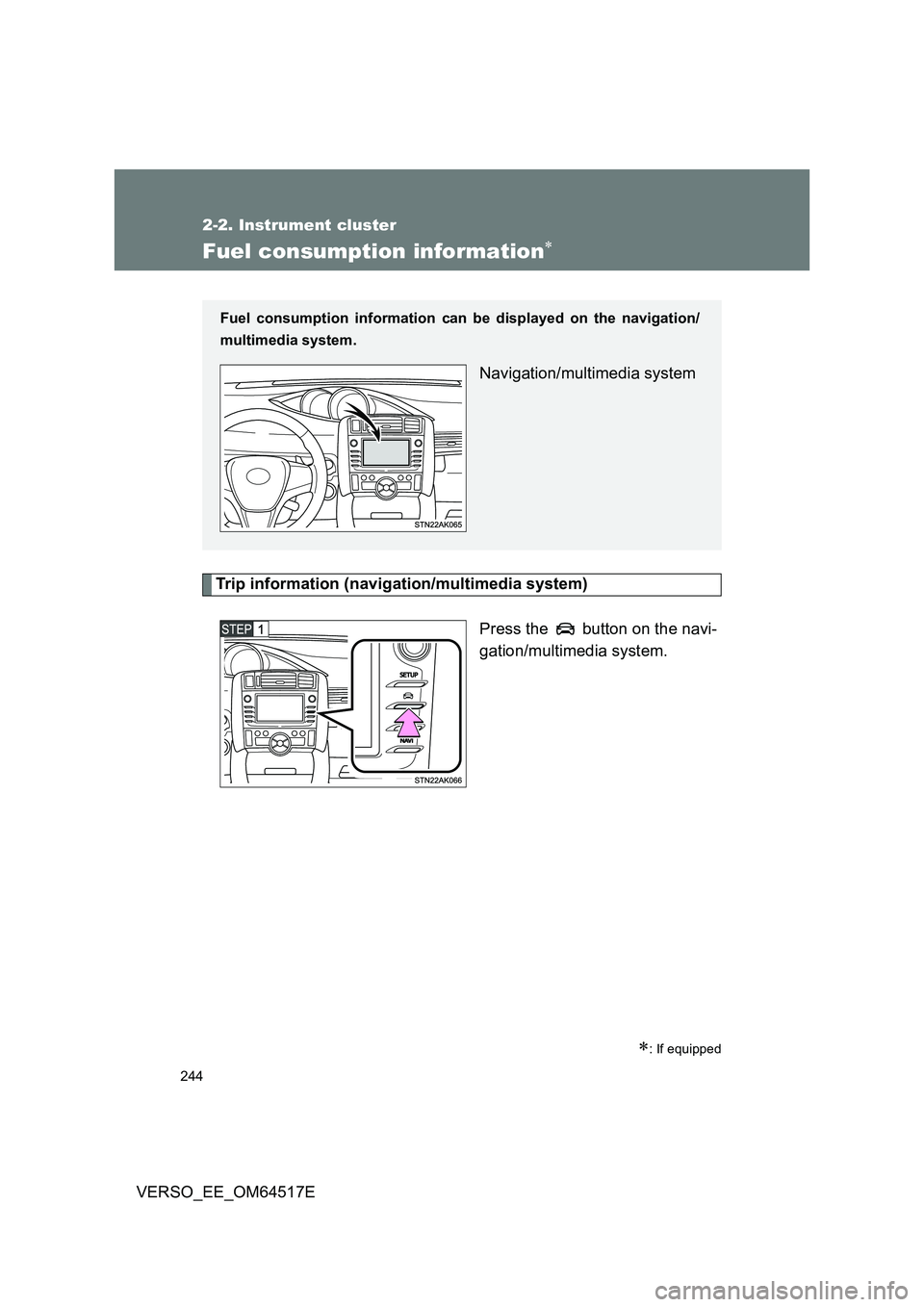
Press the button on the navi-
gation/multimedia system.
: If equipped
Fuel consumption information can be displayed on the navigation/
multimedia system.
Navigation/multimedia system
Page 246 of 668
246
2-2. Instrument cluster
VERSO_EE_OM64517E
Past record (navigation/multimedia system)
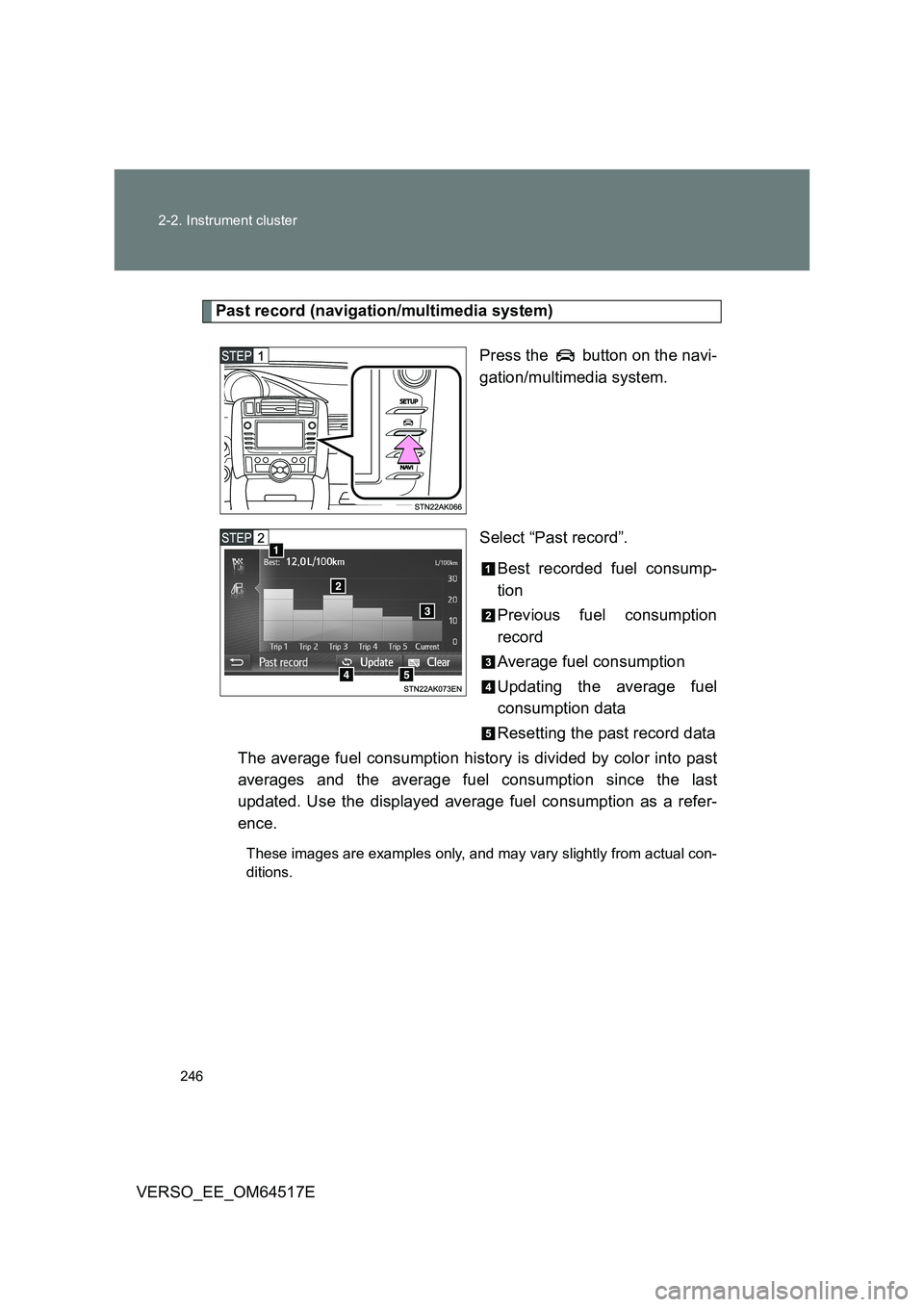
Press the button on the navi-
gation/multimedia system.
Select “Past record”.
Best recorded fuel consump-
tion
Previous fuel consumption
record
Average fuel consumption
Updating the average fuel
consumption data
Resetting the past record data
The average fuel consumption history is divided by color into past
averages and the average fuel consumption since the last
updated. Use the displayed average fuel consumption as a refer-
ence.
These images are examples only, and may vary slightly from actual con-
ditions.
Page 357 of 668
357
3
Interior features
VERSO_EE_OM64517E
3-2. Using the audio system
Audio system types
: If equipped
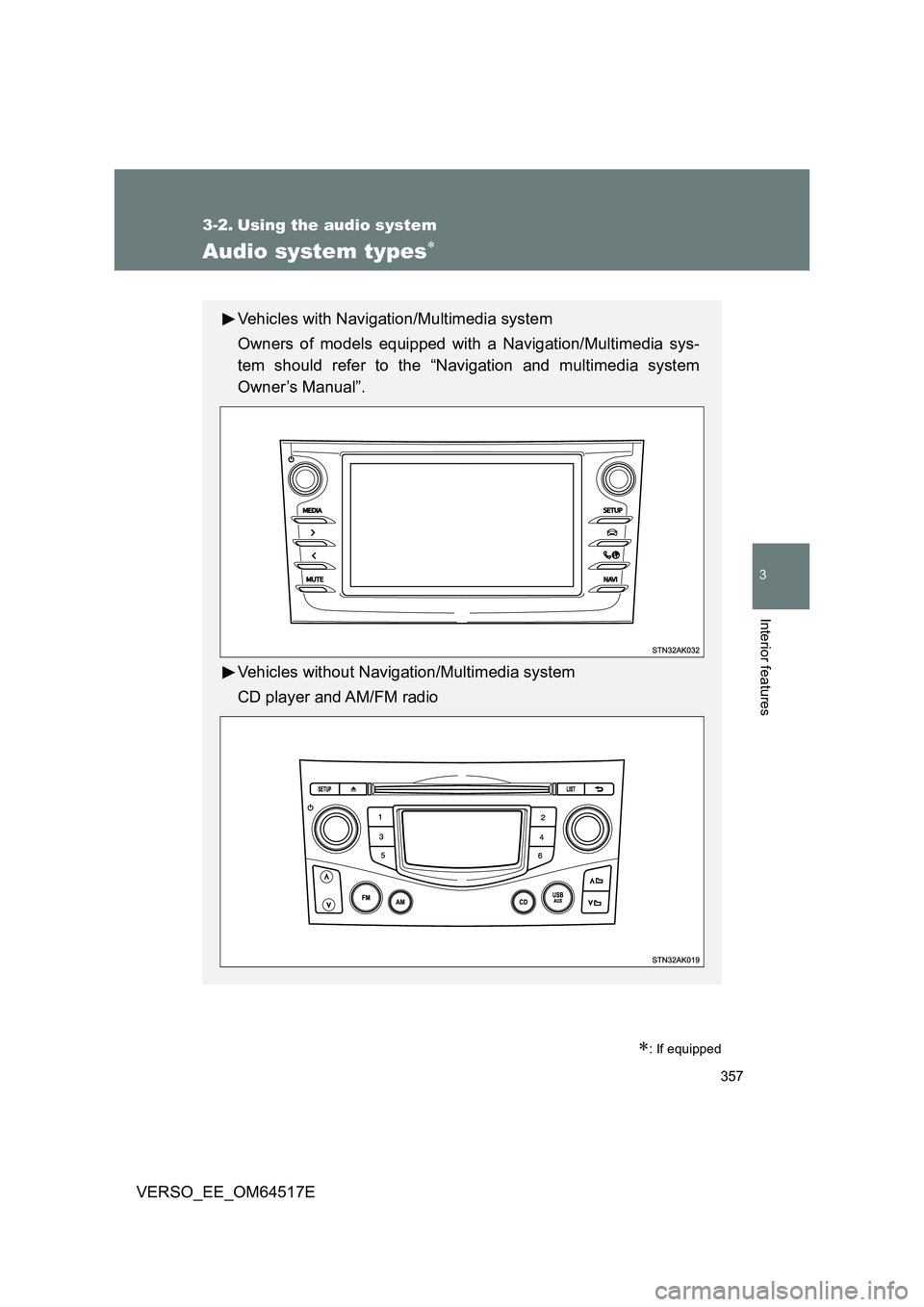
Vehicles with Navigation/Multimedia system
Owners of models equipped with a Navigation/Multimedia sys-
tem should refer to the “Navigation and multimedia system
Owner’s Manual”.
Vehicles without Navigation/Multimedia system
CD player and AM/FM radio
Page 581 of 668
5
581
5-2. Steps to take in an emergency
When trouble arises
VERSO_EE_OM64517E
WARNING
■ Speed limit when using the compact spare tire
Do not drive at speeds in excess of 80 km/h (50 mph) when a compact spare
tire is installed on the vehicle.
The compact spare tire is not designed for driving at high speeds. Failing to
observe this precaution may lead to an accident causing death or serious
injury.
■ When the spare tire is installed
The vehicle speed may not be correctly detected, and the following systems
may not operate correctly:
● ABS & brake assist
● VSC+
● TRC
● PCS (Pre-Collision System) (if equipped)
● LDA (Lane Departure Alert) (if equipped)
● Automatic High Beam (if equipped)
● Cruise control (if equipped)
● Navigation system (if equipped)
Page 646 of 668
646
VERSO_EE_OM64517E
6-2. Customization
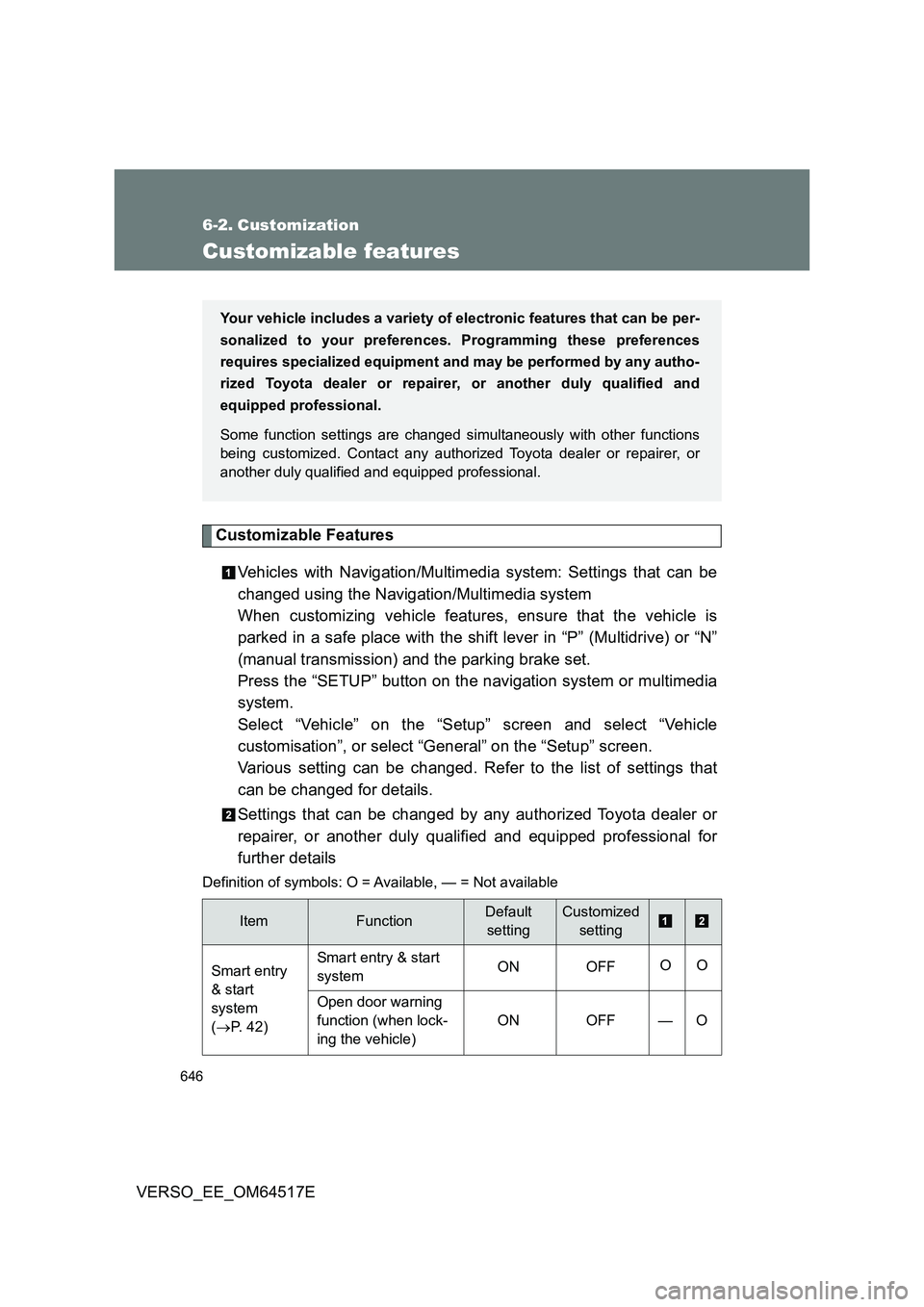
Customizable features
Customizable Features
Vehicles with Navigation/Multimedia system: Settings that can be
changed using the Navigation/Multimedia system
When customizing vehicle features, ensure that the vehicle is
parked in a safe place with the shift lever in “P” (Multidrive) or “N”
(manual transmission) and the parking brake set.
Press the “SETUP” button on the navigation system or multimedia
system.
Select “Vehicle” on the “Setup” screen and select “Vehicle
customisation”, or select “General” on the “Setup” screen.
Various setting can be changed. Refer to the list of settings that
can be changed for details.
Settings that can be changed by any authorized Toyota dealer or
repairer, or another duly qualified and equipped professional for
further details
Definition of symbols: O = Av ailable, — = Not available
ItemFunctionDefault
setting
Customized
setting
Smart entry
& start
system
( P. 42)
Smart entry & start
system ON OFF OO
Open door warning
function (when lock-
ing the vehicle)
ON OFF — O
Your vehicle includes a variety of electronic features that can be per-
sonalized to your preferences. Programming these preferences
requires specialized equipment and may be performed by any autho-
rized Toyota dealer or repairer, or another duly qualified and
equipped professional.
Some function settings are changed simultaneously with other functions
being customized. Contact any authorized Toyota dealer or repairer, or
another duly qualified and equipped professional.