Page 282 of 576

282 2-5. Driving information
Trailer towing tipsYour vehicle will handle differently when towing a trailer. Help to avoid
an accident, death or serious injury, keep the following in mind when
towing:
● Speed limits for towing a trailer vary by state or province. Do not
exceed the posted towing speed limit.
● Toyota recommends that the vehicl e-trailer speed limit is 65 mph
(104 km/h) on a flat, straight, dry road. Do not exceed this limit, the
posted towing speed limit or the speed limit for your trailer as set
forth in your trailer owner’s manual, whichever is lowest. Instability
of the towing vehicle-trailer combin ation (trailer sway) increases as
speed increases. Exceeding speed limits may cause loss of con-
trol.
● Before starting out, check the tr ailer lights, tires and the vehicle-
trailer connections. Recheck after driving a short distance.
● Practice turning, stopping and reversing with the trailer attached in
an area away from traffic until you become accustomed to the feel
of the vehicle-trailer combination.
● Reversing with a trailer attached is difficult and requires practice.
Grip the bottom of the steering wheel and move your hand to the
left to move the traile r to the left. Move your hand to the right to
move the trailer to the right. (This is generally opposite to reversing
without a trailer attached.) Avoid sharp or prolonged turning. Have
someone guide you when reversing to reduce the risk of an acci-
dent.
● As stopping distance is increased when towing a trailer, vehicle-to-
vehicle distance should be increased. For each 10 mph (16 km/h)
of speed, allow at least o ne vehicle and trailer length.
● Avoid sudden braking as you may skid, resulting in the trailer jack-
knifing and loss of vehicle control. This is especially true on wet or
slippery surfaces.
Page 285 of 576

285
2-5. Driving information
2
When driving
■
Matching trailer ball height to trailer coupler height
■ Before towing
Check that the following conditions are met:
●Ensure that your vehicle’s tires are properly inflated. ( →P. 521)
● Trailer tires are inflated according to the trailer manufacturer’s recom-
mendation.
● All trailer lights work as required by law.
● All lights work each time you connect them.
● The trailer ball is set at the proper height for the coupler on the trai\
ler.
● The trailer is level when it is hitched.
Do not drive if the trailer is not level, and check for improper tongue
weight, overloading, worn suspension, or other possible causes.
● The trailer cargo is securely loaded.
● The rear view mirrors conform to a ll applicable federal, state/provincial or
local regulations. If they do not, install rear view mirrors appropriate for
towing purposes.
● Depress TOW/HAUL button (if equipped)
■ AVS (adaptive variable suspension system) (if equipped)
The suspension can be switched for improvement in driveability. ( →P. 238)
No matter which class of tow hitch
applies, for a more safe trailer hookup,
the trailer ball setup must be the proper
height for the coupler on the trailer.
Coupler
Trailer ball
Page 289 of 576
289
2-5. Driving information
2
When driving
CAUTION
■
When towing a trailer
●Never tow a trailer without using a safety chain securely attached to both
the trailer and the vehicle. If damage occurs to the coupling unit or hitch
ball, there is danger of the trailer wandering into another lane.
NOTICE
■When installing a trailer hitch
Use only the position recommended by your Toyota dealer. Do not install the
trailer hitch on the bumper; this may cause body damage.
■ Do not directly splice trailer lights
Do not directly splice trailer lights. Directly splicing trailer lights may damage
your vehicle’s electrical system and cause a malfunction.
Page 292 of 576
292
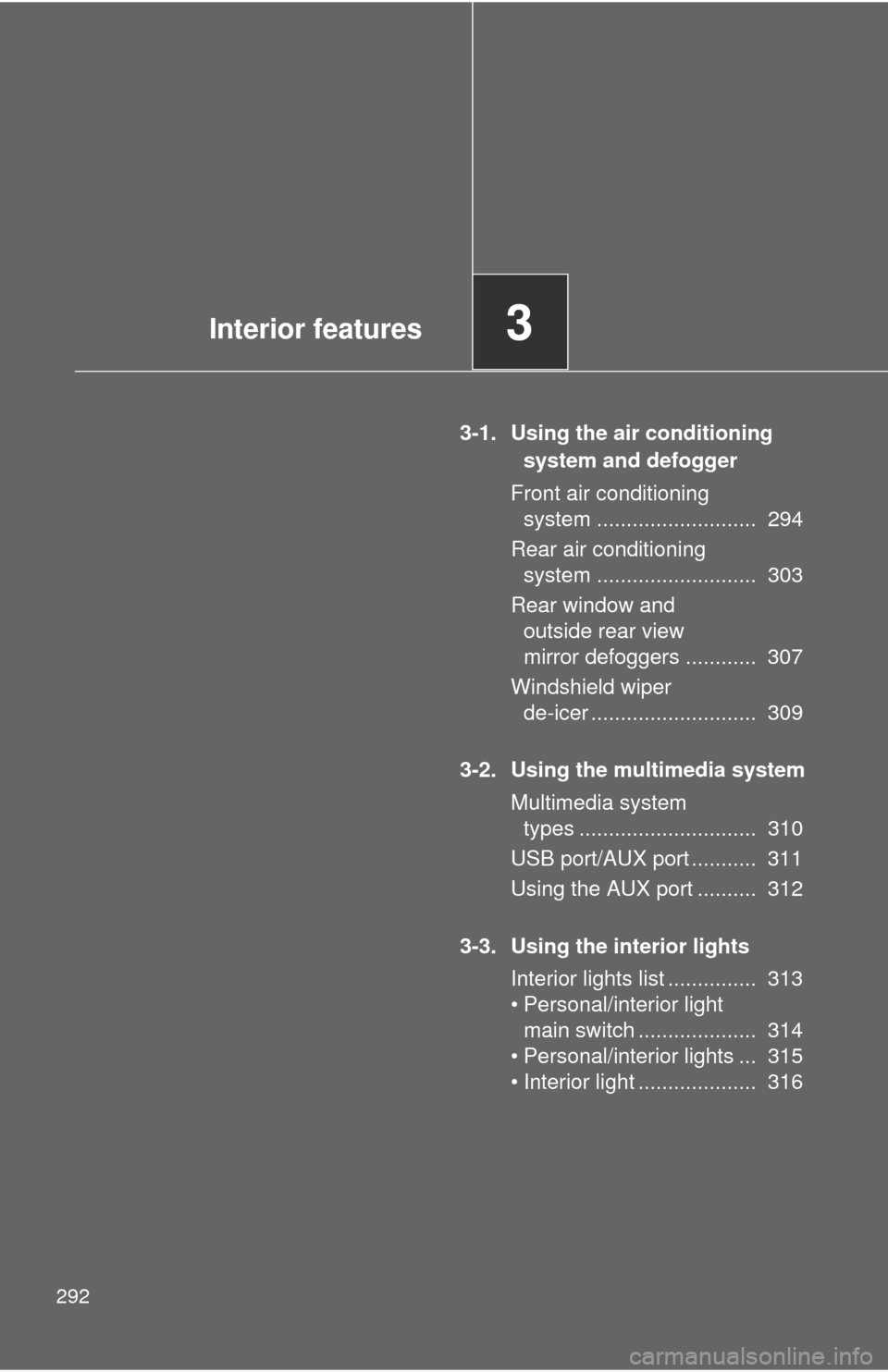
3-1. Using the air conditioning system and defogger
Front air conditioning system ........................... 294
Rear air conditioning system ........................... 303
Rear window and outside rear view
mirror defoggers ............ 307
Windshield wiper de-icer ............................ 309
3-2. Using the multimedia system Multimedia system types .............................. 310
USB port/AUX port ........... 311
Using the AUX port .......... 312
3-3. Using the interior lights Interior lights list ............... 313
• Personal/interio r light
main switch .................... 314
• Personal/interior lights ... 315
• Interior light .................... 316
Interior features3
Page 293 of 576

Interior features3
293
3-4. Using the storage featuresList of storage features .... 317
• Glove boxes ................... 318
• Coin holder .................... 319
• Front console box .......... 320
• Card holder .................... 323
• Map holder ..................... 324
• Pen holder ..................... 326
• Tissue pocket................. 327
• Rear console box ........... 328
• Overhead console.......... 331
• Cup holders ................... 333
• Bottle holders ................. 337
• Auxiliary boxes............... 338 3-5.Using the other interior features
Sun visors ........................ 340
Vanity mirrors ................... 341
Clock ................................ 342
Outside temperature
display............................ 343
Portable ashtray ............... 345
Cigarette lighter................ 346
Conversation mirror ......... 347
Power outlets ................... 348
Seat heaters..................... 354
Seat heaters and ventilators ...................... 357
Armrests........................... 359
Rear side sunshades ....... 360
Assist grips....................... 362
Floor mat .......................... 363
Luggage compartment features .......................... 365
Garage door opener......... 370
Compass .......................... 376
Page 307 of 576
307
3-1. Using the air conditioning system and defogger
3
Interior features
Rear window and outside rear view mirror defoggers∗
∗: If equipped
■The rear window and outside rear vi ew mirror defoggers can be oper-
ated when
● The engine switch is in the ON position.
● The back window is completely closed.
■ Outside rear view mirror defogger s (vehicles with outside rear view
mirror defoggers)
Turning the rear window defogger on will turn the outside rear view mirror
defoggers on.
These features are used to defog the rear window, and to remove
raindrops, dew and frost from the outside rear view mirrors.
On/off
Press the button to turn on the
rear window defogger. The
indicator light will come on.
The defogger will automatically
turn off after 15 to 240 minutes.
The operation time changes
according to the ambient tem-
perature and vehicle speed.
Pressing the button again also
turns the defogger off.
Page 309 of 576
309
3-1. Using the air conditioning system and defogger
3
Interior features
Windshield wiper de-icer∗
∗: If equipped
■The de-icer can be operated when
●The engine switch is in the ON position.
● The back window is completely closed.
CAUTION
■When the windshield wiper de-icer is on
Do not touch the glass at the lower part of the windshield or to the side of the
front pillars as the surfaces can become very hot and burn you.
This feature is used to prevent ice from building up on the wind-
shield and wiper blades.
On/off
Press the button to turn on the
windshield wiper de-icer. The
indicator light will come on.
The windshield wiper de-icer
will automatically turn off after
15 to 240 minutes. The opera-
tion time changes according to
the ambient temperature and
vehicle speed. Pressing the
button again also turns the
defogger off.
Page 313 of 576
313
3
Interior features
3-3. Using the interior lights
Interior lights list
Your Toyota is equipped with an illuminated entry system to assist in
entering the vehicle. Due to the function of the system, the lights
shown in the following illustration automatically turn on/off accord-
ing to whether the doo rs are locked/unlocked, whether the doors are
opened/closed, and the en gine switch position.
Outer foot lights (if equipped)
Interior light (→P. 316)
Personal/interior lights ( →P. 315)
Engine switch light
Foot well lighting
Door courtesy lights
Ashtray lighting