Page 4 of 796

TABLE OF CONTENTS4
PRIUS_OM_OM47B54U_(U)5-1. Basic Operations
Audio system types .......... 418
Audio system .................... 419
Using the steering wheel audio switches ................ 422
AUX Port/USB Port........... 423
Basic audio operations ..... 424
5-2. Setup Setup menu ...................... 426
General settings ............... 427
Audio settings ................... 429
Display settings ................ 430
Voice settings ................... 431
5-3. Using the Multimedia system
Selecting the audio source ............................. 432
List screen operation ........ 433
Optimal use of the audio system ............................ 435 5-4. Using the radio
Radio operation................. 436
5-5. Playing an audio CD and MP3/WMA/AAC discs
CD player operation .......... 438
5-6. Using an external device iPod player operation ........ 444
USB memory device player operation .............. 449
Using the AUX .................. 454
5-7. Connecting Bluetooth
®
Preparations to use wireless
communication ................ 455
Registering a Bluetooth
®
audio player for the
first time .......................... 458
Registering a Bluetooth
®
phone for the first time .... 459
Registering a Bluetooth
® device ........... 460
Connecting a Bluetooth
® device ........... 462
Displaying a Bluetooth®
device details .................. 464
Detailed Bluetooth
®
settings ........................... 465
5-8. Bluetooth
® Audio
Listening to Bluetooth®
Audio............................... 466
5Audio system
Page 416 of 796
416
PRIUS_OM_OM47B54U_(U)
5-1. Basic OperationsAudio system types .......... 418
Audio system .................... 419
Using the steering wheel audio switches ................ 422
AUX Port/USB Port .......... 423
Basic audio operations ..... 424
5-2. Setup Setup menu ...................... 426
General settings ............... 427
Audio settings ................... 429
Display settings ................ 430
Voice settings ................... 431
5-3. Using the Multimedia system
Selecting the audio source............................. 432
List screen operation ........ 433
Optimal use of the audio system ............................ 435
5-4. Using the radio Radio operation ................ 436
5Audio system
Page 417 of 796
417
PRIUS_OM_OM47B54U_(U)
5Audio system
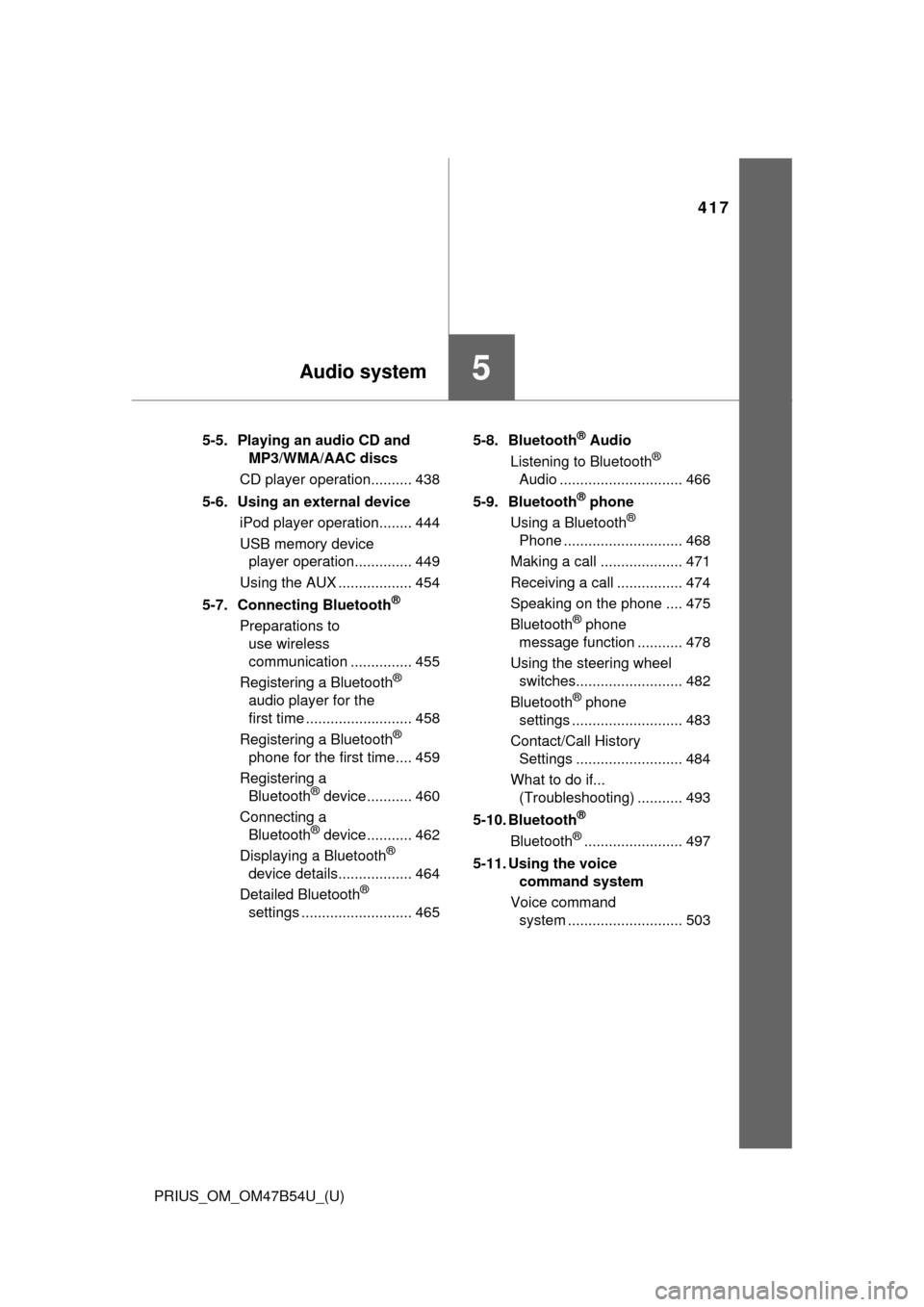
5-5. Playing an audio CD and MP3/WMA/AAC discs
CD player operation.......... 438
5-6. Using an external device iPod player operation........ 444
USB memory device player operation.............. 449
Using the AUX .................. 454
5-7. Connecting Bluetooth
®
Preparations to use wireless
communication ............... 455
Registering a Bluetooth
®
audio player for the
first time .......................... 458
Registering a Bluetooth
®
phone for the first time.... 459
Registering a Bluetooth
® device ........... 460
Connecting a Bluetooth
® device ........... 462
Displaying a Bluetooth®
device details.................. 464
Detailed Bluetooth
®
settings ........................... 465 5-8. Bluetooth
® Audio
Listening to Bluetooth®
Audio .............................. 466
5-9. Bluetooth
® phone
Using a Bluetooth®
Phone ............................. 468
Making a call .................... 471
Receiving a call ................ 474
Speaking on the phone .... 475
Bluetooth
® phone
message function ........... 478
Using the steering wheel switches.......................... 482
Bluetooth
® phone
settings ........................... 483
Contact/Call History Settings .......................... 484
What to do if... (Troubleshooting) ........... 493
5-10. Bluetooth
®
Bluetooth®........................ 497
5-11. Using the voice command system
Voice command system ............................ 503
Page 422 of 796
422
PRIUS_OM_OM47B54U_(U)
5-1. Basic Operations
Using the steering wheel audio switches
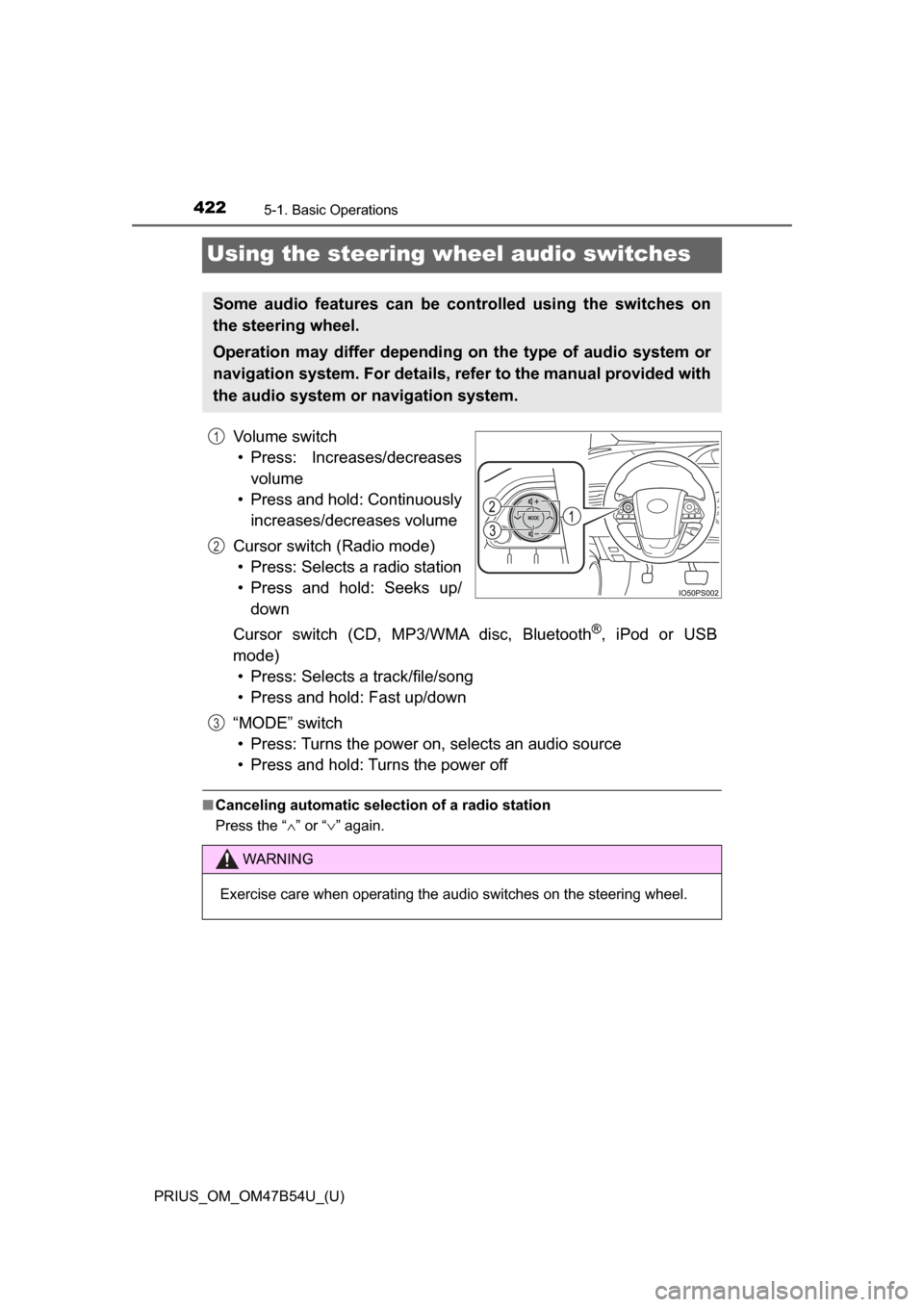
Volume switch• Press: Increases/decreases volume
• Press and hold: Continuously increases/decreases volume
Cursor switch (Radio mode) • Press: Selects a radio station
• Press and hold: Seeks up/ down
Cursor switch (CD, MP3/WMA disc, Bluetooth
®, iPod or USB
mode) • Press: Selects a track/file/song
• Press and hold: Fast up/down
“MODE” switch • Press: Turns the power on, selects an audio source
• Press and hold: Turns the power off
■ Canceling automatic selection of a radio station
Press the “ ∧” or “ ∨” again.
Some audio features can be controlled using the switches on
the steering wheel.
Operation may differ depending on the type of audio system or
navigation system. For details, refer to the manual provided with
the audio system or navigation system.
1
2
WARNING
Exercise care when operating the audio switches on the steering wheel.
3
Page 423 of 796
423
PRIUS_OM_OM47B54U_(U)
5-1. Basic Operations
5
Audio system
AUX Port/USB Port
■iPod
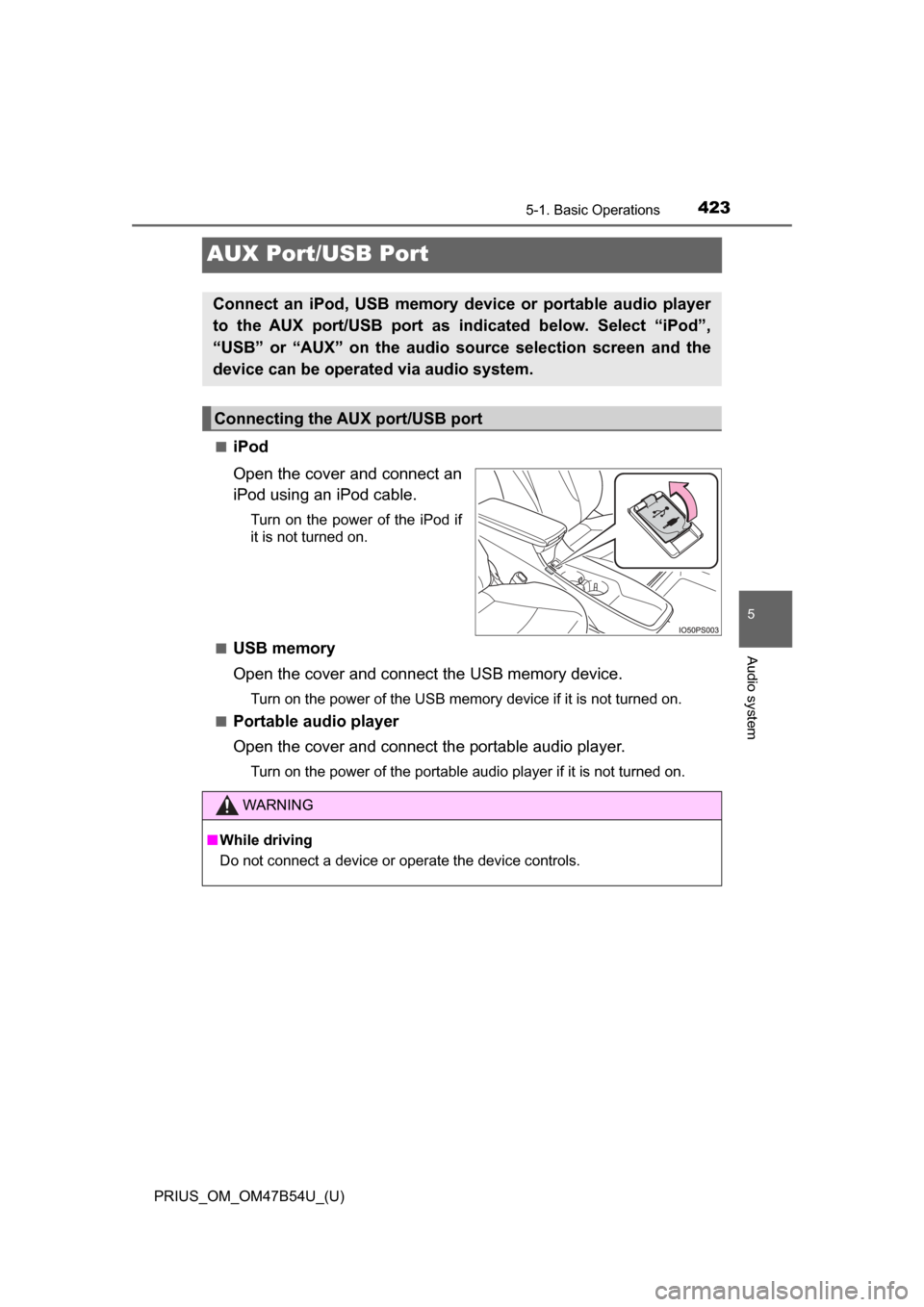
Open the cover and connect an
iPod using an iPod cable.
Turn on the power of the iPod if
it is not turned on.
■
USB memory
Open the cover and connect the USB memory device.
Turn on the power of the USB memory device if it is not turned on.
■
Portable audio player
Open the cover and connect the portable audio player.
Turn on the power of the portable audio player if it is not turned on.
Connect an iPod, USB memory device or portable audio player
to the AUX port/USB port as indicated below. Select “iPod”,
“USB” or “AUX” on the audio source selection screen and the
device can be operated via audio system.
Connecting the AUX port/USB port
WARNING
■ While driving
Do not connect a device or operate the device controls.
Page 434 of 796
4345-3. Using the Multimedia system
PRIUS_OM_OM47B54U_(U)■
Selecting a track/file/song
Press the “
>” or “<” button on “SEEK•TRACK” or turn the
“TUNE•SCROLL” knob to select the desired track/file/song number.
To fast-forward or reverse, press and hold the “ >” or “<” button on
“SEEK•TRACK”.
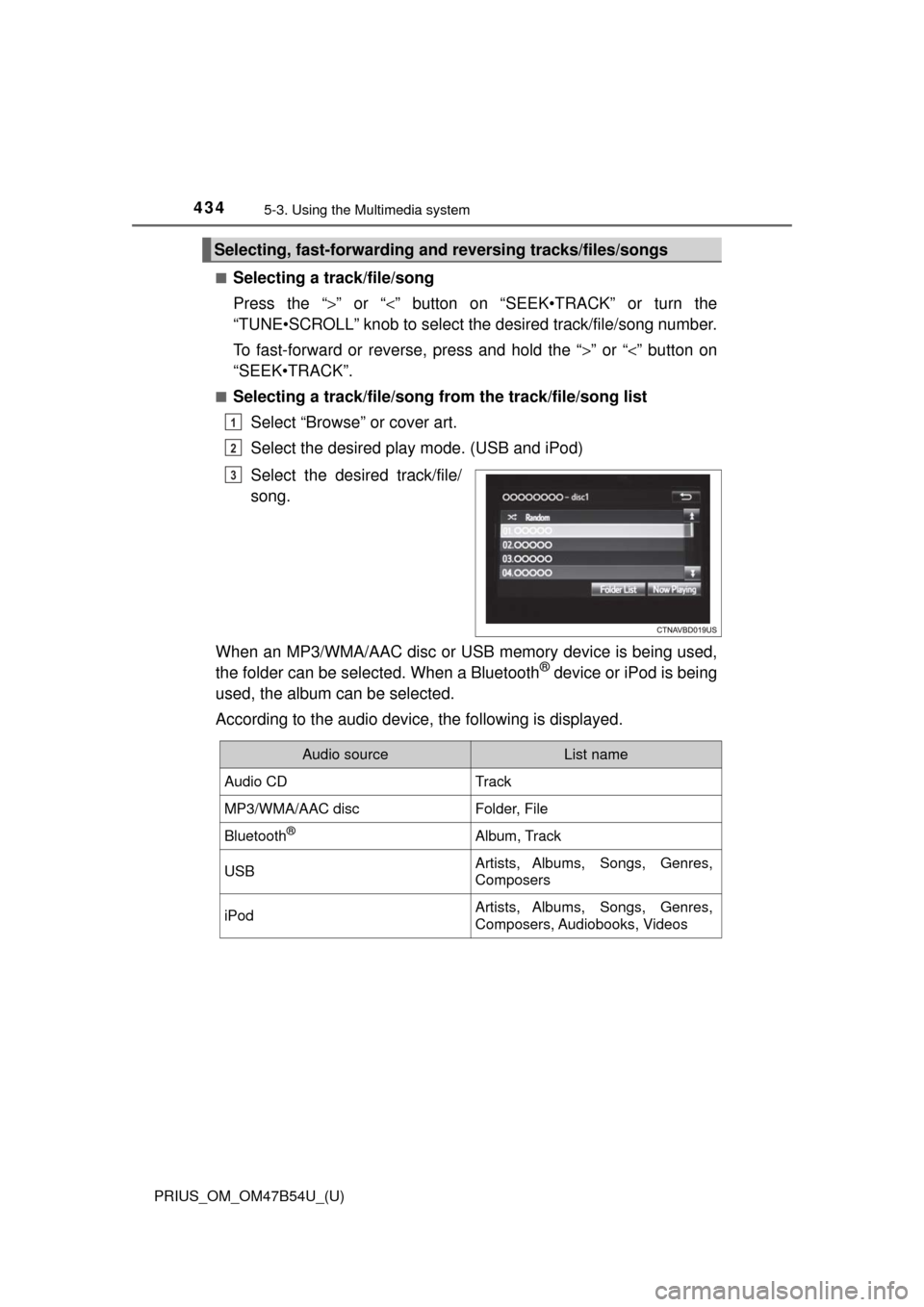
■Selecting a track/file/song from the track/file/song list
Select “Browse” or cover art.
Select the desired play mode. (USB and iPod)
Select the desired track/file/
song.
When an MP3/WMA/AAC disc or USB memory device is being used,
the folder can be selected. When a Bluetooth
® device or iPod is being
used, the album can be selected.
According to the audio device, the following is displayed.
Selecting, fast-forwarding a nd reversing tracks/files/songs
1
2
3
Audio sourceList name
Audio CDTrack
MP3/WMA/AAC discFolder, File
Bluetooth®Album, Track
USBArtists, Albums, Songs, Genres,
Composers
iPodArtists, Albums, Songs, Genres,
Composers, Audiobooks, Videos
Page 449 of 796
449
PRIUS_OM_OM47B54U_(U)
5-6. Using an external device
5
Audio system
USB memory device player operation
→P. 4 2 3
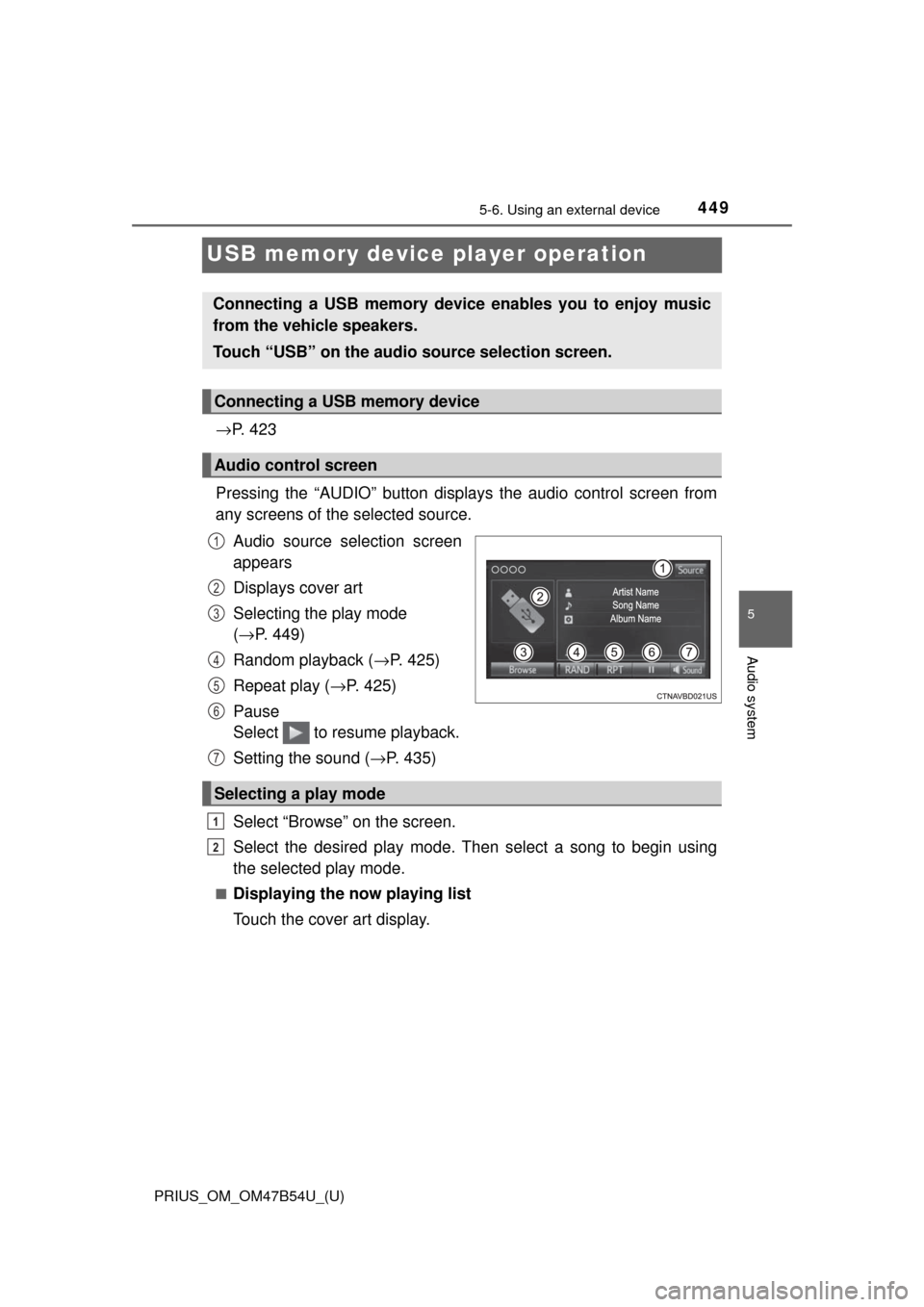
Pressing the “AUDIO” button disp lays the audio control screen from
any screens of the selected source.
Audio source selection screen
appears
Displays cover art
Selecting the play mode
(→ P. 449)
Random playback ( →P. 425)
Repeat play ( →P. 425)
Pause
Select to resume playback.
Setting the sound ( →P. 435)
Select “Browse” on the screen.
Select the desired play mode. Then select a song to begin using
the selected play mode.
■Displaying the now playing list
Touch the cover art display.
Connecting a USB memory device enables you to enjoy music
from the vehicle speakers.
Touch “USB” on the audio source selection screen.
Connecting a USB memory device
Audio control screen
1
2
3
4
5
6
Selecting a play mode
7
1
2
Page 450 of 796
4505-6. Using an external device
PRIUS_OM_OM47B54U_(U)
■USB memory functions
●Depending on the USB memory device that is connected to the system, the
device itself may not be operable and certain functions may not be avail-
able. If the device is inoperable or a function is unavailable due to a mal-
function (as opposed to a system specification), disconnecting the device
and reconnecting it may resolve the problem.
● If the USB memory device still does not begin operation after being discon-
nected and reconnected, format the memory.
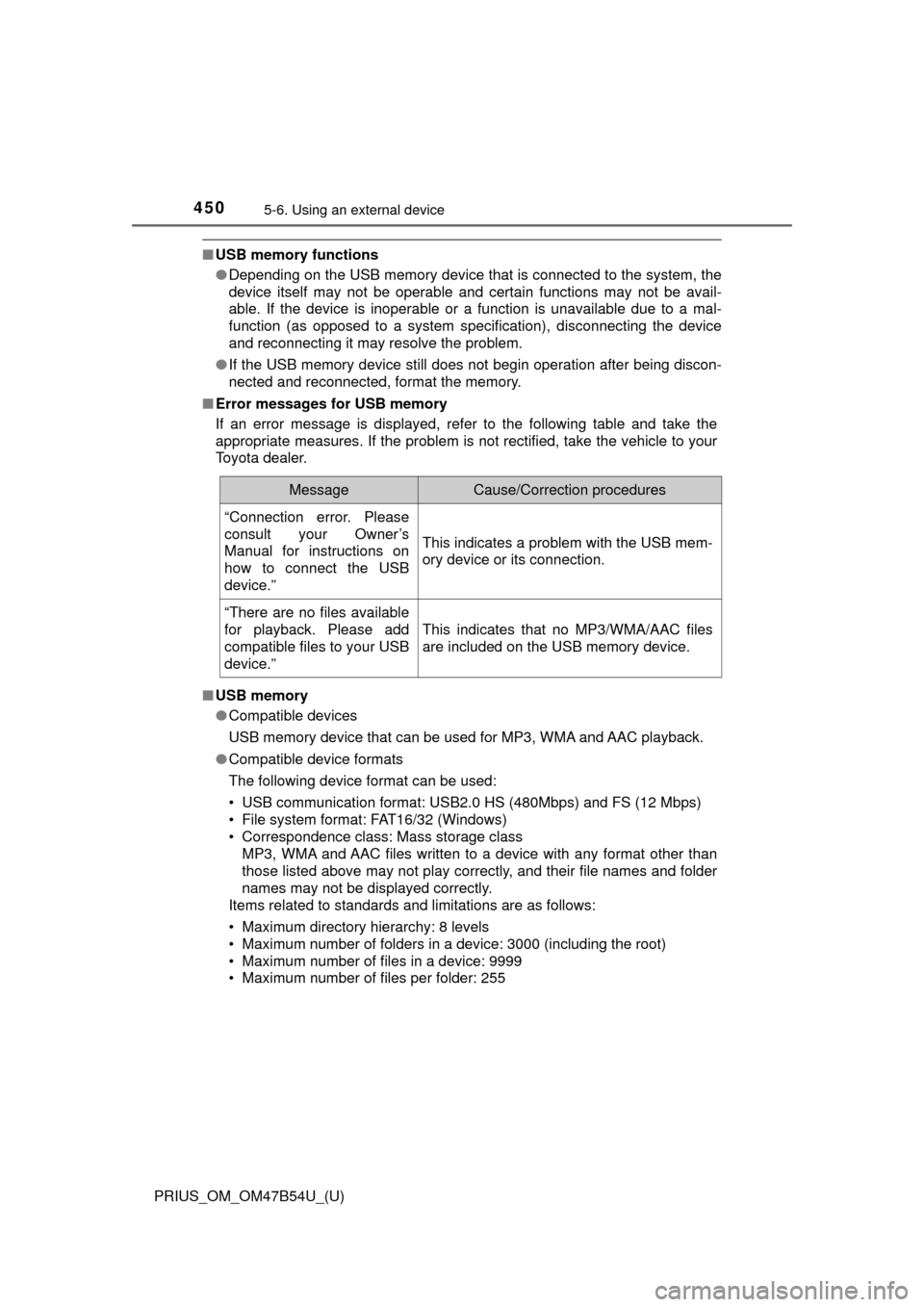
■ Error messages for USB memory
If an error message is displayed, refer to the following table and take the
appropriate measures. If the problem is not rectified, take the vehicle to your
Toyota dealer.
■ USB memory
●Compatible devices
USB memory device that can be used for MP3, WMA and AAC playback.
● Compatible device formats
The following device format can be used:
• USB communication format: USB2.0 HS (480Mbps) and FS (12 Mbps)
• File system format: FAT16/32 (Windows)
• Correspondence class: Mass storage class
MP3, WMA and AAC files written to a device with any format other than
those listed above may not play correctly, and their file names and folder
names may not be displayed correctly.
Items related to standards and limitations are as follows:
• Maximum directory hierarchy: 8 levels
• Maximum number of folders in a device: 3000 (including the root)
• Maximum number of files in a device: 9999
• Maximum number of files per folder: 255
MessageCause/Correction procedures
“Connection error. Please
consult your Owner’s
Manual for instructions on
how to connect the USB
device.”
This indicates a problem with the USB mem-
ory device or its connection.
“There are no files available
for playback. Please add
compatible files to your USB
device.”
This indicates that no MP3/WMA/AAC files
are included on the USB memory device.