Page 102 of 796
102
PRIUS_OM_OM47B54U_(U)
2. Instrument cluster
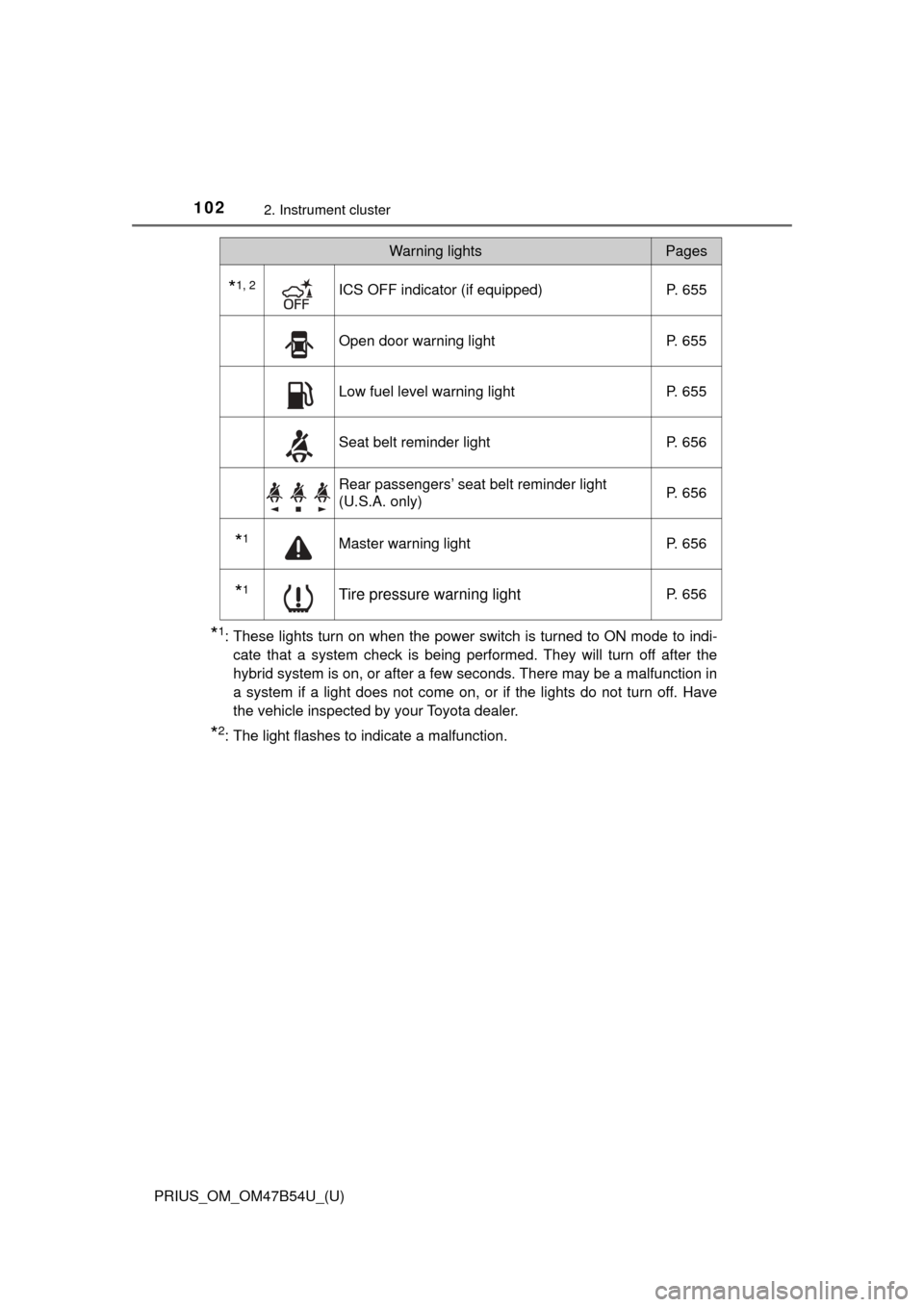
*1: These lights turn on when the power switch is turned to ON mode to indi-cate that a system check is being performed. They will turn off after the
hybrid system is on, or after a few seconds. There may be a malfunction in
a system if a light does not come on, or if the lights do not turn off. Have
the vehicle inspected by your Toyota dealer.
*2: The light flashes to indicate a malfunction.
*1, 2ICS OFF indicator (if equipped) P. 655
Open door warning lightP. 655
Low fuel level warning lightP. 655
Seat belt reminder lightP. 656
Rear passengers’ seat belt reminder light
(U.S.A. only) P. 656
*1Master warning light
P. 656
*1Tire pressure warning lightP. 656
Warning lightsPages
Page 104 of 796
104
PRIUS_OM_OM47B54U_(U)
2. Instrument cluster
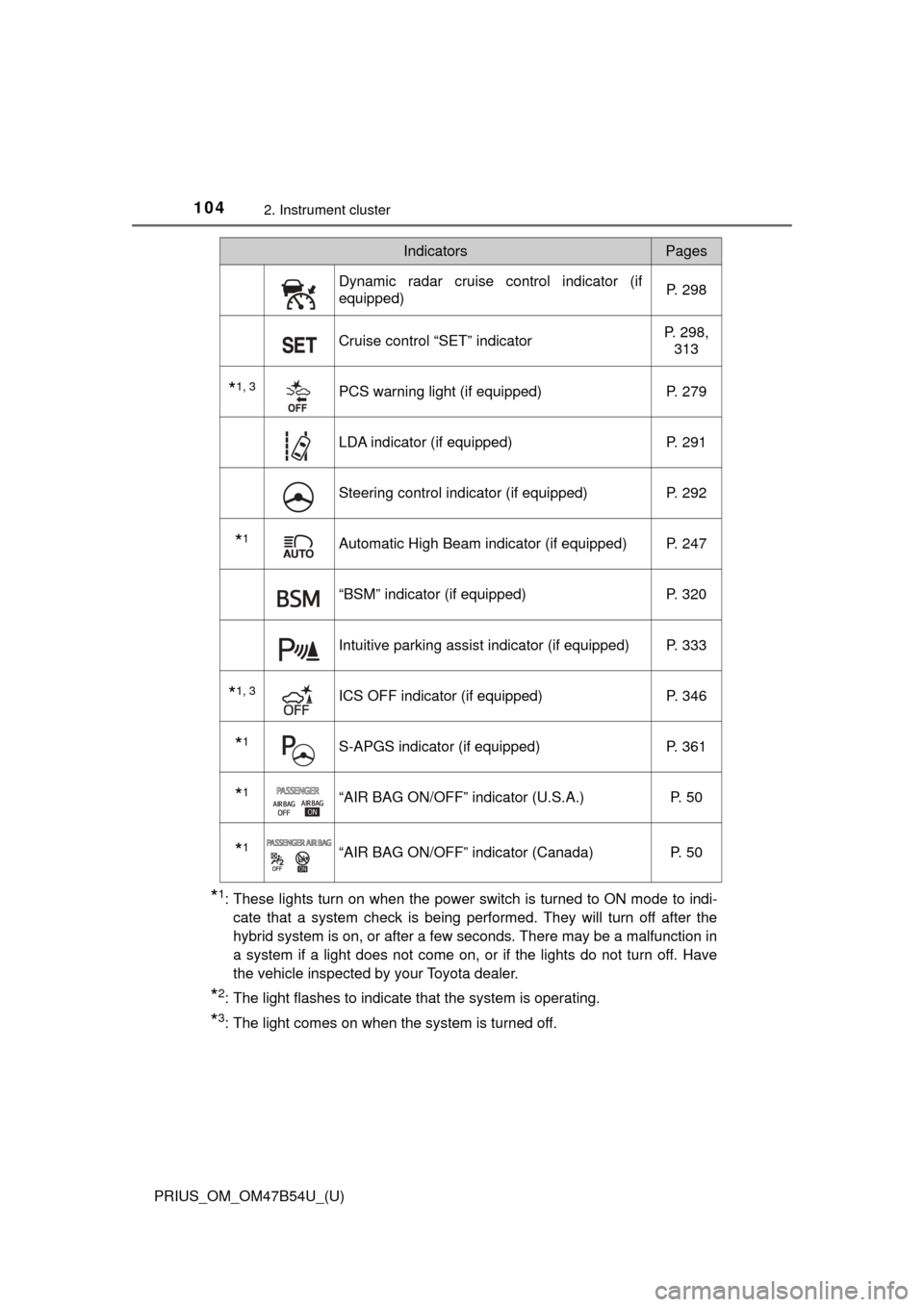
*1: These lights turn on when the power switch is turned to ON mode to indi-cate that a system check is being performed. They will turn off after the
hybrid system is on, or after a few seconds. There may be a malfunction in
a system if a light does not come on, or if the lights do not turn off. Have
the vehicle inspected by your Toyota dealer.
*2: The light flashes to indicate that the system is operating.
*3: The light comes on when the system is turned off.
Dynamic radar cruise control indicator (if
equipped) P. 298
Cruise control “SET” indicatorP. 298,
313
*1, 3PCS warning light (if equipped) P. 279
LDA indicator (if equipped)P. 291
Steering control indicator (if equipped)P. 292
*1Automatic High Beam indicator (if equipped) P. 247
“BSM” indicator (if equipped)P. 320
Intuitive parking assist indicator (if equipped) P. 333
*1, 3ICS OFF indicator (if equipped) P. 346
*1S-APGS indicator (if equipped)P. 361
*1“AIR BAG ON/OFF” indicator (U.S.A.) P. 50
*1“AIR BAG ON/OFF” indicator (Canada)P. 50
IndicatorsPages
Page 106 of 796

106
PRIUS_OM_OM47B54U_(U)
2. Instrument cluster
■BSM (Blind Spot Monitor) outsid e rear view mirror indicators
(if equipped) ( →P. 320)
• When the BSM function is enabled on the screen of the multi-infor- mation display, the power switch is turned to ON mode.
If the system is functioning correctly, the BSM outside rear view mirror indi-
cators will turn off after a few seconds.
If the BSM outside rear view mirror indicators do not illuminate or do not
turn off, there may be a malfunction in the system.
If this occurs, have the vehicle inspected by your Toyota dealer.
●
Indicators are also displayed on the out-
side rear view mirrors.
● In order to confirm operation, the BSM
outside rear view mirror indicators illumi-
nate in the following situations:
• When the power switch is in ON
mode, the BSM function is enabled
on the screen of the multi-infor-
mation display.
WARNING
■If a safety system warning light does not come on
Should a safety system light such as the ABS and SRS warning light not
come on when you start the hybrid system, this could mean that these sys-
tems are not available to help protect you in an accident, which could r\
esult
in death or serious injury. Have the vehicle inspected by your Toyota dealer
immediately if this occurs.
NOTICE
■To prevent damage to the engine and its components
The engine may be overheating if the high coolant temperature warning
light comes on or flashes. In this case, immediately stop the vehicle in a
safe place, and check the engine after it has cooled completely. ( →P. 714)
Page 149 of 796
PRIUS_OM_OM47B54U_(U)
1492. Instrument cluster
2
Instrument cluster
■Insert displays of the driving support systems
Insert displays are linked with the operation of the following sys-
tems and used to show some of the information shown on the multi-
information display on the head-up display.
*: If equipped
■
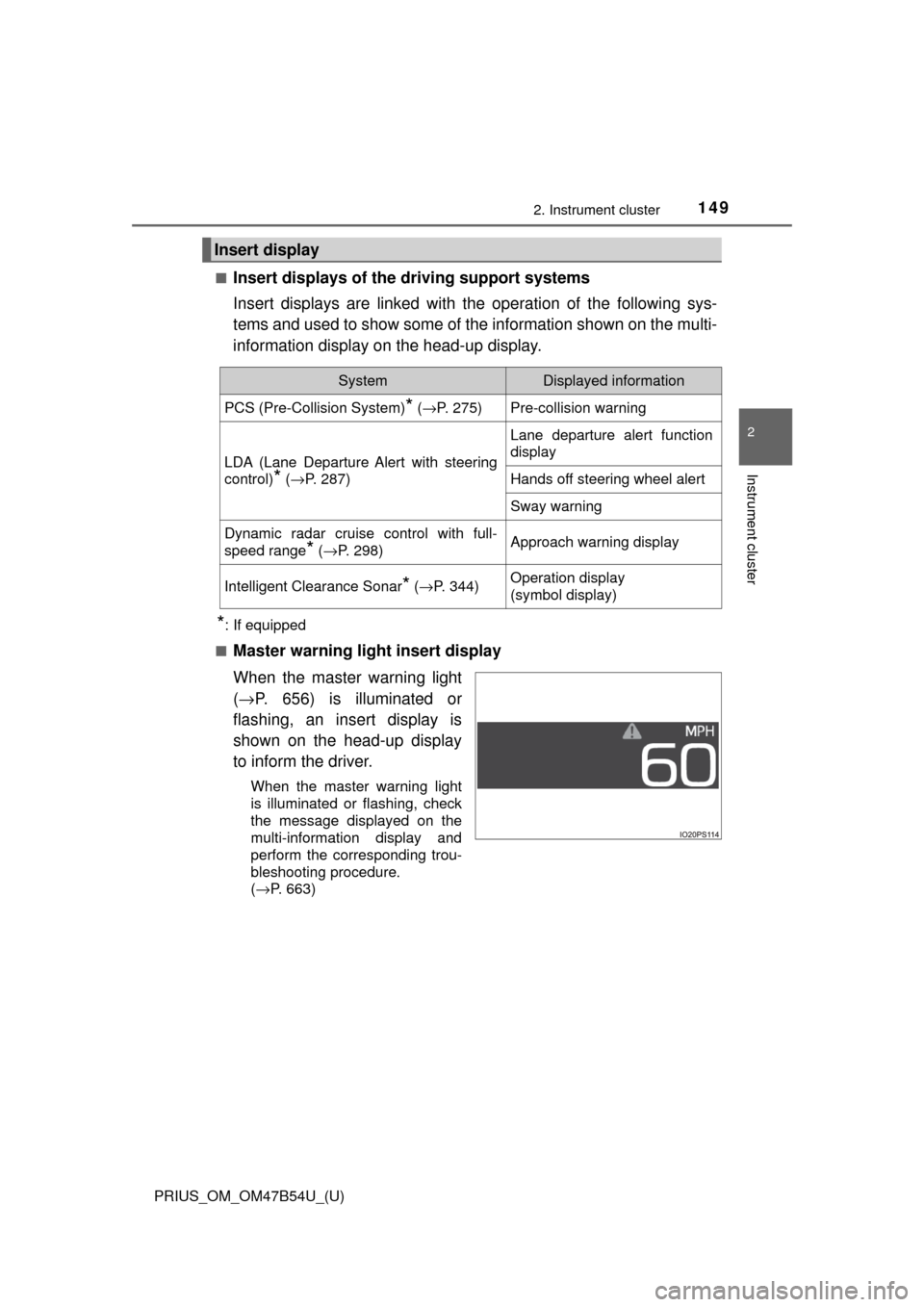
Master warning light insert display
When the master warning light
( → P. 656) is illuminated or
flashing, an insert display is
shown on the head-up display
to inform the driver.
When the master warning light
is illuminated or flashing, check
the message displayed on the
multi-information display and
perform the corresponding trou-
bleshooting procedure.
( →P. 663)
Insert display
SystemDisplayed information
PCS (Pre-Collision System)* ( →P. 275)Pre-collision warning
LDA (Lane Departure Alert with steering
control)
* (→P. 287)
Lane departure alert function
display
Hands off steering wheel alert
Sway warning
Dynamic radar cruise control with full-
speed range
* (→P. 298)Approach warning display
Intelligent Clearance Sonar* (→ P. 344)Operation display
(symbol display)
Page 169 of 796
PRIUS_OM_OM47B54U_(U)
1693-2. Opening, closing and locking the doors
3
Operation of each component
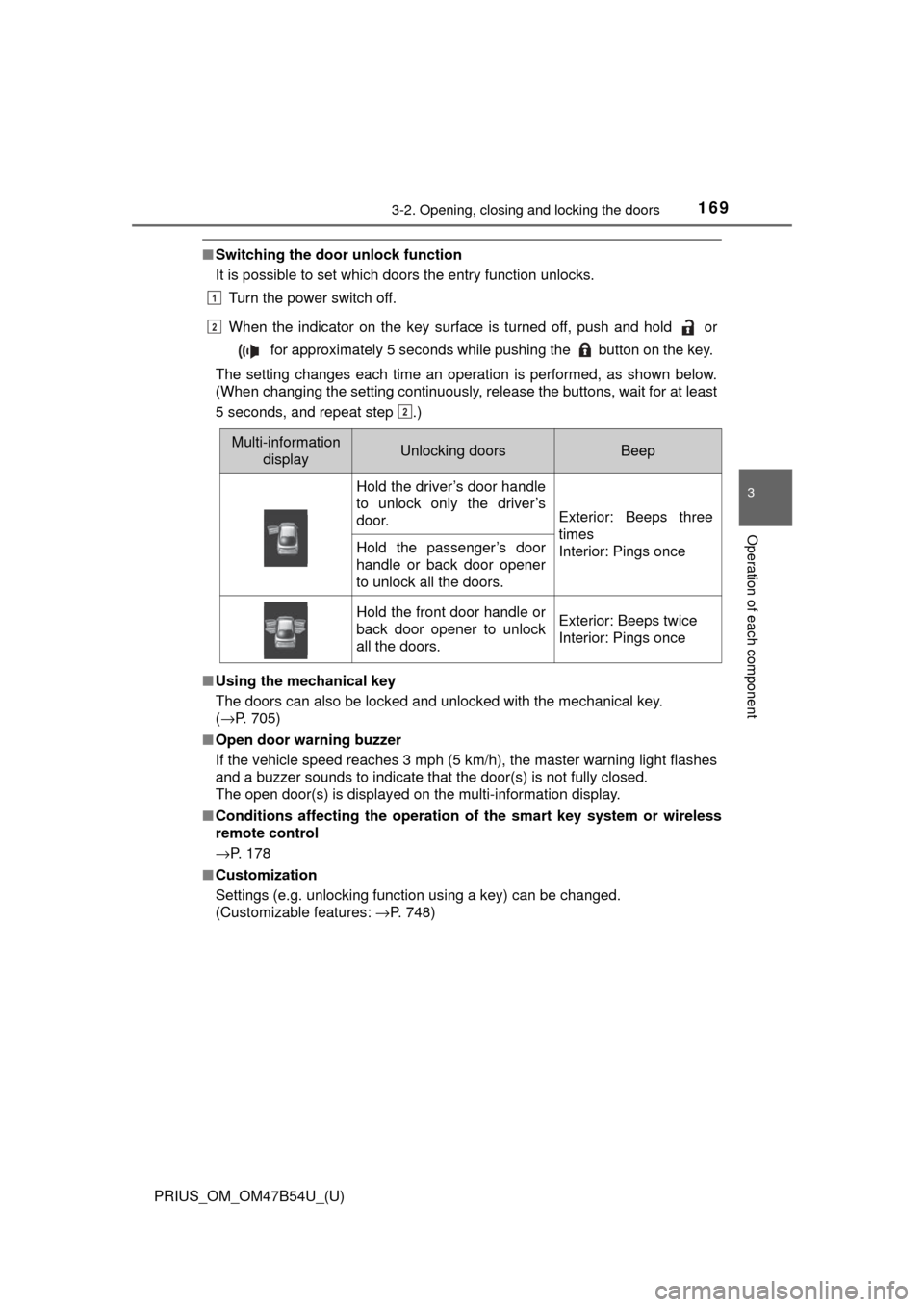
■Switching the door unlock function
It is possible to set which doors the entry function unlocks.
Turn the power switch off.
When the indicator on the key surface is turned off, push and hold or for approximately 5 seconds while pushing the button on the key.
The setting changes each time an operation is performed, as shown below.
(When changing the setting continuously, release the buttons, wait for at least
5 seconds, and repeat step .)
■ Using the mechanical key
The doors can also be locked and unlocked with the mechanical key.
(→P. 705)
■ Open door warning buzzer
If the vehicle speed reaches 3 mph (5 km/h), the master warning light flashes
and a buzzer sounds to indicate that the door(s) is not fully closed.
The open door(s) is displayed on the multi-information display.
■ Conditions affecting the operation of the smart key system or wireless
remote control
→P. 178
■ Customization
Settings (e.g. unlocking function using a key) can be changed.
(Customizable features: →P. 748)
Multi-information
displayUnlocking doorsBeep
Hold the driver’s door handle
to unlock only the driver’s
door.
Exterior: Beeps three
times
Interior: Pings once
Hold the passenger’s door
handle or back door opener
to unlock all the doors.
Hold the front door handle or
back door opener to unlock
all the doors.Exterior: Beeps twice
Interior: Pings once
1
2
2
Page 174 of 796
174
PRIUS_OM_OM47B54U_(U)
3-2. Opening, closing and locking the doors
WARNING
■Operating the back door
Observe the following precautions.
Failure to do so may cause parts of the body to be caught, resulting in death
or serious injury.
● Remove any heavy loads, such as snow and ice, from the back door
before opening it. Failure to do so may cause the back door to suddenly
shut again after it is opened.
● When opening or closing the back door, thoroughly check to make sure
the surrounding area is safe.
● If anyone is in the vicinity, make sure they are safe and let them know that
the back door is about to open or close.
● Use caution when opening or closing the back door in windy weather as it
may move abruptly in strong wind.
● Do not pull on the back door damper stay to close the back door, and do
not hang on the back door damper stay.
Doing so may cause hands to be caught or the back door damper stay to
break, causing an accident.
● If a bicycle carrier or similar heavy object is attached to the back door, it
may suddenly shut again after being opened, causing someone’s hands,
head or neck to be caught and injured. When installing an accessory part
to the back door, using a genuine Toyota part is recommended.
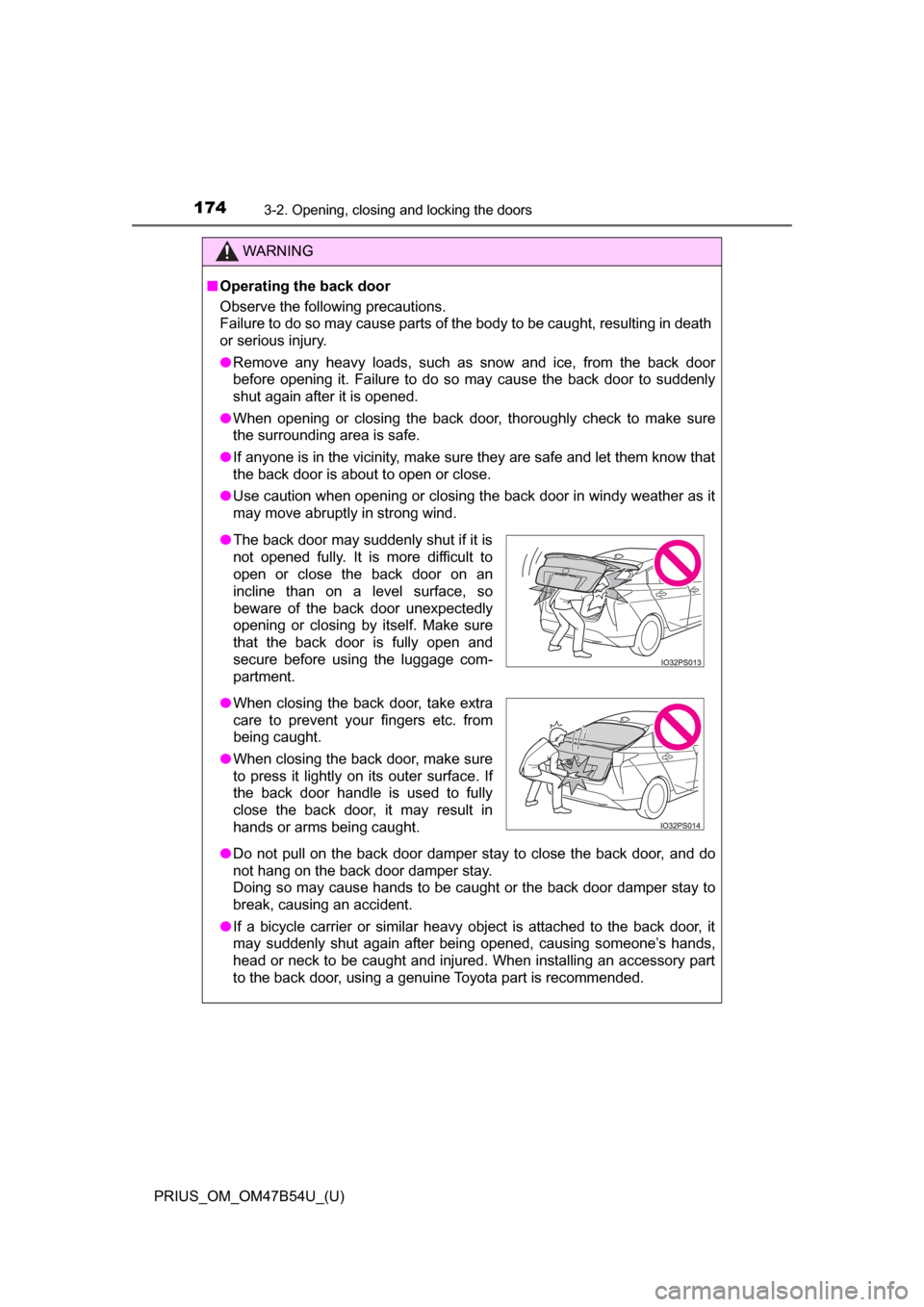
●The back door may suddenly shut if it is
not opened fully. It is more difficult to
open or close the back door on an
incline than on a level surface, so
beware of the back door unexpectedly
opening or closing by itself. Make sure
that the back door is fully open and
secure before using the luggage com-
partment.
● When closing the back door, take extra
care to prevent your fingers etc. from
being caught.
● When closing the back door, make sure
to press it lightly on its outer surface. If
the back door handle is used to fully
close the back door, it may result in
hands or arms being caught.
Page 188 of 796
188
PRIUS_OM_OM47B54U_(U)
3-3. Adjusting the seats
WARNING
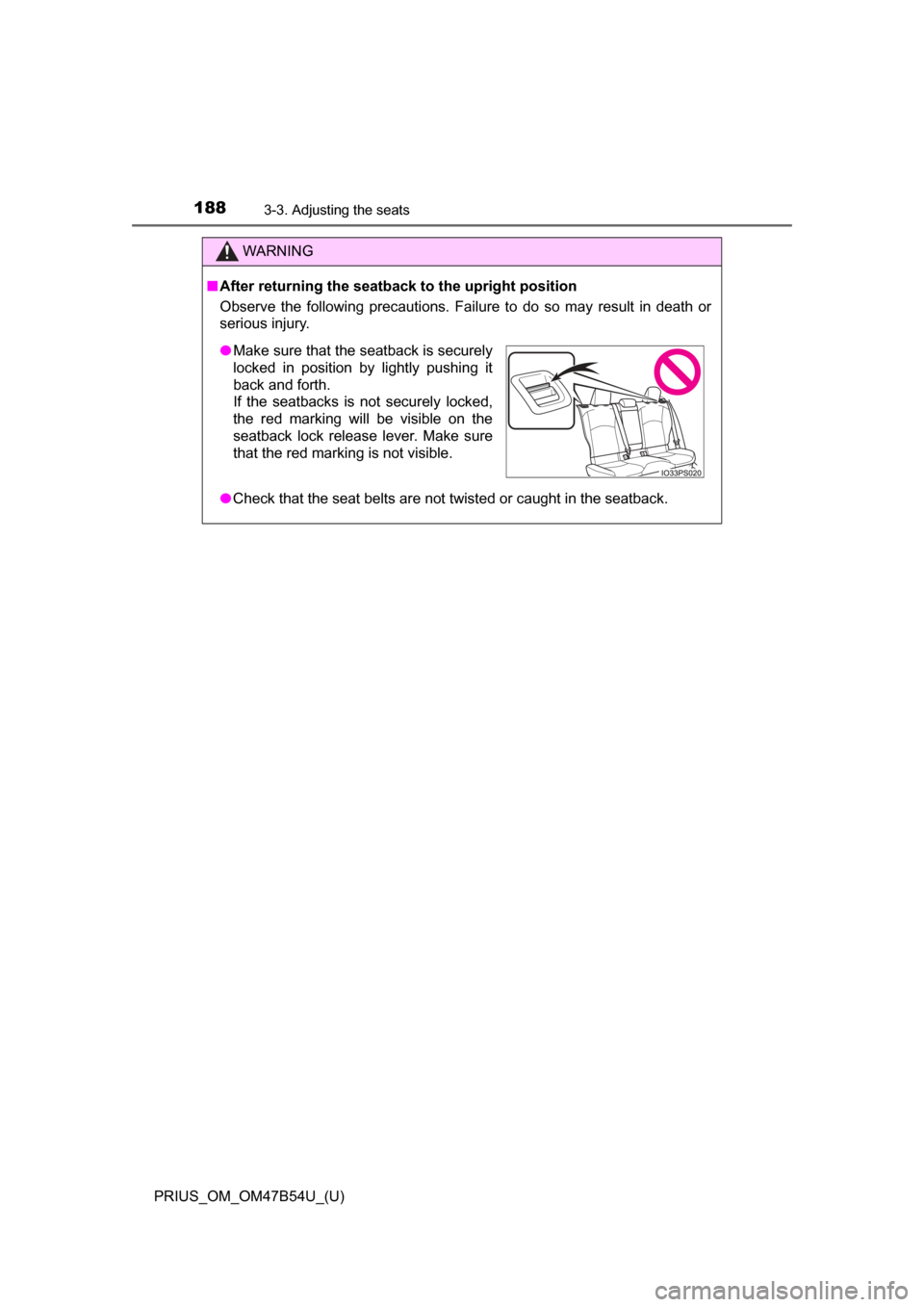
■After returning the seatback to the upright position
Observe the following precautions. Failure to do so may result in death or
serious injury.
● Check that the seat belts are not twisted or caught in the seatback.
●Make sure that the seatback is securely
locked in position by lightly pushing it
back and forth.
If the seatbacks is not securely locked,
the red marking will be visible on the
seatback lock release lever. Make sure
that the red marking is not visible.
Page 195 of 796
1953-4. Adjusting the steering wheel and mirrors
3
Operation of each component
PRIUS_OM_OM47B54U_(U)
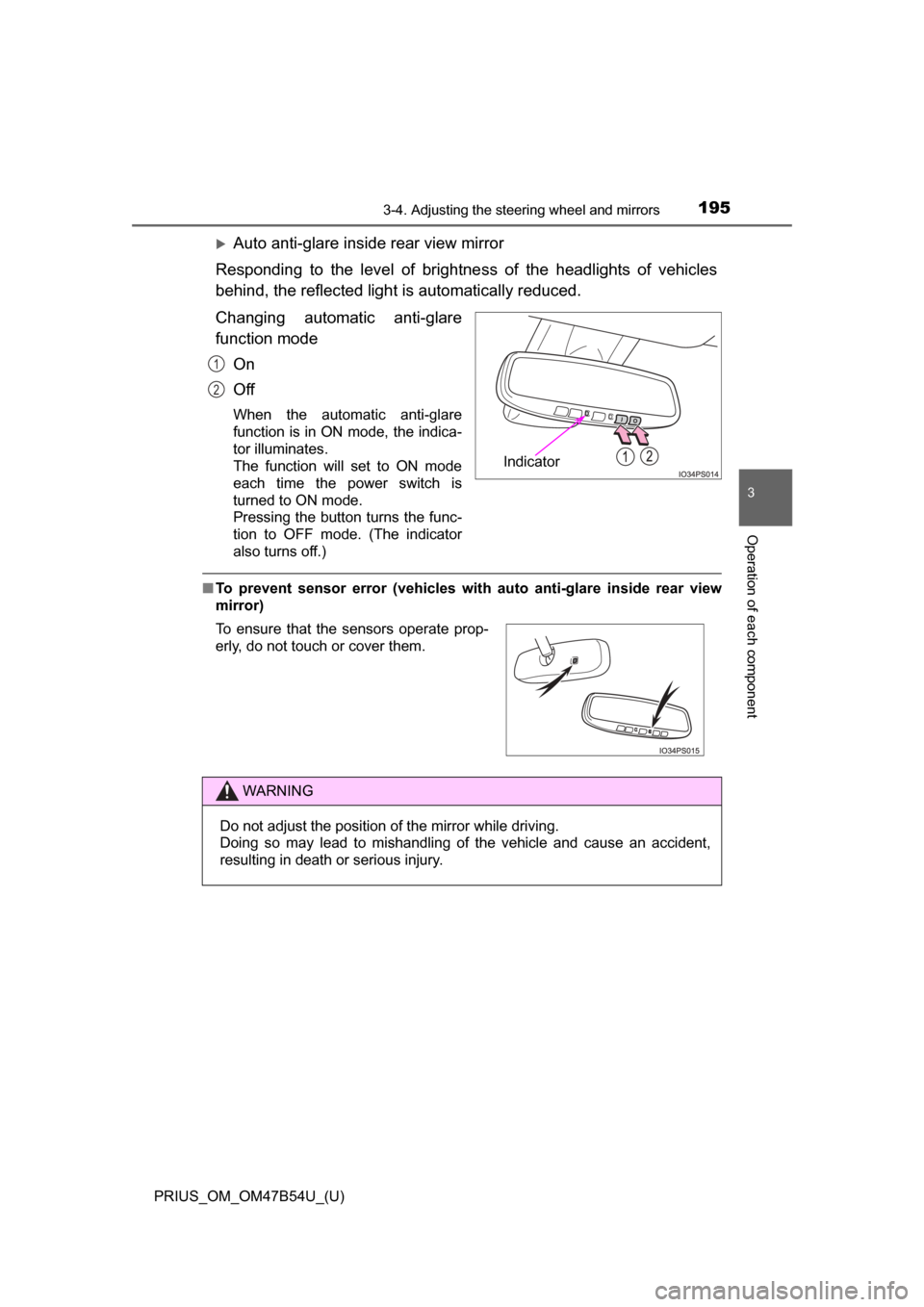
Auto anti-glare inside rear view mirror
Responding to the level of brightne ss of the headlights of vehicles
behind, the reflected light is automatically reduced.
Changing automatic anti-glare
function mode
On
Off
When the automatic anti-glare
function is in ON mode, the indica-
tor illuminates.
The function will set to ON mode
each time the power switch is
turned to ON mode.
Pressing the button turns the func-
tion to OFF mode. (The indicator
also turns off.)
■To prevent sensor error (vehicles with auto anti-glare inside rear view
mirror)
Indicator
1
2
To ensure that the sensors operate prop-
erly, do not touch or cover them.
WARNING
Do not adjust the position of the mirror while driving.
Doing so may lead to mishandling of the vehicle and cause an accident,
resulting in death or serious injury.