Page 29 of 292
29
4. FUNCTION INDEX
PRIUS_Navi_OM47B62U_(U)
16.05.13 15:58
QUICK GUIDE
1Useful functions
InformationPage
Displaying vehicle maintenance65
Hands-free system (for cellular phone)Page
Registering/connecting Bluetooth® phone44
Making a call on a Bluetooth® phone157
Receiving a call on the Bluetooth® phone163
Voice command systemPage
Operating the system with your voice134
Page 31 of 292
2
31
PRIUS_Navi_OM47B62U_(U)
16.05.13 15:58
1
2
3
4
5
6
7
8
1. REGISTERING/CONNECTING Bluetooth® DEVICE .................... 44
REGISTERING A Bluetooth® PHONE
FOR TH E FIRST TIME ....................... 44
REGISTERING A Bluetooth
® AUDIO
PLAY ER FOR THE FIRST TIME ........ 45
PROFILES ............................................. 46
CERTIFICATION ................................... 48
2. SETTING Bluetooth® DETAILS .... 49
“Bluetooth* Setup” SCREEN ................. 49
REGISTERING A Bluetooth®
DEVICE ............................................... 50
DELETING A Bluetooth
® DEVICE......... 51
CONNECTING A Bluetooth®
DEVICE ............................................... 52
EDITING THE Bluetooth
® DEVICE
INFORMATION ................................... 54
“System Settings” SCREEN .................. 55
1. GENERAL SETTINGS .................. 57
GENERAL SETTINGS SCREEN ........... 57
2. VOICE SETTINGS ......................... 63
VOICE SETTINGS SCREEN ................. 63
3. DRIVER SETTINGS ...................... 64
MANUALLY SELECT LINKED SETTINGS .......................................... 64
4. MAINTENANCE ............................ 65
2Bluetooth® SETTINGS3OTHER SETTINGS
BASIC FUNCTION
*: Bluetooth is a registered trademark of Bluetooth SIG, Inc.
Page 32 of 292

32
PRIUS_Navi_OM47B62U_(U)
16.05.13 15:58
1. BASIC INFORMATION BEFORE OPERATION
1. INITIAL SCREEN
1When the power switch is in ACCES-
SORY or ON mode, the initial screen
will be displayed and the system will
begin operating.
After a few seconds displays the initial
screen, the “CAUTION” screen will be dis-
played.
After about 5 seconds, the “CAUTION”
screen automatically switches to the next
screen. (Select “Continue” to display the
next screen.)
Images shown on the initial screen can
be changed to suit individual prefer-
ences. ( →P.60)
WA R N I N G
● When the vehicle is stopped with the
hybrid system operating, always apply
the parking brake for safety.
MAINTENANCE INFORMATION
This system reminds users when to re-
place certain parts or components and
shows dealer information (if regis-
tered) on the screen.
When the vehicle reaches a previously
set driving distance or date specified
for a scheduled maintenance check,
the “Maintenance Reminder” screen
will be displayed when the system is
turned on.
To prevent the screen from being dis-
played again, select “Do Not Tell Me
Again” .
To register maintenance information:
→P. 6 5
If is selected, the registered
phone number can be called.
Page 44 of 292
44
PRIUS_Navi_OM47B62U_(U)
16.05.13 15:58
2. Bluetooth® SETTINGS
1. REGISTERING/CONNECTING Bluetooth® DEVICE
1Turn the Bluetooth® connection setting
of your cellular phone on.
This function is not available when
Bluetooth® connection setting of your cel-
lular phone is set to off.
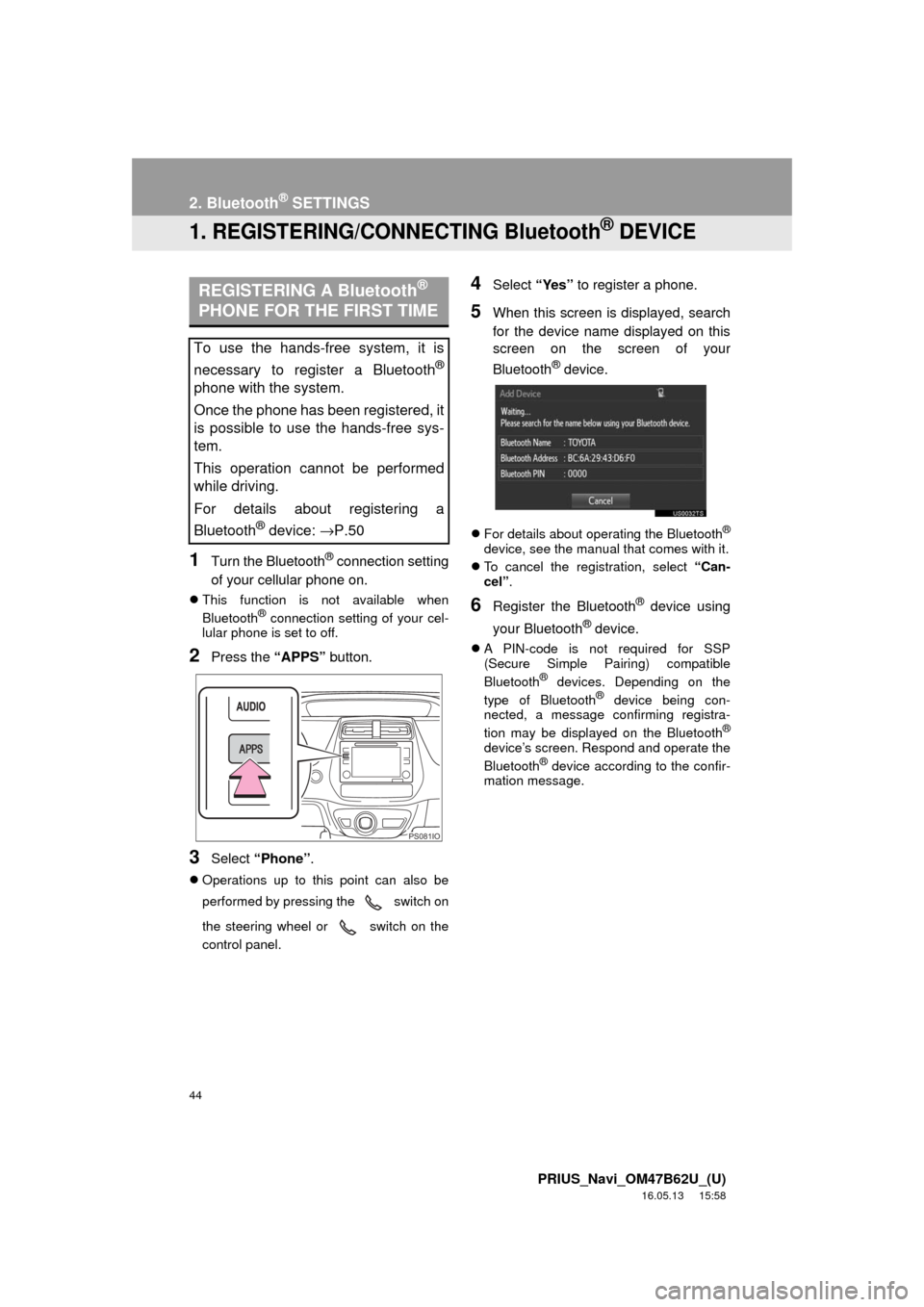
2Press the “APPS” button.
3Select “Phone” .
Operations up to this point can also be
performed by pressing the switch on
the steering wheel or switch on the
control panel.
4Select “Yes” to register a phone.
5When this screen is displayed, search
for the device name displayed on this
screen on the screen of your
Bluetooth
® device.
For details about operating the Bluetooth®
device, see the manual that comes with it.
To cancel the registration, select “Can-
cel”.
6Register the Bluetooth® device using
your Bluetooth
® device.
A PIN-code is not required for SSP
(Secure Simple Pairing) compatible
Bluetooth
® devices. Depending on the
type of Bluetooth® device being con-
nected, a message confirming registra-
tion may be displayed on the Bluetooth
®
device’s screen. Respond and operate the
Bluetooth® device according to the confir-
mation message.
REGISTERING A Bluetooth®
PHONE FOR THE FIRST TIME
To use the hands-free system, it is
necessary to register a Bluetooth
®
phone with the system.
Once the phone has been registered, it
is possible to use the hands-free sys-
tem.
This operation cannot be performed
while driving.
For details about registering a
Bluetooth
® device: →P.50
PS081IO
Page 46 of 292
46
2. Bluetooth® SETTINGS
PRIUS_Navi_OM47B62U_(U)
16.05.13 15:58
PROFILES
This system supports the following services.
Bluetooth®
DeviceSpec.FunctionRequire- mentsRecommen- dations
Bluetooth®
Phone/
Bluetooth®
Audio
Player
Bluetooth® Specification
Registering
a Bluetooth®
deviceVe r. 2 . 0Ve r. 3 . 0 +EDR
Bluetooth®
DeviceProfileFunctionRequire- mentsRecommen- dations
Bluetooth®
Phone
HFP (Hands-Free Profile)Hands-free
systemVe r. 1 . 0Ve r. 1 . 6
OPP (Object Push Profile)Transferring the
contactsVe r. 1 . 1Ve r. 1 . 2
PBAP (Phone Book
Access profile)Ve r. 1 . 0Ve r. 1 . 1
MAP (Message Access
Profile)Bluetooth®
phone message⎯Ve r. 1 . 0
SPP (Serial Port Profile)Entune App
Suite⎯Ve r. 1 . 1
Bluetooth®
Audio
Player
A2DP (Advanced Audio
Distribution Profile)
Bluetooth® audio
systemVe r. 1 . 0Ve r. 1 . 2
AVRCP (Audio/Video
Remote Control Profile)Ve r. 1 . 0Ve r. 1 . 4
Page 47 of 292
47
2. Bluetooth® SETTINGS
PRIUS_Navi_OM47B62U_(U)
16.05.13 15:58
BASIC FUNCTION
2
The Bluetooth® word mark and logos are registered trademarks owned by Bluetooth SIG,
Inc. and any use of such marks by Panasonic Corporation is under license. Other trade-
marks and trade names are those of their respective owners.
INFORMATION
● If your cellular phone does not support HFP, registering the Bluetooth® phone or using
OPP, PBAP, MAP or SPP profiles individually will not be possible.
● If the connected Bluetooth
® device version is older than recommended or incompatible,
the Bluetooth® device function may not work properly.
● Refer to http://www.toyota.com/entune/
to find approved Bluetooth® phones for this sys-
tem.
Page 50 of 292

50
2. Bluetooth® SETTINGS
PRIUS_Navi_OM47B62U_(U)
16.05.13 15:58
From the phone/message settings
screen
1Press the “APPS” button.
2Select “Setup” .
3Select “Phone” .
4Select “Connect Phone” .
From the status display
1Select status display area on the
screen.
1Display the “Bluetooth* Setup” screen.
(→ P.49)
2Select “Add”.
When another Bluetooth
® device is con-
nected
To disconnect the Bluetooth® device,
select “Yes”.
When 5 Bluetooth® devices have al-
ready been registered
A registered device needs to be replaced.
Select “Yes”, and select the device to be
replaced.
3When this screen is displayed, search
for the device name displayed on this
screen on the screen of your
Bluetooth
® device.
*: Bluetooth is a registered trademark of Bluetooth SIG, Inc.
DISPLAYING THE “Bluetooth*
Setup” SCREEN IN A
DIFFERENT WAY REGISTERING A Bluetooth®
DEVICE
Up to 5 Bluetooth® devices can be reg-
istered.
Bluetooth
® compatible phones (HFP)
and audio players (AVP) can be regis-
tered simultaneously.
This operation cannot be performed
while driving.
Page 51 of 292
51
2. Bluetooth® SETTINGS
PRIUS_Navi_OM47B62U_(U)
16.05.13 15:58
BASIC FUNCTION
2
For details about operating the Bluetooth®
device, see the manual that comes with it.
To cancel the registration, select “Can-
cel”.
4Register the Bluetooth® device using
your Bluetooth
® device.
A PIN-code is not required for SSP
(Secure Simple Pairing) compatible
Bluetooth
® devices. Depending on the
type of Bluetooth® device being con-
nected, a message confirming registra-
tion may be displayed on the Bluetooth
®
device’s screen. Respond and operate the
Bluetooth® device according to the confir-
mation message.
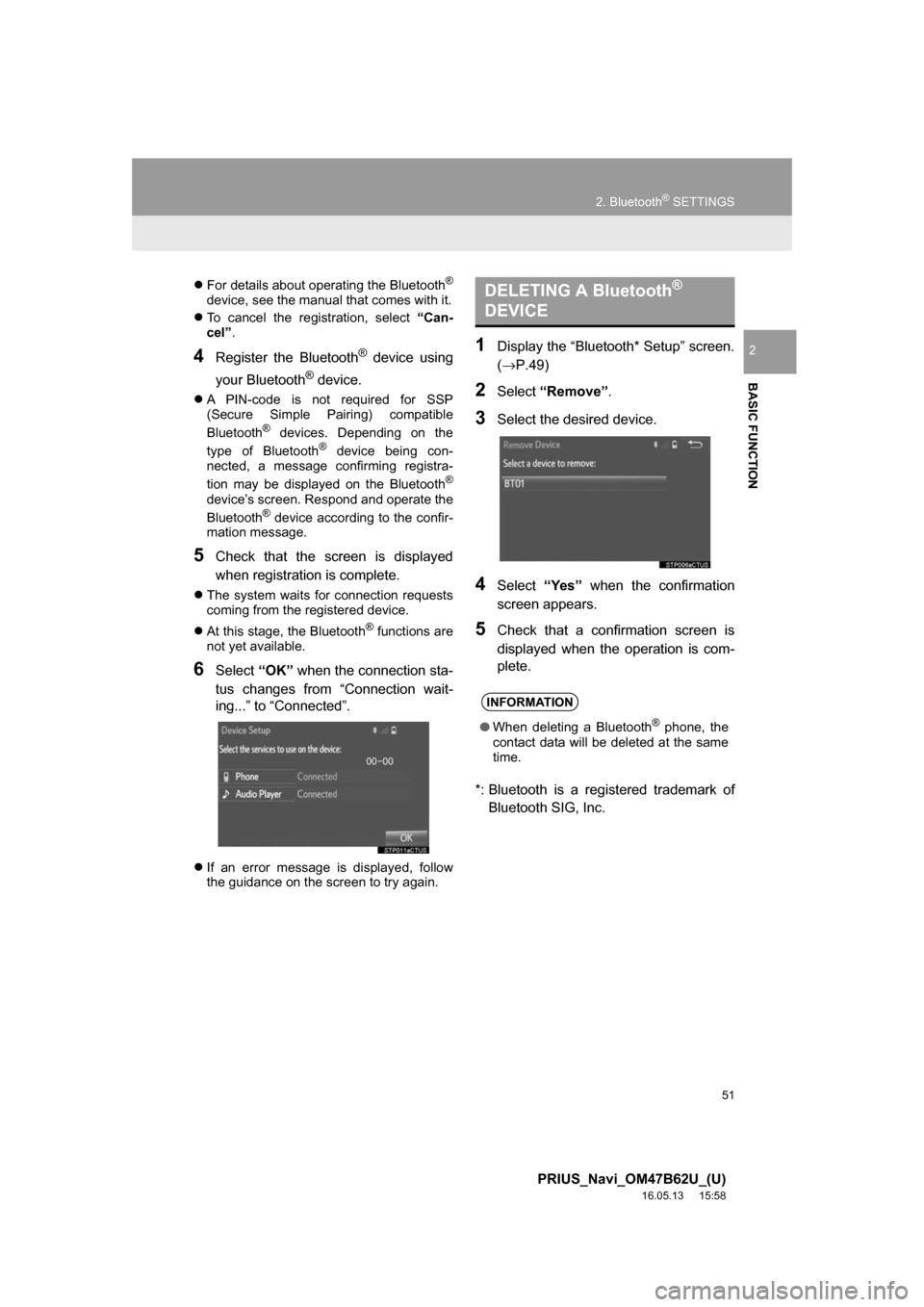
5Check that the screen is displayed
when registration is complete.
The system waits for connection requests
coming from the registered device.
At this stage, the Bluetooth
® functions are
not yet available.
6Select “OK” when the connection sta-
tus changes from “Connection wait-
ing...” to “Connected”.
If an error message is displayed, follow
the guidance on the screen to try again.
1Display the “Bluetooth* Setup” screen.
(→P.49)
2Select “Remove” .
3Select the desired device.
4Select“Yes” when the confirmation
screen appears.
5Check that a confirmation screen is
displayed when the operation is com-
plete.
*: Bluetooth is a regi stered trademark of
Bluetooth SIG, Inc.
DELETING A Bluetooth®
DEVICE
INFORMATION
● When deleting a Bluetooth® phone, the
contact data will be deleted at the same
time.


