Page 435 of 732
435
6Interior features
HIGHLANDER_U (OM0E017U)6-1. Using the air conditioning
system and defogger
Front manual air conditioning system ........ 436
Front automatic air conditioning system ........ 442
Rear manual air conditioning system ........ 449
Rear automatic air conditioning system ........ 452
Heated steering wheel/ seat heaters/seat
ventilators........................ 455
6-2. Using the interior lights Interior lights list ................ 458
• Interior lights ................. 458
• Personal lights .............. 459
6-3. Using the storage features
List of storage features ........................... 460
• Glove box...................... 461
• Console box .................. 461
• Bottle holders ................ 462
• Cup holders .................. 463
• Auxiliary boxes.............. 465
• Open tray ...................... 466
Luggage compartment features ........................... 467 6-4. Using the other interior
features
Other interior features ........................... 469
• Sun visors ..................... 469
• Vanity mirrors................ 469
• Conversation mirror ............................ 470
• Clock ............................. 471
• Outside temperature display........................... 472
• Power outlets ................ 473
• USB charging ports .............................. 475
• Rear sunshades............ 477
• Armrest ......................... 478
• Coat hooks.................... 479
• Assist grips ................... 479
• Side table ...................... 480
Garage door opener.......... 481
Safety Connect ................. 488
Compass ........................... 494
Page 442 of 732
4426-1. Using the air conditioning system and defogger
HIGHLANDER_U (OM0E017U)■
Adjusting the temperature setting
To adjust the temperature setting, turn clockwise to increase
the temperature and countercloc
kwise to decrease the tempera-
ture.
The temperature for the driver, front passenger and rear seats can be
adjusted separately when: • is pressed. (The “SYNC” displays disappear.)
• The front passenger side dial is turned. (The “PASS SYNC”
display changes to “PASS”.)
• The “
∧” or “∨” side of is pressed. (The “REAR SYNC” display
changes to “REAR”.)
The air conditioning system switches between individual and synchro-
nized modes each time is pressed.
Front automatic air conditioning system∗
∗: If equipped
Air outlets and fan speed are automatically adjusted according
to the temperature setting.
Air conditioning controls
Page 471 of 732
4716-4. Using the other interior features
6
Interior features
HIGHLANDER_U (OM0E017U)
The clock can be adjusted by pressing the buttons.Adjusts the hours
Adjusts the minutes
■The clock is displayed when
Vehicles without a smart key system
The engine switch is in the “ACC” or “ON” position.
Vehicles with a smart key system
The engine switch is in ACCESSORY or IGNITION ON mode.
■ When the battery is disconnected
The time display will automatically be set to 1:00.
Clock
1
2
Page 472 of 732
4726-4. Using the other interior features
HIGHLANDER_U (OM0E017U)
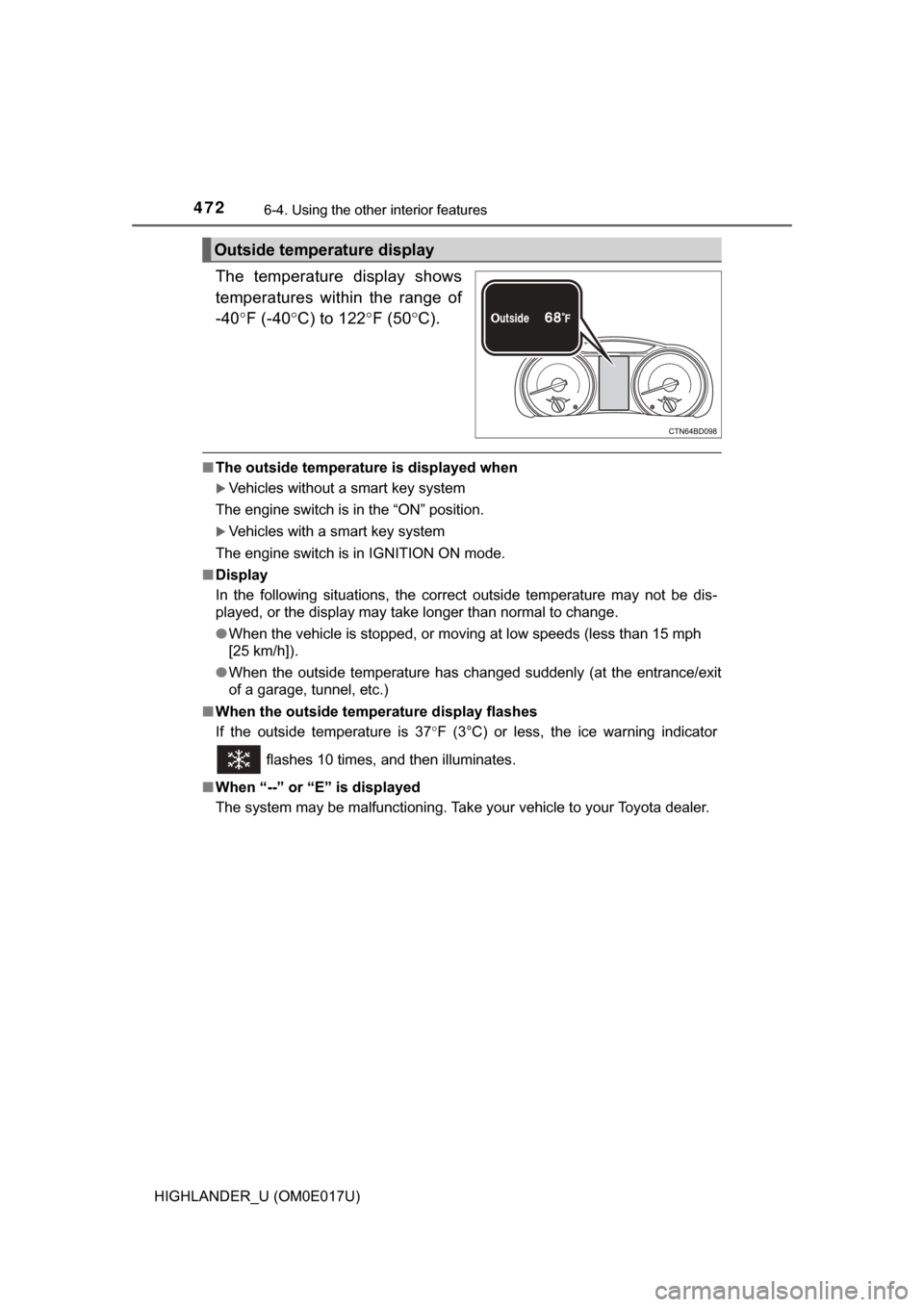
The temperature display shows
temperatures within the range of
-40°F (-40 °C) to 122 °F (50 °C).
■ The outside temperatur e is displayed when
Vehicles without a smart key system
The engine switch is in the “ON” position.
Vehicles with a smart key system
The engine switch is in IGNITION ON mode.
■ Display
In the following situations, the correct outside temperature may not be \
dis-
played, or the display may take longer than normal to change.
●When the vehicle is stopped, or moving at low speeds (less than 15 mph
[25 km/h]).
● When the outside temperature has changed suddenly (at the entrance/exit
of a garage, tunnel, etc.)
■ When the outside temperature display flashes
If the outside temperature is 37 °F (3°C) or less, the ice warning indicator
flashes 10 times, and then illuminates.
■ When “--” or “E” is displayed
The system may be malfunctioning. Take your vehicle to your Toyota dealer.
Outside temperature display
Page 485 of 732
4856-4. Using the other interior features
6
Interior features
HIGHLANDER_U (OM0E017U)
Press the appropriate HomeLink® button. The HomeLink® indicator
light should turn on.
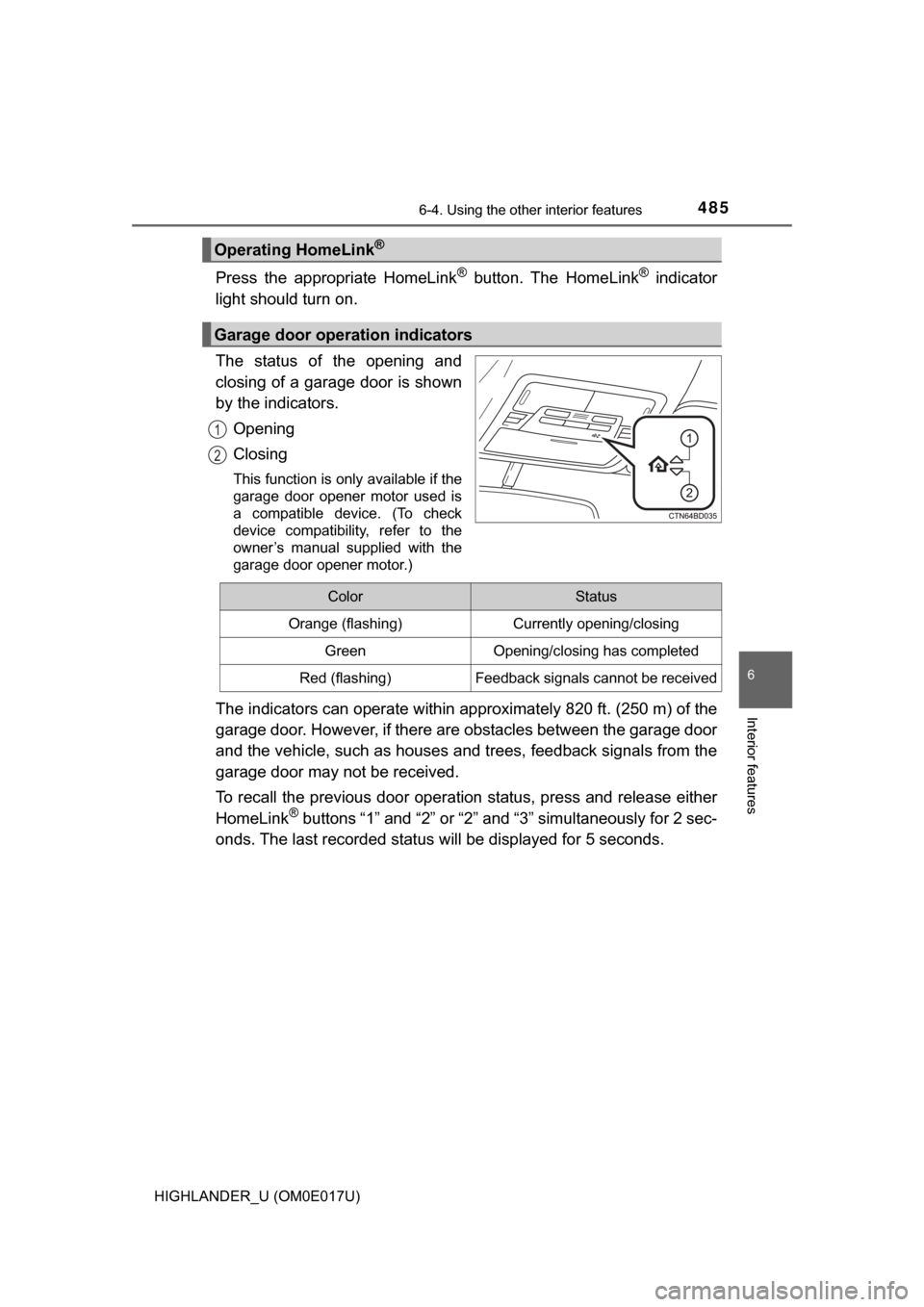
The status of the opening and
closing of a garage door is shown
by the indicators.
Opening
Closing
This function is only available if the
garage door opener motor used is
a compatible device. (To check
device compatibility, refer to the
owner’s manual supplied with the
garage door opener motor.)
The indicators can operate within appro ximately 820 ft. (250 m) of the
garage door. However, if there are obstacles between the garage door
and the vehicle, such as houses a nd trees, feedback signals from the
garage door may not be received.
To recall the previous door operation status, press and release either
HomeLink
® buttons “1” and “2” or “2” and “3” simultaneously for 2 sec-
onds. The last recorded status will be displayed for 5 seconds.
Operating HomeLink®
Garage door operation indicators
1
2
ColorStatus
Orange (flashing)Currently opening/closing
GreenOpening/closing has completed
Red (flashing)Feedback signals cannot be received
Page 494 of 732
4946-4. Using the other interior features
HIGHLANDER_U (OM0E017U)
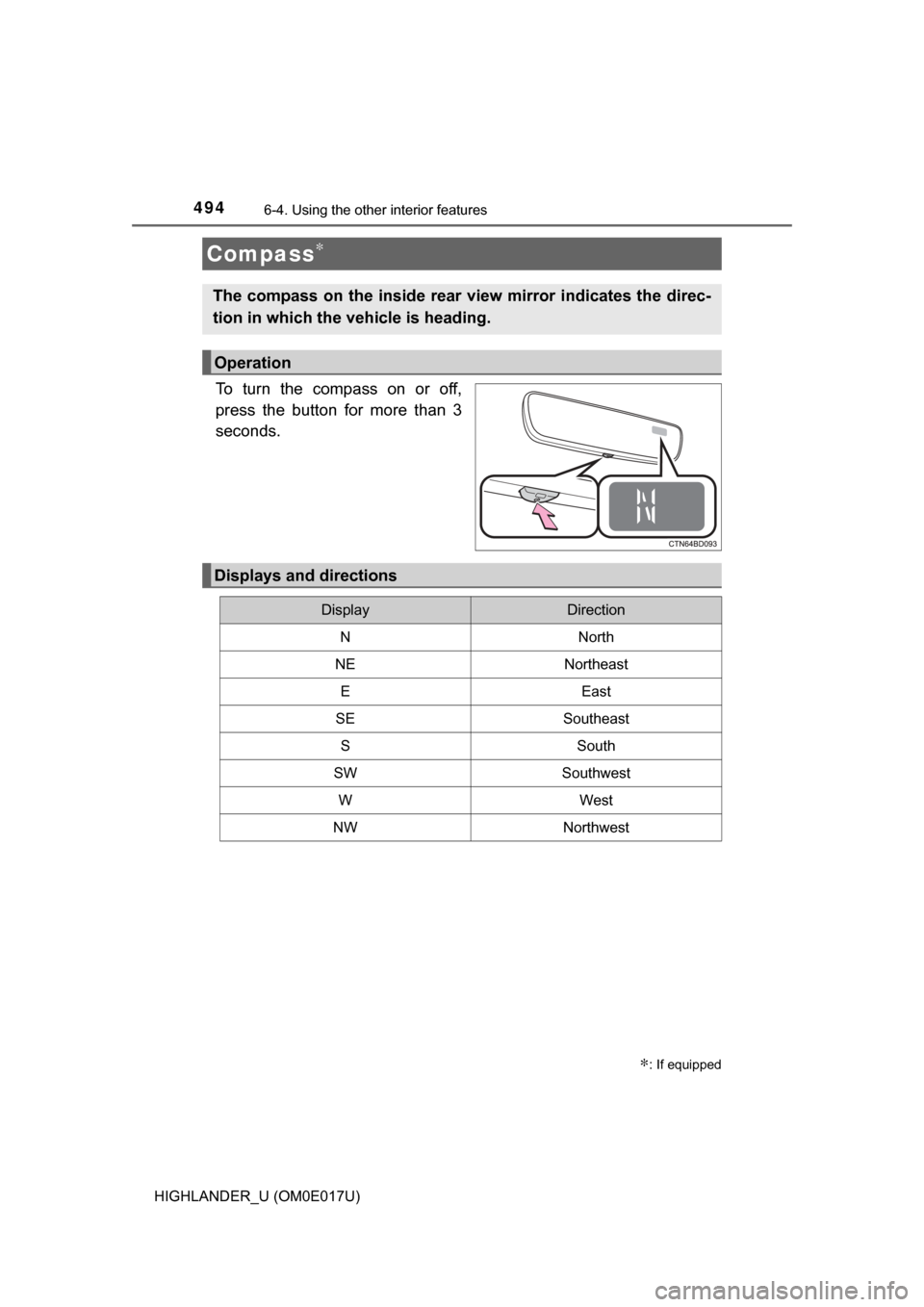
To turn the compass on or off,
press the button for more than 3
seconds.
Compass∗
∗: If equipped
The compass on the inside rear view mirror indicates the direc-
tion in which the vehicle is heading.
Operation
Displays and directions
DisplayDirection
NNorth
NENortheast
EEast
SESoutheast
SSouth
SWSouthwest
WWest
NWNorthwest
Page 495 of 732
4956-4. Using the other interior features
6
Interior features
HIGHLANDER_U (OM0E017U)
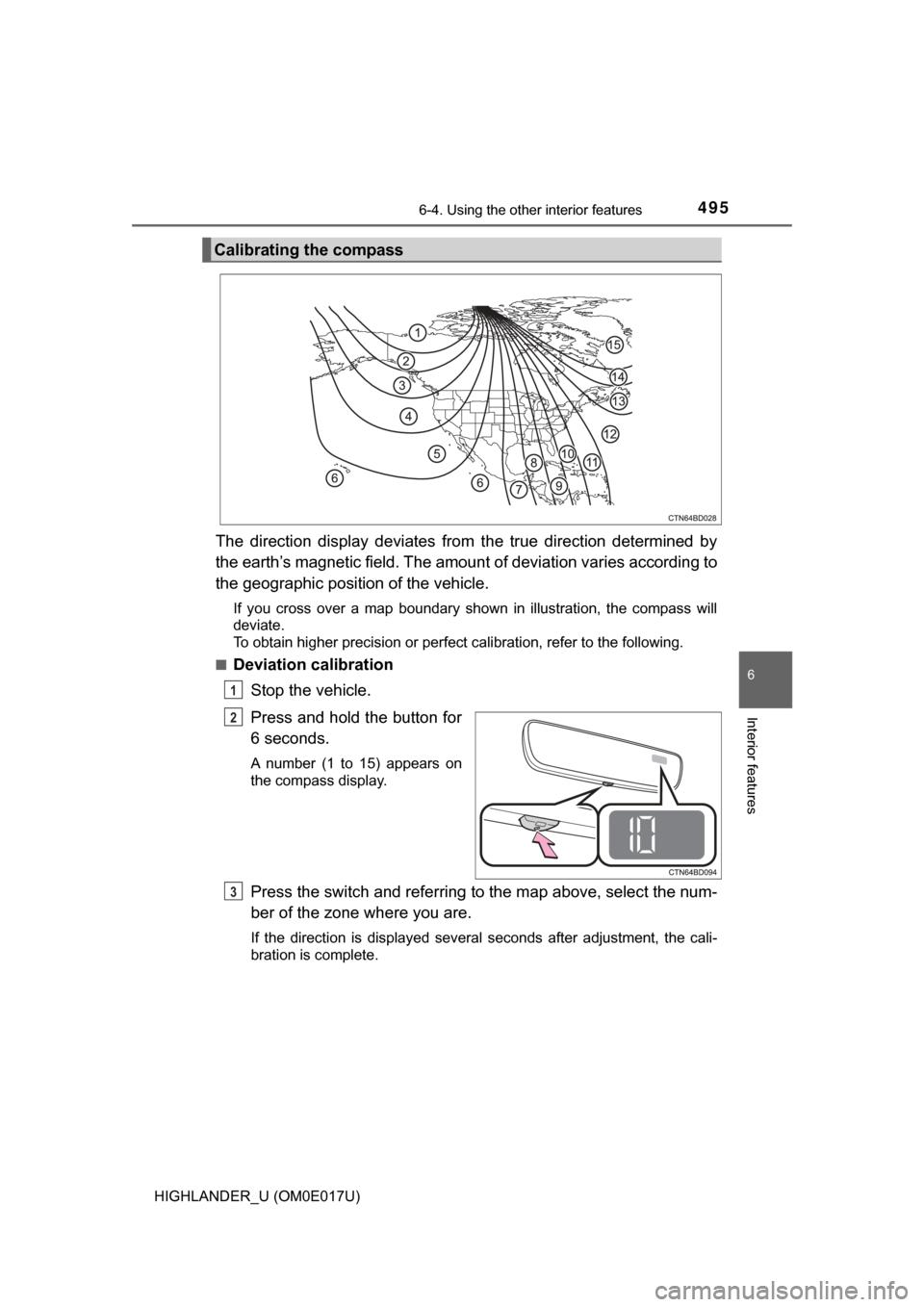
The direction display deviates from the true direction determined by
the earth’s magnetic field. The amount of deviation varies according to
the geographic position of the vehicle.
If you cross over a map boundary shown in illustration, the compass will
deviate.
To obtain higher precision or perfect calibration, refer to the following.
■
Deviation calibration
Stop the vehicle.
Press and hold the button for
6 seconds.
A number (1 to 15) appears on
the compass display.
Press the switch and referring to the map above, select the num-
ber of the zone where you are.
If the direction is displayed several seconds after adjustment, the cali-
bration is complete.
Calibrating the compass
1
2
3
Page 496 of 732
4966-4. Using the other interior features
HIGHLANDER_U (OM0E017U)■
Circling calibration
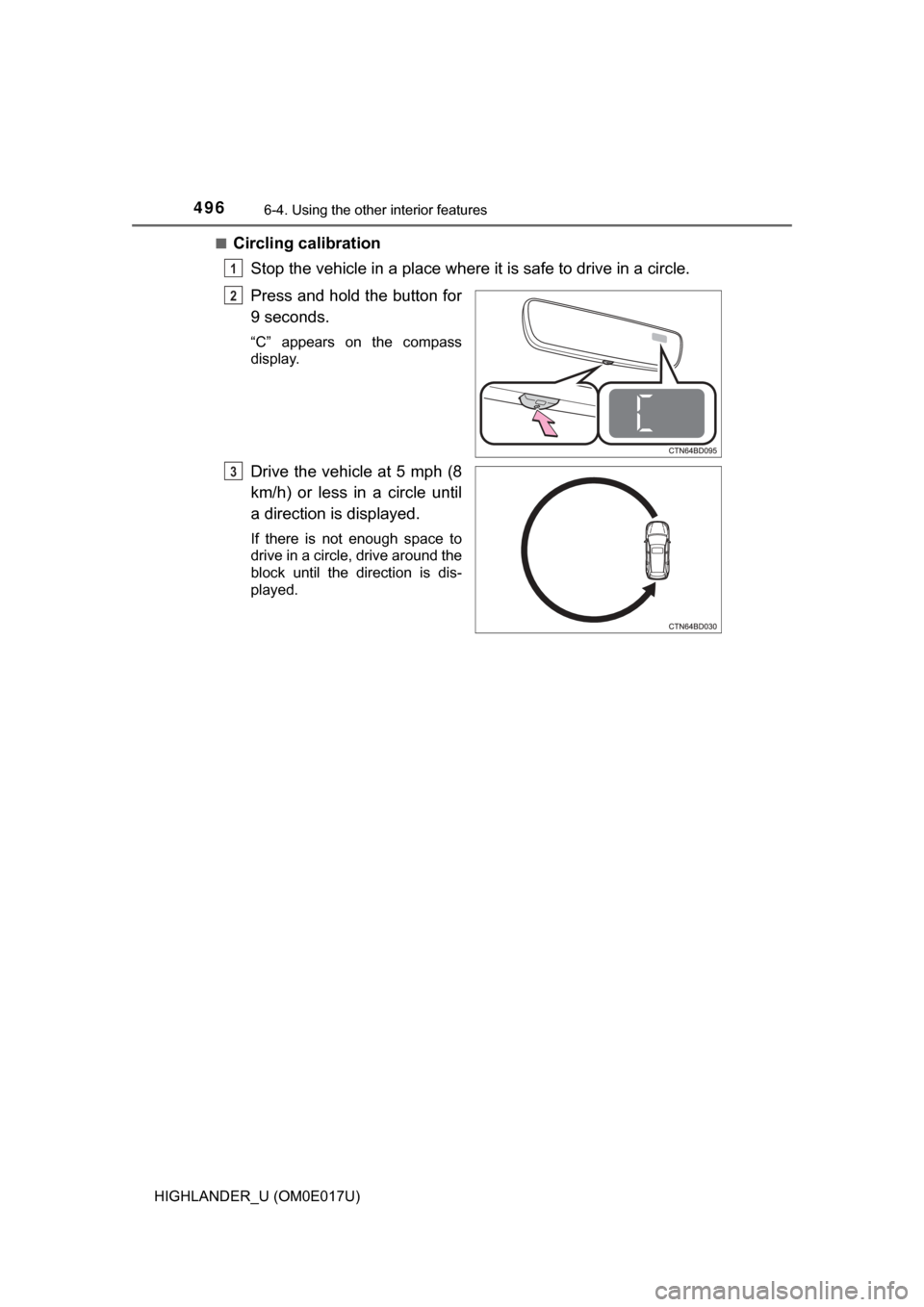
Stop the vehicle in a place where it is safe to drive in a circle.
Press and hold the button for
9 seconds.
“C” appears on the compass
display.
Drive the vehicle at 5 mph (8
km/h) or less in a circle until
a direction is displayed.
If there is not enough space to
drive in a circle, drive around the
block until the direction is dis-
played.
1
2
3