Page 213 of 612
2134-5. Using the driving support systems
4
Driving
COROLLA_TMMMS_TMMC_U (OM02494U)
WARNING
●Do not subject the camera sensor to a strong impact.
●Do not change the installation position or direction of the camera sensor or
remove it.
●Do not disassemble the camera sensor.
●Do not install an electronic device or device that emits strong electric
waves near the camera sensor.
●Do not modify any components of the vehicle around the camera sensor
(inside rear view mirror, etc.) or ceiling.
●Do not attach any accessories that may obstruct the camera sensor to the
hood, front grille or front bumper. Contact your Toyota dealer for details.
●If a surfboard or other long object is to be mounted on the roof, make sure
that it will not obstruct the camera sensor.
●Do not modify the headlights or other lights.
Page 228 of 612

2284-5. Using the driving support systems
COROLLA_TMMMS_TMMC_U (OM02494U)●Some pedestrians such as the following may not be detected by the radar
sensor and camera sensor, preventing the system from operating prop-
erly
*2:
• Pedestrians shorter than approximately 3.2 ft. (1 m) or taller than approx-
imately 6.5 ft. (2 m)
• Pedestrians wearing oversized clothing (a rain coat, long skirt, etc.), mak-
ing their silhouette obscure
• Pedestrians who are carrying large baggage, holding an umbrella, etc.,
hiding part of their body
• Pedestrians who are bending forward or squatting
• Pedestrians who are pushing a stroller, wheelchair, bicycle or other vehi-
cle
• Groups of pedestrians which are close together
• Pedestrians who are wearing white and look extremely bright
• Pedestrians in the dark, such as at night or while in a tunnel
• Pedestrians whose clothing appears to be nearly the same color or
brightness as their surroundings
• Pedestrians near walls, fences, guardrails, or large objects
• Pedestrians who are on a metal object (manhole cover, steel plate, etc.)
on the road
• Pedestrians who are walking fast
• Pedestrians who are changing speed abruptly
• Pedestrians running out from behind a vehicle or a large object
• Pedestrians who are extremely close to the side of the vehicle (outside
rear view mirror, etc.)
*2: Depending on the region in which the vehicle was sold, the pedestrian
detection function may not be available.
■If the PCS (Pre-Collision System) warning light flashes and a warning
message is displayed on the multi-information display
The pre-collision system may be temporarily unavailable or there may be a
malfunction in the system.
●In the following situations, the warning light will turn off, the message will
disappear and the system will become operational when normal operating
conditions return:
• When the radar sensor or camera sensor or the area around either sen-
sor is hot, such as in the sun
• When the radar sensor or camera sensor or the area around either sen-
sor is cold, such as in an extremely cold environment
• When the radar sensor or front grille emblem is dirty or covered with
snow, etc.
• If the camera sensor is obstructed, such as when the hood is open or a
sticker is attached to the windshield near the camera sensor
●If the PCS (Pre-Collision System) warning light continues to flash or the
warning message does not disappear, the system may be malfunctioning.
Have the vehicle inspected by your Toyota dealer immediately.
Page 260 of 612

2604-5. Using the driving support systems
COROLLA_TMMMS_TMMC_U (OM02494U)
WARNING
■When using the rear view monitor system
The rear view monitor system is a supplemental device intended to assist
the driver when backing up. When backing up, be sure to visually check all
around the vehicle both directly and using the mirrors before proceeding. If
you do not, you may hit another vehicle, and could possibly cause an acci-
dent.
Pay attention to the following precautions when using the rear view monitor
system.
●Never depend on the rear view monitor system entirely when backing up.
The image and the position of the guide lines displayed on the screen may
differ from the actual state.
Use caution, just as you would when backing up any vehicle.
●Be sure to back up slowly, depressing the brake pedal to control vehicle
speed.
●The instructions given are only guidelines.
When and how much to turn the steering wheel will vary according to traf-
fic conditions, road surface conditions, vehicle condition, etc. when park-
ing. It is necessary to be fully aware of this before using the rear view
monitor system.
●When parking, be sure to check that the parking space will accommodate
your vehicle before maneuvering into it.
●Do not use the rear view monitor system in the following cases:
• On icy or slick road surfaces, or in snow
• When using tire chains or the compact spare tire
• When the trunk lid is not closed completely
• On roads that are not flat or straight, such as curves or slopes.
●In low temperatures, the screen may darken or the image may become
faint. The image could distort when the vehicle is moving, or you may
become unable to see the image on the screen. Be sure to visually check
all around the vehicle both directly and using the mirrors before proceed-
ing.
●If the tire sizes are changed, the position of the fixed guide lines displayed
on the screen may change.
●The camera uses a special lens. The distances between objects and
pedestrians that appear in the image displayed on the screen will differ
from the actual distances. (→P. 255)
Page 369 of 612

369
6Interior features
COROLLA_TMMMS_TMMC_U (OM02494U)6-1. Using the air
conditioning system
and defogger
Manual air conditioning
system ............................ 370
Automatic air
conditioning system ........ 377
Heated steering wheel/
seat heaters .................... 386
6-2. Using the interior lights
Interior lights list ................ 388
• Front interior light/
personal lights............... 389
• Rear interior light .......... 390
6-3. Using the storage
features
List of storage features ..... 391
• Glove box...................... 392
• Console box .................. 392
• Bottle holders ................ 393
• Cup holders .................. 394
6-4. Other interior features
Other interior features ....... 396
• Sun visors ..................... 396
• Vanity mirrors................ 396
• Clock ............................. 396
• Outside temperature
display........................... 397
• Power outlet .................. 398
• Assist grips ................... 399
Garage door opener.......... 400
Compass ........................... 407
Page 372 of 612
3726-1. Using the air conditioning system and defogger
COROLLA_TMMMS_TMMC_U (OM02494U)■
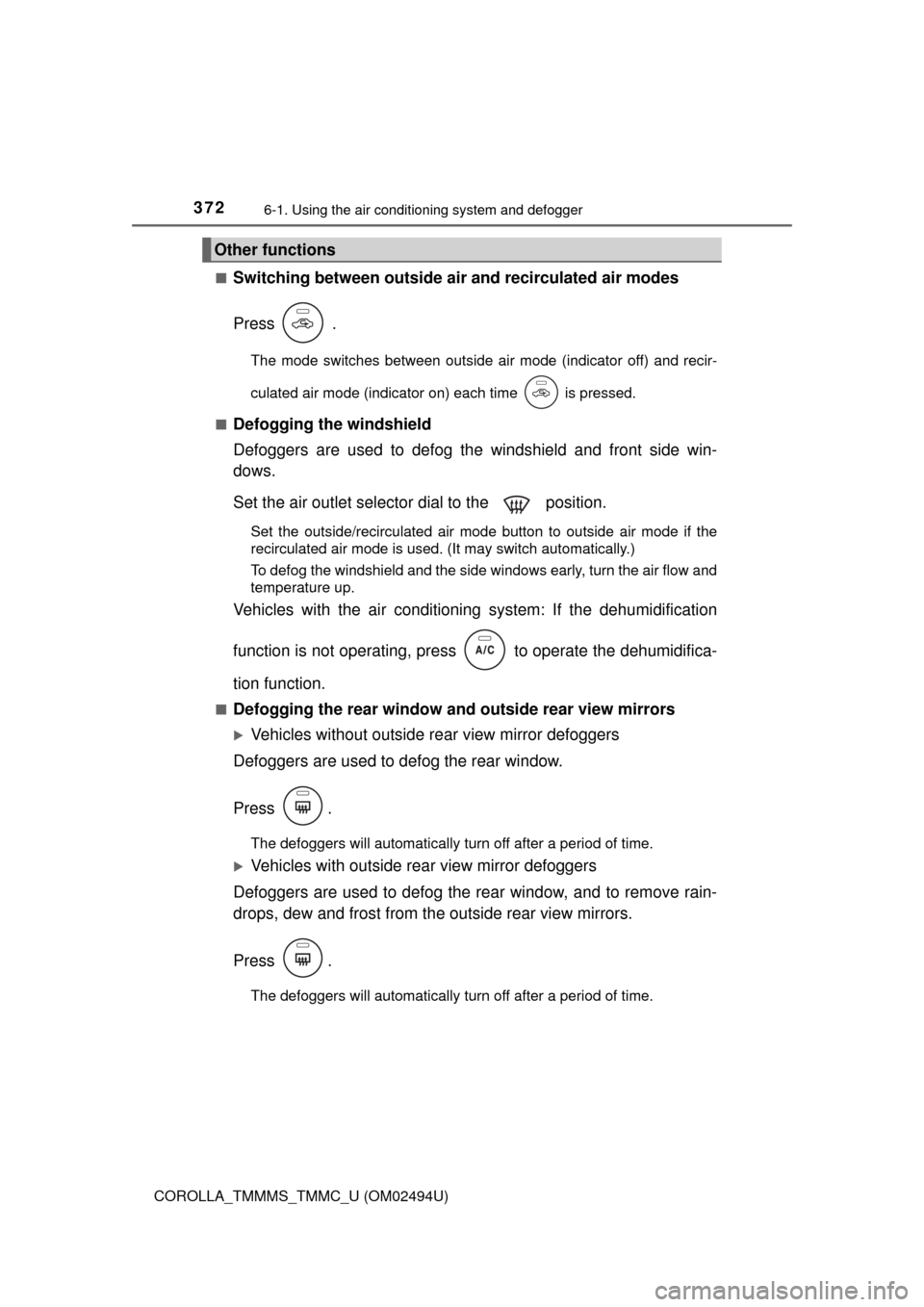
Switching between outside air and recirculated air modes
Press .
The mode switches between outside air mode (indicator off) and recir-
culated air mode (indicator on) each time is pressed.
■
Defogging the windshield
Defoggers are used to defog the windshield and front side win-
dows.
Set the air outlet selector dial to the position.
Set the outside/recirculated air mode button to outside air mode if the
recirculated air mode is used. (It may switch automatically.)
To defog the windshield and the side windows early, turn the air flow and
temperature up.
Vehicles with the air conditioning system: If the dehumidification
function is not operating, press to operate the dehumidifica-
tion function.
■Defogging the rear window and outside rear view mirrors
Vehicles without outside rear view mirror defoggers
Defoggers are used to defog the rear window.
Press .
The defoggers will automatically turn off after a period of time.
Vehicles with outside rear view mirror defoggers
Defoggers are used to defog the rear window, and to remove rain-
drops, dew and frost from the outside rear view mirrors.
Press .
The defoggers will automatically turn off after a period of time.
Other functions
Page 376 of 612
3766-1. Using the air conditioning system and defogger
COROLLA_TMMMS_TMMC_U (OM02494U)
WARNING
■To prevent the windshield from fogging up
●Do not set the air outlet selector dial to during cool air operation in
extremely humid weather. The difference between the temperature of the
outside air and that of the windshield can cause the outer surface of the
windshield to fog up, blocking your vision.
■To prevent burns (vehicles with outside rear view mirror defoggers)
Do not touch the rear view mirror surfaces when the outside rear view mirror
defoggers are on.
NOTICE
■To prevent battery discharge
Do not leave the air conditioning system on longer than necessary when the
engine is stopped.
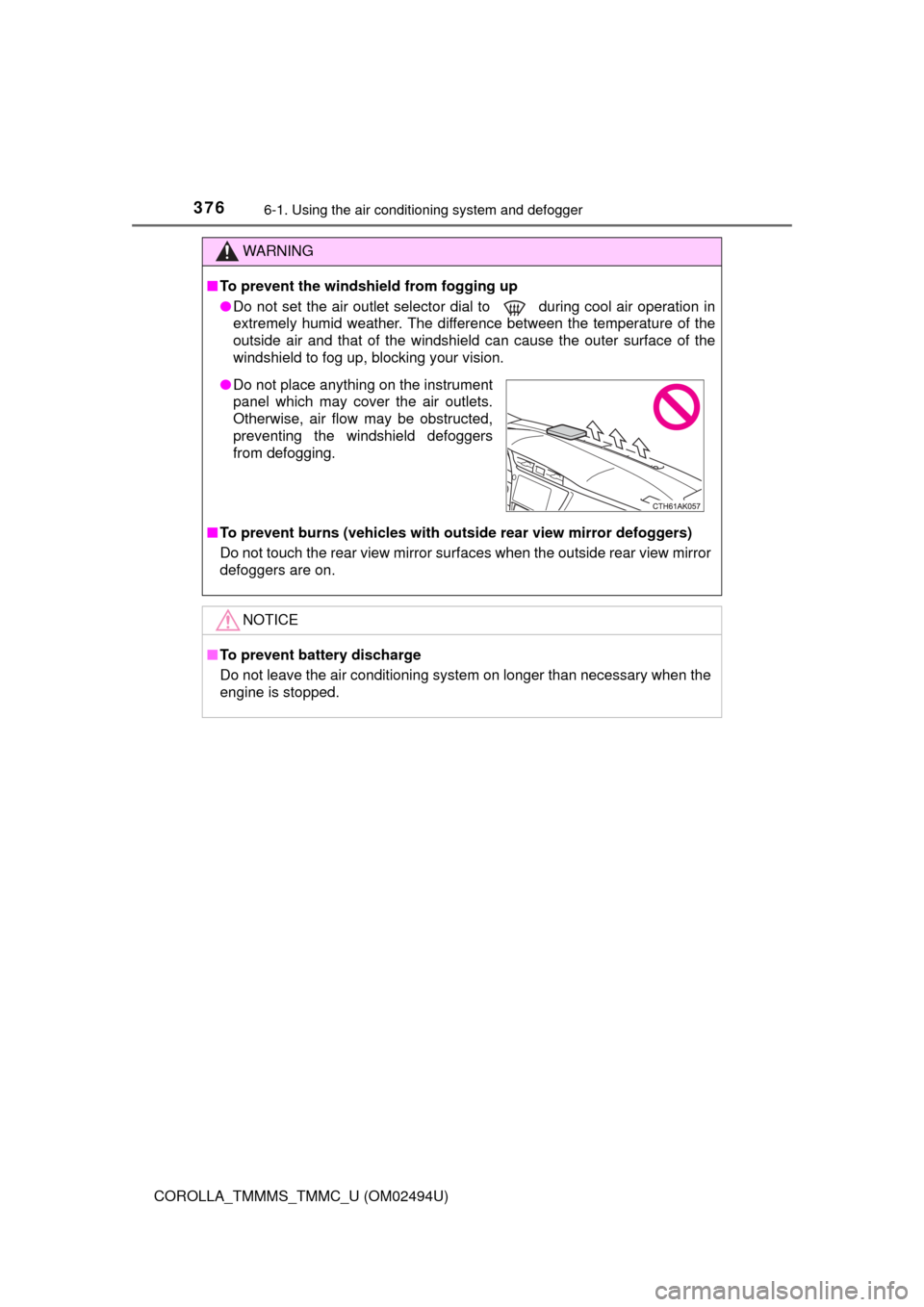
●Do not place anything on the instrument
panel which may cover the air outlets.
Otherwise, air flow may be obstructed,
preventing the windshield defoggers
from defogging.
Page 378 of 612
3786-1. Using the air conditioning system and defogger
COROLLA_TMMMS_TMMC_U (OM02494U)■
Fan speed setting
Increases the fan speed
Decreases the fan speed
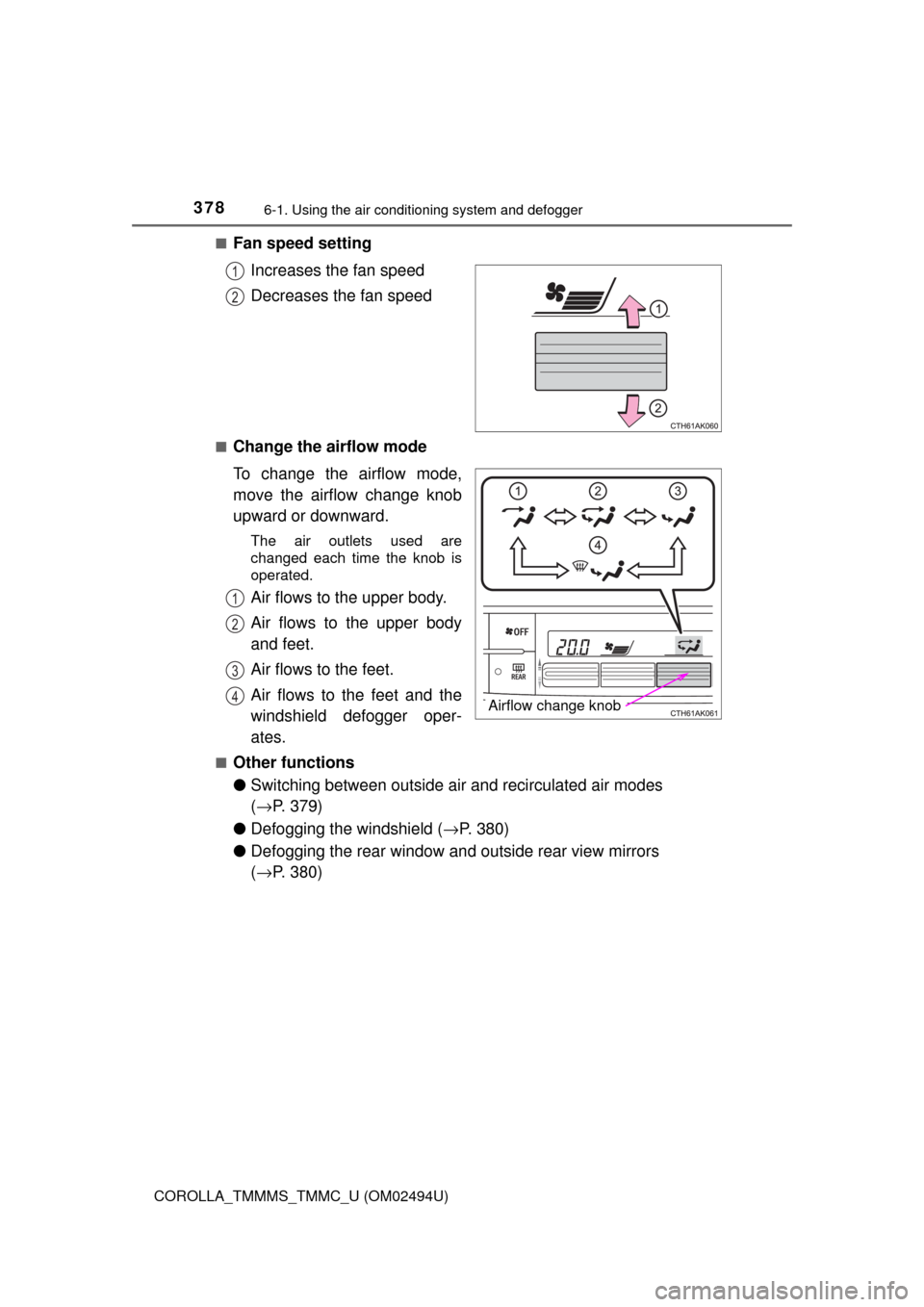
■Change the airflow mode
To change the airflow mode,
move the airflow change knob
upward or downward.
The air outlets used are
changed each time the knob is
operated.
Air flows to the upper body.
Air flows to the upper body
and feet.
Air flows to the feet.
Air flows to the feet and the
windshield defogger oper-
ates.
■Other functions
●Switching between outside air and recirculated air modes
(→P. 379)
●Defogging the windshield (→P. 380)
●Defogging the rear window and outside rear view mirrors
(→P. 380)
1
2
Airflow change knob
1
2
3
4
Page 380 of 612
3806-1. Using the air conditioning system and defogger
COROLLA_TMMMS_TMMC_U (OM02494U)■
Defogging the windshield
Defoggers are used to defog the windshield and front side win-
dows.
Press .
The dehumidification function operates and fan speed increases.
Set the outside/recirculated air mode button to the outside air mode if the
recirculated air mode is used. (It may switch automatically.)
To defog the windshield and the front side windows early, turn the air flow
and temperature up.
To return to the previous mode, press again when the windshield is
defogged.
■
Defogging the rear window and outside rear view mirrors
Defoggers are used to defog the rear window, and to remove rain-
drops, dew and frost from the outside rear view mirrors.
Press .
The defoggers will automatically turn off after a period of time.
■
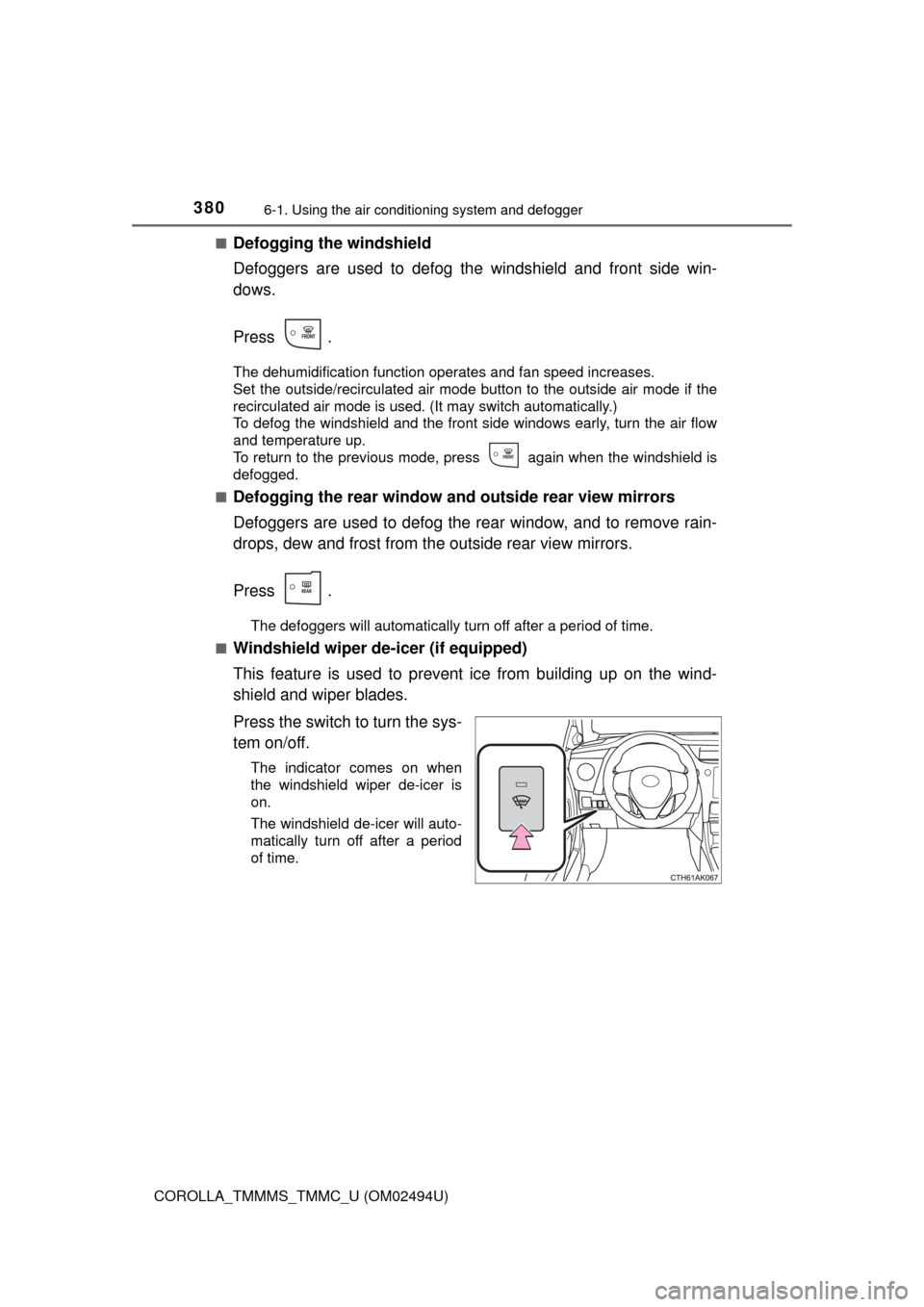
Windshield wiper de-icer (if equipped)
This feature is used to prevent ice from building up on the wind-
shield and wiper blades.
Press the switch to turn the sys-
tem on/off.
The indicator comes on when
the windshield wiper de-icer is
on.
The windshield de-icer will auto-
matically turn off after a period
of time.