Page 304 of 612

3045-6. Using an external device
COROLLA_TMMMS_TMMC_U (OM02494U)■Compatible models
The following iPod
®, iPod nano®, iPod classic®, iPod touch® and iPhone®
devices can be used with this system.
●Made for
• iPod touch (5th generation)
• iPod touch (4th generation)
• iPod touch (3rd generation)
• iPod touch (2nd generation)
• iPod touch (1st generation)
• iPod classic
• iPod with video
• iPod nano (7th generation)
• iPod nano (6th generation)
• iPod nano (5th generation)
• iPod nano (4th generation)
• iPod nano (3rd generation)
• iPod nano (2nd generation)
• iPod nano (1st generation)
• iPhone 5s
• iPhone 5c
• iPhone 5
• iPhone 4S
• iPhone 4
• iPhone 3GS
• iPhone 3G
• iPhone
Depending on differences between models or software versions etc., some
models might be incompatible with this system.
WARNING
■While driving
Do not connect an iPod or operate the controls.
NOTICE
■To prevent damage to the iPod or its terminals
●Do not leave the iPod in the vehicle. The temperature inside the vehicle
may become high, resulting in damage to the iPod.
●Do not push down on or apply unnecessary pressure to the iPod while it is
connected.
●Do not insert foreign objects into the port.
Page 308 of 612

3085-6. Using an external device
COROLLA_TMMMS_TMMC_U (OM02494U)●MP3, WMA and AAC playback
• When a device containing MP3, WMA and AAC files is connected, all
files in the USB memory device are checked. Once the file check is fin-
ished, the first MP3, WMA and AAC file is played. To make the file check
finish more quickly, we recommend that you do not include any files other
than MP3, WMA and AAC files or create any unnecessary folders.
• When a USB memory device is connected and the audio source is
changed to USB memory mode, the USB memory device will start play-
ing the first file in the first folder. If the same device is removed and
reconnected (and the con- tents have not been changed), the USB mem-
ory device will resume play from the same point in which it was last used.
●Extensions
If the file extensions .mp3, .wma and .m4a are used for files other than
MP3, WMA and AAC files, they will be skipped (not played).
●Playback
• To play MP3 files with steady sound quality, we recommend a fixed bit
rate of at least 128 kbps and a sampling frequency of 44.1 kHz.
• There is a wide variety of freeware and other encoding software for MP3,
WMA and AAC files on the market, and depending on the status of the
encoding and the file format, poor sound quality or noise at the start of
playback may result. In some cases, playback may not be possible at all.
• Microsoft, Windows, and Windows Media are the registered trademarks
of Microsoft Corporation in the U.S.A. and other countries.
WARNING
■While driving
Do not connect a USB memory device or operate the device controls.
NOTICE
■To prevent damage to the USB memory device or its terminals
●Do not leave the USB memory device in the vehicle. The temperature
inside the vehicle may become high, resulting in damage to the USB
memory device.
●Do not push down on or apply unnecessary pressure to the USB memory
device while it is connected.
●Do not insert foreign objects into the port.
Page 369 of 612

369
6Interior features
COROLLA_TMMMS_TMMC_U (OM02494U)6-1. Using the air
conditioning system
and defogger
Manual air conditioning
system ............................ 370
Automatic air
conditioning system ........ 377
Heated steering wheel/
seat heaters .................... 386
6-2. Using the interior lights
Interior lights list ................ 388
• Front interior light/
personal lights............... 389
• Rear interior light .......... 390
6-3. Using the storage
features
List of storage features ..... 391
• Glove box...................... 392
• Console box .................. 392
• Bottle holders ................ 393
• Cup holders .................. 394
6-4. Other interior features
Other interior features ....... 396
• Sun visors ..................... 396
• Vanity mirrors................ 396
• Clock ............................. 396
• Outside temperature
display........................... 397
• Power outlet .................. 398
• Assist grips ................... 399
Garage door opener.......... 400
Compass ........................... 407
Page 370 of 612
370
COROLLA_TMMMS_TMMC_U (OM02494U)
6-1. Using the air conditioning system and defogger
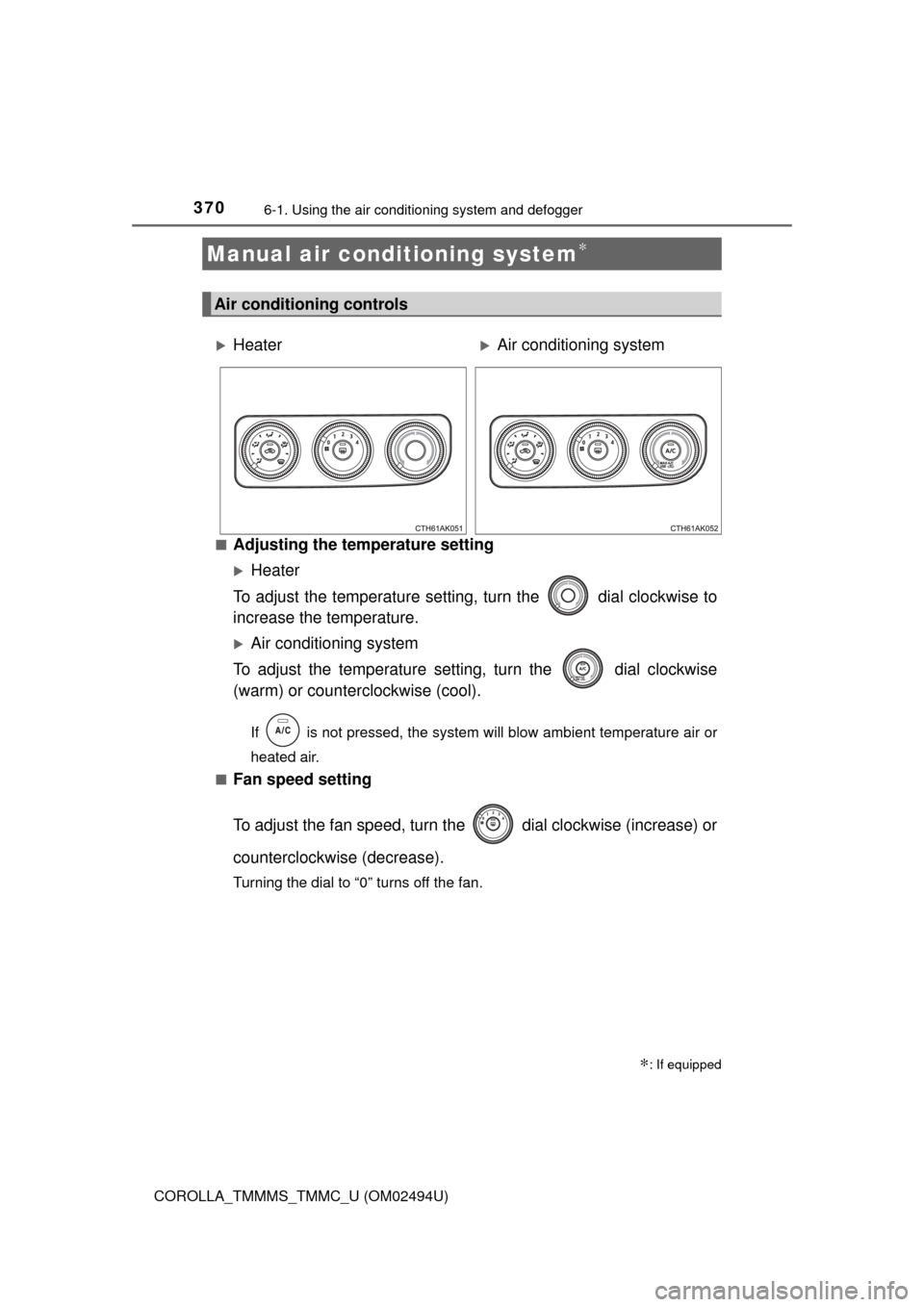
■Adjusting the temperature setting
Heater
To adjust the temperature setting, turn the dial clockwise to
increase the temperature.
Air conditioning system
To adjust the temperature setting, turn the dial clockwise
(warm) or counterclockwise (cool).
If is not pressed, the system will blow ambient temperature air or
heated air.
■
Fan speed setting
To adjust the fan speed, turn the dial clockwise (increase) or
counterclockwise (decrease).
Turning the dial to “0” turns off the fan.
Manual air conditioning system∗
∗: If equipped
Air conditioning controls
HeaterAir conditioning system
Page 372 of 612
3726-1. Using the air conditioning system and defogger
COROLLA_TMMMS_TMMC_U (OM02494U)■
Switching between outside air and recirculated air modes
Press .
The mode switches between outside air mode (indicator off) and recir-
culated air mode (indicator on) each time is pressed.
■
Defogging the windshield
Defoggers are used to defog the windshield and front side win-
dows.
Set the air outlet selector dial to the position.
Set the outside/recirculated air mode button to outside air mode if the
recirculated air mode is used. (It may switch automatically.)
To defog the windshield and the side windows early, turn the air flow and
temperature up.
Vehicles with the air conditioning system: If the dehumidification
function is not operating, press to operate the dehumidifica-
tion function.
■Defogging the rear window and outside rear view mirrors
Vehicles without outside rear view mirror defoggers
Defoggers are used to defog the rear window.
Press .
The defoggers will automatically turn off after a period of time.
Vehicles with outside rear view mirror defoggers
Defoggers are used to defog the rear window, and to remove rain-
drops, dew and frost from the outside rear view mirrors.
Press .
The defoggers will automatically turn off after a period of time.
Other functions
Page 375 of 612
3756-1. Using the air conditioning system and defogger
6
Interior features
COROLLA_TMMMS_TMMC_U (OM02494U)
■For quick cooling (vehicles with air conditioning system)
Turn the dial to the “MAX A/C” position and select the recirculated air
mode.
■Fogging up of the windows
●Vehicles with the button: The windows will easily fog up when the
humidity in the vehicle is high. Turning on will dehumidify the air from
the outlets and defog the windshield effectively.
●Vehicles with the button: If you turn off, the windows may fog
up more easily.
●The windows may fog up if the recirculated air mode is used.
■Outside/recirculated air mode
When driving on dusty roads such as tunnels or in heavy traffic, set the out-
side/recirculated air mode button to the recirculated air mode. This is effective
in preventing outside air from entering the vehicle interior. During cooling
operation, setting the recirculated air mode will also cool the vehicle interior
effectively.
■When the outside temperature is low (vehicles with the button)
The air conditioning system may not operate even when
is pressed.
■Ventilation and air conditioning odors
●To let fresh air in, set the air conditioning system to the outside air mode.
●During use, various odors from inside and outside the vehicle may enter into
and accumulate in the air conditioning system. This may then cause odor to
be emitted from the vents.
●To reduce potential odors from occurring:
It is recommended that the air conditioning system be set to outside air
mode prior to turning the vehicle off.
■Air conditioning filter
→P. 457
Page 376 of 612
3766-1. Using the air conditioning system and defogger
COROLLA_TMMMS_TMMC_U (OM02494U)
WARNING
■To prevent the windshield from fogging up
●Do not set the air outlet selector dial to during cool air operation in
extremely humid weather. The difference between the temperature of the
outside air and that of the windshield can cause the outer surface of the
windshield to fog up, blocking your vision.
■To prevent burns (vehicles with outside rear view mirror defoggers)
Do not touch the rear view mirror surfaces when the outside rear view mirror
defoggers are on.
NOTICE
■To prevent battery discharge
Do not leave the air conditioning system on longer than necessary when the
engine is stopped.
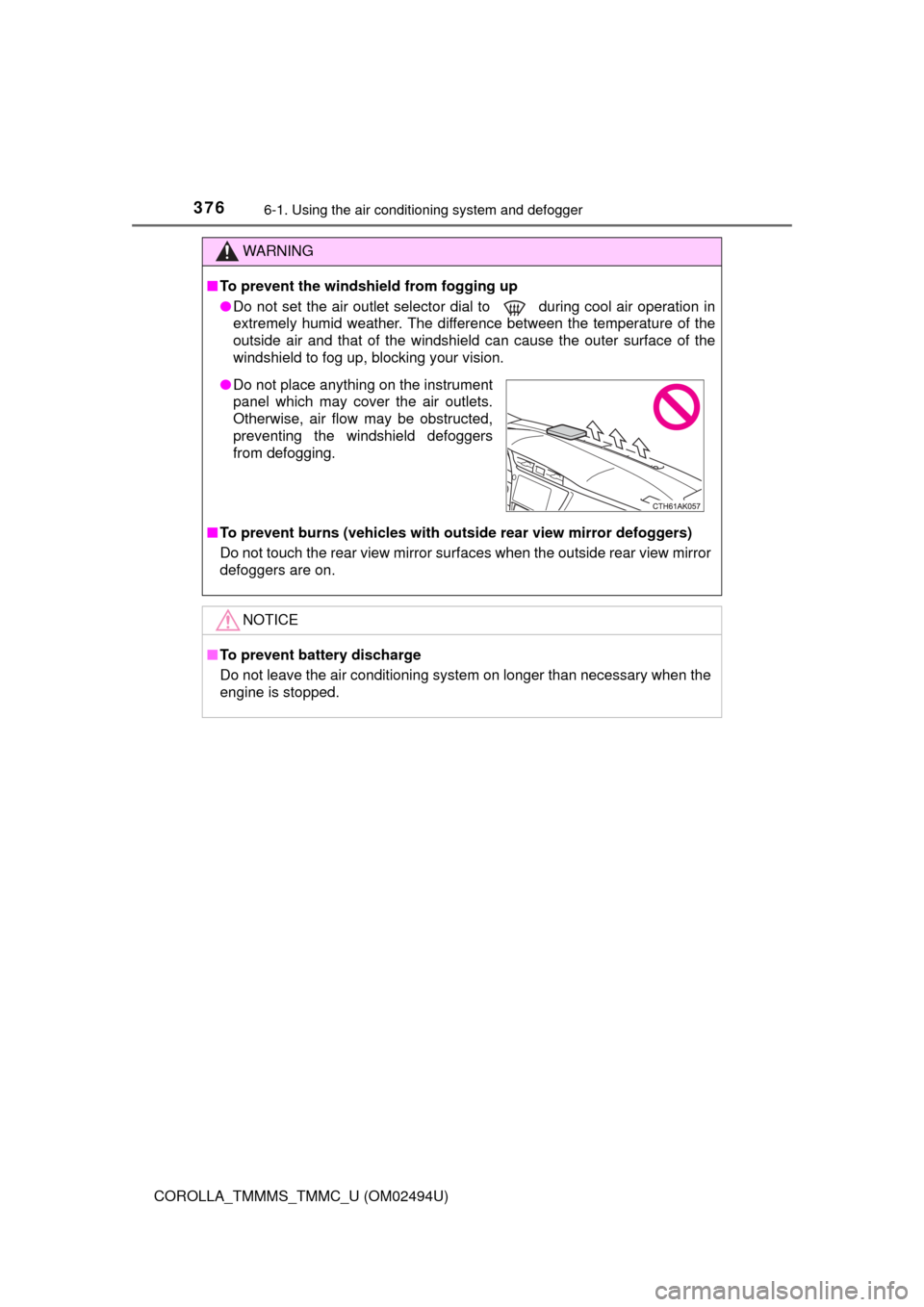
●Do not place anything on the instrument
panel which may cover the air outlets.
Otherwise, air flow may be obstructed,
preventing the windshield defoggers
from defogging.
Page 377 of 612
3776-1. Using the air conditioning system and defogger
6
Interior features
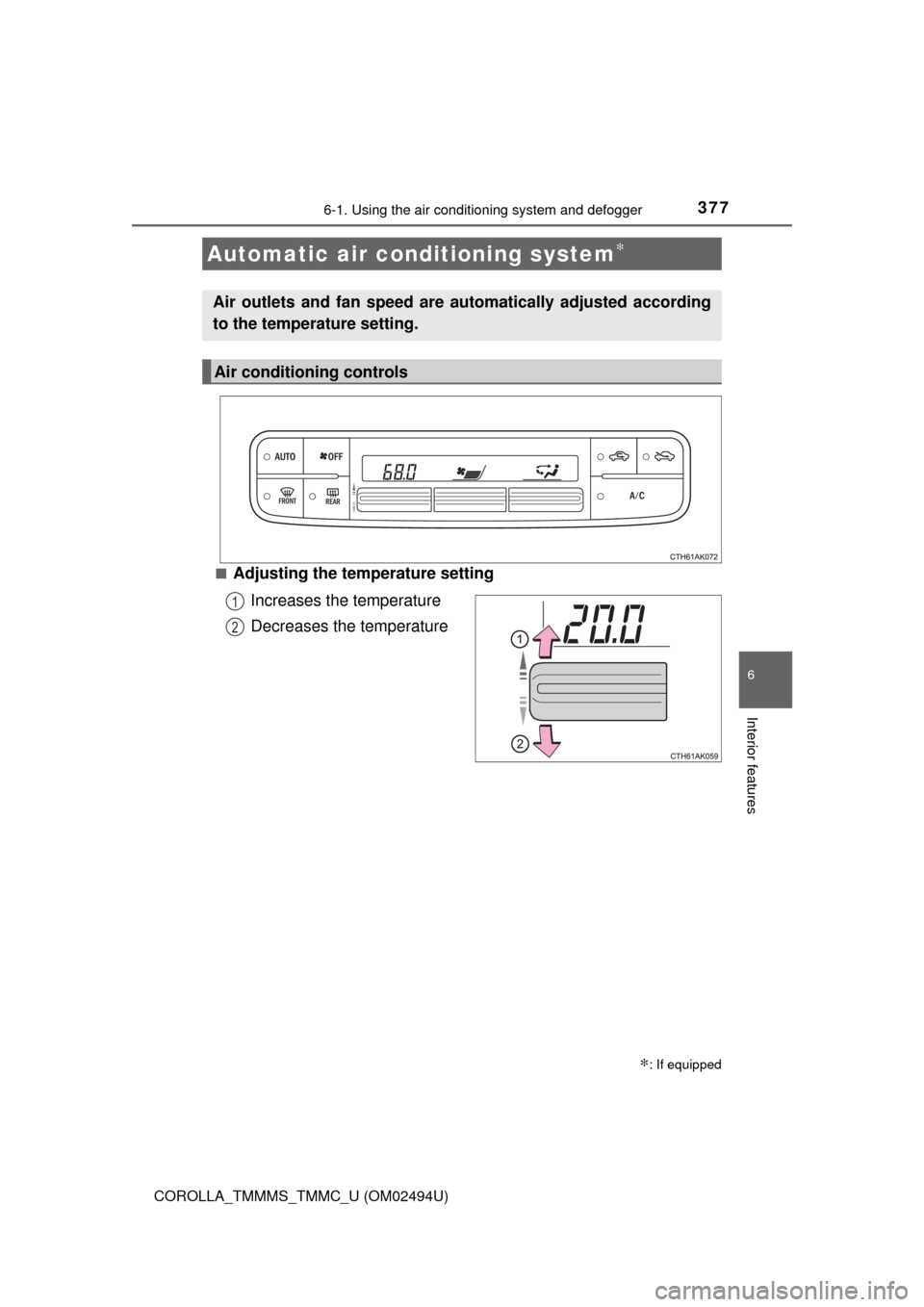
COROLLA_TMMMS_TMMC_U (OM02494U)■
Adjusting the temperature setting
Increases the temperature
Decreases the temperature
Automatic air conditioning system∗
∗: If equipped
Air outlets and fan speed are automatically adjusted according
to the temperature setting.
Air conditioning controls
1
2