2017 TOYOTA CAMRY light
[x] Cancel search: lightPage 76 of 568

762. Instrument cluster
CAMRY_U (OM33C64U)
*1: Vehicles without a smart key system: These lights turn on when the engine switch is turned to the “ON” position
to indicate that a system check is being performed. They will turn off after
the engine is started, or after a few seconds. There may be a malfunction
in a system if a light does not come on, or if the lights do not turn off. Have
the vehicle inspected by your Toyota dealer.
Vehicles with a smart key system:
These lights turn on when the engine switch is turned to IGNITION ON
mode to indicate that a system check is being performed. They will turn off
after the engine is started, or after a few seconds. There may be a mal-
function in a system if a light does not come on, or if the lights do not turn
off. Have the vehicle inspected by your Toyota dealer.
*2: If equipped
*3: The light does not turn on when the system is disabled.
*4: This light illuminates on the multi-information display.
*5: The light turns on when the system is off.
*6: The light flashes to indicate that the system is operating.
*7: This light illuminates on the center panel.
*8: When the outside temperature is approximately 37°F (3°C) or lower, theindicator will flash for approximately 10 seconds, then stay on.
WARNING
■ If a safety system warning light does not come on
Should a safety system light such as the ABS and SRS warning lights not
come on when you start the engine, this could mean that these systems are
not available to help protect you in an accident, which could result in death
or serious injury. Have the vehicle inspected by your Toyota dealer immedi-
ately if this occurs.
Page 77 of 568

772. Instrument cluster
2
Instrument cluster
CAMRY_U (OM33C64U)
Tachometer
Displays the engine speed in revolutions per minute.
Multi-information display
Presents the driver with a variety of driving-related data.
Displays warning messages in case of a malfunction (P. 454)
Outside temperature display
Displays the outside temperature within the range of -40°F (-40°C) to
122°F (50°C). Low outside temperature indicator comes on when the
ambient temperature is 37°F (3°C) or lower.
Speedometer
Display change button
P. 7 8
Fuel gauge
Odometer and trip meter display
P. 7 8
Shift position/shift range display
Displays the currently selected the shift position and shift range.
P. 160
Engine coolant temperature gauge
Displays the engine coolant temperature.
Instrument panel light control button
P. 7 8
Gauges and meters
1
2
3
4
5
6
7
8
9
10
Page 78 of 568

782. Instrument cluster
CAMRY_U (OM33C64U)
Pressing the display change but-
ton changes the display as fol-
lows.
■Odometer
Displays the total distance the vehicle has been driven.
■Tr i p m e t e r A*/trip meter B*
Displays the distance the vehicle has been driven since the meter
was last reset. Trip meters A and B can be used to record and dis-
play different distances independently.
*: Press and hold the display change button to reset.
The brightness of the Instrument panel lights can be adjusted.
Pressing the button will adjust
brightness of the Instrument panel
lights.
Changing the odometer/trip meter display
Instrument panel lights control button
Page 79 of 568
792. Instrument cluster
2
Instrument cluster
CAMRY_U (OM33C64U)
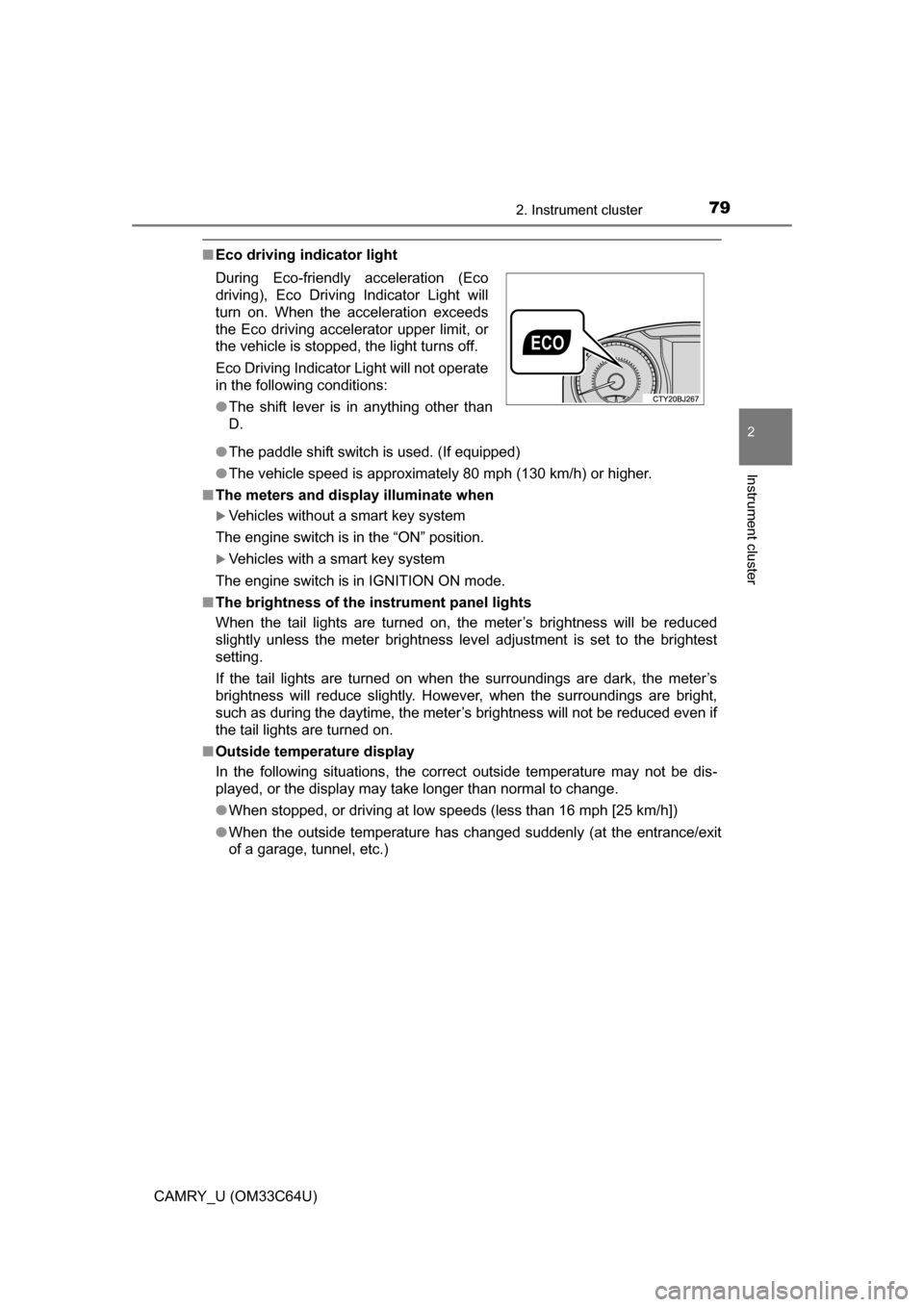
■Eco driving indicator light
●The paddle shift switch is used. (If equipped)
● The vehicle speed is approximately 80 mph (130 km/h) or higher.
■ The meters and display illuminate when
Vehicles without a smart key system
The engine switch is in the “ON” position.
Vehicles with a smart key system
The engine switch is in IGNITION ON mode.
■ The brightness of the instrument panel lights
When the tail lights are turned on, the meter’s brightness will be reduced
slightly unless the meter brightness level adjustment is set to the brightest
setting.
If the tail lights are turned on when the surroundings are dark, the met\
er’s
brightness will reduce slightly. Howe ver, when the surroundings are bright,
such as during the daytime, the meter’s brightness will not be reduced even if
the tail lights are turned on.
■ Outside temperature display
In the following situations, the correct outside temperature may not be \
dis-
played, or the display may take longer than normal to change.
●When stopped, or driving at low speeds (less than 16 mph [25 km/h])
● When the outside temperature has changed suddenly (at the entrance/exit
of a garage, tunnel, etc.)
During Eco-friendly acceleration (Eco
driving), Eco Driving Indicator Light will
turn on. When the acceleration exceeds
the Eco driving accelerator upper limit, or
the vehicle is stopped, the light turns off.
Eco Driving Indicator Light will not operate
in the following conditions:
●
The shift lever is in anything other than
D.
Page 84 of 568

842. Instrument cluster
CAMRY_U (OM33C64U)■
Changing the settings
Select using the meter control switch.
Select an item and then set it with the center button.
■Customizable items
●Language
Select to change the language displayed on the multi-information
display.
● Units
Select to change the unit of measure displayed on the multi-infor-
mation display.
● Drive information 1 through 3
Select to select up to 2 items t hat will be displayed on a Drive
information screen, up to 3 Drive information screens can be set.
● Eco driving indicator light
Select to activate/deactivate th e Eco Driving Indicator Light.
(
P. 7 9 )
● Pop-up display
Select to set the following pop-up displays, which may appear in
some situations, on/off.
• Instrument panel brightness adjustment display
• Route guidance display of t he navigation system-linked sys-
tem (if equipped)
• Cruise control operation display (vehicles with dynamic radar cruise control)
• Incoming call display of the hands-free phone system
• Shift position and range display
● Accent color
Select to change the accent colors on the screen, such as the
cursor color.
● Speed limit display
*
Select to set the display of speed limit information stored in the
navigation system (if equipped) to on with the speed limit caution
indicator (yellow) enabled, on with the speed limit caution not
enabled, or off. If enabled, the sp eed limit caution indicator will
come on if the vehicle speed ex ceeds the displayed speed limit.
Settings display
1
2
Page 85 of 568
852. Instrument cluster
2
Instrument cluster
CAMRY_U (OM33C64U)
●Maintenance system (U.S.A.)
Select to reset the message after the required maintenance is
performed. (
P. 381)
● Initialization
Registered or changed meter settings will be deleted or returned
to their default setting.
*: Speed limit display may not be available for some regions.
■Setting display automatic cancelation
In the following situations, a setting display in which the settings can\
be
changed through the meter control switches will automatically be turned off.
●When a warning message appears while the setting display is displayed
● When the vehicle begins to move while the setting display is displayed
■
Tire inflation pressure (vehicles with a tire pressure warning system)
●Vehicles without a smart key system:
It may take a few minutes to display the tire inflation pressure after the
engine switch is turned to the “ON” position. It may also take a few min-
utes to display the tire inflation pr essure after inflation pressure has
been adjusted
Vehicles with a smart key system:
It may take a few minutes to display the tire inflation pressure after the
engine switch is turned to IGNITION ON mode. It may also take a few
minutes to display the tire inflation pressure after inflation pressure has
been adjusted
●“---” may be displayed if the tire information cannot be determined due to
unfavorable radio wave conditions.
●Tire inflation pressure changes with temperature. The displayed values
may also be different from the values measured using a tire pressure
gauge.
■ Liquid crystal display
Small spots or light spots may appear on the display. This phenomenon is
characteristic of liquid crystal displays, and there is no problem continuing to
use the display.
Page 95 of 568

953-1. Key information
3
Operation of each component
CAMRY_U (OM33C64U)
■Panic mode
Vehicles without a smart key system
Vehicles with a smart key system
■ When required to leave the vehicle’s key with a parking attendant
Lock the glove box as circumstances demand. ( P. 343)
Vehicles without a smart key system: Carry the master key for your own use
and provide the attendant with the valet key.
Vehicles with a smart key system: Remove the mechanical key for your own
use and provide the attendant with the electronic key only.
■ If you lose your keys
New genuine keys can be made by your Toyota dealer using the other key
(vehicles without a smart key system) or the other mechanical key (vehicles
with a smart key system) and the key number stamped on your key number
plate. Keep the plate in a safe place such as your wallet, not in the vehicle.
■ When riding in an aircraft
When bringing a key with wireless remote control function onto an aircraft,
make sure you do not press any button on the key while inside the aircra\
ft
cabin. If you are carrying the key in your bag etc., ensure that the buttons are
not likely to be pressed accidentally. Pressing a button may cause the key to
emit radio waves that could interfere with the operation of the aircraft. When is pressed for longer than
about one second, an alarm will sound
intermittently and the vehicle lights will
flash to deter any person from trying to
break into or damage your vehicle.
To stop the alarm, press any button on the
wireless remote control.
When is pressed for longer than
about one second, an alarm will sound
intermittently and the vehicle lights will
flash to deter any person from trying to
break into or damage your vehicle.
To stop the alarm, press any button on the
electronic key.
Page 105 of 568

1053-2. Opening, closing and locking the doors
3
Operation of each component
CAMRY_U (OM33C64U)
■Switching the door unlock functi on (vehicles with a smart key system)
It is possible to set which doors the entry function unlocks using the wireless
remote control.
Turn the engine switch off.
When the indicator light on the key surface is not on, press and hold ,
or for approximately 5 seconds while pressing and holding
.
The setting changes each time an operation is performed, as shown below.
(When changing the setting continuously, release the buttons, wait for at least
5 seconds, and repeat step .)
Vehicles with an alarm: To prevent unintended triggering of the alarm, unlock
the doors using the wireless remote control and open and close a door once
after the settings have been changed. (If a door is not opened within 6\
0 sec-
onds after is pressed, the doors will be locked again and the alarm will
automatically be set.)
In case that the alarm is triggered, immediately stop the alarm. ( P. 69)
■ Conditions affecting the operation of the smart key system or wireless
remote control
Vehicles without a smart key system
P. 9 6
Vehicles with a smart key system
P. 1 1 5
■ Customization
Settings (e.g. unlocking function using a key) can be changed.
(Customizable features: P. 523)
1
2
2
Multi-information
displayUnlocking functionBeep
Holding the driver’s door
handle unlocks only the
driver’s door.
Exterior: Beeps 3
times
Interior: Pings once
Holding the front passen-
ger’s door handle unlocks
all the doors.
Holding either front door
handle unlocks all the
doors.Exterior: Beeps
twice
Interior: Pings once