2017 TOYOTA CAMRY Pedal
[x] Cancel search: PedalPage 216 of 568

2164-5. Using the driving support systems
CAMRY_U (OM33C64U)
■Turning off both TRAC and VSC systems
To turn the TRAC and VSC systems off, press and hold for more than 3
seconds while the vehicle is stopped.
The VSC OFF indicator light will come on and the “TRAC OFF” and a mes-
sage will be shown on the multi-information display
*.
Press again to turn the systems back on.
*: On vehicles with pre-collision system, pre-collision brake assist and pre- collision braking will also be disabled. The pre-collision system warning
light will come on and the message will be shown on the multi-information
display. ( P. 222)
■ When the message is displayed on th e multi-information display show-
ing that TRAC has been disable d even if has not been pressed
TRAC cannot be operated. Contact your Toyota dealer.
■ Sounds and vibrations caused by the ABS, brake assist, TRAC and VSC
systems
● A sound may be heard from the engine compartment when the brake pedal
is depressed repeatedly, when the engine is started or just after the vehicle
begins to move. This sound does not indicate that a malfunction has
occurred in any of these systems.
● Any of the following conditions may occur when the above systems are
operating. None of these indicates that a malfunction has occurred.
• Vibrations may be felt through the vehicle body and steering.
• A motor sound may be heard after the vehicle comes to a stop.
• The brake pedal may pulsate slightly after the ABS is activated.
• The brake pedal may move down slightly after the ABS is activated.
■ EPS operation sound
When the steering wheel is operated, a motor sound (whirring sound) may be
heard. This does not indicate a malfunction.
Page 219 of 568

2194-5. Using the driving support systems
4
Driving
CAMRY_U (OM33C64U)
◆Pre-collision warning
When a high possibility of a
frontal collision is detected, a
buzzer sounds and a message
is shown on the multi-informa-
tion display to urge the driver to
take evasive action.
◆Pre-collision brake assist
When there is a high possibility of a frontal collision, the system
applies greater braking force in relation to how strongly the brake
pedal is depressed.
◆Pre-collision braking
When there is a high possibility of a frontal collision, the system
warns the driver using warning display and buzzer. If the system
determines that a collis ion is unavoidable, the brakes are automati-
cally applied to reduc e the collision speed.
PCS (Pre-Collision System)
: If equipped
When the radar sensor detects possibility of a frontal collision,
brakes are automatically engaged to lessen impact as well as
vehicle damage.
The alert timing for the pre-co llision system can be changed or
turned on/off, as necessary, by operating the switch. (P. 220)
Page 221 of 568

2214-5. Using the driving support systems
4
Driving
CAMRY_U (OM33C64U)
■The pre-collision system is operational when
The pre-collision system is on ( P. 220) and the following conditions are met:
● Pre-collision warning:
• Vehicle speed is greater than approximately 10 mph (15 km/h).
• The speed at which your vehicle is approaching the obstacle or the vehi-
cle running ahead of you is greater than approximately 7 mph (10 km/h).
● Pre-collision brake assist:
• The VSC is not turned off.
• Vehicle speed is greater than approximately 19 mph (30 km/h).
• The speed at which your vehicle is approaching the obstacle or the vehi-
cle running ahead of you is greater than approximately 19 mph (30 km/h).
• The brake pedal is depressed.
● Pre-collision braking:
• The VSC is not turned off.
• Vehicle speed is greater than approximately 10 mph (15 km/h).
• The speed at which your vehicle is approaching the obstacle or the vehi-
cle running ahead of you is greater than approximately 7 mph (10 km/h).
■ Conditions that may trigger the system even if there is no possibility of a
collision
In any of the following situations where the frontal area of the radar sensor is
interrupted, the radar sensor may detect possibility of a frontal collision and
the system may be activated.
●When passing by an oncoming vehicle in a curve or a turn to the right or the
left
● When rapidly approaching an obstacle ahead (e.g.preceding vehicle, toll
gate barrier, etc.)
● When there is a structural object (billboard, low ceiling, fluorescent light,
etc.) above the uphill road ahead
● When driving on a narrow road or through under a low overhead structure
(bridge, tunnel, fly-under, etc.)
● When driving on an uneven road surface
● When there is a metal object, bump, or protrusion on the road surface
● When vehicle’s front part is raised or lowered depending on loading condi-
tions
● When the direction of radar sensor is misaligned by strong impact applied
on an area around the radar sensor, etc.
● When there is an obstacle (guard rail, etc.) by the roadside at the entrance
to a curve
● When the front of your vehicle is pointing upwards (caused by putting a
heavy load in the trunk etc.)
When the system is activated in the situations described above, there is also
a possibility that the brakes may be applied with a force greater than normal.
Page 224 of 568

2244-5. Using the driving support systems
CAMRY_U (OM33C64U)
WARNING
■Limitations of the pre-collision system
The driver is solely responsible for safe driving. Always drive safely, taking
care to observe your surroundings.
Do not use the pre-collision system instead of normal braking operations
under any circumstances. This system will not prevent collisions or lessen
damage or injuries in all cases. Do not overly rely on this system. Failure to
do so may cause an accident, resulting in death or serious injury.
This system has been designed to help avoid and reduce the impact of col-
lisions.
However, the system operates differently depending on the situation ( P.
221). As a result, the same level of performance may not be expected in all
cases. Also, the pre-collision brakes may not operate if the driver is
depressing the brake pedal or turning the steering wheel, as the system will
determine such conditions as collision avoidance operations.
■ Handling the radar sensor
Observe the following to ensure the pre-collision system can function effec-
tively.
Otherwise, the system may not function correctly and could result in an
accident.
● Keep the sensor and grille cover clean at all times.
Clean the sensor and grille cover with a soft cloth so you do not mark or
damage them.
● Do not subject the sensor or surrounding area to a strong impact.
If the sensor moves even slightly off position, the system may not work
normally or malfunction. If the sensor or surrounding area is subject to a
strong impact, always have the area inspected and adjusted by your
Toyota dealer.
● Do not disassemble the sensor.
● Do not attach accessories or stickers to the sensor, grille cover or sur-
rounding area.
● Do not modify or paint the sensor and grille cover.
● If the radar sensor needs to be replaced, contact your Toyota dealer.
Page 350 of 568
3506-3. Using the storage features
CAMRY_U (OM33C64U)
NOTICE
■To prevent failure or damage to data (vehicles with a wireless charger)
● Do not bring magnetic cards, such as a credit card, or magnetic recording
media, close to the wireless charger. Otherwise, data may be erased due
to the influence of magnetism.
Additionally, do not bring precision instruments such as wrist watches,
close to the wireless charger, as such objects may malfunction.
● Do not leave portable devices in the cabin. The temperature inside the
cabin may become high when parked in the sun, and cause damage to the
device.
■ To prevent battery discharge (vehicles with a wireless charger)
Do not use the wireless charger for a long period of time with the engine is
stopped.
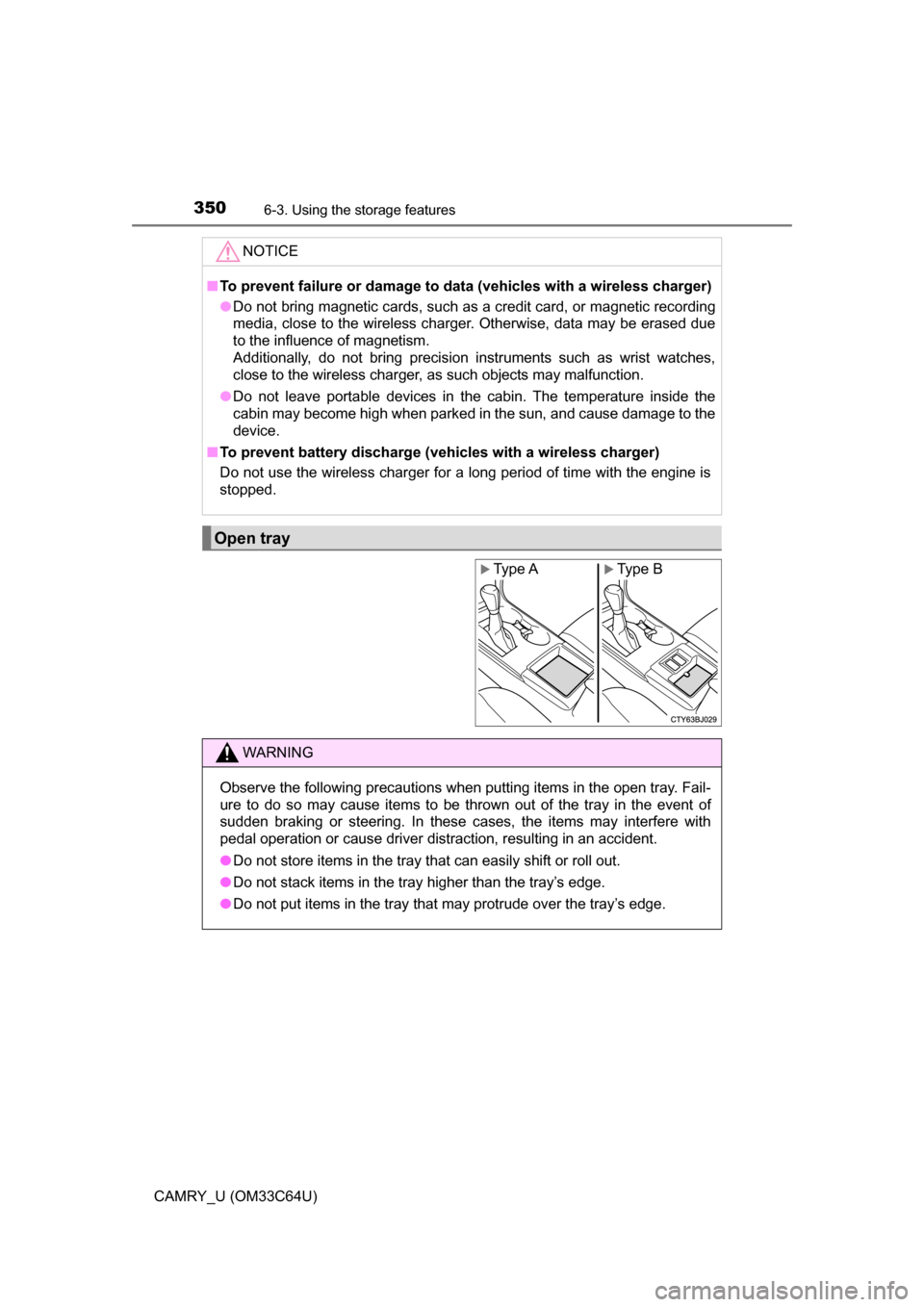
Open tray
Type AXType B
WARNING
Observe the following precautions when putting items in the open tray. Fail-
ure to do so may cause items to be thrown out of the tray in the event of
sudden braking or steering. In these cases, the items may interfere with
pedal operation or cause driver distraction, resulting in an accident.
● Do not store items in the tray that can easily shift or roll out.
● Do not stack items in the tray higher than the tray’s edge.
● Do not put items in the tray that may protrude over the tray’s edge.
Page 384 of 568
3847-2. Maintenance
CAMRY_U (OM33C64U)
Vehicle interior
ItemsCheck points
Accelerator pedal
• The accelerator pedal shouldmove smoothly (without uneven
pedal effort or catching).
Automatic transmission “Park”
mechanism• When parked on a slope and the
shift lever is in P, is the vehicle
securely stopped?
Brake pedal
• Does the brake pedal movesmoothly?
• Does the brake pedal have appro-
priate clearance from the floor? (P. 503)
• Does the brake pedal have the
correct amount of free play? (P. 503)
Brakes
• The vehicle should not pull to one
side when the brakes are applied.
• The brakes should work effec-
tively.
• The brake pedal should not feel spongy.
• The brake pedal should not get too close to the floor when the
brakes are applied.
Head restraints (front seat)• Do the head restraints move
smoothly and lock securely?
Indicators/buzzers• Do the indicators and buzzersfunction properly?
Lights • Do all the lights come on?
Parking brake
• Does the parking brake pedal move smoothly?
• When parked on a slope and the parking brake is on, is the vehicle
securely stopped?
Page 439 of 568
4398-1. Essential information
8
When trouble arises
CAMRY_U (OM33C64U)
Steadily step on the brake pedal with both feet and firmly depress it.
Do not pump the brake pedal repeatedly as this will increase the effort
required to slow the vehicle.
Shift the shift lever to N.
If the shift lever is shifted to N
After slowing down, stop the vehicle in a safe place by the road.
Stop the engine.
If the shift lever cannot be shifted to N
Keep depressing the brake pedal with both feet to reduce vehicle
speed as much as possible.
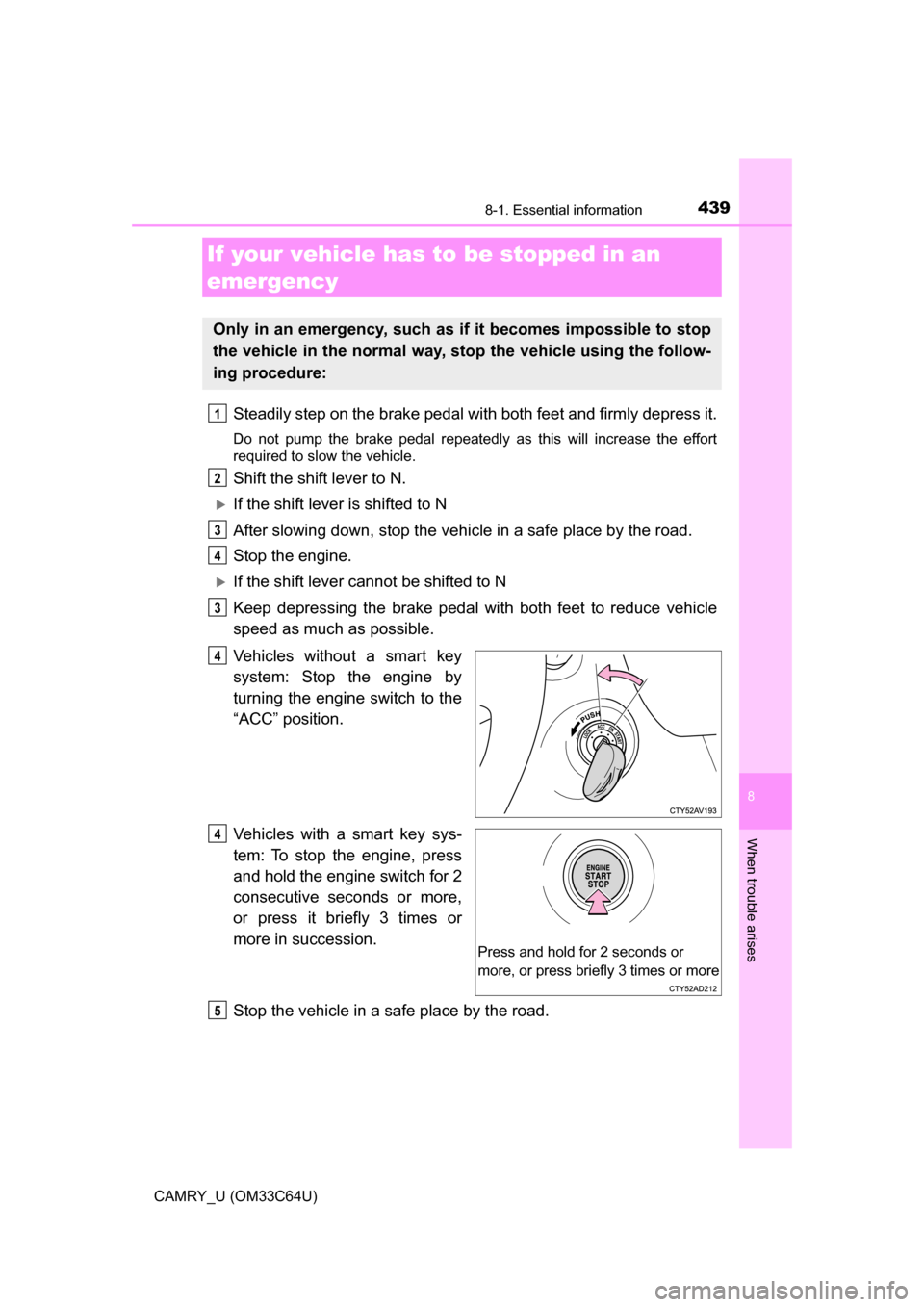
Vehicles without a smart key
system: Stop the engine by
turning the engine switch to the
“ACC” position.
Vehicles with a smart key sys-
tem: To stop the engine, press
and hold the engine switch for 2
consecutive seconds or more,
or press it briefly 3 times or
more in succession.
Stop the vehicle in a safe place by the road.
If your vehicle has to be stopped in an
emergency
Only in an emergency, such as if it becomes impossible to stop
the vehicle in the normal way, st op the vehicle using the follow-
ing procedure:
1
2
3
4
3
4
Press and hold for 2 seconds or
more, or press briefly 3 times or more
4
5
Page 440 of 568
4408-1. Essential information
CAMRY_U (OM33C64U)
WARNING
■If the engine has to be turned off while driving
● Power assist for the brakes and steering wheel will be lost, making the
brake pedal harder to depress and the steering wheel heavier to turn.
Decelerate as much as possible before turning off the engine.
● Vehicles without a smart key system: Never attempt to remove the key, as
doing so will lock the steering wheel.