2017 TOYOTA AURIS HYBRID fuel
[x] Cancel search: fuelPage 94 of 664

942. Instrument cluster
AURIS Touring Sports_EE (12L13E)
*1: These lights, except those shown on the multi-information display, turn on
when the engine switch is turned to the “ON” position (vehicles without a
smart entry & start system) or IGNITION ON mode (vehicles with a smart
entry & start system) to indicate that a system check is being performed.
They will turn off after the engine is started, or after a few seconds. There
may be a malfunction in a system if a light does not come on, or turn off.
Have the vehicle inspected by any authorized Toyota dealer or repairer, or
another duly qualified and equipped professional.
*2: The light flashes to indicate a malfunction.
*3: The light flashes quickly to indicate that the steering lock has not been
released.
*4: This light illuminates on the center panel.
*3
(Green)
(if equipped)
Smart entry & start sys-
tem indicator (P. 213)
*4
Rear passengers’ seat
belt reminder lights
(P. 549)
(Yellow)
(if equipped)
Smart entry & start sys-
tem indicator (P. 549)*1
(if equipped)
Tire pressure warning
light (P. 550)
Low fuel level warning
light (P. 549)*1
(if equipped)
Master warning light
(P. 550)
Driver’s and front pas-
senger’s seat belt
reminder light (P. 549)
AURIS Touring Sports_OM_Europe_OM12L13E.book 94 ページ 2016年6月27日 月曜日 午後5時21分
Page 99 of 664
992. Instrument cluster
AURIS Touring Sports_EE (12L13E)
2
Instrument cluster
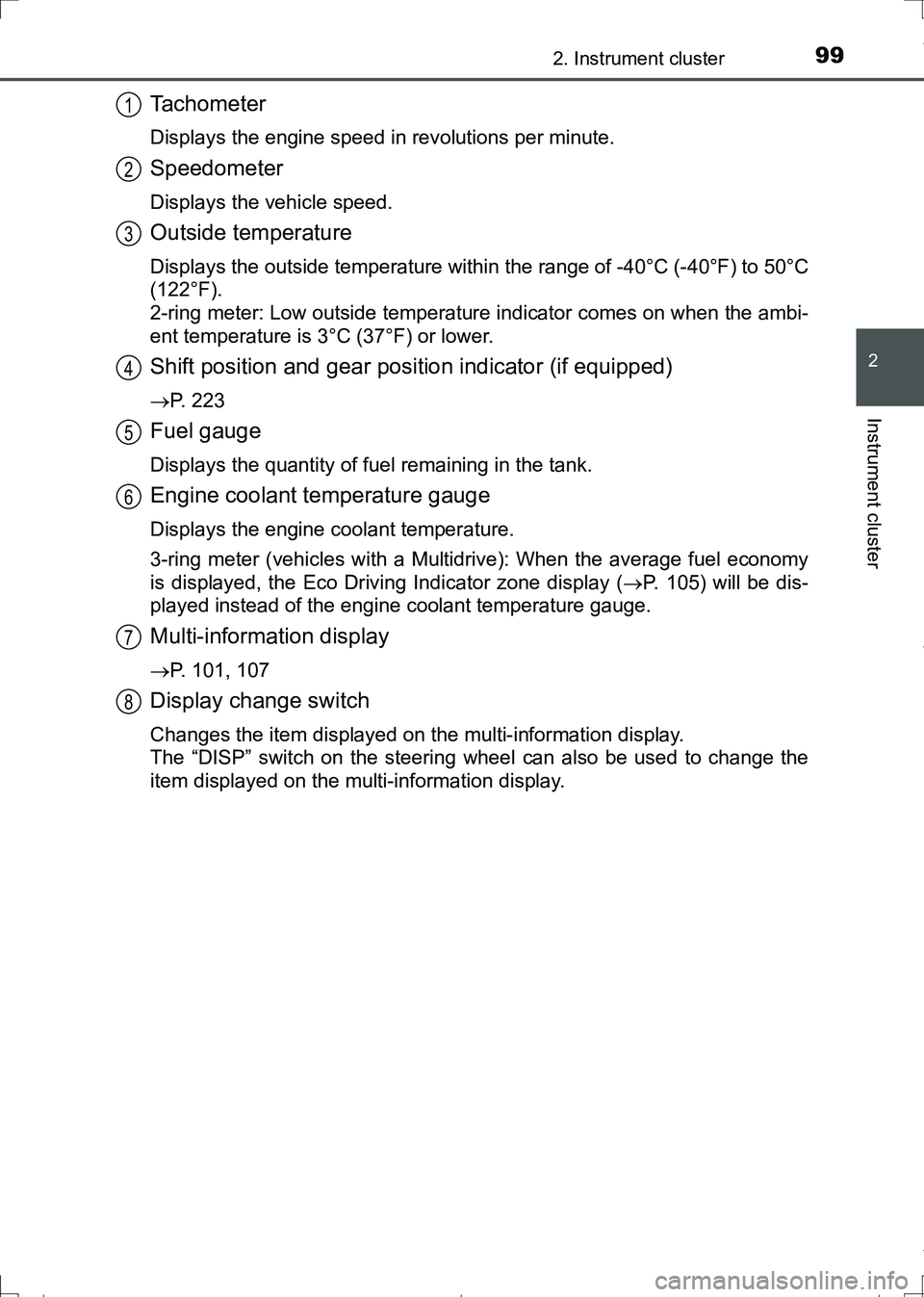
Tachometer
Displays the engine speed in revolutions per minute.
Speedometer
Displays the vehicle speed.
Outside temperature
Displays the outside temperature within the range of -40°C (-40°F) to 50°C
(122°F).
2-ring meter: Low outside temperature indicator comes on when the ambi-
ent temperature is 3°C (37°F) or lower.
Shift position and gear position indicator (if equipped)
P. 223
Fuel gauge
Displays the quantity of fuel remaining in the tank.
Engine coolant temperature gauge
Displays the engine coolant temperature.
3-ring meter (vehicles with a Multidrive): When the average fuel economy
is displayed, the Eco Driving Indicator zone display (P. 105) will be dis-
played instead of the engine coolant temperature gauge.
Multi-information display
P. 101, 107
Display change switch
Changes the item displayed on the multi-information display.
The “DISP” switch on the steering wheel can also be used to change the
item displayed on the multi-information display.
1
2
3
4
5
6
7
8
AURIS Touring Sports_OM_Europe_OM12L13E.book 99 ページ 2016年6月27日 月曜日 午後5時21分
Page 101 of 664

1012. Instrument cluster
AURIS Touring Sports_EE (12L13E)
2
Instrument cluster
The multi-information display presents the driver with a variety of driv-
ing-related data, such as the current outside temperature.
●Engine coolant temperature
gauge (P. 98)
●Outside temperature (P. 9 8 )
●Shift position and gear position
indicator (if equipped)
(P. 223)
●Trip information/Drive informa-
tion/Meter light control (P.
102)
Displays the following items:
•Odometer
•Trip meter
• Stop & Start system operation time (if equipped)
• Stop & Start system total operation time (if equipped)
• Average fuel consumption
• Driving range
• Meter light control
●Display customization (P. 104)
• Eco Driving Indicator Light (if equipped)
• Stop & Start system operation time (if equipped)
Multi-information display (3-ring meter)
Display content
AURIS Touring Sports_OM_Europe_OM12L13E.book 101 ページ 2016年6月27日 月曜日 午後5時21分
Page 103 of 664
1032. Instrument cluster
AURIS Touring Sports_EE (12L13E)
2
Instrument cluster
■Average fuel consumption
“ ” will be displayed.
Displays the average fuel consumption since the function was
reset.
• To reset, display the average fuel consumption and press and hold the
display change switch or the “DISP” switch.
• Vehicles with a Multidrive: When the display is changed to the average
fuel economy display, the Eco Driving Indicator zone display (P. 105)
will be displayed instead of the engine coolant temperature gauge.
• Use the displayed average fuel consumption as a reference.
■
Driving range
“ ” will be displayed.
Displays the estimated maximum distance that can be driven with
the quantity of fuel remaining.
• This distance is computed based on your average fuel consumption. As
a result, the actual distance that can be driven may differ from that dis-
played.
• When only a small amount of fuel is added to the tank, the display may
not be updated.
• When refueling, turn the engine switch off. If the vehicle is refueled with-
out turning the engine switch off, the display may not be updated.
■
Meter light control display
Displays the meter light control display.
• The meter light control display can only be displayed when the tail lights
are on.
• The brightness of the meters can only be adjusted when the tail lights
are on.
• To adjust the brightness, display the meter light control display and
press and hold the display change switch or the “DISP” switch.
AURIS Touring Sports_OM_Europe_OM12L13E.book 103 ページ 2016年6月27日 月曜日 午後5時21分
Page 105 of 664

1052. Instrument cluster
AURIS Touring Sports_EE (12L13E)
2
Instrument cluster
■Eco Driving Indicator (if equipped)
Eco Driving Indicator will not operate under the following conditions:
●The shift lever is in any position other than D.
●A paddle shift switch (if equipped) is operated.
●Sport mode is selected.
●The vehicle speed is approximately 130 km/h (80 mph) or higher.
■Stop & Start system operation time pop-up display (if equipped)
When enabled (P. 104), the current Stop & Start system operation time will
be displayed on the multi-information display.
■Brightness of the meters
When the tail lights are turned on, the brightness will be reduced slightly
unless the meters are set to the maximum brightness level.
■When disconnecting and reconnecting battery terminals
The following information data will be reset:
●Average fuel consumption
●Driving range
■Liquid crystal display
Small spots or light spots may appear on the display. This phenomenon is
characteristic of liquid crystal displays, and there is no problem continuing to
use the display.Eco Driving Indicator Light
During Eco-friendly acceleration (Eco
driving), the Eco Driving Indicator Light
will turn on. When the acceleration
exceeds the Zone of Eco driving, or
when the vehicle is stopped, the light
turns off.
Eco Driving Indicator Zone Display
Suggests the Zone of Eco driving with
current Eco driving ratio based on
acceleration.
Eco driving ratio based on acceleration
If the acceleration exceeds the Zone of Eco driving, the right side of the
Eco Driving Indicator Zone Display blinks and the Eco Driving Indicator
light will turn off.
Zone of Eco driving
1
2
3
4
AURIS Touring Sports_OM_Europe_OM12L13E.book 105 ページ 2016年6月27日 月曜日 午後5時21分
Page 111 of 664

1112. Instrument cluster
AURIS Touring Sports_EE (12L13E)
2
Instrument cluster
◆Drive information
■Drive information 1/Drive information 2/Drive information 3
Displays drive information such as the following:
●Drive information 1
• Current fuel consumption (gauge display)
• Average fuel economy (after reset)
●Drive information 2
• Distance (driving range)
• Average vehicle speed (after reset)
●Drive information 3 (if equipped)
• Stop & Start system operation time (after start)
• Stop & Start system operation time (after reset)
Displayed items (listed below) can be changed on the settings dis-
play. (P. 113)
ItemContent
Current fuel con-
sumption
(gauge display)Displays the current rate of fuel consump-
tion on a gauge display
Current fuel con-
sumption
(numeric display)Displays the current rate of fuel consump-
tion as a number
Average fuel
economy
(after reset)Displays average fuel consumption since
display reset
*2, 3
Average fuel
economy
(after start)Displays average fuel consumption since
engine start
*3
Average fuel
economy
(after refuel)Displays average fuel consumption since
refuel
*3, 4
Stop & Start sys-
tem operation time
(after reset)
*1
Displays the total amount of time the engine
has been stopped due to the operation of
the Stop & Start system since the system
was last reset
*2
Stop & Start sys-
tem operation time
(after start)
*1
Displays the amount of time the engine has
been stopped due to the operation of the
Stop & Start system since the engine was
started
AURIS Touring Sports_OM_Europe_OM12L13E.book 111 ページ 2016年6月27日 月曜日 午後5時21分
Page 112 of 664
1122. Instrument cluster
AURIS Touring Sports_EE (12L13E)
*1: If equipped
*2: Values that can be reset will be displayed with a circle ( ) in the upper
right corner.
To reset, display the desired item and press and hold switch. If both
displayed items are resettable, a reset selection screen will appear.
*3: Use the displayed fuel consumption as a reference.
*4: When only a small amount of fuel is added to the tank, the display may not
be updated.
When refueling, turn the engine switch off. If the vehicle is refueled without
turning the engine switch off, the display may not be updated.
*5: This distance is computed based on your average fuel consumption. As a
result, the actual distance that can be driven may differ from that dis-
played.
■
Eco Driving Indicator (if equipped)
P. 1 1 5
■Digital speedometer
Displays vehicle speed as a number.
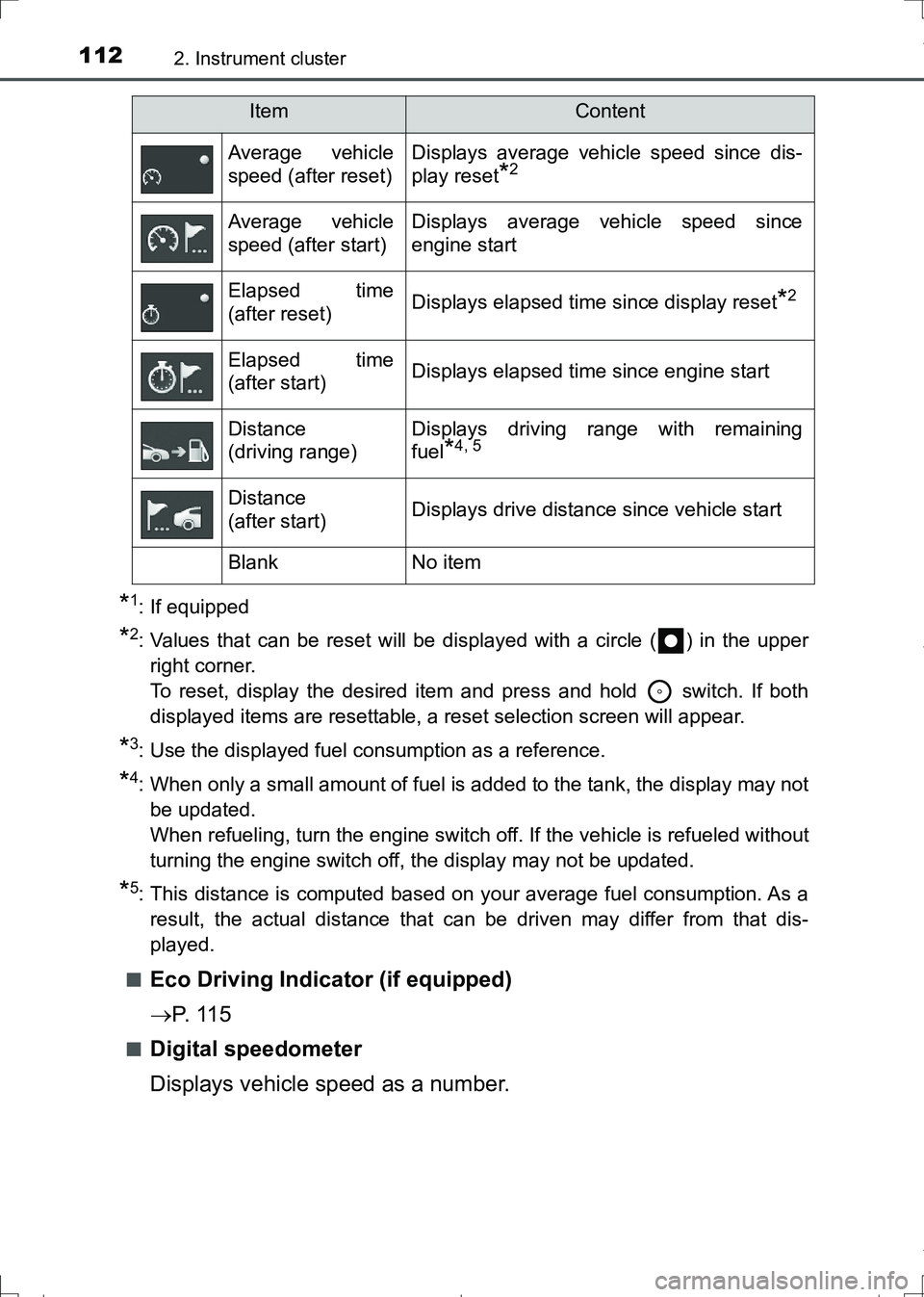
Average vehicle
speed (after reset)Displays average vehicle speed since dis-
play reset
*2
Average vehicle
speed (after start)Displays average vehicle speed since
engine start
Elapsed time
(after reset)Displays elapsed time since display reset*2
Elapsed time
(after start)Displays elapsed time since engine start
Distance
(driving range)Displays driving range with remaining
fuel
*4, 5
Distance
(after start)Displays drive distance since vehicle start
BlankNo item
ItemContent
AURIS Touring Sports_OM_Europe_OM12L13E.book 112 ページ 2016年6月27日 月曜日 午後5時21分
Page 116 of 664

1162. Instrument cluster
AURIS Touring Sports_EE (12L13E)■Brightness of the meters (day mode and night mode)
●The brightness of the meters is changed between day mode and night
mode.
Vehicles without automatic light control system
• Day mode: When the tail lights are off
• Night mode: When the tail lights are on
Vehicles with automatic light control system
• Day mode: When the tail lights are off or when the tail lights are on but
the surrounding area is bright
• Night mode: When the tail lights are on and the surrounding area is dark
●When in night mode, the brightness will be reduced slightly unless the
meters are set to the maximum brightness level.
■Suspension of the settings display
●While driving, the multi-information display cannot be changed to setting
mode. Before changing the settings, stop the vehicle in a safe place.
●In the following situations, operation of some of the settings display may be
temporarily suspended.
• When a warning message appears on the multi-information display
• When the vehicle begins to move
■When disconnecting and reconnecting battery terminals
The drive information data
* will be reset.
*: Except Stop & Start system operation time
■Liquid crystal display
Small spots or light spots may appear on the display. This phenomenon is
characteristic of liquid crystal displays, and there is no problem continuing to
use the display.
■Ending display
When the engine switch is turned off, the following information about the cur-
rent trip will be temporarily displayed on the multi-information display.
●Elapsed time (after start)
●Distance (after start)
●Average fuel economy (after start)
AURIS Touring Sports_OM_Europe_OM12L13E.book 116 ページ 2016年6月27日 月曜日 午後5時21分