Page 170 of 428
1702-2. Instrument cluster
Press the “DISP” switch. The hundredth place flashes.
After flashing, the number
changes each time the button is
pressed and held.
Press the “DISP” switch. A buzzer sounds once, and setting of the engine speed value is
complete.
Press and hold the “DISP”
switch. Each time the “DISP” switch is
pressed and held, the buzzer
changes between activated and
deactivated.
“b-on”: Buzzer activated
“b-oFF”: Buzzer deactivated
When the setting changes from
“b-oFF” to “b-on”, the buzzer
sounds 3 times.
Press the “DISP” switch. When the buzzer sounds, all settings have been completed. The set-
tings are displayed.
■ Deactivating the REV indicator settings
After setting the thousandth
place to “-”, press the “DISP”
switch once.STEP 3
STEP 4
STEP 5
STEP 6
Page 180 of 428
1802-4. Using other driving systems
■ Adjusting the set speed
To change the set speed, operate the lever until the desired set
speed is obtained.
Increases the speed
Decreases the speed Fine adjustment: Momentarily
move the lever in the desired
direction.
Large adjustment: Hold the
lever in the desired direction.
The set speed will be increased or decreased as follows:
Fine adjustment (vehicles with a km/h odometer display): By approxi-
mately 0.6 mph (1 km/h) each time the lever is operated.
Fine adjustment (vehicles with an mph odometer display): By approxi-
mately 1 mph (1.6 km/h) each time the lever is operated.
Large adjustment: The set speed can be increased or decreased con-
tinually until the lever is released.
Page 221 of 428
2213-3. Using the interior lights
3
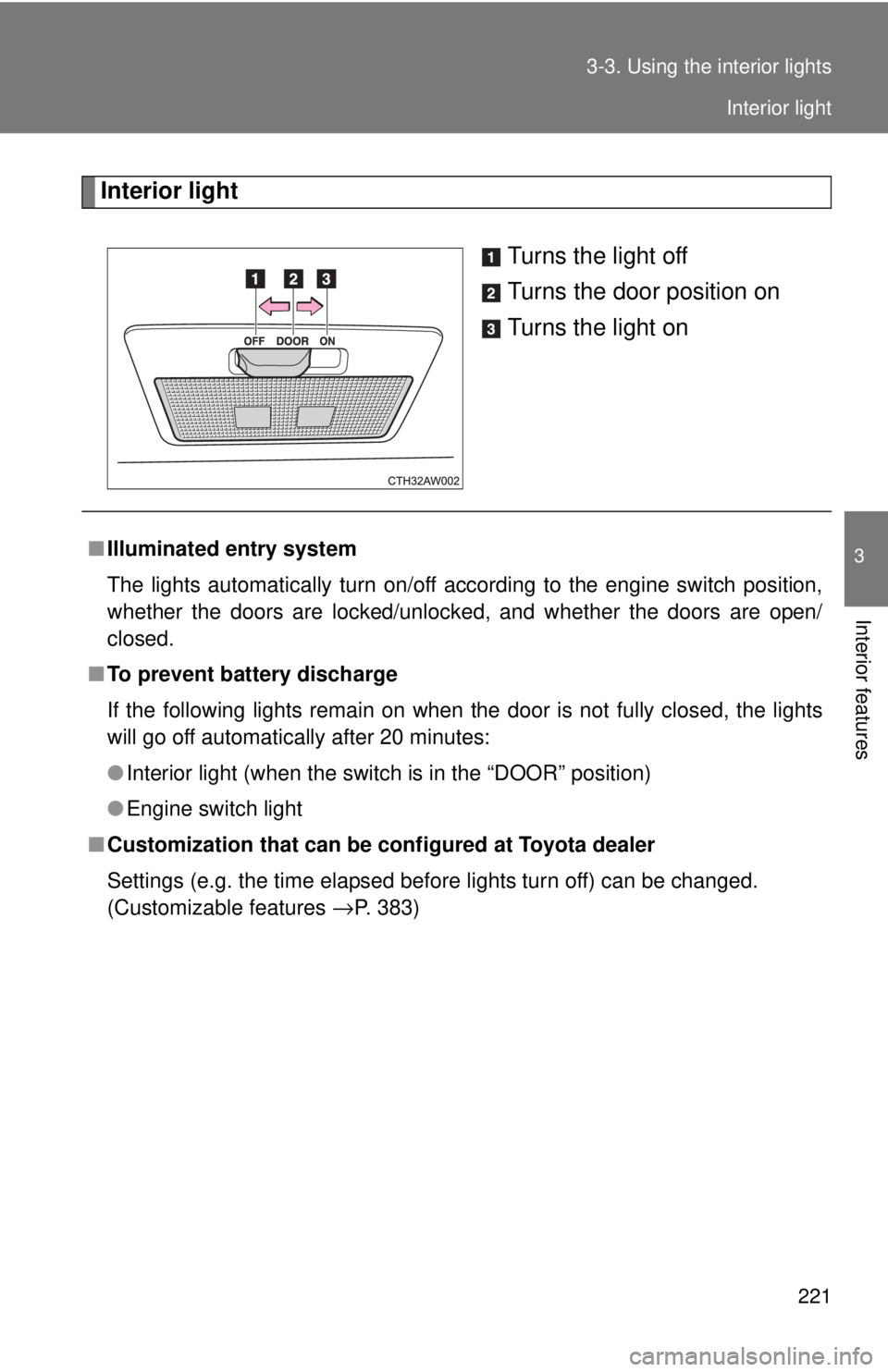
Interior features Interior light
Turns the light off
Turns the door position on
Turns the light on
■ Illuminated entry system
The lights automatically turn on/off according to the engine switch position,
whether the doors are locked/unlocked, and whether the doors are open/
closed.
■ To prevent battery discharge
If the following lights remain on when the door is not fully closed, the lights
will go off automatically after 20 minutes:
● Interior light (when the switch is in the “DOOR” position)
● Engine switch light
■ Customization that can be co nfigured at Toyota dealer
Settings (e.g. the time elapsed before lights turn off) can be changed.
(Customizable features
→ P. 383) Interior light
Page 383 of 428
383 6
Vehicle specifications 6-2. Customization
Customizable features Item Function Default setting Customized
setting
Wireless
remote con-
trol
(
→ P. 24) Unlocking operation Driver's door
unlocked in
one step, both
side doors
unlocked in
two steps Both side
doors
unlocked in
one step
Automatic door lock
function to be activated
if door is not opened
after being unlocked On Off
Time elapsed before
automatic door lock
function is activated if
door is not opened after
being unlocked 60 seconds 30 seconds
120 seconds
Operation signal
(Emergency flashers) On Off
Operation signal
(Buzzer) On Off
Operation buzzer vol-
ume Level 5 Level 0 to 7Your vehicle includes a variety of electronic features that can be per-
sonalized to your preferences. Programming these preferences
requires specialized equipment and may be performed by your
Toyota dealer.
Some function settings are changed simultaneously with other functions
being customized. Contact your Toyota dealer.