2017 SUBARU CROSSTREK warning
[x] Cancel search: warningPage 324 of 572

Audio/Hands–free phone system
Hands-free phone system
The hands-free system enables calls to be
made and received without having to take
your hands off the steering wheel.
This system supports Bluetooth. Bluetooth
is a wireless data system that enables cell
phones to be used without being con-
nected by a cable or placed in a cradle.
The operating procedure of the phone is
explained here.
WARNING
.While driving, do not use a cell
phone or connect the Bluetooth
phone. Doing so may result in
loss of control of your vehicle
and cause an accident or serious
injury.
.Your audio unit is fitted with
Bluetooth antennas. People with
implantable cardiac pacemakers,
cardiac resynchronization ther-
apy-pacemakers or implantable
cardioverter defibrillators should
maintain a reasonable distance
between themselves and the
Bluetooth antennas. The radio
waves may affect the operation
of such devices..Before using Bluetooth devices,
users of any electrical medical
device other than implantable
cardiac pacemakers, cardiac re-
synchronization therapy-pace-
makers or implantable cardiover-
ter defibrillators should consult
the manufacturer of the device
for information about its opera-
tion under the influence of radio
waves. Radio waves could have
unexpected effects on the opera-
tion of such medical devices.CAUTION
Do not leave your cell phone in the
vehicle. The temperature inside may
rise to a level that could damage the
phone.
NOTE
.If your cell phone does not support
Bluetooth, this system cannot function.
.In the following conditions, the sys-
tem may not function:
–The cell phone is turned off.
–The current position is outside
the communication area.
–The cell phone is not connected.
–The cell phone has a low battery..When using the hands free function
and other Bluetooth functions at the
same time, the following problems may
occur:
–The Bluetooth connection may
be cut.
–Noise may be heard when play-
ing back voice with the Bluetooth
function.
.The other party’s voice will be heard
from the front speakers. The audio/
visual system will be muted during
phone calls or when hands-free voice
commands are used.
.Talk alternately with the other party
on the phone. If both parties speak at
the same time, the other party may not
hear what has been said. (This is not a
malfunction.)
.Keep call volume down. Otherwise,
the other party’s voice may be audible
outside the vehicle and voice echo may
increase. When talking on the phone,
speak clearly towards the microphone.
.The other party may not hear you
clearly when:
–Drivingonanunpavedroad.
(Making excessive traffic noise.)
–Driving at high speeds.
–The moonroof or windows are
open.
–The air conditioning vents are
5-70
Page 357 of 572

appliance that can be connected
is 120W. Do not use an appliance
which exceeds the indicated wat-
tage for each outlet.
When using appliances con-
nected to two outlets simulta-
neously, the total power con-
sumed by them must not exceed
120W. Overloading the accessory
power outlet can cause a short
circuit. Do not use double adap-
ters or more than one electrical
appliance.
.If the plug on your electric appli-
ance is either too loose or too
tight for the accessory power
outlet, this can result in a poor
contact or cause the plug to get
stuck. Only use plugs that fit
properly.
.Use of an electric appliance in the
accessory power outlet for a long
period of time while the engine is
not running can cause battery
discharge.
.Before driving your vehicle, make
sure that the plug and the cord
on your electrical appliance will
not interfere with your shifting
gears and operating the accel-
erator and brake pedals. If theydo, do not use the electrical
appliance while driving.
NOTE
When the lid of the center console is
closed, an opening remains between
the center console and the lid to allow
the power outlet in the center console
to be used. Pass the cord of the
electrical appliance through this open-
ing.
&Use with a cigarette lighter
(dealer option)
To use the accessory power outlet as a
cigarette lighter socket, purchase the
cigarette lighter plug, which is an optional
accessory. A cigarette lighter plug isavailable from your SUBARU dealer.
The cigarette lighter operates only when
the ignition switch is in the“ON”or“ACC”
position.
To use the cigarette lighter, push in the
knob and wait a few moments. It will
automatically spring up when ready for
use.
WARNING
To avoid being burned, never grasp
the lighter by the end with the
heating element. Doing so could
result in injury and could also
damage the heating element.
CAUTION
.Do not hold the lighter pushed in,
because it will overheat.
.The electrical power socket is
originally designed to use a gen-
uine SUBARU cigarette lighter
plug. Do not use a non-genuine
cigarette lighter plug in the sock-
et. Doing so may cause a short-
circuit and overheating, resulting
in a fire.
.If the socket is ever used for a
plug-in accessory such as a cell
Interior equipment/Accessory power outlets
–CONTINUED–6-9
Page 360 of 572

Interior equipment/Shopping bag hook
WARNING
Obey the following instructions.
.Do not hang coat hangers or
other hard or pointed objects on
the coat hooks. Hang clothing
directly on the coat hooks with-
out using hangers.
.Before hanging clothing on the
coat hooks, make sure there are
no pointed objects in the pock-
ets.
If these instructions are ignored, the
following may occur in sudden
stops or in a collision, causing
serious injuries.
.Items may be thrown through the
cabin.
.SRS curtain airbags may be pre-
vented from deploying properly.
CAUTION
Never hang anything on the coat
hook that might obstruct the driver’s
view or that could cause injury in
sudden stops or in a collision.
Shopping bag hook
CAUTION
Do not hang items on the shopping
bag hook that weigh 6 lbs (3 kg) or
more.
A shopping bag hook is attached to each
side of the cargo area.
Cargo area cover (if
equipped)
The cargo area cover is provided for
covering the cargo area and to protect its
contents from direct sunlight. This cover is
detachable to make room for additional
cargo.
&Using the cover
To extend the cover, pull the end of the
cover out of the housing, then insert its
hooks into the catches as shown. To
rewind it, unhook it from the catches and
it will rewind automatically. You should
hold on to the cover and guide it back into
the cover housing while it is rewinding.
6-12
Page 361 of 572

WARNING
Do not place anything on the ex-
tended cover. Putting excessive
weight on the extended cover can
break it and an object on the cover
could tumble forward in the event of
a sudden stop or collision. This
could cause serious injury.
CAUTION
Be careful not to scratch the rear
gate stays while extending and
rewinding the cover.
Scratches on the stays could cause
leakage of gas from the stays, which
may result in their inability to hold
the rear gate open.
&To remove the cover housing
1. Rewind the cover.
2. Push the cover housing to the right
side and shorten it.
3. Take it off the retainer.
&Stowage of the cargo area
cover
The cargo area cover can be stowed in
under the cargo floor.
1. Raise and fold the rear end of the
cargo floor board.
Interior equipment/Cargo area cover
–CONTINUED–6-13
Page 363 of 572

Rear view camera
A rear view camera is attached to the rear
gate. When the ignition switch is“ON”and
the shift lever (MT models) or select lever
(CVT models) is set to“R”, the rear view
camera automatically displays the rear
view image behind the vehicle on one of
the following displays.
.Navigation display (if equipped)
.Audio display (if equipped)
WARNING
.Since the rear view camera uses
a wide-angle lens, the image on
the monitor is different from the
actual view in terms of distance.
.Since the range of the image onthe monitor is limited, you should
always check the rear view and
the surrounding area with your
eyes and mirrors, and move
backward at a slow speed. Mov-
ing backward only by checking
the rear view image from the
camera could cause an accident.
.Do not disassemble or modify the
camera, switch or wiring. If
smoke comes out or you smell
a strange odor, stop using the
rear view camera immediately.
Contact your SUBARU dealer
for an inspection. Continued use
may result in accident, fire or
electric shock.
CAUTION
.If your vehicle is washed with a
high-pressure washer, do not
allow water to contact the camera
directly. Entry of water in the
camera lens may result in con-
densation, malfunction, fire or
electric shock.
.Since the camera is a precision
device, do not subject it to strong
impacts. Otherwise, malfunction,
fire or electric shock may occur..If mud or snow sticks to or is
frozen on the camera, you must
be very careful when removing it.
Otherwise, damage to the camera
may cause a fire or electric
shock. Pour water or lukewarm
water over the camera to remove
mud and ice, and wipe it with a
soft, dry cloth.
.Do not put a flame close to the
camera or wiring. Otherwise, da-
mage or fire may occur.
.When replacing the fuse, be sure
to use a fuse with the specified
rating. Use of a fuse with a
different rating may result in a
malfunction.
.If the rear view camera is used for
a long time while the engine is
not operated, the battery may
become completely discharged.
NOTE
.Do not wipe the camera with alcohol,
benzine or paint thinner. Otherwise,
discoloration may occur. To remove
contamination, wipe the camera with a
cloth moistened with a diluted neutral
detergent and then wipe it with a soft,
dry cloth.
.When waxing the vehicle, be careful
Interior equipment/Rear view camera
–CONTINUED–6-15
Page 366 of 572

Interior equipment/Rear view camera
wide projection on its upper part such as a
sign pole behind the vehicle, the projec-
tion cannot be seen on the screen.
&Help line
The help line (distance marker and vehicle
width line) is a guide to help you realize
the actual distance from the screen image.
1) Vehicle width line (oblique vertical line)
2) Approx. 10 feet (3 m) from the bumper
(green horizontal line)
3) Approx. 3 feet (1 m) from the bumper
(yellow horizontal line)
4) Approx. 1.5 feet (0.5 m) from the bumper
(red horizontal line)
5) Vehicle centerline
6) Warning message
When the shift lever/select lever is set to
position“R”, the monitor screen displaysthe help lines together with the rear view
image.
CAUTION
.When moving backward, always
check the back with your eyes
without relying on the help lines.
.The actual position may be dif-
ferent from the indication of the
help lines.
.Differences may occur due to
number of passengers or loaded
cargo.
.When the vehicle is on a slope or
when the vehicle is inclined
against the road, the indication
is different from the actual posi-
tion.
.Be sure to observe the displayed
warning message.
NOTE
If you shift to the“R”range shortly
after turning on the ignition switch, the
warning message“Check Surround-
ings Before Backing Up”may not be
displayed. Wait for several seconds or
more after turning on the ignition
switch before shifting to the“R”range.
Then the warning message will bedisplayed.
!Difference between screen image
and actual road
The distance markers show the distance
for a level road when the vehicle is not
loaded. It may be different from the actual
distance depending on the loading condi-
tions or road conditions.
6-18
Page 369 of 572
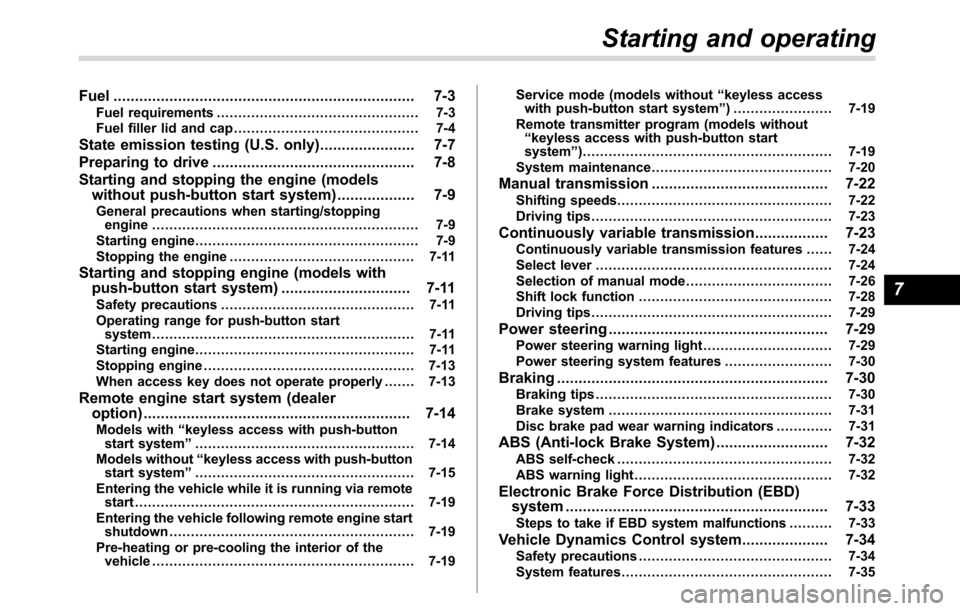
Fuel...................................................................... 7-3
Fuel requirements............................................... 7-3
Fuel filler lid and cap........................................... 7-4
State emission testing (U.S. only)...................... 7-7
Preparing to drive............................................... 7-8
Starting and stopping the engine (models
without push-button start system).................. 7-9
General precautions when starting/stopping
engine.............................................................. 7-9
Starting engine.................................................... 7-9
Stopping the engine........................................... 7-11
Starting and stopping engine (models with
push-button start system).............................. 7-11
Safety precautions............................................. 7-11
Operating range for push-button start
system............................................................. 7-11
Starting engine................................................... 7-11
Stopping engine................................................. 7-13
When access key does not operate properly....... 7-13
Remote engine start system (dealer
option).............................................................. 7-14
Models with“keyless access with push-button
start system”................................................... 7-14
Models without“keyless access with push-button
start system”................................................... 7-15
Entering the vehicle while it is running via remote
start................................................................. 7-19
Entering the vehicle following remote engine start
shutdown......................................................... 7-19
Pre-heating or pre-cooling the interior of the
vehicle............................................................. 7-19Service mode (models without“keyless access
with push-button start system”) ....................... 7-19
Remote transmitter program (models without
“keyless access with push-button start
system”).......................................................... 7-19
System maintenance.......................................... 7-20
Manual transmission......................................... 7-22
Shifting speeds.................................................. 7-22
Driving tips........................................................ 7-23
Continuously variable transmission................. 7-23Continuously variable transmission features ...... 7-24
Select lever....................................................... 7-24
Selection of manual mode.................................. 7-26
Shift lock function............................................. 7-28
Driving tips........................................................ 7-29
Power steering................................................... 7-29
Power steering warning light.............................. 7-29
Power steering system features......................... 7-30
Braking............................................................... 7-30Braking tips....................................................... 7-30
Brake system.................................................... 7-31
Disc brake pad wear warning indicators............. 7-31
ABS (Anti-lock Brake System).......................... 7-32ABS self-check.................................................. 7-32
ABS warning light.............................................. 7-32
Electronic Brake Force Distribution (EBD)
system............................................................. 7-33
Steps to take if EBD system malfunctions.......... 7-33
Vehicle Dynamics Control system.................... 7-34Safety precautions............................................. 7-34
System features................................................. 7-35
Starting and operating
7
Page 370 of 572

Starting and operating
Vehicle Dynamics Control system monitor.......... 7-36
Vehicle Dynamics Control OFF switch................. 7-36
Tire pressure monitoring system (TPMS)
(U.S.-spec. models)......................................... 7-37
Parking your vehicle.......................................... 7-39
Parking brake..................................................... 7-39
Parking tips....................................................... 7-39
Hill start assist system...................................... 7-41
To activate/deactivate the Hill start assist
system............................................................. 7-42
Hill start assist warning light/Hill start assist OFF
indicator light................................................... 7-44
Cruise control (if equipped)............................... 7-44To set cruise control.......................................... 7-44To temporarily cancel the cruise control............. 7-45
To turn off the cruise control.............................. 7-46
To change the cruising speed............................ 7-46
Cruise control indicator light.............................. 7-48
Cruise control set indicator light ........................ 7-48
BSD/RCTA (if equipped).................................... 7-48System features................................................. 7-49
System operation............................................... 7-51
BSD/RCTA approach indicator light/warning
buzzer............................................................. 7-52
BSD/RCTA warning indicator.............................. 7-54
BSD/RCTA OFF switch....................................... 7-55
Certification for the BSD/RCTA........................... 7-55
Handling of radar sensors.................................. 7-56