Page 220 of 540
218 2-2. Instrument cluster
■Drive information (page 3)
Engine coolant temperature
gauge
Displays the engine coolant tem-
perature.
If the engine coolant temperature
gauge needle/indicator enters the
red zone, a buzzer will sound and
a warning message will be dis-
played.
Engine oil temperature gauge
Displays the engine oil tempera-
ture.
Vol tm e te r
Displays the charging voltage.
As voltage displayed may
be different from the actual
battery voltage, use the volt-
meter as a guideline.
●Pressing and holding will turn the range value display on the
engine coolant temperature gauge display on/off.
Page 222 of 540
220 2-2. Instrument cluster
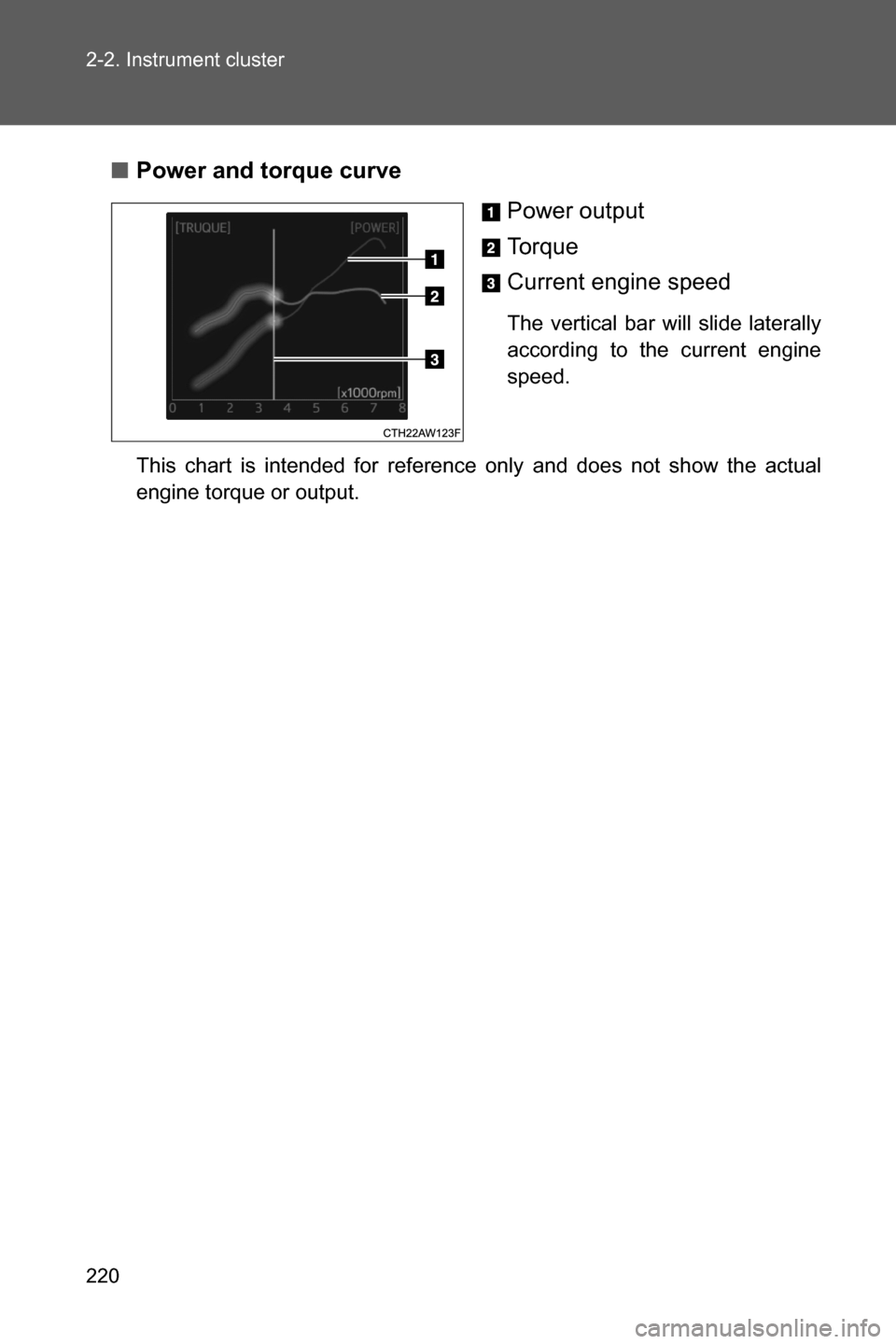
■Power and torque curve
Power output
To r q u e
Current engine speed
The vertical bar will slide laterally
according to the current engine
speed.
This chart is intended for reference only and does not show the actual
engine torque or output.
Page 225 of 540
223 2-2. Instrument cluster
2
When driving
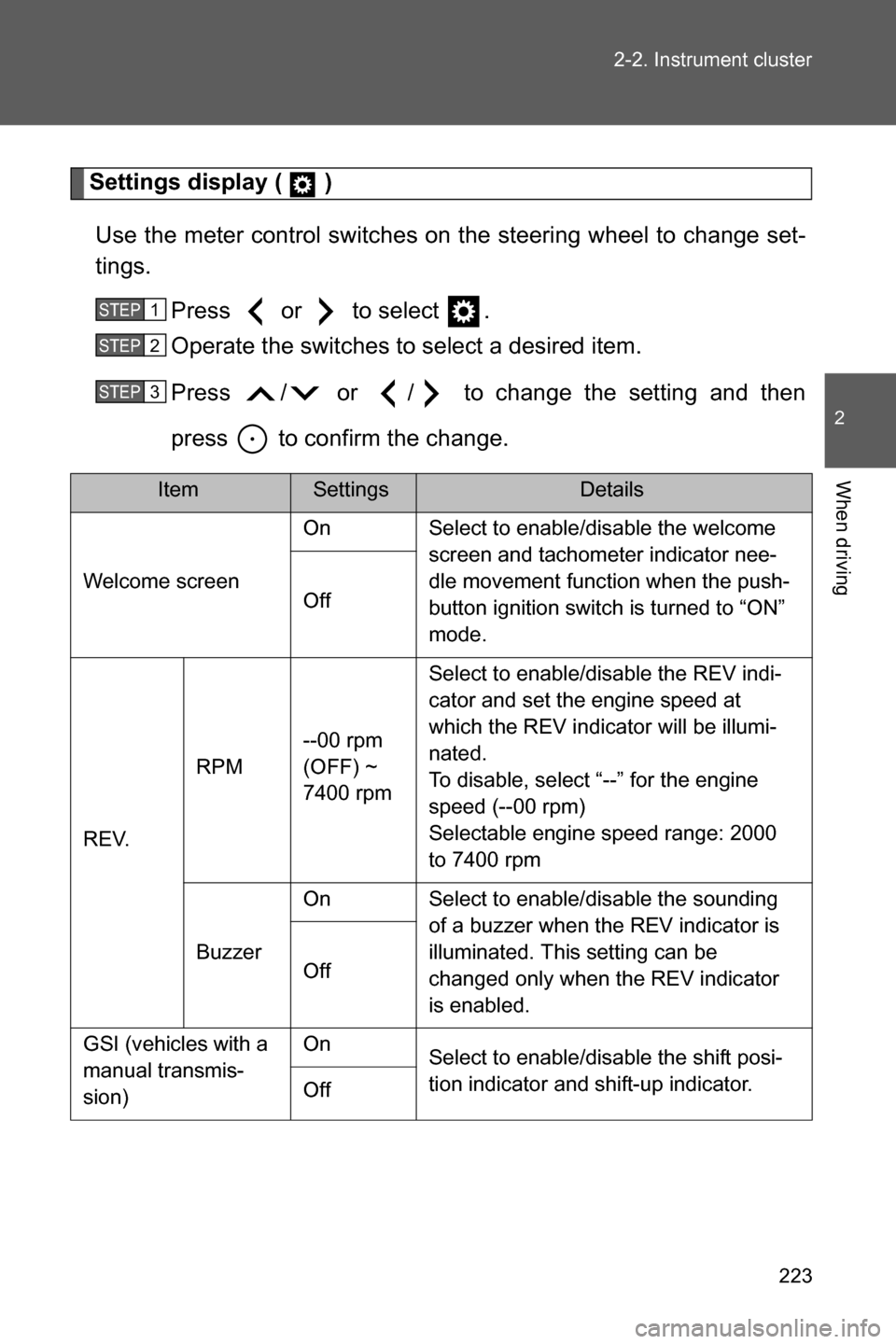
Settings display ( )
Use the meter control switches on the steering wheel to change set-
tings.
Press or to select .
Operate the switches to select a desired item.
Press / or / to change the setting and then
press to confirm the change.
ItemSettingsDetails
Welcome screenOn Select to enable/disable the welcome
screen and tachometer indicator nee-
dle movement function when the push-
button ignition switch is turned to “ON”
mode. Off
REV.RPM--00 rpm
(OFF) ~
7400 rpmSelect to enable/disable the REV indi-
cator and set the engine speed at
which the REV indicator will be illumi-
nated.
To disable, select “--” for the engine
speed (--00 rpm)
Selectable engine speed range: 2000
to 7400 rpm
BuzzerOn Select to enable/disable the sounding
of a buzzer when the REV indicator is
illuminated. This setting can be
changed only when the REV indicator
is enabled. Off
GSI (vehicles with a
manual transmis-
sion)On
Select to enable/disable the shift posi-
tion indicator and shift-up indicator.
Off
STEP 1
STEP 2
STEP 3
Page 228 of 540

226 2-2. Instrument cluster
■G-force display
●Depending on the vehicle usage conditions, the brake fluid pressure dis-
play may not reach its maximum reading even though the brake pedal is
fully depressed.
●If a battery terminal is disconnected and reconnected, the steering
amount display may be disabled temporarily. After driving the vehicle for
a while, the display will be enabled.
■Suspension of the settings display
●The settings cannot be changed while driving. When changing settings,
park the vehicle in a safe place.
●If a warning message is displayed, operation of the settings display will
be suspended.
■Using the stopwatch
If the engine is stopped while the stopwatch is operating, the stopwatch will
stop and the time up to that point will be recorded.
■Outside temperature display
●In the following situations, the correct outside temperature may not be
displayed.
• When the vehicle is very hot, such as when under the sun.
• When the vehicle is idling or being driven at low speeds such as in a
traffic jam or when the engine is stopped and then restarted immedi-
ately afterward.
• When the actual outside temperature is outside of the indicator range.
●If “���” is displayed for approximately 1 minute or more or if the outside
temperature is not displayed, the system may be malfunctioning. Have
the vehicle inspected by your SUBARU dealer.
■Liquid crystal display
Small spots or light spots may appear on the display. This phenomenon is
characteristic of liquid crystal displays, and there is no problem continuing to
use the display.
Page 229 of 540

227 2-2. Instrument cluster
2
When driving
WARNING
■Caution for use while driving
●When operating the multi-information display while driving, pay extra
attention to the safety of the area around the vehicle.
●Do not look continuously at the multi-information display while driving as
you may fail to see pedestrians, objects on the road, etc. ahead of the
vehicle.
■The information display at low temperatures
Allow the interior of the vehicle to warm up before using the liquid crystal
information display. At extremely low temperatures, the information display
monitor may respond slowly, and display changes may be delayed.
For example, there is a lag between the driver’s shifting and the new gear
number appearing on the display. This lag could cause the driver to down-
shift again, causing rapid and excessive engine braking and possibly an
accident resulting in death or injury.
■Cautions during setting up the display
As the engine needs to be running during setting up the display, ensure that
the vehicle is parked in a place with adequate ventilation. In a closed area
such as a garage, exhaust gases including harmful carbon monoxide (CO)
may collect and enter the vehicle. This may lead to death or a serious health
hazard.
CAUTION
■While setting up the display
To prevent battery discharge, ensure that the engine is running while setting
up the display features.
Page 230 of 540
228
2-3. Operating the lights and windshield wipers
Headlight switch
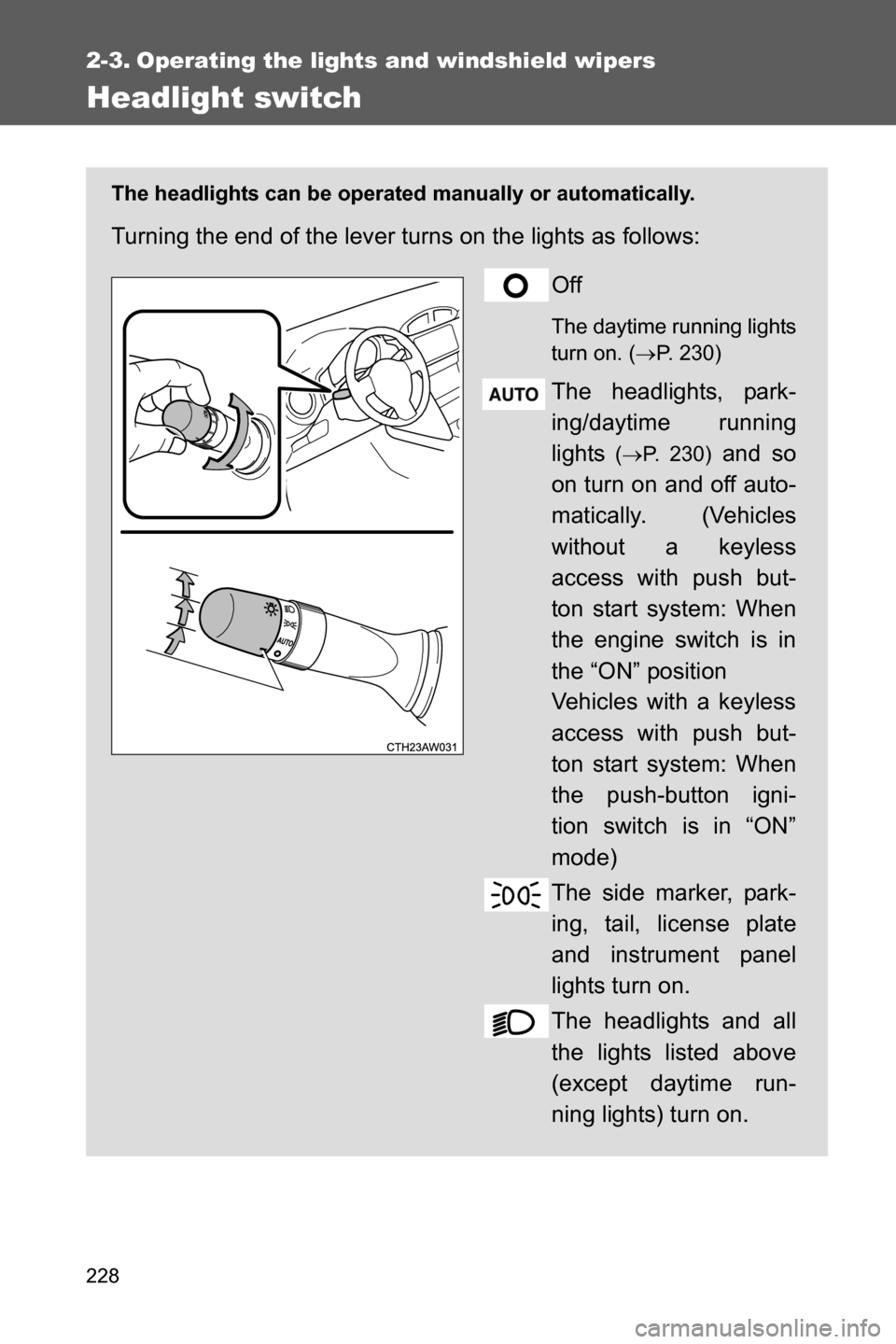
The headlights can be operated manually or automatically.
Turning the end of the lever turns on the lights as follows:
Off
The daytime running lights
turn on. (oP. 230)
The headlights, park-
ing/daytime running
lights
(oP. 230) and so
on turn on and off auto-
matically. (Vehicles
without a keyless
access with push but-
ton start system: When
the engine switch is in
the “ON” position
Vehicles with a keyless
access with push but-
ton start system: When
the push-button igni-
tion switch is in “ON”
mode)
The side marker, park-
ing, tail, license plate
and instrument panel
lights turn on.
The headlights and all
the lights listed above
(except daytime run-
ning lights) turn on.
Page 232 of 540

230 2-3. Operating the lights and windshield wipers
■Daytime running light system
●Vehicles with an automatic transmission: To make your vehicle more visi-
ble to other drivers during daytime driving, the daytime running lights turn
on automatically whenever the engine is started, the select lever is
shifted out of P and the parking brake is released with the headlight
switch off or in the “AUTO” position. (Illuminate brighter than the parking
lights.) Daytime running lights are not designed for use at night.
●Vehicles with a manual transmission: To make your vehicle more visible
to other drivers during daytime driving, the daytime running lights turn on
automatically whenever the engine is started and the parking brake is
released with the headlight switch off or in the “AUTO” position. (Illumi-
nate brighter than the parking lights.) Daytime running lights are not
designed for use at night.
●When the turn signal indicators are flashing, the daytime running light on
the side that the turn signals are flashing will turn off.
●When the hazard warning flashers are flashing, both daytime running
lights will turn off.
●Compared to turning on the headlights, the daytime running light system
offers greater durability and consumes less electricity, so it can help
improve fuel economy.
■Headlight control sensor
Headlight control sensor is located on the
passenger's side.
The sensor may not function properly if
an object is placed on the sensor, or any-
thing that blocks the sensor is affixed to
the windshield.
Doing so interferes with the sensor
detecting the level of ambient light and
may cause the automatic headlight sys-
tem to malfunction.
Page 233 of 540
231 2-3. Operating the lights and windshield wipers
2
When driving
■Automatic light off system
Vehicles without a keyless access with push button start system
The light switch is in , the headlights and tail lights turn off 30 seconds
after a door is opened and closed if the key is removed from the engine
switch. (The lights turn off immediately if on the key is pressed after
all the doors are locked.)
To turn the lights on again, turn the engine switch to the “ON” position, or
turn the lights off and then back to or
.
Vehicles with a keyless access with push button start system
The light switch is in , the headlights and tail lights turn off 30 seconds
after a door is opened and closed if the push-button ignition switch is turned
off. (The lights turn off immediately if on the key is pressed after all
the doors are locked.)
To turn the lights on again, turn the push-button ignition switch to “ON”
mode, or turn the light switch off and then back to or
.
■Light reminder buzzer
Vehicles without a keyless access with push button start system
A buzzer sounds when the engine switch is turned to “LOCK” position and
the driver's door is opened with the key removed from the engine switch
while the lights are turned on.
Vehicles with a keyless access with push button start system
A buzzer sounds when the push-button ignition switch is turned off and the
driver's door is opened while the lights are turned on.
■Automatic headlight leveling system
The level of the headlights is automatically adjusted according to the number
of passengers and the loading condition of the vehicle to ensure that the
headlights do not interfere with other road users.