Page 109 of 346
1.103
For details on filling the fuel tank, refer
to the information on “Filling with fuel”.
To close it, press on the fuel filler flap by
hand, as far as it will go.
FUEL TANK (1/3)
Useable fuel tank capacity:
– Approximately 8.8 or 9.9 gal (40 or
45 litres) for diesel versions;
– Approximately 10.34 or 11 gal (47 or
50 litres) for petrol versions.
With the vehicle unlocked, to open
cover 2, press area A then release or,
depending on the vehicle, press the
control on the dashboard 1. The cover 2
opens.
Valve 3 is integrated into the filler pipe.Fuel grade
Use a high-grade fuel that complies
with the legislation in force in each
country and which must comply with
the specifications given on the label on
the cover 2. Refer to the information on
“Engine specifications” in Section 6.
Never press valve 3 with
your fingers.
Do not wash the filler
area with a high-pressure
washer.
2
A
1
2
3
Page 118 of 346

2.6
STARTING, STOPPING THE ENGINE: vehicle with RENAULT card (2/3)
Press the brake or clutch pedal, then
place the RENAULT 3 card (logo side)
for around 2 seconds in contact with.
– the start button 2 in left-hand drive
vehicles;
or
– the symbol 4 in right-hand drive vehi-
cles.
Press button 2 to start the vehicle. The
message goes out.
2
Accessories function(switching on the ignition)
Once you have gained access to your
vehicle, you may use some of its func-
tions (radio, navigation, wipers, etc.).
To use the other functions, with the
RENAULT card in the passenger com-
partment, press button 2 without press-
ing the pedals.
3
Operating faultsIn certain cases, the RENAULT “hands-
free” card may not work:
– when the RENAULT card battery is drained, etc.;
– near to appliances operating on the same frequency as the card (moni-
tor, mobile phone, video game,
etc.);
– vehicle located in a high electro- magnetic radiation zone.
The message “Place card close START
and push” or depending on the vehicle
“Place card near symbol + START” ap-
pears on the instrument panel.
4
Page 124 of 346
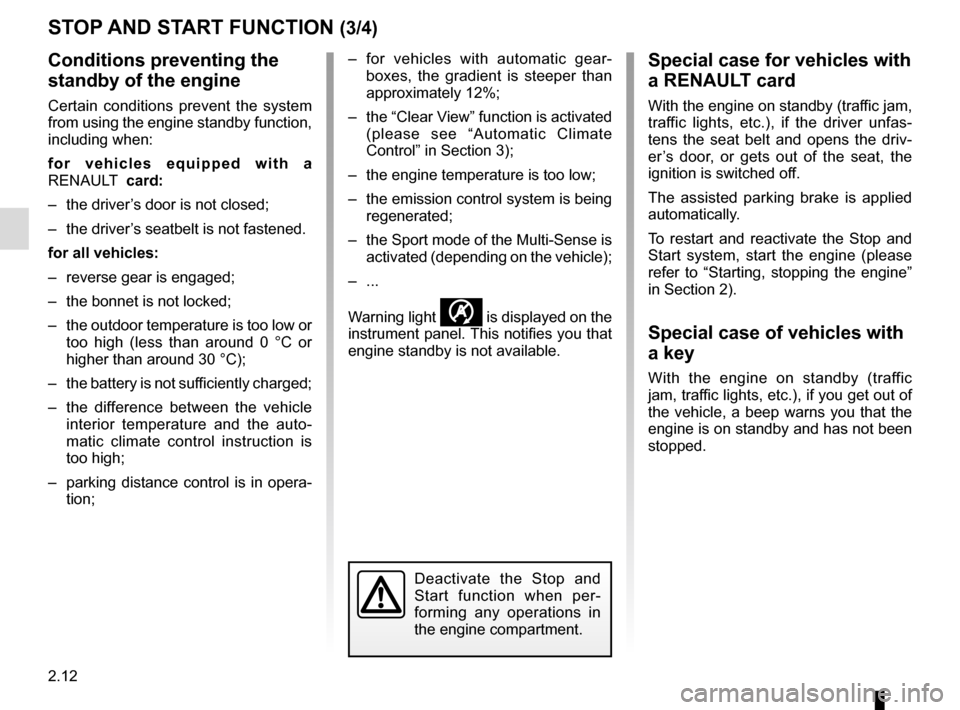
2.12
STOP AND START FUNCTION (3/4)
Conditions preventing the
standby of the engine
Certain conditions prevent the system
from using the engine standby function,
including when:
for vehicles equipped with a
RENAULT card:
– the driver’s door is not closed;
– the driver’s seatbelt is not fastened.
for all vehicles:
– reverse gear is engaged;
– the bonnet is not locked;
– the outdoor temperature is too low or too high (less than around 0 °C or
higher than around 30 °C);
– the battery is not sufficiently charged;
– the difference between the vehicle interior temperature and the auto-
matic climate control instruction is
too high;
– parking distance control is in opera- tion; – for vehicles with automatic gear-
boxes, the gradient is steeper than
approximately 12%;
– the “Clear View” function is activated (please see “Automatic Climate
Control” in Section 3);
– the engine temperature is too low;
– the emission control system is being regenerated;
– the Sport mode of the Multi-Sense is activated (depending on the vehicle);
– ...
Warning light
is displayed on the
instrument panel. This notifies you that
engine standby is not available.
Deactivate the Stop and
Start function when per-
forming any operations in
the engine compartment.
Special case for vehicles with
a RENAULT card
With the engine on standby (traffic jam,
traffic lights, etc.), if the driver unfas-
tens the seat belt and opens the driv-
er’s door, or gets out of the seat, the
ignition is switched off.
The assisted parking brake is applied
automatically.
To restart and reactivate the Stop and
Start system, start the engine (please
refer to “Starting, stopping the engine”
in Section 2).
Special case of vehicles with
a key
With the engine on standby (traffic
jam, traffic lights, etc.), if you get out of
the vehicle, a beep warns you that the
engine is on standby and has not been
stopped.
Page 152 of 346

This function is a driving aid in the event of the accidental crossing o\
f
a continuous or broken line in the road. However, the function is not in-
tended to repla")
2.40
LANE DEPARTURE WARNING (1/3)
This function is a driving aid in the event of the accidental crossing o\
f
a continuous or broken line in the road. However, the function is not in-
tended to replace the driver. The function can be disrupted under certain
conditions, including:
– poor visibility (rain, snow, fog, dirty windscreen, glare of the sun, partially ob- scured road lines, etc.);
– roads with tight bends;
– closely following a vehicle in the same lane;
– worn road markings, difficult to distinguish or spaced very widely apart;
– narrow roads;
– ...
In this case, the line visibility indicators remain uncoloured on the in\
strument
panel to indicate that the function will not operate (lines not detecte\
d).
Under no circumstances should this function replace the driver’s care or respon-
sibility whilst performing manoeuvres.
This system notifies the driver when
they accidentally cross a continuous or
broken line.
This function uses a camera attached
to the windscreen, behind the rear-view
mirror.
Page 170 of 346

2.58
CRUISE CONTROL (2/4)Driving
Once a cruising speed is memorised
and the cruise control function is active,
you may lift your foot off the accelera-
tor pedal.
Please note that you are
strongly advised to keep
your feet close to the pedals
in order to react in an emer-
gency.
Activating cruise control
At a steady speed (above approx.
20 mph or 30 km/h), press switch 2
side a (+): the function is activated and
the current speed is saved.
The cruising speed replaces the dashes
and cruise control is confirmed by dis-
playing of the cruising speed, the mes-
sage “Cruise control” and depending on
the vehicle the indicator light
, in ad-
dition to the indicator light
or .
If you try to activate the function below
20 mph (30 km/h), the message “Invalid
speed” will be displayed and the func-
tion will remain inactive.
Switching on
Press switch 1 on side .
The indicator light
or comes on,
lit green, and the message “Cruise con-
trol” appears on the instrument panel,
accompanied by dashes to indicate that
the cruise control function is activated
and waiting to store a cruising speed.
2
a
1
Page 175 of 346

2.63
Driving
Once a cruising speed is memorised
and the cruise control function is active,
you may lift your foot off the accelera-
tor pedal.
If a following distance is stored and a
vehicle travelling slower than yours is
detected by the system in your lane,
your vehicle will brake (with the brake
lights on) and adapt its speed to that of
the vehicle in front, respecting the fol-
lowing distance selected previously.
Overtaking
If your speed is lower than the cruise
control and you wish to perform an
overtaking manoeuvre, activating the
direction indicator will provide acceler-
ation enabling the overtaking manoeu-
vre.
Please note that you must
keep your feet close to the
pedals in order to react in
an emergency.
ADAPTIVE CRUISE CONTROL (3/7)
Adjusting the cruising speed
The cruising speed can be changed by
pressing the switch 2 repeatedly:
– side a (+) to increase the speed;
– side b (-) to reduce the speed.
Varying the following
distance
You can vary the following distance
from the vehicle in front at any time by
pressing switch 6 repeatedly.
Horizontal following bars will be dis-
played on the instrument panel, indicat-
ing the following distance selected:
– one bar for a short distance (cor- responding to a following time of
around one second);
– two bars for a medium distance;
– three bars for a long distance (cor- responding to a following time of
around two seconds).
Choosing the distance should depend
on the traffic, the laws in your country,
and on the weather conditions.
If a vehicle is detected by the system in
your lane, an outline C of a vehicle will
appear above the following bars.
2
a
bC
6
Page 177 of 346

2.65
ADAPTIVE CRUISE CONTROL (5/7)Switching off the function
The cruise control function is deacti-
vated if you press switch 5: in this case
a speed is no longer stored. The green
indicator light and the message
”Adaptive cruise ctrl” on the instrument
panel go out to confirm that the function
is deactivated.
Putting the cruise control
on standby or switching it
off does not cause a rapid
reduction in speed: you
must brake by depressing the brake
pedal.
Please note that you must
keep your feet close to the
pedals in order to react in
an emergency.
Note: if the speed previously stored is
much higher than the current speed,
the vehicle will accelerate to reach this
threshold.
Under certain conditions (coming up
behind a vehicle moving much more
slowly, rapid change of lane of vehi-
cles in front etc.), the system may not
have time to respond and may emit a
beep alongside alert D when situations
require the driver’s attention, or alert E
when situations require immediate
action from the driver.
React accordingly and perform the ap-
propriate manoeuvres.
D
5
E
Page 179 of 346

Limitation of the system operation
– A vehicle travelling in the opposite direction will not trigger any alert\
or any action on the system operation.
– The sen")
2.67
ADAPTIVE CRUISE CONTROL (7/7)
Limitation of the system operation
– A vehicle travelling in the opposite direction will not trigger any alert\
or any action on the system operation.
– The sensor area should be kept clean and free of any modifications in or\
der to ensure the proper operation of the
system.
– Fixed obstacles (stationary vehicles, traffic jams, toll booths etc.) or objects travelling at low speed or of a \
small size ( motor-
bikes, bicycles, pedestrians etc.) may not be detected by the system.
– A vehicle entering the same lane will only be detected once it has entere\
d the detection zone. Sudden or late braking may then take place.
– When entering a bend or curve, the sensor may temporarily no longer dete\
ct the vehicle in front, and this may lead to acce- leration.
– When exiting a curve, the detection of the vehicle in front may be affected or delayed. Sudden or late braking may then take place.
– A slower vehicle travelling in an adjacent lane may be detected and cause\
a slowing down if one of the two vehicles is trav- elling too close to the lane of the other.
– The system is deactivated below around 20 mph (40 km/h). Drivers must \
react accordingly.
– Sudden changes in situation are not instantly taken into account by the \
system. Drivers must remain vigilant at all times and
under all circumstances.
Deactivating the function
You must disable the function if:
– the brake lights are not functioning;
– the front of the vehicle has undergone an impact or been damaged;
– the vehicle is being towed (breakdowns);
– traffic is heavy;
– the vehicle is travelling in a tunnel;
– the vehicle is travelling on a windy road;
– the vehicle is travelling on a slippery road or in poor weather conditio\
ns (fog, snow, rain, side winds etc.).
In the event of the system behaving abnormally, deactivate it and consult an authorised dealer.
