2017 PEUGEOT 5008 air conditioning
[x] Cancel search: air conditioningPage 195 of 404
193
Special cases: STOP mode not
available
STOP mode is not invoked when:
- t he vehicle is on a steep slope (rising or
falling),
-
t
he driver's door is open,
-
t
he driver's seat belt is not fastened,
-
t
he vehicle has not exceeded 6 mph
(10
km/h) since the last engine start (with
the key or the "START/STOP" button),
-
t
he electric parking brake is applied or being
applied,
-
t
he engine is needed to maintain a
comfortable temperature in the passenger
compartment,
-
d
emisting is active,
-
s
ome temporary conditions (battery charge,
engine temperature, braking assistance,
exterior temperature, etc.) make this
necessary to ensure control of a system.
Going into engine START mode
In this case, this indicator lamp
flashes for a few seconds then goes
of f.
This operation is perfectly normal. -
w
ith a manual gearbox
, when you fully
depress the clutch pedal,
-
W
ith an automatic gearbox:
•
g
ear selector in D or M mode, when you
release the brake pedal,
•
o
r gear selector in N mode and brake
pedal released, when you place the gear
selector in D or M mode,
•
o
r when you engage reverse.This indicator lamp goes off and the
engine starts automatically:
Special cases: START mode
invoked automatically
As a safety measure or to maintain comfort
levels in the vehicle, START mode is invoked
automatically when:
-
y
ou open the driver's door,
-
y
ou unfasten the driver's seat belt,
-
t
he speed of the vehicle exceeds 16 mph
(25
km/h) with a manual gearbox (2 mph
(3
km/h) with PureTech 130 petrol and
BlueHDi 115
and 120 Diesel versions), or
2
mph (3 km/h) with an automatic gearbox.
-
t
he electric parking brake is being applied,
-
s
ome temporary conditions (battery charge,
engine temperature, braking assistance,
adjustment of the air conditioning, etc.)
make this necessary to ensure control of a
system or of the vehicle.
In this case, this indicator lamp
flashes for a few seconds then goes
of f.
This operation is perfectly normal.
6
Driving
Page 254 of 404
252
Apply the label provided to a clearly visible
area, close to the carrier or in the boot.
Go to a PEUGEOT dealer or a qualified
workshop for any work on the towbar
system.
Load reduction mode
System which manages the use of certain
functions according to the level of charge
remaining in the battery.
When the vehicle is being driven, the load
reduction function temporarily deactivates
certain functions, such as air conditioning,
heated rear screen, etc.
The deactivated functions are reactivated
automatically as soon as conditions permit.
Maintenance
Correct operation is only possible if the towball
and its carrier are kept clean.
Before cleaning the vehicle with a high-
pressure jet wash, the towball must be removed
and the protective plug fitted to the carrier.
Energy economy mode
System which manages the duration of use of
certain functions to conser ve a sufficient level
of charge in the battery.
After the engine has stopped, you can still use
functions such as the audio and telematics
system, windscreen wipers, dipped beam
headlamps, courtesy lamps, etc. for a
maximum combined duration of about forty
minutes.
Switching to this mode
A message appears in the instrument panel
screen indicating that the vehicle has switched
to economy mode and the active functions are
put on standby.If a telephone call is being made at this
time, it will be maintained for around
10
minutes with the Bluetooth hands-free
system of your audio system.
Exiting the mode
These functions will be automatically restored
the next time the vehicle is used.
In order to restore the use of these functions
immediately, start the engine and let it run:
-
f
or less than ten minutes, to use the
equipment for approximately five minutes,
-
f
or more than ten minutes, to use the
equipment for up to approximately thirty
minutes.
Let the engine run for the duration specified to
ensure that the battery charge is sufficient.
Do not repeatedly and continuously restart the
engine in order to charge the battery.
A flat battery prevents the engine from
starting.
For more information on the 12
V batter y,
refer to the corresponding section.
Practical information
Page 263 of 404
261
Air filter and passenger compartment filter
Refer to the manufacturer's
ser vice schedule for details of the
replacement intervals for these
components.
Depending on the environment (e.g. dusty
atmosphere) and the use of the vehicle (e.g.
city driving), replace them twice as often if
necessary .
A clogged passenger compartment filter may
have an adverse effect on the per formance
of the air conditioning system and generate
undesirable odours.
Oil filter
Change the oil filter each time the
engine oil is changed.
Refer to the manufacturer's
ser vice schedule for details of
the replacement inter val for this
component.
Particle filter (Diesel)
The start of saturation of the particle
filter is indicated by the temporary
illumination of this warning lamp
accompanied by a message about
the risk of the filter clogging up. As soon as the traffic conditions permit,
regenerate the filter by driving at a speed
of at least 40
mph (60 km/h) until the
warning lamp goes off.
If the warning lamp stays on, this indicates
a low Diesel additive level.
For more information on Checking levels ,
refer to the corresponding section.
On a new vehicle, the first particle
filter regeneration operations may be
accompanied by a "burning" smell, which
is per fectly normal.
Following prolonged operation of the
vehicle at very low speed or at idle,
you may, in exceptional circumstances,
notice the emission of water vapour at the
exhaust on acceleration. This does not
affect the behaviour of the vehicle or the
environment.
Manual gearbox
The gearbox does not require any
maintenance (no oil change).
Refer to the manufacturer's service
schedule for the checking inter val
for this component.
Automatic gearbox
The gearbox does not require any
maintenance (no oil change).
Refer to the manufacturer’s service
schedule for the checking inter val
for this component.
Brake pads
Brake wear depends on the style
of driving, particularly in the case
of vehicles used in town, over short
distances. It may be necessary to
have the condition of the brakes
checked, even between vehicle
services.
Unless there is a leak in the circuit, a drop in
the brake fluid level indicates that the brake
pads are worn.
7
Practical information
Page 300 of 404

2
12:13
18,5 21,5
23 °CFirst steps
With the engine running, a press
mutes the sound.
With the ignition off, a press turns
the system on.
Adjustment of the volume.
Use the buttons either side of or below the
touch screen for access to the menus, then
press the virtual buttons in the touch screen.
Depending on the model, use the "Source" or
"Menu" buttons either side of the touch screen
for access to the menus, then press the virtual
buttons in the touch screen.
You can display the menu at any time by
pressing the screen briefly with three fingers.
All of the touch areas of the screen are white.
Press the cross to go back a level.
Press "OK" to confirm. The touch screen is of the "capacitive"
type.
To clean the screen, use a soft, non-
abrasive cloth (spectacles cloth) with no
additional product.
Do not use sharp objects on the screen.
Do not touch the screen with wet hands.
*
D
epending on equipment. Certain information is displayed permanently in
the upper band of the touch screen:
-
R
epeat of the air conditioning information
(depending on version), and direct access to
the corresponding menu.
-
G
o directly to the selection of the audio
source, to the list of radio stations (or list of
titles depending on the source).
-
G
o to the message notifications, emails,
map updates and, depending on the
services, the navigation notifications.
-
G
o to the settings for the touch screen and
the digital instrument panel. Selecting the audio source (depending on version):
-
F
M / DAB radio stations* / AM*.
-
K
ey USB.
-
C
D Player (depending on model).
-
M
edia player connected via the auxiliary socket
(depending on model).
-
T
elephone connected via Bluetooth and
Bluetooth multimedia broadcast* (streaming).
PEUGEOT Connect Nav
Page 302 of 404
4
FM/87.5 MHz
87.5MHz
12:13
18,5 21,5
23 °C
12:13
18,5 21,5
23 °C
12:13
18,5 21,5
23 °C
21,518,5
12:1323 °C
Menus
Depending on model / Depending on version
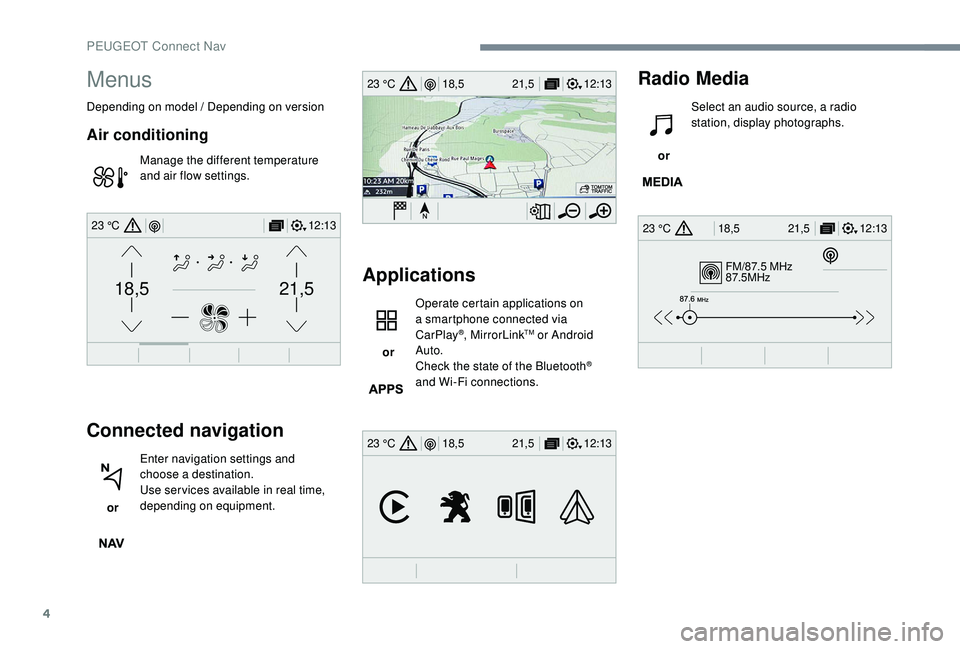
Air conditioning
Manage the different temperature
and air flow settings.
Connected navigation
or Enter navigation settings and
choose a destination.
Use ser vices available in real time,
depending on equipment.
Applications
or Operate certain applications on
a smartphone connected via
CarPlay
®, MirrorLinkTM or Android
Auto.
Check the state of the Bluetooth
®
and Wi-Fi connections.
Radio Media
or Select an audio source, a radio
station, display photographs.
PEUGEOT Connect Nav
Page 346 of 404
2
First steps
With the engine running, a press
mutes the sound.
With the ignition off, a press turns
the system on.
Adjustment of the volume.
Use the buttons either side of or below the
touch screen for access to the menus, then
press the virtual buttons in the touch screen.
Depending on the model, use the "Source" or
"Menu" buttons either side of the touch screen
for access to the menus, then press the virtual
buttons in the touch screen.
You can display the menu at any time by
pressing the screen briefly with three fingers.
All of the touch areas of the screen are white.
Press in the grey zone to go back a level or
confirm.
Press the back arrow to go back a level or
confirm. The touch screen is of the "capacitive"
type.
To clean the screen, use a soft, non-
abrasive cloth (spectacles cloth) with no
additional product.
Do not use sharp objects on the screen.
Do not touch the screen with wet hands.
*
D
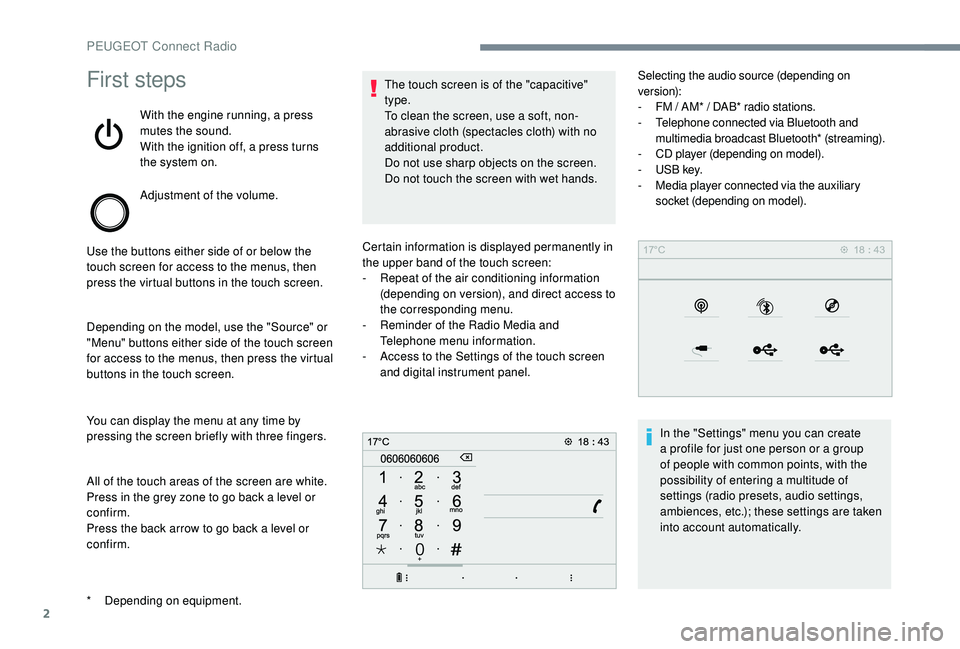
epending on equipment. Certain information is displayed permanently in
the upper band of the touch screen:
-
R
epeat of the air conditioning information
(depending on version), and direct access to
the corresponding menu.
-
R
eminder of the Radio Media and
Telephone menu information.
-
A
ccess to the Settings of the touch screen
and digital instrument panel. Selecting the audio source (depending on
version):
-
F M / AM* / DAB* radio stations.
- T elephone connected via Bluetooth and
multimedia broadcast Bluetooth* (streaming).
-
C
D player (depending on model).
-
U
SB key.
-
M
edia player connected via the auxiliary
socket (depending on model).
In the "Settings" menu you can create
a profile for just one person or a group
of people with common points, with the
possibility of entering a multitude of
settings (radio presets, audio settings,
ambiences, etc.); these settings are taken
into account automatically.
PEUGEOT Connect Radio
Page 348 of 404
4
21,518,5
or Increase volume.
or Mute / Restore the sound.
Or
Mute by pressing the volume
increase and decrease buttons
simultaneously.
Restore the sound by pressing one
of the two volume buttons.
or Decrease volume.
or Media
(short press): change the
multimedia source.
Telephone (short press): start
telephone call.
Call in progress (short press):
access telephone menu.
Telephone (long press): reject an
incoming call, end call; when no call
is in progress, access telephone
menu. or
Radio
(rotate): previous / next
preset.
Media (rotate): previous / next track,
move in a list.
Short press : confirm a selection; if
nothing selected, access to presets.
Radio : display the list of stations.
Media : display the list of tracks.
Radio (press and hold): update the
list of stations received.
Menus
Depending on model / Depending on version
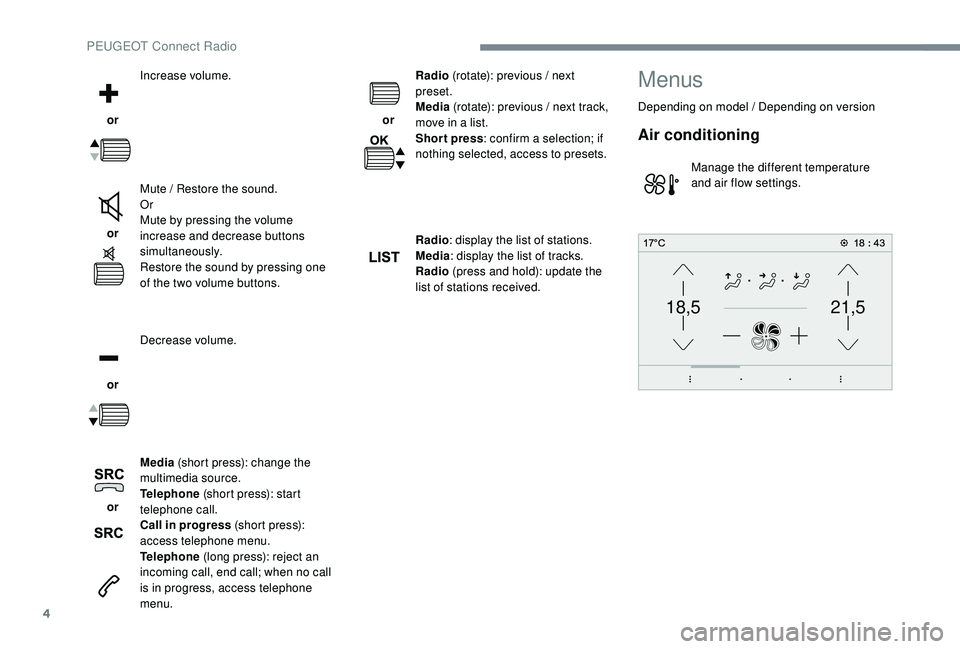
Air conditioning
Manage the different temperature
and air flow settings.
PEUGEOT Connect Radio
Page 395 of 404

297
Accessories .......................................... 13 8, 18 0
Active Safety Brake..................... 1 6 -17, 215 -218
AdBlue
® additive ............................. 3 2, 262-265
Adjusting headlamps .................................... 128
Adjusting head restraints
................................ 79
Adjusting seats
......................... 7 6 - 7 7, 79, 85 - 87
Adjusting the air distribution
...................9 9 -10 2
Adjusting the air flow
............................... 9
9 -10 2
Adjusting the date
......................... 38-39, 36, 20
Adjusting the height and reach of the steering wheel
.................................... 83
Adjusting the lumbar support
............... 7
6 - 7 7, 79
Adjusting the seat belt height
....................... 14
9
Adjusting the temperature
......................9 9 -10 2
Adjusting the time
......................... 38-39, 36, 20
Advanced Grip Control
.......................... 145 -14 6
Advice on driving
................................... 175 -176
Airbags
...............................
.............18, 15 3, 15 8
Airbags, curtain
...................................... 15 5 -15 6
Airbags, front ................................. 15 3 -15 4, 15 6
Airbags, lateral
...................................... 15 4, 15 6
Air conditioning
......................................... 96, 98
Air conditioning, automatic
.............................95
Air conditioning, digital
........................... 99, 103
Air conditioning, dual-zone automatic
....99, 103
Air conditioning, manual
................... 9
5-96, 103
Air conditioning, mono-zone
.............97- 9 8 , 103
Air intake
................................................. 9 9 -10 2
Air vents
.......................................................... 94
Alarm
............................................................... 61
Amplifier, audio
...............................
..............112
Anti-lock braking system (ABS)
..............15, 142
Anti-slip regulation (ASR)
............................. 142Anti-theft
.......................................................
17 7
Armrest, front ................................................
114
Assistance call
...............................
........
13 9 -141
Assistance, emergency braking
...........
142, 217
Audio streaming (Bluetooth)
.....................
2 7, 11
Auxiliary
..........................................
2 6 - 2 7, 1 0 -11 Cable, audio
..............................................
26, 10
Cable, jack
................................................
26, 10
Capacity, fuel tank
........................................
245
CarPlay connection ................................... 18, 13
Cartridge, fragrance
.............................. 11
4 -115
CD
........................................................
2 6 - 2 7, 11
CD, MP3
...............................................
2 6 - 2 7, 11
Central locking .......................................... 5 3,
60
Changing a bulb ..................... 2
78-279, 281-283
Changing a fuse
.................................... 28
4-285
Changing a wheel
.................. 2
67-269, 273-274
Changing a wiper blade
........................ 13
6, 284
Changing the remote control battery
..............58
Charger, induction
..................................112 -113
Charger, wireless
................................... 11
2 -113
Checking the engine oil level
..........................30
Checking the levels
...............................258-260
Checking tyre pressures (using the kit)
..............................269-270, 272
Checks
..........................................2 5 7, 260-262
Checks, routine
.....................................260-262
Child lock
................................................173 -174
Children
.................................16 4, 166 -168, 170
Children (safety)
.....................................173 -174
Child seats
.............15
2, 157-15 8, 162-16 4, 172
Child seats, conventional
......................163 -16 4
Child seats, i-Size
.........................................170
Child seats, ISOFIX
.......................166 -168, 170
Cigarette lighter
............................................111
Closing the boot
............................51
, 54-55, 65
Closing the doors
..........................51, 53-55, 64
Configurations, seats
......................................92
Configuration, vehicle
......................... 3
8 - 42, 45
Connection, Bluetooth
........ 21
-22, 28-30, 15 -17
Connection, MirrorLink
........................19, 12-14
Connection, Wi-Fi network
.............................22
Control, emergency door
................................ 57
C
ontrol, heated seats
................................81- 82
Controls, steering mounted
...................185 -189
A
B
C
Backrest, folding ............................................. 78
B attery ..................... 13, 252, 260, 285-286, 288
Battery charge (warning lamp)
.......................13
Battery, charging
.................................... 287-288
Battery, remote control
.............................56, 58
Blanking screen (snow shield)
......................253
Blind
..............................
..................................70
Blind spot monitoring system
..........23, 227-229
Blind spot monitoring system, active
......23, 229
Blind spot sensors
..........................23, 227-229
Blinds, side
.................................................... 11 9
BlueHDi
.................................... 32, 34, 262, 266
Bluetooth (hands-free)
................... 2
8-29, 15 -16
Bluetooth (telephone)
..................... 2
8-30, 15 -17
Bonnet
........................................................... 256
Boot
............................................. 64-65, 6 7, 123
Boot (fittings)
................................................. 120
Brake discs
............................................ 261-262
Brake lamps
...............................
...................281
Brakes
.............................................. 15, 261-262
Braking assistance system
...........................142
Braking, automatic emergency
...1 6 -17, 215 -218
Braking, dynamic emergency
................181-18 4
Brightness
....................................................... 19
Bulbs
............................................................. 278
Bulbs (changing)
....................278-279, 281-283
180° rear vision
....................................
233, 235
.
Alphabetical index