Page 315 of 368
313
4008_en_Chap10d_Mitsu4_ed01-2016
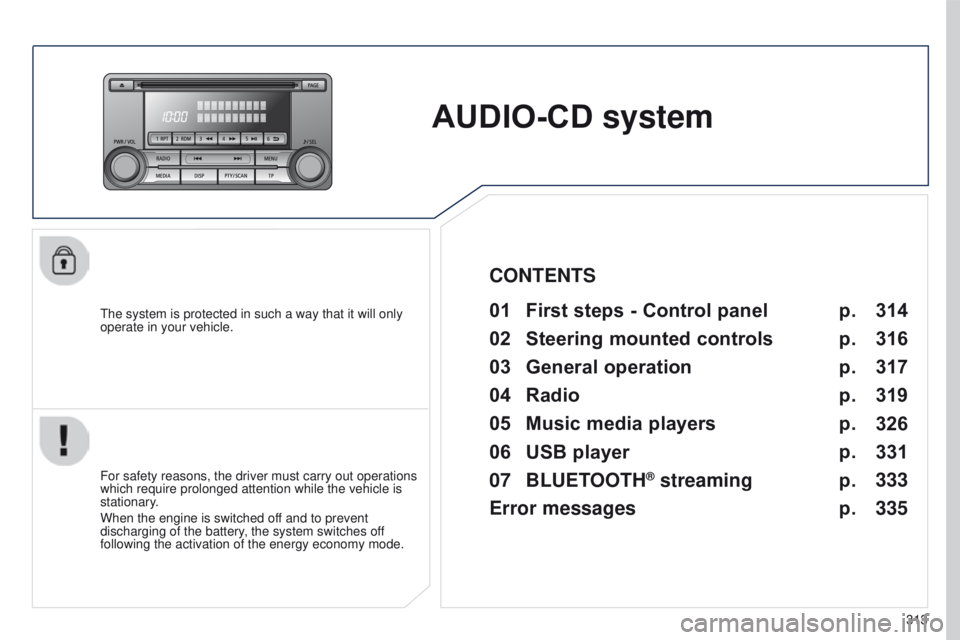
AUDIO-CD system
the system is protected in such a way that it will only
operate in your vehicle.01 First steps - Control panel
For safety reasons, the driver must carry out operations
which require prolonged attention while the vehicle is
stationary.
When the engine is switched off and to prevent
discharging of the battery, the system switches off
following the activation of the energy economy mode.
CONTENTS
02
Steering
mounted controls
03
General
operation
04
Radio
05
Music
media players
06
USB
player
07
BLUETOOTH
® streaming
Error messages p.
p.
p.
p.
p.
p.
p.
p. 314
316
317
319
326
331
333
335
Page 333 of 368
06
331
4008_en_Chap10d_Mitsu4_ed01-2016
USB PLAYER
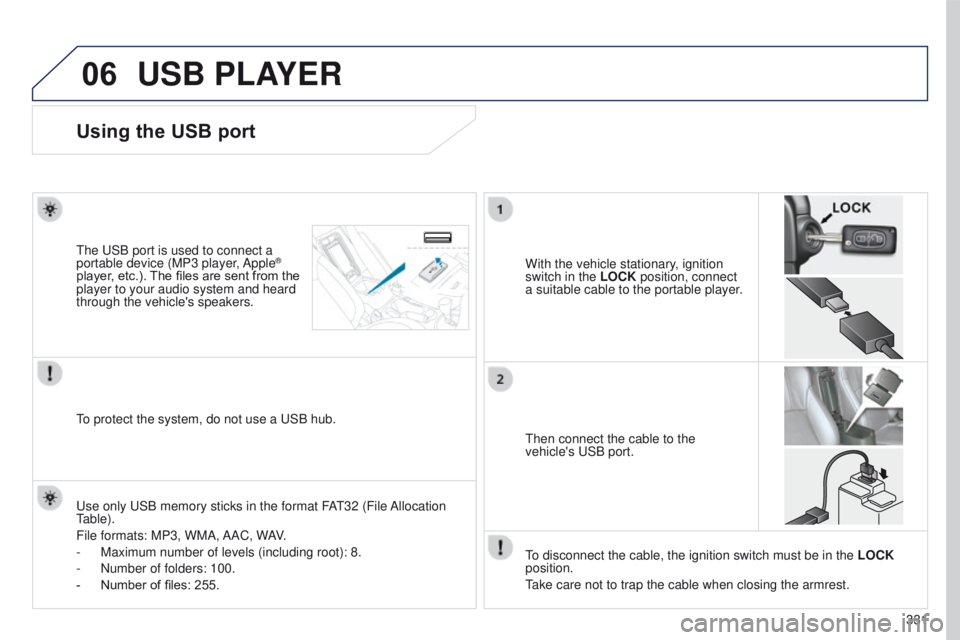
Using the USB port
With the vehicle stationary, ignition
switch in the LOCK position, connect
a suitable cable to the portable player.t
he
u
SB port is used to connect a
portable device (MP3 player, Apple®
player, etc.). The files are sent from the
player to your audio system and heard
through the vehicle's speakers.
t
hen connect the cable to the
vehicle's
u SB port.
u
se only
u
SB memory sticks in the format FA
t
32 (File Allocation
table).
File formats: MP3, WMA,
AAC, WAV.
-
Maximum number of levels (including root): 8.
-
Number of folders: 100.
-
Number of files: 255.
to protect the system, do not use a
u SB hub.
to disconnect the cable, the ignition switch must be in the LOCK
position.
take care not to trap the cable when closing the armrest.
Page 334 of 368
06
332
4008_en_Chap10d_Mitsu4_ed01-2016
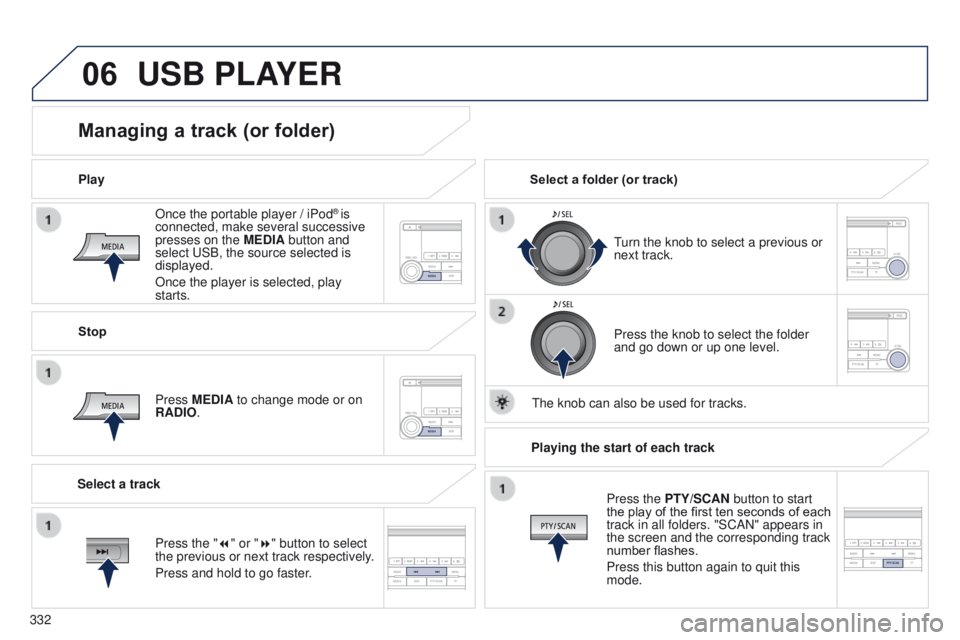
Once the portable player / iPod® is
connected, make several successive
presses on the MEDIA button and
select
u
SB, the source selected is
displayed.
Once the player is selected, play
starts.
Play
Managing a track (or folder)
Stop
Press MEDIA to change mode or on
RADIO.
turn the knob to select a previous or
next track.
Select a folder (or track)
Select a track Press the knob to select the folder
and go down or up one level.
t
he knob can also be used for tracks.
USB PLAYER
Press the "7" or "8" button to select
the previous or next track respectively.
Press and hold to go faster.Playing the start of each track
Press the PTY/SCAN button to start
the play of the first ten seconds of each
track in all folders. "SCAN" appears in
the screen and the corresponding track
number flashes.
Press this button again to quit this
mode.
Page 337 of 368
335
4008_en_Chap10d_Mitsu4_ed01-2016
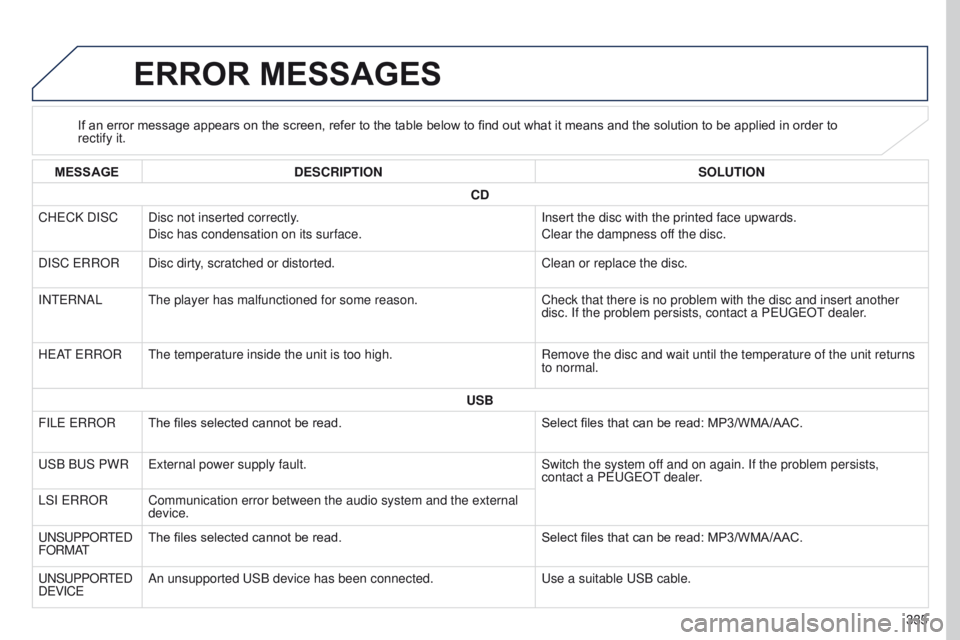
ERROR MESSAGES
If an error message appears on the screen, refer to the table below to find out what it means and the solution to be applied in order to
rectify it.
MESSAGE DESCRIPTION SOLUTION
CD
CH
e
CK DISC Disc not inserted correctly. Disc has condensation on its surface. Insert the disc with the printed face upwards.
Clear the dampness off the disc.
DISC
e RROR Disc dirty, scratched or distorted. Clean or replace the disc.
IN
te
RNAL
t
he player has malfunctioned for some reason. Check that there is no problem with the disc and insert another
disc. If the problem persists, contact a P
euge O t
dealer
.
H
e
A
t
e RROR
t
he temperature inside the unit is too high. Remove the disc and wait until the temperature of the unit returns
to normal.
USB
FIL
e
e
RROR The files selected cannot be read. Select files that can be read: MP3/WMA/AAC.
u
SB B
u S PWR
e
xternal power supply fault. Switch the system off and on again. If the problem persists,
contact a P
euge O t
dealer
.
LSI
e
RROR Communication error between the audio system and the external device.
u
NS
u
PPOR
te
D
FORMA
tThe files selected cannot be read. Select files that can be read: MP3/WMA/AAC.
u
NS
u
PPOR
te
D
D
e
VIC
e
An unsupported
u SB device has been connected.
u
se a suitable u SB cable.