2017 NISSAN VERSA NOTE lock
[x] Cancel search: lockPage 51 of 414
Rear bench seat
OUTBOARD SEATING POSITIONS1. Remove the head restraint/headrest and store it in a secure place. Be sure to reinstall
the head restraint/headrest when the child
restraint is removed. For additional informa-
tion about head restraint/headrest adjust-
ment, removal and installation, refer to
“Head restraints/headrests” in this section.
2. Position the top tether strap over the seat- back.
3. Secure the tether strap to the tether anchor point on the back side of the seatback be-
hind the child restraint.
4. Tighten the tether strap according to the manufacturer’s instructions to remove any
slack.
CENTER SEATING POSITION 1. Position the top tether strap over the seat- back.
2. Secure the tether strap to the tether anchor point on the back side of the seatback be-
hind the child restraint.
3. Tighten the tether strap according to the manufacturer’s instructions to remove any
slack. If you have any questions when installing a
top tether strap, it is recommended that
you visit a NISSAN dealer for this service.
WARNING
Child restraint anchorages are designed
to withstand only those loads imposed by
correctly fitted child restraints. Under no
circumstances are they to be used to at-
tach adult seat belts, or other items or
equipment to the vehicle. Doing so could
damage the child restraint anchorages.
The child restraint will not be properly
installed using the damaged anchorage,
and a child could be seriously injured or
killed in a collision.
FORWARD-FACING CHILD
RESTRAINT INSTALLATION USING
THE SEAT BELTS
WARNING
●
The three-point seat belt with Auto-
matic Locking Retractor (ALR) must be
used when installing a child restraint.
Failure to use the ALR mode will result
in the child restraint not being properly
secured. The restraint could tip over or
be loose and cause injury to a child in a
sudden stop or collision. Also, it can
change the operation of the front pas-
senger air bag. For additional informa-
tion, refer to “Front passenger air bag
and status light” in this section.
● When installing a child restraint system
in the rear center position, both the
center seat belt connector tongue and
buckle tongue must be secured. For ad-
ditional information, refer to “Attaching
the center seat belt” in this section.
1-34Safety—Seats, seat belts and supplemental restraint system
Page 53 of 414
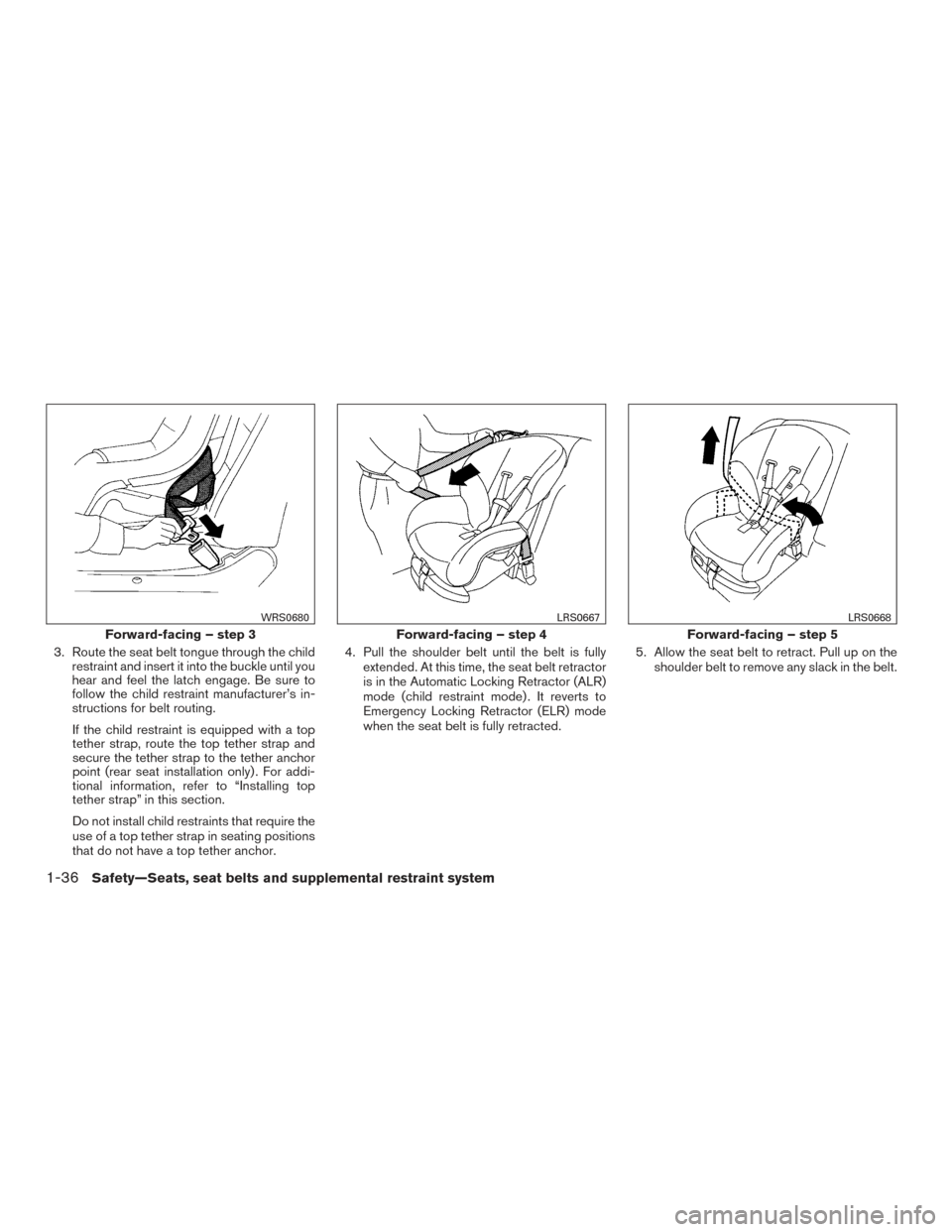
3. Route the seat belt tongue through the childrestraint and insert it into the buckle until you
hear and feel the latch engage. Be sure to
follow the child restraint manufacturer’s in-
structions for belt routing.
If the child restraint is equipped with a top
tether strap, route the top tether strap and
secure the tether strap to the tether anchor
point (rear seat installation only) . For addi-
tional information, refer to “Installing top
tether strap” in this section.
Do not install child restraints that require the
use of a top tether strap in seating positions
that do not have a top tether anchor. 4. Pull the shoulder belt until the belt is fully
extended. At this time, the seat belt retractor
is in the Automatic Locking Retractor (ALR)
mode (child restraint mode) . It reverts to
Emergency Locking Retractor (ELR) mode
when the seat belt is fully retracted. 5. Allow the seat belt to retract. Pull up on the
shoulder belt to remove any slack in the belt.
Forward-facing – step 3
WRS0680
Forward-facing – step 4
LRS0667
Forward-facing – step 5
LRS0668
1-36Safety—Seats, seat belts and supplemental restraint system
Page 54 of 414
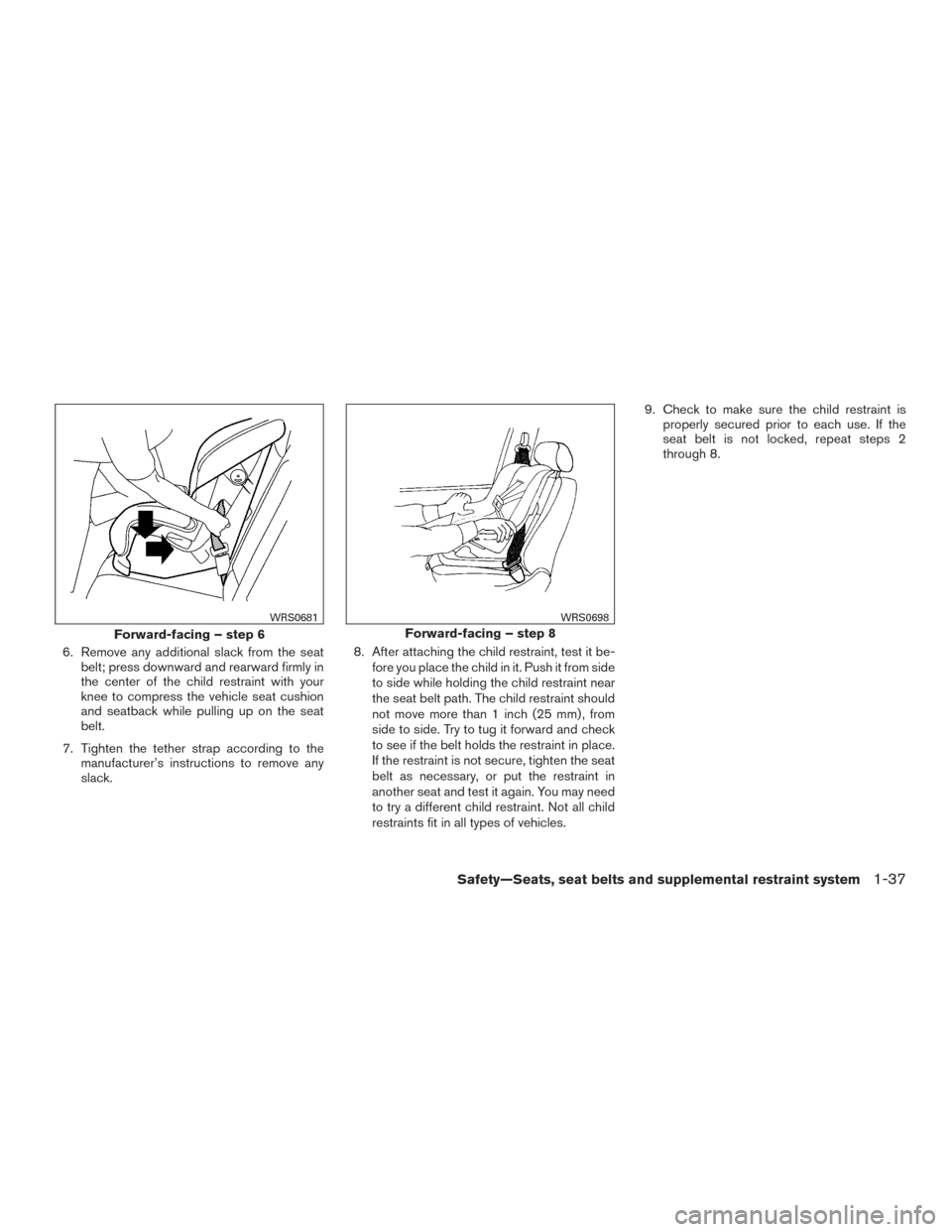
6. Remove any additional slack from the seatbelt; press downward and rearward firmly in
the center of the child restraint with your
knee to compress the vehicle seat cushion
and seatback while pulling up on the seat
belt.
7. Tighten the tether strap according to the manufacturer’s instructions to remove any
slack. 8. After attaching the child restraint, test it be-
fore you place the child in it. Push it from side
to side while holding the child restraint near
the seat belt path. The child restraint should
not move more than 1 inch (25 mm) , from
side to side. Try to tug it forward and check
to see if the belt holds the restraint in place.
If the restraint is not secure, tighten the seat
belt as necessary, or put the restraint in
another seat and test it again. You may need
to try a different child restraint. Not all child
restraints fit in all types of vehicles. 9. Check to make sure the child restraint is
properly secured prior to each use. If the
seat belt is not locked, repeat steps 2
through 8.
Forward-facing – step 6
WRS0681
Forward-facing – step 8
WRS0698
Safety—Seats, seat belts and supplemental restraint system1-37
Page 57 of 414
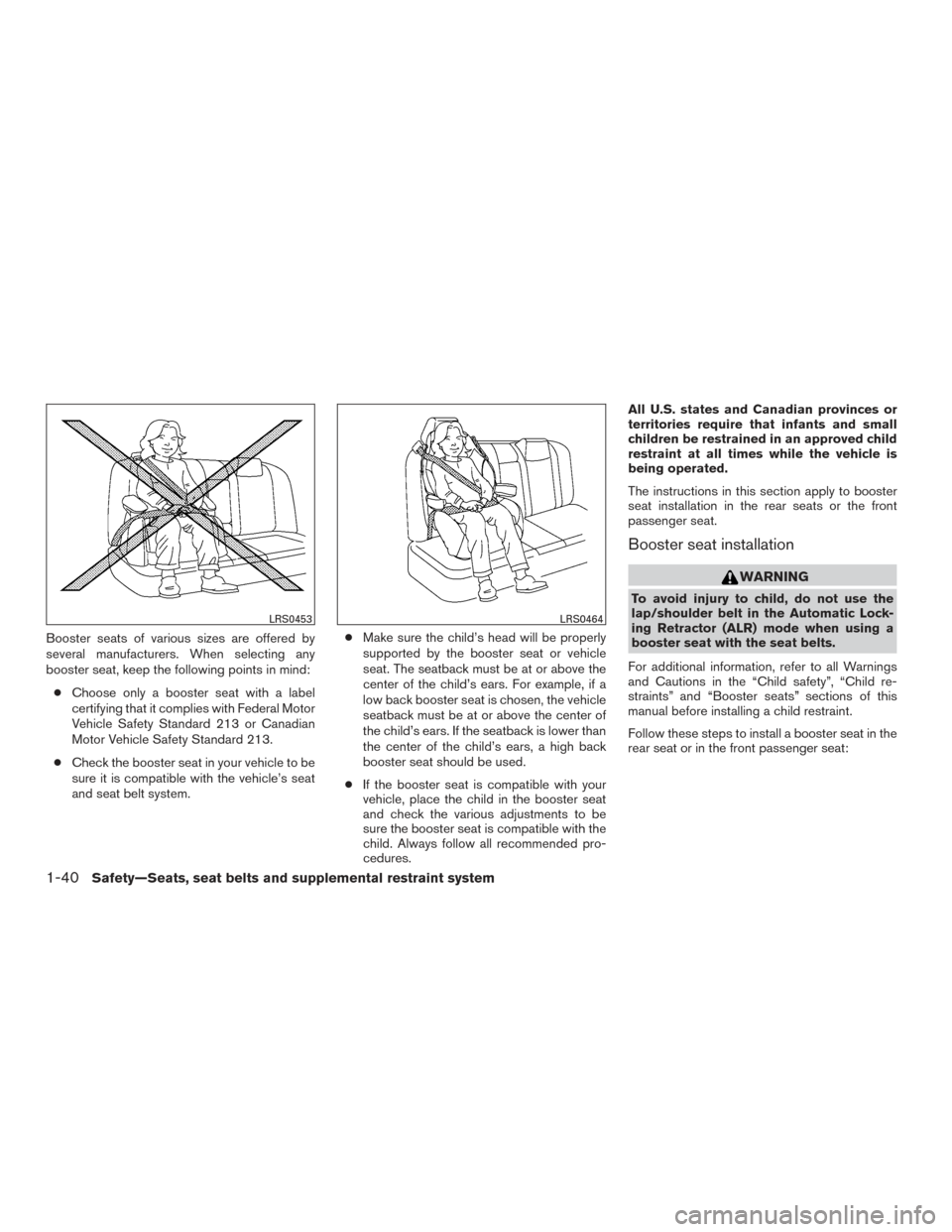
Booster seats of various sizes are offered by
several manufacturers. When selecting any
booster seat, keep the following points in mind:● Choose only a booster seat with a label
certifying that it complies with Federal Motor
Vehicle Safety Standard 213 or Canadian
Motor Vehicle Safety Standard 213.
● Check the booster seat in your vehicle to be
sure it is compatible with the vehicle’s seat
and seat belt system. ●
Make sure the child’s head will be properly
supported by the booster seat or vehicle
seat. The seatback must be at or above the
center of the child’s ears. For example, if a
low back booster seat is chosen, the vehicle
seatback must be at or above the center of
the child’s ears. If the seatback is lower than
the center of the child’s ears, a high back
booster seat should be used.
● If the booster seat is compatible with your
vehicle, place the child in the booster seat
and check the various adjustments to be
sure the booster seat is compatible with the
child. Always follow all recommended pro-
cedures. All U.S. states and Canadian provinces or
territories require that infants and small
children be restrained in an approved child
restraint at all times while the vehicle is
being operated.
The instructions in this section apply to booster
seat installation in the rear seats or the front
passenger seat.
Booster seat installation
WARNING
To avoid injury to child, do not use the
lap/shoulder belt in the Automatic Lock-
ing Retractor (ALR) mode when using a
booster seat with the seat belts.
For additional information, refer to all Warnings
and Cautions in the “Child safety”, “Child re-
straints” and “Booster seats” sections of this
manual before installing a child restraint.
Follow these steps to install a booster seat in the
rear seat or in the front passenger seat:
LRS0453LRS0464
1-40Safety—Seats, seat belts and supplemental restraint system
Page 70 of 414
Steps1. Adjust the seat as outlined in the “Seats” section of this manual. Sit upright, leaning
against the seatback, and centered on the
seat cushion with your feet comfortably ex-
tended to the floor.
2. Make sure there are no objects on your lap.
3. Fasten the seat belt as outlined in the “Seat belts” section of this manual.
4. Remain in this position for 30 seconds al- lowing the system to classify the front pas-
senger before the vehicle is put into motion.
5. Ensure proper classification by checking the front passenger air bag status light.
NOTE:
This vehicle’s occupant classification sen-
sor system locks the classification during
driving so it is important that you confirm
that the front passenger is properly classi-
fied prior to driving. Also, the occupant
classification sensor system may recalcu-
late the weight of the occupant when the
vehicle comes to a stop (i.e. stop light, stop
sign, etc.) , so front passenger seat occu-
pants should continue to remain seated as
outlined above. Troubleshooting
If you think the front passenger air bag status light
is incorrect:
1. If the light is ON with no front passenger and no objects on the front passenger seat:
This may be due to the following conditions that
may be interfering with the weight sensors: ● An object weighing over 2.2 lbs (1 kg) hang-
ing on the seat or placed in the seatback
pocket.
● A child restraint or other object pressing
against the rear of the seatback.
● A rear passenger pushing or pulling on the
back of the front passenger seat.
● Forcing the front seat or seatback against an
object on the seat or floor behind it.
● An object placed under the front passenger
seat.
● An object placed between the seat cushion
and center console or between the seat
cushion and the door.
If the vehicle is moving, please come to a stop
when it is safe to do so. Check and correct any of
the above conditions. Restart the vehicle and
wait 1 minute. NOTE:
A system check will be performed during
which the front passenger air bag status
light will remain lit for about 7 seconds
initially.
If the light is still ON after this, the vehicle should
be checked as soon as possible. It is recom-
mended that you visit a NISSAN dealer for this
service.
2. If the light is ON with an adult occupying the front passenger seat:
● Occupant is a small adult — the air bag light
is functioning as intended. The front passen-
ger air bag is suppressed.
However, if the occupant is not a small adult, then
this may be due to the following conditions that
may be interfering with the weight sensors: ● Occupant is not sitting upright, leaning
against the seatback, and centered on the
seat cushion with his/her feet comfortably
extended to the floor.
● A child restraint or other object pressing
against the rear of the seatback.
● A rear passenger pushing or pulling on the
back of the front passenger seat.
Safety—Seats, seat belts and supplemental restraint system1-53
Page 76 of 414
SUPPLEMENTAL AIR BAG
WARNING LIGHT
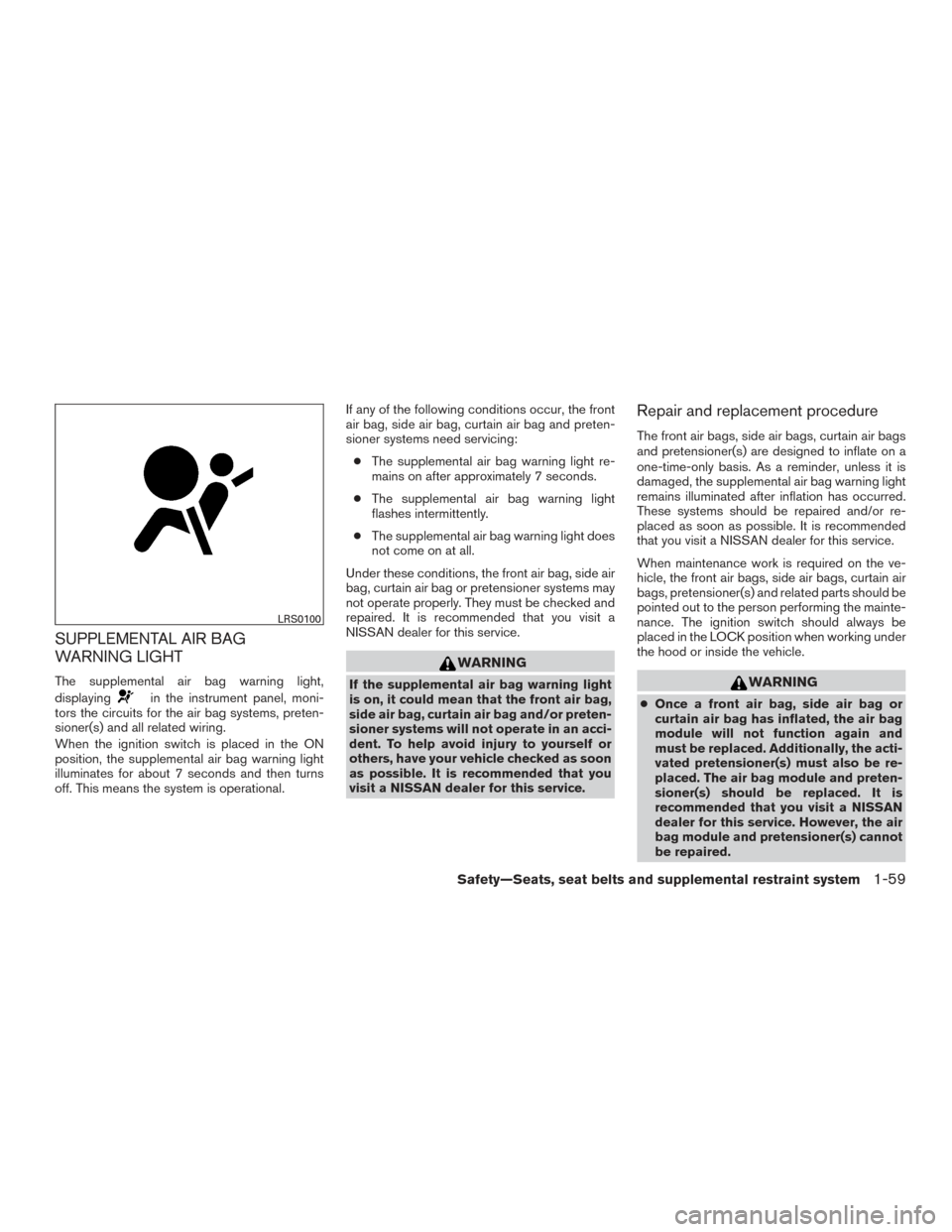
The supplemental air bag warning light,
displaying
in the instrument panel, moni-
tors the circuits for the air bag systems, preten-
sioner(s) and all related wiring.
When the ignition switch is placed in the ON
position, the supplemental air bag warning light
illuminates for about 7 seconds and then turns
off. This means the system is operational. If any of the following conditions occur, the front
air bag, side air bag, curtain air bag and preten-
sioner systems need servicing:
● The supplemental air bag warning light re-
mains on after approximately 7 seconds.
● The supplemental air bag warning light
flashes intermittently.
● The supplemental air bag warning light does
not come on at all.
Under these conditions, the front air bag, side air
bag, curtain air bag or pretensioner systems may
not operate properly. They must be checked and
repaired. It is recommended that you visit a
NISSAN dealer for this service.
WARNING
If the supplemental air bag warning light
is on, it could mean that the front air bag,
side air bag, curtain air bag and/or preten-
sioner systems will not operate in an acci-
dent. To help avoid injury to yourself or
others, have your vehicle checked as soon
as possible. It is recommended that you
visit a NISSAN dealer for this service.
Repair and replacement procedure
The front air bags, side air bags, curtain air bags
and pretensioner(s) are designed to inflate on a
one-time-only basis. As a reminder, unless it is
damaged, the supplemental air bag warning light
remains illuminated after inflation has occurred.
These systems should be repaired and/or re-
placed as soon as possible. It is recommended
that you visit a NISSAN dealer for this service.
When maintenance work is required on the ve-
hicle, the front air bags, side air bags, curtain air
bags, pretensioner(s) and related parts should be
pointed out to the person performing the mainte-
nance. The ignition switch should always be
placed in the LOCK position when working under
the hood or inside the vehicle.
WARNING
● Once a front air bag, side air bag or
curtain air bag has inflated, the air bag
module will not function again and
must be replaced. Additionally, the acti-
vated pretensioner(s) must also be re-
placed. The air bag module and preten-
sioner(s) should be replaced. It is
recommended that you visit a NISSAN
dealer for this service. However, the air
bag module and pretensioner(s) cannot
be repaired.
LRS0100
Safety—Seats, seat belts and supplemental restraint system1-59
Page 91 of 414
distance to empty is automatically selected and
the digits blink in order to draw the driver’s atten-
tion. Press the trip computer change/reset button
if you wish to return to the mode that was se-
lected before the warning occurred.
When the fuel level drops even lower, the dis-
tance to empty will display (----) .
Average speed
The average speed mode shows the average
vehicle speed since the last reset. Resetting is
done by pushing the menu button on the steering
wheel for longer than 1 second.
Travel time
The travel time mode (elapsed time) shows the
time since the last reset. The displayed time can
be reset by pushing the menu button on the
steering wheel for longer than 1 second.
Trip computer reset
Type A (if so equipped):Pushing the change
button for more than 3 seconds will reset all
modes except Trip A and distance to empty (dte) .
Type B (if so equipped):Pushing the menu
button
on the steering wheel for more than
3 seconds will reset average fuel economy, aver-
age speed and travel time.
SERVICE INTERVAL REMINDER (if so
equipped)
When the ignition switch is placed in the ON
position, a wrench symbol and the distance to oil
change information will illuminate on the display
for approximately 5 seconds. The wrench symbol
and distance to oil change switch to oil display
status. The oil display status then switches to the
odometer and twin trip odometer information
mode that was displayed before the ignition
switch was placed in the ACC, OFF or LOCK
position.
The oil level display status provides specific in-
formation regarding your approximate engine oil
level.
If the oil level is sufficient, “Oil Good” is displayed
for approximately 10 seconds. If the oil level is
low, “Oil Lo” blinks for approximately 30 seconds
in order to draw your attention to necessary ac-
tion.
Quickly push and release the trip odometer reset
switch on the instrument panel located near the
speedometer during the “Oil Good” or “Oil Lo”
mode to display an approximate oil level indica-
tion.
In case of low engine oil level, refer to “Engine oil”
in the “Do-it-yourself” section for the proper en-
gine oil refilling procedure.
Oil change schedule set up (if so
equipped)
It is possible to adjust the interval distance to oil
change by pushing the trip odometer reset
switch on the instrument panel located near the
speedometer for 3 seconds while the wrench
symbol and distance to oil change are displayed.
The symbol and distance display will start flash-
ing and the display shows the current interval.
Push the switch to increase the interval distance.
Each step increases the interval distance by 500
mi (1,000 km). The interval distance can be set
up to 18,000 mi (30,000 km) after which the
display returns to zero.
If no further action is made, the display returns to
oil display status indication and the new interval is
set.
If the interval distance is set to 0, the display will
skip the distance to oil change information and
wrench symbol display mode and will directly
display the oil display status (“Oil Good” or “Oil
Lo”) . In order to return to the distance to oil
change information and wrench symbol display
mode, push the trip computer change button on
the instrument panel located near the speedom-
eter for approximately 3 seconds after the ignition
switch has been turned to the ON position, and
adjust the distance to oil change schedule as
previously described.
2-12Instruments and controls
Page 93 of 414
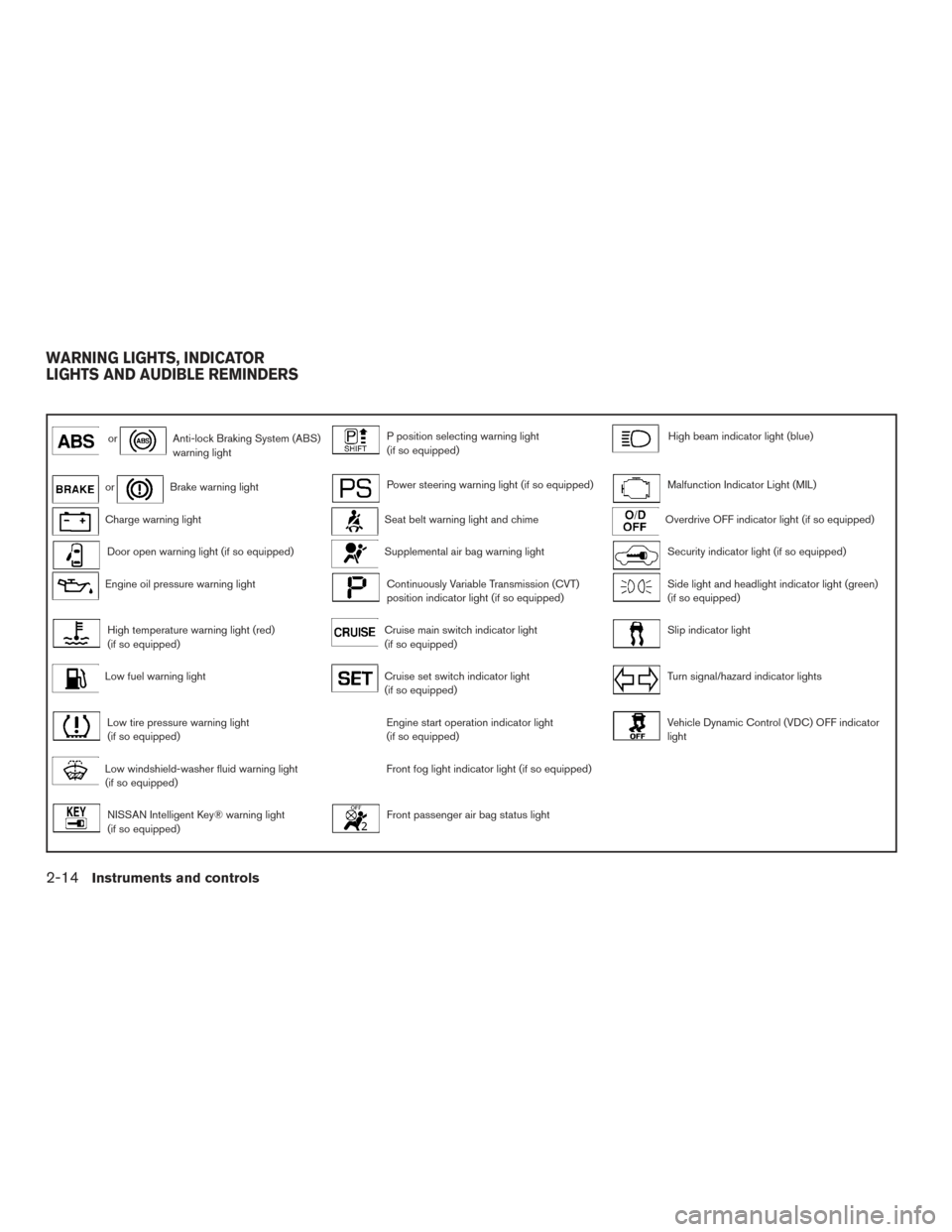
orAnti-lock Braking System (ABS)
warning lightP position selecting warning light
(if so equipped)High beam indicator light (blue)
orBrake warning lightPower steering warning light (if so equipped)Malfunction Indicator Light (MIL)
Charge warning lightSeat belt warning light and chimeOverdrive OFF indicator light (if so equipped)
Door open warning light (if so equipped)Supplemental air bag warning lightSecurity indicator light (if so equipped)
Engine oil pressure warning lightContinuously Variable Transmission (CVT)
position indicator light (if so equipped)Side light and headlight indicator light (green)
(if so equipped)
High temperature warning light (red)
(if so equipped)Cruise main switch indicator light
(if so equipped)Slip indicator light
Low fuel warning lightCruise set switch indicator light
(if so equipped)Turn signal/hazard indicator lights
Low tire pressure warning light
(if so equipped)Engine start operation indicator light
(if so equipped)Vehicle Dynamic Control (VDC) OFF indicator
light
Low windshield-washer fluid warning light
(if so equipped)Front fog light indicator light (if so equipped)
NISSAN Intelligent Key® warning light
(if so equipped)Front passenger air bag status light
WARNING LIGHTS, INDICATOR
LIGHTS AND AUDIBLE REMINDERS
2-14Instruments and controls