2017 NISSAN TITAN fog light
[x] Cancel search: fog lightPage 12 of 671
1. Power windows (P. 2-83)
2. Windshield (P. 8-19)
3. Wiper and washer switch (P. 2-49)
4. Engine hood (P. 3-22)
5. Front fog lights (if so equipped)(P. 2-57)
Daytime running lights (if so equipped)
(P. 2-53)
6. Headlight and turn signal switches
(P. 2-53, 2-57)
Replacing bulbs (P. 8-27)
Daytime running lights (if so equipped)
(P. 2-53)
7. Tire pressure (P. 8-32) Flat tire (P. 6-3)
Tire chains (P. 8-32)
8. Mirrors (P. 3-28) Side view camera (if so equipped)
(P. 4-16)
9. Door locks (P. 3-5) NISSAN Intelligent Key® (P. 3-8)
Refer to the page number indicated in pa-
rentheses for operating details.
NOTE:
Crew Cab model shown, Single Cab model
similar.
LII2349
EXTERIOR FRONT
Illustrated table of contents0-3
Page 16 of 671
15. Heated steering wheel switch(if so equipped) (P. 2-62)
Warning Systems switch
(if so equipped) (P. 2-63)
16. Power outlet (P. 2-69)
17. Auxiliary jack (P. 4-46) USB port (P. 4-46)
18. Hazard warning flasher switch (P. 6-2)
19. Trailer Brake Controller Unit
(if so equipped) (P. 2-69)
20. Climate control seat switch
(if so equipped) (P. 2-58)
Heated front seat switches
(if so equipped) (P. 2-60)
21. Vehicle Dynamic Control (VDC) OFF
switch (P. 2-63)
Parking sensor (sonar) system OFF
switch (if so equipped) (P. 2-67)
22. 4WD shift switch (if so equipped)
(P. 5-44)
23. Push-button ignition switch (P. 5-10)
24. Tilt and telescopic steering wheel
control (P. 3-25) 25. Headlight aiming control
(if so equipped) (P. 2-53)
Power inverter switch (if so equipped)
(P. 2-67)
Cargo lamp switch (P. 2-58)
Electronic locking rear differential
(E-Lock) system switch (if so
equipped) (P. 2-65)
Hill descent control system switch
(if so equipped) (P. 2-64)
26. Headlight switch (P. 2-53) Fog light switch (if so equipped)
(P. 2-57)
Instrument brightness control switches
(P. 2-53)
Trip reset switch (P. 2-6)
Refer to the page number indicated in pa-
renthesis for operating details.
Illustrated table of contents0-7
Page 21 of 671
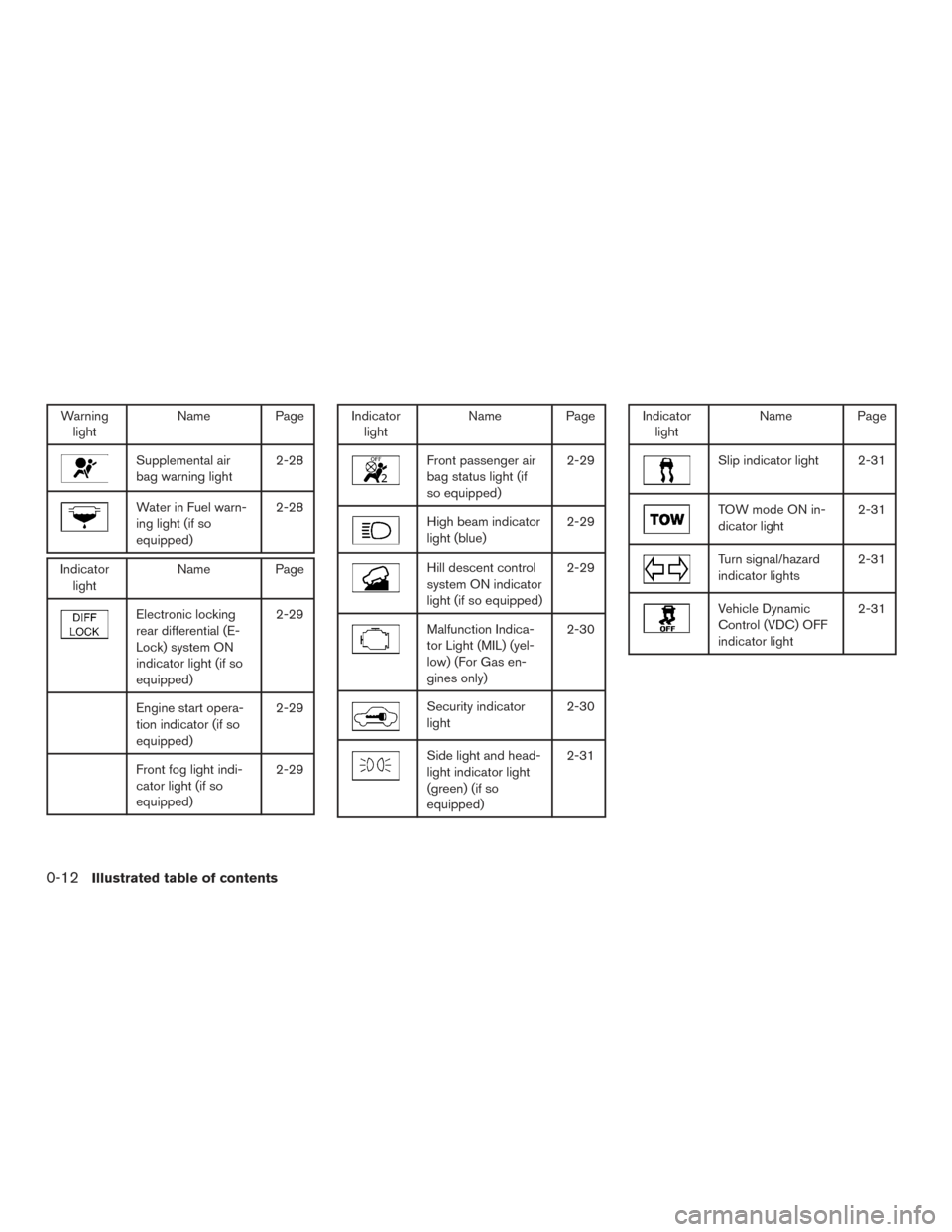
Warninglight Name Page
Supplemental air
bag warning light 2-28
Water in Fuel warn-
ing light (if so
equipped)2-28
Indicator
light Name Page
Electronic locking
rear differential (E-
Lock) system ON
indicator light (if so
equipped) 2-29
Engine start opera-
tion indicator (if so
equipped)
2-29
Front fog light indi-
cator light (if so
equipped)2-29
Indicator
light Name Page
Front passenger air
bag status light (if
so equipped) 2-29
High beam indicator
light (blue)
2-29
Hill descent control
system ON indicator
light (if so equipped)2-29
Malfunction Indica-
tor Light (MIL) (yel-
low) (For Gas en-
gines only)2-30
Security indicator
light
2-30
Side light and head-
light indicator light
(green) (if so
equipped)2-31
Indicator
light Name Page
Slip indicator light 2-31
TOW mode ON in-
dicator light 2-31
Turn signal/hazard
indicator lights2-31
Vehicle Dynamic
Control (VDC) OFF
indicator light2-31
0-12Illustrated table of contents
Page 104 of 671
2 Instruments and controls
Instrument panel...................................2-4
Meters and gauges ................................2-6
Speedometer and odometer .....................2-7
Tachometer ....................................2-9
Engine coolant temperature gauge ...............2-9
Fuel gauge ................................... 2-10
Auxiliary gauges (if so equipped) ................2-11
Diesel Exhaust Fluid (DEF) Level
(if so equipped) ............................... 2-12
Off-road monitor (if so equipped) ................2-13
Trip computer (if so equipped) ..................2-13
Compass (if so equipped) ......................... 2-18
Warning lights, indicator lights and audible
reminders ........................................ 2-21
Checking lights ............................... 2-22
Warning lights ................................ 2-22
Indicator lights ................................ 2-29
Audible reminders ............................. 2-31
Vehicle information display (if so equipped) ..........2-32
How to use the vehicle information display .......2-32
Startup display ................................ 2-33
Settings ...................................... 2-33
Vehicle information display warnings and
indicators ..................................... 2-41Diesel warnings and indicators
(if so equipped)
............................... 2-46
Security systems ................................. 2-47
Vehicle security system ......................... 2-47
NISSAN vehicle immobilizer system .............2-48
Wiper and washer switch ......................... 2-49
Switch operation .............................. 2-49
Rain-sensing auto wiper system
(if so equipped) ............................... 2-51
Rear window and/or outside mirror defroster switch
(if so equipped) .................................. 2-52
Headlight switch ................................. 2-53
Headlight control switch ........................ 2-53
Daytime running light system
(if so equipped) ............................... 2-56
Instrument brightness control ...................2-56
Turn signal switch ................................ 2-57
T
urn signal .................................... 2-57
Lane change signal ............................ 2-57
Fog light switch (if so equipped) ...................2-57
Horn ............................................ 2-58
Cargo lamp switch ................................ 2-58
Climate controlled seat switches (if so equipped) ....2-58
Heated seat switches (if so equipped) ..............2-60
Page 108 of 671
15. Heated steering wheel switch(if so equipped) (P. 2-62)
Warning Systems switch
(if so equipped) (P. 2-63)
16. Power outlet (P. 2-69)
17. Auxiliary jack (P. 4-46) USB port (P. 4-46)
18. Hazard warning flasher switch (P. 6-2)
19. Trailer Brake Controller Unit
(if so equipped) (P. 2-69)
20. Climate control seat switch
(if so equipped) (P. 2-58)
Heated front seat switches
(if so equipped) (P. 2-60)
21. Vehicle Dynamic Control (VDC) OFF
switch (P. 2-63)
Parking sensor (sonar) system OFF
switch (if so equipped) (P. 2-67)
22. 4WD shift switch (if so equipped)
(P. 5-44)
23. Push-button ignition switch (P. 5-10)
24. Tilt and telescopic steering wheel
control (P. 3-25)
25. Headlight aiming control
(if so equipped) (P. 2-53)
Power inverter switch (if so equipped)
(P. 2-67) Cargo lamp switch (P. 2-58)
Electronic locking rear differential
(E-Lock) system switch (if so
equipped) (P. 2-65)
Hill descent control system switch
(if so equipped) (P. 2-64)
26. Headlight switch (P. 2-53) Fog light switch (if so equipped)
(P. 2-57)
Instrument brightness control switches
(P. 2-53)
Trip reset switch (P. 2-6)
Refer to the page number indicated in pa-
renthesis for operating details.
Instruments and controls2-5
Page 125 of 671
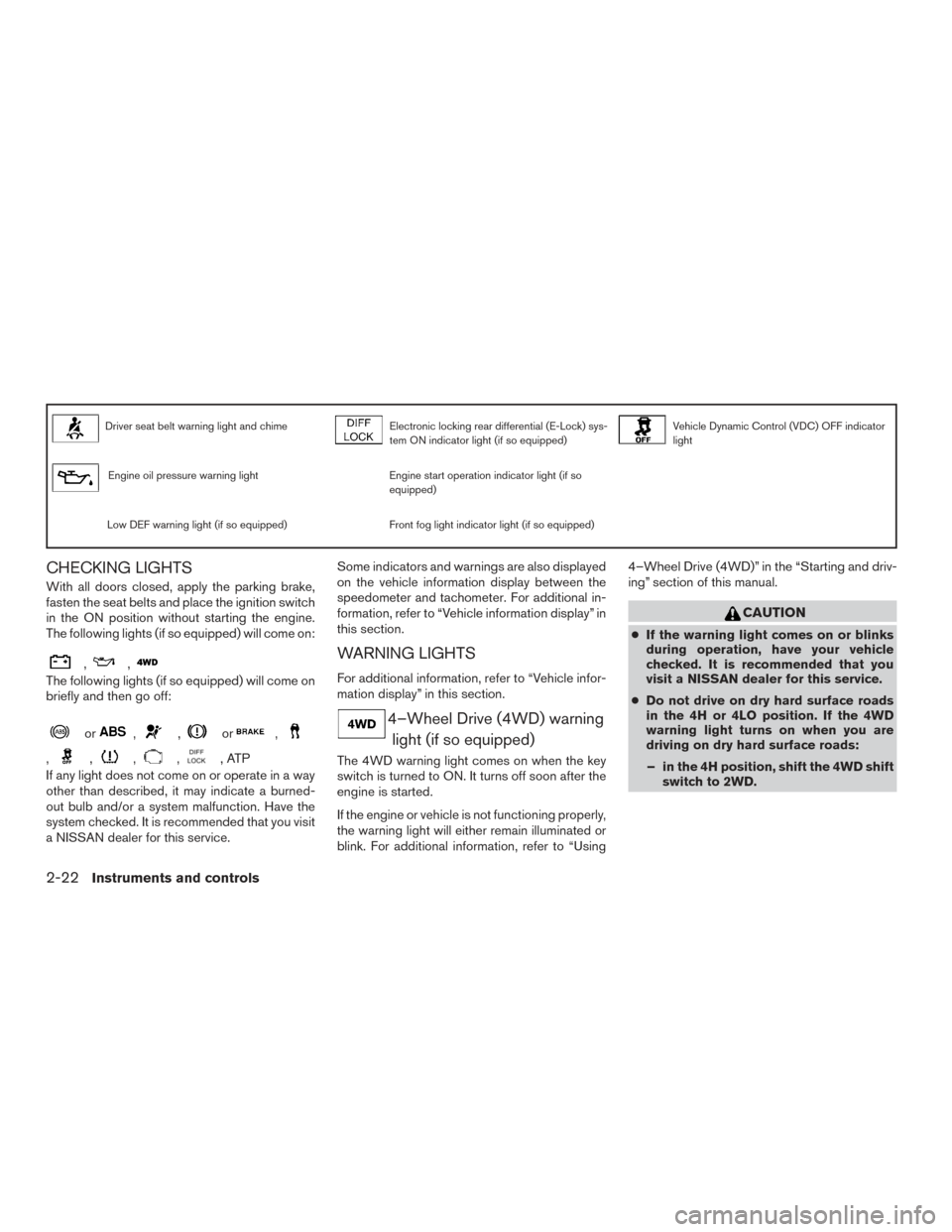
Driver seat belt warning light and chimeElectronic locking rear differential (E-Lock) sys-
tem ON indicator light (if so equipped)Vehicle Dynamic Control (VDC) OFF indicator
light
Engine oil pressure warning lightEngine start operation indicator light (if so
equipped)
Low DEF warning light (if so equipped)Front fog light indicator light (if so equipped)
CHECKING LIGHTS
With all doors closed, apply the parking brake,
fasten the seat belts and place the ignition switch
in the ON position without starting the engine.
The following lights (if so equipped) will come on:
,,
The following lights (if so equipped) will come on
briefly and then go off:
or,,or,
,,,,,ATP
If any light does not come on or operate in a way
other than described, it may indicate a burned-
out bulb and/or a system malfunction. Have the
system checked. It is recommended that you visit
a NISSAN dealer for this service. Some indicators and warnings are also displayed
on the vehicle information display between the
speedometer and tachometer. For additional in-
formation, refer to “Vehicle information display” in
this section.
WARNING LIGHTS
For additional information, refer to “Vehicle infor-
mation display” in this section.
4–Wheel Drive (4WD) warning
light (if so equipped)
The 4WD warning light comes on when the key
switch is turned to ON. It turns off soon after the
engine is started.
If the engine or vehicle is not functioning properly,
the warning light will either remain illuminated or
blink. For additional information, refer to “Using 4–Wheel Drive (4WD)” in the “Starting and driv-
ing” section of this manual.
CAUTION
●
If the warning light comes on or blinks
during operation, have your vehicle
checked. It is recommended that you
visit a NISSAN dealer for this service.
● Do not drive on dry hard surface roads
in the 4H or 4LO position. If the 4WD
warning light turns on when you are
driving on dry hard surface roads:
– in the 4H position, shift the 4WD shift switch to 2WD.
2-22Instruments and controls
Page 132 of 671
INDICATOR LIGHTS
For additional information, refer to “Vehicle infor-
mation display” in this section.
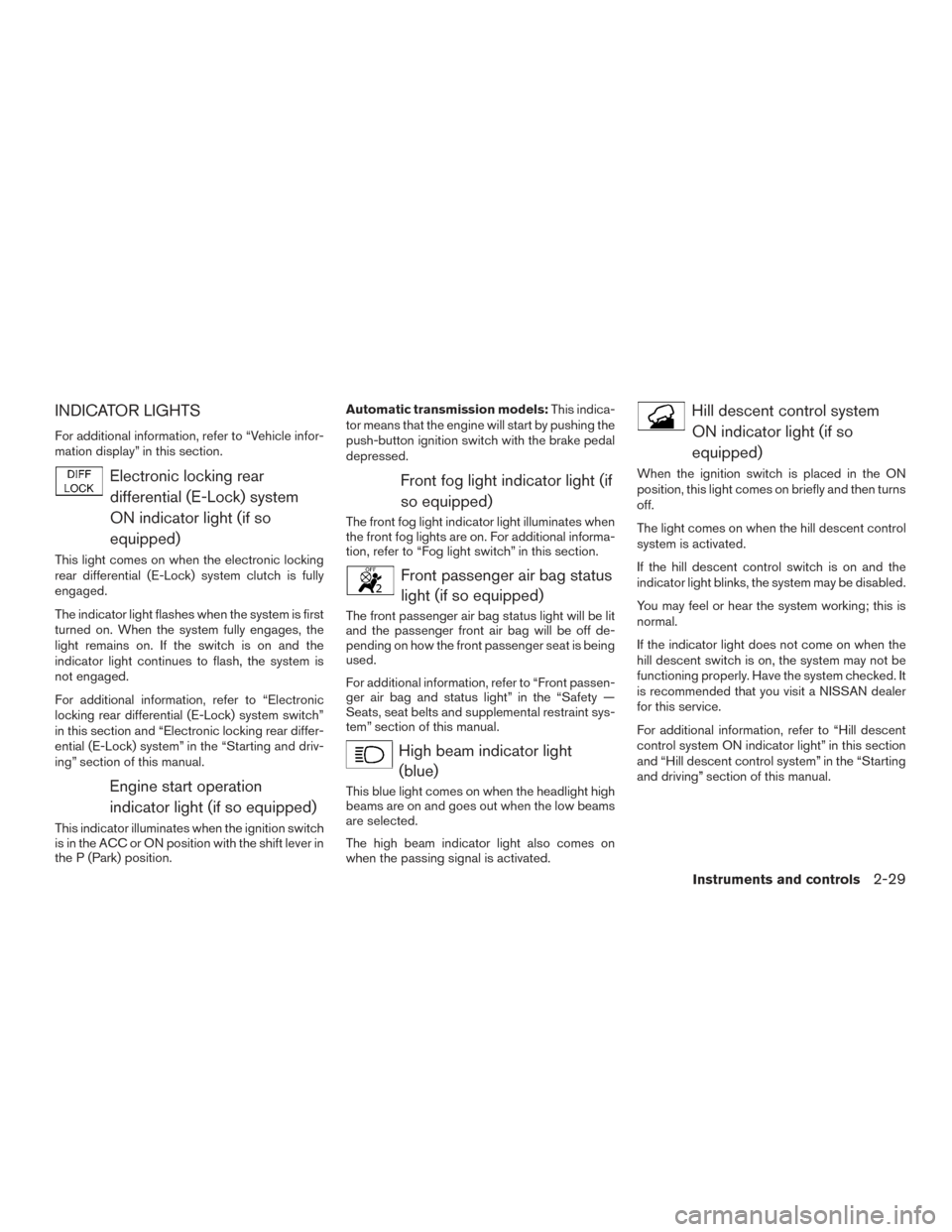
Electronic locking reardifferential (E-Lock) system
ON indicator light (if so
equipped)
This light comes on when the electronic locking
rear differential (E-Lock) system clutch is fully
engaged.
The indicator light flashes when the system is first
turned on. When the system fully engages, the
light remains on. If the switch is on and the
indicator light continues to flash, the system is
not engaged.
For additional information, refer to “Electronic
locking rear differential (E-Lock) system switch”
in this section and “Electronic locking rear differ-
ential (E-Lock) system” in the “Starting and driv-
ing” section of this manual.
Engine start operationindicator light (if so equipped)
This indicator illuminates when the ignition switch
is in the ACC or ON position with the shift lever in
the P (Park) position. Automatic transmission models:
This indica-
tor means that the engine will start by pushing the
push-button ignition switch with the brake pedal
depressed.
Front fog light indicator light (if
so equipped)
The front fog light indicator light illuminates when
the front fog lights are on. For additional informa-
tion, refer to “Fog light switch” in this section.
Front passenger air bag statuslight (if so equipped)
The front passenger air bag status light will be lit
and the passenger front air bag will be off de-
pending on how the front passenger seat is being
used.
For additional information, refer to “Front passen-
ger air bag and status light” in the “Safety —
Seats, seat belts and supplemental restraint sys-
tem” section of this manual.
High beam indicator light(blue)
This blue light comes on when the headlight high
beams are on and goes out when the low beams
are selected.
The high beam indicator light also comes on
when the passing signal is activated.
Hill descent control system
ON indicator light (if so
equipped)
When the ignition switch is placed in the ON
position, this light comes on briefly and then turns
off.
The light comes on when the hill descent control
system is activated.
If the hill descent control switch is on and the
indicator light blinks, the system may be disabled.
You may feel or hear the system working; this is
normal.
If the indicator light does not come on when the
hill descent switch is on, the system may not be
functioning properly. Have the system checked. It
is recommended that you visit a NISSAN dealer
for this service.
For additional information, refer to “Hill descent
control system ON indicator light” in this section
and “Hill descent control system” in the “Starting
and driving” section of this manual.
Instruments and controls2-29
Page 159 of 671
Select the switch position by referring to the
following sample.
Vehicle LoadSwitch
Position
Driver only or Driver/front pas- senger 0
Driver/front seat passenger/rear seat passengers 1
Driver/front seat passenger/rear
seat passengers/cargo or driver/ cargo/no trailer 2
Fully loaded/no trailer 3
DAYTIME RUNNING LIGHT SYSTEM
(if so equipped)
The LED portion of the headlights (if so
equipped) , or the lights in the fog light area,
automatically illuminate at 100% intensity when
the engine is started and the parking brake re-
leased. The daytime running lights operate with
the headlight switch in the OFF position. When
you turn the headlight switch to the
posi-
tion for full illumination the LED lights (if so
equipped) switch from daytime running lights to
the park function. If the parking brake is applied before the engine is
started, the daytime running lights do not illumi-
nate. The daytime running lights illuminate when
the parking brake is released. The daytime run-
ning lights remain on while the engine is running.
It is necessary at dusk to turn the headlight switch
ON for interior controls and switches to illumi-
nate, as those remain off while the switch is in the
OFF position.
WARNING
When the daytime running light system is
active, tail lights on your vehicle are not
on. It is necessary at dusk to turn on your
headlights. Failure to do so could cause
an accident injuring yourself and others.
INSTRUMENT BRIGHTNESS
CONTROL
Press the “+” button to increase the brightness of
instrument panel lights.
Press the “-” button to decrease the brightness of
instrument panel lights.
LIC3176
2-56Instruments and controls