Page 166 of 671
The warning systems switch is used to turn on
and off the Blind Spot Warning (BSW) system
that is activated using the settings menu on the
vehicle information display.
When the warning systems switch is turned off,
the indicator
�1on the switch is off. The indicator
will also be off if the warning system is deacti-
vated using the settings menu. The BSW system will turn on the BSW/RCTA
indicator light, located next to the outside mirrors,
if the radar detects a vehicle in the detection
zone. If the turn signal is activated in the direction
of the detected vehicle, a chime sounds twice
and the BSW/RCTA indicator light will flash. For
additional information, refer to “Blind Spot Warn-
ing (BSW)” in the “Starting and driving” section
of this manual.
The vehicle should be driven with the VDC sys-
tem on for most driving conditions.
If the vehicle is stuck in mud or snow, the VDC
system reduces the engine output to reduce
wheel spin. The engine speed will be reduced
even if the accelerator is depressed to the floor. If
maximum engine power is needed to free a stuck
vehicle, turn the VDC system off.
To turn off the VDC system, push the VDC OFF
switch. The
indicator will come on.
LSD2208LIC3344
WARNING SYSTEMS SWITCH (if so
equipped) VEHICLE DYNAMIC CONTROL (VDC)
OFF SWITCH
Instruments and controls2-63
Page 189 of 671
●Do not place objects through the
opened rear window. Do not use the
rear window as a cargo area pass-
through. This may result in damage to
the rear window system, or personal
injury.
WARNING
● To help avoid risk of injury or death
through unintended operation of the
vehicle and or its systems, including
entrapment in windows or inadvertent
door lock activation, do not leave chil-
dren, people who require the assistance
of others or pets unattended in your
vehicle. Additionally, the temperature
inside a closed vehicle on a warm day
can quickly become high enough to
cause a significant risk of injury or
death to people and pets.
To open the rear power window, push in and hold
the switch.
To close the rear power window, pull out and hold
the switch.
To stop the opening or closing function at any
time, simply release the switch. NOTE:
If the rear power window is opened while
the defroster switch is on, the rear window
defroster (if so equipped) will automati-
cally shut off. The heated outside mirrors (if
so equipped) will remain on. The rear win-
dow defroster will automatically turn on
when the rear power window is fully closed
if the switch is on.
REAR SLIDING WINDOW (if so
equipped)
WARNING
●
You must ensure all occupants and ob-
jects are free of the rear window area
prior to and during operation. Failure to
do so may result in injury and/or dam-
age to the rear window system.
● The rear window is not designed to
carry long items through it.
LIC3488
2-86Instruments and controls
Page 198 of 671
3 Pre-driving checks and adjustments
Keys .............................................3-2NISSAN Intelligent Key® . .......................3-2
NISSAN Vehicle Immobilizer System keys .........3-4
Doors ............................................3-5
Locking with key ................................3-5
Locking with inside lock knob ....................3-6
Locking with power door lock switch . . . ..........3-7
Automatic door locks ...........................3-7
Child safety rear door lock (if so equipped) ........3-7
NISSAN Intelligent Key® ...........................3-8
Operating range ................................3-9
Door locks/unlocks precaution ...................3-9
NISSAN Intelligent Key® Operation .............3-10
How to use the remote keyless entry
function ...................................... 3-13
Warning signals ............................... 3-17
Troubleshooting guide ......................... 3-18
Remote Engine Start (if so equipped) ...............3-20
Remote engine start operating range . . . .........3-20
Remote starting the vehicle .....................3-20
Extending engine run time ......................3-21
Canceling a remote start .......................3-21
Conditions the remote start will not work .........3-21 Hood
........................................... 3-22
Fuel-filler door ................................... 3-23
Diesel fuel engines ............................ 3-23
Gasoline fuel engines .......................... 3-23
Steering wheel ................................... 3-25
Manual operation (if so equipped) ...............3-25
Automatic operation (if so equipped)............. 3-26
Sun visors ....................................... 3-27
Vanity mirrors (if so equipped) ...................3-27
Card holder (driver’s side only) ..................3-28
Mirrors .......................................... 3-28
Manual anti-glare rearview mirror
(if so equipped) ............................... 3-28
Automatic anti-glare rearview mirror
(if so equipped) ............................... 3-28
Outside mirrors ............................... 3-29
Truck box ........................................ 3-33
Tailgate ....................................... 3-33
Tie
down hooks ............................... 3-37
Automatic drive positioner (if so equipped) ..........3-37
Memory storage function .......................3-38
Entry/exit function ............................. 3-39
System operation .............................. 3-39
Page 224 of 671
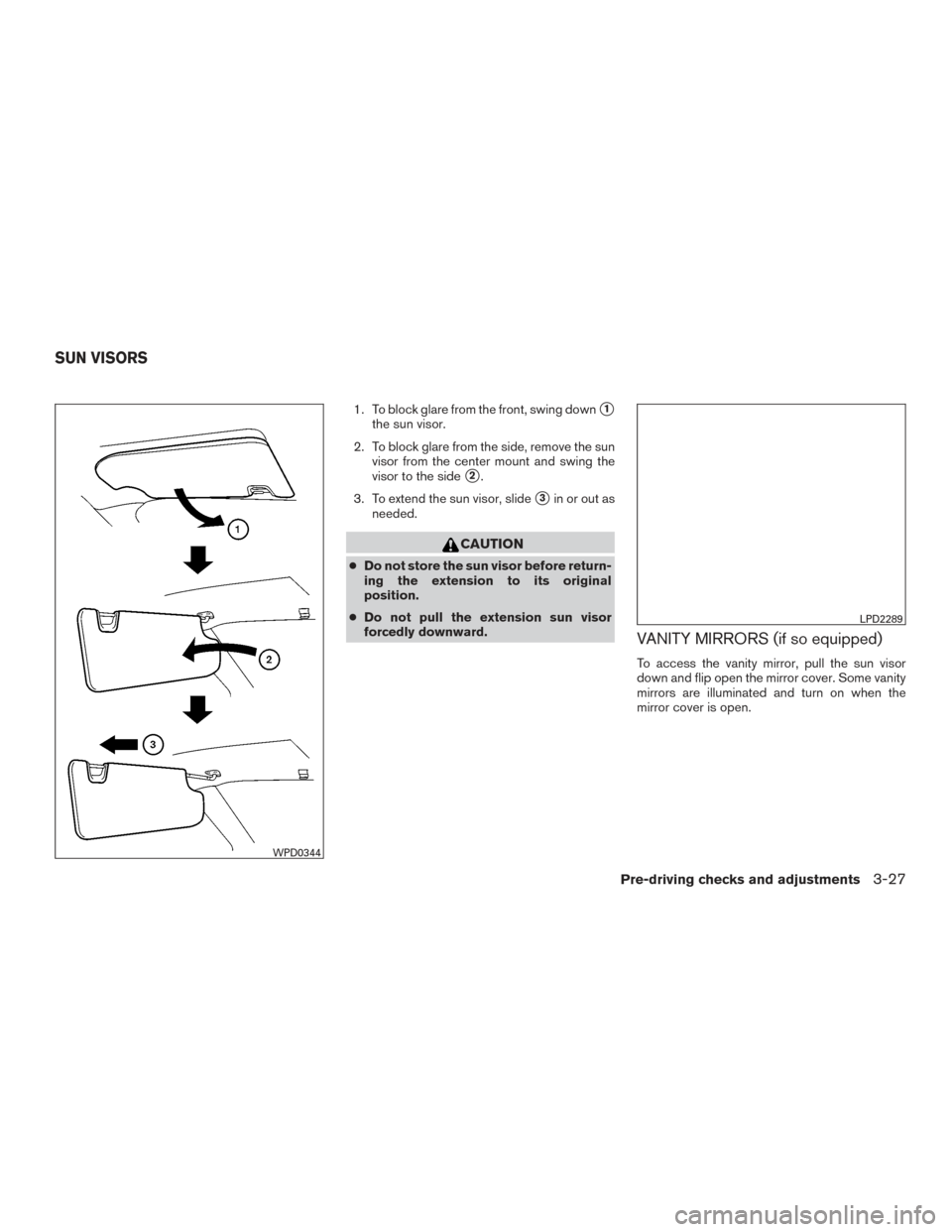
1. To block glare from the front, swing down�1
the sun visor.
2. To block glare from the side, remove the sun visor from the center mount and swing the
visor to the side
�2.
3. To extend the sun visor, slide
�3in or out as
needed.
CAUTION
● Do not store the sun visor before return-
ing the extension to its original
position.
● Do not pull the extension sun visor
forcedly downward.
VANITY MIRRORS (if so equipped)
To access the vanity mirror, pull the sun visor
down and flip open the mirror cover. Some vanity
mirrors are illuminated and turn on when the
mirror cover is open.
WPD0344
LPD2289
SUN VISORS
Pre-driving checks and adjustments3-27
Page 225 of 671
CARD HOLDER (driver’s side only)
To access the card holder, slide card in the card
holder. Do not view information while operating
the vehicle.
MANUAL ANTI-GLARE REARVIEW
MIRROR (if so equipped)
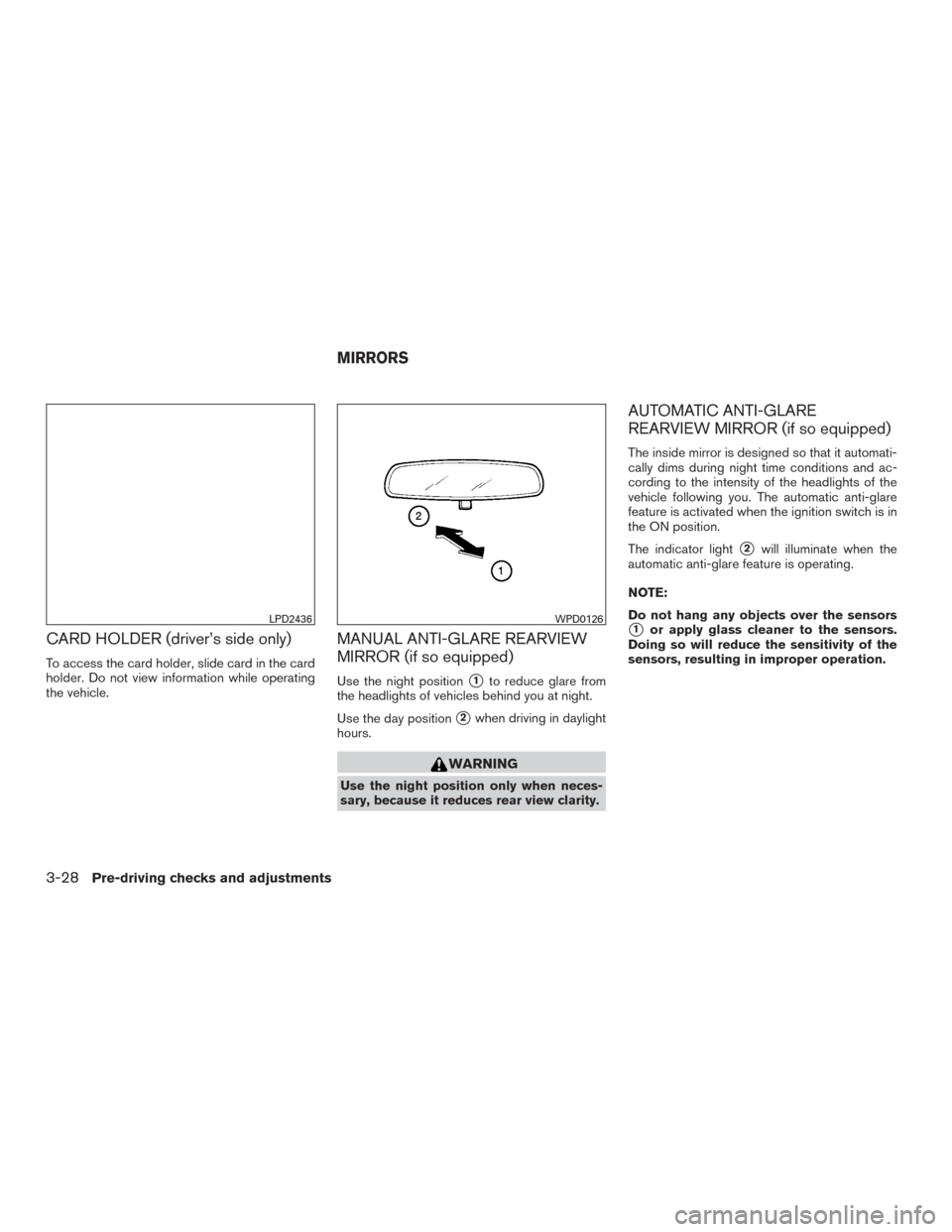
Use the night position�1to reduce glare from
the headlights of vehicles behind you at night.
Use the day position
�2when driving in daylight
hours.
WARNING
Use the night position only when neces-
sary, because it reduces rear view clarity.
AUTOMATIC ANTI-GLARE
REARVIEW MIRROR (if so equipped)
The inside mirror is designed so that it automati-
cally dims during night time conditions and ac-
cording to the intensity of the headlights of the
vehicle following you. The automatic anti-glare
feature is activated when the ignition switch is in
the ON position.
The indicator light
�2will illuminate when the
automatic anti-glare feature is operating.
NOTE:
Do not hang any objects over the sensors
�1or apply glass cleaner to the sensors.
Doing so will reduce the sensitivity of the
sensors, resulting in improper operation.LPD2436WPD0126
MIRRORS
3-28Pre-driving checks and adjustments
Page 226 of 671
Type A (if so equipped)
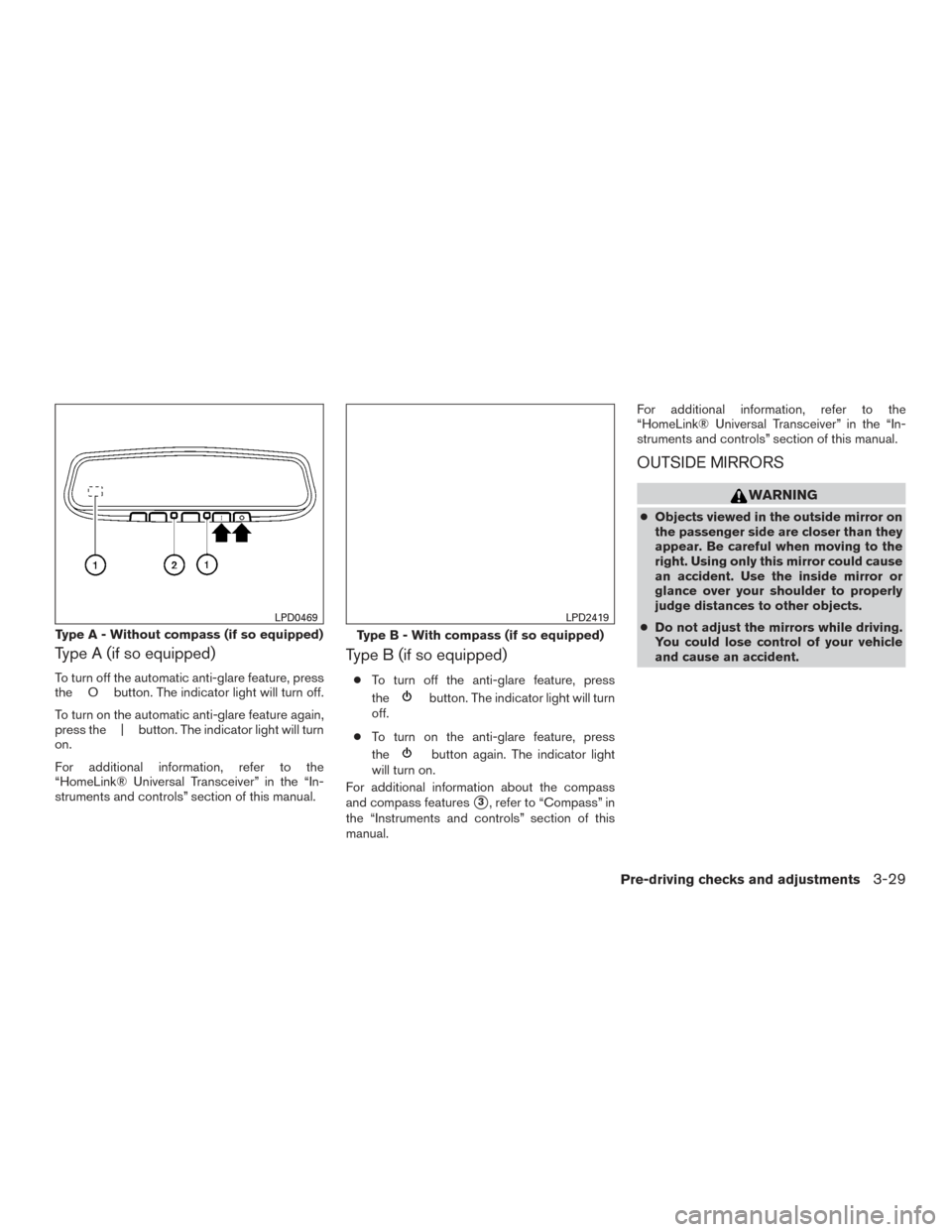
To turn off the automatic anti-glare feature, press
the O button. The indicator light will turn off.
To turn on the automatic anti-glare feature again,
press the | button. The indicator light will turn
on.
For additional information, refer to the
“HomeLink® Universal Transceiver” in the “In-
struments and controls” section of this manual.
Type B (if so equipped)
●To turn off the anti-glare feature, press
the
button. The indicator light will turn
off.
● To turn on the anti-glare feature, press
the
button again. The indicator light
will turn on.
For additional information about the compass
and compass features
�3, refer to “Compass” in
the “Instruments and controls” section of this
manual. For additional information, refer to the
“HomeLink® Universal Transceiver” in the “In-
struments and controls” section of this manual.
OUTSIDE MIRRORS
WARNING
●
Objects viewed in the outside mirror on
the passenger side are closer than they
appear. Be careful when moving to the
right. Using only this mirror could cause
an accident. Use the inside mirror or
glance over your shoulder to properly
judge distances to other objects.
● Do not adjust the mirrors while driving.
You could lose control of your vehicle
and cause an accident.
Type A - Without compass (if so equipped)
LPD0469
Type B - With compass (if so equipped)
LPD2419
Pre-driving checks and adjustments3-29
Page 227 of 671
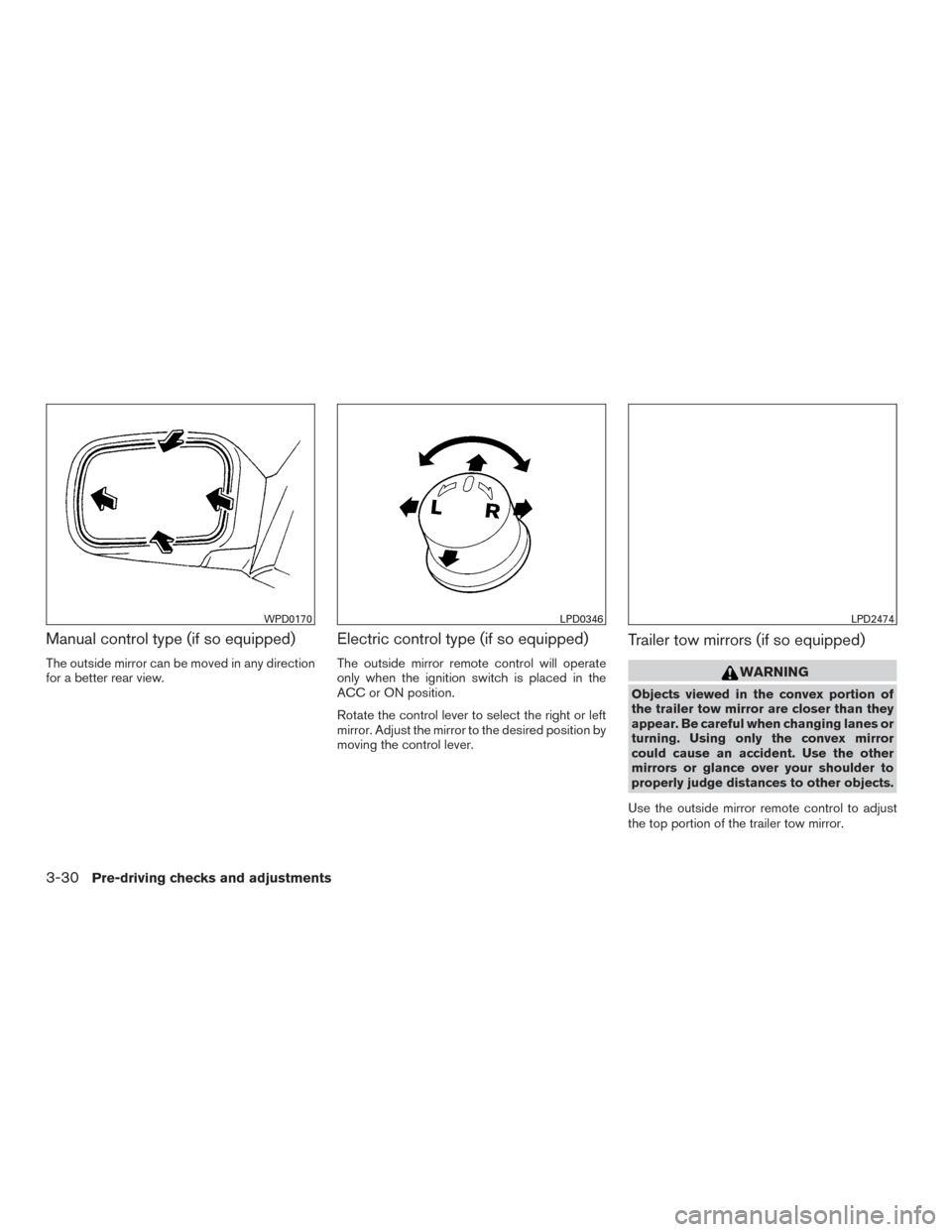
Manual control type (if so equipped)
The outside mirror can be moved in any direction
for a better rear view.
Electric control type (if so equipped)
The outside mirror remote control will operate
only when the ignition switch is placed in the
ACC or ON position.
Rotate the control lever to select the right or left
mirror. Adjust the mirror to the desired position by
moving the control lever.
Trailer tow mirrors (if so equipped)
WARNING
Objects viewed in the convex portion of
the trailer tow mirror are closer than they
appear. Be careful when changing lanes or
turning. Using only the convex mirror
could cause an accident. Use the other
mirrors or glance over your shoulder to
properly judge distances to other objects.
Use the outside mirror remote control to adjust
the top portion of the trailer tow mirror.
WPD0170LPD0346LPD2474
3-30Pre-driving checks and adjustments
Page 228 of 671
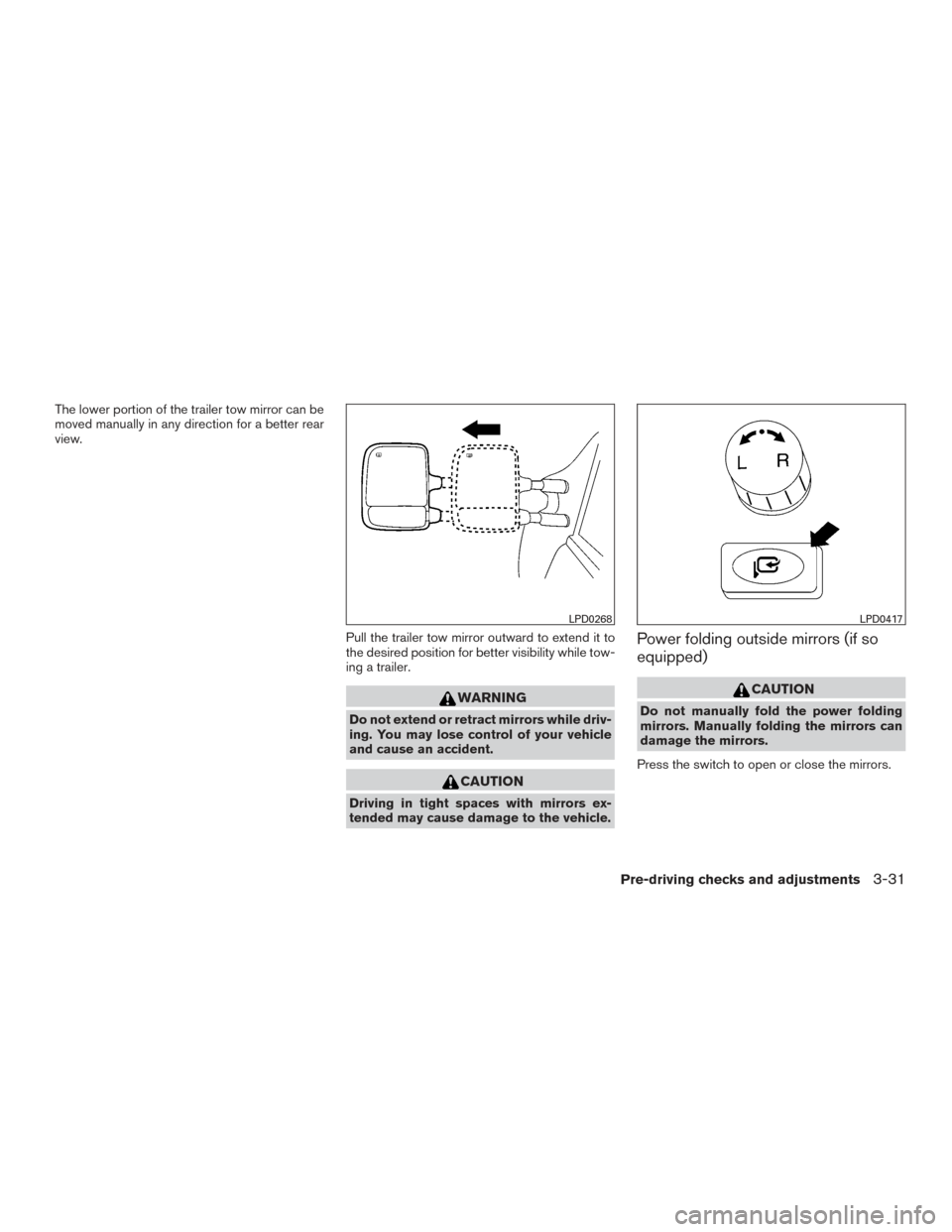
The lower portion of the trailer tow mirror can be
moved manually in any direction for a better rear
view.Pull the trailer tow mirror outward to extend it to
the desired position for better visibility while tow-
ing a trailer.
WARNING
Do not extend or retract mirrors while driv-
ing. You may lose control of your vehicle
and cause an accident.
CAUTION
Driving in tight spaces with mirrors ex-
tended may cause damage to the vehicle.
Power folding outside mirrors (if so
equipped)
CAUTION
Do not manually fold the power folding
mirrors. Manually folding the mirrors can
damage the mirrors.
Press the switch to open or close the mirrors.
LPD0268LPD0417
Pre-driving checks and adjustments3-31