Page 351 of 554
The BSW system automatically turns on every
time the engine/motor is started, as long as it is
activated using the settings menu on the vehicle
information display.
Push the warning systems switch to turn off the
BSW system. The BSW indicator light will turn
off.
LSD2678
5-40Starting and driving
Page 353 of 554
●The following conditions may reduce
the ability of the radar to detect other
vehicles:
– Severe weather
– Road spray
– Ice/frost/dirt build-up on the vehicle
● Do not attach stickers (including trans-
parent material) , install accessories or
apply additional paint near the radar
sensors. These conditions may reduce
the ability of the radar to detect other
vehicles.
● Excessive noise (for example, audio
system volume, open vehicle window)
will interfere with the chime sound, and
it may not be heard.
BSW DRIVING SITUATIONS
Indicator
on
Indicator
off
Indicator
flashing
Another vehicle approaching from
behind
Illustration 1: The side indicator light illumi-
nates if a vehicle enters the detection zone from
behind in an adjacent lane.
Illustration 1 – Approaching from behind
LSD2299
5-42Starting and driving
Page 354 of 554
Illustration 2:If the driver activates the turn
signal when another vehicle is in the detection
zone, then the system chimes (twice) and the
side indicator light flashes.
NOTE:
● The radar sensors may not detect ve-
hicles which are approaching rapidly
from behind. ●
If the driver activates the turn signal
before a vehicle enters the detection
zone, the side indicator light will flash
but no chime will sound when the other
vehicle is detected.Overtaking another vehicle
Illustration 3: The side indicator light illumi-
nates if you overtake a vehicle and that vehicle
stays in the detection zone for approximately
2 seconds.
Illustration 2 – Approaching from behind
LSD2300
Illustration 3 – Overtaking another vehicle
LSD2302
Starting and driving5-43
Page 355 of 554
Illustration 4:If the driver activates the turn
signal while another vehicle is in the detection
zone, then the system chimes (twice) and the
side indicator light flashes.
NOTE:
● When overtaking several vehicles in a
row, the vehicles after the first vehicle
may not be detected if they are travel-
ing close together.
● The radar sensors may not detect
slower moving vehicles if they are
passed quickly. ●
If the driver activates the turn signal
before a vehicle enters the detection
zone, the side indicator light will flash
but no chime will sound when the other
vehicle is detected. .Entering from the side
Illustration 5:The side indicator light illuminates
if a vehicle enters the detection zone from either
side.
Illustration 4 – Overtaking another vehicle
LSD2303
Illustration 5 – Entering from the side
LSD2305
5-44Starting and driving
Page 356 of 554
Illustration 6:If the driver activates the turn sig-
nal while another vehicle is in the detection zone,
then the system chimes (twice) and the side
indicator light flashes.
NOTE:● If the driver activates the turn signal
before a vehicle enters the detection
zone, the side indicator light will flash
but no chime will sound when the other
vehicle is detected. ●
The radar sensors may not detect a
vehicle which is traveling at about the
same speed as your vehicle when it
enters the detection zone.
Illustration 6 – Entering from the side
LSD2308
Starting and driving5-45
Page 360 of 554
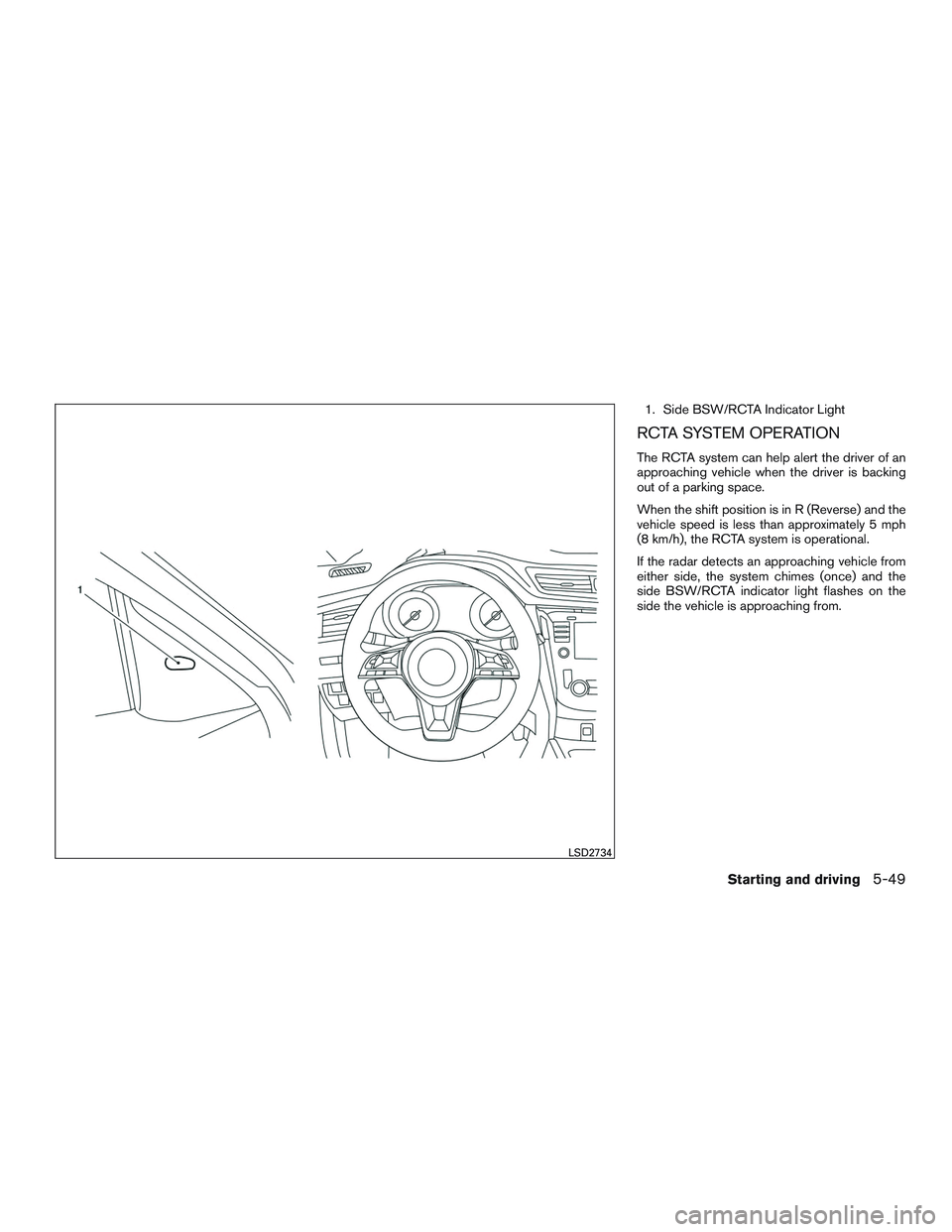
1. Side BSW/RCTA Indicator Light
RCTA SYSTEM OPERATION
The RCTA system can help alert the driver of an
approaching vehicle when the driver is backing
out of a parking space.
When the shift position is in R (Reverse) and the
vehicle speed is less than approximately 5 mph
(8 km/h), the RCTA system is operational.
If the radar detects an approaching vehicle from
either side, the system chimes (once) and the
side BSW/RCTA indicator light flashes on the
side the vehicle is approaching from.
LSD2734
Starting and driving5-49
Page 367 of 554

This device complies with Industry Canada
licence-exempt RSS standard(s) . Opera-
tion is subject to the following two condi-
tions: (1) this device may not cause inter-
ference, and (2) this device must accept any
interference, including interference that
may cause undesired operation of the de-
vice.
Frequency bands: 24.05 – 24.25GHz
Output power: less than 20 milliwatts
PRECAUTIONS ON CRUISE
CONTROL
1. CANCEL switch
2. RES/+ switch
3. SET/- switch
4. CRUISE ON/OFF switch● If the cruise control system malfunctions, it
cancels automatically. The
indicator
light in the vehicle information display then
blinks to warn the driver. ●
If the
indicator light blinks, turn the
cruise control switch off and have the sys-
tem checked. It is recommended that you
visit a NISSAN dealer for this service.
● The
indicator light may blink when the
cruise control switch is turned ON while
pushing the RES/+, SET/-, or CANCEL
switch. To properly set the cruise control
system, use the following procedures.
WARNING
Do not use the cruise control when driving
under the following conditions:
● When it is not possible to keep the
vehicle at a set speed.
● In heavy traffic or in traffic that varies in
speed.
● On winding or hilly roads.
● On slippery roads (rain, snow, ice, etc.) .
● In very windy areas.
Doing so could cause a loss of vehicle
control and result in an accident.
LSD2722
CRUISE CONTROL
5-56Starting and driving
Page 368 of 554

CRUISE CONTROL OPERATIONS
The cruise control allows driving at a speed be-
tween 25 - 89 mph (40 - 144 km/h) without
keeping your foot on the accelerator pedal.
To turn on the cruise control,push the
CRUISE ON/OFF switch on. The
indicator
light in the vehicle information display will illumi-
nate.
To set cruising speed, accelerate the vehicle to
the desired speed, push the SET/- switch and
release it. Take your foot off the accelerator pedal.
Your vehicle maintains the set speed.
● To pass another vehicle, depress the ac-
celerator pedal. When you release the
pedal, the vehicle returns to the previously
set speed.
● The vehicle may not maintain the set speed
when going up or down steep hills. If this
happens, drive without the cruise control.
To cancel the preset speed, use one of the
following three methods:
● Push the CANCEL switch.
● Tap the brake pedal.
● Push the CRUISE ON/OFF switch off.
The
indicator light in the vehicle infor-
mation display goes out. The cruise control is automatically canceled if:
● You depress the brake pedal while pushing
the RES/+ or SET/- switch. The preset
speed is deleted from memory.
● The vehicle slows down more than 8 mph
(13 km/h) below the set speed.
● You move the shift lever to N (Neutral) .
To reset at a faster cruising speed, use one of
the following three methods:
● Depress the accelerator pedal. When the
vehicle attains the desired speed, push and
release the SET/- switch.
● Push and hold the RES/+ switch. When the
vehicle attains the speed you desire, release
the switch.
● Push and release the RES/+ switch. Each
time you do this, the set speed increases by
about 1 mph (1.6 km/h).
To reset at a slower cruising speed, use one
of the following three methods:
● Lightly tap the brake pedal. When the ve-
hicle attains the desired speed, push the
SET/- switch and release it.
● Push and hold the SET/- switch. Release the
switch when the vehicle slows to the desired
speed. ●
Push and release the SET/- switch. Each
time you do this, the set speed decreases by
about 1 mph (1.6 km/h).
To resume the preset speed, push and re-
lease the RES/+ switch. The vehicle returns to
the last set cruising speed when the vehicle
speed is over 25 mph (40 km/h).
To turn off the cruise control, use one of the
following three methods:
● Push the CANCEL switch.
● Tap the brake pedal.
● Push the CRUISE ON/OFF switch off.
The
indicator light in the vehicle infor-
mation display goes out.
Starting and driving5-57