2017 NISSAN PATHFINDER PLATINUM audio
[x] Cancel search: audioPage 290 of 558
If your vehicle is equipped with the Mobile Enter-
tainment System, you can enjoy playing audio
and movie files on the rear displays with images
and sound.
A DVD and an AUX device inserted/connected to
the audio system for the front seat audio unit as
well as the devices connected to the rear media
interface (USB and HDMI ports for the rear dis-
plays) can be played on the rear displays.
The front and left/right rear displays can show
different sources individually.
CD/DVD slot is on the instrument panel. For
additional information, refer to “Names and func-
tions of audio control buttons” in this section.
AUX jacks are located inside the center console
box.
The rear media interface (USB and HDMI con-
nection ports) is located behind the center con-
sole box. For additional information, refer to
“Connecting rear media interface” in this section.
Page 302 of 558
CINEMA
Optimum mode for movies. Provides power-
ful surround audio as if you are in a theater.
MUSIC
Provides natural and clear sounds with sta-
bility optimal for listening to music.
GAME
Provides realistic sounds for playing games
with bass enhanced sounds.
2. Mode indicators The selected surround audio mode will illu-
minate.
3. DISPLAY SELECT button
Slide this switch to select which of the audio
sources to listen to when the rear displays
are playing different sources.
L: the headphone will play audio from the
source playing on the left display
R: the headphone will play audio from the
source playing on the right display
4. ON/OFF button
Push to turn the headphones on or off.
5. Power ON/OFF indicator Illuminates when the headphones are turned
on.
6. VOL button
Turn to adjust the volume. Operating tips:
● The headphones will automatically turn off
after several minutes if there is no audio
output during that period. The headphones
will also turn off after approximately 4 hours
of continuous use. To prevent the battery
from being discharged, keep the power
turned off when not in use.
● If the sound from the headphones is not
clear, it may be due to interference from an
infrared communication device or a cellular
phone. If this happens, turn down the head-
phone volume or stop using the head-
phones. It is also possible that the head-
phones may be too far or offset from the
transmitter which is in the rear display
screen. Use the headphones in front of the
rear display.
● The sound may also be interrupted tempo-
rarily when there is something between the
headphones and the transmitter causing in-
terference. Move the source of interference,
such as opaque materials, hands, hair, etc. Battery replacement:
Page 321 of 558
Bluetooth® settings
The Bluetooth® settings can be set in detail
according to the user’s preference.1. Press the SETTING button.
2. Touch the “Bluetooth” key.
3. Touch the preferred item.● Bluetooth
Turns the Bluetooth® connection to the ve-
hicle on/off.
● Connect Device
Touch this item to connect to the
Bluetooth® device. You can also delete a
registered device and display information for
the registered device.
● Select Phone
Registered Bluetooth® Hands-Free
Phones are shown on the list. Select a de-
vice from the list to disconnect or connect a
Bluetooth® device. ●
Select Audio Device
Registered Bluetooth® audio players are
shown on the list. Select a device from the
list to disconnect or connect a Bluetooth®
device.
● Vehicle Bluetooth Device Info
The registered device name and the PIN
code can be changed.
HANDS-FREE TEXT MESSAGING
ASSISTANT
Page 398 of 558
WARNING
Listed below are the system limitations for
the RCTA system. Failure to operate the
vehicle in accordance with these system
limitations could result in serious injury or
death.
●Always check surroundings and turn to
check what is behind you before back-
ing up. The radar sensors detect ap-
proaching (moving) vehicles. The radar
sensors cannot detect every object such
as:
– Pedestrians, bicycles, motorcycles, animals or child-operated toy
vehicles
– A vehicle that is passing at speeds greater than approximately 19 mph
(30 km/h)
– A vehicle that is passing at speeds lower than approximately 5 mph
(8 km/h)
● The radar sensors may not detect ap-
proaching vehicles in certain situations:
– Illustration a: When a vehicle parked next to you obstructs the beam of the
radar sensor. – Illustration b: When the vehicle is
parked in an angled parking space.
– Illustration c: When the vehicle is parked on inclined ground.
– Illustration d: When an approaching vehicle turns into your vehicle’s park-
ing lot aisle.
– Illustration e: When the angle formed by your vehicle and approaching ve-
hicle is small
● The following conditions may reduce
the ability of the radar to detect other
vehicles:
– Severe weather
– Road spray
– Ice/frost/snow build-up on the vehicle
– Dirt build- up on the vehicle
● Do not attach stickers (including trans-
parent material) , install accessories or
apply additional paint near the radar
sensors. These conditions may reduce
the ability of the radar to detect other
vehicles ●
Excessive noise (e.g. audio system vol-
ume, open vehicle window) will inter-
fere with the chime sound, and it may
not be heard.
5-34Starting and driving
Page 550 of 558
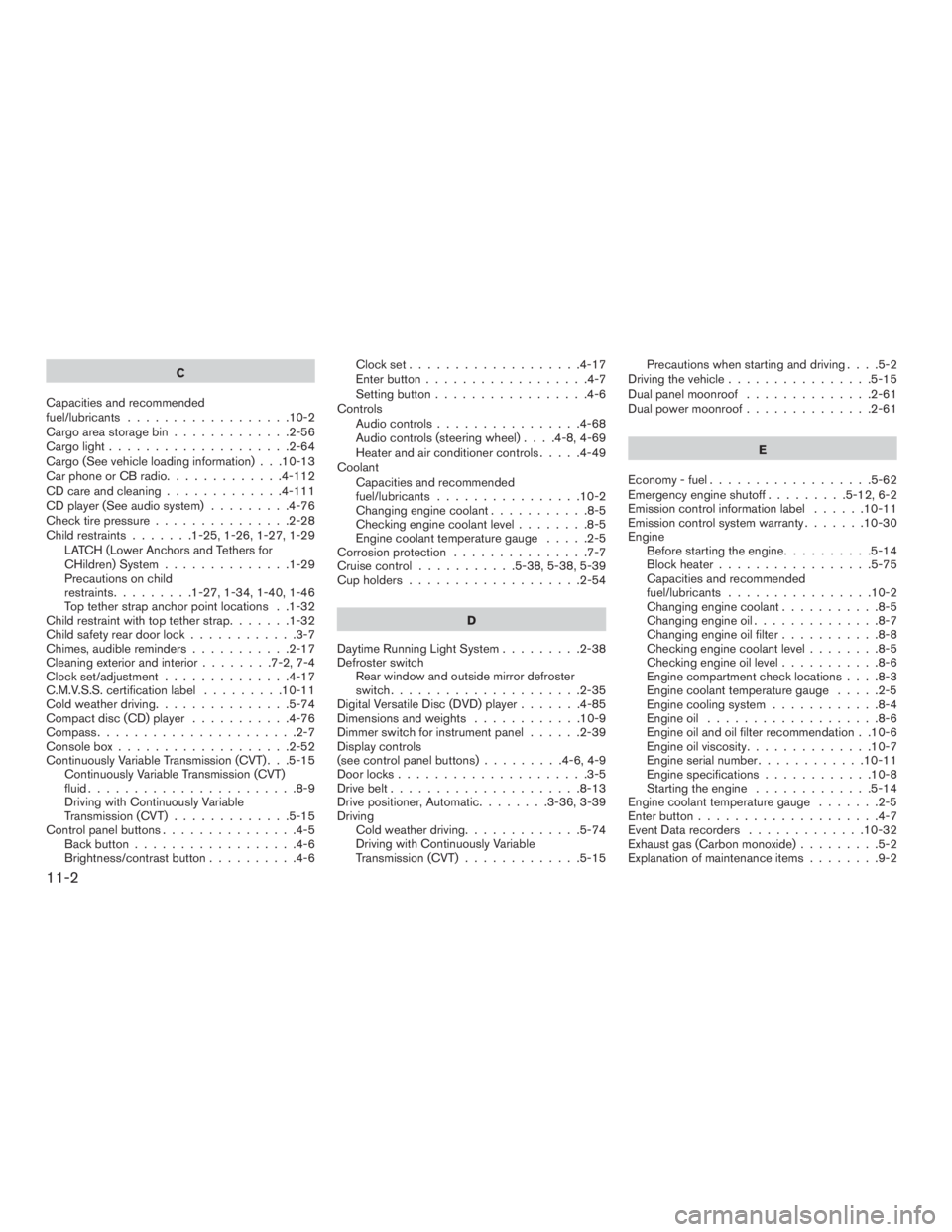
C
Capacities and recommended
fuel/lubricants ..................10-2
Cargoareastoragebin.............2-56
Cargolight....................2-64
Cargo (See vehicle loading information) . . .10-13
Car phone or CB radio .............4-112
CD care and cleaning .............4-111
CD player (See audio system) .........4-76
Check tire pressure ...............2-28
Child restraints .......1-25,1-26,1-27,1-29
LATCH (Lower Anchors and Tethers for
CHildren) System ..............1-29
Precautions on child
restraints.........1-27,1-34,1-40,1-46
Top tether strap anchor point locations . .1-32
Child restraint with top tether strap .......1-32
Child safety rear door lock ............3-7
Chimes, audible reminders ...........2-17
Cleaningexteriorandinterior........7-2,7-4
Clock set/adjustment ..............4-17
C.M.V.S.S. certification label .........10-11
Cold weather driving ...............5-74
Compact disc (CD) player ...........4-76
Compass ......................2-7
Consolebox...................2-52
Continuously Variable Transmission (CVT) . . .5-15 Continuously Variable Transmission (CVT)
fluid .......................8-9
Driving with Continuously Variable
Transmission (CVT) .............5-15
Control panel buttons ...............4-5
Backbutton..................4-6
Brightness/contrast button ..........4-6 Clockset...................4-17
Enterbutton..................4-7
Setting button
.................4-6
Controls Audio controls ................4-68
Audio controls (steering wheel) ....4-8,4-69
Heater and air conditioner controls .....4-49
Coolant Capacities and recommended
fuel/lubricants ................10-2
Changingenginecoolant...........8-5
Checking engine coolant level ........8-5
Engine coolant temperature gauge .....2-5
Corrosion protection ...............7-7
Cruisecontrol ...........5-38,5-38,5-39
Cupholders...................2-54
D
Daytime Running Light System .........2-38
Defroster switch Rear window and outside mirror defroster
switch.....................2-35
Digital Versatile Disc (DVD) player .......4-85
Dimensionsandweights ............10-9
Dimmer switch for instrument panel ......2-39
Display controls
(seecontrolpanelbuttons).........4-6,4-9
Door locks .....................3-5
Drive belt .....................8-13
Drive positioner, Automatic ........3-36,3-39
Driving Cold weather driving .............5-74
Driving with Continuously Variable
Transmission (CVT) .............5-15 Precautions when starting and driving
....5-2
Driving the vehicle ................5-15
Dual panel moonroof ..............2-61
Dual power moonroof ..............2-61
E
Economy-fuel..................5-62
Emergency engine shutoff .........5-12,6-2
Emission control information label ......10-11
Emission control system warranty .......10-30
Engine Before starting the engine ..........
5
-14
Blockheater.................5-75
Capacities and recommended
fuel/lubricants ................10-2
Changing engine coolant ...........8-5
Changingengineoil..............8-7
Changing engine oil filter ...........8-8
Checking engine coolant level ........8-5
Checking engine oil level ...........8-6
Engine compartment check locations ....8-3
Engine coolant temperature gauge .....2-5
Engine cooling system ............8-4
Engineoil ...................8-6
Engine oil and oil filter recommendation . .10-6
Engine oil viscosity ..............10-7
Engine serial number ............10-11
Engine specifications ............10-8
Starting the engine .............5-14
Engine coolant temperature gauge .......2-5
Enter button ....................4-7
Event Data recorders .............10-32
Exhaust gas (Carbon monoxide) .........5-2
Explanation of maintenance items ........9-2
11-2
Page 553 of 558

MirrorAutomatic anti-glare inside mirror ......3-34
Outside mirrors ...............3-35
Rearview ...................3-33
Vanity mirror .................3-33
Mirrors ......................3-33
Mobile Entertainment System (MES) ......4-88
Moonroof ......................7-4
Moving Object Detection (MOD) ........4-42
N
NissanConnect
SM...............4-129
NISSAN Intelligent Key® ..........3-2,3-7
NISSAN Vehicle Immobilizer System . .2-31, 5-13
O
Octanerating(Seefueloctanerating).....10-5
Odometer .....................2-4
Oil Capacities and recommended
fuel/lubricants ................10-2
Changing engine oil ..............8-7
Changing engine oil filter ...........8-8
Checking engine oil level ...........8-6
Engine oil ...................8-6
Engine oil and oil filter recommendation . .10-6
Engine oil viscosity ..............10-7
Outside mirrors .................3-35
Overhead sunglasses holder ..........2-53
Overheat Ifyourvehicleoverheats...........6-11
Owner’s manual order form ..........10-32Owner’s manual/service manual order
information
...................10-32
P
Parking Parking brake operation ...........5-19
Parking/parking on hills ...........5-67
Parking brake ...................5-19
Phone, Bluetooth® hands-free system ....4-113
Power Front seat adjustment .............1-5
Power door locks ...............3-6
Power outlet ..............2-48,2-49
Power rear windows .............2-59
Power steering fluid ..............8-9
Power steering system ...........5-67
Power windows ...............2-58
Rear power windows ............2-59
Power inverter switch ..............2-47
Power outlet ................2-48,2-49
Power steering ..................5-67
Power steering fluid ................8-9
Precautions Maintenance precautions ...........8-2
On-pavement and off-road driving
precautions ..................5-6
Precautions on booster
seats...........1-27,1-34,1-40,1-46
Precautions on child
restraints .........1-27,1-34,1-40,1-46
Precautions on seat belt usage .......1-17
Precautions on supplemental restraint
system ....................1-49
Precautions when starting and driving ....5-2Push starting
...................6-11
R
Radio CarphoneorCBradio...........4-112
FM/AM radio with compact disc (CD)
player .....................4-68
Steering wheel audio control
switch..................4-8,4-69
Readiness for inspection maintenance (I/M)
test .......................10-31
Rear Cross Traffic Alert (RCTA) ........5-29
Rear power windows ..............2-59
Rear sonar system ................5-73
Rearview mirror .................3-33
RearView Monitor ................4-21
Rear window and outside mirror defroster
switch.......................2-35
Rear window
wiper and washer switches . . .2-34
Recommended Fluids ..............10-2
Recorders EventData .................10-32
Refrigerant recommendation ..........10-7
Registering a vehicle in another country . . .10-10
Remote controller
(See NISSAN mobile entertainment system). . .4-97
Remote engine start ...............5-15
Remote Start ...................3-18
Reporting safety defects (US only) ......10-30
Roof rack .....................2-57
11-5
Page 554 of 558

S
Safety Child safety rear door lock ..........3-7
Childseatbelts.....1-27,1-34,1-40,1-46
Reporting safety defects (US only) ....10-30
Seat adjustment Front manual seat adjustment ........1-3
Front power seat adjustment .........1-5
Second row bench seats ........1-7,1-9
Seatback pockets ................2-51
Seat belt Childsafety..................1-25
Infantsandsmallchildren..........1-26
Injured Person ................1-20
Largerchildren................1-26
Precautionsonseatbeltusage.......1-17
Pregnant women ...............1-20
Seat belt extenders .............1-24
Seat belt maintenance ............1-24
Seat belts ................1-17,7-6
Three-point type with retractor .......1-20
Seat belt extenders ...............1-24
Seatbeltwarninglight..........1-20,2-14
Seats 2nd row bench seat adjustment ....1-7,1-9
Adjustment ...................1-2
Armrests...................1-10
Automatic drive positioner ......3-36,3-39
Frontseats...................1-2
Heatedseats.................2-40
Manual front seat adjustment .........1-3
Security indicator light ..............2-16
Security system (NISSAN Vehicle Immobilizer
System) , engine start ...........2-31,5-13 Security systems
Vehicle security system ...........2-30
Self-adjusting brakes ..............8-17
Service manual order form ...........10-32
Servicing air conditioner .............4-55
Setting button ...................4-6
Smartphone connectivity ...........4-129
Sonar Rear system .................5-73
Sparkplugreplacement.............8-14
Sparkplugs ...................8-14
Specifications ..................10-8
Speedometer ...................2-4
Speedometer and odometer ...........2-4
Spotlights(Seemaplight) ...........2-64
SRSwarninglabel................1-66
Standard maintenance ..............9-7
Starting Before starting the engine ..........5-14
Jump starting ..............6-9,8-13
Precautions when starting and driving ....5-2
Push starting .................6-11
Starting the engine .............5-14
Starting the engine ...............5-14
Steering Power steering fluid ..............8-9
Power steering system ...........5-67
Steeringwheel..................3-31
Steering wheel audio control switch . . .4-8, 4-69
Stoplight.....................8-23
Storage......................2-51
Storagebin....................2-56
Storage tray ...................2-51
Sunglassescase.................2-53
Sunglassesholder................2-53
Sunroof.......................7-4 Sun visors
....................3-32
Supplemental air bag warning labels ......1-66
Supplemental air bag warning light . . .1-67, 2-14
Supplemental front impact air bag system . . .1-56
Supplemental restraint system Information and warning labels .......1-66
Precautions on supplemental restraint
system ....................1-49
Supplemental restraint system
(Supplemental air bag system) .........1-49
Switch Autolightswitch...............2-37
Automatic power
window switch......2-60
Fog light switch ...............2-40
Hazard warning flasher switch ........6-2
Headlightandturnsignalswitch......2-36
Headlight control switch ..........2-36
Hilldescentcontrolswitch.........2-45
Instrument brightness control ........2-39
Power door lock switch ............3-6
Power inverter switch ............2-47
Rear window and outside mirror defroster
switch .....................2-35
Rear window wiper and washer
switches ...................2-34
Steering wheel switch for audio
control/Bluetooth® Hands-Free Phone
System ....................4-69
Tow mode switch ..............2-46
Turnsignalswitch..............2-39
Vehicle dynamic control (VDC) off
switch .....................2-44
11-6