Page 149 of 558
●Never allow anyone to ride in the lug-
gage area. It is extremely dangerous to
ride in a cargo area inside of a vehicle.
In a collision, people riding in these
areas are more likely to be seriously
injured or killed.
● Do not allow people to ride in any area
of your vehicle that is not equipped with
seats and seat belts.
● The child restraint top tether strap may
be damaged by contact with items in
the cargo area. Secure any items in the
cargo area. Your child could be seri-
ously injured or killed in a collision if
the top tether strap is damaged.
● Be sure everyone in your vehicle is in a
seat and using a seat belt properly.
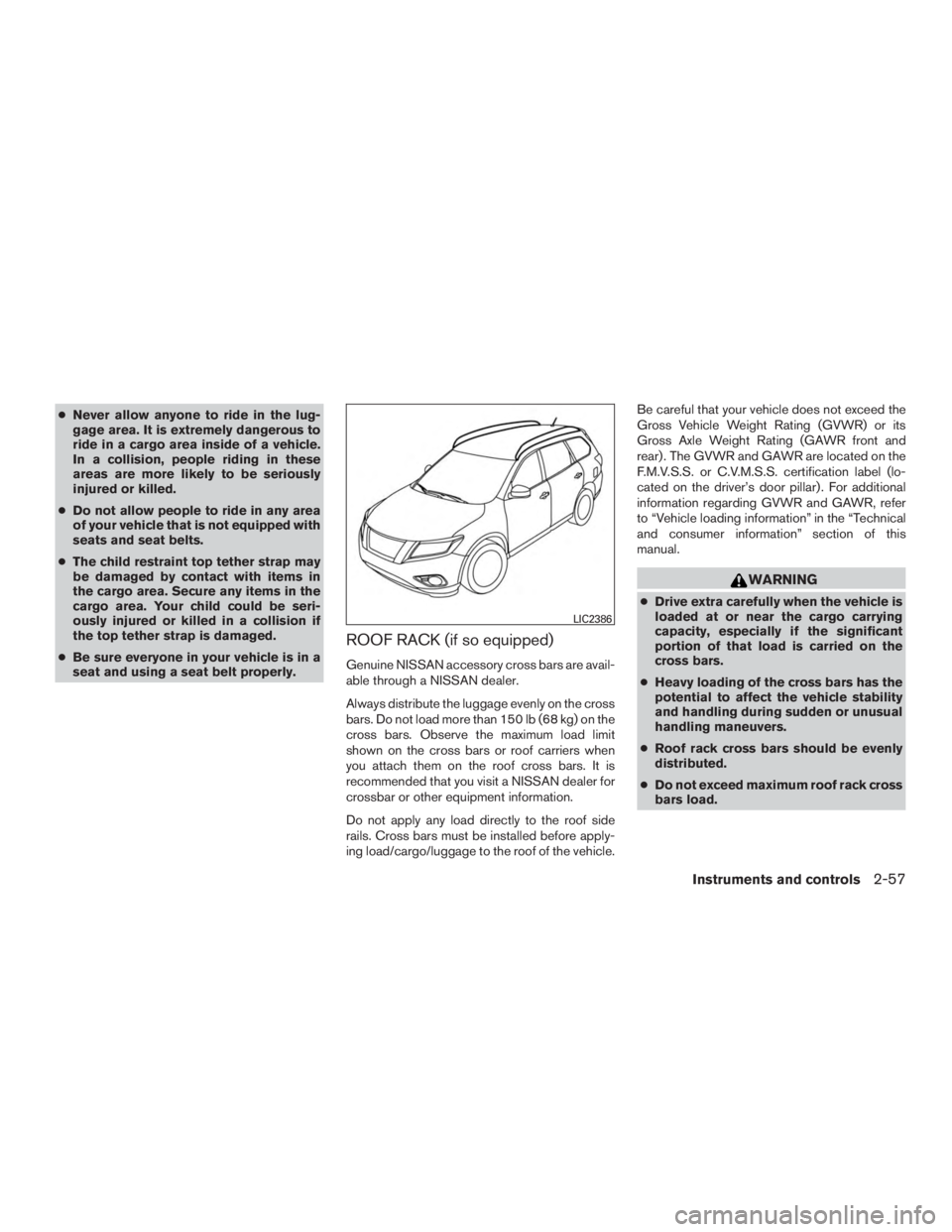
ROOF RACK (if so equipped)
Genuine NISSAN accessory cross bars are avail-
able through a NISSAN dealer.
Always distribute the luggage evenly on the cross
bars. Do not load more than 150 lb (68 kg) on the
cross bars. Observe the maximum load limit
shown on the cross bars or roof carriers when
you attach them on the roof cross bars. It is
recommended that you visit a NISSAN dealer for
crossbar or other equipment information.
Do not apply any load directly to the roof side
rails. Cross bars must be installed before apply-
ing load/cargo/luggage to the roof of the vehicle. Be careful that your vehicle does not exceed the
Gross Vehicle Weight Rating (GVWR) or its
Gross Axle Weight Rating (GAWR front and
rear) . The GVWR and GAWR are located on the
F.M.V.S.S. or C.V.M.S.S. certification label (lo-
cated on the driver’s door pillar) . For additional
information regarding GVWR and GAWR, refer
to “Vehicle loading information” in the “Technical
and consumer information” section of this
manual.
Page 150 of 558
●Properly secure all cargo with ropes or
straps to help prevent it from sliding or
shifting. In a sudden stop or collision,
unsecured cargo could cause personal
injury.
Page 157 of 558
CAUTION
Do not use for extended periods of time
with the engine stopped. This could result
in a discharged battery.The HomeLink® Universal Transceiver provides
a convenient way to consolidate the functions of
up to three individual hand-held transmitters into
one built-in device.
HomeLink® Universal Transceiver:
● Will operate most radio frequency devices
such as garage doors, gates, home and of-
fice lighting, entry door locks and security
systems.
● Is powered by your vehicle’s battery. No
separate batteries are required. If the vehi-
cle’s battery is discharged or is discon-
nected, HomeLink® will retain all program-
ming.
When the HomeLink® Universal Trans-
ceiver is programmed, retain the original
transmitter for future programming proce-
dures (Example: new vehicle purchases) .
Upon sale of the vehicle, the programmed
HomeLink® Universal Transceiver buttons
should be erased for security purposes. For
additional information, refer to “Program-
ming HomeLink®” in this section.
Page 175 of 558
HOW TO USE THE REMOTE
KEYLESS ENTRY FUNCTION
The remote keyless entry function can operate all
door locks using the remote keyless function of
the Intelligent Key. The remote keyless function
can operate at a distance of 33 ft (10 m) away
from the vehicle. The operating distance de-
pends upon the conditions around the vehicle.
The remote keyless entry function will not func-
tion under the following conditions:● When the Intelligent Key is not within the
operational range.
● When the doors or the rear liftgate are open
or not closed securely.
● When the Intelligent Key battery is dis-
charged.
Page 183 of 558
WARNING
●Always be sure the liftgate has been
closed securely to prevent it from open-
ing while driving.
● Do not drive with the liftgate open. This
could allow dangerous exhaust gases
to be drawn into the vehicle. For addi-
tional information, refer to “Exhaust
gas (carbon monoxide)” in the “Starting
and driving” section of this manual.
● To help avoid risk of injury or death
through unintended operation of the
vehicle and or its systems, including
entrapment in windows or inadvertent
door lock activation, do not leave chil-
dren, people who require the assistance
of others or pets unattended in your
vehicle. Additionally, the temperature
inside a closed vehicle on a warm day
can quickly become high enough to
cause a significant risk of injury or
death to people and pets.
● Always be sure that hands and feet are
clear of the door frame to avoid injury
while closing the liftgate.
OPERATING THE MANUAL
LIFTGATE (if so equipped)
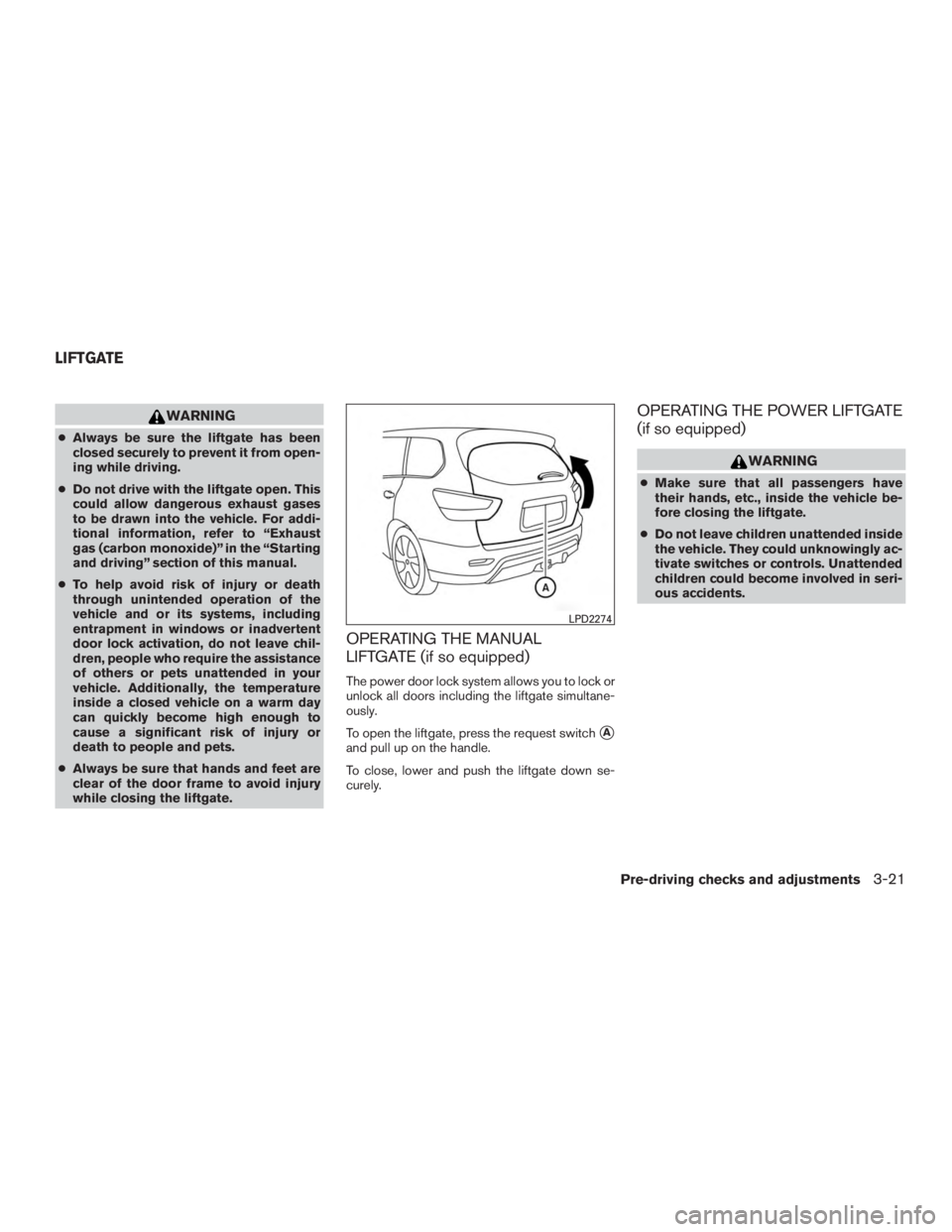
The power door lock system allows you to lock or
unlock all doors including the liftgate simultane-
ously.
To open the liftgate, press the request switch
�A
and pull up on the handle.
To close, lower and push the liftgate down se-
curely.
OPERATING THE POWER LIFTGATE
(if so equipped)
Page 191 of 558
2. To open the fuel-filler door, push the rightside of the fuel-filler door to release.
To lock, close the fuel-filler door securely and
lock the doors.
FUEL-FILLER CAP
Page 239 of 558
WARNING
Listed below are the system limitations for
Around View® Monitor. Failure to operate
the vehicle in accordance with these sys-
tem limitations could result in serious in-
jury or death.
●
Do not use the Around View® Monitor
with the outside mirrors in the stored
position, and make sure that the liftgate
is securely closed when operating the
vehicle using the Around View® Monitor.
●The apparent distance between objects
viewed on the Around View® Monitor
differs from the actual distance.
● The cameras are installed on the front
grille, the outside mirrors and above the
rear license plate. Do not put anything
on the vehicle that covers the cameras.
● When washing the vehicle with high
pressure water, be sure not to spray it
around the cameras. Otherwise, water
may enter the camera unit causing wa-
ter condensation on the lens, a mal-
function, fire or an electric shock.
● Do not strike the cameras. They are
precision instruments. Doing so could
cause a malfunction or cause damage
resulting in a fire or an electric shock. There are some areas where the system will not
show objects and the system does not warn of
moving objects. When in the front or rear view
display, an object below the bumper or on the
ground may not be viewed
�1. When in the
bird’s-eye view, a tall object near the seam
�2of
the camera viewing areas will not appear in the
monitor.
The following are operating limitations and do not
represent a system malfunction:
● There may be a delay when switching be-
tween views.
● When the temperature is extremely high or
low, the screen may not display objects
clearly.
● When strong light directly shines on the
camera, objects may not be displayed
clearly.
● The screen may flicker under fluorescent
light.
● The colors of objects on the Around View®
Monitor may differ somewhat from the actual
color of objects.
● Objects on the Around View® Monitor may
not be clear and the color of the object may
differ in a dark environment. ●
There may be differences in sharpness be-
tween each camera view of the bird’s-eye
view.
● Do not use wax on the camera lens. Wipe off
any wax with a clean cloth that has been
dampened with a diluted mild cleaning
agent, then wipe with a dry cloth.
Monitor, climate, audio, phone and voice recognition systems4-37
Page 366 of 558
WARNING
●Do not leave children or adults who
would normally require the assistance
of others alone in your vehicle. Pets
should also not be left alone. They
could accidentally injure themselves or
others through inadvertent operation of
the vehicle. Also, on hot, sunny days,
temperatures in a closed vehicle could
quickly become high enough to cause
severe or possibly fatal injuries to
people or animals.
● Properly secure all cargo with ropes or
straps to help prevent it from sliding or
shifting. Do not place cargo higher than
the seatbacks. In a sudden stop or col-
lision, unsecured cargo could cause
personal injury.
EXHAUST GAS (carbon monoxide)