2017 NISSAN PATHFINDER bluetooth
[x] Cancel search: bluetoothPage 312 of 555
CAUTION
●Keep the antenna as far away as pos-
sible from the electronic control
modules.
● Keep the antenna wire more than 8 in
(20 cm) away from the electronic control
system harnesses. Do not route the an-
tenna wire next to any harness.
● Adjust the antenna standing-wave ratio
as recommended by the manufacturer.
● Connect the ground wire from the CB
radio chassis to the body.
● For additional information, it is recom-
mended that you visit a NISSAN dealer
for servicing.
WARNING
●Only use a phone after stopping your
vehicle in a safe location. If you have to
use a phone while driving, exercise ex-
treme caution at all times so full atten-
tion may be given to vehicle operation.
● If you find yourself unable to devote full
attention to vehicle operation while
talking on the phone, pull off the road in
a safe location and stop your vehicle
before doing so.
CAUTION
To avoid draining the vehicle battery, only
use a phone after starting the engine.
Your vehicle is equipped with a Bluetooth®
Hands-Free Phone System. If you are an owner
of a compatible Bluetooth® enabled cellular
phone, you can set up the wireless connection
between your cellular phone and the in-vehicle
phone module. With Bluetooth® wireless tech-
nology, you can make or receive a telephone call
with your cellular phone in your pocket.
Once a cellular phone is connected to the in-
vehicle phone module, the procedure for con-
necting the phone does not need to be per-
formed again. Your phone is automatically
selected by the in-vehicle phone module when the ignition switch is switched to the ON position
with the selected cellular phone turned on and
carried in the vehicle.
You can register up to five different Bluetooth®
cellular phones to the in-vehicle phone module.
However, you can talk on only one cellular phone
at a time.
The Voice Recognition system supports phone
commands, so dialing a phone number using
your voice is possible. For additional information,
refer to “Voice Recognition system” in this
manual.
Before using the Bluetooth® Hands-Free Phone
System, refer to the following notes.
● Wireless LAN (Wi-Fi) and the Bluetooth®
functions share the same frequency band
(2.4GHz) . Using the Bluetooth® and wire-
less LAN functions at the same time may
slow down or disrupt communications and
could cause undesired noise. It is recom-
mended that you turn wireless LAN (Wi-Fi)
off when using the Bluetooth® functions.
● Set up the wireless connection between a
compatible cellular phone and the in-vehicle
phone module before using the Bluetooth®
Hands-Free Pone System.
BLUETOOTH® HANDS-FREE PHONE
SYSTEM
Monitor, climate, audio, phone and voice recognition systems4-113
Page 313 of 555
●Some Bluetooth® enabled cellular phones
may not be recognized by the in-vehicle
phone module. Please visit
www.nissanusa.com/bluetooth/ and search
for a recommended phone list.
● You will not be able to use a hands-free
phone under the following conditions:
– Your vehicle is outside the service area for your cellular phone network.
– Your vehicle is in an area where it is difficult to receive radio waves, such as in
a tunnel, in an underground parking ga-
rage, behind a tall building or in a moun-
tainous area.
– Your cellular phone is locked in order to prevent dialing.
● When the radio wave condition is not ideal
or ambient sound is too loud, it may be
difficult to hear the other person’s voice dur-
ing a call. ●
This Bluetooth® system supports Wide-
band speech, which enhances the sound
quality of phone calls placed over
Bluetooth®. To take advantage of this fea-
ture, the cellular device should be used on a
carrier supporting Adaptive MultiRate Wide-
band (AMR-WB) or HD voice technology.
The performance of AMR-WB may vary by
carrier and calling area. Consult your cellular
carrier if you experience issues with call
quality or connection.
● Immediately after the ignition switch is
turned ON, it may be impossible to receive a
call for a short period of time.
● Do not place the cellular phone in an area
surrounded by metal or far away from the
in-vehicle phone module to prevent tone
quality degradation and wireless connection
disruption.
● While a cellular phone is connected through
the Bluetooth® wireless connection, the
battery of the cellular phone may discharge
quicker than usual.
● If the Bluetooth® Hands-Free Phone Sys-
tem seems to be malfunctioning, please visit
www.nissanusa.com/bluetooth/ for trouble-
shooting help. ●
Some cellular phones or other devices may
cause interference or a buzzing noise to be
emitted from the audio system speakers.
Storing the device in a different location may
reduce or eliminate the noise.
● Refer to the owner’s manual for the cellular
phone for information regarding the tele-
phone pairing procedure specific to your
phone, battery charging , and cellular phone
antenna, etc.
● The antenna display on the monitor may not
match the antenna display of some cellular
phones.
● The battery display on the monitor may not
match the battery display of some cellular
phones.
● Keep the interior of the vehicle as quiet as
possible to her the caller’s voice clearly as
well as to minimize echoes.
● If reception between callers is unclear, ad-
justing the incoming or outgoing call volume
may improve the clarity.
4-114Monitor, climate, audio, phone and voice recognition systems
Page 315 of 555
The Bluetooth® word
mark and logos are
registered trademarks
owned by Bluetooth
SIG, Inc. and any use
of such marks by
DENSO
CORPORATION is
under license. Other
trademarks and trade
names are those of
their respective own-
ers.
PHONE
Connecting Bluetooth® Device
Your vehicle is equipped with a Bluetooth®
Hands-Free Phone System and Bluetooth®
streaming audio device. If you are an owner of a
compatible Bluetooth® enabled cellular phone
or Bluetooth® audio device, you can set up the
wireless connection between your cellular phone
and the in-vehicle phone module, or Bluetooth®
audio and in-vehicle audio module. With
Bluetooth® wireless technology, you can make
or receive a telephone call with your cellularphone in your pocket and listen to music on your
Bluetooth® streaming audio device via the in-
vehicle system.
Connecting cellular phone/audio device
1. Press the SETTING button.
2. Touch the “Bluetooth” key and touch the “Connect Device” key.
3. Touch the “Add New (X/5 Free)” key to reg- ister a device.
4. When a PIN code appears on the screen, operate the compatible Bluetooth® cellular
phone to enter the PIN code.
The pairing procedure for cellular phones
varies depending on the model of cellular
phone. Refer to the owner’s manual for the
cellular phone for details.
If the registered device has both audio and
phone functions, the system displays a mes-
sage asking if you would like to register the
device for another function.
The procedure for connecting a cellular
phone/audio device varies depending on the
Bluetooth® device. Refer to the owner’s
manual for the Bluetooth® device for de-
tails. NOTE:
Some cellular phones or other devices may
cause interference or a buzzing noise to be
emitted from the audio system speakers.
Storing the device in a different location
may reduce or eliminate the noise.
You can also visit www.nissanusa.com/
bluetooth/ or call NISSAN Consumer Affairs De-
partment for instructions on pairing NISSAN rec-
ommended cellular phones or audio devices.
Phone selection
Select one of the connected devices for opera-
tion.
1. Push the
switch, then touch the “Se-
lect Phone” key. A list of the connected
cellular phones is displayed.
2. Select one of the connected cellular phones from the list.
3. When selection of the device is successful, a message on the display indicates that the
cellular phone was selected.
4-116Monitor, climate, audio, phone and voice recognition systems
Page 318 of 555
Bluetooth® settings
The Bluetooth® settings can be set in detail
according to the user’s preference.1. Press the SETTING button.
2. Touch the “Bluetooth” key.
3. Touch the preferred item.● Bluetooth
Turns the Bluetooth® connection to the ve-
hicle on/off.
● Connect Device
Touch this item to connect to the
Bluetooth® device. You can also delete a
registered device and display information for
the registered device.
● Select Phone
Registered Bluetooth® Hands-Free
Phones are shown on the list. Select a de-
vice from the list to disconnect or connect a
Bluetooth® device. ●
Select Audio Device
Registered Bluetooth® audio players are
shown on the list. Select a device from the
list to disconnect or connect a Bluetooth®
device.
● Vehicle Bluetooth Device Info
The registered device name and the PIN
code can be changed.
HANDS-FREE TEXT MESSAGING
ASSISTANT
WARNING
Use the text messaging feature after park-
ing your vehicle in a safe location. If you
have to use the feature while driving, ex-
ercise extreme caution at all times so full
attention may be given to vehicle
operation.
CAUTION
This feature is disabled if the connected
device does not support the Message Ac-
cess Profile (MAP) . For additional infor-
mation, refer to the owner’s manual for
your phone. Laws in some jurisdictions may restrict the use of
“Text-to-Speech”. Check local regulations before
using this feature.
The text messaging assistant system allows the
sending and receiving of the text messages
through the vehicle interface.
Depending on the device that is connected to the
vehicle, some of the items may not be displayed.
Monitor, climate, audio, phone and voice recognition systems4-119
Page 319 of 555
Receiving a message
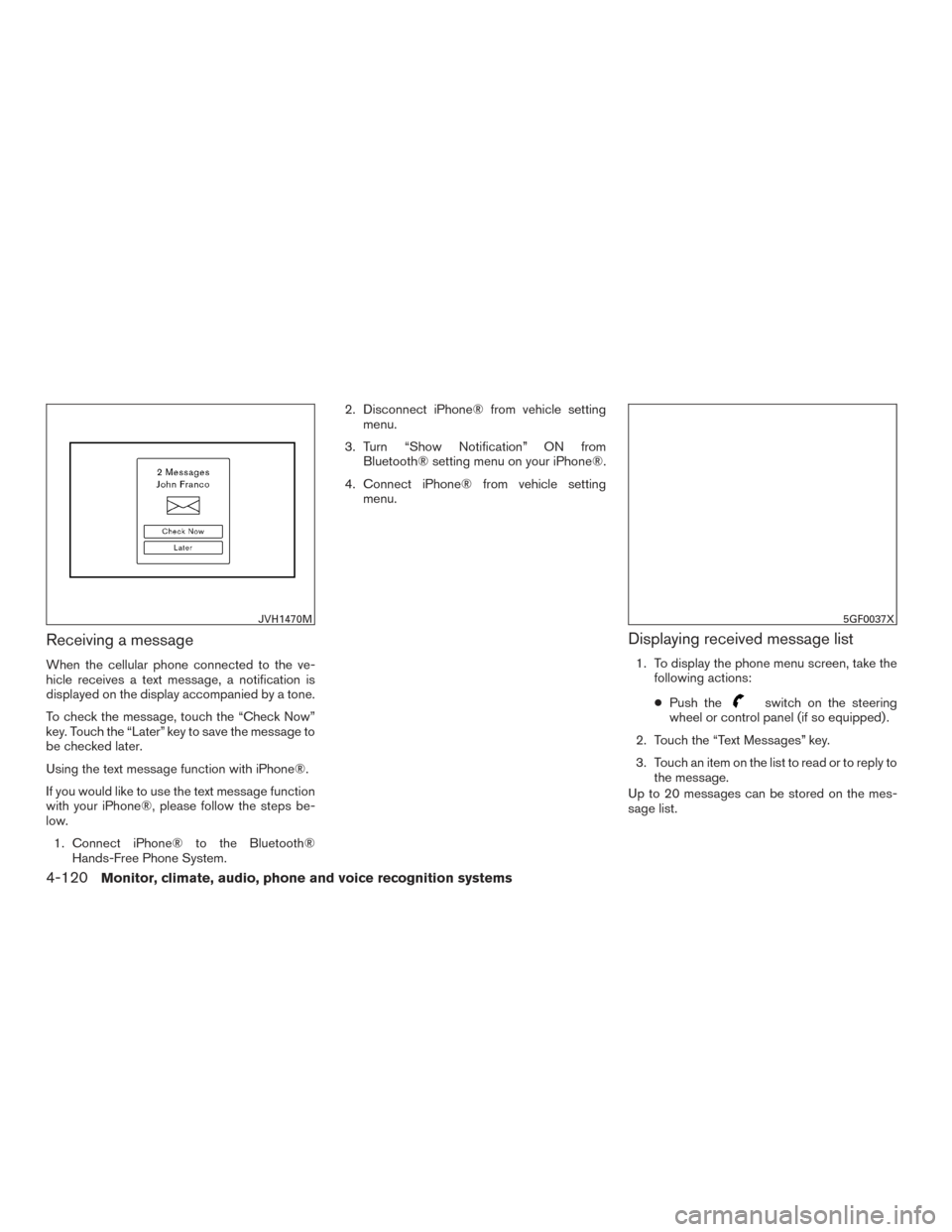
When the cellular phone connected to the ve-
hicle receives a text message, a notification is
displayed on the display accompanied by a tone.
To check the message, touch the “Check Now”
key. Touch the “Later” key to save the message to
be checked later.
Using the text message function with iPhone®.
If you would like to use the text message function
with your iPhone®, please follow the steps be-
low.1. Connect iPhone® to the Bluetooth® Hands-Free Phone System. 2. Disconnect iPhone® from vehicle setting
menu.
3. Turn “Show Notification” ON from Bluetooth® setting menu on your iPhone®.
4. Connect iPhone® from vehicle setting menu.
Displaying received message list
1. To display the phone menu screen, take thefollowing actions:
● Push the
switch on the steering
wheel or control panel (if so equipped) .
2. Touch the “Text Messages” key.
3. Touch an item on the list to read or to reply to the message.
Up to 20 messages can be stored on the mes-
sage list.
JVH1470M5GF0037X
4-120Monitor, climate, audio, phone and voice recognition systems
Page 322 of 555
PHONE AND TEXT MESSAGE
SETTINGS
Phone settings
The Bluetooth® Hands-Free Phone System can
be set in detail according to the user’s prefer-
ence.1. Press the SETTING button.
2. Touch the “Phone/Mail” key.
3. Touch the “Phone Settings” key. The following phone setting items are available.
Incoming Call Settings:
Setting item
Action
Ringtone Select a type of ringtone.
Phonebook/Favorites Settings:
Setting item Action
Configure Phonebook Settings Automatic Transfer Settings Phonebook Auto download Turns automatic download of the phonebook from the cel-
lular phone on/off.
Call History Download Turns automatic download of the cellular phone call history
on/off.
Manual Phonebook Transfer Transfer and Overwrite (Depending on cellular phone) Manually transfers information from the phonebook on the
cellular phone.
Transfer and Add (Depending on cellular
phone)
Delete Phonebook To delete a single item, select the item you wish to delete
from the list. Touch the “Delete All” key to delete all items.
To delete multiple items, touch the “Multiple Selection”
key.
Monitor, climate, audio, phone and voice recognition systems4-123
Page 327 of 555
BLUETOOTH® INFORMATION
Information about the connected Bluetooth® de-
vice can be viewed.1. Press the SETTING button.
2. Touch the “Bluetooth” key.
3. Touch the “Vehicle Bluetooth Device Info.” key.
The following items are available.Available item Action
Device Name The name of the connected Bluetooth® device is
displayed. Touch the “Device Name” key to display the
keyboard input screen for editing.
Enter PIN Code The passkey of the connected Bluetooth® device is
displayed. Touch the “Enter PIN Code” key to display the
keyboard input screen.
Device Address The device address of the connected Bluetooth® device
is displayed.
4-128Monitor, climate, audio, phone and voice recognition systems
Page 328 of 555
NISSANCONNECTSMAPPS
OVERVIEW
Laws in some jurisdictions may restrict the use of
some of the applications and features, such as
social networking and texting. Check local regu-
lations for any requirements.
NissanConnect
SMApps provide in-vehicle ac-
cess to NissanConnect Vehicle Apps.
Some pre-installed NissanConnect Vehicle Apps
can be used without taking any extra steps.
CAUTION
● While driving, some operations are lim-
ited in order to prevent distracting the
driver. While driving, avoid keeping a
close watch on the display.
● Some application services may be sub-
ject to change or termination without
prior notice.
The system allows you to download new applica-
tions, update downloaded applications and de-
lete downloaded applications in a similar manner
as popular smartphone operating systems.
You will need to connect a compatible smart-
phone to the vehicle in order to update Nissan-
Connect Vehicle Apps. The usage of applications is only guaranteed for
smartphones that have been tested and ap-
proved for use with NissanConnect
SMApps.
Only iPhone® and Android devices are currently
supported. Android smartphones must support
Bluetooth® and SPP (Serial Port Profile) .
USING APPLICATIONS
NOTE:
To use APP functions on the models with-
out a navigation system, the calendar set-
ting is necessary for checking the SSL ex-
piration date. For additional information,
refer to “Clock settings” in this section.
MAIN OPERATION
Push the APPS button to display the menu
screen.
Touch the icon for the desired application. The
selected application will be launched.
The applications shown on the menu screen and
the display order can be customized. For addi-
tional information, refer to “App Garage Settings
screen” in this section.
Some applications can be set to launch automati-
cally upon vehicle ignition.
NISSANCONNECT VEHICLE APPS
NissanConnect Vehicle Apps are unique applica-
tions developed by NISSAN.
NISSANCONNECTSMAPPS
Monitor, climate, audio, phone and voice recognition systems4-129