2017 NISSAN PATHFINDER CD player
[x] Cancel search: CD playerPage 287 of 555
If your vehicle is equipped with the Mobile Enter-
tainment System, you can enjoy playing audio
and movie files on the rear displays with images
and sound.
A DVD and an AUX device inserted/connected to
the audio system for the front seat audio unit as
well as the devices connected to the rear media
interface (USB and HDMI ports for the rear dis-
plays) can be played on the rear displays.
The front and left/right rear displays can show
different sources individually.
CD/DVD slot is on the instrument panel. For
additional information, refer to “Names and func-
tions of audio control buttons” in this section.
AUX jacks are located inside the center console
box.
The rear media interface (USB and HDMI con-
nection ports) is located behind the center con-
sole box. For additional information, refer to
“Connecting rear media interface” in this section.
WARNING
The driver must not attempt to operate the
Mobile Entertainment System while driv-
ing so full attention may be given to ve-
hicle operation.
CAUTION
●Do not attempt to use the system in
extremely high or low temperature con-
ditions [below -4°F (-20°C) or above
158°F (70°C)].
● To avoid draining the vehicle battery
(12V battery) , do not operate the system
for more that 15 minutes without start-
ing the engine.
The front display is designed not to show
images during driving, as the driver’s at-
tention must be given to vehicle operation
for safety. Sounds are still audible. To
show images on the front display, stop the
vehicle in a safe location, move the shift
lever to the “P” (Park) position and apply
the parking brake.
PRECAUTIONS
Start the engine when using the Mobile Enter-
tainment System.
WARNING
The driver must not attempt to operate the
Mobile Entertainment System or wear the
headphones while the vehicle is in motion
so that full attention may be given to ve-
hicle operation. Park the vehicle in a safe location and
apply the parking break to view the im-
ages on the front center display screen
using the DVD player.
CAUTION
●
Only operate the Mobile Entertainment
System while the engine is running. Op-
erating the Mobile Entertainment Sys-
tem for extended periods of time with
the engine turned off can discharge the
vehicle battery (12V battery) .
● Do not allow the system to get wet.
Excessive moisture such as spilled liq-
uids may cause the system to
malfunction.
● While playing VIDEO-CD media, this
DVD player does not guarantee com-
plete functionality of all VIDEO-CD
formats.
MOBILE ENTERTAINMENT SYSTEM
(MES) (if so equipped)
4-88Monitor, climate, audio, phone and voice recognition systems
Page 318 of 555
Bluetooth® settings
The Bluetooth® settings can be set in detail
according to the user’s preference.1. Press the SETTING button.
2. Touch the “Bluetooth” key.
3. Touch the preferred item.● Bluetooth
Turns the Bluetooth® connection to the ve-
hicle on/off.
● Connect Device
Touch this item to connect to the
Bluetooth® device. You can also delete a
registered device and display information for
the registered device.
● Select Phone
Registered Bluetooth® Hands-Free
Phones are shown on the list. Select a de-
vice from the list to disconnect or connect a
Bluetooth® device. ●
Select Audio Device
Registered Bluetooth® audio players are
shown on the list. Select a device from the
list to disconnect or connect a Bluetooth®
device.
● Vehicle Bluetooth Device Info
The registered device name and the PIN
code can be changed.
HANDS-FREE TEXT MESSAGING
ASSISTANT
WARNING
Use the text messaging feature after park-
ing your vehicle in a safe location. If you
have to use the feature while driving, ex-
ercise extreme caution at all times so full
attention may be given to vehicle
operation.
CAUTION
This feature is disabled if the connected
device does not support the Message Ac-
cess Profile (MAP) . For additional infor-
mation, refer to the owner’s manual for
your phone. Laws in some jurisdictions may restrict the use of
“Text-to-Speech”. Check local regulations before
using this feature.
The text messaging assistant system allows the
sending and receiving of the text messages
through the vehicle interface.
Depending on the device that is connected to the
vehicle, some of the items may not be displayed.
Monitor, climate, audio, phone and voice recognition systems4-119
Page 348 of 555
Functional:
SymptomPossible cause Possible solution
Keep losing my local stations. The digital coverage is slightly less than the analog signal
coverage. Verify correct operation on another station. This is ex-
pected behavior.
Shadowing (urban/terrain) can cause reduced digital
coverage. Verify correct operation on another station.
Some data fields are blank. Text information is sent at the broadcaster’s discretion. Verify correct operation on another station. Report any sta-
tion issues.
Text information is truncated / appears to be more
available. The display is limited to a fixed number of characters and
more data is being sent than can be shown. This is intended behavior.
AM reception changes at night. AM stations are required by the government (FCC) to lower
their power at night. This is not a malfunction.
Compact Disc (CD) player
Symptom
Possible cause Possible solution
Music cannot be played back. The disc is inserted upside down. Insert a CD with the label side facing up.
Moisture has accumulated inside the unit. Wait until the moisture evaporates (approximately 1 hour) .
The cabin temperature is too high. Wait until the cabin temperature becomes moderate.
The disc is scratched or dirty. Wipe off any dirt from the disc.
Scratched discs cannot be recovered. Replace the disc.
Depending on the condition in which they are stored, discs
may become unreadable due to deterioration (for example,
keeping the discs in the passenger compartment, etc.) . Replace the disc with a deterioration-free disc. Do not use
a deteriorated disc. The label surface of a disc may crack
or chip, and the layer of the label surface may eventually
peel off.
Monitor, climate, audio, phone and voice recognition systems4-149
Page 350 of 555
iPod® player
SymptomPossible cause Possible solution
The system does not recognize an iPod®. The connector cable is not correctly connected or the
iPod® does not correctly operate. Connect the connector cable again. If the system does not
recognize the iPod® after performing the procedure above,
reset the iPod®.
The iPod® that is connected is not compatible with the
system. Check the iPod® model and firmware versions available for
the system.
The USB extension cable is not correctly connected. Do not use a USB extension cable.
The cable is rapidly connected to or disconnected from the
USB connector. Slowly connect or disconnect the USB cable.
An iPod® cannot be operated. The iPod® is connected to the in-vehicle audio system
while headsets, etc. are connected to the iPod®. Remove all equipment from the iPod® after disconnecting
the iPod® from the system, and then connect it to the sys-
tem again.
The iPod® is not operating normally. Disconnect and re-connect the iPod® to the in-vehicle
audio system.
The system plays back an album/track that includes par-
ticular album art. Disconnect the iPod® from the in-vehicle audio system
and then reset the iPod®. Disable the album art and then
re-connect the iPod® to the system.
An iPod® does not respond. There are too many tracks in a category. Decrease the number of tracks in a category (less than
3,000 tracks) .
The shuffle function is turned on. Turn off the shuffle function if many tracks are stored on
the iPod.
Music cannot be played back. The connector is not connected to the iPod®. Firmly connect the connector until it clicks.
Music stops playing. The sound cuts off due to vibration resulting from the
iPod® being in an unstable location. Place the iPod® in a stable location where it does not roll
over.
The sound is distorted. The EQ (equalizer) function of the iPod® is turned on. Turn off the EQ (equalizer) function.
The iPod® battery requires more time than usual to
charge. Charging the iPod® battery may take longer while the
iPod® is playing. If the iPod® requires charging, it is recommended to stop
playback.
Monitor, climate, audio, phone and voice recognition systems4-151
Page 352 of 555
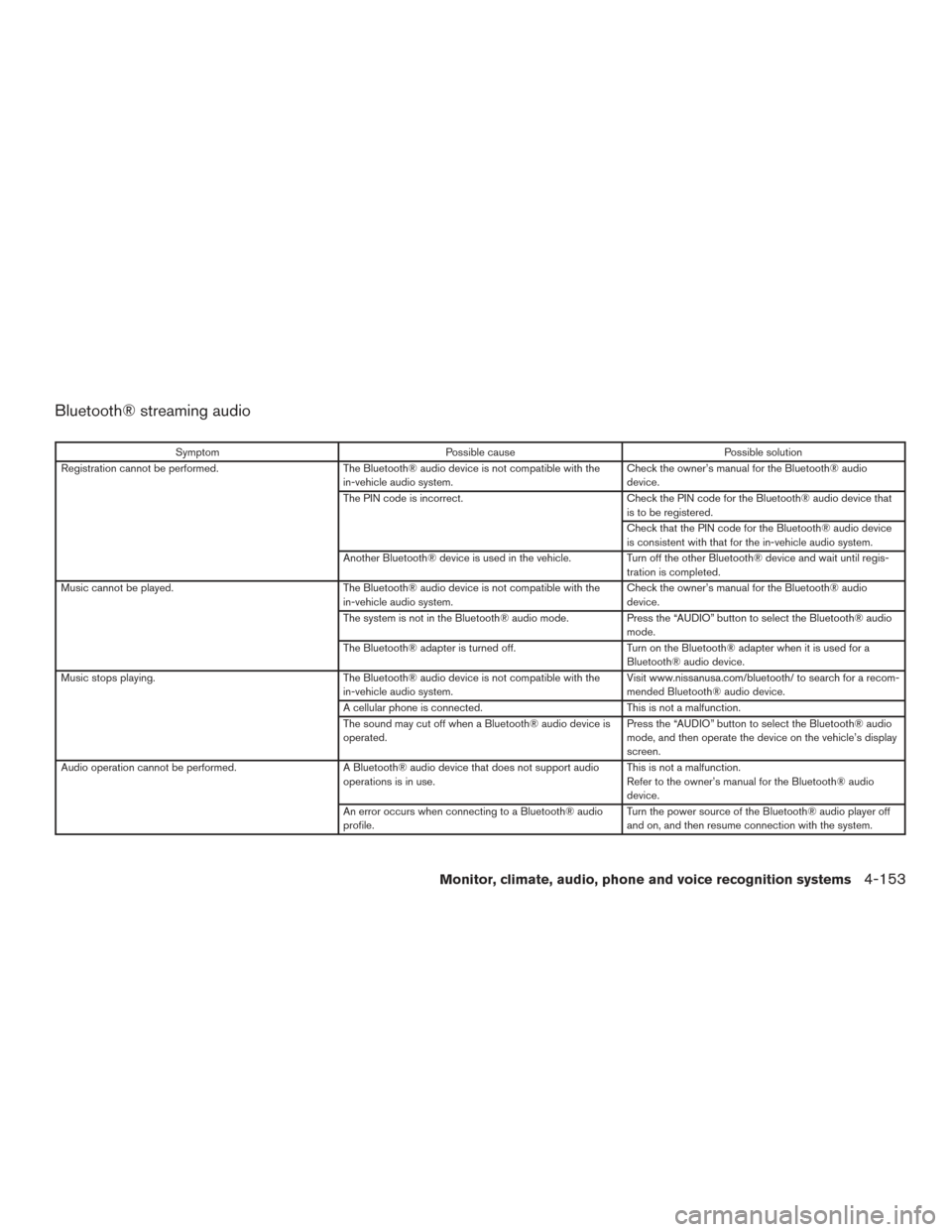
Bluetooth® streaming audio
SymptomPossible cause Possible solution
Registration cannot be performed. The Bluetooth® audio device is not compatible with the
in-vehicle audio system. Check the owner’s manual for the Bluetooth® audio
device.
The PIN code is incorrect. Check the PIN code for the Bluetooth® audio device that
is to be registered.
Check that the PIN code for the Bluetooth® audio device
is consistent with that for the in-vehicle audio system.
Another Bluetooth® device is used in the vehicle. Turn off the other Bluetooth® device and wait until regis-
tration is completed.
Music cannot be played. The Bluetooth® audio device is not compatible with the
in-vehicle audio system. Check the owner’s manual for the Bluetooth® audio
device.
The system is not in the Bluetooth® audio mode. Press the “AUDIO” button to select the Bluetooth® audio
mode.
The Bluetooth® adapter is turned off. Turn on the Bluetooth® adapter when it is used for a
Bluetooth® audio device.
Music stops playing. The Bluetooth® audio device is not compatible with the
in-vehicle audio system. Visit www.nissanusa.com/bluetooth/ to search for a recom-
mended Bluetooth® audio device.
A cellular phone is connected. This is not a malfunction.
The sound may cut off when a Bluetooth® audio device is
operated. Press the “AUDIO” button to select the Bluetooth® audio
mode, and then operate the device on the vehicle’s display
screen.
Audio operation cannot be performed. A Bluetooth® audio device that does not support audio
operations is in use. This is not a malfunction.
Refer to the owner’s manual for the Bluetooth® audio
device.
An error occurs when connecting to a Bluetooth® audio
profile. Turn the power source of the Bluetooth® audio player off
and on, and then resume connection with the system.
Monitor, climate, audio, phone and voice recognition systems4-153
Page 376 of 555
NOTE:
Care should be taken to avoid situations
that can lead to potential battery discharge
and potential no-start conditions such as:1.
Installation or extended use of elec-
tronic accessories that consume battery
power when the engine is not running
(phone chargers, GPS, DVD players, etc.)
2. The vehicle is not driven regularly
and/or only driven short distances.
In these cases, the battery may need to be
charged to maintain battery health.
REMOTE ENGINE START (if so
equipped)
Vehicles started with the remote engine start
require the ignition switch to be placed in the ON
position before the shift lever can be moved from
the P (Park) position. To place the ignition switch
to the ON position, follow these steps: 1. Make sure that the Intelligent Key is on you.
2. Apply the brake.
3. Push the ignition switch once to the ON position.
For additional information, refer to “NISSAN In-
telligent Key®” in the “Pre-driving checks and
adjustments” section of this manual.
CONTINUOUSLY VARIABLE
TRANSMISSION (CVT)
WARNING
● Do not depress the accelerator pedal
while shifting from P (Park) or N (Neu-
tral) to R (Reverse) , D (Drive) . Always
depress the brake pedal until shifting is
completed. Failure to do so could cause
you to lose control and have an
accident.
● Cold engine idle speed is high, so use
caution when shifting into a forward or
reverse gear before the engine has
warmed up.
● Do not downshift abruptly on slippery
roads. This may cause a loss of control.
● Never shift to either the P (Park) or R
(Reverse) position while the vehicle is
moving forward and P (Park) or D
(Drive) position while the vehicle is re-
versing. This could cause an accident or
damage the transmission.
CAUTION
●To avoid possible damage to your ve-
hicle, when stopping the vehicle on an
uphill grade, do not hold the vehicle by
depressing the accelerator pedal. The
foot brake should be used for this
purpose.
● Except in an emergency, do not shift to
the N (Neutral) position while driving.
Coasting with the transmission in the N
(Neutral) position may cause serious
damage to the transmission.
The CVT in your vehicle is electronically con-
trolled to produce maximum power and smooth
operation.
The recommended operating procedures for this
transmission are shown on the following pages.
Follow these procedures for maximum vehicle
performance and driving enjoyment.
Engine power may be automatically re-
duced to protect the CVT if the engine
speed increases quickly when driving on
slippery roads or while being tested on
some dynamometers.
DRIVING THE VEHICLE
Starting and driving5-15
Page 472 of 555
WINDSHIELD-WASHER FLUID
RESERVOIR
Fill the windshield-washer fluid reservoir periodi-
cally. Add windshield-washer fluid when the
“Low Washer Fluid” warning appears in the ve-
hicle information display.
To fill the windshield-washer fluid reservoir, lift
the cap off the reservoir and pour the windshield-
washer fluid into the reservoir opening.
Add a washer solvent to the washer for better
cleaning. In the winter season, add a windshield-
washer antifreeze. Follow the manufacturer’s in-
structions for the mixture ratio.Refill the reservoir more frequently when driving
conditions require an increased amount of
windshield-washer fluid.
Recommended fluid is Genuine NISSAN Wind-
shield Washer Concentrate Cleaner & Antifreeze
or equivalent.
CAUTION
●
Do not substitute engine antifreeze
coolant for windshield-washer fluid.
This may result in damage to the paint.
● Do not fill the windshield-washer fluid
reservoir with washer fluid concen-
trates at full strength. Some methyl al-
cohol based washer fluid concentrates
may permanently stain the grille if
spilled while filling the windshield-
washer fluid reservoir.
● Pre-mix washer fluid concentrates with
water to the manufacturer’s recom-
mended levels before pouring the fluid
into the windshield-washer fluid reser-
voir. Do not use the windshield-washer
fluid reservoir to mix the washer fluid
concentrate and water. ●
Keep the battery surface clean and dry.
Clean the battery with a solution of baking
soda and water.
● Make certain the terminal connections are
clean and securely tightened.
● If the vehicle is not to be used for 30 days or
longer, disconnect the negative (-) battery
terminal cable to prevent discharge.
NOTE:
Care should be taken to avoid situations
that can lead to potential battery discharge
and potential no-start conditions such as: 1. Installation or extended use of electronic accessories that consume battery power
when the engine is not running (Phone char-
gers, GPS, DVD players, etc) .
2. Vehicle is not driven regularly and/or only driven short distances. In these cases, the
battery may need to be charged to maintain
battery health.
LDI2583
WINDSHIELD-WASHER FLUID BATTERY
Do-it-yourself8-11
Page 501 of 555
Seat belts:Check that all parts of the seat belt
system (for example, buckles, anchors, adjusters
and retractors) operate properly and smoothly,
and are installed securely. Check the belt web-
bing for cuts, fraying, wear or damage.
Steering wheel: Check for changes in the
steering system, such as excessive free play,
hard steering or strange noises.
Warning lights and chimes: Make sure all
warning lights and chimes are operating properly.
Windshield defroster: Check that the air
comes out of the defroster outlets properly and in
sufficient quantity when operating the heater or
air conditioner.
Windshield wiper and washer*: Check that
the wipers and washer operate properly and that
the wipers do not streak.
Under the hood and vehicle
The maintenance items listed here should be
checked periodically (for example, each time you
check the engine oil or refuel) .
Battery*: Check the fluid level in each cell. The
fluid should be at the bottom of the filler opening.
Vehicles operated in high temperatures or under
severe conditions require frequent checks of the
battery fluid level. NOTE:
Care should be taken to avoid situations
that can lead to potential battery discharge
and potential no-start conditions such as:
1. Installation or extended use of elec-
tronic accessories that consume bat-
tery power when the engine is not run-
ning (Phone chargers, GPS, DVD
players, etc.) .
2. Vehicle is not driven regularly and/or
only driven short distances.
In these cases, the battery may need to be
charged to maintain battery health.
Brake fluid level*: Make sure that the brake
fluid level is between the MAX and MIN lines on
the reservoir.
Engine coolant level*: Check the coolant level
when the engine is cold.
Engine drive belts*: Make sure the drive belts
are not frayed, worn, cracked or oily.
Engine oil level*: Check the level after parking
the vehicle on a level spot and turning off the
engine. Wait more than 15 minutes for the oil to
drain back into the oil pan. Exhaust system:
Make sure there are no loose
supports, cracks or holes. If the sound of the
exhaust seems unusual or there is a smell of
exhaust fumes, immediately have the exhaust
system inspected. It is recommended that you
visit a NISSAN dealer for this service. For addi-
tional information, refer to “Exhaust gas (carbon
monoxide)” in the “Starting and driving” section of
this manual.
Fluid leaks: Check under the vehicle for fuel, oil,
water or other fluid leaks after the vehicle has
been parked for a while. Water dripping from the
air conditioner after use is normal. If you should
notice any leaks or if fuel fumes are evident,
check for the cause and have it corrected imme-
diately.
Power steering fluid level* and lines: Check
the level when the fluid is cold, with the engine
off. Check the lines for proper attachment, leaks,
cracks, etc.
Radiator and hoses: Check the front of the
radiator and clean off any dirt, insects, leaves,
etc., that may have accumulated. Make sure the
hoses have no cracks, deformation, rot or loose
connections.
9-4Maintenance and schedules