iPod®* PLAYER OPERATION (if so
equipped)
Connecting iPod®
WARNING
Do not connect, disconnect or operate the
USB device while driving. Doing so can be
a distraction. If distracted you could lose
control of your vehicle and cause an acci-
dent or serious injury.
CAUTION
●Do not force the USB device into the
USB port. Inserting the USB device
tilted or up-side-down into the port may
damage the port. Make sure that the
USB device is connected correctly into
the USB port.
● Do not grab the USB port cover (if so
equipped) when pulling the USB device
out of the port. This could damage the
port and the cover.
● Do not leave the USB cable in a place
where it can be pulled unintentionally.
Pulling the cable may damage the port.
For additional information, refer to your device
manufacturer’s owner information regarding the
proper use and care of the device.
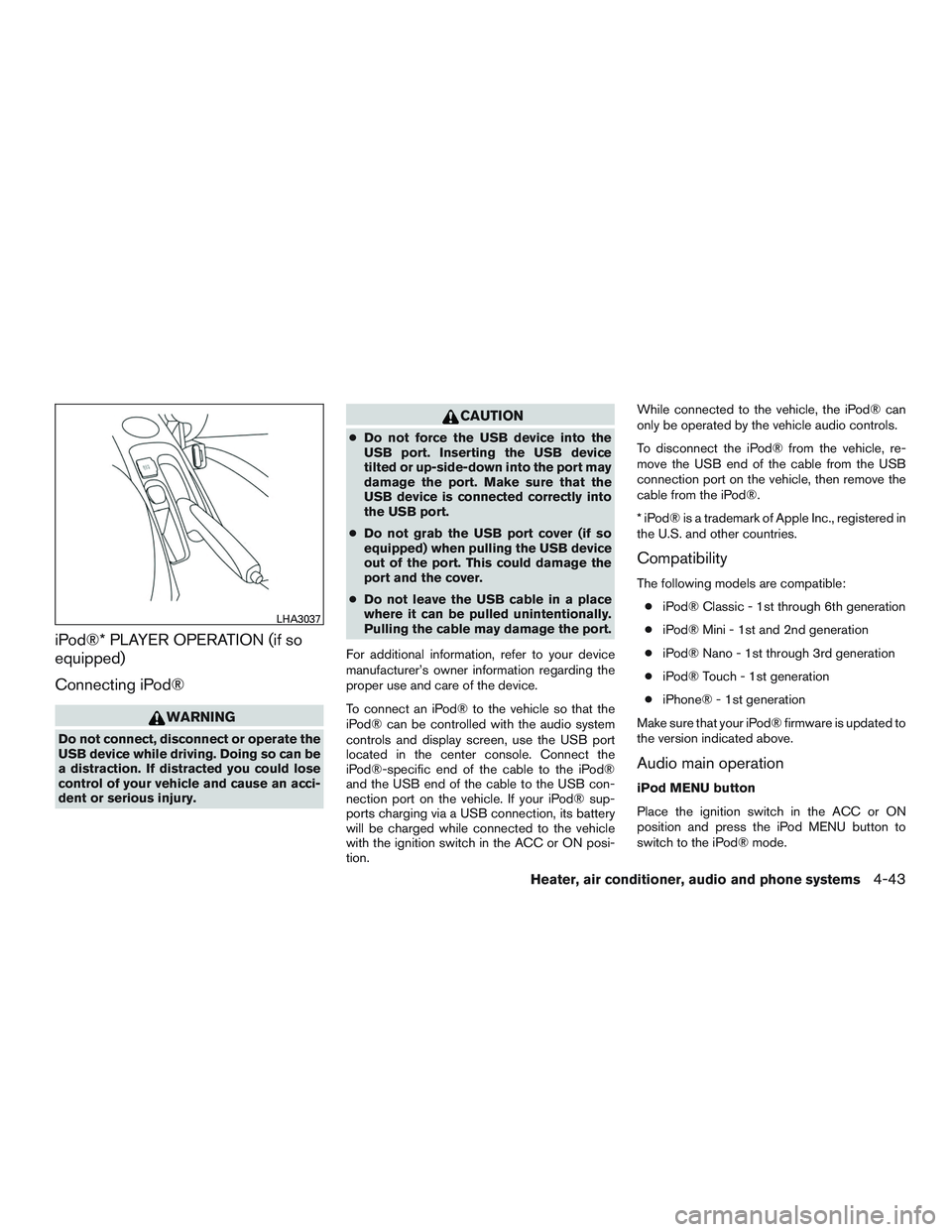
To connect an iPod® to the vehicle so that the
iPod® can be controlled with the audio system
controls and display screen, use the USB port
located in the center console. Connect the
iPod®-specific end of the cable to the iPod®
and the USB end of the cable to the USB con-
nection port on the vehicle. If your iPod® sup-
ports charging via a USB connection, its battery
will be charged while connected to the vehicle
with the ignition switch in the ACC or ON posi-
tion. While connected to the vehicle, the iPod® can
only be operated by the vehicle audio controls.
To disconnect the iPod® from the vehicle, re-
move the USB end of the cable from the USB
connection port on the vehicle, then remove the
cable from the iPod®.
* iPod® is a trademark of Apple Inc., registered in
the U.S. and other countries.
Compatibility
The following models are compatible:
● iPod® Classic - 1st through 6th generation
● iPod® Mini - 1st and 2nd generation
● iPod® Nano - 1st through 3rd generation
● iPod® Touch - 1st generation
● iPhone® - 1st generation
Make sure that your iPod® firmware is updated to
the version indicated above.
Audio main operation
iPod MENU button
Place the ignition switch in the ACC or ON
position and press the iPod MENU button to
switch to the iPod® mode.
LHA3037
Heater, air conditioner, audio and phone systems4-43
If another audio source is playing and the iPod®
is connected, press the iPod MENU button to
switch to the iPod® mode.
If the system is turned off while the iPod® is
playing, the iPod® will start when the PWR but-
ton is pressed.
Top menu item selecting
Press the iPod MENU button while the iPod® is
connected to show the interface for iPod® op-
eration on the audio display. The items can be
chosen from the menu list screen by pressing the
SEEK button
orwhile the iPod® is
operational. The display pattern can be changed
as follows:
Playlists →Artists →Albums →Songs →Pod-
casts →Genres →Composers →Audiobooks
For additional information, refer to the iPod®
owner’s manual.
ENTER/SETTING and BACK buttons
Press the ENTER/SETTING button while the top
menu is displayed to show program details on the
audio display. Use the SEEK buttons
orto scroll through the choices and press
the ENTER button to make a selection. Press the
BACK button to return to the previous display. TUNE/FOLDER knob
If there are multiple folders with audio files on the
iPod® device, turn the TUNE/FOLDER knob to
change folders. Turn the knob to the left to skip
back a folder. Turn the knob to the right to skip
ahead a folder. If there is only one folder of audio
files on the iPod® device, turning the
TUNE/FOLDER knob in either direction will re-
turn to the first track on the iPod® device.
SEEK/TRACK buttons
When the
SEEK button orTRACK
button is pressed for less than 1.5 seconds while
the iPod® is playing, the next track or the begin-
ning of the current track on the iPod® will be
played.
When the
SEEK button orTRACK
button is pressed for more than 1.5 seconds
while the iPod® is playing, the iPod® will play
while fast forwarding or rewinding. When the
button is released, the iPod® will return to the
normal play speed. RDM/RPT button
Press the RDM/RPT button while a track is play-
ing to change the play pattern as follows:
Excluding Podcast and Audiobook:
1 TRACK REPEAT→
ALL REPEAT→OFF
TRACK SHUFFLE→ ALBUM SHUFFLE→OFF
For additional information, refer to the iPod®
owner’s manual.
4-44Heater, air conditioner, audio and phone systems