2017 NISSAN MAXIMA brake
[x] Cancel search: brakePage 198 of 406
ADJUSTING THE SCREEN
1. Touch the touch-screen display with theAround View® Monitor on.
2. Touch the “Brightness,” “Contrast,” “Tint,” “Color,” or “Black Level” key.
3. Adjust the item by touching the + or — key on the touch-screen display.
NOTE:
Do not adjust any of the display settings of
the Around View® Monitor while the ve-
hicle is moving. Make sure the parking
brake is firmly applied.
AROUND VIEW® MONITOR
SYSTEM LIMITATIONS
WARNING
Listed below are the system limitations for
Around View® Monitor. Failure to operate
the vehicle in accordance with these sys-
tem limitations could result in serious in-
jury or death.
● Do not use the Around View® Monitor
with the outside mirrors in the stored
position, and make sure that the trunk
is securely closed when operating the
vehicle using the Around View®
Monitor.
● The apparent distance between objects
viewed on the Around View® Monitor
differs from the actual distance.
● The cameras are installed on the front
grille, the outside mirrors and above the
rear license plate. Do not put anything
on the vehicle that covers the cameras.
● When washing the vehicle with high
pressure water, be sure not to spray it
around the cameras. Otherwise, water
may enter the camera unit causing wa-
ter condensation on the lens, a mal-
function, fire or an electric shock.
LHA3590
LHA3620
Monitor, climate, audio, phone and voice recognition systems4-17
Page 212 of 406
5 Starting and driving
Precautions when starting and driving................5-4
Exhaust gas (carbon monoxide) ..................5-4
Three-way catalyst ..............................5-4
Tire Pressure Monitoring System (TPMS) ..........5-5
Avoiding collision and rollover . . ..................5-8
Off-road recovery ...............................5-9
Rapid air pressure loss ..........................5-9
Drinking alcohol/drugs and driving ...............5-10
Push-Button Ignition Switch .......................5-10
Operating range ............................... 5-11
Push-button ignition switch positions . . . .........5-12
Emergency engine shut off .....................5-13
NISSAN Intelligent Key® battery discharge .......5-13
NISSAN Vehicle Immobilizer System .............5-13
Before starting the engine ......................... 5-14
Starting the engine ............................... 5-14
Remote start .................................. 5-15
Driving the vehicle ................................ 5-15
Continuously Variable Transmission (CVT) ........5-15
Parking brake .................................... 5-21
Drive mode selector .............................. 5-22
Normal mode ................................. 5-22
Sport mode ................................... 5-22Blind Spot Warning (BSW) (if so equipped)
.........5-23
BSW system operation ........................ 5-24
How to enable/disable the BSW system .........5-25
BSW system limitations ........................ 5-26
BSW driving situations ......................... 5-27
System temporarily unavailable ..................5-30
System maintenance ........................... 5-31
Rear Cross Traffic Alert (RCTA) (if so equipped) .....5-32
RCTA system operation ........................ 5-33
How to enable/disable the RCTA system .........5-35
RCTA system limitations ........................ 5-36
System temporarily unavailable ..................5-39
System maintenance ........................... 5-39
Cruise control (if so equipped) . . ...................5-40
Precautions
on cruise control ................... 5-40
Cruise control operations .......................5-41
Intelligent Cruise Control (ICC) (if so equipped) ......5-42
ICC system operation .......................... 5-43
The ICC switch ............................... 5-45
ICC system limitations ......................... 5-51
System temporarily unavailable ..................5-54
System maintenance ........................... 5-56
Forward Emergency Braking (FEB) (if so equipped) . . 5-57
Page 213 of 406
FEB system operation.......................... 5-58
Turning the FEB system on/off . . ................5-60
FEB system limitations ......................... 5-60
System temporarily unavailable ..................5-61
System malfunction ............................ 5-62
System maintenance ........................... 5-62
Predictive Forward Collision Warning (PFCW) (if
so equipped) ..................................... 5-63
PFCW system operation .......................5-65
Turning the PFCW system on/off ................5-66
PFCW system limitations .......................5-67
System temporarily unavailable ..................5-69
System malfunction ............................ 5-70
System maintenance ........................... 5-71
Driver Attention Alert (if so equipped) ...............5-72
Driver Attention Alert system operation ...........5-73
How to enable/disable the Driver Attention
Alert system .................................. 5-74
Driver Attention Alert system limitations ..........5-74
Break-in schedule ................................ 5-75
Fuel efficient driving tips ........................... 5-76
Increasing fuel economy ........................... 5-77
Parking/parking on hills ............................ 5-78Power steering
................................... 5-79
Brake system .................................... 5-79
Brake precautions ............................. 5-79
Anti-lock Braking System (ABS) .................5-80
Brake assist .................................. 5-81
Vehicle Dynamic Control (VDC) system .............5-81
Brake force distribution ........................ 5-83
Integrated Dynamics-control Module (if so
equipped) ....................................... 5-84
Active trace control ............................ 5-84
Active engine brake ............................ 5-84
Active ride control ............................. 5-84
Front and Rear Sonar System (if so equipped) .......5-85
System
operation .............................. 5-86
Cold weather driving .............................. 5-87
Freeing a frozen door lock ......................5-87
Antifreeze ..................................... 5-87
Battery ....................................... 5-87
Draining of coolant water .......................5-87
Tire equipment . . .............................. 5-87
Special winter equipment .......................5-88
Driving on snow or ice ......................... 5-88
Engine block heater (if so equipped) .............5-88
Page 219 of 406
TPMS with Easy Fill Tire Alert
When adding air to an under-inflated tire, the
TPMS with Easy Fill Tire Alert provides visual and
audible signals outside the vehicle to help you
inflate the tires to the recommended COLD tire
pressure.
Vehicle set-up1. Park the vehicle in a safe and level place.
2. Apply the parking brake and place the shift lever to the P (Park) position.
3. Place the ignition switch to the ON position. Do not start the engine.
Operation 1. Add air to the tire.
2. After a few seconds, the hazard indicators will start flashing.
3. When the designated pressure is reached, the horn beeps once and the hazard indica-
tors stop flashing.
4. Perform the above steps for each tire. ●If the tire is over-inflated more than ap-
proximately 4 psi (30 kPa) , the horn
beeps and the hazard indicators flash
three times. To correct the pressure, push
the core of the valve stem on the tire briefly to release pressure. When the
pressure reaches the designated pres-
sure, the horn beeps once.
● If the hazard indicator does not flash
within approximately 15 seconds after
starting to inflate the tire, it indicates that
the Easy Fill Tire Alert is not operating.
● The TPMS will not activate the Easy Fill
Tire Alert under the following conditions:
– If there is interference from an external device or transmitter.
– The air pressure from the inflation device is not sufficient to inflate the tire.
– There is a malfunction in the TPMS sys- tem.
– There is a malfunction in the horn or haz- ard indicators.
– The identification code of the tires pres- sure sensor is not registered to the sys-
tem.
– The battery of the tire pressure sensor is low.
● If the Easy Fill Tire Alert does not operate
due to TPMS interference, move the ve-
hicle about 3 ft (1 m) backward or forward
and try again. If the Easy Fill Tire Alert is not working, use a tire
pressure gauge.AVOIDING COLLISION AND
ROLLOVER
WARNING
Failure to operate this vehicle in a safe
and prudent manner may result in loss of
control or an accident.
Be alert and drive defensively at all times. Obey
all traffic regulations. Avoid excessive speed,
high speed cornering, or sudden steering ma-
neuvers, because these driving practices could
cause you to lose control of your vehicle.
As with any vehicle, loss of control could
result in a collision with other vehicles or
objects or cause the vehicle to roll over,
particularly if the loss of control causes the
vehicle to slide sideways.
Be attentive at all times, and avoid driving when
tired. Never drive when under the influence of
alcohol or drugs (including prescription or over-
the-counter drugs which may cause drowsi-
ness) . Always wear your seat belt as outlined in
the “Safety – Seats, seat belts and supplemental
restraint system” section of this manual, and also
instruct your passengers to do so.
5-8Starting and driving
Page 220 of 406
Seat belts help reduce the risk of injury in colli-
sions and rollovers.In a rollover crash, an
unbelted or improperly belted person is
significantly more likely to be injured or
killed than a person properly wearing a
seat belt.
OFF-ROAD RECOVERY
While driving, the right side or left side wheels
may unintentionally leave the road surface. If this
occurs, maintain control of the vehicle by follow-
ing the procedure below. Please note that this
procedure is only a general guide. The vehicle
must be driven as appropriate based on the con-
ditions of the vehicle, road and traffic.
1. Remain calm and do not overreact.
2. Do not apply the brakes.
3. Maintain a firm grip on the steering wheel with both hands and try to hold a straight
course.
4. When appropriate, slowly release the accel- erator pedal to gradually slow the vehicle.
5. If there is nothing in the way, steer the ve- hicle to follow the road while vehicle speed
is reduced. Do not attempt to drive the ve-
hicle back onto the road surface until vehicle
speed is reduced. 6. When it is safe to do so, gradually turn the
steering wheel until both tires return to the
road surface. When all tires are on the road
surface, steer the vehicle to stay in the ap-
propriate driving lane.
● If you decide that it is not safe to return the
vehicle to the road surface based on vehicle,
road or traffic conditions, gradually slow the
vehicle to a stop in a safe place off the road.
RAPID AIR PRESSURE LOSS
Rapid air pressure loss or a “blow-out” can occur
if the tire is punctured or is damaged due to
hitting a curb or pothole. Rapid air pressure loss
can also be caused by driving on under-inflated
tires.
Rapid air pressure loss can affect the handling
and stability of the vehicle, especially at highway
speeds.
Help prevent rapid air pressure loss by maintain-
ing the correct air pressure and visually inspect
the tires for wear and damage. For additional
information, refer to “Wheels and tires” in the
“Do-it-yourself” section of this manual. If a tire
rapidly loses air pressure or “blows-out” while
driving, maintain control of the vehicle by follow-
ing the procedure below. Please note that this
procedure is only a general guide. The vehicle must be driven as appropriate based on the con-
ditions of the vehicle, road and traffic.
WARNING
If there is a sudden loss of tire air pres-
sure, the vehicle will generally move or
pull in the direction of the flat tire. In this
situation, losing control of the vehicle may
cause a collision and result in personal
injury.
To help avoid loss of control:
●
Do not rapidly apply the brakes.
● Do not rapidly release the accelerator
pedal.
● Do not rapidly turn the steering wheel.
1. Remain calm and do not overreact.
2. Maintain a firm grip on the steering wheel with both hands and try to hold a straight
course.
3. When appropriate, slowly release the accel- erator pedal to gradually slow the vehicle.
4. Gradually steer the vehicle to a safe location off the road and away from traffic if possible.
5. Lightly apply the brake pedal to gradually stop the vehicle.
Starting and driving5-9
Page 222 of 406
When the ignition switch is pushed without de-
pressing the brake pedal, the ignition switch will
illuminate.
If the ignition switch is in the LOCK or OFF
position, push the ignition switch center:● Once to change to ACC.
● Two times to change to ON.
● Three times to change to OFF.
The shift lever can be moved from the P
(Park) position if the ignition switch is in
the ON position and the brake pedal is
depressed. If the battery of the vehicle is discharged,
the push-button ignition switch cannot be
moved from the LOCK position.
Some indicators and warnings for operation are
displayed on the vehicle information display. For
additional information, refer to “Vehicle informa-
tion display” in the “Instruments and controls”
section of this manual.OPERATING RANGE
The Intelligent Key functions can only be used
when the Intelligent Key is within the specified
operating range.
When the Intelligent Key battery is almost dis-
charged or strong radio waves are present near
the operating location, the Intelligent Key sys-
tem’s operating range becomes narrower and
may not function properly.
If the Intelligent Key is within the operating range,
it is possible for anyone, even someone who does
not carry the Intelligent Key, to push the ignition
switch to start the engine.
LSD2014LSD2089
Starting and driving5-11
Page 224 of 406
EMERGENCY ENGINE SHUT OFF
To shut off the engine in an emergency situation
while driving, perform the following procedure:● Rapidly push the push-button ignition
switch three consecutive times in less than
1.5 seconds, or
● Push and hold the push-button ignition
switch for more than 2 seconds.
NISSAN INTELLIGENT KEY®
BATTERY DISCHARGE
If the battery of the NISSAN Intelligent Key® is
discharged, or environmental conditions interfere
with the Intelligent Key operation, start the engine
according to the following procedure:
1. Place the shift lever in the P (Park) position.
2. Firmly apply the foot brake.
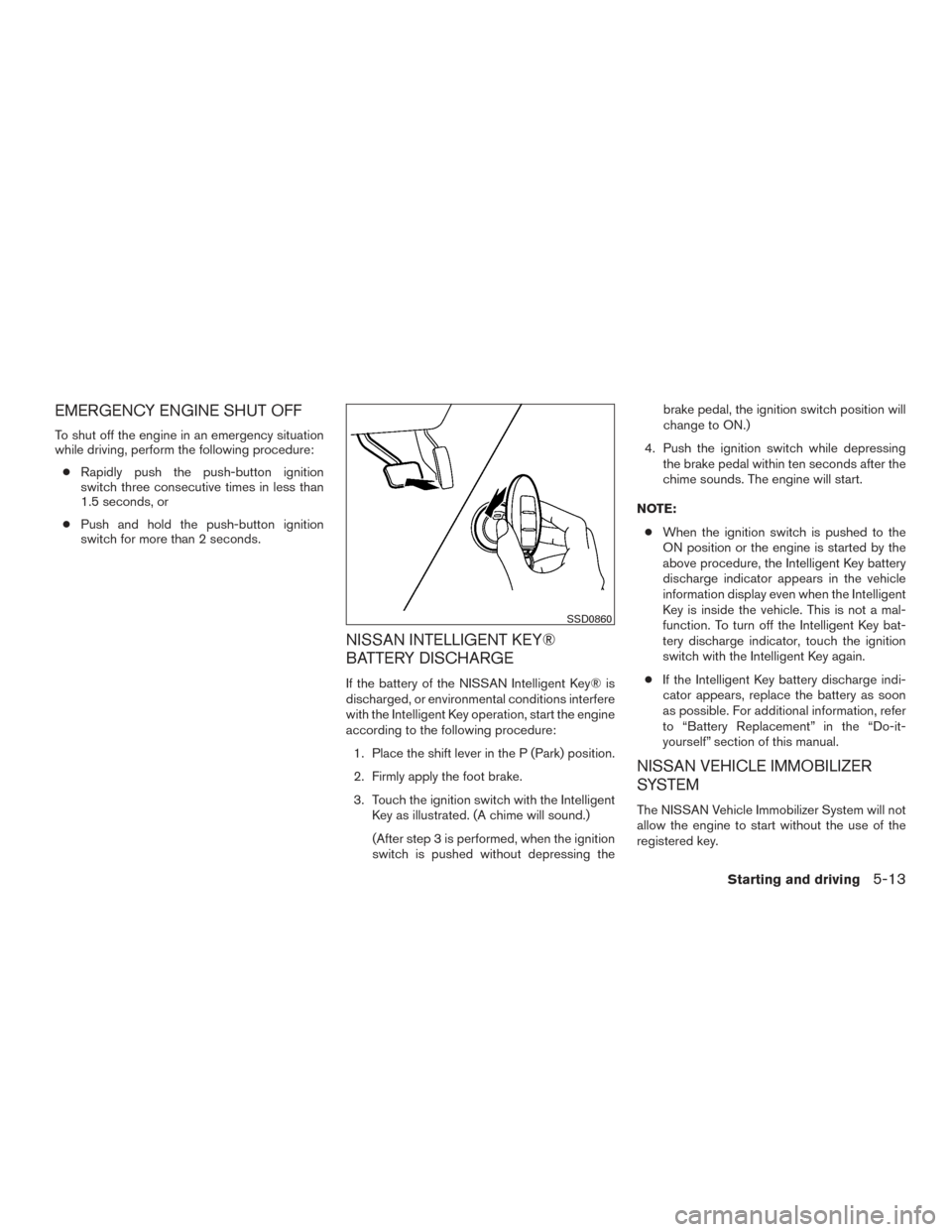
3. Touch the ignition switch with the Intelligent Key as illustrated. (A chime will sound.)
(After step 3 is performed, when the ignition
switch is pushed without depressing the brake pedal, the ignition switch position will
change to ON.)
4. Push the ignition switch while depressing the brake pedal within ten seconds after the
chime sounds. The engine will start.
NOTE: ● When the ignition switch is pushed to the
ON position or the engine is started by the
above procedure, the Intelligent Key battery
discharge indicator appears in the vehicle
information display even when the Intelligent
Key is inside the vehicle. This is not a mal-
function. To turn off the Intelligent Key bat-
tery discharge indicator, touch the ignition
switch with the Intelligent Key again.
● If the Intelligent Key battery discharge indi-
cator appears, replace the battery as soon
as possible. For additional information, refer
to “Battery Replacement” in the “Do-it-
yourself” section of this manual.
NISSAN VEHICLE IMMOBILIZER
SYSTEM
The NISSAN Vehicle Immobilizer System will not
allow the engine to start without the use of the
registered key.
SSD0860
Starting and driving5-13
Page 225 of 406
If the engine fails to start using a registered key
(for example, when interference is caused by
another registered key, an automated toll road
device or automatic payment device on the key
ring) , restart the engine using the following pro-
cedure:1. Leave the ignition switch in the ON position for approximately 5 seconds.
2. Place the ignition switch in the OFF or LOCK position, and wait approximately
10 seconds.
3. Repeat steps 1 and 2.
4. Restart the engine while holding the device (which may have caused the interference)
separate from the registered key.
If the no start condition re-occurs, NISSAN rec-
ommends placing the registered key on a sepa-
rate key ring to avoid interference from other
devices. ●
Make sure the area around the vehicle is
clear.
● Check fluid levels such as engine oil, cool-
ant, brake fluid, and window washer fluid as
frequently as possible, or at least whenever
you refuel.
● Check that all windows and lights are clean.
● Visually inspect tires for their appearance
and condition. Also check tires for proper
inflation.
● Lock all doors.
● Position seat and adjust head
restraints/headrests.
● Adjust inside and outside mirrors.
● Fasten seat belts and ask all passengers to
do likewise.
● Check the operation of warning lights when
the ignition switch is pushed to the ON
position. For additional information, refer to
“Warning lights, indicator lights and audible
reminders” in the “Instruments and controls”
section of this manual. 1. Apply the parking brake.
2. Move the shift lever to P (Park) or N (Neu-
tral) . P (Park) is recommended.
The starter is designed not to operate if
the shift lever is in any of the driving
positions.
3. Push the ignition switch to the ON position. Depress the brake pedal and push the igni-
tion switch to start the engine.
To start the engine immediately, push and
release the ignition switch while depressing
the brake pedal with the ignition switch in
any position.
● If the engine is very hard to start in ex-
tremely cold weather or when restarting,
depress the accelerator pedal a little (ap-
proximately 1/3 to the floor) and while
holding, crank the engine. Release the
accelerator pedal when the engine starts.
● If the engine is very hard to start because
it is flooded, depress the accelerator
pedal all the way to the floor and hold it.
Push the ignition switch to the ON posi-
tion to start cranking the engine. After five
or six seconds, stop cranking by pushing
the ignition switch to LOCK. After crank-
ing the engine, release the accelerator
pedal. Crank the engine with your foot off
BEFORE STARTING THE ENGINE STARTING THE ENGINE
5-14Starting and driving