2017 NISSAN JUKE steering wheel
[x] Cancel search: steering wheelPage 96 of 416
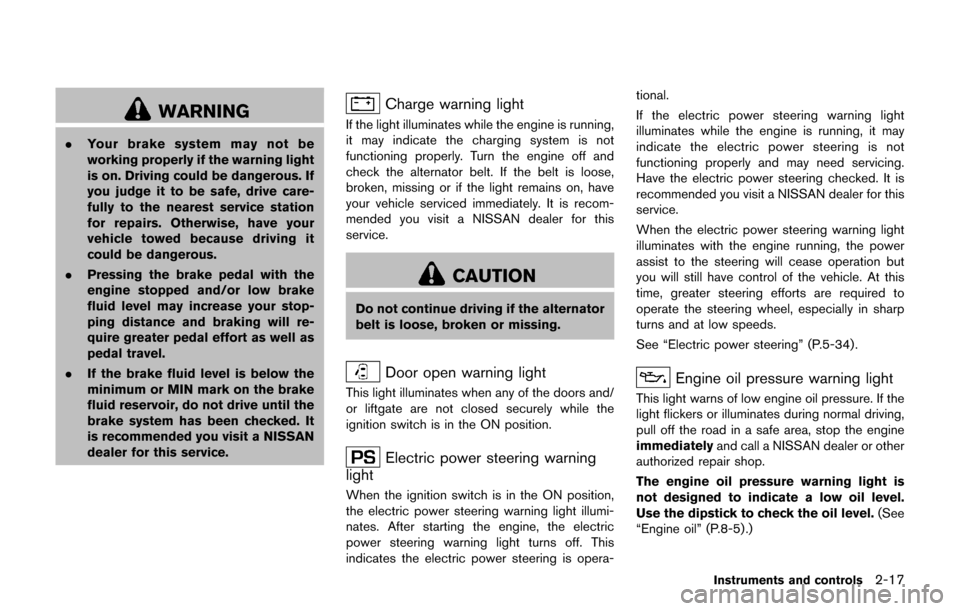
WARNING
.Your brake system may not be
working properly if the warning light
is on. Driving could be dangerous. If
you judge it to be safe, drive care-
fully to the nearest service station
for repairs. Otherwise, have your
vehicle towed because driving it
could be dangerous.
. Pressing the brake pedal with the
engine stopped and/or low brake
fluid level may increase your stop-
ping distance and braking will re-
quire greater pedal effort as well as
pedal travel.
. If the brake fluid level is below the
minimum or MIN mark on the brake
fluid reservoir, do not drive until the
brake system has been checked. It
is recommended you visit a NISSAN
dealer for this service.
Charge warning light
If the light illuminates while the engine is running,
it may indicate the charging system is not
functioning properly. Turn the engine off and
check the alternator belt. If the belt is loose,
broken, missing or if the light remains on, have
your vehicle serviced immediately. It is recom-
mended you visit a NISSAN dealer for this
service.
CAUTION
Do not continue driving if the alternator
belt is loose, broken or missing.
Door open warning light
This light illuminates when any of the doors and/
or liftgate are not closed securely while the
ignition switch is in the ON position.
Electric power steering warning
light
When the ignition switch is in the ON position,
the electric power steering warning light illumi-
nates. After starting the engine, the electric
power steering warning light turns off. This
indicates the electric power steering is opera- tional.
If the electric power steering warning light
illuminates while the engine is running, it may
indicate the electric power steering is not
functioning properly and may need servicing.
Have the electric power steering checked. It is
recommended you visit a NISSAN dealer for this
service.
When the electric power steering warning light
illuminates with the engine running, the power
assist to the steering will cease operation but
you will still have control of the vehicle. At this
time, greater steering efforts are required to
operate the steering wheel, especially in sharp
turns and at low speeds.
See “Electric power steering” (P.5-34).
Engine oil pressure warning light
This light warns of low engine oil pressure. If the
light flickers or illuminates during normal driving,
pull off the road in a safe area, stop the engine
immediately
and call a NISSAN dealer or other
authorized repair shop.
The engine oil pressure warning light is
not designed to indicate a low oil level.
Use the dipstick to check the oil level. (See
“Engine oil” (P.8-5).)
Instruments and controls2-17
Page 98 of 416
pressure to the recommended COLD tire
pressure shown on the Tire and Loading
Information label. The low tire pressure warning
light does not automatically turn off when the tire
pressure is adjusted. After the tire is inflated to
the recommended pressure, the vehicle must be
driven at speeds above 16 MPH (25 km/h) to
activate the TPMS and turn off the low tire
pressure warning light. Use a tire pressure
gauge to check the tire pressure.
The low tire pressure warning light remains
illuminated until the tires are inflated to the
recommended COLD tire pressure. The CHECK
TIRE PRES warning message is displayed each
time the ignition switch is placed in the ON
position as long as the low tire pressure warning
light remains illuminated.
For additional information, see “Check tire
pressure warning message” (P.2-9) , “Tire Pres-
sure Monitoring System (TPMS)” (P.5-3) and
“Tire Pressure Monitoring System (TPMS)” (P.6-
3) .
TPMS malfunction:
If the TPMS is not functioning properly, the low
tire pressure warning light will flash for approxi-
mately 1 minute when the ignition switch is
placed in the ON position. The light will remain
on after 1 minute. The CHECK TIRE PRES
warning message is not displayed if the low tirepressure warning light illuminates to indicate a
TPMS malfunction. Have the system checked. It
is recommended you visit a NISSAN dealer for
this service.
For additional information, see “Tire Pressure
Monitoring System (TPMS)” (P.5-3) .
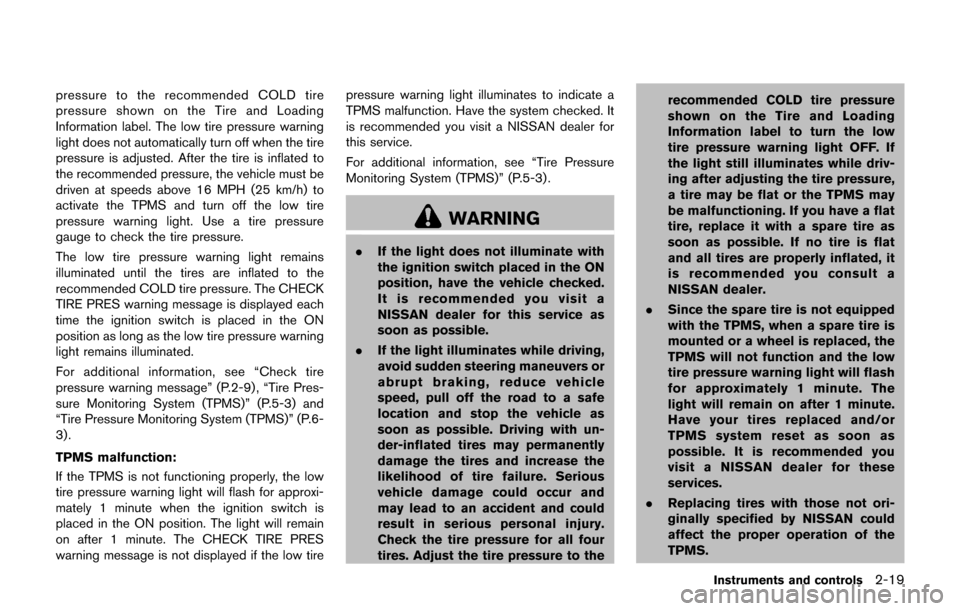
WARNING
.
If the light does not illuminate with
the ignition switch placed in the ON
position, have the vehicle checked.
It is recommended you visit a
NISSAN dealer for this service as
soon as possible.
. If the light illuminates while driving,
avoid sudden steering maneuvers or
abrupt braking, reduce vehicle
speed, pull off the road to a safe
location and stop the vehicle as
soon as possible. Driving with un-
der-inflated tires may permanently
damage the tires and increase the
likelihood of tire failure. Serious
vehicle damage could occur and
may lead to an accident and could
result in serious personal injury.
Check the tire pressure for all four
tires. Adjust the tire pressure to the recommended COLD tire pressure
shown on the Tire and Loading
Information label to turn the low
tire pressure warning light OFF. If
the light still illuminates while driv-
ing after adjusting the tire pressure,
a tire may be flat or the TPMS may
be malfunctioning. If you have a flat
tire, replace it with a spare tire as
soon as possible. If no tire is flat
and all tires are properly inflated, it
is recommended you consult a
NISSAN dealer.
. Since the spare tire is not equipped
with the TPMS, when a spare tire is
mounted or a wheel is replaced, the
TPMS will not function and the low
tire pressure warning light will flash
for approximately 1 minute. The
light will remain on after 1 minute.
Have your tires replaced and/or
TPMS system reset as soon as
possible. It is recommended you
visit a NISSAN dealer for these
services.
. Replacing tires with those not ori-
ginally specified by NISSAN could
affect the proper operation of the
TPMS.
Instruments and controls2-19
Page 123 of 416
2-44Instruments and controls
SIC3672
FOG LIGHT SWITCH (if so equipped)
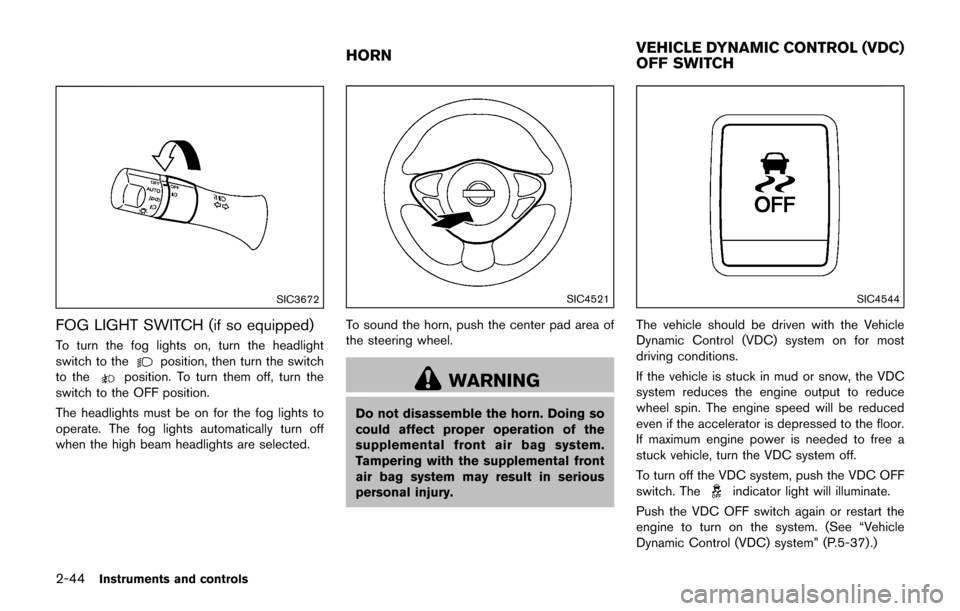
To turn the fog lights on, turn the headlight
switch to theposition, then turn the switch
to theposition. To turn them off, turn the
switch to the OFF position.
The headlights must be on for the fog lights to
operate. The fog lights automatically turn off
when the high beam headlights are selected.
SIC4521
To sound the horn, push the center pad area of
the steering wheel.
WARNING
Do not disassemble the horn. Doing so
could affect proper operation of the
supplemental front air bag system.
Tampering with the supplemental front
air bag system may result in serious
personal injury.
SIC4544
The vehicle should be driven with the Vehicle
Dynamic Control (VDC) system on for most
driving conditions.
If the vehicle is stuck in mud or snow, the VDC
system reduces the engine output to reduce
wheel spin. The engine speed will be reduced
even if the accelerator is depressed to the floor.
If maximum engine power is needed to free a
stuck vehicle, turn the VDC system off.
To turn off the VDC system, push the VDC OFF
switch. The
indicator light will illuminate.
Push the VDC OFF switch again or restart the
engine to turn on the system. (See “Vehicle
Dynamic Control (VDC) system” (P.5-37) .)
HORN VEHICLE DYNAMIC CONTROL (VDC)
OFF SWITCH
Page 155 of 416
3-20Pre-driving checks and adjustments
fuel cap.
WARNING
Do not adjust the steering wheel while
driving. You could lose control of your
vehicle and cause an accident.
SPA2808
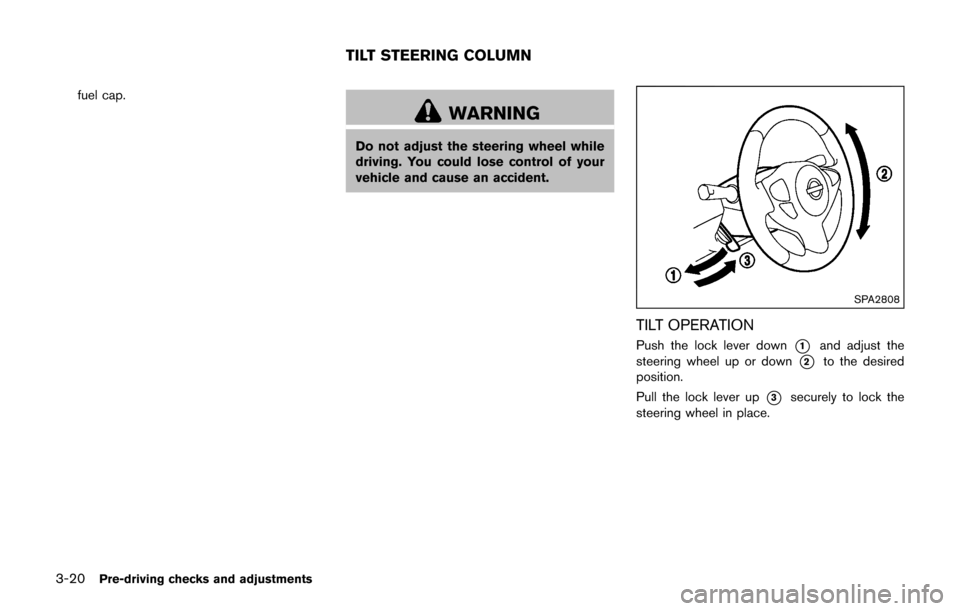
TILT OPERATION
Push the lock lever down*1and adjust the
steering wheel up or down
*2to the desired
position.
Pull the lock lever up
*3securely to lock the
steering wheel in place.
TILT STEERING COLUMN
Page 161 of 416

CD/USB memory care and cleaning .......................... 4-73
Steering wheel switch for audio control .................... 4-73
Antenna ........................................................................\
....... 4-75
NissanConnect
SMApp smartphone integration ............. 4-75
Registering with NissanConnectSMApp .................... 4-75
Connect phone ................................................................. 4-76
Application download ...................................................... 4-76
Siri
ŠEyes Free ....................................................................... 4-76
General Information ......................................................... 4-76
Requirements .................................................................... 4-77
Siri
ŠEyes Free Activation .............................................. 4-77
Operating SiriŠEyes Free ............................................. 4-77
Changing SiriŠEyes Free Settings (models without
navigation system) ........................................................... 4-78
Troubleshooting guide ..................................................... 4-79
Car phone or CB radio ........................................................ 4-80
Bluetooth
ŠHands-Free Phone System (models without
navigation system) ................................................................. 4-80
Regulatory information .................................................... 4-81
Using the system .............................................................. 4-82
Bluetooth
ŠHands-Free Phone System (models with
navigation system) ................................................................. 4-89
Regulatory information .................................................... 4-91 Voice command .............................................................. 4-91
Connecting procedure .................................................. 4-92
Vehicle phonebook ........................................................ 4-92
Making a call ................................................................... 4-92
Receiving a call .............................................................. 4-92
During a call .................................................................... 4-93
Ending a call ................................................................... 4-93
Text messaging ............................................................... 4-93
Bluetooth
Šsettings ....................................................... 4-94
Phone settings ................................................................ 4-96
NISSAN Voice Recognition System (models with
navigation system) ................................................................ 4-96 Using the system ........................................................... 4-97
System features .............................................................. 4-98
Bluetooth
ŠHands-Free Phone System
voice commands ............................................................ 4-98
Navigation system voice commands ......................... 4-99
Audio system voice commands ............................... 4-100
Information voice commands ................................... 4-100
My APPS voice commands ...................................... 4-100
Help voice commands ............................................... 4-100
Troubleshooting guide ............................................... 4-100
Page 175 of 416

4-16Heater, air conditioner, audio and phone systems
Front and rear view:
Guiding lines, which indicate the vehicle width
and distances to objects with reference to the
vehicle body line
*A, are displayed on the
monitor.
Distance guide lines:
Indicate distances from the vehicle body.
. Red line
*1: approx. 1.5 ft (0.5 m)
. Yellow line
*2: approx. 3 ft (1 m)
. Green line
*3: approx. 7 ft (2 m)
. Green line
*4: approx. 10 ft (3 m)
Vehicle width guide lines
*5:
Indicate the vehicle width when backing up.
Predictive course lines
*6:
Indicate the predictive course when operating
the vehicle. The predictive course lines will be
displayed on the monitor when the steering
wheel is turned. The predictive course lines will
move depending on how much the steering
wheel is turned and will not be displayed while
the steering wheel is in the straight ahead
position.
The front view will not be displayed when the
vehicle speed is above 6 MPH (10 km/h) .
NOTE:
. When the monitor displays the front
view and the steering wheel turns about 90 degrees or less from the
straight ahead position, both the right
and left predictive course lines
*6are
displayed. When the steering wheel
turns about 90 degrees or more, the
predictive course line is displayed only
on the opposite side of the turn.
JVH1037X
Bird’s-eye view:
The bird’s-eye view shows the overhead view of
the vehicle which helps confirm the vehicle
position and the predicted course to a parking
space.
The vehicle icon
*1shows the position of the
vehicle. Note that the distance between objects
viewed in the bird’s-eye view differs from the
actual distance.
The areas that the cameras cannot cover
*2are
indicated in black.
After the ignition switch is placed in the ON
position, the non-viewable area
*2is high-
lighted in yellow for 3 seconds after the bird’s-
Page 178 of 416
SAA1980
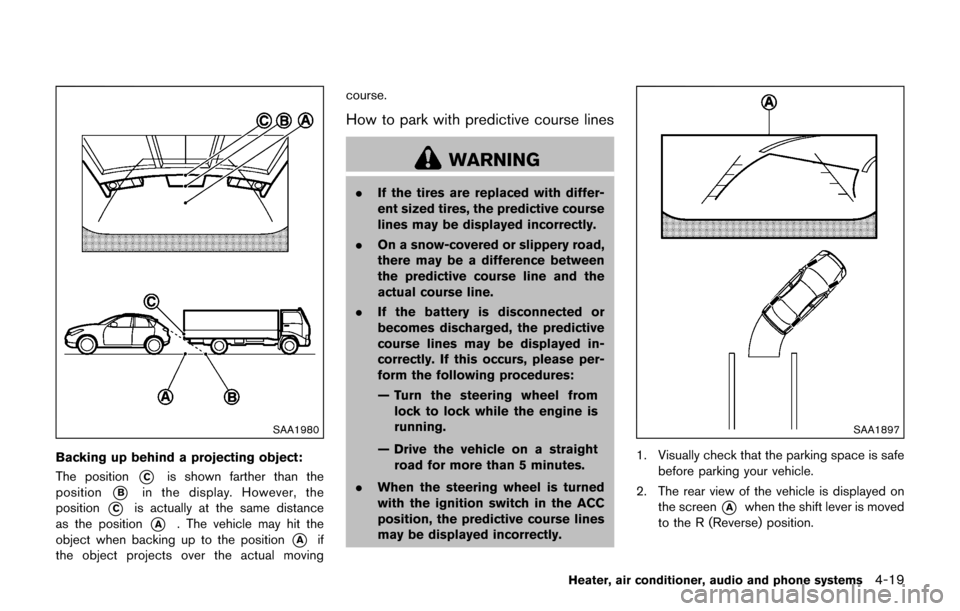
Backing up behind a projecting object:
The position
*Cis shown farther than the
position
*Bin the display. However, the
position
*Cis actually at the same distance
as the position
*A. The vehicle may hit the
object when backing up to the position
*Aif
the object projects over the actual moving course.
How to park with predictive course lines
WARNING
.
If the tires are replaced with differ-
ent sized tires, the predictive course
lines may be displayed incorrectly.
. On a snow-covered or slippery road,
there may be a difference between
the predictive course line and the
actual course line.
. If the battery is disconnected or
becomes discharged, the predictive
course lines may be displayed in-
correctly. If this occurs, please per-
form the following procedures:
— Turn the steering wheel from
lock to lock while the engine is
running.
— Drive the vehicle on a straight road for more than 5 minutes.
. When the steering wheel is turned
with the ignition switch in the ACC
position, the predictive course lines
may be displayed incorrectly.
SAA1897
1. Visually check that the parking space is safe
before parking your vehicle.
2. The rear view of the vehicle is displayed on the screen
*Awhen the shift lever is moved
to the R (Reverse) position.
Heater, air conditioner, audio and phone systems4-19
Page 179 of 416

4-20Heater, air conditioner, audio and phone systems
SAA1898
3. Slowly back up the vehicle adjusting thesteering wheel so that the predictive course
lines
*Benter the parking space*C.
4. Maneuver the steering wheel to make the vehicle width guide lines
*Dparallel to the
parking space
*Cwhile referring to the
predictive course lines. 5. When the vehicle is parked in the space
completely, move the shift lever to the P
(Park) position and apply the parking brake.
How to switch the display
The Around ViewŠMonitor can display two split
views. Push the CAMERA button, change the
shift lever position, to switch between the
available views.
HOW TO ADJUST THE SCREEN VIEW
The display settings such as Display Mode,
Brightness, Contrast and Color of the Around
View
ŠMonitor can be adjusted.
1. Push the
button.
2. Touch “Settings”.
3. Touch “System” and then touch “Camera Settings”.
4. Select an item you wish to adjust.
5. Adjust the level of the setting item using the TUNE knob.
NOTE:
Do not adjust any of the display settings of
the Around View
ŠMonitor while the vehi-
cle is moving. Make sure the parking brake
is firmly applied.
AROUND VIEWŠMONITOR SYSTEM
LIMITATIONS
WARNING
Listed below are the system limitations
for Around ViewŠMonitor. Failure to
operate the vehicle in accordance with
these system limitations could result in
serious injury or death.
. Do not use the Around View
ŠMoni-
tor with the outside mirrors in the
stored position, and make sure that
the liftgate is securely closed when
operating the vehicle using the
Around View
ŠMonitor.
. The distance between objects
viewed on the Around View
ŠMoni-
tor differs from the actual distance.
. The cameras are installed above the
front grille, the outside mirrors and
above the rear license plate. Do not
put anything on the cameras.
. When washing the vehicle with
highpressure water, be sure not to
spray it around the cameras. Other-
wise, water may enter the camera
unit causing water condensation on