2017 NISSAN ARMADA brakes
[x] Cancel search: brakesPage 417 of 614
5-76Starting and driving
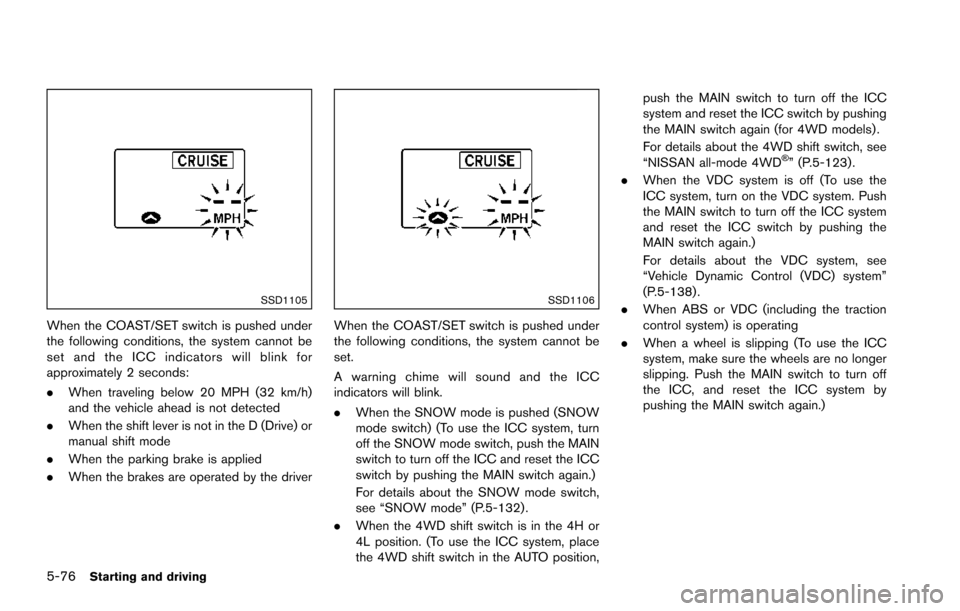
SSD1105
When the COAST/SET switch is pushed under
the following conditions, the system cannot be
set and the ICC indicators will blink for
approximately 2 seconds:
.When traveling below 20 MPH (32 km/h)
and the vehicle ahead is not detected
. When the shift lever is not in the D (Drive) or
manual shift mode
. When the parking brake is applied
. When the brakes are operated by the driver
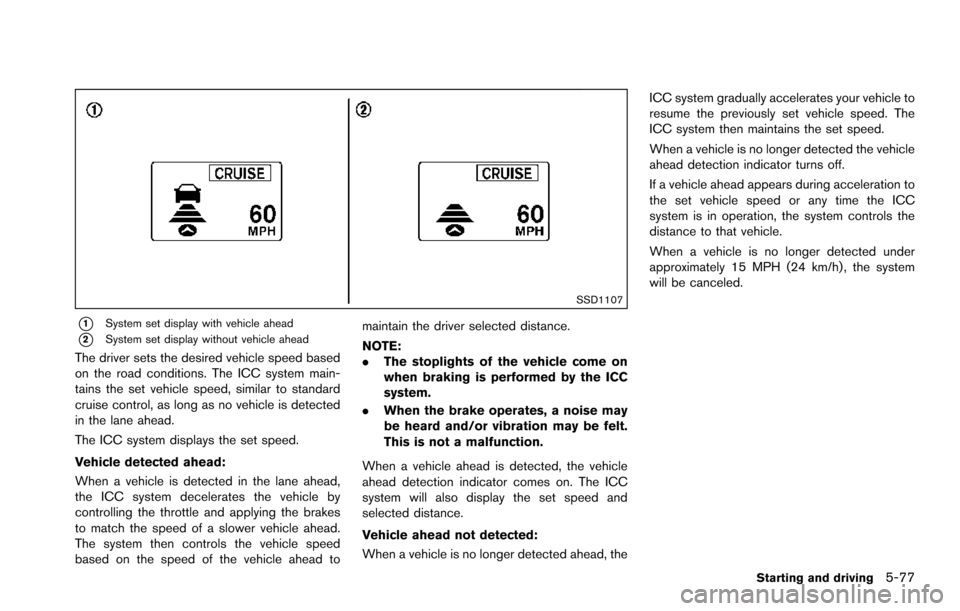
SSD1106
When the COAST/SET switch is pushed under
the following conditions, the system cannot be
set.
A warning chime will sound and the ICC
indicators will blink.
.When the SNOW mode is pushed (SNOW
mode switch) (To use the ICC system, turn
off the SNOW mode switch, push the MAIN
switch to turn off the ICC and reset the ICC
switch by pushing the MAIN switch again.)
For details about the SNOW mode switch,
see “SNOW mode” (P.5-132) .
. When the 4WD shift switch is in the 4H or
4L position. (To use the ICC system, place
the 4WD shift switch in the AUTO position, push the MAIN switch to turn off the ICC
system and reset the ICC switch by pushing
the MAIN switch again (for 4WD models) .
For details about the 4WD shift switch, see
“NISSAN all-mode 4WD
Š” (P.5-123) .
. When the VDC system is off (To use the
ICC system, turn on the VDC system. Push
the MAIN switch to turn off the ICC system
and reset the ICC switch by pushing the
MAIN switch again.)
For details about the VDC system, see
“Vehicle Dynamic Control (VDC) system”
(P.5-138) .
. When ABS or VDC (including the traction
control system) is operating
. When a wheel is slipping (To use the ICC
system, make sure the wheels are no longer
slipping. Push the MAIN switch to turn off
the ICC, and reset the ICC system by
pushing the MAIN switch again.)
Page 418 of 614
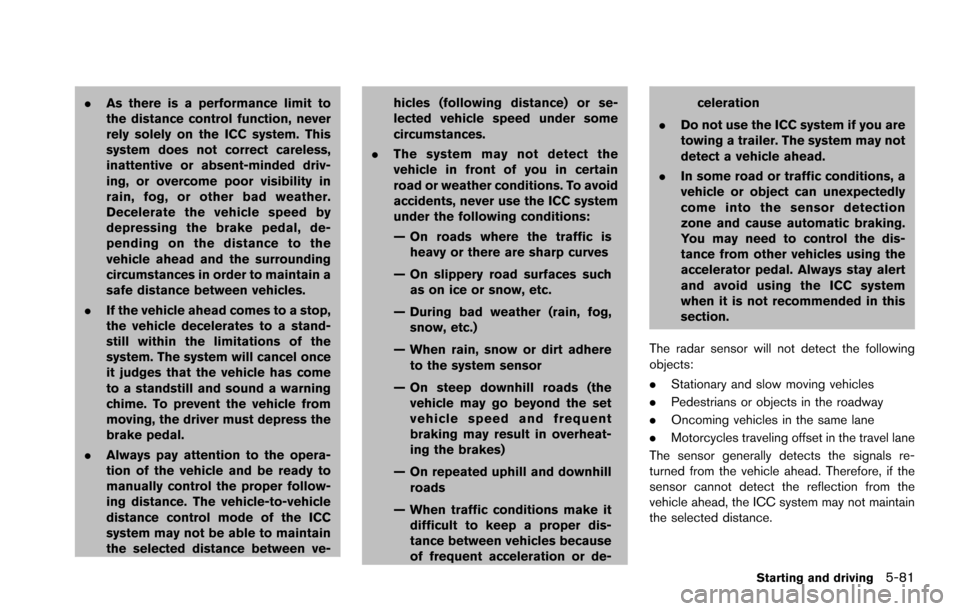
SSD1107
*1System set display with vehicle ahead
*2System set display without vehicle ahead
The driver sets the desired vehicle speed based
on the road conditions. The ICC system main-
tains the set vehicle speed, similar to standard
cruise control, as long as no vehicle is detected
in the lane ahead.
The ICC system displays the set speed.
Vehicle detected ahead:
When a vehicle is detected in the lane ahead,
the ICC system decelerates the vehicle by
controlling the throttle and applying the brakes
to match the speed of a slower vehicle ahead.
The system then controls the vehicle speed
based on the speed of the vehicle ahead tomaintain the driver selected distance.
NOTE:
.
The stoplights of the vehicle come on
when braking is performed by the ICC
system.
. When the brake operates, a noise may
be heard and/or vibration may be felt.
This is not a malfunction.
When a vehicle ahead is detected, the vehicle
ahead detection indicator comes on. The ICC
system will also display the set speed and
selected distance.
Vehicle ahead not detected:
When a vehicle is no longer detected ahead, the ICC system gradually accelerates your vehicle to
resume the previously set vehicle speed. The
ICC system then maintains the set speed.
When a vehicle is no longer detected the vehicle
ahead detection indicator turns off.
If a vehicle ahead appears during acceleration to
the set vehicle speed or any time the ICC
system is in operation, the system controls the
distance to that vehicle.
When a vehicle is no longer detected under
approximately 15 MPH (24 km/h) , the system
will be canceled.
Starting and driving5-77
Page 422 of 614
.As there is a performance limit to
the distance control function, never
rely solely on the ICC system. This
system does not correct careless,
inattentive or absent-minded driv-
ing, or overcome poor visibility in
rain, fog, or other bad weather.
Decelerate the vehicle speed by
depressing the brake pedal, de-
pending on the distance to the
vehicle ahead and the surrounding
circumstances in order to maintain a
safe distance between vehicles.
. If the vehicle ahead comes to a stop,
the vehicle decelerates to a stand-
still within the limitations of the
system. The system will cancel once
it judges that the vehicle has come
to a standstill and sound a warning
chime. To prevent the vehicle from
moving, the driver must depress the
brake pedal.
. Always pay attention to the opera-
tion of the vehicle and be ready to
manually control the proper follow-
ing distance. The vehicle-to-vehicle
distance control mode of the ICC
system may not be able to maintain
the selected distance between ve- hicles (following distance) or se-
lected vehicle speed under some
circumstances.
. The system may not detect the
vehicle in front of you in certain
road or weather conditions. To avoid
accidents, never use the ICC system
under the following conditions:
— On roads where the traffic is
heavy or there are sharp curves
— On slippery road surfaces such as on ice or snow, etc.
— During bad weather (rain, fog, snow, etc.)
— When rain, snow or dirt adhere to the system sensor
— On steep downhill roads (the vehicle may go beyond the set
vehicle speed and frequent
braking may result in overheat-
ing the brakes)
— On repeated uphill and downhill roads
— When traffic conditions make it difficult to keep a proper dis-
tance between vehicles because
of frequent acceleration or de- celeration
. Do not use the ICC system if you are
towing a trailer. The system may not
detect a vehicle ahead.
. In some road or traffic conditions, a
vehicle or object can unexpectedly
come into the sensor detection
zone and cause automatic braking.
You may need to control the dis-
tance from other vehicles using the
accelerator pedal. Always stay alert
and avoid using the ICC system
when it is not recommended in this
section.
The radar sensor will not detect the following
objects:
. Stationary and slow moving vehicles
. Pedestrians or objects in the roadway
. Oncoming vehicles in the same lane
. Motorcycles traveling offset in the travel lane
The sensor generally detects the signals re-
turned from the vehicle ahead. Therefore, if the
sensor cannot detect the reflection from the
vehicle ahead, the ICC system may not maintain
the selected distance.
Starting and driving5-81
Page 432 of 614
mended you visit a NISSAN dealer for this
service.
WARNING
Failure to follow the warnings and
instructions for proper use of the DCA
system could result in serious personal
injury or death.
.Always drive carefully and atten-
tively when using the DCA system.
Read and understand the Owner’s
Manual thoroughly before using the
DCA system. To avoid serious injury
or death, do not rely on the system
to prevent accidents or to control
the vehicle’s speed in emergency
situations. Do not use the DCA
system except in appropriate road
and traffic conditions.
. This system is only an aid to assist
the driver and is not a collision
warning or avoidance device. It is
the driver’ s responsibility to stay
alert, drive safely and be in control
of the vehicle at all times.
. As there is a performance limit to
the distance control function, never
rely solely on the DCA system. This
system does not correct careless,
inattentive or absent-minded driv- ing, or overcome poor visibility in
rain, fog, or other bad weather.
Decelerate the vehicle speed by
depressing the brake pedal, de-
pending on the distance to the
vehicle ahead and the surrounding
circumstances in order to maintain a
safe distance between vehicles.
. Always pay attention to the opera-
tion of the vehicle and be ready to
manually decelerate to maintain the
proper following distance. The DCA
system may not be able to decele-
rate the vehicle under some circum-
stances.
. This system only brakes and moves
the accelerator pedal upward to
help assist the driver to maintain a
following distance from the vehicle
ahead. Acceleration should be op-
erated by the driver.
. The DCA system does not control
vehicle speed or warn you when you
approach stationary and slow mov-
ing vehicles. You must pay attention
to vehicle operation to maintain
proper distance from vehicles
ahead.
Starting and driving5-91
DISTANCE CONTROL ASSIST (DCA)
(if so equipped)
Page 433 of 614
5-92Starting and driving
.The DCA system automatically de-
celerates your vehicle to help assist
the driver to maintain a following
distance from the vehicle ahead.
Manually brake when deceleration
is required to maintain a safe dis-
tance upon sudden braking by the
vehicle ahead or when a vehicle
suddenly appears in front of you.
Always stay alert when using the
DCA system.
. If the vehicle ahead comes to a stop,
the vehicle decelerates to a stand-
still within the limitations of the
system. The system will cancel with
a warning chime once it judges that
the vehicle has come to a standstill.
To prevent the vehicle from moving,
the driver must depress the brake
pedal.
JVS0913X
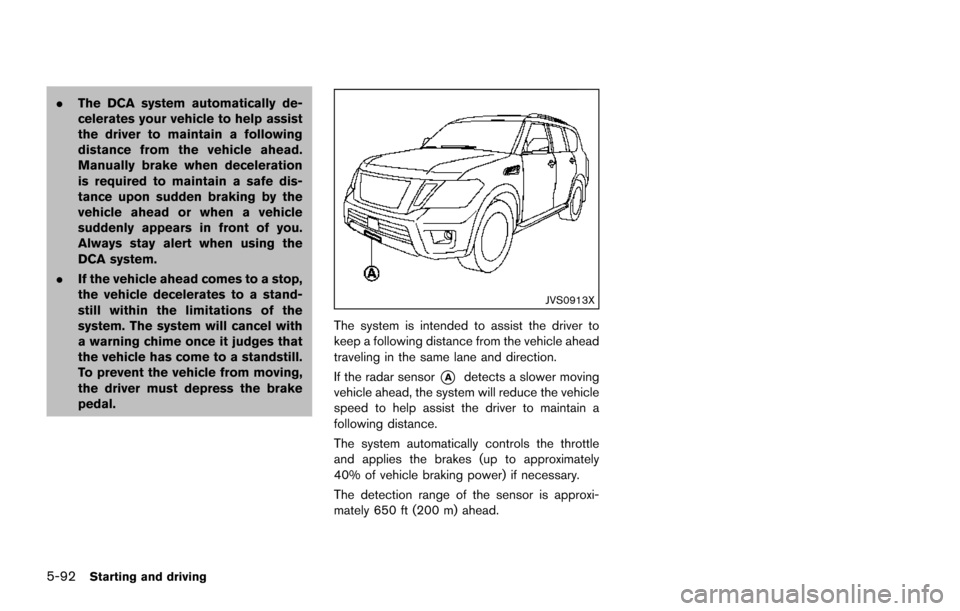
The system is intended to assist the driver to
keep a following distance from the vehicle ahead
traveling in the same lane and direction.
If the radar sensor
*Adetects a slower moving
vehicle ahead, the system will reduce the vehicle
speed to help assist the driver to maintain a
following distance.
The system automatically controls the throttle
and applies the brakes (up to approximately
40% of vehicle braking power) if necessary.
The detection range of the sensor is approxi-
mately 650 ft (200 m) ahead.
Page 434 of 614
JVS0890X
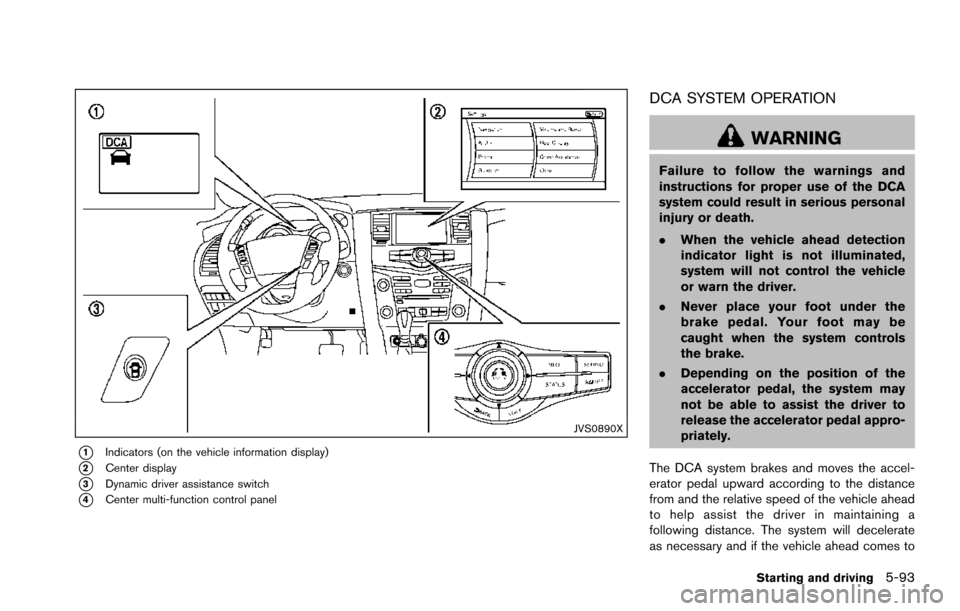
*1Indicators (on the vehicle information display)
*2Center display
*3Dynamic driver assistance switch
*4Center multi-function control panel
DCA SYSTEM OPERATION
WARNING
Failure to follow the warnings and
instructions for proper use of the DCA
system could result in serious personal
injury or death.
.When the vehicle ahead detection
indicator light is not illuminated,
system will not control the vehicle
or warn the driver.
. Never place your foot under the
brake pedal. Your foot may be
caught when the system controls
the brake.
. Depending on the position of the
accelerator pedal, the system may
not be able to assist the driver to
release the accelerator pedal appro-
priately.
The DCA system brakes and moves the accel-
erator pedal upward according to the distance
from and the relative speed of the vehicle ahead
to help assist the driver in maintaining a
following distance. The system will decelerate
as necessary and if the vehicle ahead comes to
Starting and driving5-93
Page 435 of 614
5-94Starting and driving
a stop, the vehicle decelerates to a standstill.
However, the DCA system can only apply up to
approximately 40% of the vehicle’s total braking
power. If a vehicle moves into the traveling lane
ahead or if a vehicle traveling ahead rapidly
decelerates, the distance between vehicles may
become closer because the DCA system cannot
decelerate the vehicle quickly enough. If this
occurs, the DCA system will sound a warning
chime and blink the system display to notify the
driver to take necessary action.
See “Approach warning” (P.5-95).
SSD0997
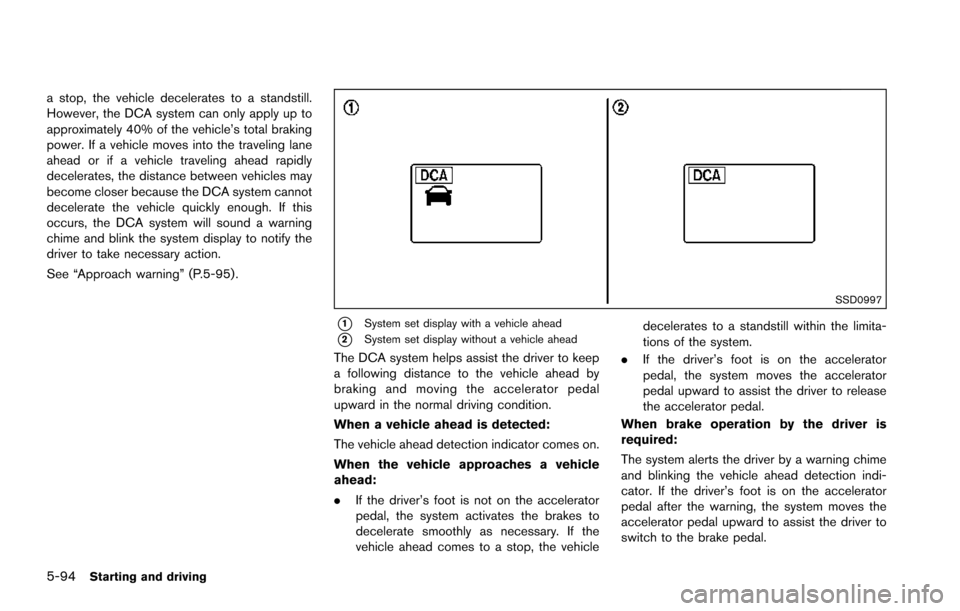
*1System set display with a vehicle ahead
*2System set display without a vehicle ahead
The DCA system helps assist the driver to keep
a following distance to the vehicle ahead by
braking and moving the accelerator pedal
upward in the normal driving condition.
When a vehicle ahead is detected:
The vehicle ahead detection indicator comes on.
When the vehicle approaches a vehicle
ahead:
.If the driver’s foot is not on the accelerator
pedal, the system activates the brakes to
decelerate smoothly as necessary. If the
vehicle ahead comes to a stop, the vehicle decelerates to a standstill within the limita-
tions of the system.
. If the driver’s foot is on the accelerator
pedal, the system moves the accelerator
pedal upward to assist the driver to release
the accelerator pedal.
When brake operation by the driver is
required:
The system alerts the driver by a warning chime
and blinking the vehicle ahead detection indi-
cator. If the driver’s foot is on the accelerator
pedal after the warning, the system moves the
accelerator pedal upward to assist the driver to
switch to the brake pedal.
Page 440 of 614
safe distance between vehicles.
. The system may not detect the
vehicle in front of you in certain
road or weather conditions. To avoid
accidents, never use the DCA sys-
tem under the following conditions:
— On roads with sharp curves
— On slippery road surfaces such
as on ice or snow, etc.
— On off-road surfaces such as on sand or rock, etc.
— During bad weather (rain, fog, snow, etc.)
— When rain, snow or dirt adhere to the system sensor
— On steep downhill roads (fre- quent braking may result in
overheating the brakes)
— On repeated uphill and downhill roads
— When towing a trailer or other vehicle
. In some road or traffic conditions, a
vehicle or object can unexpectedly
come into the sensor detection
zone and cause automatic braking. You may need to control the dis-
tance from other vehicles using the
accelerator pedal. Always stay alert
and avoid using the DCA system
when it is not recommended in this
section.
The radar sensor will not detect the following
objects:
. Stationary and slow moving vehicles
. Pedestrians or objects in the roadway
. Oncoming vehicles in the same lane
. Motorcycles traveling offset in the travel lane
The following are some conditions in which the
sensor cannot detect the signals:
. When the snow or road spray from traveling
vehicles reduces the sensor’s visibility
. When excessively heavy baggage is loaded
in the rear seat or the luggage room of your
vehicle
Starting and driving5-99