2017 MITSUBISHI OUTLANDER SPORT remote control
[x] Cancel search: remote controlPage 190 of 399
![MITSUBISHI OUTLANDER SPORT 2017 3.G Owners Manual Combination headlights and dimmer switch
Features and controls 5-127
5
[When using the F.A.S.T.-key to start the engine] If the driver’s door is opened with the opera- tion mode is put in OFF or AC](/manual-img/19/7550/w960_7550-189.png "MITSUBISHI OUTLANDER SPORT 2017 3.G Owners Manual Combination headlights and dimmer switch
Features and controls 5-127
5
[When using the F.A.S.T.-key to start the engine] If the driver’s door is opened with the opera- tion mode is put in OFF or AC")
Combination headlights and dimmer switch
Features and controls 5-127
5
[When using the F.A.S.T.-key to start the engine] If the driver’s door is opened with the opera- tion mode is put in OFF or ACC, or if theoperation mode is changed to OFF while the lights are on, the tone will sound to remind you to turn off the lights. In either case, the lights will turn off automat- ically and so will the tone. Or you can turnthe light switch to the
“OFF” position to stop
the tone.
N00549900142
To change the headlights from high beam to low beam and vice versa, pull the turn signal lever to (1). Switch the headlights to lowbeam as a courtesy whenever there are oncoming vehicles, or when there is traffic moving ahead of you. An illuminated bluelight in the instrument cluster indicates when the headlights are on high beam.
N00550000185
You can flash the high beams by pulling the lever gently toward you (2). The lights willgo back to normal when you let go. While the high beam is on, you will see a blue light on the instrument panel.
N00563201247
This function turns on the front side-markerand parking lights for about 30 seconds afterthe UNLOCK button (A) on the remote con- trol transmitter is pressed when the combina- tion headlights and dimmer switch is in the“OFF” or “AUTO” position (for vehicles equipped with the automatic light control). On vehicles equipped with the automatic lightcontrol, the welcome light function will oper-ate only when it is dark outside the vehicle.
Dimmer (high/low beam change)
Headlight flasher
NOTE
You can flash the high beams by pulling the lever toward you, even if the light switch isoff. If you turn the lights off with the head lights set to high-beam illumination, the headlights are automatically returned to their low-beam setting when the light switch is next turned to the “ ” position.
Welcome light
NOTE
While the welcome light function is operat- ing, perform one of the following operationsto cancel the function.
BK0239500US.book
127 ページ 2016年5月13日 金曜日 午前8時53分
Page 191 of 399
Combination headlights and dimmer switch 5-128 Features and controls
5
N00547301123
This function turns on the headlights in the low beam setting for about 30 seconds after the ignition switch is turned to the “OFF”position or the operation mode is put in OFF.
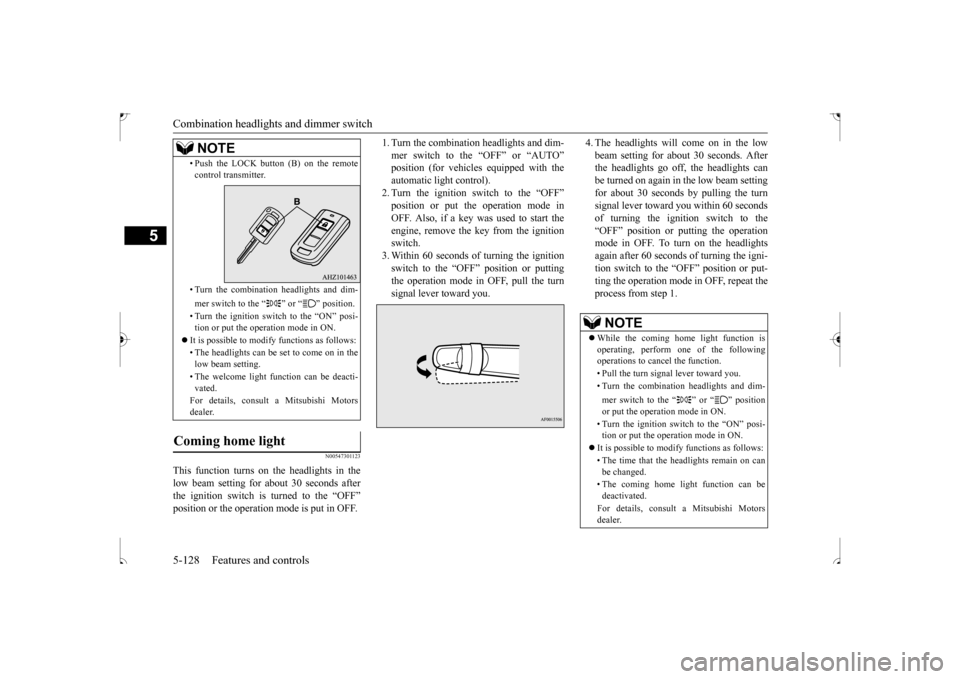
1. Turn the combination headlights and dim- mer switch to the “OFF” or “AUTO” position (for vehicles equipped with the automatic light control).2. Turn the ignition switch to the “OFF” position or put the operation mode in OFF. Also, if a key was used to start theengine, remove the key from the ignition switch. 3. Within 60 seconds of turning the ignitionswitch to the “OFF” position or puttingthe operation mode in OFF, pull the turn signal lever toward you.
4. The headlights will come on in the low beam setting for about 30 seconds. After the headlights go off, the headlights can be turned on again in the low beam settingfor about 30 seconds by pulling the turn signal lever toward you within 60 seconds of turning the ignition switch to the“OFF” position or putting the operation mode in OFF. To turn on the headlights again after 60 seconds of turning the igni-tion switch to the “OFF” position or put-ting the operation mode in OFF, repeat the process from step 1.
• Push the LOCK button (B) on the remote control transmitter. • Turn the combination headlights and dim- mer switch to the “ ” or “ ” position. • Turn the ignition switch to the “ON” posi- tion or put the operation mode in ON.
It is possible to modify functions as follows: • The headlights can be set to come on in the low beam setting. • The welcome light function can be deacti- vated. For details, consult a Mitsubishi Motors dealer.
Coming home light
NOTE
NOTE
While the coming home light function is operating, perform one of the followingoperations to cancel the function. • Pull the turn signal lever toward you.• Turn the combination headlights and dim- mer switch to the “ ” or “ ” position or put the operation mode in ON. • Turn the ignition switch to the “ON” posi- tion or put the operation mode in ON.
It is possible to modify functions as follows: • The time that the headlights remain on can be changed. • The coming home light function can be deactivated. For details, consult a Mitsubishi Motors dealer.
BK0239500US.book
128 ページ 2016年5月13日 金曜日 午前8時53分
Page 234 of 399
Interior lights
Features and controls 5-171
5
N00525401472
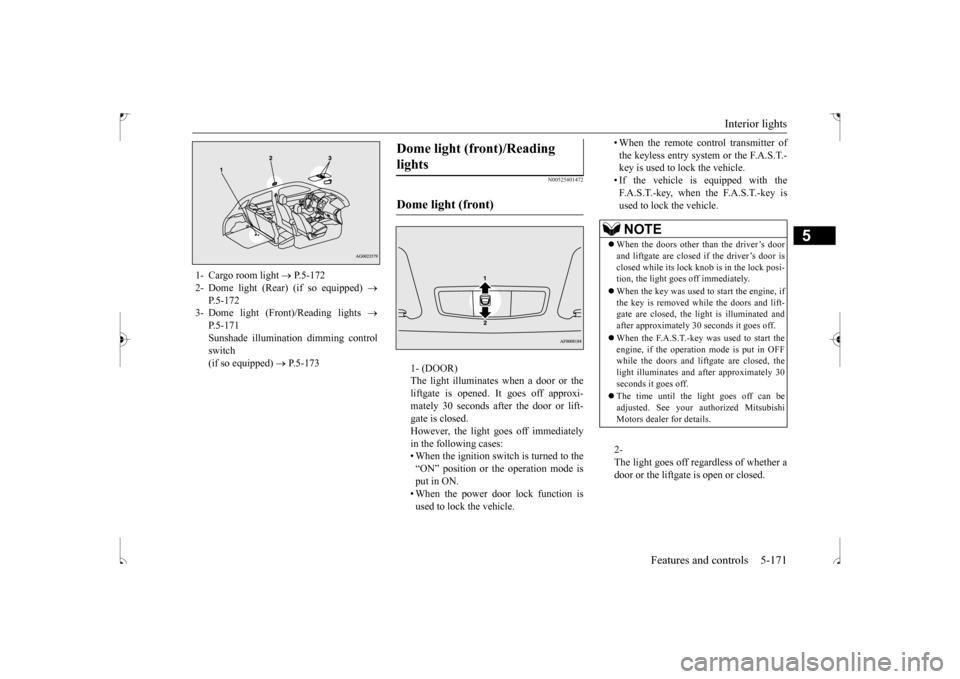
1- (DOOR) The light illuminates when a door or the liftgate is opened. It goes off approxi- mately 30 seconds after the door or lift-gate is closed. However, the light goes off immediately in the following cases:• When the ignition switch is turned to the “ON” position or the operation mode is put in ON.• When the power door lock function is used to lock the vehicle.
• When the remote control transmitter of the keyless entry system or the F.A.S.T.- key is used to lock the vehicle. • If the vehicle is equipped with theF.A.S.T.-key, when the F.A.S.T.-key is used to lock the vehicle. 2- The light goes off regardless of whether a door or the liftgate is open or closed.
1- Cargo room light
P.5-172
2- Dome light (Rear) (if so equipped)
P.5-172
3- Dome light (Front)/Reading lights
P.5-171Sunshade illumination dimming control switch (if so equipped)
P.5-173
Dome light (front)/Reading lights Dome light (front)
NOTE
When the doors other than the driver’s door and liftgate are closed if the driver’s door is closed while its lock knob is in the lock posi-tion, the light goes off immediately. When the key was used to start the engine, if the key is removed while the doors and lift- gate are closed, the light is illuminated and after approximately 30 seconds it goes off. When the F.A.S.T.-key was used to start the engine, if the operation mode is put in OFFwhile the doors and liftgate are closed, the light illuminates and after approximately 30 seconds it goes off. The time until the light goes off can be adjusted. See your authorized MitsubishiMotors dealer for details.
BK0239500US.book
171 ページ 2016年5月13日 金曜日 午前8時53分
Page 235 of 399
Interior lights 5-172 Features and controls
5
N00537600155
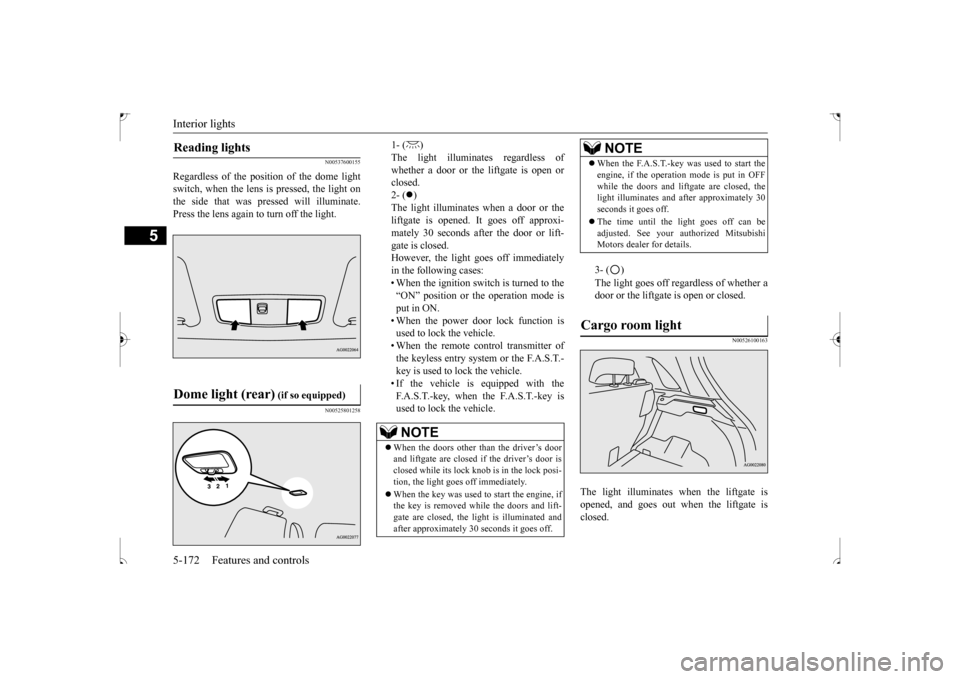
Regardless of the position of the dome light switch, when the lens is pressed, the light onthe side that was pressed will illuminate. Press the lens again to turn off the light.
N00525801258
1- ( ) The light illuminates regardless ofwhether a door or the liftgate is open or closed. 2- (
)
The light illuminates when a door or the liftgate is opened. It goes off approxi- mately 30 seconds after the door or lift-gate is closed. However, the light goes off immediately in the following cases:• When the ignition switch is turned to the“ON” position or the operation mode is put in ON. • When the power door lock function isused to lock the vehicle. • When the remote control transmitter of the keyless entry system or the F.A.S.T.-key is used to lock the vehicle. • If the vehicle is equipped with the F.A.S.T.-key, when the F.A.S.T.-key isused to lock the vehicle.
3- ( ) The light goes off regardless of whether a door or the liftgate is open or closed.
N00526100163
The light illuminates when the liftgate isopened, and goes out when the liftgate is closed.
Reading lights Dome light (rear)
(if so equipped)
NOTE
When the doors other than the driver’s door and liftgate are closed if
the driver’s door is
closed while its lock knob is in the lock posi- tion, the light goes off immediately. When the key was used to start the engine, if the key is removed while the doors and lift- gate are closed, the light is illuminated andafter approximately 30 seconds it goes off.
When the F.A.S.T.-key was used to start the engine, if the operation mode is put in OFF while the doors and liftgate are closed, the light illuminates and after approximately 30 seconds it goes off. The time until the light goes off can be adjusted. See your authorized MitsubishiMotors dealer for details.
Cargo room light
NOTE
BK0239500US.book
172 ページ 2016年5月13日 金曜日 午前8時53分
Page 236 of 399
Interior lights
Features and controls 5-173
5
N00568500020
The brightness of the sunshade illumination can be adjusted to 3 different levels when the ignition switch or the operation mode is inON or ACC.Each time you press the switch, the bright- ness switches in sequence from high
mid-
dle
low
off
high.
N00568601031
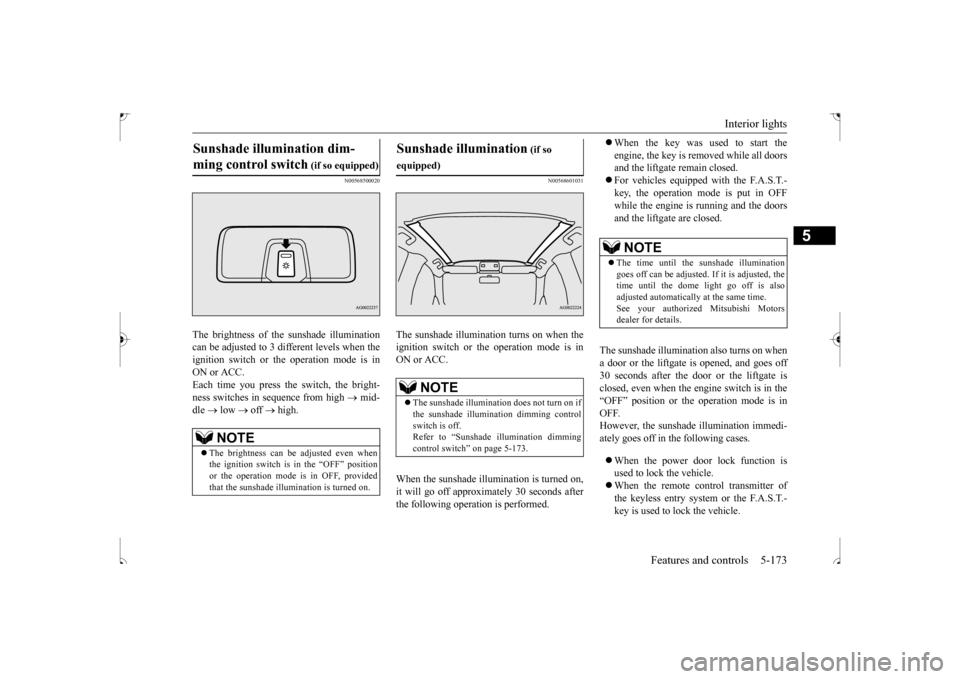
The sunshade illumination turns on when the ignition switch or the operation mode is in ON or ACC. When the sunshade illu
mination is turned on,
it will go off approximately 30 seconds after the following operation is performed.
When the key was used to start the engine, the key is removed while all doors and the liftgate remain closed. For vehicles equipped with the F.A.S.T.- key, the operation mode is put in OFF while the engine is running and the doors and the liftgate are closed.
The sunshade illumination also turns on when a door or the liftgate is opened, and goes off 30 seconds after the door or the liftgate is closed, even when the engine switch is in the“OFF” position or the operation mode is in OFF. However, the sunshade illumination immedi-ately goes off in the following cases. When the power door lock function is used to lock the vehicle. When the remote control transmitter of the keyless entry system or the F.A.S.T.- key is used to lock the vehicle.
Sunshade illumination dim- ming control switch
(if so equipped)
NOTE
The brightness can be adjusted even when the ignition switch is in the “OFF” position or the operation mode is in OFF, providedthat the sunshade illumination is turned on.
Sunshade illumination
(if so
equipped)
NOTE
The sunshade illumination does not turn on if the sunshade illumination dimming controlswitch is off. Refer to “Sunshade illumination dimming control switch” on page 5-173.
NOTE
The time until the sunshade illumination goes off can be adjusted. If it is adjusted, thetime until the dome light go off is also adjusted automatically at the same time. See your authorized Mitsubishi Motorsdealer for details.
BK0239500US.book
173 ページ 2016年5月13日 金曜日 午前8時53分
Page 295 of 399
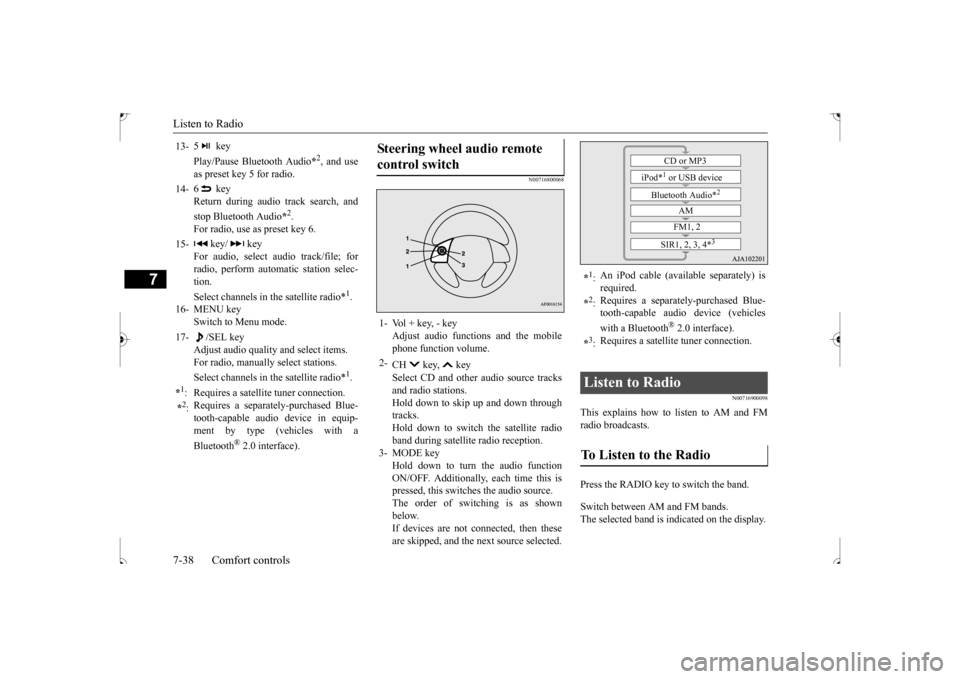
Listen to Radio 7-38 Comfort controls
7
N00716800068
N00716900098
This explains how to
listen to AM and FM
radio broadcasts. Press the RADIO key to switch the band. Switch between AM and FM bands. The selected band is indicated on the display.
13-
5 key Play/Pause Bluetooth Audio
*2, and use
as preset key 5 for radio.
14-
6 key Return during audio track search, and stop Bluetooth Audio
*2.
For radio, use as preset key 6.
15-
key/ key
For audio, select audio track/file; forradio, perform automatic station selec- tion. Select channels in the satellite radio*
1.
16- MENU key
Switch to Menu mode.
17-
/SEL key
Adjust audio quality and select items.For radio, manually select stations. Select channels in the satellite radio*
1.
*1: Requires a satellite tuner connection.*2: Requires a separately-purchased Blue- tooth-capable audio device in equip- ment by type (vehicles with a Bluetooth
® 2.0 interface).
Steering wheel audio remote control switch 1- Vol + key, - key
Adjust audio functions and the mobilephone function volume.
2-
CH key, key Select CD and other audio source tracks and radio stations.Hold down to skip up and down through tracks. Hold down to switch the satellite radioband during satellite radio reception.
3- MODE key
Hold down to turn the audio functionON/OFF. Additionally, each time this is pressed, this switches the audio source. The order of switching is as shownbelow.If devices are not connected, then these are skipped, and the next source selected.
*1: An iPod cable (available separately) is required.
*2: Requires a separately-purchased Blue- tooth-capable audio device (vehicles with a Bluetooth
® 2.0 interface).
*3: Requires a satellite tuner connection.
Listen to Radio To Listen to the Radio
CD or MP3
iPod*
1 or USB device
Bluetooth Audio*
2
AM FM1, 2
SIR1, 2, 3, 4*
3
BK0239500US.bo
ok 38 ページ 2016年5月13日 金曜日 午前8時53分
Page 297 of 399

Listen to Satellite Radio (if so equipped) 7-40 Comfort controls
7
This switches to the CAT selection mode. 2. Press the CAT key to select CAT. 3. Press the SCAN key. When a broadcast stat
ion is received, this
is played for 5 seconds, then the product searches for the next station.
N00717000083
This section explains ho
w to listen to satellite
radio.
Press the RADIO key to switch the band. Switches between SIR1, SIR2, SIR3, and SIR4 bands.The selected band is indicated on the display. Press the key or key to select the sta- tion.
Channels are received in order and take 10 seconds each. Press the SCAN key. All of the channels are scanned.
NOTE
Press the SCAN key again while receiving the station to cancel scan searching.
Listen to Satellite Radio
(if so
equipped)
NOTE
A subscription is required to listen to satel- lite radio. Once the free trial period has expired, satellite radi
o can only be received
with a valid subscription. If no subscription has been made when the free trial period expires, the display will alternate between “CALL” and “888-539- SIRI”.
NOTE
Bands switch in the order AM, FM1, FM2, SIR1, SIR2
*, SIR3
*, and SIR4
*.
Switch satellite radio bands by holding down the key or key on the steering remote control switch.* :If no signal is received, bands will not be switched.
Select a Station
key
Go down one step from the channel being received.
key
Go up one step from the channel being received.
key
(Hold down)
While the key is held down, it will cycle down through the channels being received.
key
(Hold down)
While the key is held down, it will cycle up through the channels being received.
NOTE
When cycling up/down through channels, the channel number display in the upper level ofthe display changes. When channel number “000” is selected, the SIRIUS ID (12 digits) is displayed.
Scan Station Selection
Scan All Channels
NOTE
Press this key again while receiving the channel to cancel scan searching.
BK0239500US.bo
ok 40 ページ 2016年5月13日 金曜日 午前8時53分