2017 MITSUBISHI OUTLANDER SPORT tow
[x] Cancel search: towPage 90 of 399
Free-hand Advanced Security Transmitt
er (F.A.S.T.-key) (if so equipped)
Features and controls 5-27
5
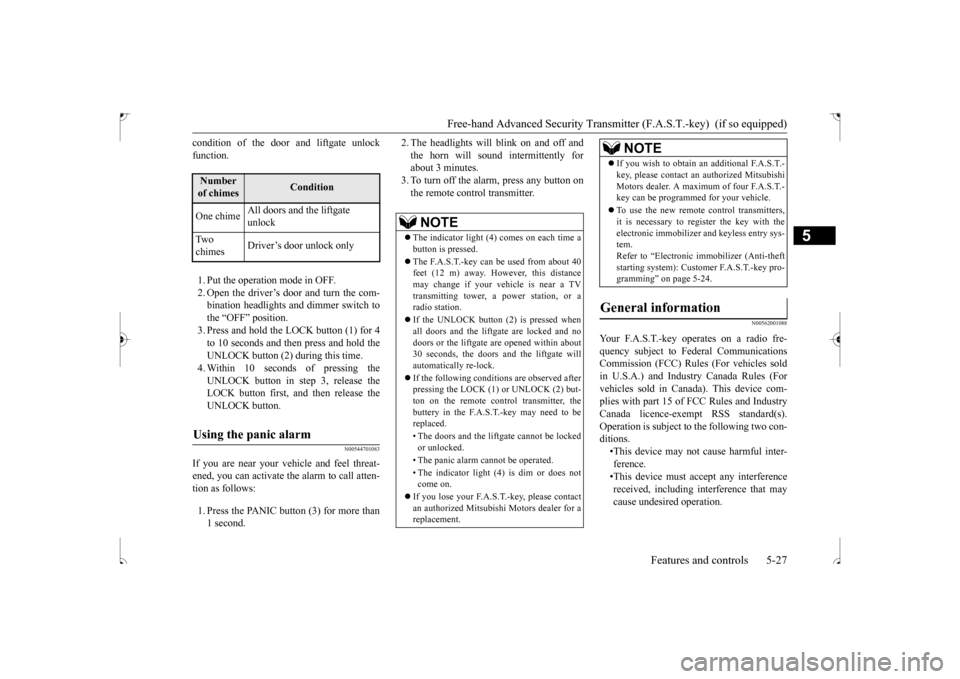
condition of the door and liftgate unlock function. 1. Put the operation mode in OFF. 2. Open the driver’s door and turn the com- bination headlights and dimmer switch to the “OFF” position.3. Press and hold the LOCK button (1) for 4to 10 seconds and then press and hold the UNLOCK button (2) during this time. 4. Within 10 seconds of pressing theUNLOCK button in step 3, release the LOCK button first, and then release the UNLOCK button.
N00544701083
If you are near your vehicle and feel threat-ened, you can activate the alarm to call atten-tion as follows: 1. Press the PANIC button (3) for more than 1 second.
2. The headlights will blink on and off and the horn will sound intermittently for about 3 minutes. 3. To turn off the alarm, press any button onthe remote control transmitter.
N00562001088
Number of chimes
Condition
One chime
All doors and the liftgate unlock
Tw o chimes
Driver’s door unlock only
Using the panic alarm
NOTE
The indicator light (4) comes on each time a button is pressed. The F.A.S.T.-key can be used from about 40 feet (12 m) away. However, this distance may change if your vehicle is near a TVtransmitting tower, a power station, or a radio station. If the UNLOCK button (2) is pressed when all doors and the liftgate are locked and no doors or the liftgate are opened within about30 seconds, the doors and the liftgate will automatically re-lock. If the following conditions are observed after pressing the LOCK (1) or UNLOCK (2) but- ton on the remote control transmitter, thebuttery in the F.A.S.T.-key may need to be replaced. • The doors and the liftgate cannot be locked or unlocked. • The panic alarm cannot be operated. • The indicator light (4) is dim or does not come on.
If you lose your F.A.S.T.-key, please contact an authorized Mitsubishi Motors dealer for a replacement.
If you wish to obtain
an additional F.A.S.T.-
key, please contact an authorized Mitsubishi Motors dealer. A maximum of four F.A.S.T.- key can be programmed for your vehicle. To use the new remote control transmitters, it is necessary to register the key with the electronic immobilizer and keyless entry sys-tem. Refer to “Electronic immobilizer (Anti-theft starting system): Customer F.A.S.T.-key pro-gramming” on page 5-24.
General information
Your F.A.S.T.-key operates on a radio fre- quency subject to Federal Communications Commission (FCC) Rules (For vehicles sold in U.S.A.) and Industry Canada Rules (Forvehicles sold in Canada). This device com- plies with part 15 of FCC Rules and Industry Canada licence-exempt RSS standard(s).Operation is subject to the following two con- ditions. •This device may not cause harmful inter-ference. •This device must accept any interference received, including interference that maycause undesired operation.NOTE
BK0239500US.bo
ok 27 ページ 2016年5月13日 金曜日 午前8時53分
Page 92 of 399
Door locks
Features and controls 5-29
5
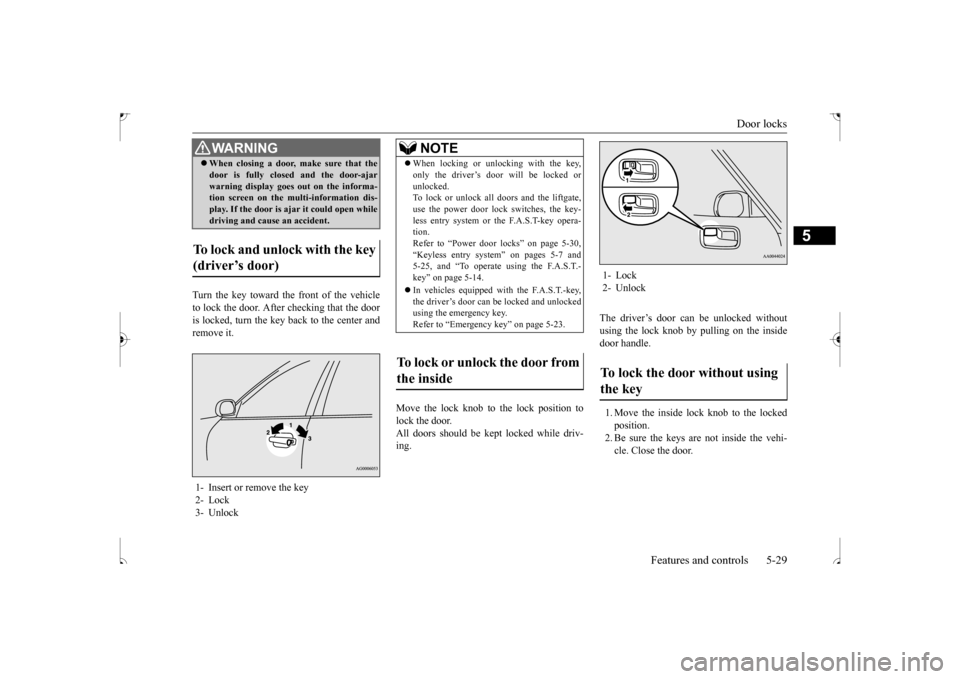
Turn the key toward the front of the vehicle to lock the door. After checking that the dooris locked, turn the key back to the center and remove it.
Move the lock knob to the lock position to lock the door.All doors should be kept locked while driv- ing.
The driver’s door can be unlocked without using the lock knob by pulling on the insidedoor handle. 1. Move the inside lock knob to the locked position.2. Be sure the keys are not inside the vehi- cle. Close the door.
When closing a door, make sure that the door is fully closed and the door-ajar warning display goes out on the informa- tion screen on the multi-information dis- play. If the door is ajar it could open whiledriving and cause an accident.
To lock and unlock with the key (driver’s door) 1- Insert or remove the key 2- Lock 3- Unlock
WA R N I N G
NOTE
When locking or unlocking with the key, only the driver’s door will be locked or unlocked. To lock or unlock all doors and the liftgate, use the power door lock switches, the key-less entry system or the F.A.S.T-key opera- tion. Refer to “Power door locks” on page 5-30,“Keyless entry system” on pages 5-7 and 5-25, and “To operate using the F.A.S.T.- key” on page 5-14. In vehicles equipped with the F.A.S.T.-key, the driver’s door can be locked and unlockedusing the emergency key. Refer to “Emergency key” on page 5-23.
To lock or unlock the door from the inside
1- Lock 2- UnlockTo lock the door without using the key
BK0239500US.bo
ok 29 ページ 2016年5月13日 金曜日 午前8時53分
Page 104 of 399
Steering wheel height and reach adjustment
Features and controls 5-41
5
When parking on a hill, set the parking brake, and turn the front wheels toward the curb on adownhill, or away from the curb on an uphill.
N00511500228
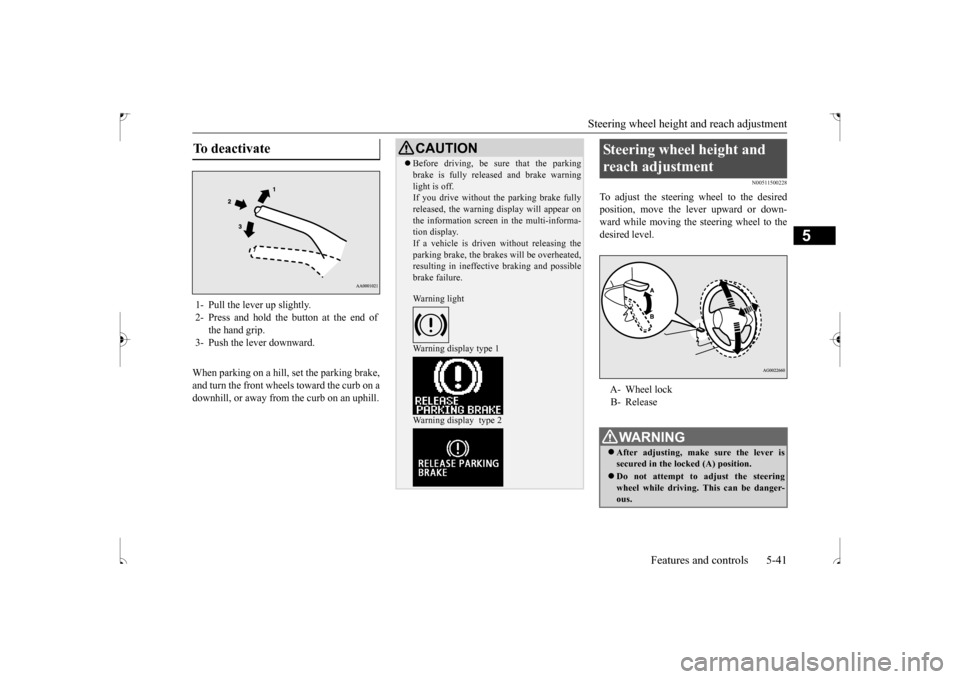
To adjust the steering wheel to the desiredposition, move the lever upward or down-ward while moving the steering wheel to the desired level.
To deactivate 1- Pull the lever up slightly. 2- Press and hold the button at the end of
the hand grip.
3- Push the lever downward.
CAUTION Before driving, be sure that the parking brake is fully released and brake warning light is off. If you drive without the parking brake fully released, the warning display will appear onthe information screen in the multi-informa- tion display. If a vehicle is driven without releasing theparking brake, the brakes will be overheated, resulting in ineffective braking and possible brake failure. Warning light Warning display type 1 Warning display type 2
Steering wheel height and reach adjustment A- Wheel lock B- ReleaseWA R N I N G After adjusting, make sure the lever is secured in the locked (A) position. Do not attempt to adjust the steering wheel while driving. This can be danger-ous.
BK0239500US.bo
ok 41 ページ 2016年5月13日 金曜日 午前8時53分
Page 108 of 399
Outside rearview mirrors
Features and controls 5-45
5
N00549201155
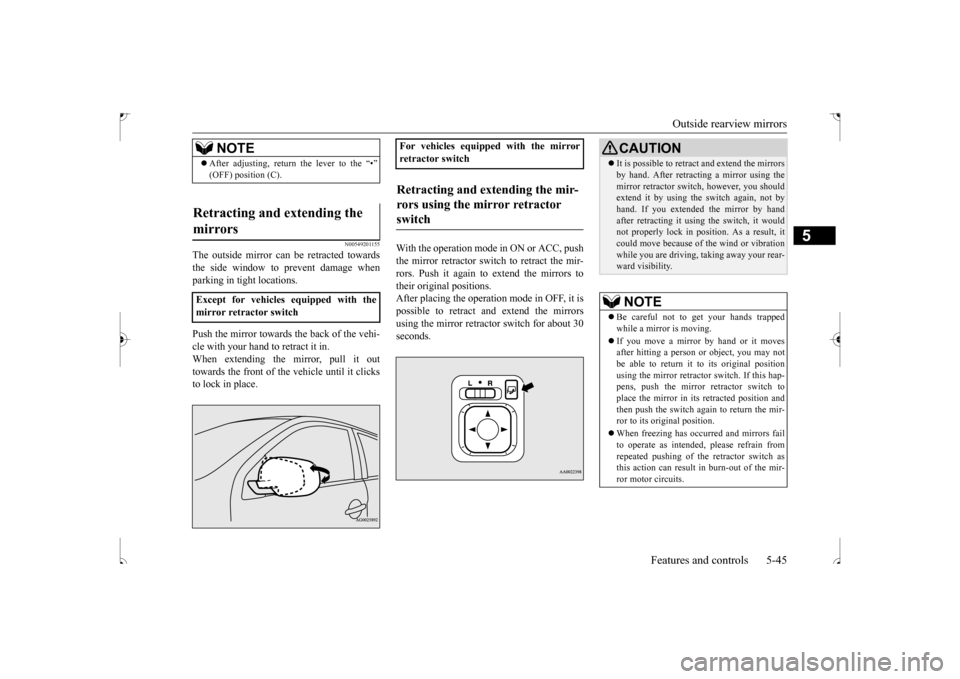
The outside mirror can be retracted towards the side window to prevent damage whenparking in tight locations. Push the mirror towards the back of the vehi- cle with your hand to retract it in. When extending the mirror, pull it outtowards the front of the vehicle until it clicks to lock in place.
With the operation mode in ON or ACC, push the mirror retractor switch to retract the mir-rors. Push it again to extend the mirrors totheir original positions. After placing the operation mode in OFF, it is possible to retract and extend the mirrorsusing the mirror retractor switch for about 30 seconds.
NOTE
After adjusting, return the lever to the “•” (OFF) position (C).
Retracting and extending the mirrors Except for vehicles equipped with the mirror retractor switch
For vehicles equipped with the mirror retractor switchRetracting and extending the mir- rors using the mirror retractor switch
CAUTION It is possible to retract and extend the mirrors by hand. After retracting a mirror using the mirror retractor switch, however, you should extend it by using the switch again, not by hand. If you extended the mirror by handafter retracting it using the switch, it would not properly lock in position. As a result, it could move because of the wind or vibrationwhile you are driving, taking away your rear- ward visibility.NOTE
Be careful not to get your hands trapped while a mirror is moving. If you move a mirror
by hand or it moves
after hitting a person or object, you may not be able to return it to its original position using the mirror retractor
switch. If this hap-
pens, push the mirror retractor switch to place the mirror in its retracted position and then push the switch again to return the mir-ror to its original position. When freezing has occurred and mirrors fail to operate as intended, please refrain from repeated pushing of the retractor switch as this action can result in burn-out of the mir- ror motor circuits.
BK0239500US.bo
ok 45 ページ 2016年5月13日 金曜日 午前8時53分
Page 118 of 399
Continuously variable transmission (CVT) (if so equipped)
Features and controls 5-55
5
Move the lever to this position only after the vehicle has come to a complete stop. At this position, the transmission is disen- gaged. It is the same as the neutral position ona manual transaxle and
should be used when
the vehicle is not moving for an extended length of time during driving, such as in atraffic jam.
This position is used for most city and high- way driving. The transmission will automati- cally and continuously change its gear ratio depending on road and driving conditions.
N00560701078
Whether the vehicle is stationary or inmotion, sports mode is selected by pushingthe selector lever from the “D” (DRIVE) position into the manual gate (A). To return
to “D” (DRIVE) operation, push the selector lever back into the main gate (B). In sports mode, rapid sh
ifting is possible sim-
ply by operating the selector lever or spor-tronic steering wheel paddle shifter. Unlike the manual transaxle, sports mode allows shifting with the accelerator pedaldepressed.
“R” REVERSE
CAUTION Never shift into the “P” (PARK) or “R” (REVERSE) position while the vehicle is inmotion. If the lever is shifted into the “P” (PARK) or “R” (REVERSE) position while the vehicle is in motion, the transmissionmay be damaged.
“N” NEUTRAL
WA R N I N G Never move the selector lever to the “N” (NEUTRAL) position while driving since you could accidentally slip it into the “P”(PARK) or “R” (REVERSE) position, damaging the transmission.
To prevent the vehicle from rolling when stopped on a slope, the engine should be started in the “P” (PARK) position, not in “N” (NEUTRAL) position. To prevent rolling, always keep your foot on the brake pedal when the vehicle is in “N” (NEUTRAL) position, or when shift-ing into or out of “N” (NEUTRAL) posi- tion.
“D” DRIVE
CAUTION To prevent transmission damage, never shift into the “D” (DRIVE) position from the “R” (REVERSE) position while the vehicle is inmotion.
Sports mode
WA R N I N G
NOTE
For vehicles equipped with the sportronic steering wheel paddle shifter, sports mode can be operated even when the selector leveris in the main gate (B). Also, you can return to the “D” operation in any of following ways. When returning to “D” operation, theselector lever position display will change to “D” (DRIVE) position. • Pull the + (SHIFT UP) side sportronic steering wheel paddle shifter forward (toward the driver) for over 2 seconds. • Stop the vehicle • Push the selector lever from the “D” (DRIVE) position into the manual gate (A) and push the selector lever back into themain gate (B).
BK0239500US.bo
ok 55 ページ 2016年5月13日 金曜日 午前8時53分
Page 123 of 399
4-wheel drive operation 5-60 Features and controls
5
N00530601195
Your vehicle has been designed primarily for use on pavement.But its unique 4 -wheel drive system allows you to occasionally travel on unpaved roads, to campgrounds, picnic sites, and similarlocations. Not only does this ensure better handling on dry, paved roads but also permits better trac-tion when driving on slippery, wet or snow-covered roads and when moving out of mud. But it is not suitable for heavy off road use or towing in rough conditions.It is particularly important to note that 4- wheel drive may not give sufficient hill climbing ability and engine braking on steepslopes. You should try to avoid driving on steep slopes. Also, you must exercise caution when drivingon sand and mud and when driving through water because sufficient traction may not be available in certain circumstances.Please avoid driving the vehicle through areas where the tires may get stuck in deep sand or mud.
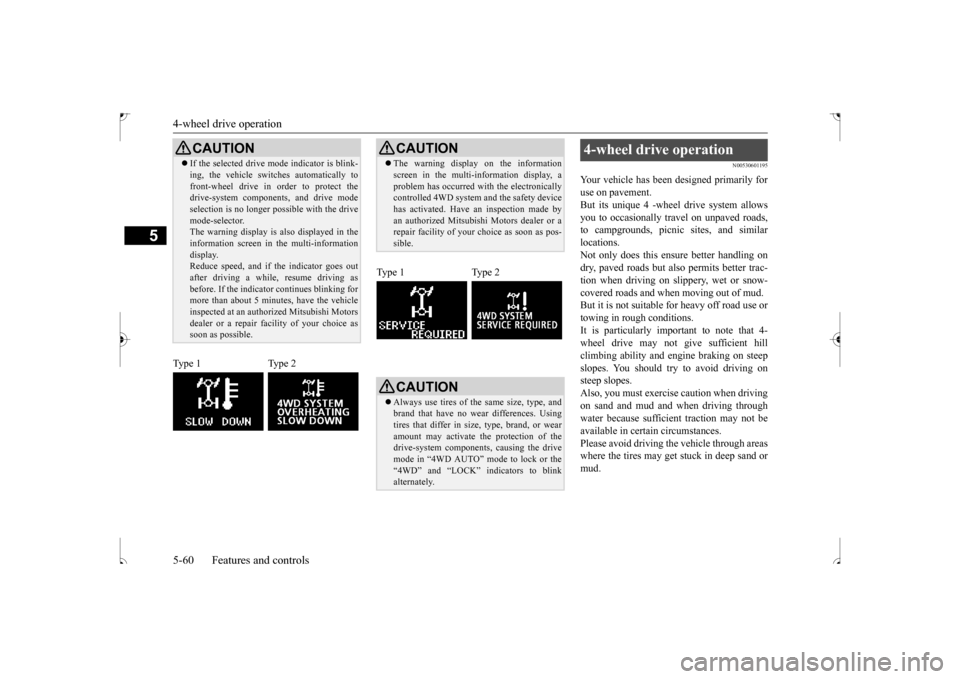
CAUTION If the selected drive mode indicator is blink- ing, the vehicle switches automatically to front-wheel drive in order to protect the drive-system components, and drive mode selection is no longer possible with the drivemode-selector. The warning display is also displayed in the information screen in the multi-informationdisplay. Reduce speed, and if the indicator goes out after driving a while, resume driving asbefore. If the indicator continues blinking for more than about 5 minutes, have the vehicle inspected at an authorized Mitsubishi Motorsdealer or a repair fa
cility of your choice as
soon as possible.
Type 1 Type 2
CAUTION The warning display on the information screen in the multi-information display, a problem has occurred with the electronically controlled 4WD system and the safety device has activated. Have an inspection made byan authorized Mitsubishi Motors dealer or a repair facility of your choice as soon as pos- sible.
Type 1 Type 2
CAUTION Always use tires of the same size, type, and brand that have no wear differences. Using tires that differ in size, type, brand, or wearamount may activate the protection of the drive-system components, causing the drive mode in “4WD AUTO” mode to lock or the“4WD” and “LOCK” indicators to blink alternately.
4-wheel drive operation
BK0239500US.bo
ok 60 ページ 2016年5月13日 金曜日 午前8時53分
Page 127 of 399
Service brake 5-64 Features and controls
5
N00517500275
Overuse of the brake can cause weakening, resulting in poor brake response and prema- ture wear of the brake pads.When driving down a long or steep hill, use engine braking by downshifting.
N00517600436
Your vehicle is equipped with power brakes for more braking force with less brake pedaleffort. Your brakes are designed to operate at full capacity, even if the power
assist is not being
used. If the power assist is not being used, the effort needed to press the brake pedal is greater.If you should lose the power assist for some reason, the brakes will still work. If the power brake unit or either of the twobrake hydraulic systems stops working prop- erly, the rest of the br
ake system will still
work, but the vehicle will not slow down asquickly. You will know this has happened if you find you need to press the brake down farther, orharder when slowing down or stopping, or if the brake warning light and the warning dis- play in the multi-information display comeon. Have the brake system repaired at an
To w i n g
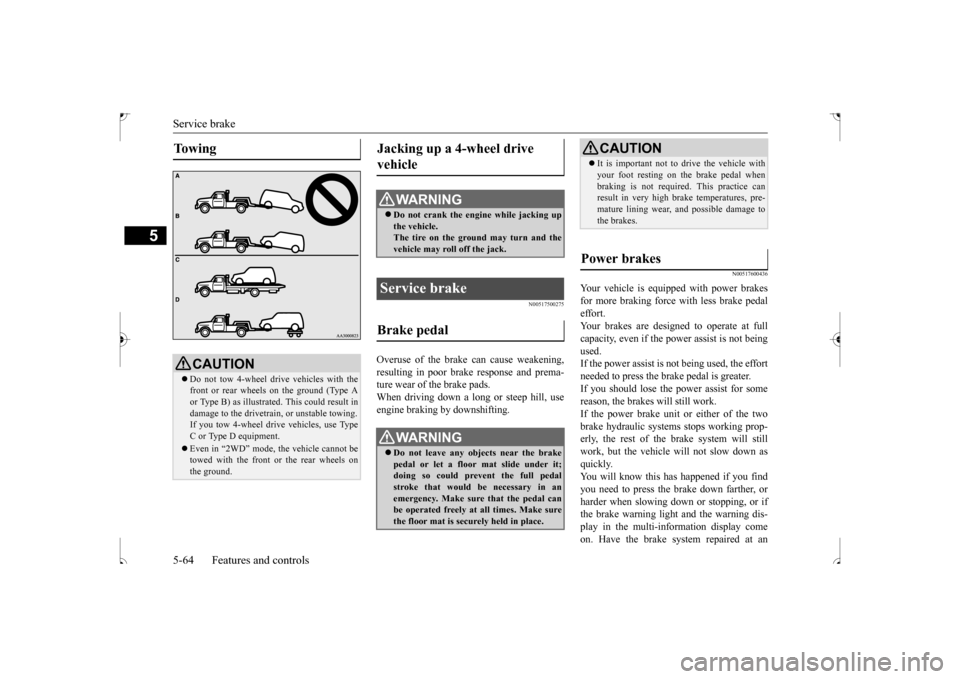
CAUTION Do not tow 4-wheel drive vehicles with the front or rear wheels on the ground (Type Aor Type B) as illustrated. This could result in damage to the drivetrain, or unstable towing. If you tow 4-wheel drive vehicles, use Type C or Type D equipment. Even in “2WD” mode, the vehicle cannot be towed with the front or the rear wheels on the ground.
Jacking up a 4-wheel drive vehicle
WA R N I N G Do not crank the engine while jacking up the vehicle.The tire on the ground may turn and the vehicle may roll off the jack.
Service brake Brake pedal
WA R N I N G Do not leave any objects near the brake pedal or let a floor mat slide under it; doing so could prevent the full pedal stroke that would be necessary in anemergency. Make sure that the pedal can be operated freely at all times. Make sure the floor mat is securely held in place.
CAUTION It is important not to drive the vehicle with your foot resting on the brake pedal when braking is not required. This practice can result in very high brake temperatures, pre- mature lining wear, and possible damage tothe brakes.
Power brakes
BK0239500US.bo
ok 64 ページ 2016年5月13日 金曜日 午前8時53分
Page 136 of 399
Cruise control (if so equipped) Features and controls 5-73
5
N00546300031 N00518301600
Cruise control is an automatic speed control system that keeps a set speed. It can be acti- vated at speeds from about 25 mph(40 km/h). Cruise control does not work at speeds below about 25 mph (40 km/h).To w i n g
CAUTION When towing the vehicle with only the front wheels or only the rear wheels raised off the ground, do not place the ignition switch in the “ON” position or do not put the operationmode in ON. Placing the ignition switch in the “ON” position or putting the operation mode in ON could cause the ASC to operate,resulting in an accident. Note that the correct towing method depends on the transmission type and the vehicle’sdrive configuration. For details, refer to “Towing” on page 8-12.
Cruise control (if so equipped)
CAUTION When you do not wish to drive at a set speed, turn off the cruise control for safety.
Do not use cruise control when driving con- ditions will not allow you to stay at the same speed, such as in heavy traffic or on roads that are winding, icy, snow-covered, wet, slippery, on a steep downhill slope. On vehicles equipped with manual transaxle, do not move the gearshift lever to the “N”(Neutral) position while driving at a set speed without depressing the clutch pedal. The engine will run too fast and might bedamaged.NOTE
Cruise control may not be able to keep your speed on uphills or downhills. Your speed may decrease on a steep uphill. You may use the accelerator pedal if you want to stay at your set speed. Your speed may increase to more than the set speed on a steep downhill. You have to usethe brake to control your speed. As a result, the set speed driving is deactivated.CAUTION
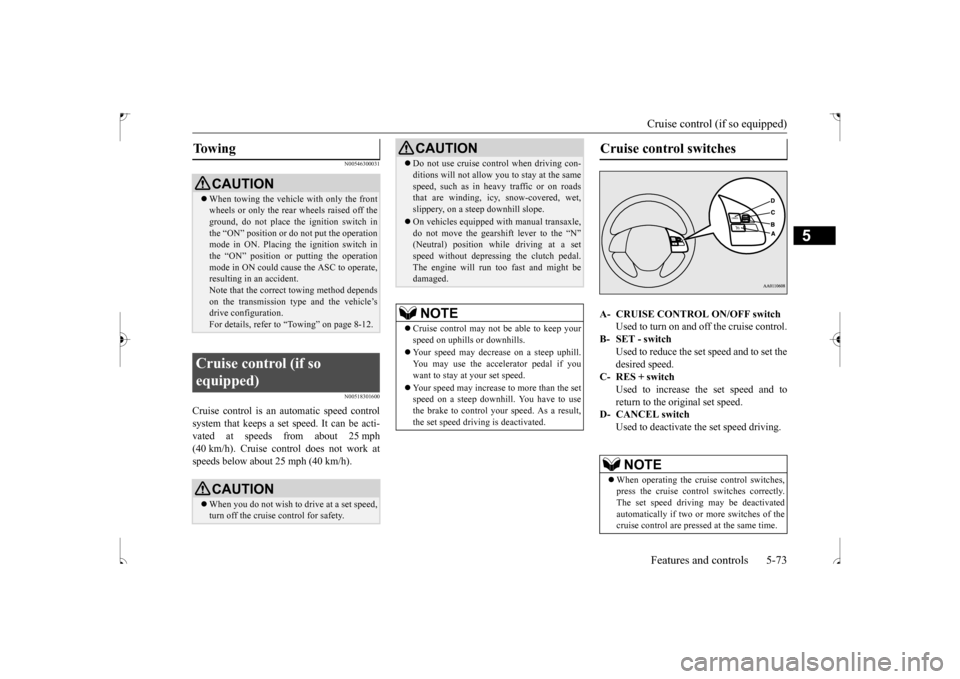
Cruise control switches A- CRUISE CONTROL ON/OFF switch
Used to turn on and off the cruise control.
B- SET - switch
Used to reduce the set speed and to set the desired speed.
C- RES + switch
Used to increase the set speed and toreturn to the original set speed.
D- CANCEL switch
Used to deactivate the set speed driving.NOTE
When operating the cruise control switches, press the cruise control switches correctly.The set speed driving may be deactivated automatically if two or more switches of the cruise control are pressed at the same time.
BK0239500US.bo
ok 73 ページ 2016年5月13日 金曜日 午前8時53分