2017 MITSUBISHI OUTLANDER PHEV height
[x] Cancel search: heightPage 297 of 548

CAUTIONlImproperly handling the system components may result in such problems as degraded sensor performance and ultimately in an accident.
Be sure to take the following precautions to keep the system in good operating conditions.
• Avoid application of strong shock loads to the sensor.
• The sensor should be kept clean.
• Do not cover the sensor with a sticker or anything.
• Do not modify the suspension of your vehicle.
l If the bumper has been exposed to an impact, the sensors may fail and prevent the system from functioning properly. Have the vehicle inspected a
MITSUBISHI MOTORS Authorized Service Point.
Obstacle detection areas
E00643500047
The detection areas of the sensors are limited.
Moreover, the sensors are unable to detect
low or thin objects or objects near the rear
bumper. Make sure to check the surroundings
as you operate the vehicle in a safe manner.
Sensor locations
E00643600093
There are the sensors (A) on each of 4 places
of the front bumper and the rear bumper.
CAUTIONl The Ultrasonic misacceleration Mitigation
System may not operate because the sensor
cannot detect the vehicle in front or obstacle as follows.
• Vehicle towing a trailer etc.
• A freight trailer that is not carrying a con-
tainer.
• Vehicle that has a protruding load from
the carrier.
• An obstacle with a low height.
• Vehicle that has an extremely high ground
clearance.
• Vehicle that is extremely stained.
• Vehicle or obstacle that is covered with
snow.
• The vehicle is the specific shape such as
the carrier car.
• Obstacles that have the shape of the pole
such as the road marker or the streetlight.
Ultrasonic misacceleration Mitigation System*
7-78OGGE17E1Starting and driving7
Page 298 of 548

CAUTION•Obstacles that exists in the high position
from the ground.
• Obstacles that are soft and absorb ultra-
sonic easily, such as spongy material or
snow.
• Obstacles that are shaped with a sharp an-
gle.
• A fence with large mesh.
• Moving object.
• When there is a loud noise or an ultrason-
ic near your vehicle by horn of other vehi-
cle, engine sound of a motorcycle, air brake noise of a large vehicle, a vehicle
detector and sonar of a vehicle etc.
• When an electrical equipment on the mar-
ket (radio antenna etc.) is installed near
the sensor.
• When there is a obstacle that is not recog-
nized between your vehicle and the obsta- cle that can be recognized.NOTEl The sensors do not detect objects located in
the area directly below or near the bumper. If the height of an object is lower than the
mounted position of the sensors, the sensors
may not continue detecting it even if they detected it initially.To turn on/off the Ultrasonic
misacceleration Mitigation Sys-tem
E00643800053
The Ultrasonic misacceleration Mitigation
System is automatically turned ON by setting
the operation mode to ON. In addition, the Ultrasonic misacceleration Mitigation SystemON/OFF is switched in conjunction with the
ON/OFF state of the FCM.
Refer to “FCM and Ultrasonic misaccelera-
tion Mitigation System ON/OFF switch” on
page 7-69.
Warning display
E00643900025
When the sensor is temporarily
not available
E00647600033
Example: When the front and/or rear sensors
are temporarily not available
When the warning display appears, the sen-
sors are temporarily not available for somereason such as the environmental condition
or increase of the sensor temperature. When
the warning display appears continuously,
contact a MITSUBISHI MOTORS Author-
ized Service Point.When there is a malfunction in
the sensor or the system
E00644000036
Example: When there is a malfunction in both sensors.
When the warning display appears, the Ultra-
sonic misacceleration Mitigation System does not operate normally because there are
some malfunctions in the system. Have the
vehicle inspected at a MITSUBISHI
MOTORS Authorized Service Point as soon
as possible.
Ultrasonic misacceleration Mitigation System*
7-79OGGE17E1Starting and driving7
Page 300 of 548
WARNING•When a vehicle is travelling alongside
of your vehicle at nearly the same speed
for prolonged periods of time.
• When the heights of the next lane and
your lane are different.
• Immediately after the BSW has been
turned on.
• Immediately after the power switch is
turned on.
• Under adverse weather conditions,
such as rain, snow, strong winds, snow or sand storms.
• When your vehicle comes too close to
another vehicle.
• While multiple vehicles are overtaking
your vehicle.
• When driving near a pot hole and
tramline.
• When a surrounding vehicle or an on-
coming vehicle is splashing water, snow or dirt.
• When driving on a curve including the
beginning and the end of the curve.
• When driving on a road with alternat-
ing up and down steep slopes.
• When driving on a bumpy or rough
road.
• When the rear of your vehicle is weigh-
ed down or your vehicle is leaning to
the right or left due to the weight of passengers and luggage or the improp-
er adjustment of tyre pressure.
• When the bumper surface around the
sensor is covered with dirt, snow and
ice, etc.WARNING• When the sensor is extremely hot or
cold (while the vehicle is parked for a
long period of time under a blazing sun or in cold weather).CAUTIONl To maintain proper performance of the
BSW, follow the instructions below.
• Always clean the bumper surface around
the sensor.
• Avoid impacting the sensor or its sur-
rounding area.
• Do not put a sticker on the sensor or its
surrounding bumper surface.
• Do not paint the sensor or its surrounding
bumper surface.
• Do not modify the sensor or its surround-
ing area.
l If the bumper has experienced an impact, the
sensor may have been damaged and the
BSW may not function properly. Have the
vehicle inspected at a MITSUBISHI
MOTORS Authorized Service Point.To operate
E00652300067
When the BSW switch is pressed while the
operation mode is ON, the BSW indication
lamp in the instrument cluster comes on and the BSW goes into the stand by state. When the BSW switch is pressed again, the BSW
indication lamp in the instrument cluster goes
off and the BSW turns off.
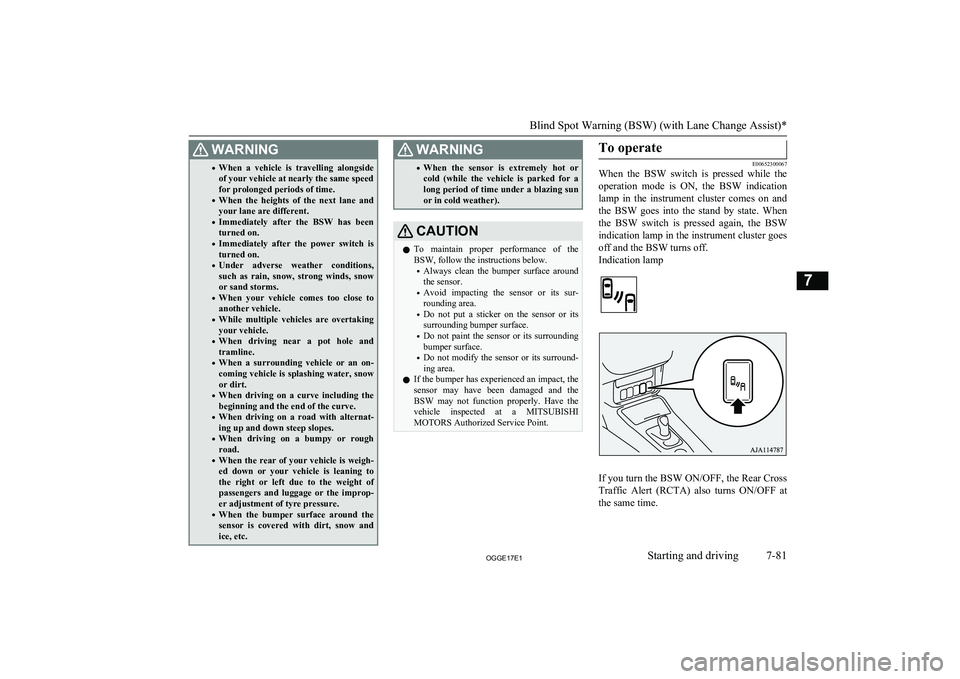
Indication lamp
If you turn the BSW ON/OFF, the Rear Cross Traffic Alert (RCTA) also turns ON/OFF at the same time.
Blind Spot Warning (BSW) (with Lane Change Assist)*
7-81OGGE17E1Starting and driving7
Page 314 of 548

Corner and back sensor loca-tions
There are two corner sensors (A) at the cor-ners of the rear bumper, and two back sensors
(B) in the centre of the rear bumper.
Reversing sensor system detec-
tion areas
Depending on whether the vehicle is equip-
ped with a towing bar, you can change the re-
versing sensor system between the standard
mode and the towing bar mode. The towing bar mode changes the system to exclude the
area in which the towing bar is mounted from the detection areas.
Vehicles without a towing bar
The detection areas are within approximately
60 cm (A) from the corner sensors, 125 cm
(B) from the back sensors.
Vehicles with a towing bar
The detection areas are within approximately 60 cm (A) from the corner sensors, 125 cm
(B) from the back sensors. The non-detection areas (C) are within approximately 20 cm (D)
from the bumper.
NOTEl The sensors do not detect objects located in
the area directly below or near the bumper. If the height of an object is lower than the
mounted position of the corner or back sen-
sors, the sensors may not continue detecting it even if they detected it initially.
For information on how to change the detec-
tion areas, please refer to “Changing the de- tection areas” on page 7-97.
CAUTIONl The reversing sensor system may not operate
properly under the following conditions:
• The sensors or surroundings have been
wiped by hand.
• The stickers or accessories have been at-
tached to the sensors or surroundings.
• The sensors or surroundings are covered
with ice, snow, or mud.
• When the temperature difference is too
large.
• The sensors are frozen.
• The system receives ultrasonic noise from
other sources (the horns of other vehicles,
motorcycle engines, brakes, radios, pour- ing rain, splashing water, snow tractiondevice (tyre chains), etc.).
Reversing sensor system*
7-95OGGE17E1Starting and driving7
Page 318 of 548

Corner and back sensor loca-tions
There are 8 sensors (A) in the front and rearbumper.
Detection areas
Depending on whether the vehicle is equip-
ped with a towing bar, you can change the parking sensors between the standard modeand the towing bar mode. The towing bar
mode changes the system to exclude the area in which the towing bar is mounted from the
detection areas.
Vehicles without a towing bar
The detection areas are within approximately
60 cm (A) from the front and corner sensors
and 125 cm (B) from the back sensors.
Vehicles with a towing bar
The detection areas are within approximately 60 cm (A) from the front and corner sensors
and 125 cm (B) from the back sensors. The
non-detection areas (C) are within approxi- mately 20 cm (D) from the bumper.
NOTEl The sensors do not detect objects located in
the area directly below or near the bumper. If the height of an object is lower than the
mounted position of the sensors, the sensors
may not continue detecting it even if they detected it initially.
For information on how to change the detec-
tion areas, please refer to “Changing the de- tection areas” on page 7-97.
Parking sensors (Front/Rear)*
7-99OGGE17E1Starting and driving7
Page 333 of 548

Bird’s eye-view mode
E00646200058
An overhead view in which the vehicle is
looked down is displayed so that you can
easily identify the location of your vehicle
and the course to enter the parking space.CAUTIONl The bird’s eye-view is an simulated view
processed by combining view captured by “Front-view camera”, “Side-view cameras(right and left)” and “Rear-view camera”.
Because of this, in the Bird’s eye-view
mode, objects will appear to be farther away than they actually are. In addition, there areblind spots in the vicinity of the actual vehi-
cle which are not displayed on the screen.
You may crash your vehicle even if there
seems to be a little distance between your vehicle and an object, and there may be an
object in the area where there seems to be
nothing. Be sure to check the safety around
the vehicle with your own eyes.
l The vehicle icon displayed in the Bird’s eye-
view mode differs from the actual vehicle in colour and size. Because of this, an object
near the vehicle may appear to be in contact with the vehicle, and the positional relation-ship between the vehicle and the object may
differ from the actual one.
l The view composition processing regions
are present in the four corners of the Bird’s
eye-view display, mainly at the boundary sections of views from each camera. Be-
cause of this, in the vicinity of the boundary sections, the sharpness of the views may de-crease and an object may disappear and re- appear on the screen.NOTEl In the Bird’s eye-view mode, since the views
captured by the four cameras, “Front-view camera”, “Side-view cameras (right and
left)” and “Rear-view camera” are processed based on a level flat road surface, an image
may be displayed as follows:
• An object appears to have fallen down
and looks longer or larger.
• An object having a height from the road
surface may seem to appear from the joint of the view composition processing re-gions.
l The brightness of the views from each cam-
era may vary depending on the illuminance conditions.
l An object above the camera is not displayed.
l The object displayed in the Front-view mode
or the Rear-view mode may not be displayed
in the Bird’s eye-view mode.
l The view in the Bird’s eye-view mode may
be displaced from its true position when the mounting location and angle of each camera are changed.
l The lines on the road may appear to be dis-
placed or bent at the joint of the views.
Multi Around Monitor*
7-114OGGE17E1Starting and driving7
Page 424 of 548

Luggage hooksE00715700579
There are 4 hooks located on the side walls of
the luggage compartment.
Use the hooks for securing the luggage.CAUTIONl Do not pile up the luggage beyond the seat-
back height. Also, firmly secure the luggage. Otherwise, serious accidents could result due
to hindered rearward view or flying objects
during sudden braking.
Luggage hooks
8-87OGGE17E1For pleasant driving8
Page 472 of 548

Snow traction device (tyrechains)
E01002103222
If snow traction device (tyre chains) have to
be used, ensure that they are fitted only on
the drive wheels (front) in accordance with
the manufacturer’s instructions.
On 4WD vehicles in which the driving power is distributed preferentially to the front wheels, ensure that the snow traction device
(tyre chains) are fitted on the front.
Use only snow traction device (tyre chains) which are designed for use with the tyresmounted on the vehicle: use of the incorrect
size or type of snow traction device (tyre
chains) could result in damage to the vehicle body.
Contact a MITSUBISHI MOTORS Author-
ized Service Point before putting on a snow traction device (tyre chains). The max. snowtraction device (tyre chains) height is as fol-
lows.
Tyre sizeWheel sizeMax. snow
traction de- vice (tyrechains)
height [mm]215/70R16 100H16 x 6 1/2 J9 mmTyre sizeWheel sizeMax. snow
traction de- vice (tyrechains)
height [mm]225/55R18 98H18x7 J9 mm
When driving with a snow traction device
(tyre chains) on the tyres, do not drive faster than 50 km/h (30 mph). When you reach
roads that are not covered in snow, immedi- ately remove the snow traction device (tyre
chains).
CAUTIONl Choose a clear straight stretch of road where
you can pull off and still be seen while you
are fitting the snow traction device (tyre
chains).
l Do not fit snow traction device (tyre chains)
before you need them. This will wear out
your tyres and the road surface.
l After driving around for 100-300 meters,
stop and retighten the snow traction device (tyre chains).
l Drive carefully and do not exceed 50 km/h
(30 mph). Remember that preventing acci-
dents is not the purpose of snow traction de- vice (tyre chains).
l When snow traction device (tyre chains) are
installed, take care that they do not damage the disc wheel or body.CAUTIONl An aluminium wheel can be damaged by a
snow traction device (tyre chains) whiledriving. When fitting a snow traction device
(tyre chains) on an aluminium wheel, take care that any part of the snow traction device
(tyre chains) and fitting cannot be brought into contact with the wheel.
l When installing or removing a snow traction
device (tyre chains), take care that hands and
other parts of your body and not injured by the sharp edges of the vehicle body.NOTEl The laws and regulations concerning the use
of snow traction device (tyre chains) vary.
Always follow local laws and regulations.
In most countries, it is prohibited by the law to use of snow traction device (tyre chains) on roads without snow.Wiper blade rubber
replacement E01002600532
Windscreen wiper blades
1. Lift the wiper arm off the windscreen.
2. Pull the wiper blade until its stopper (A)
disengages from the hook (B). Then, pull the wiper blade further to remove it.
Wiper blade rubber replacement
11-13OGGE17E1Maintenance11