2017 MITSUBISHI OUTLANDER lock
[x] Cancel search: lockPage 158 of 521
Continuously variable transmission (CVT) (if so equipped)
Features and controls 5-77
5
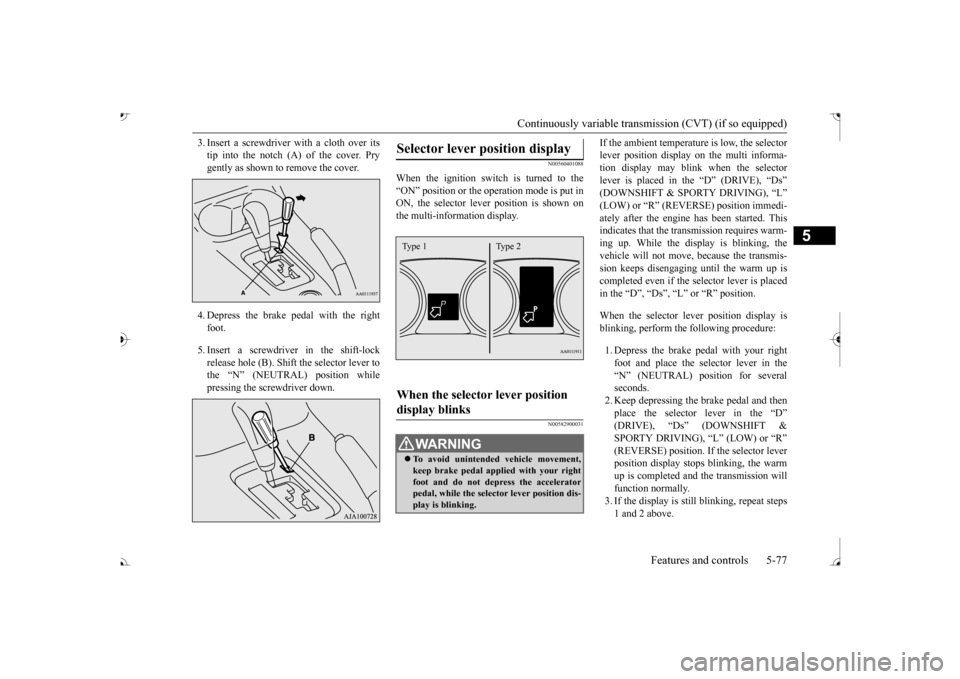
3. Insert a screwdrive
r with a cloth over its
tip into the notch (A) of the cover. Prygently as shown to remove the cover. 4. Depress the brake pe
dal with the right
foot. 5. Insert a screwdriver in the shift-lock release hole (B). Shift the selector lever tothe “N” (NEUTRAL) position while pressing the screwdriver down.
N00560401088
When the ignition switch is turned to the“ON” position or the ope
ration mode is put in
ON, the selector leve
r position is shown on
the multi-information display.
N00582900031
If the ambient temperature is low, the selectorlever position display on the multi informa-tion display may blink when the selector lever is placed in the “D” (DRIVE), “Ds” ately after the engine has been started. This indicates that the tran
smission requires warm-
ing up. While the display is blinking, the vehicle will not move,
because the transmis-
sion keeps disengaging until the warm up is completed even if the selector lever is placed in the “D”, “Ds”, “L” or “R” position. When the selector le
ver position display is
blinking, perform th
e following procedure:
1. Depress the brake pedal with your right foot and place the se
lector lever in the
“N” (NEUTRAL) position for severalseconds. 2. Keep depressing the brake pedal and then place the selector lever in the “D” SPORTY DRIVING), “L” (LOW) or “R” (REVERSE) position. If the selector leverposition display stops
blinking, the warm
up is completed and the transmission will function normally.3. If the display is still
blinking, repeat steps
1 and 2 above.
Selector lever position display
When the selector lever position display blinks
WA R N I N G To avoid unintended
vehicle movement,
keep brake pedal applied with your right foot and do not depress the accelerator pedal, while the selector lever position dis-play is blinking.Type 1 Type 2
BK0239700US.book 77 ページ 2016年6月16日 木曜日 午前10時58分
Page 160 of 521
Continuously variable transmission (CVT) (if so equipped)
Features and controls 5-79
5
N00560601107
This position locks the transmission to pre- vent the vehicle from m
oving. The engine can
be started in the “P” (PARK) position. Move the lever to this position only after the vehicle has come to a complete stop.
At this position, the transmission is disen- gaged. It is the same
as the neutral position on
a manual transaxle and should be used whenthe vehicle is not m
oving for an extended
length of time during driving, such as in a traffic jam.
This position is used fo
r most city and high-
way driving. The transmission will automati- cally and continuously ch
ange its gear ratio
depending on road and driving conditions. Use when engine braking is needed, or for high-power sport drive.
After a while, confirm that the warning display is no longer show
ing. It is safe to
continue driving if the display is no longer showing. If the warn
ing display remains or
flashes frequently,
have your vehicle
inspected by an authorized Mitsubishi Motors dealer or a repair facility of your choice. [When warning di
splay is showing]
It may be that ther
e is something unusual
happening in the CVT, causing a safety device to activate
. Have your vehicle
inspected by an authorized MitsubishiMotors dealer or a repair facility of your choice immediately.
Selector lever positions
“P” PARK
“R” REVERSE
CAUTION
CAUTION Never shift into the “P” (PARK) or “R”motion. If the lever is shifted into the “P” the vehicle is in motion, the transmission may be damaged.
“N” NEUTRAL
WA R N I N G Never move the selector lever to the “N” you could accidentally slip it into the “P” damaging the transmission. To prevent the vehicle from rolling when stopped on a slope,
the engine should be
started in the “P” (PARK) position, not in “N” (NEUTRAL) position.
To prevent rolling, always keep your foot on the brake pedal when the vehicle is in“N” (NEUTRAL) positi
on, or when shift-
ing into or out of
Page 164 of 521
Electronically controlled 4WD system (if so equipped)
Features and controls 5-83
5
Select the drive mode from the following 3 types to suit the driving conditions.
4-wheel drive operation requires special driv- ing skills.Carefully read the “4-wheel drive operation” section on page 5-88 and take care to drive safely.
N00548401046
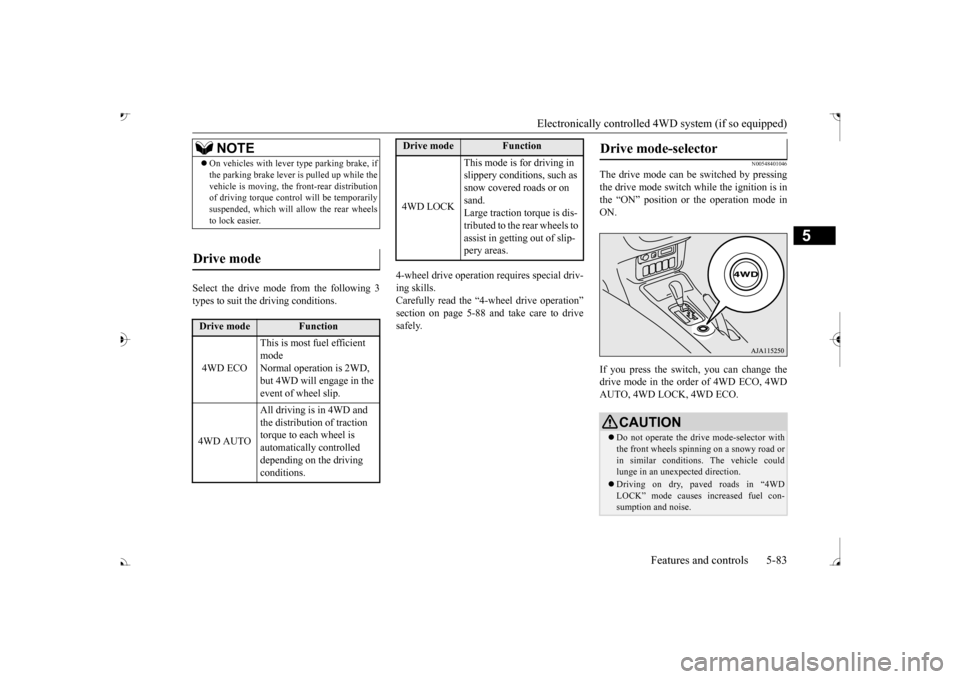
The drive mode can be switched by pressing the drive mode switch while the ignition is in the “ON” position or the operation mode inON. If you press the switch, you can change the drive mode in the order of 4WD ECO, 4WD AUTO, 4WD LOCK, 4WD ECO.
NOTE
On vehicles with lever
type parking brake, if
the parking brake lever is pulled up while thevehicle is moving, the
front-rear distribution
of driving torque contro
l will be temporarily
suspended, which will allow the rear wheels to lock easier.
Drive mode
Drive mode
Function
4WD ECO
This is most fuel efficient mode Normal operation is 2WD, but 4WD will engage in the event of wheel slip.
4WD AUTO
All driving is in 4WD and the distribution of traction torque to each wheel is automatically controlled depending on the driving conditions.
4WD LOCK
This mode is for driving in slippery conditions, such as snow covered roads or on sand. Large traction torque is dis-tributed to the rear wheels to assist in getting out of slip- pery areas.
Drive mode
Function
Drive mode-selector
CAUTION Do not operate the drive mode-selector with the front wheels spinning on a snowy road orin similar conditions
. The vehicle could
lunge in an unexpe
cted direction.
Driving on dry, paved roads in “4WD LOCK” mode causes increased fuel con- sumption and noise.
BK0239700US.book 83 ページ 2016年6月16日 木曜日 午前10時58分
Page 165 of 521
Electronically controlled 4W
D system (if so equipped)
5-84 Features and controls
5
N00549401030
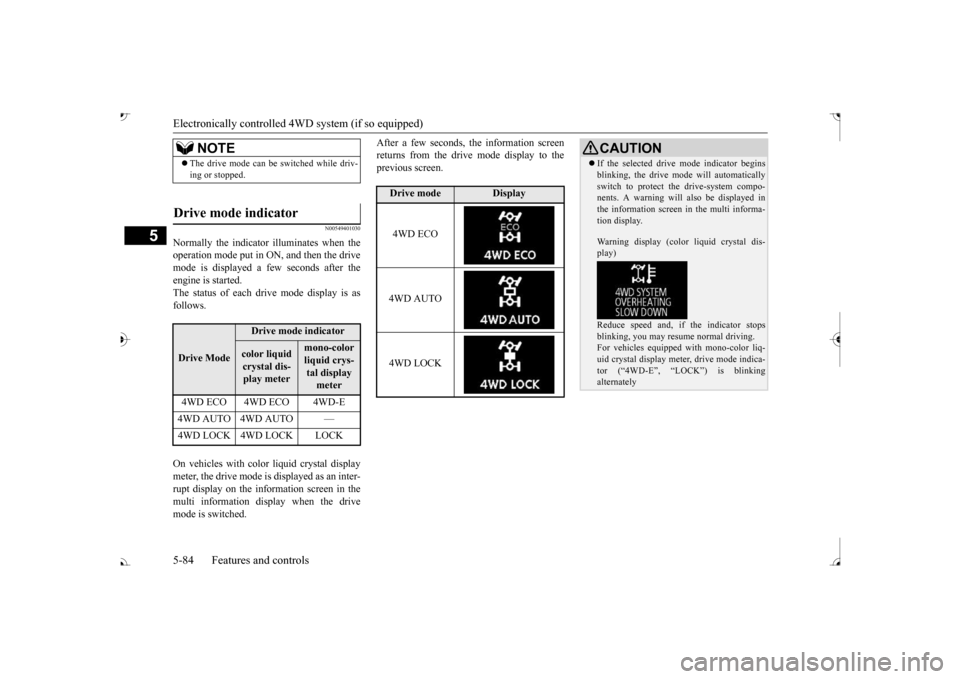
Normally the indicator illuminates when the operation mode put in ON, and then the drivemode is displayed a few seconds after the engine is started. The status of each drive mode display is asfollows. On vehicles with color liquid crystal display meter, the drive mode is displayed as an inter-rupt display on the information screen in the multi information display when the drive mode is switched.
After a few seconds, the information screen returns from the drive mode display to theprevious screen.
NOTE
The drive mode can be
switched while driv-
ing or stopped.
Drive mode indicator
Drive Mode
Drive mode indicatorcolor liquid crystal dis-play meter
mono-color liquid crys- tal display meter
4WD ECO 4WD ECO 4WD-E 4WD AUTO 4WD AUTO —
Drive mode
Display
4WD ECO 4WD AUTO 4WD LOCK
CAUTION If the selected drive mode indicator begins blinking, the drive m
ode will automatically
switch to protect the drive-system compo-nents. A warning will
also be displayed in
the information screen in the multi informa- tion display. Warning display (color liquid crystal dis- play) Reduce speed and, if the indicator stops blinking, you may resume normal driving. For vehicles equipped
with mono-color liq-
uid crystal display mete
r, drive mode indica-
tor (“4WD-E”, “LOC
K”) is blinking
alternately
BK0239700US.book 84 ページ 2016年6月16日 木曜日 午前10時58分
Page 166 of 521
S-AWC (Super-All Wheel Co
ntrol) (if so equipped)
Features and controls 5-85
5
N00576600020
While the drive mode is in the “4WD AUTO”
ON, the drive mode will be changed to “4WD ECO” mode.If the ECO mode switch is switched OFF, the drive mode will be returned to “4WD AUTO”Refer to the “ECO mode switch” on page 5-231.
N00541301088
S-AWC is an integr
ated vehicle dynamics
control system that helps enhance driving performance, cornering performance, and vehicle stability over a wide range of drivingconditions through integr
ated management of
the electronically cont
rolled 4WD, the AYC
(Active Yaw Control), the ABS and the ASC.
The electronically controlled 4WD is a sys- tem that improves acceleration performance and stability performance by controlling front-rear distribution of driving torque withoperating the electronic control coupling arranged in the rear differential assembly. The AYC is a system, with a left-right differ- ential limiting function
and yaw control func-
tion, that controls the left-rightdriving/braking force by managing the AFD* (Active Front Differential), the brake, the EPS.*: AFD (Active Front Differential)
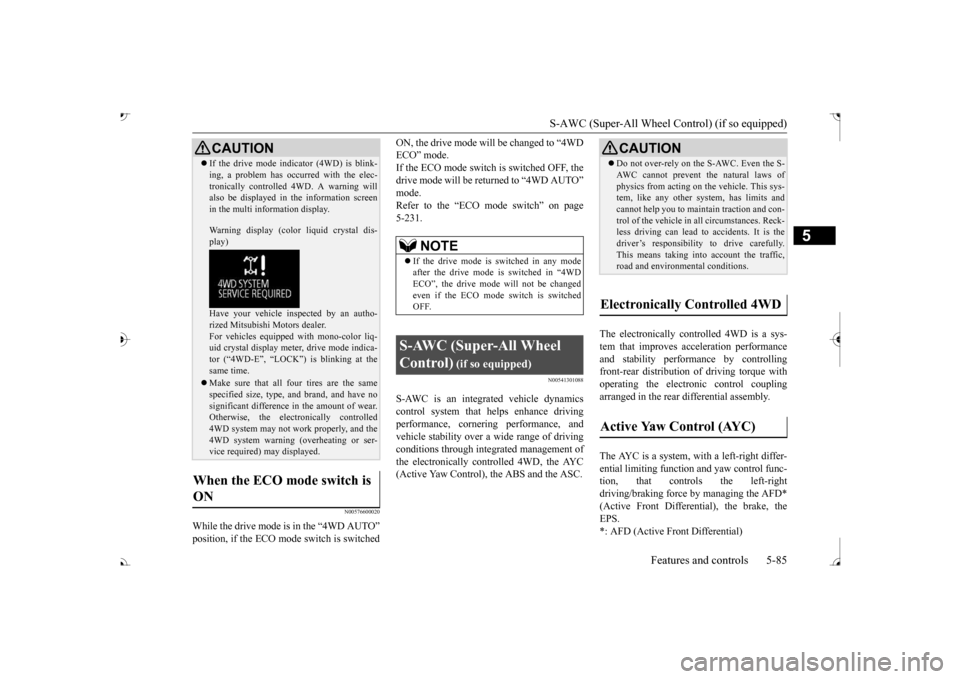
If the drive mode indicator (4WD) is blink- ing, a problem has occurred with the elec-tronically controlled
4WD. A warning will
also be displayed in
the information screen
in the multi information display. Warning display (color
liquid crystal dis-
play) Have your vehicle in
spected by an autho-
rized Mitsubishi Motors dealer.For vehicles equipped with mono-color liq- uid crystal display mete
r, drive mode indica-
tor (“4WD-E”, “LOCK”)
is blinking at the
same time. Make sure that all four tires are the same specified size, type, a
nd brand, and have no
significant difference
in the amount of wear.
Otherwise, the elec
tronically controlled
4WD system may not work properly, and the 4WD system warning (overheating or ser- vice required) may displayed.
When the ECO mode switch is ON
CAUTION
NOTE
If the drive mode is switched in any mode after the drive mode is switched in “4WD ECO”, the drive mode
will not be changed
even if the ECO mode switch is switched OFF.
S-AWC (Super-All Wheel Control)
(if so equipped)
Do not over-rely on the S-AWC. Even the S- AWC cannot prevent the natural laws ofphysics from acting on the vehicle. This sys-tem, like any other system, has limits and cannot help you to main
tain traction and con-
trol of the vehicle in
all circumstances. Reck-
less driving can lead to
accidents. It is the
driver’s responsibility to drive carefully. This means taking into account the traffic,road and environmental conditions.
Electronically Controlled 4WD
Active Yaw Control (AYC)
BK0239700US.book 85 ページ 2016年6月16日 木曜日 午前10時58分
Page 167 of 521
S-AWC (Super-All Wheel Control) (if so equipped)
5
The Differential assembly that limits the front left-right differential
speed by operating elec-
tronic control clutch arranged in the transfer assembly. The left-right differen
tial limiting function is
a function that enhanc
es driving performance
and vehicle stability by preventing idle spin- ning of a wheel when driving on slippery road or when the road surfaces of left and right wheels are different. The yaw control function is a function that enhances vehicle corn
ering performance and
vehicle stability with
management of vehicle
turning power (yaw moment) by controlling the drive power difference of the left andright wheels and the braking force when the vehicle does not turn
in response to steering
input, such as when the steering wheel isturned quickly or when driving on slippery road.
N00542401086
Select the drive mode from the following four types to suit the driving conditions.
4-wheel drive operation requires special driv- ing skills. Carefully read the “4-wheel drive operation”section on page 5-88 and take care to drive safety.
N00583000055
The drive mode can be switched by press the switch while the operation mode in ON.
Left-right differential limiting function
Yaw control function
CAUTION Control of the braking force does not enhance the stopping performance of thevehicle, therefore, pa
y careful attention to
the safety of your surroundings when driv- ing.
S-AWC drive mode
S-AWC drive mode
Function
AW C E C O
This is the most fuel efficient mode. Normal operation is in 2WD, but 4WD performance will be provided under slippery conditions.
NORMAL
This mode can be used on both dry and wet roads. The distri- bution of driving/braking torque to each wheel is auto- matically controlled according to the driving condition.
SNOW
This mode is for driving on slippery road surfaces, such as snow-covered roads.
LOCK
This mode is for driving where maximum traction is required. This mode is suitable for driv-ing on rough roads or driving in mud, sand or fresh snow.
S-AWC drive mode-selector
S-AWC drive mode
Function
BK0239700US.book 86 ページ 2016年6月16日 木曜日 午前10時58分
Page 168 of 521
S-AWC (Super-All Wheel Co
ntrol) (if so equipped)
Features and controls 5-87
5
If you press the switch, you can change the drive mode in the order of AWC ECO, NOR-MAL, SNOW, LOCK, AWC ECO.
N00583100030
The currently selected drive mode is dis-played on the multi-information display.In addition, when the drive mode is changed, the selected mode appears on the interrupt display screen of the information screen inthe multi-information display. The drive mode display
will appear on the
information screen for a few seconds, andthen the original screen will return.
N00542501074
The S-AWC operation stat
us can be displayed
on the information screen in the multi-infor-mation display. To display the status, press the multi-informa- tion meter switch to change the informationscreen. Refer to “Information screen (With the igni- tion switch or the operation mode in ON)” on
CAUTION Do not operate the drive mode-selector with the front wheels spinning on a snowy road orin similar conditions
. The vehicle could
lunge in an unexpe
cted direction.
Driving on dry, paved roads in “LOCK”
fuel consumption and
noise.NOTE
The drive mode can be switched while driv- ing or stopped.
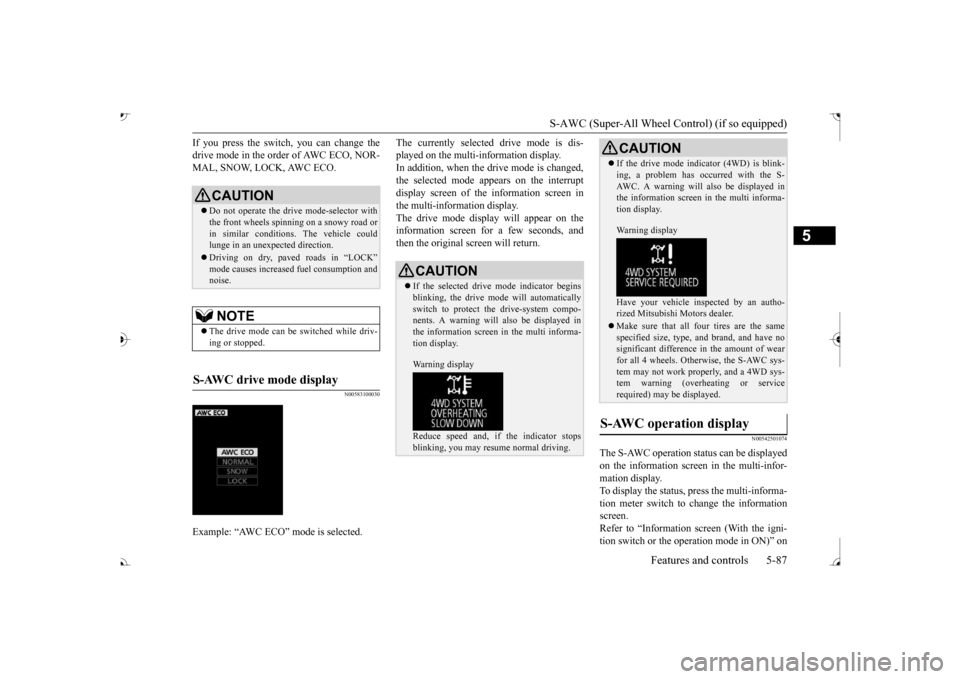
S-AWC drive mode display
Example: “AWC ECO” mode is selected.
CAUTION If the selected drive
mode indicator begins
blinking, the drive m
ode will automatically
switch to protect the drive-system compo- nents. A warning will
also be displayed in
the information screen in the multi informa-tion display. Warning display Reduce speed and, if the indicator stops blinking, you may resume normal driving.
If the drive mode indicator (4WD) is blink- ing, a problem has oc
curred with the S-
AWC. A warning will
also be displayed in
the information screen in the multi informa- tion display. Warning display Have your vehicle insp
ected by an autho-
rized Mitsubishi Motors dealer. Make sure that all four tires are the same specified size, type, a
nd brand, and have no
significant difference in the amount of wearfor all 4 wheels. Otherwise, the S-AWC sys- tem may not work properly, and a 4WD sys- tem warning (overheating or servicerequired) may
be displayed.
S-AWC operation display
CAUTION
BK0239700US.book 87 ページ 2016年6月16日 木曜日 午前10時58分
Page 169 of 521
4-wheel drive operation 5-88 Features and controls
5
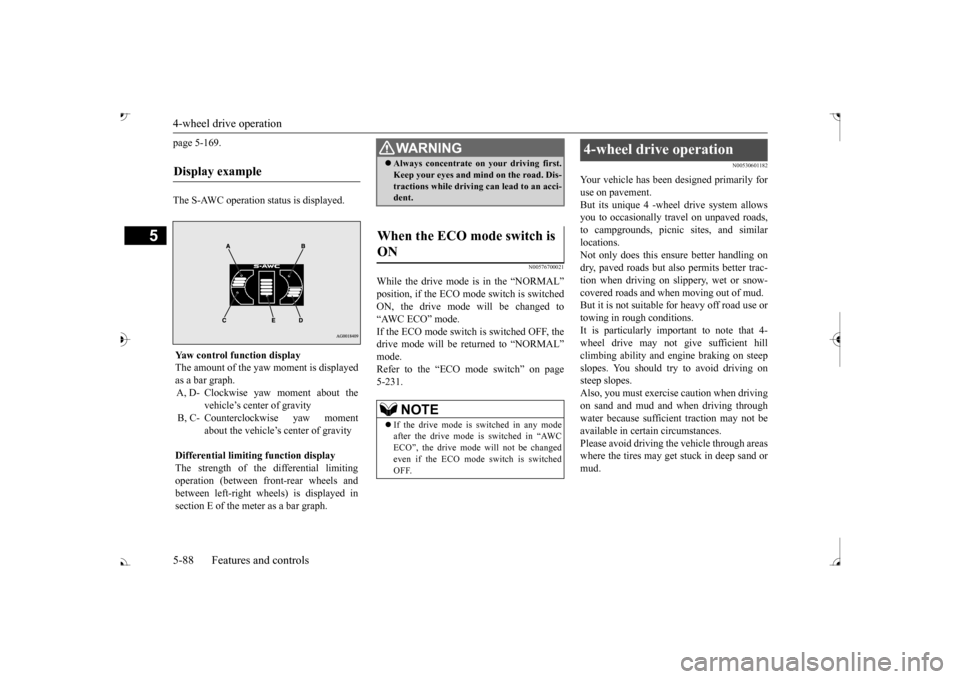
page 5-169. The S-AWC operation status is displayed.
N00576700021
While the drive mode is in the “NORMAL” ON, the drive mode
will be changed to
“AWC ECO” mode. If the ECO mode switch is switched OFF, the drive mode will be returned to “NORMAL” Refer to the “ECO mode switch” on page 5-231.
N00530601182
Your vehicle has been designed primarily for use on pavement. But its unique 4 -wheel
drive system allows
you to occasionally travel on unpaved roads, to campgrounds, picnic
sites, and similar
locations.Not only does this ensu
re better handling on
dry, paved roads but also permits better trac- tion when driving on slippery, wet or snow- covered roads and when moving out of mud. But it is not suitable for heavy off road use ortowing in rough conditions. It is particularly im
portant to note that 4-
wheel drive may not gi
ve sufficient hill
climbing ability and e
ngine braking on steep
slopes. You should try to avoid driving on steep slopes.Also, you must exercise caution when driving on sand and mud and when driving through water because sufficient traction may not beavailable in certain circumstances. Please avoid driving the vehicle through areas where the tires may get stuck in deep sand ormud.
Display example
Yaw control function displayThe amount of the yaw moment is displayedas a bar graph. A, D- Clockwise yaw moment about the
vehicle’s center of gravity
B, C- Counterclockwise yaw moment
about the vehicle’s
center of gravity
Differential limiting
function display
The strength of the differential limiting operation (between front-rear wheels andbetween left-right whee
ls) is displayed in
section E of the me
ter as a bar graph.
WA R N I N GAlways concentrate on your driving first. Keep your eyes and mi
nd on the road. Dis-
tractions while driving
can lead to an acci-
dent.
When the ECO mode switch is ON
NOTE
If the drive mode is switched in any mode after the drive mode is switched in “AWC ECO”, the drive mode will not be changedeven if the ECO mode switch is switchedOFF.
4-wheel drive operation
BK0239700US.book 88 ページ 2016年6月16日 木曜日 午前10時58分