2017 MERCEDES-BENZ S-Class COUPE AUX
[x] Cancel search: AUXPage 7 of 338

Switching off (ATA) .......................... 71
Switching the function on/off
(ATA) ................................................ 71
Alarm system
see ATA (Anti-Theft Alarm system)
Anti-lock braking system
see ABS (Anti-lock Braking System)
Anti-Theft Alarm system
see ATA (Anti-Theft Alarm system)
Armrest
Stowage compartment .................. 255
Ashtray ............................................... 259
Assistance display (on-board com-
puter) .................................................. 197
Assistance menu (on-board com-
puter) .................................................. 197
ASSYST PLUS
Displaying a service message ........ 279
Hiding a service message .............. 279
Resetting the service interval dis-
play ................................................ 279
Service message ............................ 278
Special service requirements ......... 279
ATA (Anti-Theft Alarm system)
Activating/deactivating ................... 71
Function ........................................... 71
Switching off the alarm .................... 71
ATTENTION ASSIST
Activating/deactivating ................. 199
Display message ............................ 219
Function/notes ............................. 175
Authorized Mercedes-Benz Center
see Qualified specialist workshop
Authorized workshop
see Qualified specialist workshop
AUTO lights
Display message ............................ 215
see Lights
Automatic car wash (care) ............... 280
Automatic engine start (ECO start/
stop function) .................................... 125
Automatic engine switch-off (ECO
start/stop function) .......................... 125
Automatic headlamp mode .............. 104
Automatic transmission
Accelerator pedal position ............. 131
Automatic drive program ............... 132 Changing gear ............................... 131
DIRECT SELECT lever ..................... 128
Display message ............................ 227
Drive program display .................... 129
Driving tips .................................... 131
Emergency running mode .............. 135
Engaging drive positi
on .................. 129
Eng
aging neutral ............................ 129
Engaging park position automati-
cally ............................................... 128
Engaging reverse gear ................... 128
Engaging the park position ............ 128
Kickdown ....................................... 131
Manual drive program .................... 132
Manual drive program (Mercedes-
AMG vehicles) ................................ 133
Oil temperature (on-board com-
puter, Mercedes-AMG vehicles) ..... 202
Overview ........................................ 128
Problem (malfunction) ................... 135
Program selector button ................ 131
Pulling away ................................... 124
Starting the engine ........................ 123
Steering wheel paddle shifters ...... 132
Transmission position display ........ 129
Transmission positions .................. 130
Automatic transmission emer-
gency mode ....................................... 135
AUX (audio)
Notes/socket ................................ 252
B
Back button ....................................... 243
Backup lamp
Display message ............................ 215
BAS (Brake Assist System) ................. 62
BAS PLUS (Brake Assist System
PLUS) with Cross-Traffic Assist
Function/notes ................................ 62
BAS PLUS with Cross-Traffic Assist
(Brake Assist PLUS with Cross-
Traffic Assist)
Important safety notes .................... 63
Battery (SmartKey)
Checking .......................................... 75
Important safety notes .................... 75
Replacing ......................................... 75
Index5
Page 24 of 338
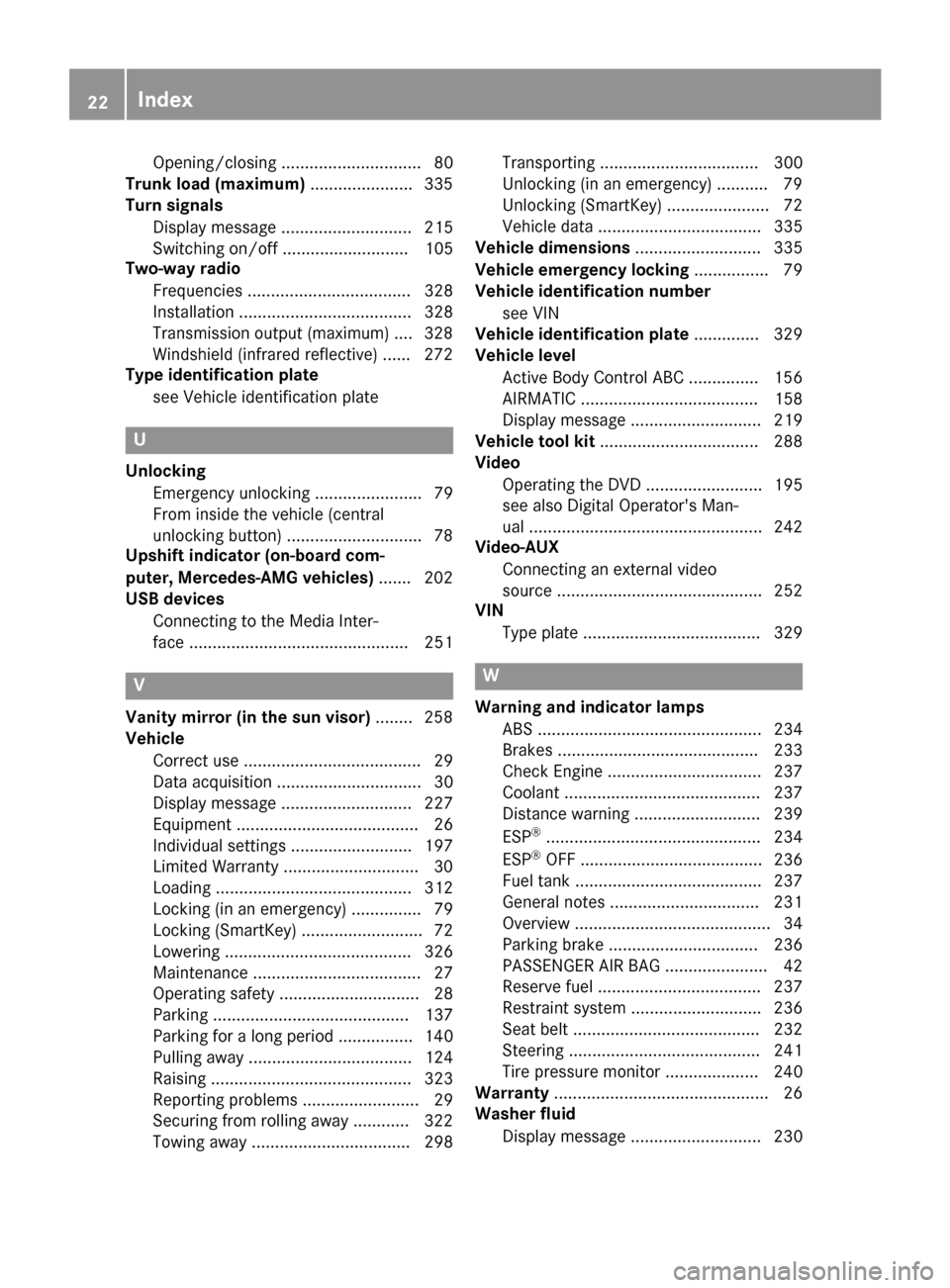
Opening/closing .............................. 80
Trunk load (maximum) ......................335
Turn signals
Display message ............................ 215
Switching on/off ........................... 105
Two-way radio
Frequencies ................................... 328
Installation ..................................... 328
Transmission output (maximum) .... 328
Windshield (infrared reflective) ...... 272
Type identification plate
see Vehicle identification plate
U
UnlockingEmergency unlocking ....................... 79
From inside the vehicle (central
unlocking button) .............................7 8
Upshift indicator (on-board com-
puter, Mercedes-AMG vehicles) .......202
USB devices
Connecting to the Media Inter-
face ............................................... 251
V
Vanity mirror (in the sun visor) ........258
Vehicle
Correct use ...................................... 29
Data acquisition ............................... 30
Display message ............................ 227
Equipment ....................................... 26
Individual settings .......................... 197
Limited Warranty .............................3 0
Loading .......................................... 312
Locking (in an emergency) ............... 79
Locking (SmartKey) .......................... 72
Lowering ........................................ 326
Maintenance .................................... 27
Operating safety .............................. 28
Parking .......................................... 137
Parking for a long period ................ 140
Pulling away ................................... 124
Raising ........................................... 323
Reporting problems ......................... 29
Securing from rolling away ............ 322
Towing away .................................. 298 Transporting .................................. 300
Unlocking (in an emergency) ........... 79
Unlocking (SmartKey) ...................... 72
Vehicle data ................................... 335
Vehicle dimensions ........................... 335
Vehicle emergency locking ................ 79
Vehicle identification number
see VIN
Vehicle identification plate .............. 329
Vehicle level
Active Body Control ABC ............... 156
AIRMATIC ...................................... 158
Display message ............................ 219
Vehicle tool kit .................................. 288
Video
Operating the DVD ......................... 195
see also Digital Operator's Man-
ual .................................................. 242
Video-AUX
Connecting an external video
source ............................................ 252
VIN
Type plate ...................................... 329
W
Warning and indicator lampsABS ................................................ 234
Brakes ........................................... 233
Check Engine ................................. 237
Coolant .......................................... 237
Distance warning ........................... 239
ESP
®.............................................. 234
ESP®OFF ....................................... 236
Fuel tank ........................................ 237
General notes ................................ 231
Overview .......................................... 34
Parking brake ................................ 236
PASSENGER AIR BAG ...................... 42
Reserve fuel ................................... 237
Restraint system ............................ 236
Seat belt ........................................ 232
Steering ......................................... 241
Tire pressure monitor .................... 240
Warranty .............................................. 26
Washer fluid
Display message ............................ 230
22Index
Page 137 of 338
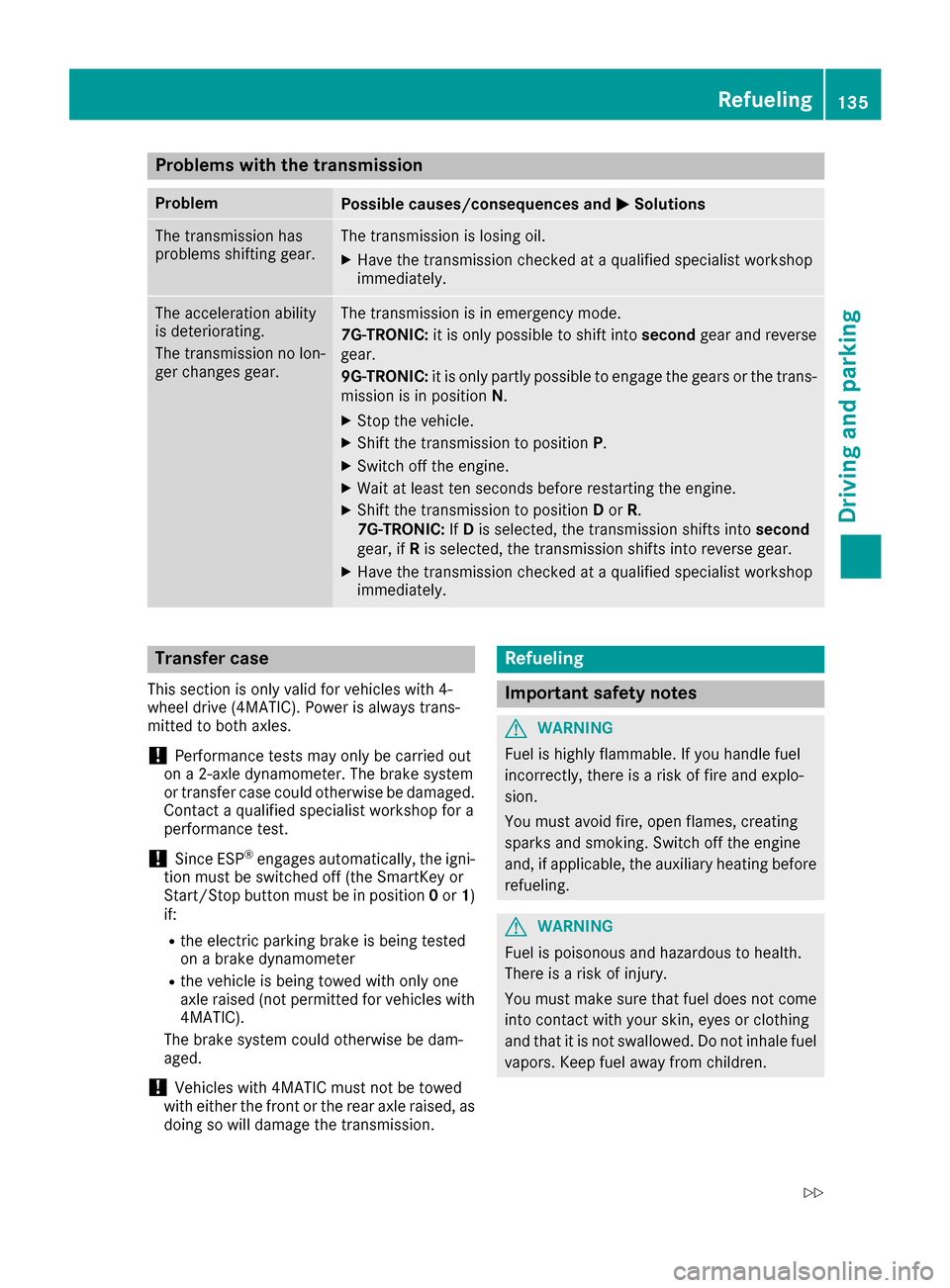
Problems with the transmission
ProblemPossible causes/consequences and0050Solutions
The transmission has
problems shifting gear.The transmission is losing oil.
XHave the transmission checked at a qualified specialist workshop
immediately.
The acceleration ability
is deteriorating.
The transmission no lon-
ger changes gear.The transmission is in emergency mode.
7G-TRONIC:it is only possible to shift into secondgear and reverse
gear.
9G-TRONIC: it is only partly possible to engage the gears or the trans-
mission is in position N.
XStop the vehicle.
XShift the transmission to position P.
XSwitch off the engine.
XWait at least ten seconds before restarting the engine.
XShift the transmission to positionDor R.
7G-TRONIC: IfD is selected, the transmission shifts into second
gear, if Ris selected, the transmission shifts into reverse gear.
XHave the transmission checked at a qualified specialist workshop
immediately.
Transfer case
This section is only valid for vehicles with 4-
wheel drive (4MATIC). Power is always trans-
mitted to both axles.
!Performance tests may only be carried out
on a 2-axle dynamometer. The brake system
or transfer case could otherwise be damaged. Contact a qualified specialist workshop for a
performance test.
!Since ESP®engages automatically, the igni-
tion must be switched off (the SmartKey or
Start/Stop button must be in position 0or 1)
if:
Rthe electric parking brake is being tested
on a brake dynamometer
Rthe vehicle is being towed with only one
axle raised (not permitted for vehicles with
4MATIC).
The brake system could otherwise be dam-
aged.
!Vehicles with 4MATIC must not be towed
with either the front or the rear axle raised, as doing so will damage the transmission.
Refueling
Important safety notes
GWARNING
Fuel is highly flammable. If you handle fuel
incorrectly, there is a risk of fire and explo-
sion.
You must avoid fire, open flames, creating
sparks and smoking. Switch off the engine
and, if applicable, the auxiliary heating before refueling.
GWARNING
Fuel is poisonous and hazardous to health.
There is a risk of injury.
You must make sure that fuel does not come into contact with your skin, eyes or clothing
and that it is not swallowed. Do not inhale fuel
vapors. Keep fuel away from children.
Refueling135
Driving and parking
Z
Page 147 of 338
If you leave the engine or the auxiliary heatingrunning, make sure the exhaust pipe and area
around the vehicle are clear of snow. To
ensure an adequate supply of fresh air, open a
window on the side of the vehicle that is not
facing into the wind.
Have your vehicle winter-proofed at a qualified
specialist workshop at the onset of winter.
Drive particularly carefully on slippery road sur-
faces. Avoid sudden acceleration, steering and
braking maneuvers. Do not use the cruise con-
trol or DISTRONIC PLUS.
If the vehicle threatens to skid or cannot be
stopped when moving at low speed:
XShift the transmission to position N.
The outside temperature indicator is not
designed to serve as an ice-warning device and
is therefore unsuitable for that purpose.
Changes in the outside temperature are dis-
played after a short delay.
Indicated temperatures just above the freezing
point do not guarantee that the road surface is
free of ice. The road may still be icy, especially in
wooded areas or on bridges.
You should pay special attention to road condi-
tions when temperatures are around freezing
point.
For more information on driving with snow
chains, see (
Ypage 305).
For more information on driving with summer
tires, see (
Ypage 305).
Observe the notes in the "Winter operation" sec-
tion (
Ypage 305).
Driving systems
Mercedes-Benz Intelligent Drive
Mercedes-Benz Intelligent Drive stands for inno-
vative driver assistance and safety systems
which enhance comfort and support the driver in
critical situations. With these intelligent co-ordi-
nated systems Mercedes-Benz has set a mile-
stone on the path towards autonomous driving.
Mercedes-Benz Intelligent Drive embraces all
elements of active and passive safety in one well
thought out system – for the safety of the vehi-
cle occupants and that of other road users. Further information on driving safety systems
(
Ypage 61).
Cruise control
General notes
Cruise control maintains a constant road speed
for you. It brakes automatically in order to avoid
exceeding the set speed. Change into a lower
gear in good time on long and steep downhill
gradients. This is especially important if the
vehicle is laden. By doing so, you will make use
of the braking effect of the engine. This relieves
the load on the brake system and prevents the
brakes from overheating and wearing too
quickly.
You can use cruise control if you want to drive at
a steady speed for a prolonged period of time.
You can store any road speed above 20 mph
(30 km/h).
Important safety notes
If you fail to adapt your driving style, cruise con-
trol can neither reduce the risk of an accident
nor override the laws of physics. Cruise control
cannot take into account the road, traffic and
weather conditions. Cruise control is only an
aid. You are responsible for maintaining a safe
distance to the vehicle in front, for vehicle
speed, for braking in good time and for staying in
lane.
Do not use cruise control:
Rin road and traffic conditions which do not
allow you to maintain a constant speed, e.g. in
heavy traffic or on winding roads
Ron slippery road surfaces. Braking or accel-
erating could cause the drive wheels to lose
traction and the vehicle could then skid
Rwhen there is poor visibility, e.g. due to fog,
heavy rain or snow
If there is a change of drivers, advise the new
driver of the speed stored.
Driving systems145
Driving and parking
Z
Page 197 of 338
XPress0064or0063 on the steering wheel to
select the Mediamenu.
XConfirm by pressing 0076on the steering
wheel.
XTo select an audio player or media: press
0076 briefly.
The list containing the media sources
appears.
XPress 0064or0063 to select the correspond-
ing audio player or media.
XPress 0076to confirm the selection.
XTo open the track list:press the 0064or
0063 button briefly.
XTo select the next or previous track from
the track list:press the 0064or0063 button
briefly.
XTo select a track from the track list using
rapid scrolling: press and hold0064or0063
until the desired track is reached.
If you press and hold the button, the speed of
rapid scroll increases after a short time. Not
all audio drives or data carriers support this
function.
If the corresponding track information is stored
on the audio player or media, the multifunction
display shows the following:
Rtrack number
Rtrack name
Rartist
Ralbum
The track information does not appear in audio
AUX mode (Auxiliary audio mode: external
audio source connected).
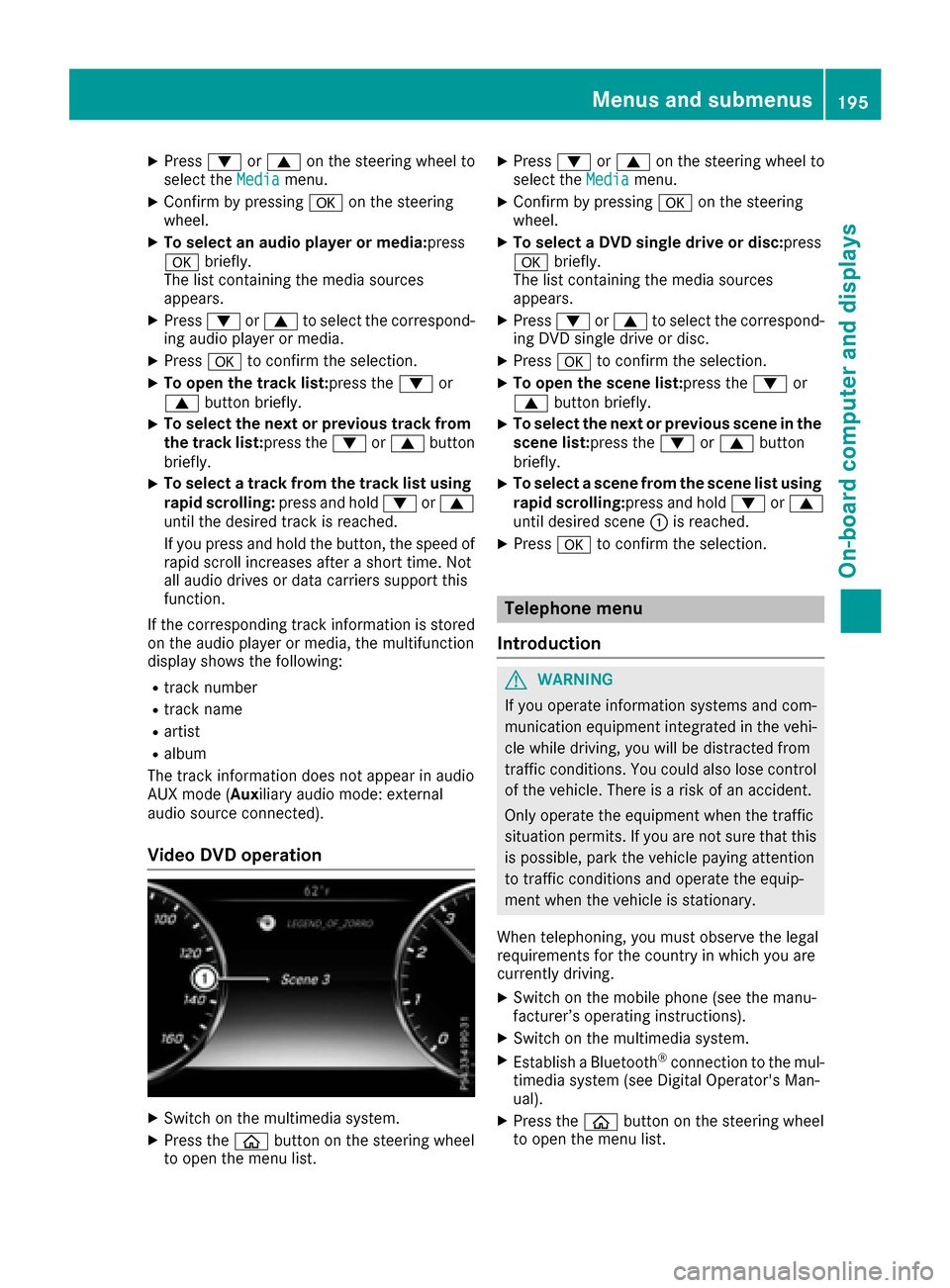
Video DVD operation
XSwitch on the multimedia system.
XPress the 00E2button on the steering wheel
to open the menu list.
XPress 0064or0063 on the steering wheel to
select the Mediamenu.
XConfirm by pressing 0076on the steering
wheel.
XTo select a DVD single drive or disc: press
0076 briefly.
The list containing the media sources
appears.
XPress 0064or0063 to select the correspond-
ing DVD single drive or disc.
XPress 0076to confirm the selection.
XTo open the scene list: press the0064or
0063 button briefly.
XTo select the next or previous scene in the
scene list: press the0064or0063 button
briefly.
XTo select a scene from the scene list using
rapid scrolling: press and hold0064or0063
until desired scene 0043is reached.
XPress 0076to confirm the selection.
Telephone menu
Introduction
GWARNING
If you operate information systems and com-
munication equipment integrated in the vehi-
cle while driving, you will be distracted from
traffic conditions. You could also lose control
of the vehicle. There is a risk of an accident.
Only operate the equipment when the traffic
situation permits. If you are not sure that this
is possible, park the vehicle paying attention
to traffic conditions and operate the equip-
ment when the vehicle is stationary.
When telephoning, you must observe the legal
requirements for the country in which you are
currently driving.
XSwitch on the mobile phone (see the manu-
facturer’s operating instructions).
XSwitch on the multimedia system.
XEstablish a Bluetooth®connection to the mul-
timedia system (see Digital Operator's Man-
ual).
XPress the 00E2button on the steering wheel
to open the menu list.
Menus and submenus195
On-board computer and displays
Z
Page 231 of 338
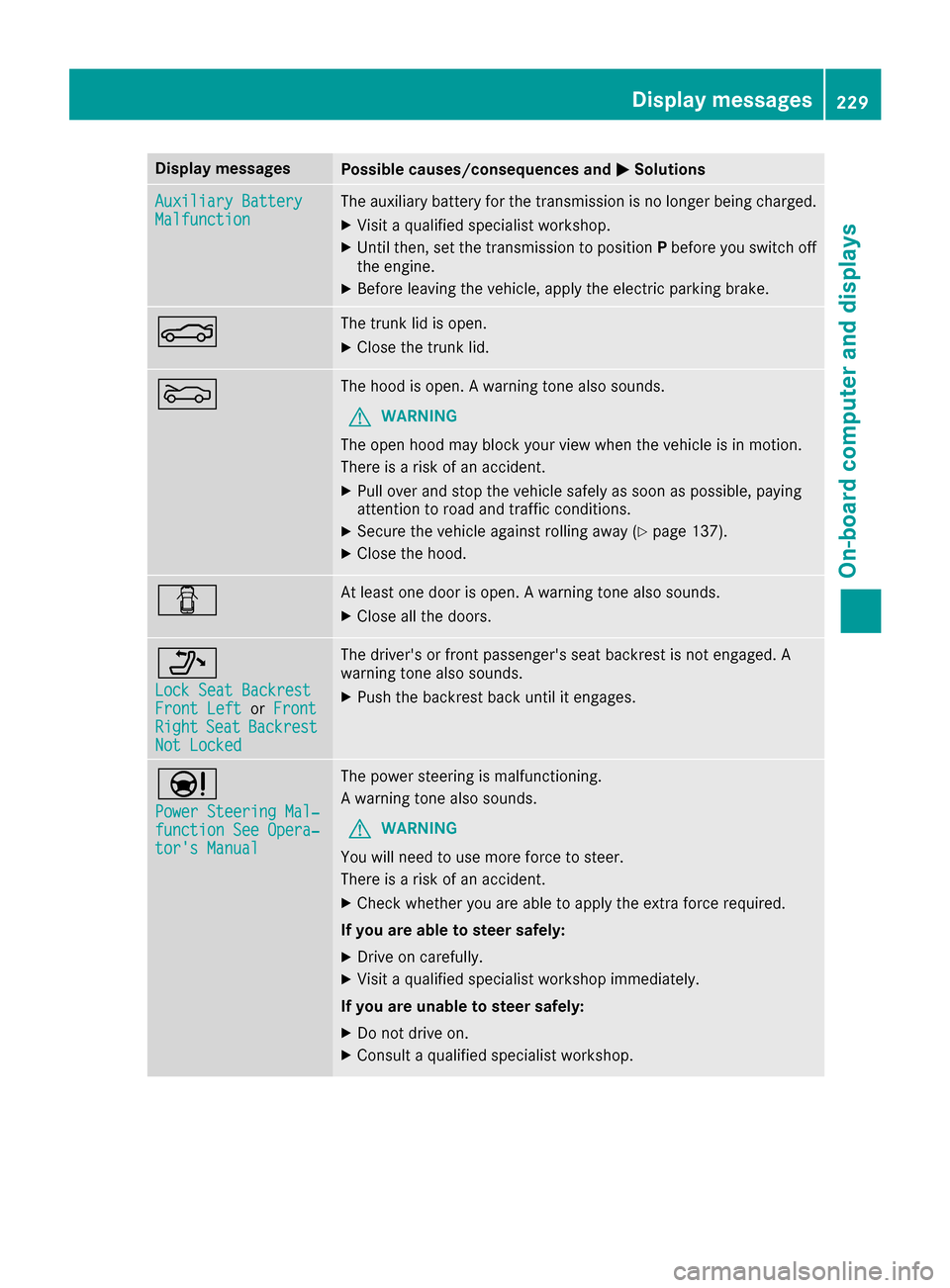
Display messagesPossible causes/consequences and0050Solutions
Auxiliary BatteryMalfunctionThe auxiliary battery for th etransmission is no longer bein gcharged.
XVisit aqualified specialist workshop .
XUntilthen ,set th etransmission to position Pbefore you switch off
th eengine.
XBefor eleaving th evehicle, apply th eelectric parking brake.
0084The trunk lid is open .
XCloseth etrunk lid.
0083The hoo dis open . Awarning tone also sounds.
GWARNIN G
The open hoo dmay bloc kyour vie wwhen th evehicl eis in motion .
There is aris kof an accident.
XPull ove rand stop th evehicl esafely as soo nas possible, payin g
attention to roa dand traffic conditions.
XSecur eth evehicl eagainst rollin gaway (Ypage 137).
XCloseth ehood.
0051At least on edoor is open . Awarning tone also sounds.
XClos eall th edoors.
006F
Loc kSea tBackrestFront Lef torFrontRightSea tBackrestNot Locked
The driver's or fron tpassenger's seat backrest is no tengaged. A
warning tone also sounds.
XPush th ebackrest bac kuntil it engages.
00CC
Power Steering Mal ‐function See Opera‐tor's Manual
The powersteering is malfunctioning .
A warning tone also sounds.
GWARNIN G
You will need to use mor eforce to steer .
There is aris kof an accident.
XChec kwhether you are able to apply th eextr aforce required.
If you ar eabl eto steer safely:
XDrive on carefully.
XVisit aqualified specialist workshop immediately.
If you ar eunable to steer safely:
XDo no tdrive on .
XConsult aqualified specialist workshop .
Display messages229
On-board computer and displays
Z
Page 253 of 338
Authorization by entering a passkey (pass-
code):
XSelect mobile phone.
The input menu for the passkeyis displayed.
XChoose a one to sixteen-digit number co mbi-
nation as a passkey.
XEnter the passkey on the multimedia system.
XSelect0070.
XEnter and confirm the passkey on the mob ile
phone. Dependin g on the mobilephone used,
confirm the connection to the multimed iasys-
tem and for the PBAP and MAP Bluetooth
®
profile s. The prompt to confirm may take up
to two minutes to be displayed (see the man-
ufacturer's operating instructions).
Switching between mobile phones
If you have authorized more than one mob ile
phone, you can switch between the ind ividual
phones.
Multimedia system:
XSelectPhone007BConnect Device.
XSelect mob ilephone.
Media mode
General notes
If you wish toplay external media sources, the
default display must already beturned on. Fur-
ther information on media mode (see the Digital
Operator's Manual).
The foll owing external media sources can be
used:
RAp ple®devices (e.g. iPhone®)
RUSB devices (e.g. USB stick, MP3 player)
RCD
RDVD video
RSDcards
RAUX cable
Rvia devices connected byBluetooth®
iInformation on the DVD changer or single
DVD drive (see the Digital Operator's Man-
ual).
Using the device list
Multimedia system:
XSelect Media007BDevices.
The available media sources willbe shown.
The 003Bdot indicates the current setting.
XSelect the media source.
Playable files are played.
Inserting and removing an SD card
Important safety notes
GWARNING
SD cardsare small parts. They can beswal-
lowed and cause choking. This poses an
increased risk of injury or even fatal injury.
Keep the SDcard out of the reach of ch ildren.
If a SD card is swallowed, seek medical atten-
tion immediately.
!If you are no longer using the SDcard,you
should remove it and store itoutside the vehi-
cle. High temperatures can damage the card.
Inserting an SD card
The SD card slot islocated in the stowage com-
partment under the armrest.
XIn sert the SDcard into the SDcard slot until
the SDcard engages. The side with the con-
tacts must face downwards.
XSelect the media source (Ypage 251).
Removing an SD card
XPress the memory card.
The memory card isejected.
XRemove the memory card.
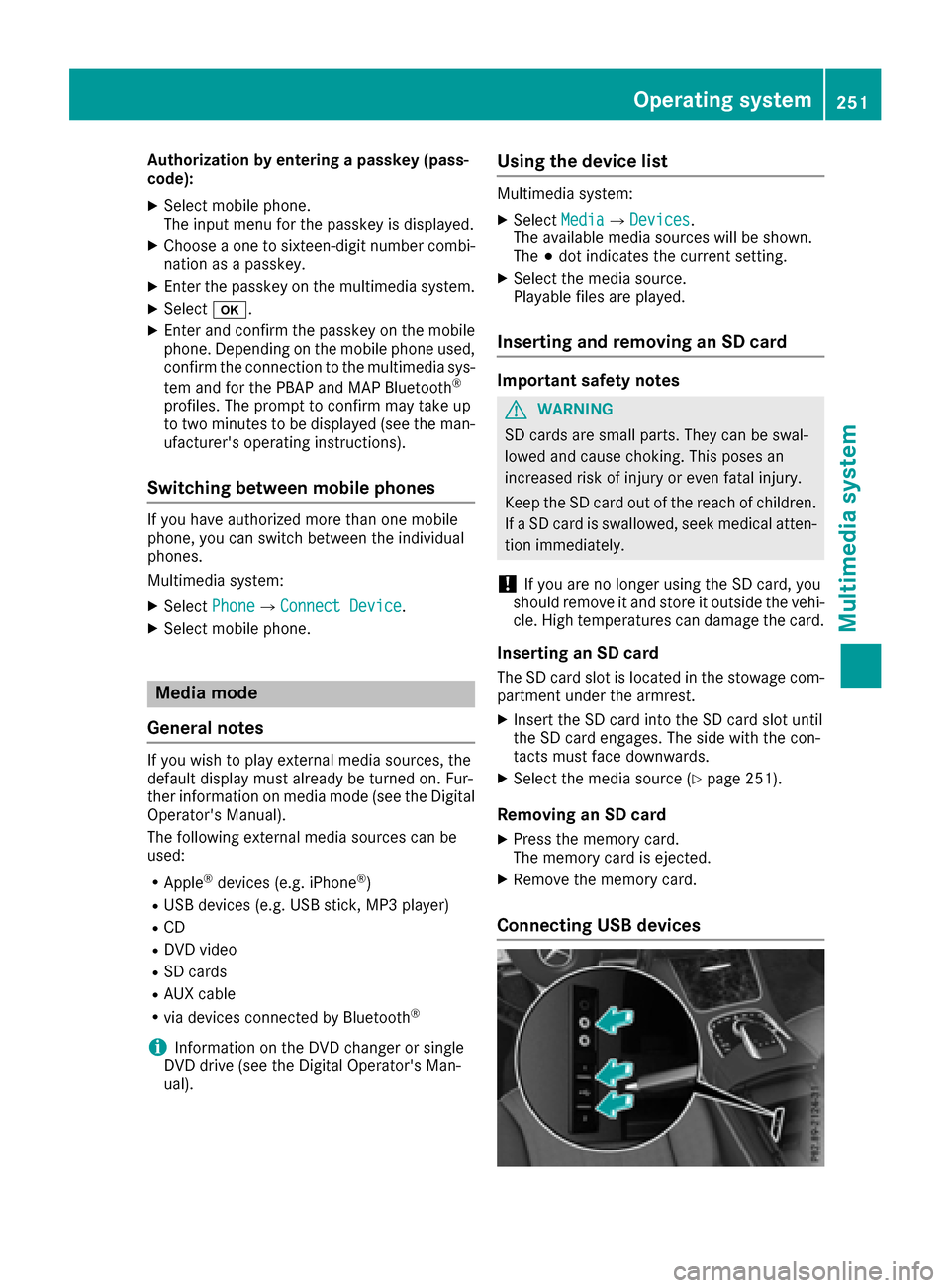
Connecting USB devices
Operating system251
Multimedia system
Z
Page 254 of 338
There are two USB ports in the stowage space
under the armrest.
XConnect the USB device to the USB port.
XSelect the media source (Ypage 251).
Connecting to an external audio/video
source
The socket for the audio/video AUX jack is loca-
ted in the stowage compartment in the center
console.
To connect an external audio source to the AUX
jack, an audio AUX cable is required. To connect
an external video source, a video AUX cable is
required.
XConnect the video/audio AUX cable to the
AUX jack.
XSelect the media source (Ypage 251).
XStart playback of the external audio/video
source (see the manufacturer's operating
instructions).
iVideos cannot be shown on the driver's side
while the vehicle is in motion.
252Operating system
Multimedia system