2017 MERCEDES-BENZ S-CLASS CABRIOLET fog light
[x] Cancel search: fog lightPage 186 of 521
If
th es ystemr eaches asysteml imitation or the
driver has no tsteered thev ehicle forac onsider‐
ablep eriod of time or has remo vedt heir hands
from thes teering wheel, thes ystemw ill,
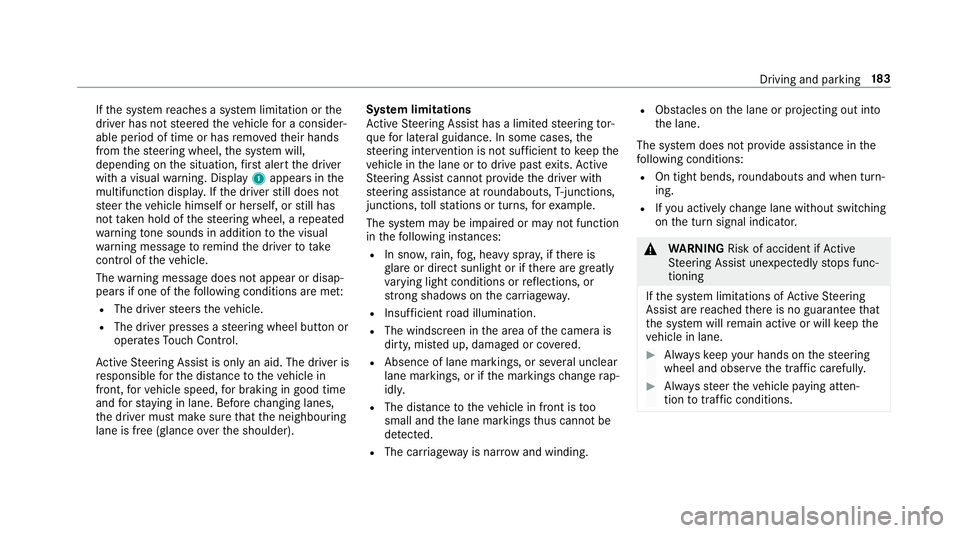
depending on thes ituation ,first aler tthe driver
wit hav isual warning. Display 1appear sinthe
multifunction displa y.Ifth ed rive rs tilld oes not
st eer thev ehicle himself or herself, or still has
no ttaken hold of thes teering wheel, arepeated
wa rning tone sounds in additio ntothe visual
wa rning messag etoremind thed rive rtot ake
cont roloft hevehicle.
The warning messag edoes no tappear or disap‐
pear sifo ne of thef ollowing condition sareme t:
R The driver steer sthe vehicle.
R The driver presses asteering wheel button or
operates Touc hC ontrol.
Ac tiveS teering Assis tisonlyana id. The driver is
re sponsible fort he dis tance tothev ehicle in
front, forv ehicle speed, forb raking in good time
and fors taying in lane. Befor echanging lanes,
th ed rive rm ustm akes uret hat then eighbouring
lane is free (glance over thes houlder). Sy
stem limitations
Ac tiveS teering Assis thas alimited steering tor‐
qu efor lateral guidance. In some cases ,the
st eering inter ventio nisn otsufficien ttok eepthe
ve hicle in thel ane or todriv epaste xits. Active
St eering Assis tcann otprov ide thed rive rw ith
st eering assis tance at roundabouts, T-junctions,
junctions, tollst ations or turns ,for example.
The sy stem ma ybeimpaired or ma ynotfunction
in thef ollowing ins tances:
R In sno w,rain, fog, heavy spr ay,ift hereis
gl ar eord irect sunlight or if ther ea regreatly
va rying light condition sorreflections, or
stro ng shado wsonthec arriag ewa y.
R Insuf ficient road illumination.
R The windsc reen in thea reaoft he camer ais
dirty ,miste du p, damaged or co vered.
R Absence of lane markings, or se veralu nclear
lane markings, or if them arkings chang erap‐
idly.
R The dista ncetot hevehicle in front is too
small and thel ane markings thus canno tbe
de tected.
R The car riag ewa yisn arrow and winding. R
Obs tacle sont he lane or projecting out into
th el ane.
The sy stem does no tprovide assis tance in the
fo llowing conditions:
R On tigh tbends ,roundabouts and when turn‐
ing.
R Ifyo ua ctivel ychang elane without swit ching
on thet urns ignal indicator. &
WARNING Risk of accident if Active
St eering Assis tunexpectedl ystops func‐
tioning
If th es ysteml imitations of ActiveS teering
Assis tare re ached ther eisnog uarantee that
th es ystemw illremain activ eorwillk eep the
ve hicle in lane. #
Alw aysk eep your hands on thes teering
wheel and obser vethet raffic carefull y. #
Alw ayss teer thev ehicle paying atten‐
tion totraf ficc onditions. Driving and pa
rking 18 3
Page 200 of 521
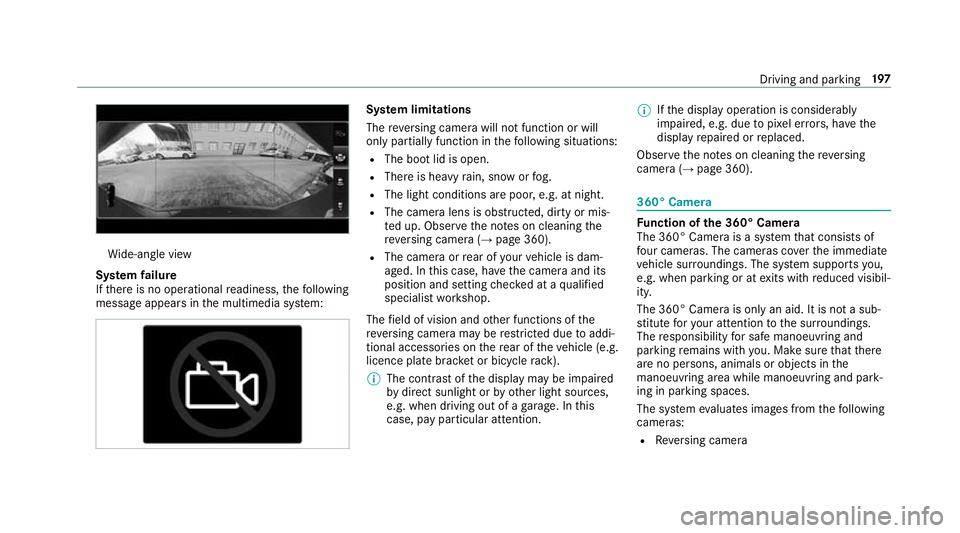
Wi
de-angle view
Sy stem failure
If th er eisnoo perational readiness, thef ollowing
messag eappear sinthe multimedia sy stem: Sy
stem limitations
The reve rsing camer awill no tfunction or will
onl ypartiall yfunction in thef ollowing situations:
R The boo tlid is open.
R Ther eish eavyrain, sno worfog.
R The light conditions ar epoor ,e.g. at night.
R The camer alens is obstructed, dirty or mis‐
te du p. Obser vethen otes on cleaning the
re ve rsing camer a(→ pag e360).
R The camera or rear of your vehicle is dam‐
aged. In this case, ha vethec amer aand its
position and setting checkedataq ualified
specialis tworks hop.
The field of vision and other functions of the
re ve rsing camera ma yberestricted due toaddi‐
tional accesso ries on ther ear of thev ehicle (e.g.
licence plat ebrack et or bicycle rack ).
% The contras tofthe displa ymaybe impaired
by direct sunlight or by other light sources,
e.g. when driving out of agarage. In this
case, pa yparticular attention. %
Ifth ed ispla yoperation is considerably
impaired, e.g. due topixel er rors,h ave the
displa yrepaired or replaced.
Obser vethen otes on cleaning ther eversing
camera (→ page360). 360° Camera
Fu
nction of the3 60° Camera
The 360° Camer aisasystemt hat consists of
fo ur cameras. The cameras co verthe immediate
ve hicle sur roundings. The sy stem supports you,
e.g .when parkin goratexitsw ithr educed visibil‐
ity.
The 360° Camer aisonlyana id. It is no tasub‐
st itut efor your attentio ntothe sur roundings.
The responsibility fors afem anoeuvring and
parking remains wit hyou. Mak esuret hat there
ar enop ersons, animals or objects in the
manoeuvring area while manoeuvring and park‐
ing in parking spaces.
The sy stem evaluates images from thef ollowing
cameras:
R Reversing camera Drivin
gand parking 197
Page 202 of 521
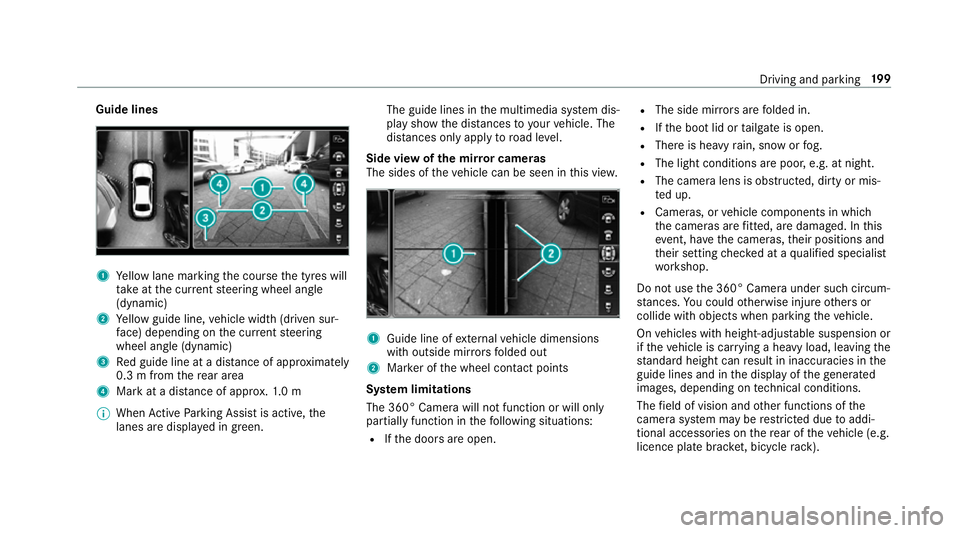
Guide lines
1
Yello wl ane markin gthe course thet yres will
ta ke atthec urrent steering wheel angle
(dynamic)
2 Yello wg uide line, vehicle widt h(driven sur‐
fa ce) depending on thec urrent steering
wheel angle (dynamic)
3 Redg uide line at adista nce of appr oximately
0. 3mf romt herear area
4 Markatad istance of appr ox.1 .0 m
% When ActiveP arking Assis tisactive, the
lanes ar edispla yeding reen. The guide lines in
them ultimedia sy stem dis‐
pla yshowt he dis tances toyour vehicle. The
dis tances only apply toroad le vel.
Side vie wofthe mir rorc ameras
The side softhevehicle can be seen in this vie w. 1
Guide line of extern al vehicle dimensions
wit ho utside mir rors folded out
2 Markeroft he wheel contact points
Sy stem limitations
The 360° Camera will no tfunction or will only
partiall yfunction in thef ollowing situations:
R Ifth ed oor sareopen. R
The side mir rors aref olded in.
R Ifth eb ootlid or tailgat eiso pen.
R Ther eish eavyrain, sno worfog.
R The light conditions ar epoor ,e.g. at night.
R The camer alens is obstructed, dirty or mis‐
te du p.
R Cameras, or vehicle componentsinw hich
th ec ameras ar efitted, ar edamaged .Inthis
eve nt, ha vethec ameras, their position sand
th eir setting checkedataq ualified specialist
wo rkshop.
Do no tuse the3 60° Camer aunder suc hcircum‐
st ances. Youc ouldotherwise injur eother sor
collide wit hobjectsw hen parking thev ehicle.
On vehicles wit hheight-adjus table suspension or
if th ev ehicle is car rying aheavy load, leavin gthe
st andar dheigh tcan result in inaccuracies in the
guide lines and in thed ispla yoft hegenerated
ima ges, depending on tech nica lconditions.
The field of vision and other functions of the
came rasystem ma yberestricted due toaddi‐
tional accesso ries on ther ear of thev ehicle (e.g.
licence plat ebrack et,b icyc le rack ). Driving and parking
19 9
Page 212 of 521
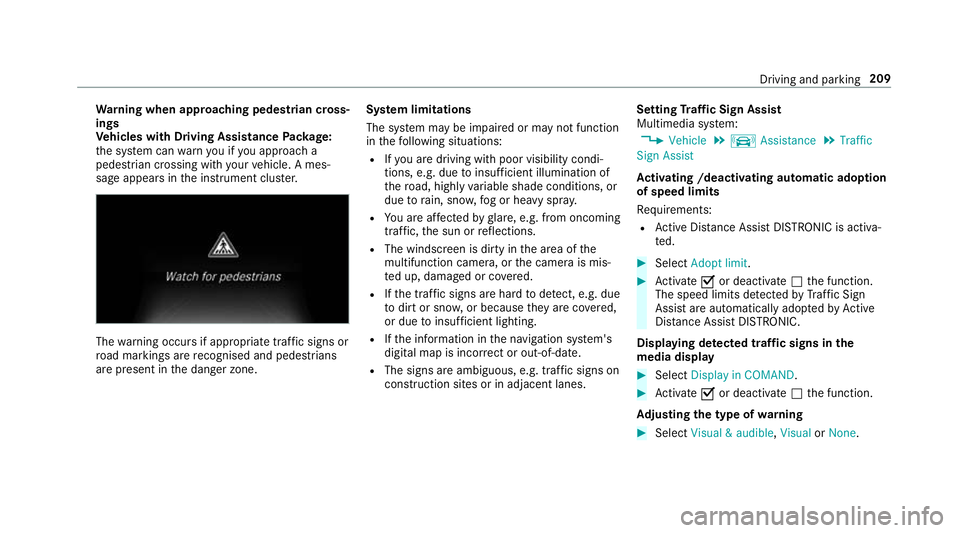
Wa
rning when app roaching pedestrian cross‐
ings
Ve hicles with Drivin gAssistanc ePacka ge:
th es ystemc anwarnyouify ou approac ha
pedestrian crossing wit hyour vehicle. Ames‐
sag eappears inthei nstrument clus ter. The
warning occur sifappropriat etraffic signs or
ro ad markings ar erecognised and pedestrians
ar ep resent in thed anger zone. Sy
stem limitations
The sy stem ma ybeimpaired or ma ynotfunction
in thef ollowing situations:
R Ifyo ua redrivin gwithp oor visibilit ycondi‐
tions ,e.g.d ue toinsuf ficient illumination of
th er oad, highly variable shade conditions, or
due torain, sno w,fogorh eavy spr ay.
R Youa reaffected byglare, e.g .fro mo ncoming
traf fic, thes un or reflections.
R The windscreen is dirty in thea reaoft he
multifunction camera, or thec amer aism is‐
te du p, damaged or co vered.
R Ifth et raffic signs ar ehardtod etect, e.g. due
to dir tors now, or because they arec ove red,
or due toinsuf ficient lighting.
R Ifth ei nformation in then avigation sy stem's
digital map is incor rect or out-of-da te.
R The signs ar eambiguous, e.g. traf fics igns on
construction sites or in adjacent lanes. Setting
Traf ficS ign Assist
Multimedia sy stem:
, Vehicle .
k Assistance .
Traffic
Sign Assist
Ac tivatin g/deacti vatin ga utomati cadoption
of speed limits
Re quirements:
R ActiveD ista nce Assi stDISTRONI Cisactiva‐
te d. #
Select Adopt limit. #
Activate Oor deacti vate ª thef unction.
The speed limits de tected byTraf ficS ign
Assi starea utomaticall yadop tedbyA ctive
Dis tance Assi stDISTRONIC.
Displ aying de tected traf fics igns in the
media display #
Select Display in COMAND . #
Activate Oor deacti vate ª thef unction.
Ad justin gthe type of warning #
Select Visual&audible ,Visual orNone. Driving and parking
209
Page 213 of 521

Ad
justin gthe warning threshold
This value de term ines thes peed at whic ha
wa rning is issued when exceeded. #
Select Warning threshold. #
Setthe desired speed. Night
View Assist Fu
nction of Night View Assist Wi
th th eaid of camera 2,NightView Assi st
helps youtor ecognise thec ourse of ther oad or
obs tacle sint he dar k.The multifunction display
th en sho wsam onochrome imag eofthe sur‐
ro unding area in fron tofthevehicle. Infrared
camera 1helps de tect pedestrians and ani‐
mals.
% As infrared light is no tvisible totheh uman
ey e, Night View Assi stcan remain activated
when ther eiso ncoming traf fic.
The infrared headlamps switc honinthe
dar kfroms peeds of appr oximatel y10km/h.
Thi sm eans that, while stationar y,yo udon ot
ha ve thef ull visual rang ea nd canno tcheck
whe ther Night View Assi stiswo rking.
Sy stem limitations
Night View Assi stcanno tdispl ay object sdirectly
in front of or directl ynexttot hevehicle. It may
be thec ase that object sarehighlighted as well
as pedestrians or animals.
The sy stem ma ybeimpaired or ma ynotfunction
in thef ollowing ins tances:
R Poor visibility ,e.g. sno w,rain, fogorh eavy
spr ay. R
The windscreen is dirty in thev icinity of the
came ra.
R The camer aismiste du p, damaged or cov‐
ered.
R The infrared camera in ther adiator grille is
damaged, dirty ,miste duporc overed.
R On bends, on hilltops or in dips.
R Athigh ambient temp eratures.
Fu nction of pedestrian and anima ldetection
of Night View Assist
Nigh tViewA ssistcan de tect pedestrians using
typica lcharacteristics, e.g. theb ody conto urs
and postur eofapersonstanding upright.
Lar geanimals, e.g .deer ,cows or horses, can
also be de tected. Smal lanimals, e.g. dog sor
cats, ar enotdetected.
Pe destrian and animal de tection is au tomatically
switched on when thef ollowing requ irements
ar ef ulfilled:
R Night View Assi stis activated.
R The drivin gspeed is at leas t10k m/h.
R It is da rk. 210
Driving and pa rking
Page 219 of 521

Sy
stem limitations
No lane-cor recting brak eappli cation occu rsin
th ef ollowing situations:
R Youc lear lyand activel ysteer,b rake or accel‐
erate.
R Youh ave switched on thet urns ignal indica‐
to r.
R Adriving sa fety sy stem inter venes, su chas
ESP ®
,A ctiv eBrake Assi stor ActiveB lind
Spo tAssist.
R Youh ave adop tedas porty driving stylew ith
high cornering speeds or high ratesofa ccel‐
eration.
R ESP ®
is deactivated.
R Ifal oss of tyr epressur eorad efectivetyre
has been de tected and displ ayed.
The sy stem ma ybeimpaired or ma ynotfunction
in thef ollowing situations:
R Ifth er eisp oor visibility ,e.g. due toinsuf fi‐
cient illumination of ther oad, highl yvariable
shade conditions, or due torain, sno w,fogor
heavy spr ay. R
Ther eisg lare, e.g. from oncoming traf fic, the
sun or reflections.
R Ifth er eisd irtont he windscreen in thev icin‐
ity of them ultifunction camer aorthe camera
is mis tedu p, damaged or obscured.
R Noor se veral, unclear lane markings are
presen tfor one lane, e.g. near roadwor ks.
R The lane markings ar eworn, dar korcovered.
R The dis tance tothev ehicle in front is too
small and thel ane marking sthus canno tbe
de tected.
R The lane markings chang equickl y,e.g. lanes
branc hoff,c ross one ano ther or mer ge.
R The car riag ew ay isvery nar row and winding.
Ve hicles with Drivin gAssistanc epacka ge or
Driving Assistance Plus pa ckage: ActiveL ane
Ke eping Assis tuses radar sensor stomonitor
se verala reas around thev ehicle. If ther adar
senso rsinther ear bumper ar edirty or co vered
wit hs now, thes ystemm aybe impaired or may
no tfunction .Ifano bstacle in thel ane in which
yo ua redrivin ghas been de tected, no lane-cor‐
re cting brak eappli cation occu rs. Ac
tivatin gActive Lan eKeeping Assist &
WARNING Risk of accident despi te
Ac tiveL aneK eeping Assis twarning
Al ane-cor recting brak eappli cation cannot
al wa ys bring thev ehicle bac kintot he origi‐
nal lane. #
Alw ayss teer,b rake or accelera teyour‐
self ,especiall yifActiveLaneK eeping
Assis twarns youorm akesalane-cor‐
re cting brak eappli cation. &
WARNING Risk of accident despi teinter‐
ve ntio nofA ctiveLaneK eeping Assist
Ac tiveL aneK eeping Assis tdoes no tdetect
traf ficc onditions or road users. In very rare
cases, thes ystem ma ymakeani nappropri‐
at eb rake application, e.g. af teri ntentional ly
driving overas olidl ane marking.
The brak eapplication can be inter rupte dat
an yt ime if yous teer slightl yinthe opposite
direction. 216
Driving and pa rking
Page 465 of 521
Wa
rning and indicator lamps Overvie
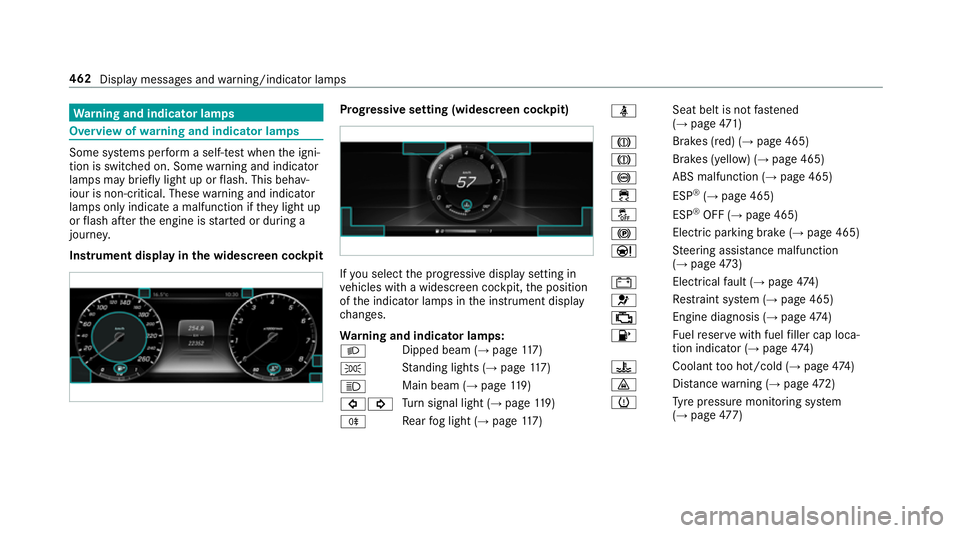
wofwarningand indicator lamps Som
esystems per form aself-tes twhen thei gni‐
tion is switched on. Some warning and indicator
lamps ma ybriefly light up or flash. This behav‐
iour is non-critical. Thes ewarning and indicator
lamps onl yindicat eamalfunction if they light up
or flash af tert he engine is star tedord uring a
journe y.
Instrument displa yinthe widesc reen cockpit Prog
ressiv esetting (widescreen cockpit) If
yo us elect thep rogressiv edispla ysetting in
ve hicles wit hawidescreen cockpit, thep osition
of thei ndicator lamps in thei nstrument display
ch anges.
Wa rning and indicator lamps:
L Dipped beam (→
page117 )
T St
anding light s(→pag e117 )
K Mai
nbeam( →pag e119 )
#! Tu
rn signal light (→ page119 )
R Re
ar fogl ight (→ page117 ) ü
Sea
tbelti sn otfast ened
(→ pag e471 )
J Brakes (red) (→
page465)
J Brakes (yell
ow)(→pag e465)
! ABSm
alfunction (→ page465)
÷ ESP®
(→ pag e465)
å ESP®
OFF (→ page465)
! Electric parkin
gbrake ( →pag e465)
Ð St
eering assis tance malfunction
(→ page 473)
# Electrica
lfault (→ page474 )
6 Re
stra int sy stem (→ page465)
; Engine diagnosis (→
page474 )
8 Fu
elreser vewit hfuel filler cap loca‐
tion indicator (→ page474 )
? Coolan
ttoo hot/cold (→ page474 )
· Dis
tance warning (→ page472)
h Ty
re pressur emonitoring sy stem
(→ pag e477) 462
Displaymessa gesa nd warning/indicator lamps
Page 498 of 521
Un
lockin gthe vehicle ............................71
Kickd own.................................................. 151
Using ................................................... 151
Knee airbag ................................................ 41L
Laden Notes. .................................................. 106
St ow ages pac eunde rthe boo tfloor ..... 111
Lamp see In terior lighting
Lam p(Instrument Display)
see Warning/indicator lamps
Lane Keeping Assist
see ActiveL aneK eeping Assist
Language Notes. ................................................. 255
Setting. ................................................2 55
LEDl ight
see Intelligent Ligh tSystem
Le velc ontrol sy stem
see AI RBODYC ONTROL Light switch
Overvie w.............................................. 11 7
Lighting see Lights
Lights ........................................................ 11 7
Ac tiveh eadlamps function .. ................ 12 0
Ad aptiv eHighbeam Assis tPlus .......... .122
Ad justing thei nstrument lighting ........ 220
Au tomatic driving lights ....................... 11 8
Combination swit ch............................. 11 9
Corne ring light ..................................... 121
Dippe dbeam. ...................................... .117
Driving ab road ...................................... 11 7
Fo glight (extended range) ................... 121
Haza rdwa rning light s......................... .120
Headla mpflasher ................................ .119
Intellige nt Light Sy stem ....................... 12 0
Light switc h.......................................... 11 7
Main beam ...........................................1 19
Mo torw ay mode ................................... 121
Pa rking light s....................................... 11 7
Re ar fogl ight ........................................1 18
Re sponsibility forl ighting sy stems .......1 17
Setting thed ipped beam ..................... 12 3
Setting thes urround lighting .............. .123 St
anding light s..................................... 11 7
Tu rn signal light .................................... 11 9
Limiter ...................................................... 173
Buttons ................................................ 174
Callin gupas peed............................... 174
Fu nctio n............................................... 173
Pa ssiv emode ....................................... 173
Pe rm anen tsetting .............................. .175
Re quirements: ...................................... 174
Selecting .............................................. 174
Setting aspeed .................................... 174
St oring aspeed .................................... 174
Switching of f........................................ 174
Switching on ........................................ 174
Sy stem limitations ...............................1 73
Limiting speed see Limiter
LINGU ATRO NIC ........................................ 228
Application specific voice commands
............................................................ .229
Au dible help function s......................... 230
En tering numbe rs................................ 230
Globa lvoice commands ...................... 229
Impr oving speec hqualit y................... .230
Languag esetting ................................ .230 Index
495