2017 MERCEDES-BENZ GLE tow
[x] Cancel search: towPage 19 of 390

Sensor range ................................. 185
Towing a trailer .............................. 184
Warning display ............................. 186
Parking brake
Applying automatically ................... 155
Applying or releasing manually ...... 155
Display message ............................ 241
Electric parking brake .................... 154
Emergency braking ........................ 156
General notes ................................ 154
Releasing automatically ................. 155
Warning lamp ................................. 276
Parking lamps
Switching on/off ........................... 108
Parking Pilot
Display Message ............................ 259
Exiting a parking space .................. 190
Function/notes ............................. 187
Important safety notes .................. 187
Parking .......................................... 189
PASSENGER AIR BAG
Display message ............................ 248
Indicator lamps ................................ 42
Problem (malfunction) ................... 248
Pets in the vehicle ............................... 62
Phone book
see also Digital Operator's Man-
ual .................................................. 281
Plastic trim (cleaning instruc-
tions) .................................................. 324
Power locks ......................................... 81
Power washers .................................. 320
Power windows
see Side windows
PRE-SAFE ®
(anticipatory occupant
protection)
Display message ............................ 245
Operation ......................................... 55
PRE-SAFE ®
PLUS (anticipatory
occupant protection PLUS)
Display message ............................ 245
Operation ......................................... 56
Protection against theft
ATA (Anti-Theft Alarm system) ......... 72
Immobilizer ...................................... 72
Protection of the environment
General notes .................................. 25 Pulling away
Automatic transmission ................. 135
General notes ................................ 135
Hill start assist ............................... 136
Trailer ............................................ 135
Q QR code
Mercedes-Benz Guide App ................. 1
Rescue card ..................................... 30
Qualified specialist workshop ........... 29
R RACETIMER (on-board computer) .... 236
Radiator cover ................................... 315
Radio
Selecting a station ......................... 228
see separate operating instructions
Radio mode
see also Digital Operator's Man-
ual .................................................. 281
Radio-wave reception/transmis-
sion in the vehicle
Declaration of conformity ................ 28
Reading lamp ..................................... 111
Rear bench seat
Folding forwards/back .................. 292
Rear compartment
Setting the air vents ...................... 130
Setting the temperature ................ 125
Rear fog lamp
Display message ............................ 250
Switching on/off ........................... 108
Rear Seat Entertainment System
AUX jacks ...................................... 287
AUX jacks CD/DVD drive .............. 287
Rear seats
Adjusting ......................................... 98
Rear view camera
Cleaning instructions ..................... 323
Display in the multimedia system .. 192
Function/notes ............................. 191
Switching on/off ........................... 192
Rear window defroster
Problem (malfunction) ................... 128
Switching on/off ........................... 127 Index 17
Page 22 of 390
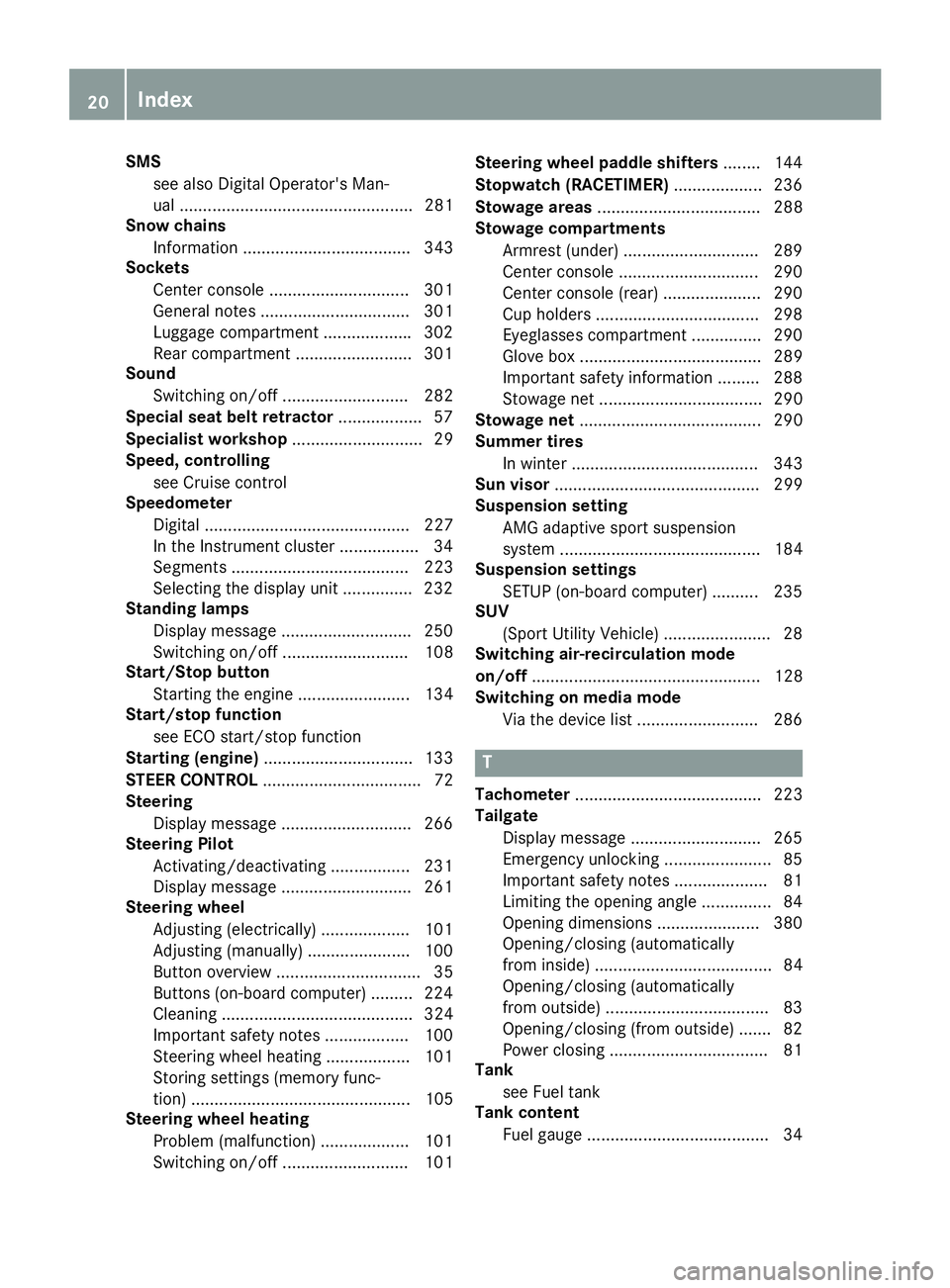
SMS
see also Digital Operator's Man-
ual .................................................. 281
Snow chains
Information .................................... 343
Sockets
Center console .............................. 301
General notes ................................ 301
Luggage compartment .................. .3 02
Rear compartment ......................... 301
Sound
Switching on/off ........................... 282
Special seat belt retractor .................. 57
Specialist workshop ............................ 29
Speed, controlling
see Cruise control
Speedometer
Digital ............................................ 227
In the Instrument cluster ................. 34
Segments ...................................... 223
Selecting the display unit .............. .2 32
Standing lamps
Display message ............................ 250
Switching on/off ........................... 108
Start/Stop button
Starting the engine ........................ 134
Start/stop function
see ECO start/stop function
Starting (engine) ................................ 133
STEER CONTROL .................................. 72
Steering
Display message ............................ 266
Steering Pilot
Activating/deactivating ................. 231
Display message ............................ 261
Steering wheel
Adjusting (electrically) ................... 101
Adjusting (manually) ...................... 100
Button overview ............................... 35
Buttons (on-board computer) ......... 224
Cleaning ......................................... 324
Important safety notes .................. 100
Steering wheel heating .................. 101
Storing settings (memory func-
tion) ............................................... 105
Steering wheel heating
Problem (malfunction) ................... 101
Switching on/off ........................... 101 Steering wheel paddle shifters ........ 144
Stopwatch (RACETIMER) ................... 236
Stowage areas ................................... 288
Stowage compartments
Armrest (under) ............................. 289
Center console .............................. 290
Center console (rear) ..................... 290
C u
p holders ................................... 298
Eyeglasses compartment ............... 290
Glove box ....................................... 289
Important safety information ......... 288
Stowage net ................................... 290
Stowage net ....................................... 290
Summer tires
In winter ........................................ 343
Sun visor ............................................ 299
Suspension setting
AMG adaptive sport suspension
system ........................................... 184
Suspension settings
SETUP (on-board computer) .......... 235
SUV
(Sport Utility Vehicle) ....................... 28
Switching air-recirculation mode
on/off ................................................. 128
Switching on media mode
Via the device list .......................... 286
T
Tachometer ........................................ 223
Tailgate
Display message ............................ 265
Emergency unlocking ....................... 85
Important safety notes .................... 81
Limiting the opening angle ............... 84
Opening dimensions ...................... 380
Opening/closing (automatically
from inside) ...................................... 84
Opening/closing (automatically
from outside) ................................... 83
Opening/closing (from outside) ....... 82
Power closing .................................. 81
Tank
see Fuel tank
Tank content
Fuel gauge ....................................... 3420
Index
Page 24 of 390
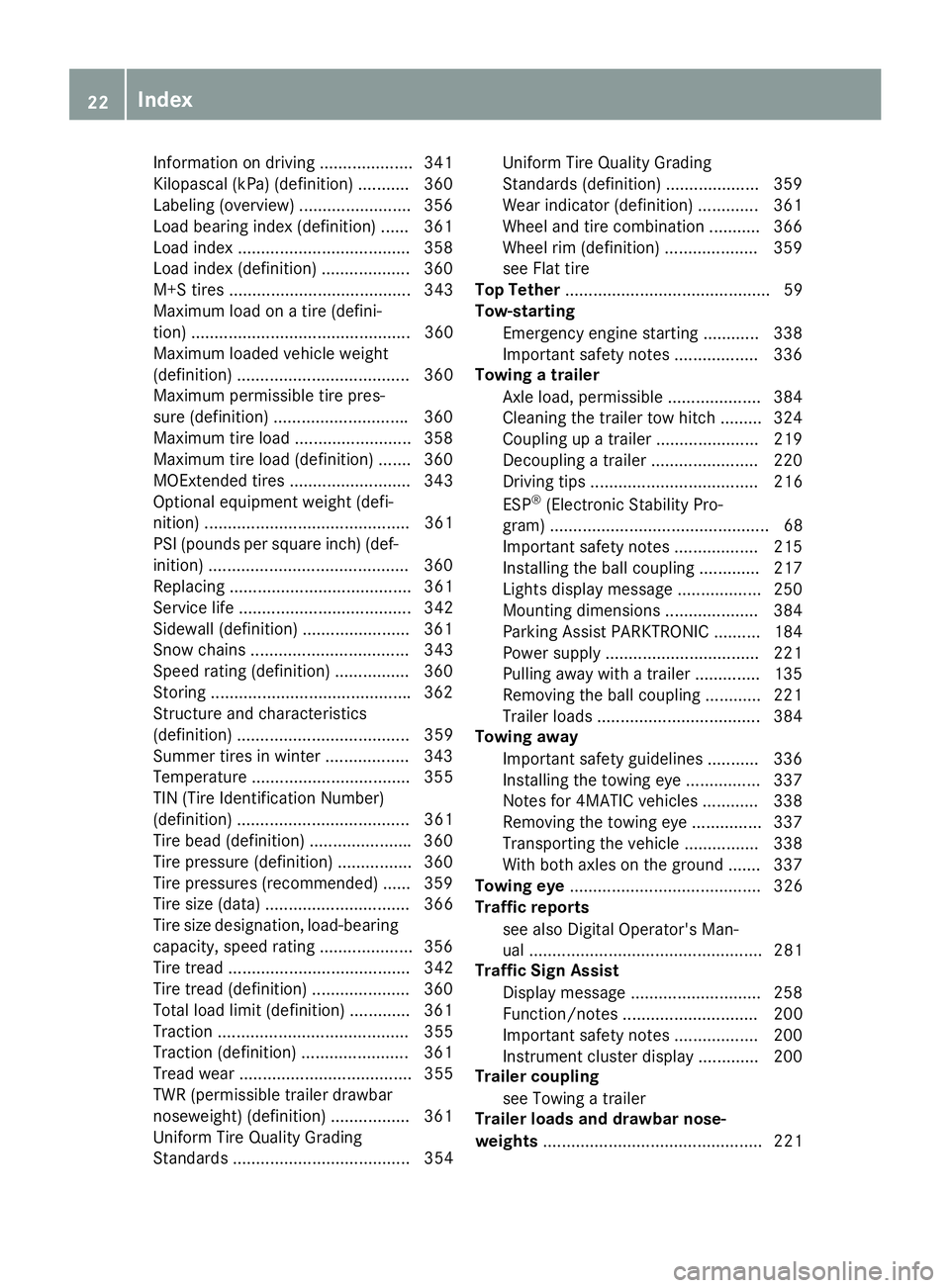
Information on driving .................... 341
Kilopascal (kPa) (definition) ........... 360
Labeling (overview) ........................ 356
Load bearing index (definition) ...... 361
Load index .................................... .3 58
Load index (definition) ................... 360
M+S tires ....................................... 343
Maximum load on a tire (defini-
tion) ............................................... 360
Maximum loaded vehicle weight
(definition) ..................................... 360
Maximum permissible tire pres-
sure (definition) ............................ .3 60
Maximum tire load ......................... 358
Maximum tire load (definition) ....... 360
MOExtended tires .......................... 343
Optional equipment weight (defi-
nition) ............................................ 361
PSI (pounds per square inch) (def-
inition) .......................................... .3 60
Replacing ....................................... 361
Service life ..................................... 342
Sidewall (definition) ....................... 361
Snow chains .................................. 343
Speed rating (definition) ................ 360
Storing .......................................... .3 62
Structure and characteristics
(definition) ..................................... 359
Summer tires in winter .................. 343
Temperature .................................. 355
TIN (Tire Identification Number)
(definition) ..................................... 361
Tire bead (definition) ..................... .3 60
Tire pressure (definition) ................ 360
Tire pressures (recommended) ...... 359
Tire size (data) ............................... 366
Tire size designation, load-bearing
capacity, speed rating .................... 356
Tire tread ....................................... 342
Tire tread (definition) ..................... 360
Total load limit (definition) ............. 361
Traction ......................................... 355
Traction (definition) ....................... 361
Tread wea r ..................................... 355
T W
R (permissible trailer drawbar
noseweight) (definition) ................. 361
Uniform Tire Quality Grading
Standards ...................................... 354 Uniform Tire Quality Grading
Standards (definition) .................... 359
Wear indicator (definition) ............. 361
Wheel and tire combination ........... 366
Wheel rim (definition) .................... 359
see Flat tire
Top Tether ............................................ 59
Tow-starting
Emergency engine starting ............ 338
Important safety notes .................. 336
Towing a trailer
Axle load, permissible .................... 384
Cleaning the trailer tow hitch ......... 324
Coupling up a trailer ...................... 219
Decoupling a trailer ....................... 220
Driving tips .................................... 216
ESP ®
(Electronic Stability Pro-
gram) ............................................... 68
Important safety notes .................. 215
Installing the ball coupling ............. 217
Lights display message .................. 250
Mounting dimensions .................... 384
Parking Assist PARKTRONIC .......... 184
Power supply ................................. 221
Pulling away with a trailer .............. 135
Removing the ball coupling ............ 221
Trailer loads ................................... 384
Towing away
Important safety guidelines ........... 336
Installing the towing eye ................ 337
Notes for 4MATIC vehicles ............ 338
Removing the towing eye ............... 337
Transporting the vehicle ................ 338
With both axles on the ground ....... 337
Towing eye ......................................... 326
Traffic reports
see also Digital Operator's Man-
ual .................................................. 281
Traffic Sign Assist
Display message ............................ 258
Function/notes ............................. 200
Important safety notes .................. 200
Instrument cluster display ............. 200
Trail er c oupling
se
e Towing a trailer
Trailer loads and drawbar nose-
weights ............................................... 22122
Index
Page 25 of 390
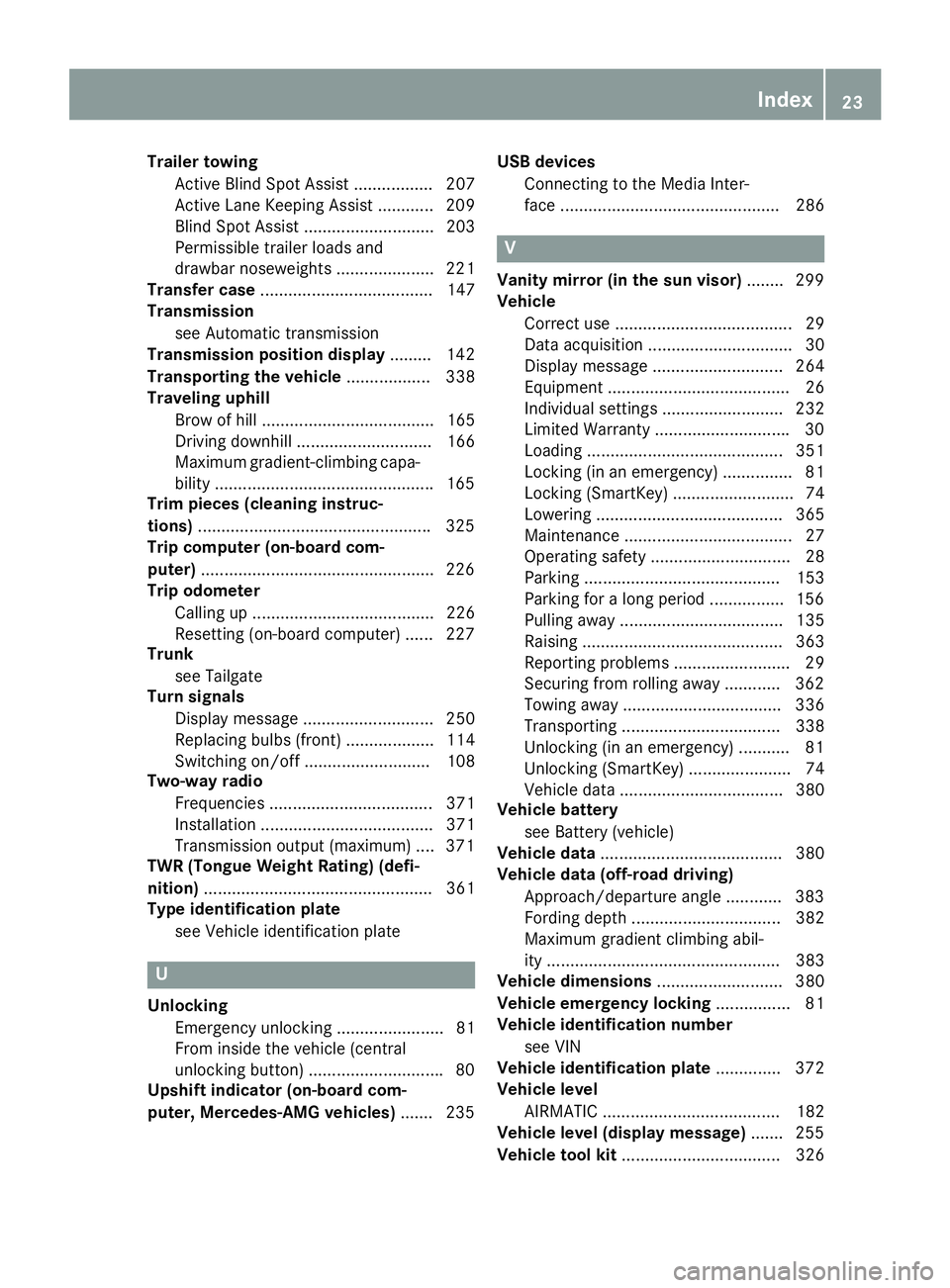
Trailer towing
Active Blind Spot Assist ................. 207
Active Lane Keeping Assist ............ 209
Blind Spot Assist ............................ 203
Permissible trailer loads and
drawbar noseweights ..................... 221
Transfer case ..................................... 147
Transmission
see Automatic transmission
Transmission position display ......... 142
Transporting the vehicle .................. 338
Traveling uphill
Brow of hill ..................................... 165
Driving downhill ............................. 166
Maximum gradient-climbing capa-
bility .............................................. .1 65
Trim pieces (cleaning instruc-
tions) ................................................. .3 25
Trip computer (on-board com-
puter) ................................................. .2 26
Trip odometer
Calling up ....................................... 226
Resetting (on-board computer) ...... 227
Trunk
see Tailgate
Turn signals
Display message ............................ 250
Replacing bulbs (front) ................... 114
Switching on/off ........................... 108
Two-way radio
Frequencies ................................... 371
Installation ..................................... 371
Transmission output (maximum) .... 371
TWR (Tongue Weight Rating) (defi-
nition) ................................................. 361
Type identification plate
see Vehicle identification plate
U
Unlocking
Emergency unlocking ....................... 81
From inside the vehicle (central
unlocking button) ............................ .8 0
Upshift indicator (on-board com-
puter, Mercedes-AMG vehicles) ...... .2 35 USB devices
Connecting to the Media Inter-
face ............................................... 286
V Vanity mirror (in the sun visor) ....... .2 99
Vehicle
Correct use ...................................... 29
Data acquisition ............................... 30
Display message ............................ 264
Equipment ....................................... 26
Individual settings .......................... 232
Limited Warranty ............................ .3 0
Loading .......................................... 351
Locking (in an emergency) ............... 81
Locking (SmartKey) .......................... 74
Lowering ........................................ 365
Maintenance .................................... 27
Operating safety .............................. 28
Parking .......................................... 153
Parking for a long period ................ 156
Pulling away ................................... 135
Raising ........................................... 363
Reporting problems ......................... 29
Securing from rolling away ............ 362
Towing away .................................. 336
Transporting .................................. 338
Unlocking (in an emergency) ........... 81
Unlocking (SmartKey) ...................... 74
Vehicle data ................................... 380
Vehicle battery
see Battery (vehicle)
Vehicle data ....................................... 380
Vehicle data (off-road driving)
Approach/departure angle ............ 383
Fording depth ................................ 382
Maximum gradient climbing abil-
ity .................................................. 383
Vehicle dimensions ........................... 380
Vehicle emergency locking ................ 81
Vehicle identification number
see VIN
Vehicle identification plate .............. 372
Vehicle level
AIRMATIC ...................................... 182
Vehicle level (display message) ....... 255
Vehicle tool kit .................................. 326Index 23
Page 31 of 390

These devices may not cause harmful interfer-
ence, and 2) These devices must accept any
interference received, including interference
that may cause undesired operation. Changes
or modifications not expressly approved by the
party responsible for compliance could void the
user’s authority to operate the equipment."
Canada: "The wireless devices of this vehicle
comply with Industry Canada license-exempt
RSS standard(s). Operation is subject to the fol-
lowing two conditions: (1) These devices may
not cause interference, and (2) These devices
must accept any interference, including inter-
ference that may cause undesired operation of
the device."
Diagnostics connection The diagnostics connection is only intended for
the connection of diagnostic equipment at a
qualified specialist workshop.
G WARNING
If you connect equipment to a diagnostics
connection in the vehicle, it may affect the
operation of vehicle systems. As a result, the
operating safety of the vehicle could be affec-
ted. There is a risk of an accident.
Only connect equipment to a diagnostics con-
nection in the vehicle, which is approved for
your vehicle by Mercedes-Benz.
G WARNING
Objects in the driver's footwell can restrict the
pedal travel or obstruct a depressed pedal.
The operating and road safety of the vehicle is
jeopardized. There is a risk of an accident.
Make sure that all objects in the vehicle are
stowed correctly, and that they cannot enter
the driver's footwell. Install the floormats
securely and as specified in order to ensure
sufficient clearance for the pedals. Do not use
loose floormats and do not place floormats on
top of one another.
! If the engine is switched off and equipment
on the diagnostics connection is used, the
starter battery may discharge.
Connecting equipment to the diagnostics con-
nection can lead to emissions monitoring infor- mation being reset, for example. This may lead
to the vehicle failing to meet the requirements of
the next emissions test during the main inspec-
tion.
Qualified specialist workshop An authorized Mercedes-Benz Center is a quali-
fied specialist workshop. It has the necessary
specialist knowledge, tools and qualifications to
correctly carry out the work required on your
vehicle. This is especially the case for work rel-
evant to safety.
Observe the notes in the Maintenance Booklet.
Always have the following work carried out at an
authorized Mercedes-Benz Center: R
work relevant to safety R
service and maintenance work R
repair work R
alterations, installation work and modifica-
tions R
work on electronic components
Correct use If you remove any warning stickers, you or oth-
ers could fail to recognize certain dangers.
Leave warning stickers in position.
Observe the following information when driving
your vehicle: R
the safety notes in this manual R
the vehicle technical data R
traffic rules and regulations R
laws and safety standards pertaining to motor
vehicles
Problems with your vehicle If you should experience a problem with your
vehicle, particularly one that you believe may
affect its safe operation, we urge you to contact
an authorized Mercedes-Benz Center immedi-
ately to have the problem diagnosed and recti-
fied. If the problem is not resolved to your sat-
isfaction, please discuss the problem again with
the Mercedes-Benz Center or, if necessary, con-
tact us at one of the following addresses.
In the USA
Customer Assistance Center Introduction 29
Z
Page 39 of 390
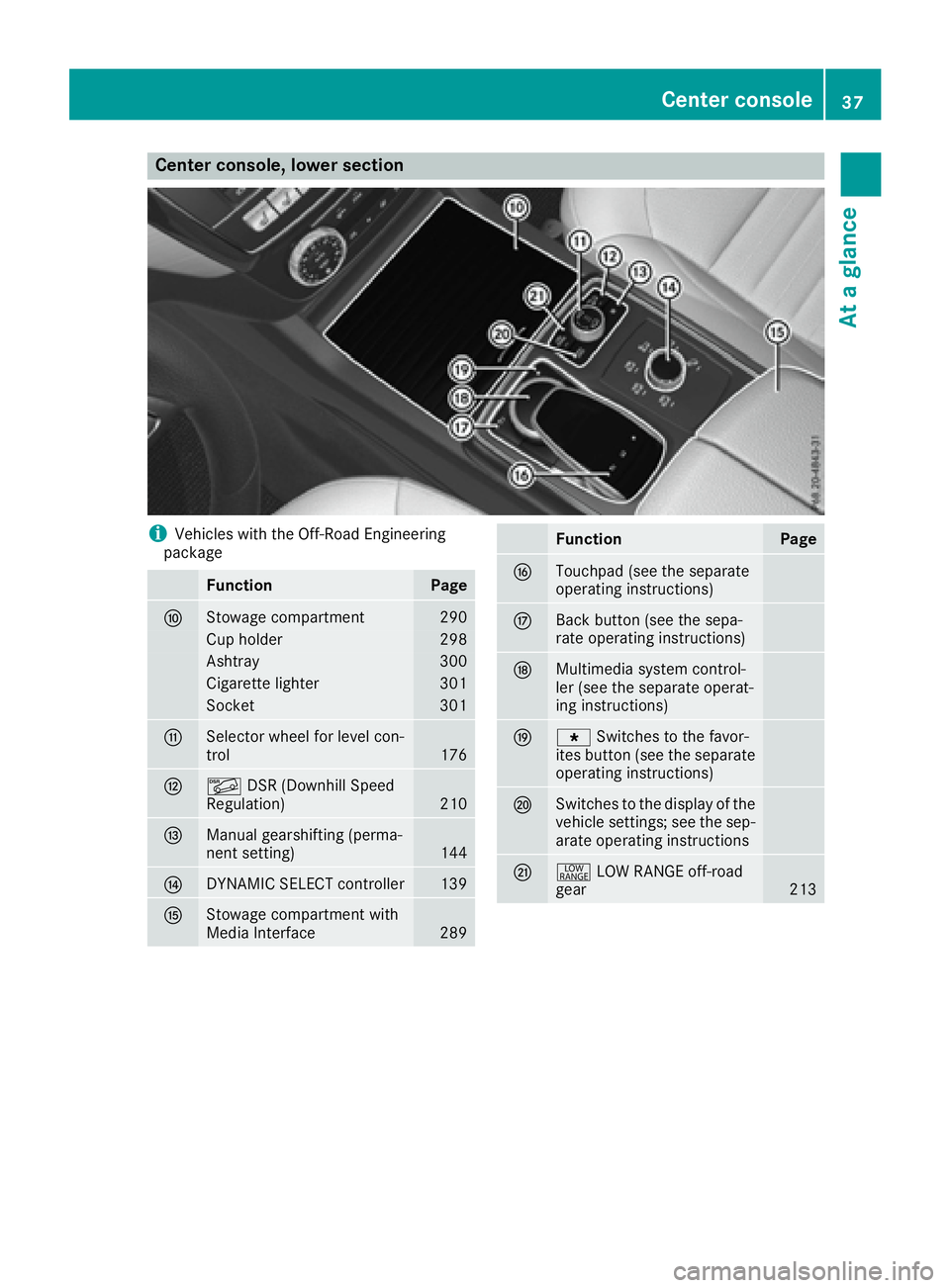
Center console, lower section
i Vehicles with the Off-Road Engineering
package
Function Page
n
Stowage compartment 290
Cup holder 298
Ashtray 300
Cigarette lighter 301
Socket 301
o
Selector wheel for level con-
trol 176
p
Page 40 of 390
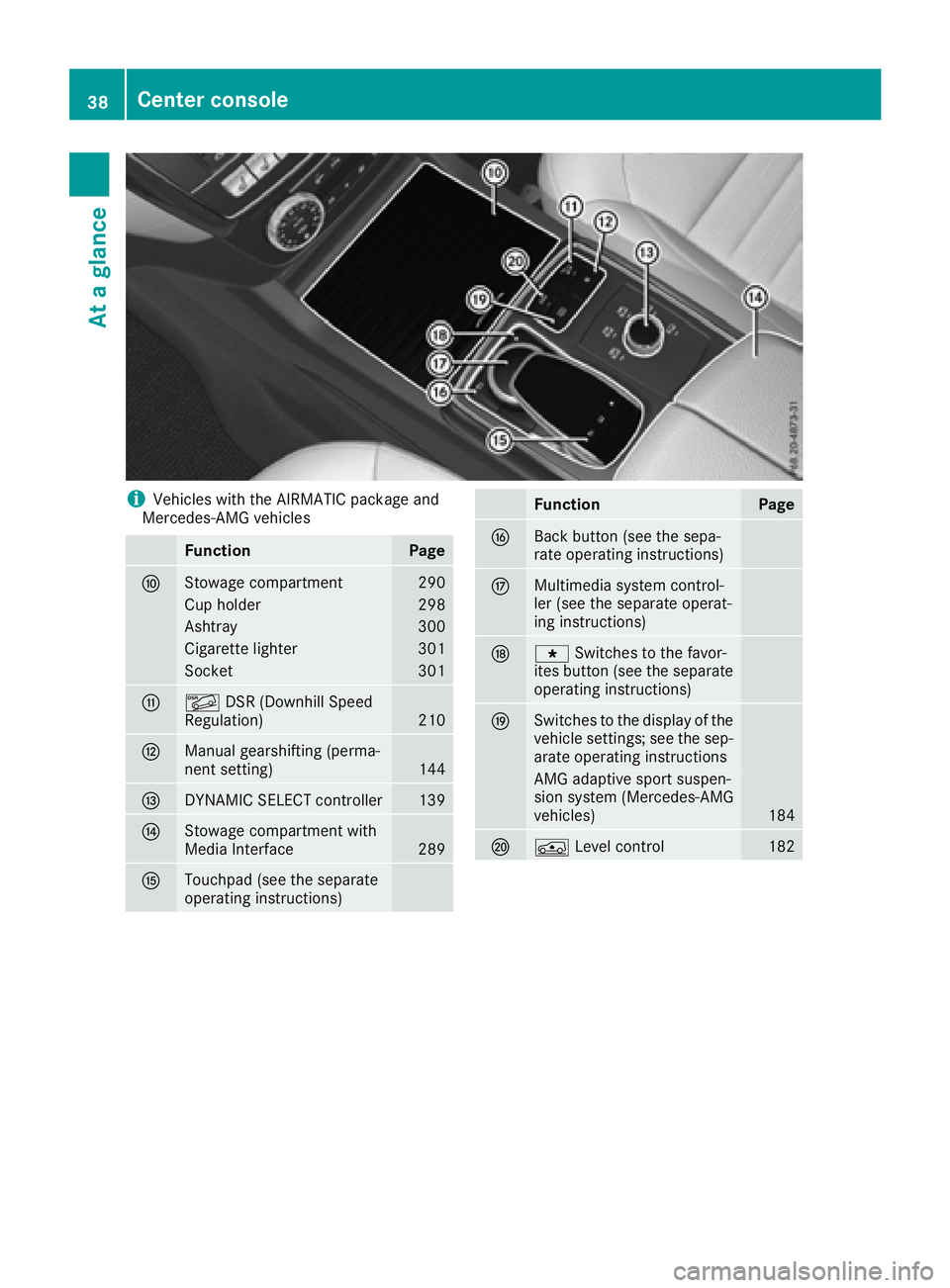
i Vehicles with the AIRMATIC package and
Mercedes-AMG vehicles
Function Page
n
Stowage compartment 290
Cup holder 298
Ashtray 300
Cigarette lighter 301
Socket 301
o
Page 55 of 390
Problem
Possible causes/consequences and P Solutions
The PASSENGER AIR
BAG OFF indicator lamp
lights up and remains lit,
even though the front-
passenger seat is occu-
pied by an adult or a per-
son of a stature corre-
sponding to that of an
adult. The classification of the person on the front-passenger seat is incor-
rect. X
Make sure the conditions for a correct classification of the person
on the front-passenger seat are met ( Y
page 49).X
If the PASSENGER AIR BAG OFF indicator lamp remains lit, the front-
passenger seat may not be used. X
Have OCS checked as soon as possible at an authorized Mercedes-
Benz Center.
The PASSENGER AIR
BAG OFF indicator lamp
does not light up and/or
does not stay on.
The front-passenger seat
is: R
unoccupied R
occupied with the
weight of a child up to
twelve months old in a
child restraint system OCS is malfunctioning. X
Make sure there is nothing between the seat cushion and the child
seat. X
Make sure that the entire base of the child restraint system rests on
the seat cushion of the front-passenger seat. The backrest of the
forward-facing child restraint system must lie as flat as possible
against the backrest of the front-passenger seat. If necessary,
adjust the position of the front-passenger seat. X
When installing the child restraint system, make sure that the seat
belt is tight. Do not pull the seat belt tight using the front-passenger
seat adjustment. This could result in the seat belt and the child
restraint system being pulled too tightly. X
Check for correct installation of the child restraint system.
Make sure that the head restraint does not apply a load to the child
restraint system. If necessary, adjust the head restraint accord-
ingly. X
Make sure that no objects are applying additional weight onto the
seat. X
If the PASSENGER AIR BAG OFF indicator lamp remains off and/or
the PASSENGER AIR BAG ON indicator lamp lights up, do not install
a child restraint system on the front-passenger seat. It is recom-
mended that you install the child restraint system on a suitable rear
seat. X
Have OCS checked as soon as possible at an authorized Mercedes-
Benz Center.
Deployment of Emergency Tensioning
Devices and air bags
Important safety notes
G WARNING
The air bag parts are hot after an air bag has
been deployed. There is a risk of injury.
Do not touch the air bag parts. Have a
deployed air bag replaced at a qualified spe-
cialist workshop as soon as possible. G WARNING
A deployed air bag no longer offers any pro-
tection and cannot provide the intended pro-
tection in an accident. There is an increased
risk of injury.
Have the vehicle towed to a qualified special-
ist workshop in order to have a deployed air
bag replaced.
It is important for your safety and that of your
passenger to have deployed air bags replaced
and to have any malfunctioning air bagsOccupant safety 53
Safety Z