2017 MERCEDES-BENZ GLC SUV steering
[x] Cancel search: steeringPage 18 of 374
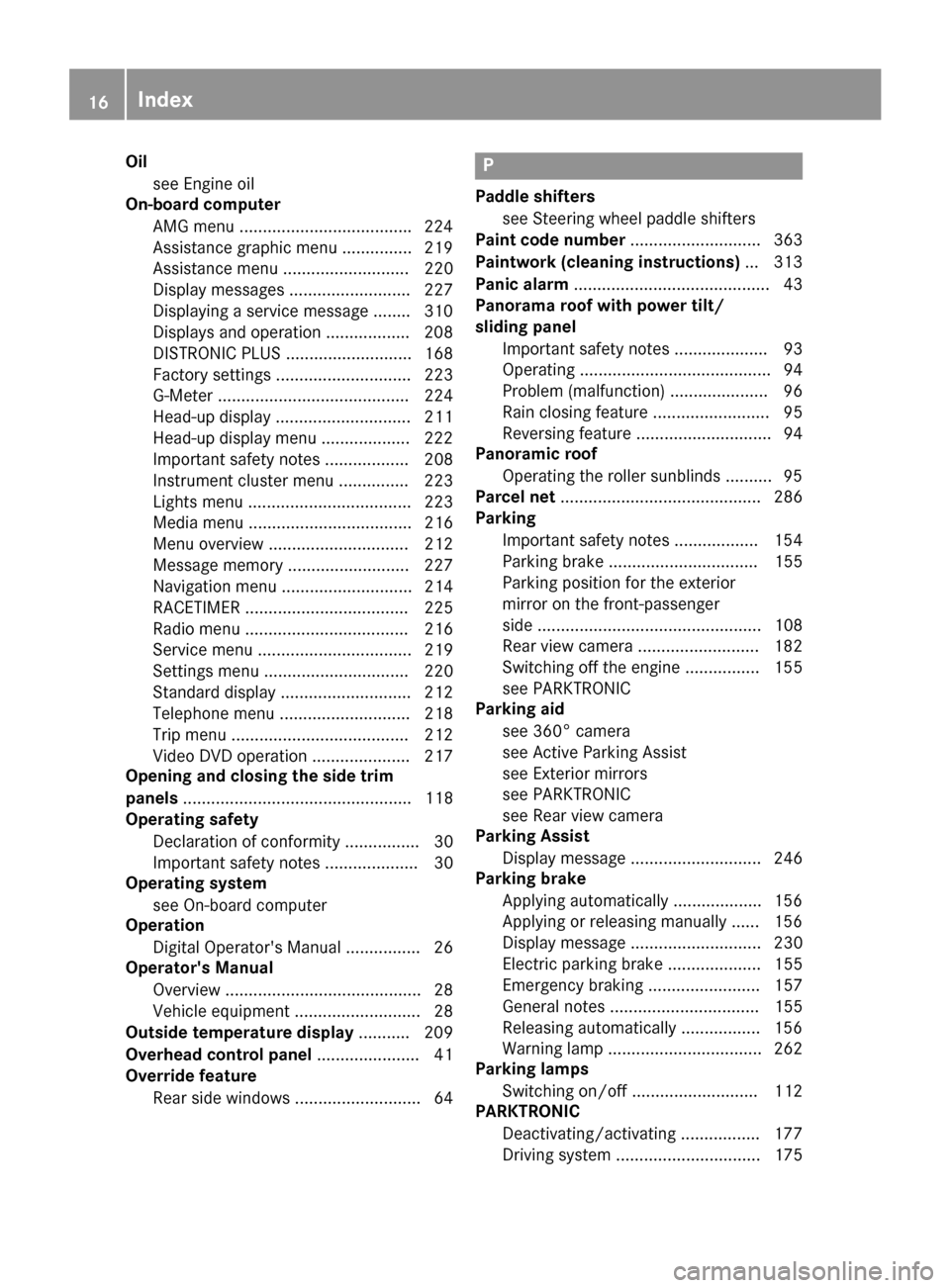
Oilsee Engine oil
On-board computer
AMG menu .................................... .224
Assistance graphic menu ...............2 19
Assistance menu ........................... 220
Display messages .......................... 227
Displaying a service message ........3 10
Displays and operation .................. 208
DISTRONIC PLUS ........................... 168
Factory settings ............................. 223
G-Meter ......................................... 224
Head-up display ............................. 211
Head-up display menu ................... 222
Important safety notes .................. 208
Instrument cluster menu ............... 223
Lights menu ................................... 223
Media menu ................................... 216
Menu overview .............................. 212
Message memory .......................... 227
Navigation menu ............................ 214
RACETIMER ................................... 225
Radio menu ................................... 216
Service menu ................................. 219
Settings menu ............................... 220
Standard display ............................ 212
Telephone menu ............................ 218
Trip menu ...................................... 212
Video DVD operation ..................... 217
Opening and closing the side trim
panels ................................................. 118
Operating safety
Declaration of conformity ................ 30
Important safety notes .................... 30
Operating system
see On-board computer
Operation
Digital Operator's Manual ................ 26
Operator's Manual
Overview .......................................... 28
Vehicle equipment ........................... 28
Outside temperature display ........... 209
Overhead control panel ...................... 41
Override feature
Rear side windows ........................... 64P
Paddle shifterssee Steering wheel paddle shifters
Paint code number ............................ 363
Paintwork (cleaning instructions) ... 313
Panic alarm .......................................... 43
Panorama roof with power tilt/
sliding panel
Important safety notes .................... 93
Operating ......................................... 94
Problem (malfunction) ..................... 96
Rain closing feature ......................... 95
Reversing feature ............................. 94
Panoramic roof
Operating the roller sunblinds .......... 95
Parcel net ........................................... 286
Parking
Important safety notes .................. 154
Parking brake ................................ 155
Parking position for the exterior
mirror on the front-passenger
side ................................................ 108
Rear view camera .......................... 182
Switching off the engine ................ 155
see PARKTRONIC
Parking aid
see 360° camera
see Active Parking Assist
see Exterior mirrors
see PARKTRONIC
see Rear view camera
Parking Assist
Display message ............................ 246
Parking brake
Applying automatically ................... 156
Applying or releasing manually ...... 156
Display message ............................ 230
Electric parking brake .................... 155
Emergency braking ........................ 157
General notes ................................ 155
Releasing automatically ................. 156
Warning lamp ................................. 262
Parking lamps
Switching on/off ........................... 112
PARKTRONIC
Deactivating/activating ................. 177
Driving system ............................... 175
16Index
Page 22 of 374

Problem (malfunction) ..................... 81
Starting the engine ........................ 134
Smartphone
Starting the engine ........................ 134
SMS
see also Digital Operator's Man-
ual .................................................. 268
Snow chains ...................................... 338
Socket (12 V)
Cargo compartment ....................... 293
Center console .............................. 293
General notes ................................ 293
Rear compartment .........................2 93
Sound
Switching on/off ........................... 269
Special seat belt retractor .................. 59
Specialist workshop ............................ 31
Speed, controlling
see Cruise control
Speedometer
Activating/deactivating the addi-
tional speedometer ........................ 223
Digital ............................................ 213
In the Instrument cluster ................. 36
Segments ...................................... 208
Selecting the display unit ...............2 23
SPORT handling mode
Deactivating/activating
(Mercedes-AMG vehicles) ................ 71
Warning lamp ................................. 261
Standing lamps
Display message ............................ 239
Switching on/off ........................... 112
Start button
Display message ............................ 256
Start/Stop button
Key positions ................................. 133
Starting the engine ........................ 134
Start/stop function
see ECO start/stop function
Starting (engine) ................................ 133
STEER CONTROL .................................. 75
Steering
Display message ............................ 254
Warning lamps ............................... 267
Steering Assist and Stop&Go Pilot .. 169Steering Assist and Stop&Go Pilot
(DISTRONIC PLUS)
Display message ............................ 248
Steering assistant STEER CON-
TROL
see STEER CONTROL
Stee ring w
heel
Adjusting (electrically) ................... 105
Adjusting (manually) ...................... 104
Button overview ............................... 37
Buttons (on-board computer) ......... 209
Cleaning ......................................... 317
EASY ENTRY/EXIT feature ............. 105
Important safety notes .................. 104
Storing settings (memory func-
tion) ............................................... 109
Steering wheel heating
Problem (malfunction) ................... 105
Switching on/off ........................... 105
Steering wheel paddle shifters ........ 145
Stop&Go Pilot and Steering Assist .. 169
Stopwatch (RACETIMER) ................... 225
Stowage areas ................................... 278
Stowage compartments
Armrest (under) ............................. 279
Center console .............................. 279
Cup holders ................................... 290
Door ............................................... 280
Eyeglasses compartment ............... 279
Glove box ....................................... 279
Important safety information ......... 278
Map pockets .................................. 280
Rear ............................................... 280
Stowage net ................................... 280
see Stowage areas
Stowage net ....................................... 280
Summer tires
In winter ........................................ 338
Sun visor ............................................ 291
Suspension settings
AIR BODY CONTROL ...................... 173
Suspension tuning
AMG sports suspension based on
AIR BODY CONTROL ...................... 174
SETUP (on-board computer,
Mercedes-AMG vehicles) ............... 225
20Index
Page 23 of 374

SUV(Sport Utility Vehicle) ....................... 30
Switching air-recirculation mode
on/off .................................................1 28
Switching on media mode
Via the device list .......................... 276
T
Tachometer ........................................ 209
Tail lamps
Display message ............................ 239
Tailgate
Display message ............................ 253
Emergency unlocking ....................... 89
HANDS-FREE ACCESS ..................... 87
Important safety notes .................... 84
Limiting the opening angle ............... 89
Obstruction detection ...................... 85
Opening dimensions ...................... 370
Opening/closing (automatically
from inside) ...................................... 88
Opening/closing (automatically
from outside) ................................... 86
Opening/closing (manually from
outside) ............................................ 85
Reversing feature ............................. 85
Tank content
Fuel gauge ....................................... 36
Technical data
Capacities ...................................... 364
Drawbar load (maximum) ............... 371
Information .................................... 362
Trailer loads ................................... 371
Vehicle data ................................... 370
Telephone
Accepting a call (multifunction
steering wheel) .............................. 218
Authorizing a mobile phone (con-
necting) ......................................... 275
Connecting a mobile phone (gen-
eral information) ............................ 275
Display message ............................ 254
Introduction ................................... 218
Menu (on-board computer) ............ 218
Number from the phone book ........ 218
Redialing ........................................ 219
Rejecting/ending a call ................. 218 see also Digital Operator's Man-
ual .................................................. 268
Switching between mobile
phones ........................................... 276
see Mobile phone
Temperature
Coolant (display in the instrument
cluster) .......................................... 209
Engine oil (on-board computer,
Mercedes-AMG vehicles) ............... 224
Outside temperature ...................... 209
Setting (climate control) ................ 126
Transmission oil (on-board com-
puter, Mercedes-AMG vehicles) ..... 224
Timing (RACETIMER) ......................... 225
Tire pressure
Calling up (on-board computer) ..... 343
C
hecking manually ........................ 342
Display message ............................ 250
Maximum ....................................... 342
Not reached (TIREFIT) .................... 324
Notes ............................................. 341
Reached (TIREFIT) .......................... 324
Recommended ............................... 339
Using the TIREFIT kit ...................... 323
Tire pressure loss warning system
General notes ................................ 342
Important safety notes .................. 342
Restarting ...................................... 343
Tire pressure monitor
Checking the tire pressure elec-
tronically ........................................ 345
Function/notes ............................. 343
General notes ................................ 343
Important safety notes .................. 344
Radio type approval for the tire
pressure monitor ........................... 346
Restarting ...................................... 345
Warning lamp ................................. 266
Warning message .......................... 345
Tire pressure sensors
Display message ............................ 251
Tire-change tool kit ........................... 320
TIREFIT kit
Important safety notes .................. 322
Storage location ............................ 320
Tire pressure not reached .............. 324
Tire pressure reached .................... 324
Index21
Page 26 of 374
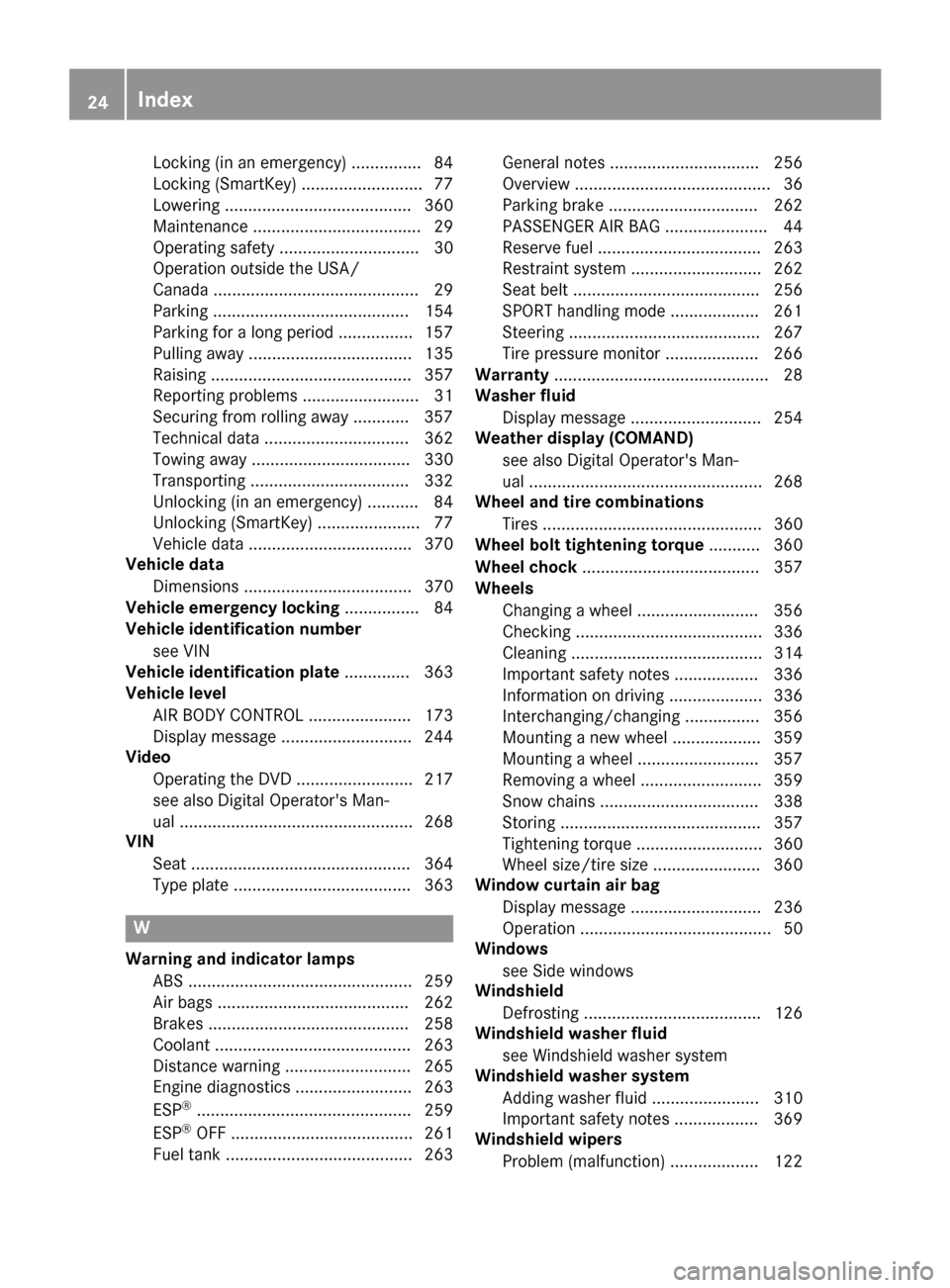
Locking (in an emergency) ............... 84
Locking (SmartKey) .......................... 77
Lowering ........................................ 360
Maintenance .................................... 29
Operating safety .............................. 30
Operation outside the USA/
Canada ............................................ 29
Parking .......................................... 154
Parking for a long period ................ 157
Pulling away ................................... 135
Raising ........................................... 357
Reporting problems ......................... 31
Securing from rolling away ............ 357
Technical data ............................... 362
Towing away .................................. 330
Transporting .................................. 332
Unlocking (in an emergency) ........... 84
Unlocking (SmartKey) ...................... 77
Vehicle data ................................... 370
Vehicle data
Dimensions .................................... 370
Vehicle emergency locking ................ 84
Vehicle identification number
see VIN
Vehicle identification plate .............. 363
Vehicle level
AIR BODY CONTROL ...................... 173
Display message ............................ 244
Video
Operating the DVD ......................... 217
see also Digital Operator's Man-
ual .................................................. 268
VIN
Seat ............................................... 364
Type plate ...................................... 363
W
Warning and indicator lampsABS ................................................ 259
Air bags ......................................... 262
Brakes ........................................... 258
Coolant .......................................... 263
Distance warning ........................... 265
Engine diagnostics ......................... 263
ESP
®.............................................. 259
ESP®OFF ....................................... 261
Fuel tank ........................................ 263 General notes ................................ 256
Overview .......................................... 36
Parking brake ................................ 262
PASSENGER AIR BAG ...................... 44
Reserve fuel ................................... 263
Restraint system ............................ 262
Seat belt ........................................ 256
SPORT handling mode ................... 261
Steering ......................................... 267
Tire pressure monitor .................... 266
Warranty .............................................. 28
Washer fluid
Display message ............................ 254
Weather display (COMAND)
see also Digital Operator's Man-
ual .................................................. 268
Wheel and tire combinations
Tires ............................................... 360
Wheel bolt tightening torque ........... 360
Wheel chock ...................................... 357
Wheels
Changing a wheel .......................... 356
Checking ........................................ 336
Cleaning ......................................... 314
Important safety notes .................. 336
Information on driving .................... 336
Interchanging/changing ................ 356
Mounting a new wheel ................... 359
Mounting a wheel .......................... 357
Removing a wheel .......................... 359
Snow chains .................................. 338
Storing ........................................... 357
Tightening torque ........................... 360
Wheel size/tire size ....................... 360
Window curtain air bag
Display message ............................ 236
Operation ......................................... 50
Windows
see Side windows
Windshield
Defrosting ...................................... 126
Windshield washer fluid
see Windshield washer system
Windshield washer system
Adding washer fluid ....................... 310
Important safety notes .................. 369
Windshield wipers
Problem (malfunction) ................... 122
24Index
Page 32 of 374

Sports Utility Vehicle
GWARNING
Due to the high center of gravity, the vehicle
may start to skid and roll over in the event of
an abrupt steering maneuver and/or when
the vehicle's speed is not adapted to the road
conditions. There is a risk of an accident.
Always adapt your speed and driving style to
the vehicle's driving characteristics and to the
prevailing road and weather conditions.
Utility vehicles have a significantly higher roll-
over rate than other types of vehicles.
Failure to operate this vehicle safely may result
in an accident, rollover of the vehicle, and severe
or fatal injury.
In a rollover crash, an unbelted person is signif-
icantly more likely to die than a person wearing
a seat belt.
You and all vehicle occupants should always
wear your seat belts.
Operating safety
Important safety notes
GWARNING
If you do not have the prescribed service/
maintenance work or any required repairs
carried out, this can result in malfunctions or system failures. There is a risk of an accident.
Always have the prescribed service/mainte-
nance work as well as any required repairs
carried out at a qualified specialist workshop.
GWARNING
Flammable material such as leaves, grass or
twigs may ignite if they come into contact with
hot parts of the exhaust system. There is a risk of fire.
When driving off road or on unpaved roads,
check the vehicle's underside regularly. In
particular, remove parts of plants or other
flammable materials which have become
trapped. In the case of damage, contact a
qualified specialist workshop.
GWARNING
Modifications to electronic components, their software as well as wiring can impair their
function and/or the function of other net-
worked components. In particular, systems
relevant to safety could also be affected. As a
result, these may no longer function as inten-
ded and/or jeopardize the operating safety of
the vehicle. There is an increased risk of an
accident and injury.
Never tamper with the wiring as well as elec-
tronic components or their software. You
should have all work to electrical and elec-
tronic equipment carried out at a qualified
specialist workshop.
!There is a risk of damage to the vehicle if:
Rthe vehicle becomes stuck, e.g. on a high
curb or an unpaved road
Ryou drive too fast over an obstacle, e.g. a
curb, a speed bump or a pothole in the road
Ra heavy object strikes the underbody or
parts of the chassis
In situations like this, the body, the under-
body, chassis parts, wheels or tires could be
damaged without the damage being visible.
Components damaged in this way can unex-
pectedly fail or, in the case of an accident, no
longer withstand the loads they are designed
to.
If the underbody paneling is damaged, com-
bustible materials such as leaves, grass or
twigs can gather between the underbody and
the underbody paneling. If these materials
come in contact with hot parts of the exhaust system, they can catch fire.
In such situations, have the vehicle checked
and repaired immediately at a qualified spe-
cialist workshop. If on continuing your jour-
ney you notice that driving safety is impaired,
pull over and stop the vehicle immediately,
paying attention to road and traffic condi-
tions. In such cases, consult a qualified spe-
cialist workshop.
Declaration of conformity for wireless
vehicle components
USA: "The wireless devices of this vehicle com-
ply with Part 15 of the FCC Rules. Operation is
30Operating safety
Introduction
Page 37 of 374

Cockpit
FunctionPage
:Steering wheel paddle shift-
ers145
;Combination switch112
=Horn
?Instrument cluster36
ADIRECT SELECT lever141
BClimate control systems123
COverhead control panel41
DControl panel for multimedia
system and vehicle functions38
EIgnition lock132
Start/Stop button133
FAdjusts the steering wheel104
GCruise control lever162
FunctionPage
HElectric parking brake155
IDiagnostics connection31
JOpens the hood306
KLight switch111
LControl panel for:
Activating Steering Assist
and Stop&Go Pilot169
Switching on Active Lane
Keeping Assist200
Deactivating PARKTRONIC175
Switching on the 360° cam-
era187
Switching on the Head-up
Display211
Vehicles without a driver
assistance system: map/
coin holder
Cockpit35
At a glance
Page 38 of 374
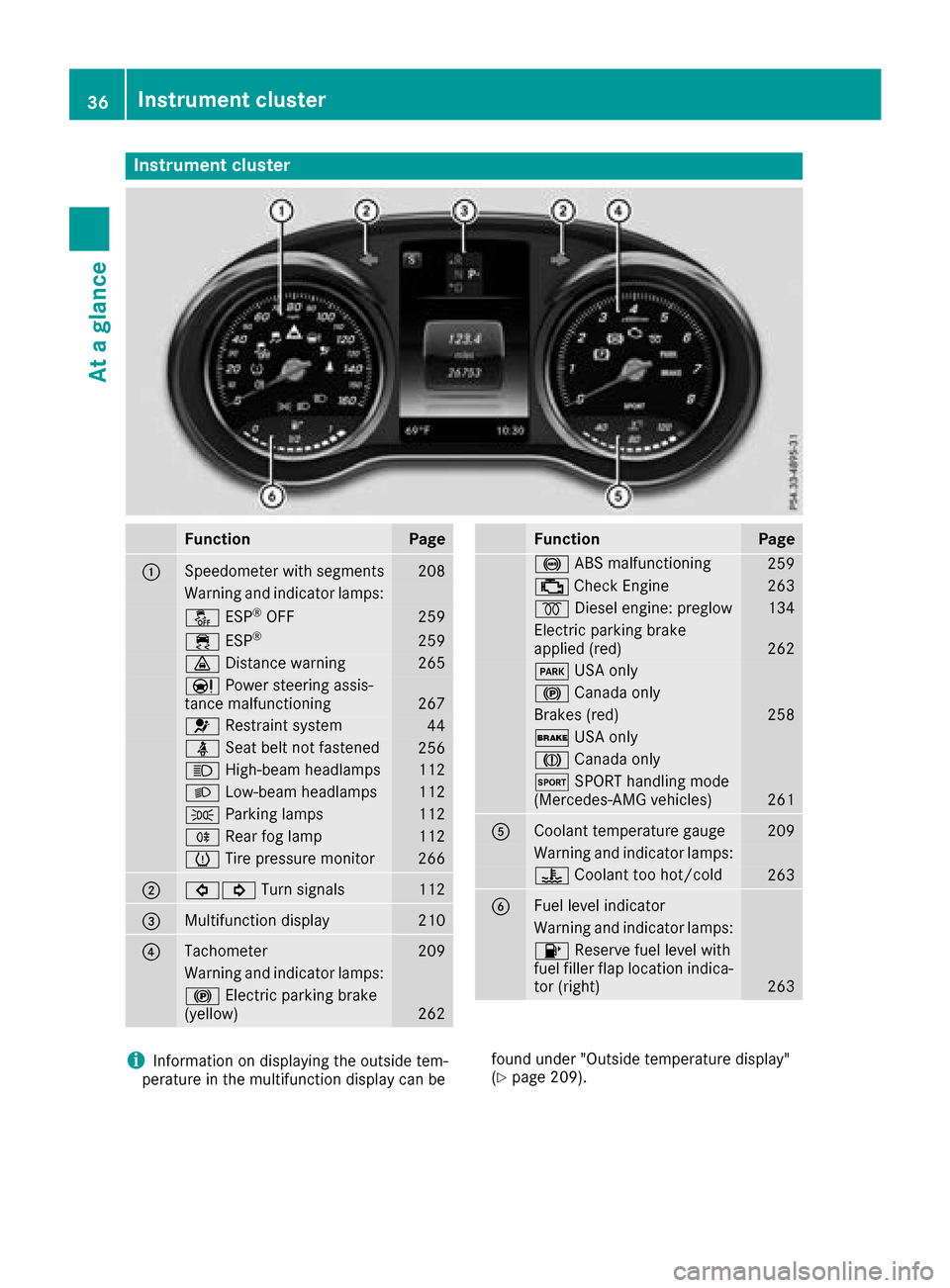
Instrument cluster
FunctionPage
:Speedometer wit hsegments20 8
Warning and indicator lamps:
å ESP®OF F259
÷ ESP®25 9
· Distanc ewarning26 5
Ð Powersteering assis-
tance malfunctioning26 7
6 Restrain tsystem44
ü Seat belt no tfastene d256
K High-beam headlamps112
L Low-beam headlamps112
T Parking lamp s112
R Rear fog lamp112
h Tirepressur emonitor26 6
;#! Turn signals112
=Multifunction display210
?Tachometer209
Warning and indicator lamps:
! Electric parking brak e
(yellow)26 2
FunctionPag e
! ABSmalfunctioning25 9
; CheckEngin e263
% Diesel engine: preglow134
Electric parking brak e
applie d(red)26 2
F USAonly
! Canad aonly
Brake s(red)25 8
$ USAonly
J Canad aonly
M SPORT handlin gmod e
(Mercedes-AM Gvehicles)26 1
ACoolan ttemperature gauge20 9
Warning and indicator lamps:
? Coolan tto ohot/cold26 3
BFue llevel indicator
Warning and indicator lamps:
8 Reserve fuel level wit h
fuel filler flap location indica-
to r(right )
263
iInformation on displayin gth eoutside tem-
peratur ein th emultifunction display can be foun
dunder "Outside temperature display"
(Ypage 209).
36Instrument cluster
At a glance
Page 39 of 374

Multifunction steering wheel
FunctionPage
:Multifunction display210
;Multimedia system display
=~Rejects or ends a call
6Makes or accepts a call
Further telephone functions218
WXAdjusts volume
8 Mute
óSwitches on voice-
operated control for naviga-
tion or the Voice Control Sys-
tem
FunctionPage
?ò Opens the menu list
9:Selects a menu
aConfirms the selection
%Back
Operates the on-board com-
puter209
ñSwitches on voice-
operated control for naviga-
tion or the Voice Control Sys-
tem
iVehicles with Audio 20 multimedia sys-
tem: you can find further information
Ron the multimedia system in the Digital
Operator's Manual
Ron voice-controlled navigation in the man-
ufacturer's operating instructions
iVehicles with COMAND multimedia sys-
tem: you can find further information
Ron the multimedia system in the Digital
Operator's Manual
Ron the DVD changer or single DVD drive in
the Digital Operator's Manual
Ron the Voice Control System in the sepa-
rate operating instructions
Multifunction steering wheel37
At a glance