2017 MERCEDES-BENZ G-Class service reset
[x] Cancel search: service resetPage 16 of 286

Service menu ................................. 164
Settingsmenu ............................... 164
Standard display ............................ 160
Telephone menu ............................ 163
Tripm enu ...................................... 160
TV operation .................................. 163
Vehicl esubmenu ........................... 166
Video DVD operation ..................... 162
Operatin gsafety
Declaration of conformity ................ 26
Important safety notes .................... 26
Operatin gsystem
see On-board computer
Operation
Digital Operator's Manua l................ 22
Operator's Manual
Vehicl eequipment ........................... 24
Outside temperature display ........... 157
Overhead controlp anel...................... 36
Override feature
Rear sid ewindow s........................... 56
P
Paint code number ............................ 275
Paintwork (cleaning instructions) ... 233
Parking
Engaging park position .................. 110
Important safety notes .................. 120
Parking brake ................................ 121
Position of exterio rmirror, front-
passenger sid e................................. 83
Rear vie wcamera .......................... 143
Switching off the engine ................ 121
see PARKTRONIC
Parking aid
see Exterior mirrors
see PARKTRONIC
see Rear vie wcamera
Parking brake
Applying ......................................... 121
Displa ymessage ............................ 172
Emergency braking ........................ 121
Warning lamp ................................. 193
Parking lamps
Switching on/off. ............................. 86
PARKTRONIC
Deactivating/activating ................. 142 Driving system ............................... 140
Function/note
s............................. 140
Important safety notes .................. 140
Problem (malfunction) ................... 142
Range of the sensors ..................... 140
Trailer towing ................................. 142
Warning display ............................. 141
PASSENGER AI RBAG OFF
Indicato rlam p.................................. 39
Problems (malfunctions ).................. 55
Permanent all-whee ldrive
Off-road system ............................. 139
Pets in the vehicle ............................... 57
Phone book
see also Digital Operator's Man-
ual.................................................. 198
Plastict rim (cleaning instruc-
tions) .................................................. 236
Powe rsuppl y(trailer) ....................... 156
Powe rwashers .................................. 232
Program selecto rbutton .................. 113
Protectio nagainst theft
ATA (Anti-Theft Alarm system). ........ 61
Immobilizer ...................................... 61
Protectio nofthe environment
Generaln otes .................................. 23
Pulling away
Automati ctransmission ................. 105
Generaln otes ................................ 105
Trailer ............................................ 105
Q
QR code
Mercedes-Benz Guid eApp ................. 1
Rescuec ard ..................................... 28
Qualified specialist workshop ........... 27
R
RACETIME R(on-board computer,
Mercedes-AMG vehicles) .................. 168
RACETIMER
Deleting al llap s............................. 169
Displaying and starting .................. 168
Displaying the intermediate time ... 168
Resetting the current la p............... 169
Starting anew la p.......................... 168
14Index
Page 29 of 286

subject to the two following two conditions: 1)
These devices may not cause harmful interfer-
ence, and 2) These devices must accept any
interference received, including interference
that may cause undesired operation. Changes
or modifications not expressly approved by the
party responsible for compliance could void the
user’s authority to operate the equipment."
Canada:"The wireless devices of this vehicle
comply with Industry Canada license-exempt
RSS standard(s). Operation is subject to the fol-
lowing two conditions: (1) These devices may
not cause interference, and (2) These devices
must accept any interference, including inter-
ference that may cause undesired operation of
the device."
Diagnostics connection
The diagnostics connection is only intended for
the connection of diagnostic equipment at a
qualified specialist workshop.
GWARNING
If you connect equipment to adiagnostics
connection in the vehicle, it may affect the
operation of vehicle systems. As aresult, the
operating safety of the vehicle could be affec-
ted. There is arisk of an accident.
Only connect equipment to adiagnostics con-
nection in the vehicle, which is approved for
your vehicle by Mercedes-Benz.
GWARNING
Objects in the driver's footwell can restrict the pedal travel or obstruct adepressed pedal.
The operating and road safety of the vehicle is
jeopardized. There is arisk of an accident.
Make sure that all objects in the vehicle are
stowed correctly, and that they cannot enter
the driver's footwell. Install the floormats
securely and as specified in order to ensure
sufficient clearance for the pedals. Do not use
loose floormats and do not place floormats on
top of one another.
!If the engine is switched off and equipment
on the diagnostics connection is used, the
starter battery may discharge. Connectinge
quipment to the diagnostics con-
nection can lead to emissions monitoring infor-
mation being reset, for example. This may lead
to the vehicle failing to meet the requirements of
the next emissions test during the main inspec-
tion.
Qualified specialist workshop
An authorized Mercedes-Benz Center is aquali-
fied specialist workshop. It has the necessary
specialist knowledge, tools and qualifications to
correctly carry out the work required on your
vehicle. This is especially the case for work rel-
evant to safety.
Observe the notes in the Maintenance Booklet.
Always have the following work carried out at an
authorized Mercedes-Benz Center:
Rwork relevant to safety
Rservice and maintenance work
Rrepair work
Ralterations, installation work and modifica-
tions
Rwork on electronic components
Correct use
If you remove any warning stickers, you or oth-
ers could fail to recognize certain dangers.
Leave warning stickers in position.
Observe the following information when driving
your vehicle:
Rthe safety notes in this manual
Rtechnical data for the vehicle
Rtraffic rules and regulations
Rlaws and safety standards pertaining to motor vehicles
Reporting safety defects
USA only:
The following text is reproduced as required of
all manufacturers under Title 49, Code of U.S.
Federal Regulations, Part 575 pursuant to the
National Traffic and Motor Vehicle Safety Act of
1966.
If you believe that your vehicle has adefect
which could cause acrash or could cause injury
or death, you should immediately inform the
Operating safety27
Introduction
Z
Page 244 of 286
HEnvironmentalnote
Batteries contain dangerous
substances. It is agains tthe
law to dispose of them with
th eh ousehold rubbish. They
must be collected separately and recycled to protect the
environment.
Dispose of batteries in an
environmentally friendly
manner .Take discharged
batteries to aqualifieds pe-
cialis tworkshop or aspecial
collection pointf or used bat-
teries.
!Hav ethe battery checked regularly at a
qualifieds pecialist workshop.
Observe th eservicei ntervals in th eMainte-
nance Bookle torcontac taqualifieds pecialist
workshop for morei nformation.
!Always have work on batteries carried out at
aq ualifieds pecialist workshop.S hould it, in
exceptional circumstances, be absolutely
necessaryt odisconnect th e12-vol tbattery
yourself, observe th efollowing:
RSecure th evehicle to prevent it fro mrolling
away.
RSwitch off th eignition.
RDisconnec tthe negativ eterminal first and
then th epositive terminal.
The transmission is locked in position j
after disconnecting th ebattery.
After th ework has been done, install th ebat-
ter ya nd replacet hecover of th epositive ter-
minal clam pfirmly.
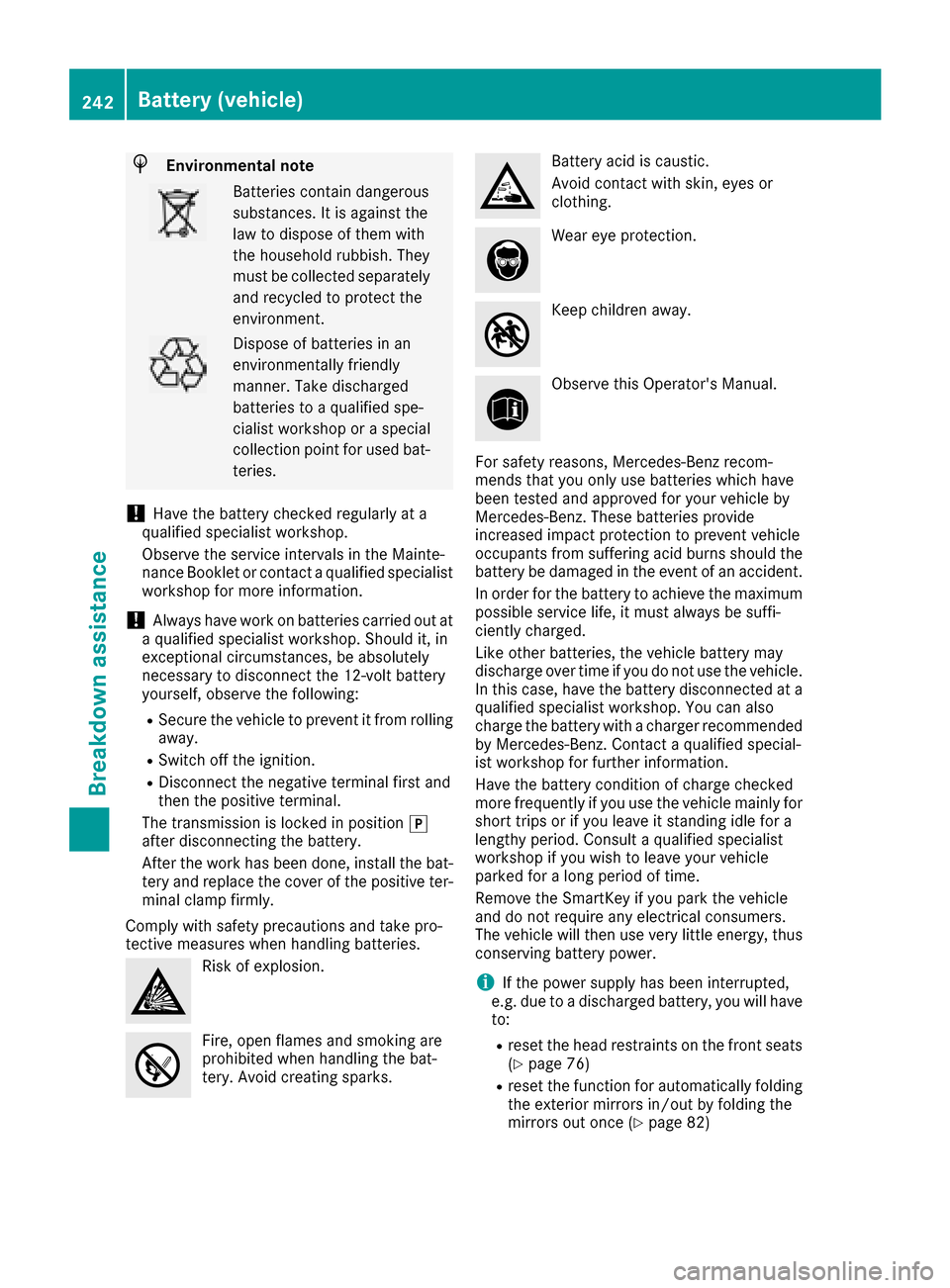
Comply with safet yprecautions and tak epro-
tectiv emeasures when handling batteries.
Risk of explosion.
Fire, open flames and smokin gare
prohibited when handling th ebat-
tery. Avoid creating sparks.
Batter yacid is caustic.
Avoid contac twith skin, eyes or
clothing.
Wear eye protection.
Keep children away.
Observe this Operator's Manual.
For safety reasons ,Mercedes-Ben zrecom-
mends that you onl yuse batteries whichh ave
been tested and approved for your vehicle by
Mercedes-Benz. Theseb atteries provide
increasedi mpactprotection to prevent vehicle
occupant sfroms ufferinga cid burnsshould the
battery be damagedint heeven tofana ccident.
In orderf or thebattery to achieve th emaximum
possible servicel ife, it must always be suffi-
ciently charged.
Likeo ther batteries,t hevehicle battery may
dischargeo ver timeifyou do not use th evehicle.
In this case ,have th ebattery disconnected at a
qualifieds pecialist workshop.Y ou can also
charge th ebattery with acharger recommended
by Mercedes-Benz. Contact aqualifieds pecial-
ist workshop for further information.
Hav ethe battery condition of charge checked
moref requently if you use th evehicle mainly for
shortt rips or if you leave it standin gidle for a
length yperiod. Consult aqualifieds pecialist
workshop if you wish to leave your vehicle
parked for alongp eriodoft ime.
Removet heSmartKey if you park th evehicle
and do not requirea ny electrical consumers.
The vehicle will then use veryl ittle energy, thus
conservingb attery power.
iIf thepower supply has been interrupted,
e.g .due to adischarged battery, you will have
to:
Rreset th ehead restraint sonthefront seats
(Ypage 76)
Rreset th efunction for automatically folding
th ee xteriorm irrorsin/out by folding the
mirrorso ut once(
Ypage 82)
242Battery (vehicle)
Breakdown assistance