2017 MERCEDES-BENZ E-Class CABRIOLET instrument cluster
[x] Cancel search: instrument clusterPage 200 of 322

Activating/deactivating Blind Spot
Assist
XPress the= or; buttonon th esteering
whee lto select th eDriveAssistmenu.
XPress th e9 or: buttonto select
Blind Spo tAssist.
XPress th ea button.
The curren tselection appears.
XTo activate/deactivate: press thea but-
to nagain .
Fo rfurther information about Blind Spot Assist,
see (
Ypage 180).
Fo rfurther information about Active Blind Spot
Assist, see (
Ypage 183).
Activating/deactivating Lane Keeping
Assist
XPress the= or; buttonon th esteering
whee lto select th eDriveAssistmenu.
XPress th e9 or: buttonto select
Lan eKeep. Assist.
XPress th ea button.
The curren tselection appears.
XPress ato confirm .
XPress the: or9 buttonto set Off,
Standardor Adaptive.
XPress th ea buttonto sav eth esetting .
When Lan eKeepin gAssis tor Active Lan e
Keepin gAssis tis activated, th emultifunction
display shows th elan emarking sas bright
lines in th eassistanc egraphic .
Fo rfurther information about Lan eKeepin g
Assist, see (
Ypage 182).
Fo rfurther information about Active Lan eKeep-
ing Assist, see (
Ypage 186).
Service menu
Dependingon th eequipmen tinstalled in th e
vehicle, you hav eth efollowin goption sin th e
Serv.
menu:
RCallin gup display message sin message
memory (Ypage 202)
RChecking th etire pressur eelectronically
(Ypage 291)
RCallin gup th eservic edue dat e
(Ypage 261)
Settings menu
Introd uction
Dependin gon th eequipmen tinstalled in th e
vehicle, you hav eth efollowin goption sin th e
Sett.
menu:
RChangin gth einstrumen tcluste rsetting s
(Ypage 198)
RChangin gth eligh tsetting s (Ypage 199)
RChangin gth evehicl esetting s (Ypage 200)
RChangin gth econvenience setting s
(Ypage 200)
RRestoring th efactory setting s (Ypage 201)
Instrument cluster
Selecting th edistance uni t
TheDispla yUni tSpeed-/Odometer :func-
tion allows you to choos ewhether certain dis-
plays appear in kilometers or mile sin th emul-
tifunction display.
XPress th e= or; buttonon th esteering
whee lto select th eSett.menu.
XPress th e: or9 buttonto select th e
Instrumen tCluste rsubmenu.
XPressato confirm .
XPress the: or9 buttonto select th e
Displa yUni tSpeed-/Odometerfunction .
You will see th eselected setting :kmor miles.
XPress th ea buttonto sav eth esetting .
The selected uni tof measuremen tfor distanc e
applie sto :
Rthedigital speedometer in th eTri pmen u
Rtheodometer and trip odometer
Rth etrip computer
Rth ecurren tconsumption and th erange
Rth enavigation instruction sin th eNav imen u
Rcruise control
RDISTRONI CPLU S
RASSYS TPLU Sservic einterval display
Selecting permanent displa y
ThePermanent Display:function allows you
to choos ewhether th emultifunction display
always shows th eoutside temperature or th e
speed.
The spee ddisplay is invers eto th espeedome-
ter.
198Menus and submenus
On-board computer and displays
Page 201 of 322

XPress the=or; button on the steering
wheel to select the Sett.menu.
XPress the:or9 button to select the
Instrument Clustersubmenu.
XPress ato confirm.
XPress the :or9 button to select the
Permanent Display:function.
The current setting, Outside Temperature
orSpeedometer [km/h]/Speedometer[mph], appears.
XPress the abutton to save the setting.
Lights
Setting the brightness of the instrument
cluster lighting and switches
The lighting in the instrument cluster, in the dis-
plays and the controls in the vehicle interior can
be adjusted with the Brightness Display/
Switches:function.
XPress the=or; button on the steering
wheel to select the Sett.menu.
XPress the:or9 button to select the
Lightssubmenu.
XPress ato confirm.
XPress the :or9 button to select the
Brightness Display/Switches:function.
The current setting appears.
XPress ato confirm.
XPress the :or9 button to adjust the
brightness to any level from Level 1to
Level 5(bright).
XPress the aor% button to save the
setting.
If the light switch is set to the Ã,Tor
L position, the brightness is dependent
upon the brightness of the ambient light.
iThe light sensor in the instrument cluster
automatically controls the brightness of the
multifunction display.
In daylight, the displays in the instrument
cluster are not illuminated.
Switching the daytime running lamps on/
off
XPress the =or; button on the steering
wheel to select the Sett.menu.
XPress the:or9 button to select the
Lightssubmenu.
XPress ato confirm.
XPress the :or9 button to select the
Day. Run. Lightsfunction.
If the Day. Run. Lightsfunction has been
switched on, the multifunction display shows
the cone of light and the Wsymbol in
orange.
XPress the abutton to save the setting.
Further information on daytime running lamps
(
Ypage 109).
Activating/deactivating surround light-
ing and exterior lighting delayed switch-
off
XPress the =or; button on the steering
wheel to select the Sett.menu.
XPress the:or9 button to select the
Lightssubmenu.
XPress ato confirm.
XUsing :or9, select the SurroundLightingfunction.
If the SurroundLightingfunction is activa-
ted, the light cone and the area around the
vehicle are displayed in orange in the multi-
function display.
XPress the abutton to save the setting.
Deactivating delayed switch-off of the exterior
lighting temporarily:
XBefore leaving the vehicle, turn the SmartKey to position 0in the ignition lock.
XTurn the SmartKey to position 2in the ignition
lock.
The exterior lighting delayed switch-off is
deactivated.
Delayed switch-off of the exterior lighting is
reactivated the next time you start the engine.
If you have activated the Surround Lighting
function and the light switch is set to the Ã
position, the following functions are activated
when it is dark:
Rsurround lighting: the exterior lighting
remains lit for 40 seconds after unlocking
with the SmartKey. If you start the engine, the
surround lighting is switched off and auto-
matic headlamp mode is activated
(
Ypage 109).
Rexterior lighting delayed switch-off: the
exterior lighting remains lit for 60 seconds
after the engine is switched off. If you close all
the doors and the trunk lid, the exterior light-
ing goes off after 15 seconds.
Menus and submenus199
On-board computer and displays
Z
Page 205 of 322

Safety systems
Display messagesPossible causes/consequences andMSolutions
!÷
Currently Unavaila‐ble See Operator'sManual
ABS (Anti-lock Braking System) and ESP®(Electronic Stability Pro-
gram) are temporarily not available.
Other driving systems and driving safety systems may also be faulty.
In addition, the ÷,åand! warning lamps light up in the
instrument cluster.
For example, the on-board voltage may be insufficient.
GWARNING
The brake system continues to function normally, but without the
functions listed above. The wheels could therefore lock if you brake
hard, for example.
The steerability and braking characteristics may be severely affected.
The braking distance in an emergency braking situation can increase.
If ESP
®is not operational, ESP®is unable to stabilize the vehicle.
There is an increased risk of skidding and an accident.
XDrive on carefully.
If the display message disappears, the functions mentioned above are available again.
If the multifunction display still shows the display message:
XDrive on carefully.
XVisit a qualified specialist workshop immediately.
!÷
Inoperative SeeOperator's Manual
ABS and ESP®are malfunctioning.
Other driving systems and driving safety systems may also be faulty.
The $ (USA only) or J(Canada only), ÷,åand!
warning lamps in the instrument cluster also light up.
GWARNING
The brake system continues to function normally, but without the
functions listed above. The wheels could therefore lock if you brake
hard, for example.
The steerability and braking characteristics may be severely affected.
The braking distance in an emergency braking situation can increase.
If ESP
®is not operational, ESP®is unable to stabilize the vehicle.
There is an increased risk of skidding and an accident.
XDrive on carefully.
XVisit a qualified specialist workshop immediately.
Display messages203
On-board computer and displays
Z
Page 226 of 322

Display messagesPossible causes/consequences andMSolutions
Â
ReplaceKey Batter y
The battery of th eKEYLESS-GO ke yis discharged.
XChange th ebatterie s (Ypage 76) .
Â
Don't Forget You rKey
The KEYLESS-GO ke yis no tin th eignition lock. You hav eopened th e
driver's door wit hth eengin eswitched off .
This display message is shown in th emultifunction display for amax -
imum of 60 seconds and is simply areminder.
XRemembe rto tak eth eKEYLESS-GO ke ywit hyou when you leav e
th evehicle.
Â
Key Not Detected(re ddisplay message )
The KEYLESS-GO ke yis no tin th evehicle.
A warning tone also sounds.
If th eengin eis switched off ,you can no longer loc kth evehicl ecen-
trally or start th eengine.
XPull ove rand stop th evehicl esafely as soo nas possible, payin g
attention to roa dand traffic conditions.
XSecur eth evehicl eagainst rollin gaway (Ypage 144).
XLocate th eKEYLESS-GO key.
A stron gsource of radi owave sis causing interferenc eand this is
preventing th eKEYLESS-GO ke yfrom bein grecognized when th e
engin eis running.
A warning tone also sounds.
XPull ove rand stop th evehicl esafely as soo nas possible, payin g
attention to roa dand traffic conditions.
XSecur eth evehicl eagainst rollin gaway (Ypage 144).
XInsertth eSmartKey int oth eignition loc kand bring int oke ymode.
Â
Key Not Detected(whit edisplay message )
The KEYLESS-GO ke ycanno tbe detecte dat present.
XChange th elocation of th eSmartKey wit hth eKEYLESS-GO func-
tion sin th evehicle.
If th eKEYLESS-GO ke yis still no tdetected:
XOperat eth evehicl ewit hth eSmartKey in th eignition lock.
Â
Remove 'Start 'But ‐ton and Insert Key
The KEYLESS-GO ke ycan continuousl yno tbe detected.
KEYLESS-GO is temporarily malfunctioning or is defective. Awarning
tone also sounds.
XInser tth eSmartKey int oth eignition loc kand tur nit to th edesire d
position .
XVisitaqualified specialist workshop .
Warning and indicat orlamps in the instrume nt cluster
General notes
Some systems carry out aself-diagnosis when th eignition is switched on .Therefore ,som eindicator
and warning lamp smay ligh tup or flas htemporarily. This behavio ris non-critical .These indicator
224Warning and indicator lamps in the instrument cluster
On-board computer and displays
Page 227 of 322

and warning lamps only indicate a malfunction if they light up or flash after starting the engine or
whilst driving.
Safety
Seat belts
Warning/
indicator
lampNSignal type
Possible causes/consequences and M
Solutions
üNAfter starting the engine, the red seat belt warning lamp lights up for 6 seconds.
The seat belt warning lamp reminds the driver and front passenger to fasten their
seat belts.
XFasten your seat belt (Ypage 43).
üN After starting the engine, the red seat belt warning lamp lights up. In addition, a
warning tone sounds for up to 6 seconds.
The driver's seat belt is not fastened.
XFasten your seat belt (Ypage 43).
The warning lamp goes out and the warning tone ceases.
üN The red seat belt warning lamp lights up after the engine starts, as soon as the
driver's or the front-passenger door is closed.
The driver or front passenger has not fastened their seat belt.
XFasten your seat belt (Ypage 43).
The warning lamp goes out.
There are objects on the front-passenger seat.
XRemove the objects from the front-passenger seat and stow them in a secure
place.
The warning lamp goes out.
üN The red seat belt warning lamp flashes and an intermittent audible warning
sounds.
The driver or front passenger has not fastened their seat belt. The vehicle is being
driven faster than 15 mph (25 km/h)or has briefly been driven faster than 15 mph
(25 km/h).
XFasten your seat belt (Ypage 43).
The warning lamp goes out and the intermittent warning tone ceases.
There are objects on the front-passenger seat. The vehicle is being driven faster
than 15 mph (25 km/h) or has briefly been driven faster than 15 mph (25 km/h) .
XRemove theobjects from th efront-passenger seat and stow them in asecure
place.
The warning lamp goes out and th eintermittent warning tone ceases .
Warning and indicator lamps in the instrument cluster225
On-board computer and displays
Z
Page 228 of 322

Safety systems
Warning/
indicator
lampNSignal type
Possible causes/consequences and M
Solutions
$JN$ (USA only) or J(Canada only): the red brake system warning lamp is
lit while the vehicle is moving. A warning tone also sounds.
You are driving with the parking brake applied.
XRelease the parking brake.
The warning lamp goes out and the warning tone ceases.
$JN $ (USA only) or J(Canada only): the red brake system warning lamp is
lit while the engine is running. A warning tone also sounds.
GWARNING
The brake boosting effect is malfunctioning and the braking characteristics may be
affected.
There is a risk of an accident.
XPull over and stop the vehicle safely as soon as possible, paying attention to road
and traffic conditions. Do not continue driving under any circumstances.
XSecure the vehicle against rolling away (Ypage 144).
XConsult a qualified specialist workshop.
XObserve the additional display messages in the multifunction display.
$JN $ (USA only) or J(Canada only): the red brake system warning lamp is
lit while the engine is running. A warning tone also sounds.
GWARNING
There is not enough brake fluid in the brake fluid reservoir.
The braking effect may be impaired.
There is a risk of an accident.
XPull over and stop the vehicle safely as soon as possible, paying attention to road
and traffic conditions. Do not continue driving under any circumstances.
XSecure the vehicle against rolling away (Ypage 144).
XDo not add brake fluid. Adding more will not correct the malfunction.
XConsult a qualified specialist workshop.
XObserve the additional display messages in the multifunction display.
226Warning and indicator lamps in the instrument cluster
On-board computer and displays
Page 229 of 322

Warning/
indicator
lampNSignal type
Possible causes/consequences and M
Solutions
!NThe yellow ABS warning lamp is lit while the engine is running.
ABS (anti-lock braking system) is malfunctioning.
If there is an additional warning tone, the EBD (electronic brake force distribution)
is malfunctioning.
Other driving systems and driving safety systems may also be faulty.
GWARNING
The brake system continues to function normally, but without the functions listed
above. The front and rear wheels could therefore lock if you brake hard, for exam-
ple.
The steerability and braking characteristics may be severely affected. The braking
distance in an emergency braking situation can increase.
If ESP
®is not operational, ESP®is unable to stabilize the vehicle.
There is an increased risk of skidding and an accident.
XObserve the additional display messages in the multifunction display.
XDrive on carefully.
XVisit a qualified specialist workshop immediately.
If the ABS control unit is faulty, there is also a possibility that other systems, such
as the navigation system or the automatic transmission, will not be available.
$J
֌
!N $ (USA only) or J(Canada only): the red brake system warning lamp and
the yellow ESP®, ESP®OFF and ABS warning lamps are lit while the engine is
running.
ABS and ESP
®are malfunctioning.
Other driving systems and driving safety systems may also be faulty.
GWARNING
The brake system continues to function normally, but without the functions listed
above. The front and rear wheels could therefore lock if you brake hard, for exam-
ple.
The steerability and braking characteristics may be severely affected. The braking
distance in an emergency braking situation can increase.
If ESP
®is not operational, ESP®is unable to stabilize the vehicle.
There is an increased risk of skidding and an accident.
XObserve the additional display messages in the multifunction display.
XDrive on carefully.
XVisit a qualified specialist workshop immediately.
Warning and indicator lamps in the instrument cluster227
On-board computer and displays
Z
Page 230 of 322
Warning/
indicator
lampNSignal type
Possible causes/consequences and M
Solutions
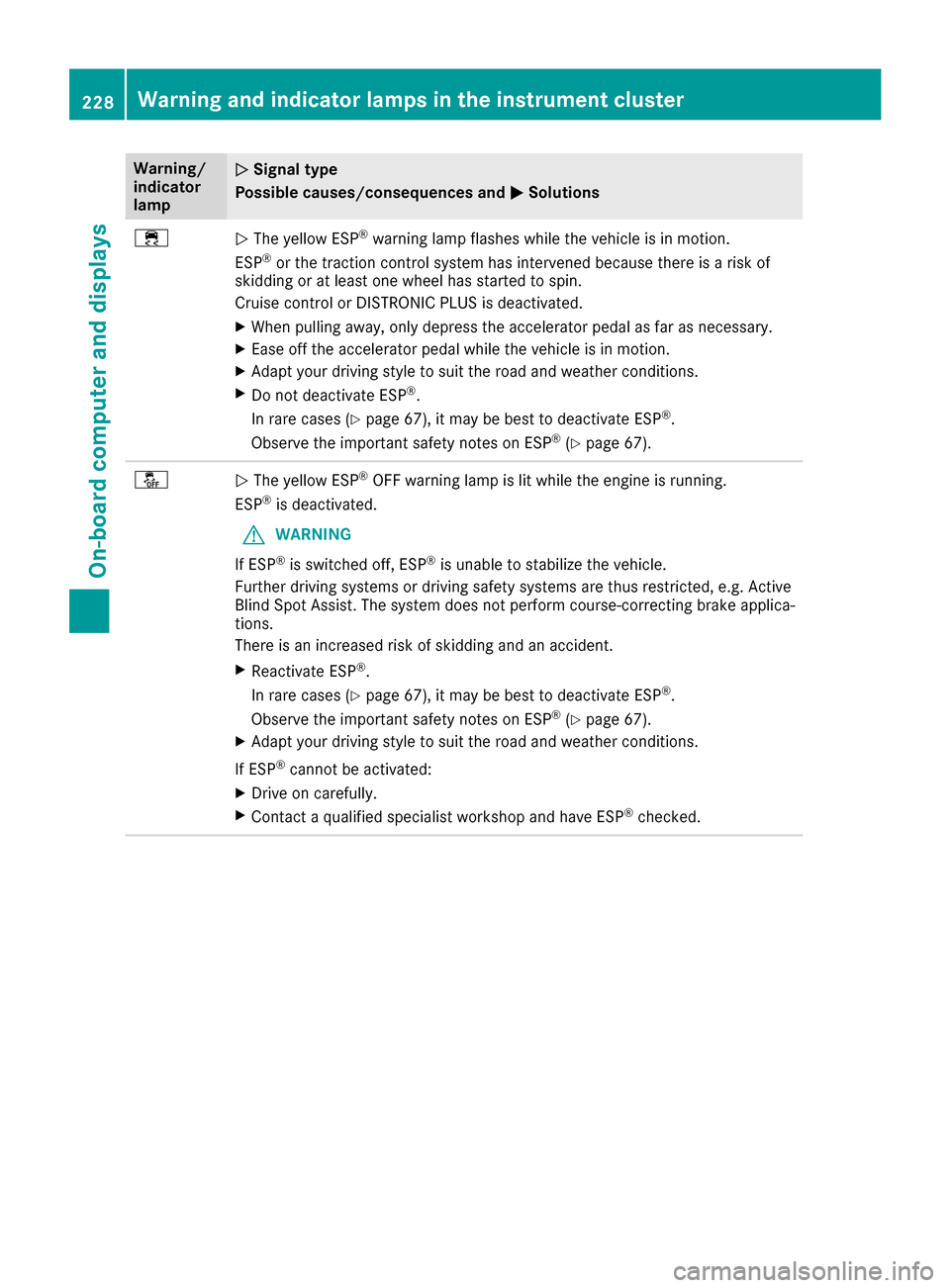
÷NThe yellow ESP®warning lamp flashes while the vehicle is in motion.
ESP®or the traction control system has intervened because there is a risk of
skidding or at least one wheel has started to spin.
Cruise control or DISTRONIC PLUS is deactivated.
XWhen pulling away, only depress the accelerator pedal as far as necessary.
XEase off the accelerator pedal while the vehicle is in motion.
XAdapt your driving style to suit the road and weather conditions.
XDo not deactivate ESP®.
In rare cases (
Ypage 67), it may be best to deactivate ESP®.
Observe the important safety notes on ESP®(Ypage 67).
åN The yellow ESP®OFF warning lamp is lit while the engine is running.
ESP®is deactivated.
GWARNING
If ESP
®is switched off, ESP®is unable to stabilize the vehicle.
Further driving systems or driving safety systems are thus restricted, e.g. Active
Blind Spot Assist. The system does not perform course-correcting brake applica-
tions.
There is an increased risk of skidding and an accident.
XReactivate ESP®.
In rare cases (
Ypage 67), it may be best to deactivate ESP®.
Observe the important safety notes on ESP®(Ypage 67).
XAdapt your driving style to suit the road and weather conditions.
If ESP
®cannot be activated:
XDrive on carefully.
XContact a qualified specialist workshop and have ESP®checked.
228Warning and indicator lamps in the instrument cluster
On-board computer and displays