2017 MERCEDES-BENZ CLA-Class cooling
[x] Cancel search: coolingPage 6 of 318
1, 2, 3 ...
4ETS (Electronic Traction System)see ETS/4ETS (Electronic Trac-
tion System)
4MATIC
Display message ............................ 213
4MATIC (permanent four-wheel
drive) .................................................. 159
12 V socket
see Sockets
A
ABS (Anti-lock Braking System)Display message ............................ 189
Function/notes ................................ 60
Important safety notes .................... 60
Warning lamp .................................2 18
Accident
Automatic measures after an acci-
dent ................................................. 53
Activating media mode
General notes ................................ 232
Activating/deactivating cooling
with air dehumidification ................. 114
Active Brake Assist
Activating or deactivating .............. 182
Display message ............................ 194
Function/notes ................................ 61
ADAPTIVE BRAKE ................................. 66
Adaptive Damping System
Function/notes .............................1 59
Adaptive Highbeam Assist
Display message ............................ 202
Function/notes .............................1 01
Switching on/off ........................... 102
Additional speedometer ................... 184
Additives (engine oil) ........................ 312
Address book
see also Digital Operator's Man-
ual ..................................................2 27
Adjusting the volume
Audio 20 ........................................ 228
COMAND ....................................... 228
Air bags
Deployment ..................................... 51
Display message ............................ 197 Front air bag (driver, front
passenger) ....................................... 45
Important safety notes .................... 44
Introduction ..................................... 44
Knee bag .......................................... 45
Occupant Classification System
(OCS) ............................................... 46
PASSENGER AIR BAG indicator
lamps ............................................... 40
Side impact air bag .......................... 45
Window curtain air bag .................... 46
Ai r ve
nts
Important safety notes .................. 119
Rear ............................................... 119
Setting the center air vents ........... 119
Setting the side air vents ...............1 19
Air-conditioning system
see Climate control
Alarm
ATA (Anti-Theft Alarm system) ......... 67
Switching off (ATA) .......................... 67
Switching the function on/off
(ATA) ................................................ 67
Alarm system
see ATA (Anti-Theft Alarm system)
AMG
Adaptive sport suspension sys-
tem ................................................ 158
Performance Seat ............................ 93
AMG adaptive sport suspension
system
General Information ....................... 158
AMG menu (on-board computer) ..... 185
AMG Performance exhaust sys-
tem ..................................................... 126
Anti-lock braking system
see ABS (Anti-lock Braking System)
Anti-Theft Alarm system
see ATA (Anti-Theft Alarm system)
Ashtray ............................................... 240
Assistance display (on-board com-
puter) ..................................................1 82
Assistance menu (on-board com-
puter) ..................................................1 82
ASSYST PLUS
Displaying a service message ........2 58
Driving abroad ............................... 259
4Index
Page 9 of 318

Change of ownership.......................... 25
Child
Restraint system .............................. 55
Child seat
Forward-facing restraint system ...... 58
LATCH-type (ISOFIX) child seat
anchors ............................................ 56
On the front-passenger seat ............ 57
Rearward-facing restraint system .... 58
Top Tether ...................................... .56
Child-proof locks
Important safety notes .................... 58
Rear doors ...................................... .59
Children
Special seat belt retractor .............. .54
Cigarette lighter ................................ 241
Cleaning
Mirror turn signal .......................... .262
Climate control
Air-conditioning system ................. 110
Automatic climate control (dual-
zone) .............................................. 112
Controlling automatically ...............1 15
Cooling with air dehumidification .. 114
Defrosting the windows ................. 117
Defrosting the windshield .............. 116
General notes ................................ 109
Indicator lamp ................................ 115
Information about using auto-
matic climate control ..................... 113
Maximum cooling .......................... 117
Notes on using the air-condition-
ing system ..................................... 111
Overview of systems ......................1 09
Problem with the rear window
defroster ........................................ 118
Probl
ems with cooling with air
dehumidification ............................ 115
Refrigerant ..................................... 313
Refrigerant filling capacity ............. 314
Setting the air distribution ............. 115
Setting the air vents ......................1 19
Setting the airflow ......................... 116
Setting the temperature ................ 115
Switching air-recirculation mode
on/off ............................................ 118
Switching on/off ........................... 114
Switching residual heat on/off ...... 118 Switching the rear window
defroster on/off ............................ 117
Switching the ZONE function
on/off ............................................ 116
Cockpit
Overview .......................................... 31
COMAND
Switching on/off ........................... 228
COMAND display
Cleaning ......................................... 263
Combination switch .......................... 100
Compass
Calibrating ..................................... 252
Calling up ....................................... 252
Magnetic field zone maps .............. 252
Setting ...........................................2 52
Connecting a USB device
see also Digital Operator's Man-
ual ..................................................2 27
Consumption statistics (on-board
computer) .......................................... 177
Controller ...........................................2 28
Convenience closing feature .............. 82
Convenience opening feature ............ 82
Coolant (engine)
Checking the level ......................... 257
Display message ............................ 202
Filling capacity ............................... 313
Important safety notes .................. 312
Temperature (on-board computer,
Mercedes-AMG vehicles) ...............1 85
Temperature gauge ........................ 175
Warning lamp ................................. 223
Cooling
see Climate control
Copyright ............................................. 30
C
ornering light function
Display message ............................ 199
Cruise control
Activation conditions ..................... 149
Cruise control lever ....................... 148
Deactivating ................................... 149
Display message ............................ 208
Driving system ............................... 148
Function/notes .............................1 48
Important safety notes .................. 148
Setting a speed .............................. 149
Index7
Page 111 of 318

Overview of climate control systems
General notes
Observe the settings recommended on the fol-
lowing pages. The windows could otherwise fog
up.
To prevent the windows from fogging up:
Rswitch off climate control only briefly
Rswitch on air-recirculation mode only briefly
Rswitch on the cooling with air dehumidifica-
tion function
Rswitch on the defrost windshield function
briefly, if required
The air-conditioning system or dual-zone auto-
matic climate control regulates the temperature and the humidity of the vehicle interior and fil-
ters undesirable substances from the air.
The air-conditioning system or dual-zone auto-
matic climate control can only be operated
when the engine is running. Optimum operation
is only achieved with the side windows and pan- orama roof with power tilt/sliding panel closed.
If you start the engine using your smartphone,
the last selected climate control setting is reac-
tivated (
Ypage 122).
The residual heat function can only be activated
or deactivated with the ignition switched off
(
Ypage 118). Always keep the ventilation flaps behind the
side trim panel in the cargo compartment clear
(
Ypage 105). Otherwise the vehicle will not be
ventilated correctly.
iVentilate the vehicle for a brief period during
warm weather, e.g. using the convenience
opening feature (
Ypage 82). This will speed
up the cooling process and the desired inte-
rior temperature will be reached more
quickly.
iThe integrated filter filters out most parti-
cles of dust and soot and completely filters
out pollen. It also reduces gaseous pollutants
and odors. A clogged filter reduces the
amount of air supplied to the vehicle interior.
For this reason, you should always observe
the interval for replacing the filter, which is
specified in the Maintenance Booklet. As it
depends on environmental conditions, e.g.
heavy air pollution, the interval may be
shorter than stated in the Maintenance Book-
let.
iIt is possible that under certain circumstan-
ces the residual heat function may be activa-
ted automatically an hour after the SmartKey
has been removed in order to dry the aut
o-
matic climate control. The vehicle is then ven-
tilated for 30 minutes.
Overview of climate control systems109
Climate control
Page 113 of 318
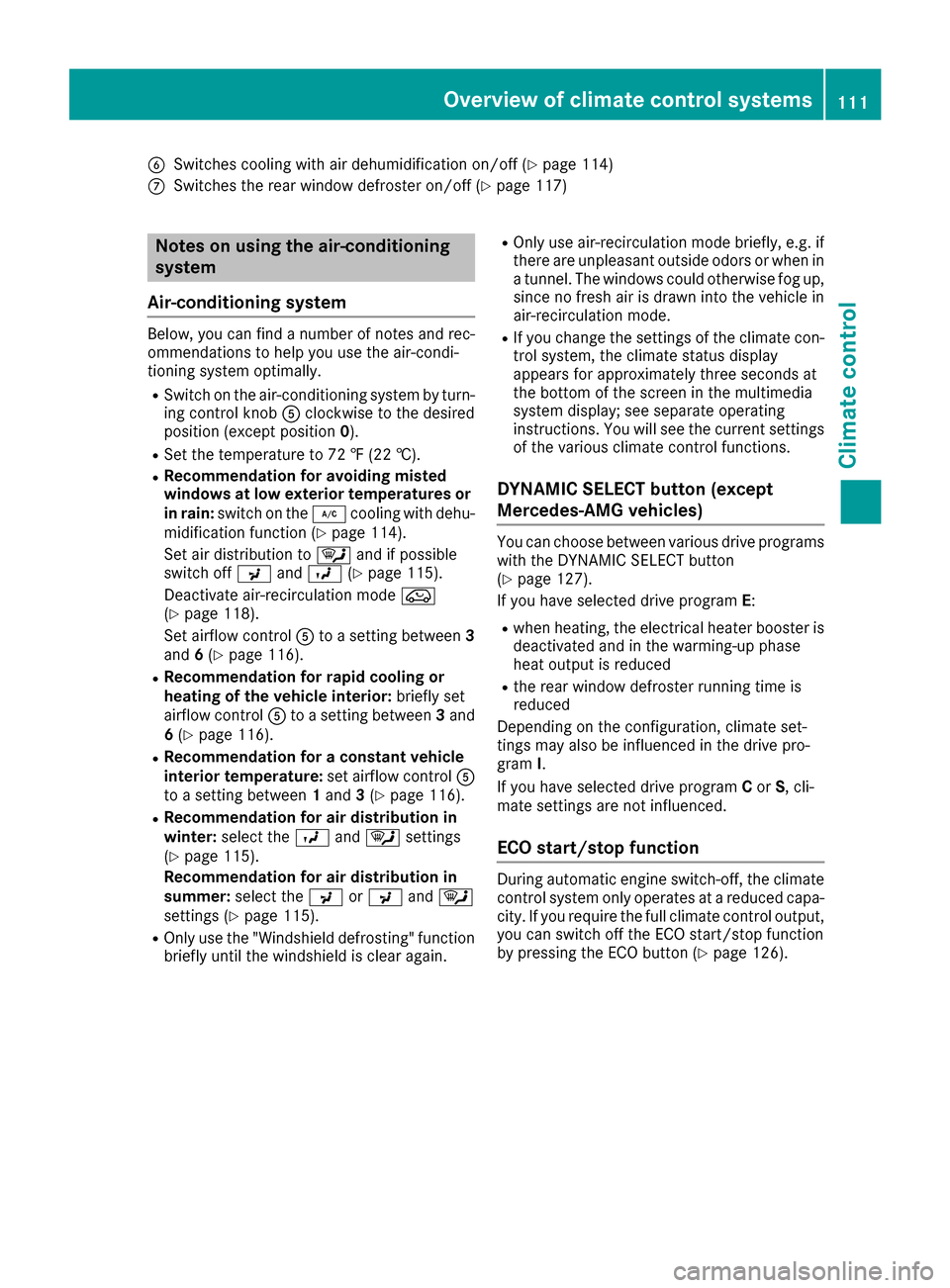
BSwitches cooling with air dehumidification on/off (Ypage 114)
CSwitches the rear window defroster on/off (Ypage 117)
Notes on using the air-conditioning
system
Air-conditioning system
Below, you can find a number of notes and rec-
ommendations to help you use the air-condi-
tioning system optimally.
RSwitch on the air-conditioning system by turn- ing control knob Aclockwise to the desired
position (except position 0).
RSet the temperature to 72 ‡ (22 †).
RRecommendation for avoiding misted
windows at low exterior temperatures or
in rain: switch on the ¿cooling with dehu-
midification function (
Ypage 114).
Set air distribution to ¯and if possible
switch off PandO (
Ypage 115).
Deactivate air-recirculation mode e
(
Ypage 118).
Set airflow control Ato a setting between 3
and 6(
Ypage 116).
RRecommendation for rapid cooling or
heating of the vehicle interior: briefly set
airflow control Ato a setting between 3and
6 (
Ypage 116).
RRecommendation for a constant vehicle
interior temperature: set airflow controlA
to a setting between 1and 3(
Ypage 116).
RRecommendation for air distribution in
winter: select the Oand¯ settings
(
Ypage 115).
Recommendation for air distribution in
summer: select the PorP and¯
settings (
Ypage 115).
ROnly use the "Windshield defrosting" function
briefly until the windshield is clear again.
ROnly use air-recirculation mode briefly, e.g. if
there are unpleasant outside odors or when in
a tu
nnel. The windows could otherwise fog up,
since no fresh air is drawn into the vehicle in
air-recirculation mode.
RIf you change the settings of the climate con-
trol system, the climate status display
appears for approximately three seconds at
the bottom of the screen in the multimedia
system display; see separate operating
instructions. You will see the current settings
of the various climate control functions.
DYNAMIC SELECT button (except
Mercedes-AMG vehicles)
You can choose between various drive programs
with the DYNAMIC SELECT button
(
Ypage 127).
If you have selected drive program E:
Rwhen heating, the electrical heater booster is
deactivated and in the warming-up phase
heat output is reduced
Rthe rear window defroster running time is
reduced
Depending on the configuration, climate set-
tings may also be influenced in the drive pro-
gram I.
If you have selected drive program Cor S, cli-
mate settings are not influenced.
ECO start/stop function
During automatic engine switch-off, the climate
control system only operates at a reduced capa-
city. If you require the full climate control output,
you can switch off the ECO start/stop function
by pressing the ECO button (
Ypage 126).
Overview of climate control systems111
Climate control
Page 114 of 318

Control panel for dual-zone automatic climate control
USAonly
:
Sets the temperature, left (Ypage 115)
;Sets climate control to automatic (Ypage 115)
=Defrosts the windshield (Ypage 116)
?Increases the airflow (Ypage 116)
ASets the air distribution (Ypage 115)
BDisplay
CSwitches air-recirculation mode on/off (Ypage 118)
DActivates/deactivates climate control (Ypage 114)
ESets the temperature, right (Ypage 115)
FActivates or deactivates maximum cooling (Ypage 117)
GSwitches cooling with air dehumidification on/off (Ypage 114)
HReduces the airflow (Ypage 116)
ISwitches the rear window defroster on/off (Ypage 117)
JSwitches the ZONE function on/off (Ypage 116)
112Overview of climate control systems
Climate control
Page 115 of 318

Canada only
:
Sets the temperature, left (Ypage 115)
;Sets climate control to automatic (Ypage 115)
=Defrosts the windshield (Ypage 116)
?Increases the airflow (Ypage 116)
ASets the air distribution (Ypage 115)
BDisplay
CSwitches air-recirculation mode on/off (Ypage 118)
DActivates/deactivates climate control (Ypage 114)
ESets the temperature, right (Ypage 115)
FSwitches the residual heat on or off (Ypage 118)
GSwitches cooling with air dehumidification on/off (Ypage 114)
HReduces the airflow (Ypage 116)
ISwitches the rear window defroster on/off (Ypage 117)
JSwitches the ZONE function on/off (Ypage 116)
Optimum use of 3-zone automatic cli-
mate control
Climate control system
The following contains instructions and recom-
mendations to enable you to get the most out of
your dual-zone automatic climate control.
RActivate climate control using the Ãand
¿ buttons. The indicator lamps in the
à and¿ buttons light up.
RSet the temperature to 72 ‡ (22 †).
ROnlyuse th e"Windshield defrosting "function
briefl yuntil th ewindshield is clear again .
ROnly use air-recirculation mod ebriefly, e.g. if
there are unpleasant outside odors or when in
a tunnel. The windows could otherwise fog up, since no fresh air is draw
ninto th evehicl ein
air-recirculation mode.
RUse th eZON Efunction to adop tth etemper-
ature setting son th edriver's side for th e
front-passenger side as well. The indicato r
lamp in th eá buttongoe sout .
RUse th eresidual heat function if you wan tto
heat or ventilat eth evehicl einterio rwhen th e
ignition is switched off .The residual heat
function can only be activated or deactivated
wit hth eignition switched off .
RIf you changeth esetting sof th eclimat econ-
trol system, th eclimat estatu sdisplay
appears for approximately three seconds at
th ebotto mof th escree nin th emultimedia
system display; see separat eoperating
Overview of climate control systems11 3
Climate control
Page 116 of 318

instructions. You will see the current settings
of the various climate control functions.
DYNAMIC SELECT button (except
Mercedes-AMG vehicles)
You can choose between various drive programs
with the DYNAMIC SELECT button
(
Ypage 127).
If you have selected drive program E:
Rwhen heating, the electrical heater booster is
deactivated and in the warming-up phase
heat output is reduced
Rthe rear window defroster running time is
reduced
Depending on the configuration, climate set-
tings may also be influenced in the drive pro-
gram I.
If you have selected drive program Cor S, cli-
mate settings are not influenced.
ECO start/stop function
During automatic engine switch-off, the climate
control system only operates at a reduced capa-
city. If you require the full climate control output,
you can switch off the ECO start/stop function
by pressing the ECO button (
Ypage 126).
Operating the climate control sys-
tems
Activating/deactivating climate con-
trol
General notes
When the climate control is switched off, the air
supply and air circulation are also switched off.
The windows could fog up. Therefore, switch off
climate control only briefly
Air-conditioning system
XTurn the SmartKey to position 2in the ignition
lock (Ypage 121).
XTo switch on: turn controlAclockwise to
the desired position (except position 0)
(
Ypage 110).
XTo switch off: turn controlAcounter-clock-
wise to position 0(Ypage 110).
Dual-zone automatic climate control
XTurn the SmartKey to position 2in the ignition
lock (Ypage 121).
XTo activate: press theÃbutton.
The indicator lamp in the Ãbutton lights
up. Airflow and air distribution are set to auto-
matic mode.
or
XPress the ^button.
The indicator lamp in the ^button goes
out. The previously selected settings are
restored.
XTo deactivate: press the^button.
The indicator lamp in the ^button lights
up.
iDual-zone automatic climate control: switch
on climate control primarily using the Ã
button.
Switching cooling with air dehumidi-
fication on/off
General notes
If you deactivate the "Cooling with air-dehumid-
ification" function, the air inside the vehicle will
not be cooled. The air inside the vehicle will also
not be dehumidified. The windows can fog up
more quickly. Therefore, only deactivate the
"Cooling with air-dehumidification" function
briefly.
The "Cooling with air dehumidification" function is only available when the engine is running. The
air inside the vehicle is cooled and dehumidified
according to the temperature selected.
Condensation may drip from the underside of
the vehicle when it is in cooling mode. This is
normal and not a sign that there is a malfunc-
tion.
Activating/deactivating
XPress the ¿button.
The indicator lamp in the ¿button lights
up or goes out.
The indicator lamp in the button indicates that
the respective function is activated. The
"Cooling with air dehumidification" function
has a delayed switch-off feature.
114Operating the climate control systems
Climate control
Page 117 of 318

Problems with the "Cooling with air dehumidification" function
ProblemPossible causes/consequences andMSolutions
The indicator lamp in the
¿button flashes
three times or remains
off. The "Cooling with air
dehumidification" func-
tion cannot be switched
on.Cooling with air dehumidification has been deactivated due to a mal-
function.
XVisit a qualified specialist workshop.
Setting climate control to automatic
General notes
The automatic climate control function is only
available in conjunction with dual-zone auto-
matic climate control.
In automatic mode, the set temperature is main-
tained automatically at a constant level. The
system automatically regulates the temperature
of the dispensed air, the airflow and the air dis-
tribution.
The "Cooling with air dehumidification" function
is activated automatically in automatic mode.
Setting climate control to automatic
XTurn the SmartKey to position 2in the ignition
lock (Ypage 121).
XSet the desired temperature.
XTo activate: press theÃbutton.
The indicator lamp in the Ãbutton lights
up. Automatic air distribution and airflow are
activated.
XTo switch to manual mode: press theÉ
or Ë button.
or
XPress the KorI button.
The indicator lamp in the Ãbutton goes
out. Automatic air distribution and airflow are
deactivated.
Setting the temperature
Air-conditioning system
You can set the temperature for the entire vehi- cle. The set temperature is automatically main-
tained at a constant level.
XTurn the SmartKey to position 2in the ignition
lock (Ypage 121).
XTo increase or reduce: turn control:coun-
ter-clockwise or clockwise (Ypage 110). Only
change the temperature setting in small
increments. Start at 72 ‡ (22 †).
Dual-zone automatic climate control
Different temperatures can be set for the driv-
er's and front-passenger sides. The set temper-
ature is automatically maintained at a constant
level.
XTurn the SmartKey to position 2in the ignition
lock (Ypage 121).
XTo increase or decrease: turn control:or
E counter-clockwise or clockwise
(
Ypage 112). Only change the temperature
setting in small increments. Start at 72 ‡
(22 †).
Setting the air distribution
Air-conditioning system
Air distribution settings
¯ Directs air through the defroster vents
P Directs air through the center and side air
vents
O Directs air through the footwell air vents
Operating the climate control systems115
Climate control